¶ Reasons
- The power adapter is defected.
- The motherboard cable is loose.
- The constant current board is defected.
- The earth wire is loose.
¶ Troubleshooting Steps
¶ Tools necessary for toubleshooting
-
A multimeter
-
2.0mm Allen key
¶ Step 1 Check the power adapter.
-
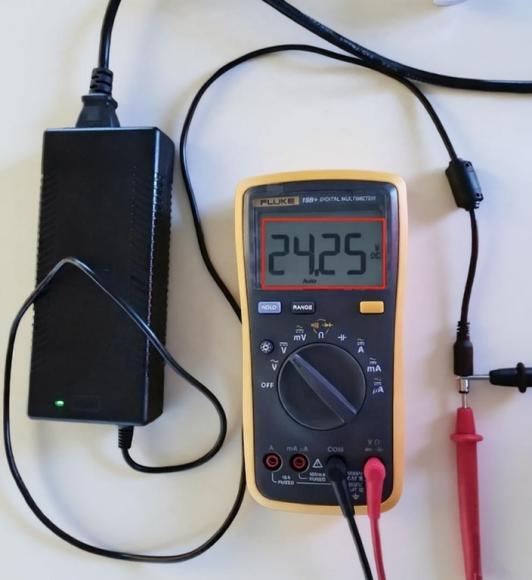
Measure the output voltage of the default power adapter with a multimeter. The default value is 24V and check whether the voltage is stable.
-
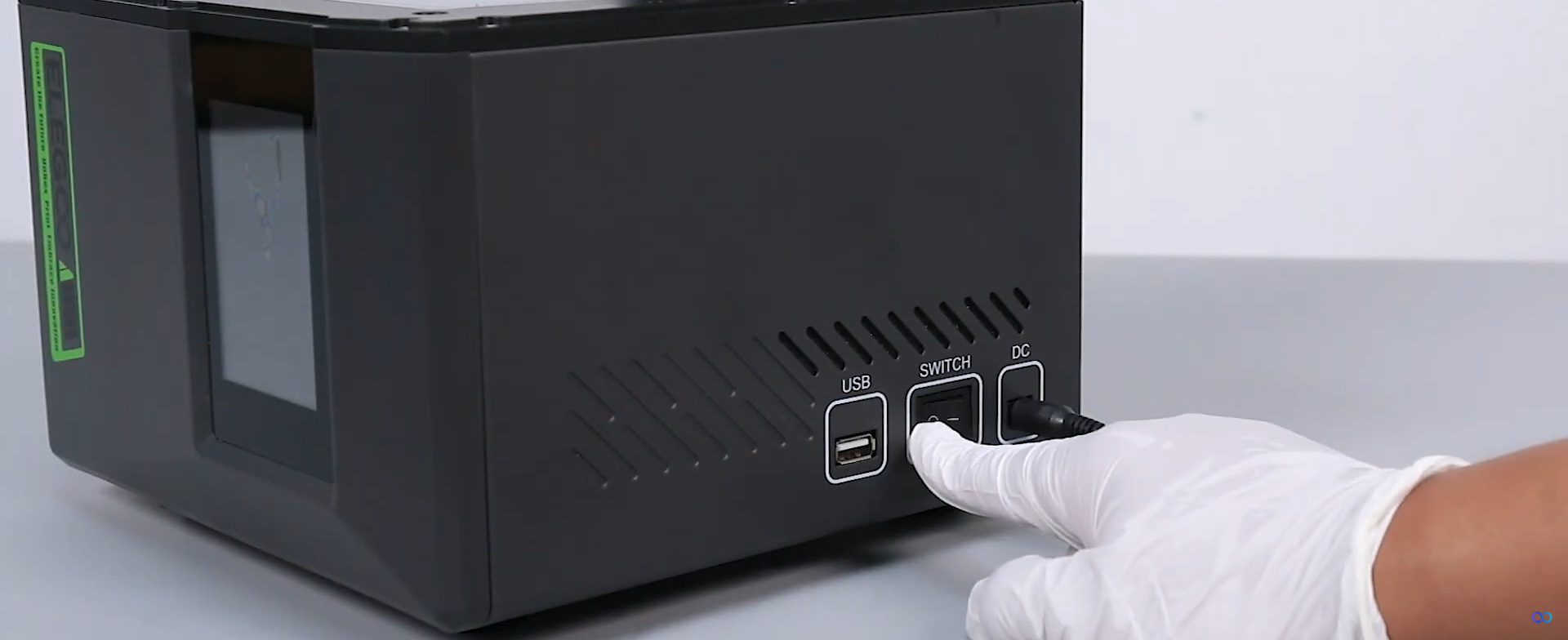
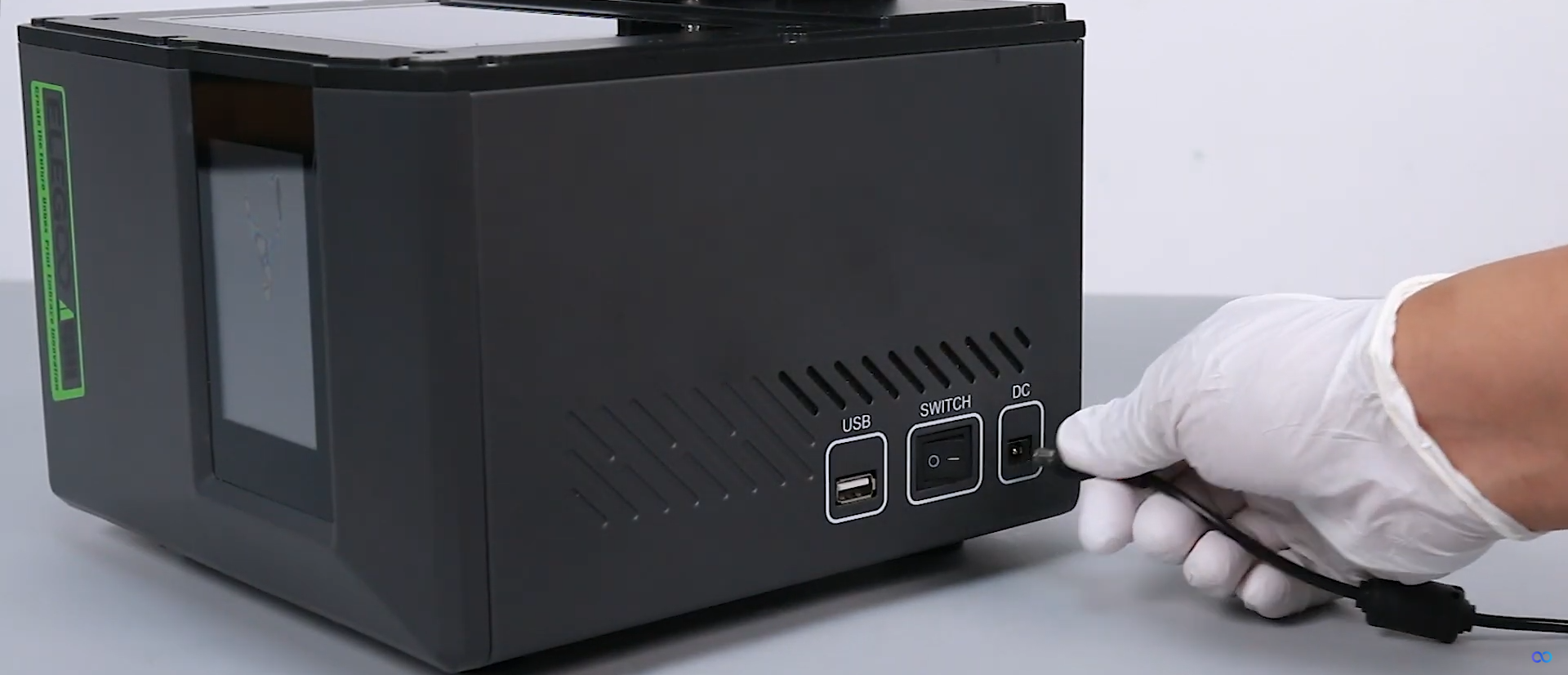
Power off the printer and unplug the default power adapter.
-
Use other 12V or 24V power adapters to plug in the printer.
-
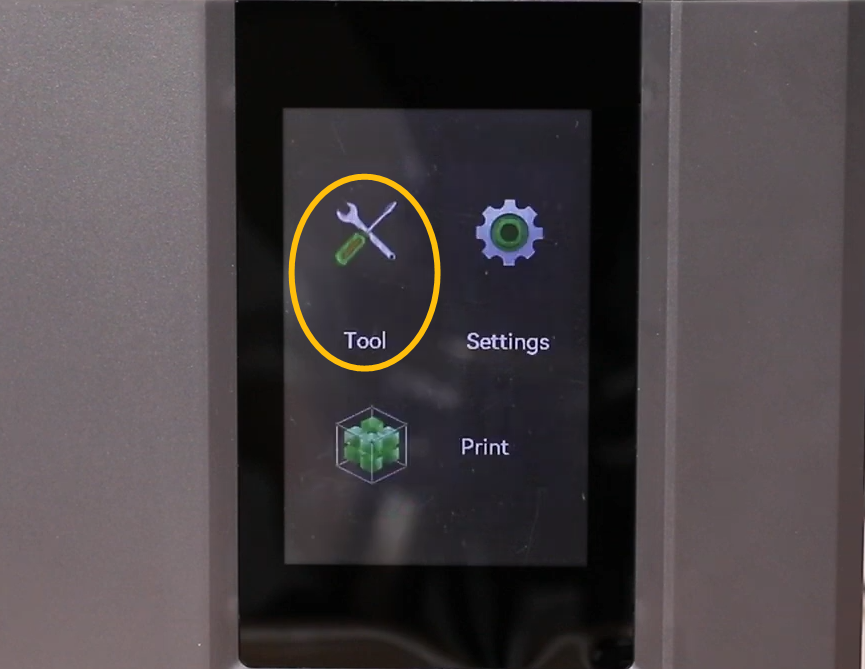
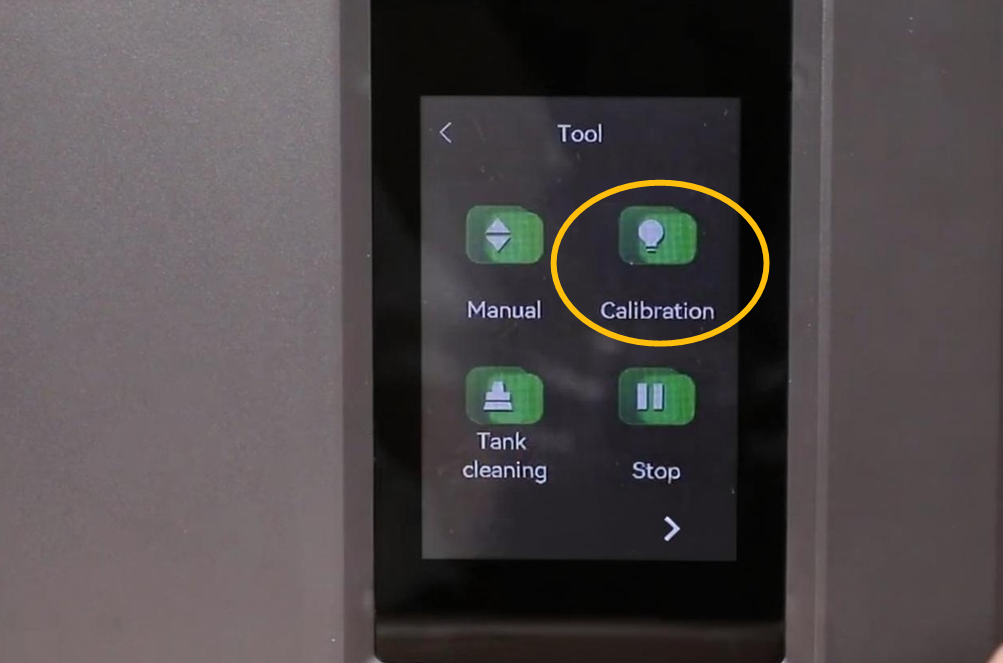
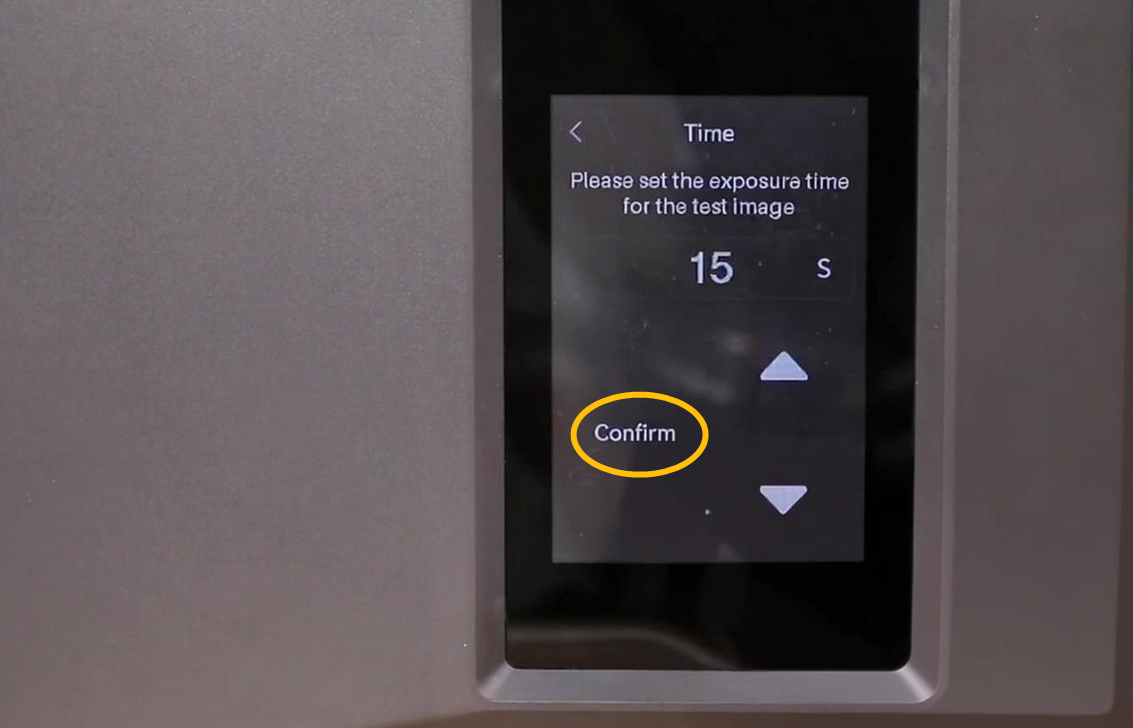
Turn the power switch ON (symbol "|") . On the touch screen, select Tool - Calibration - Confirm.
-
Check whether the touch screen still restarts. If the touch screen works normally, it indicates that the issue is sloved and it is necessary to use a new power adapter.
¶ Step 2.Check whether the cables inside the printer are loose.
-
Power off the printer and unplug the default power adapter.
-
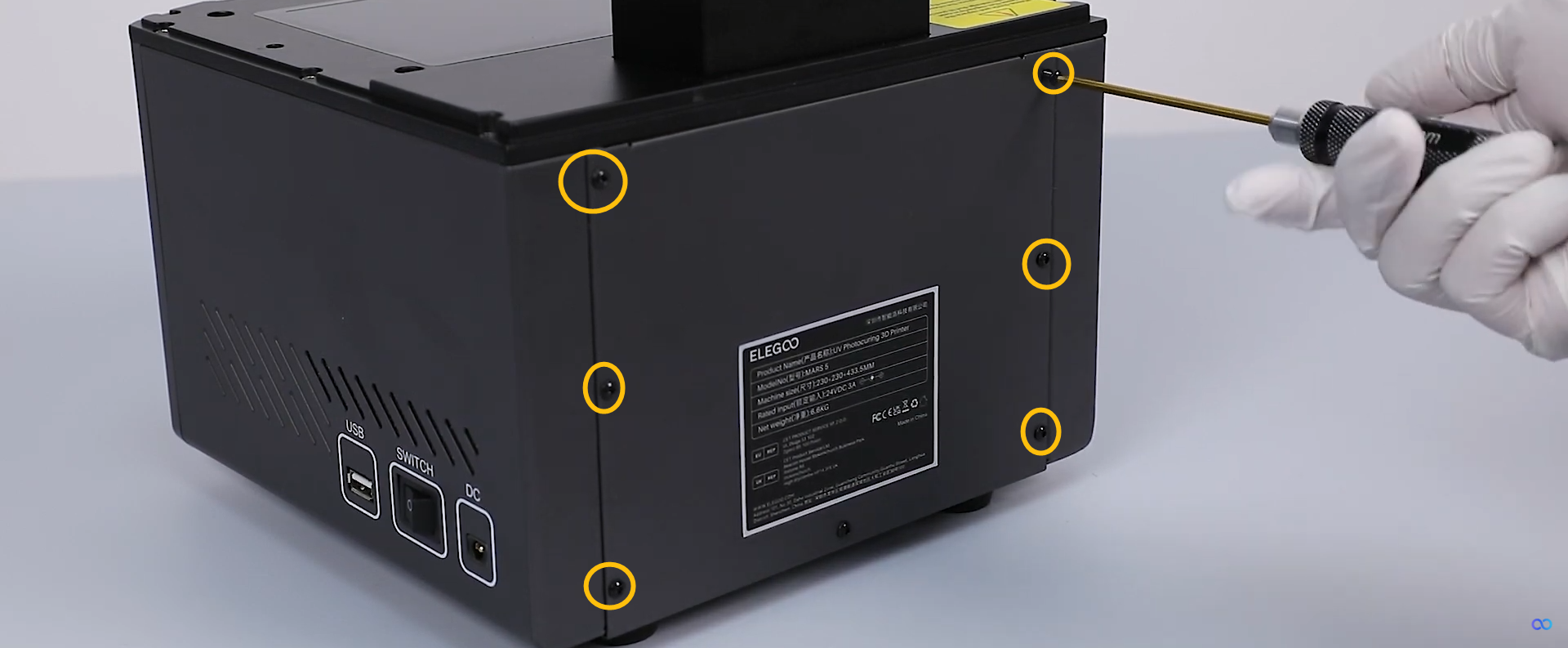
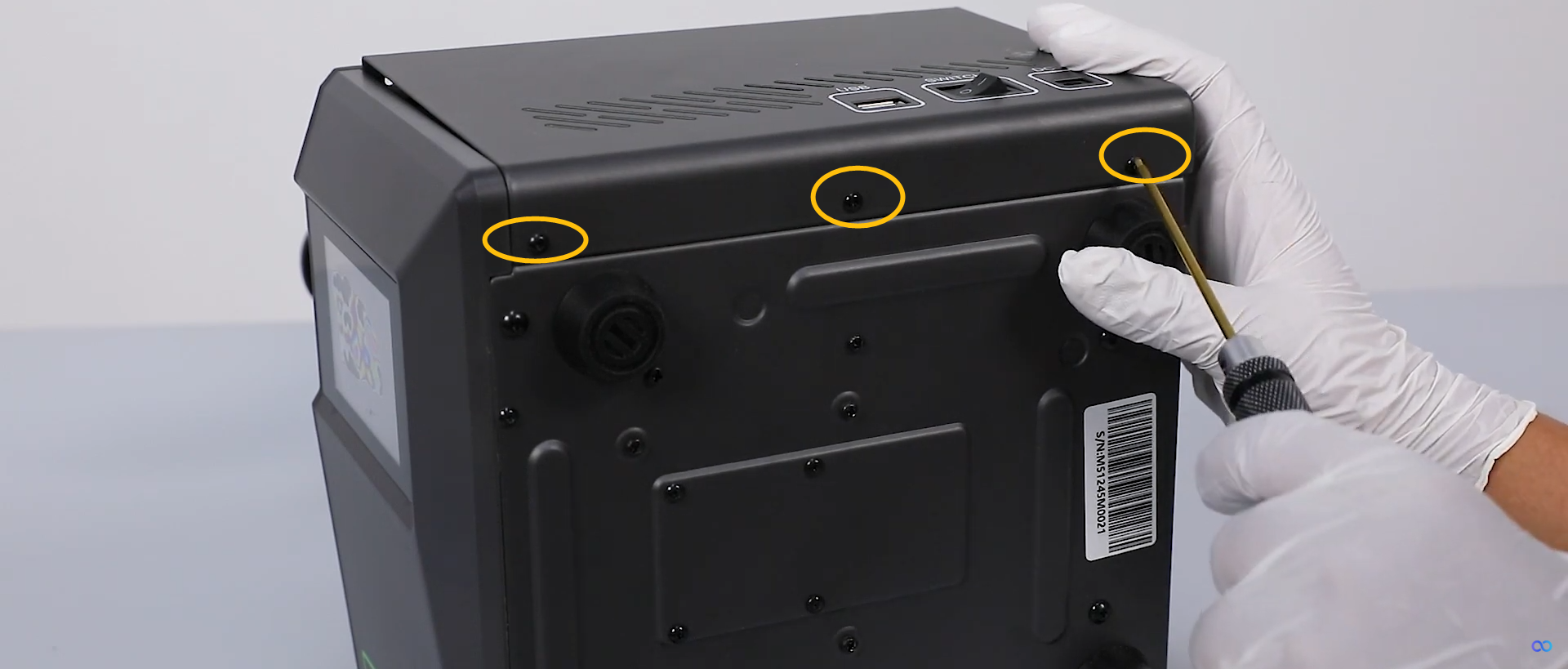
Release and remove the 6 screws securing the back cover with a 2.0 mm Allen key.
-
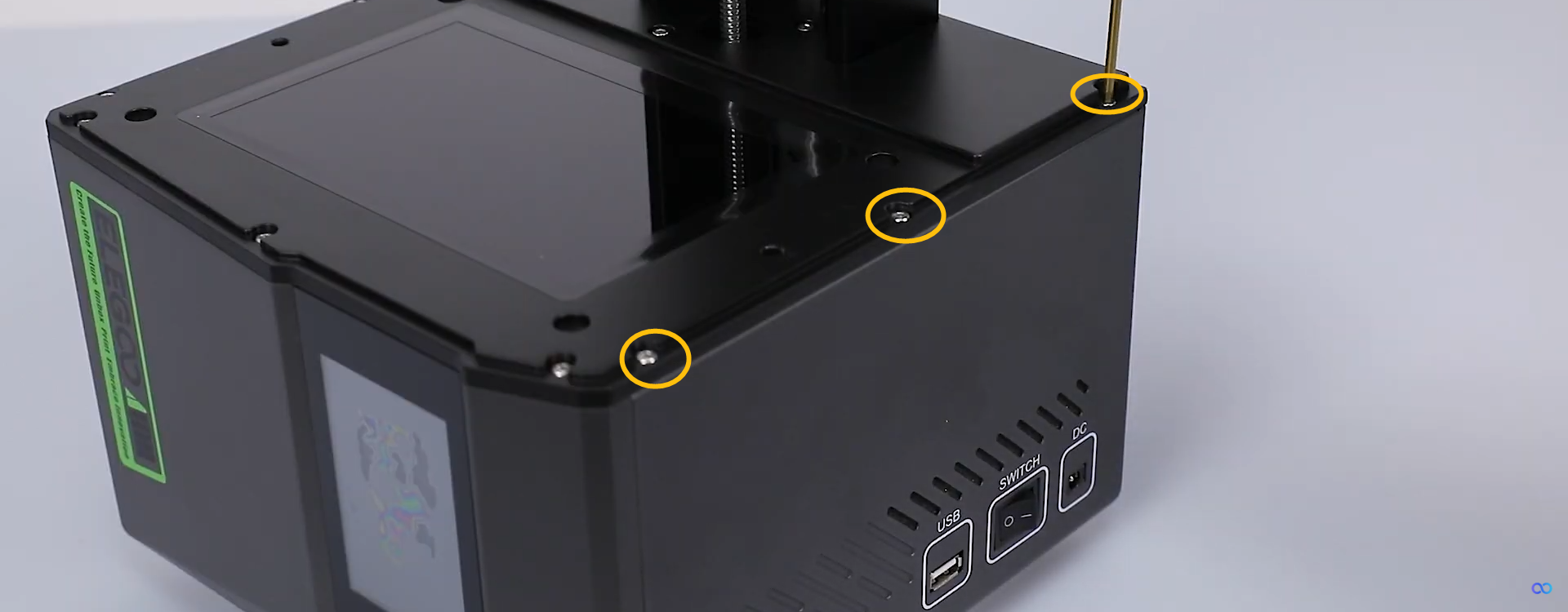
Release and remove the 6 screws securing the right-side cover with a 2.0 mm Allen key.
-
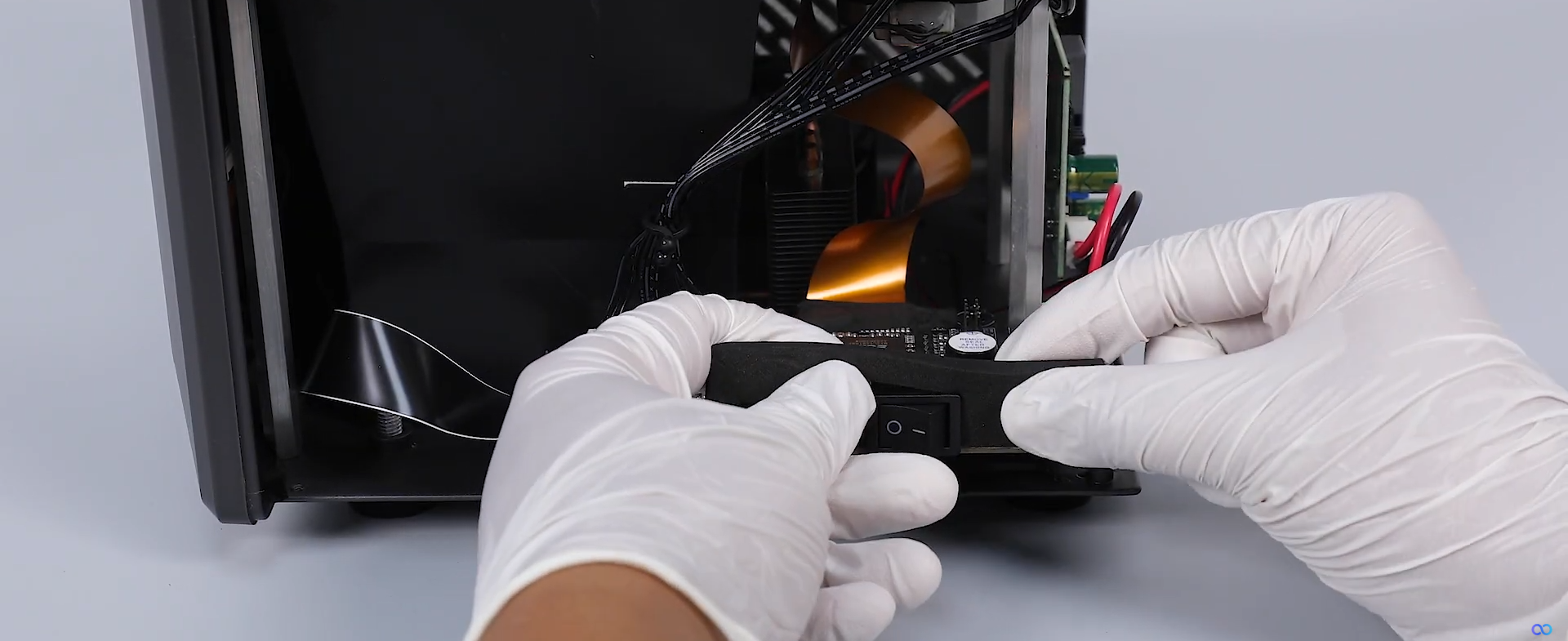
Remove the shading plate.
-
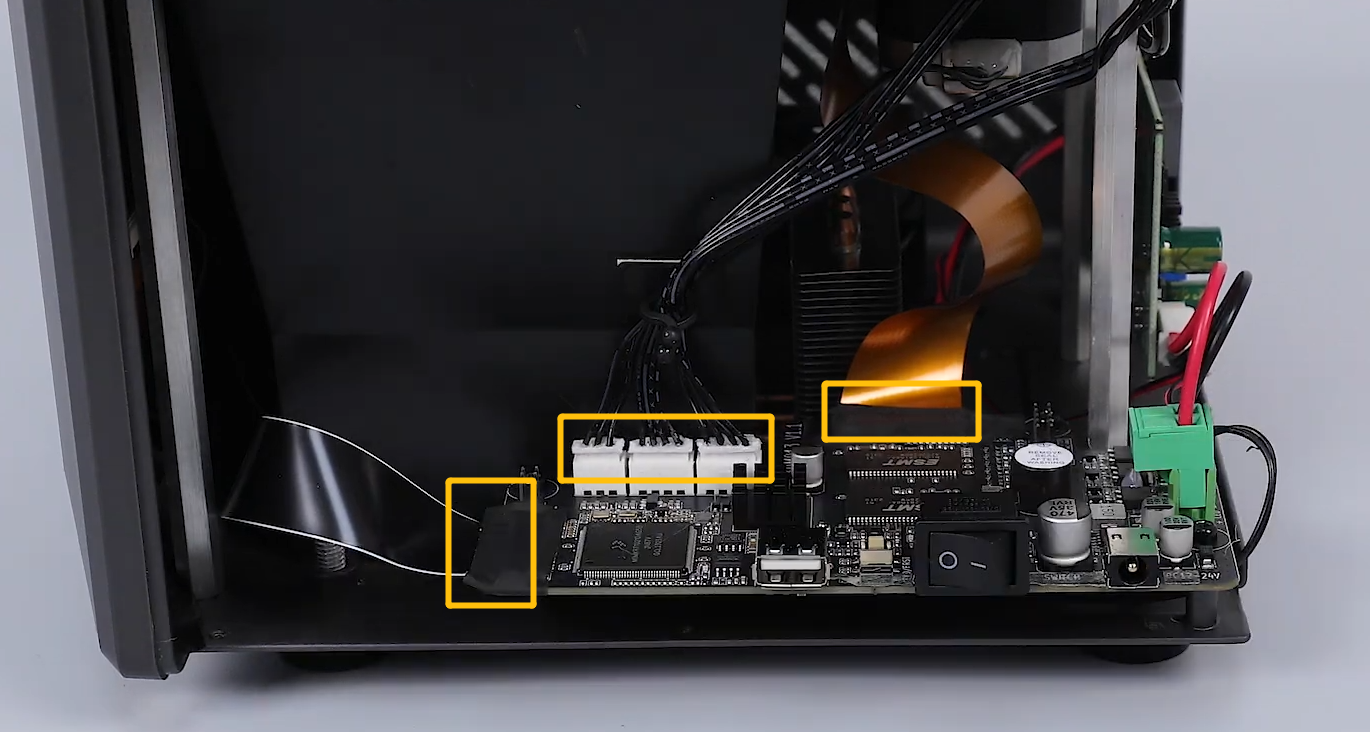
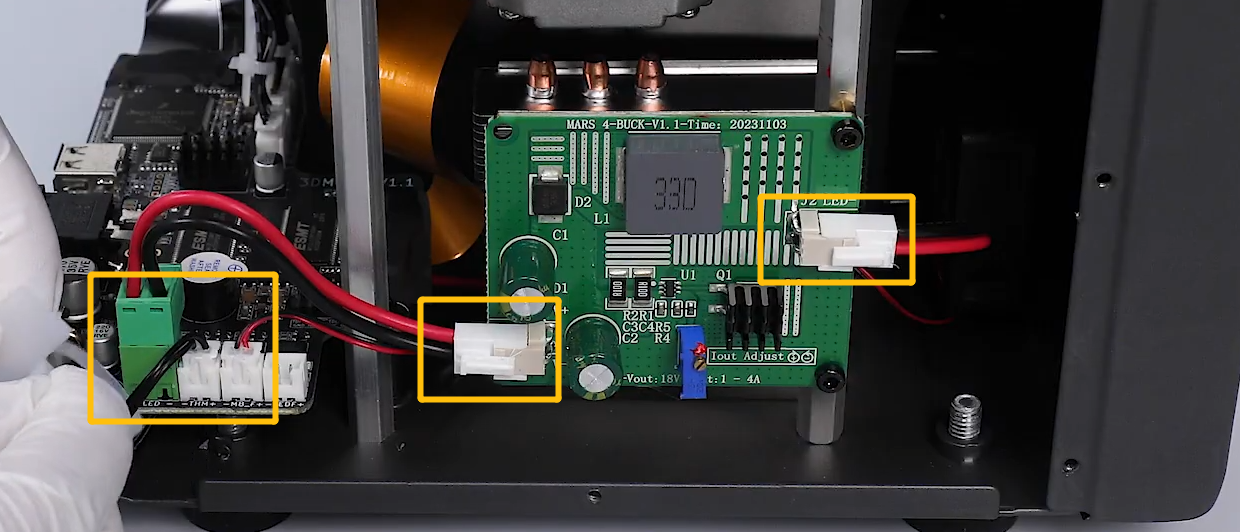
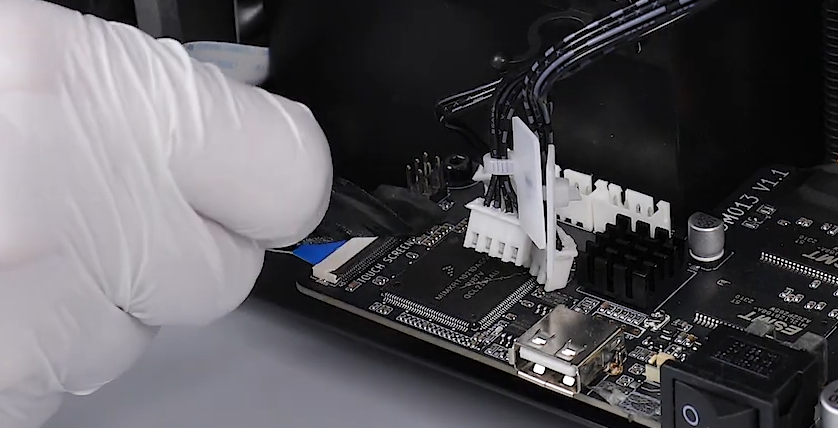
Re-plug the marked cables shown in the picture below.
-
Peel off the tape adhered to the touch screen or LCD screen. Lift the clip.
-
Check and re-plug the ribbon cables of the touch screen and the LCD screen.
¶ Step 3 Check whether the constant current board has a short circuit.
-
Power off the printer and unplug the default power adapter.
-
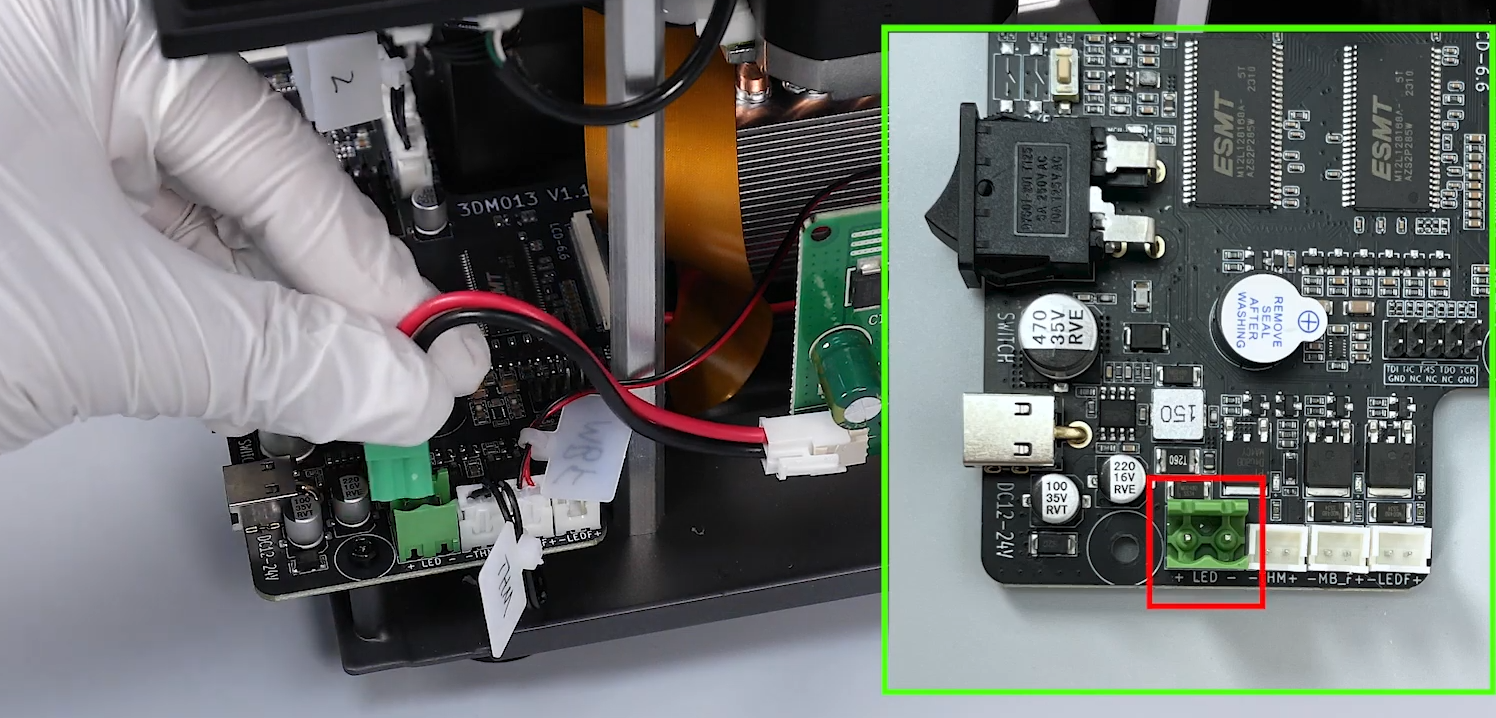
Unplug the constant current board cable.
-
Plug in the power adapter. Turn the power switch ON (symbol "|").
-
On the touch screen, select Tool - Calibration - Confirm.
-
Check whether the touch screen still restarts. If the touch screen does not restart, it indicates that the constant current board is damaged. It is necessary to replace a new constant current board.
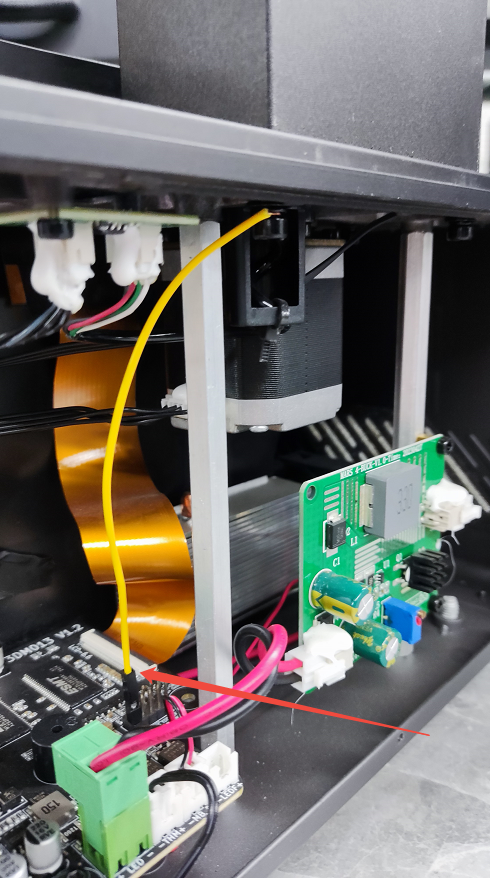
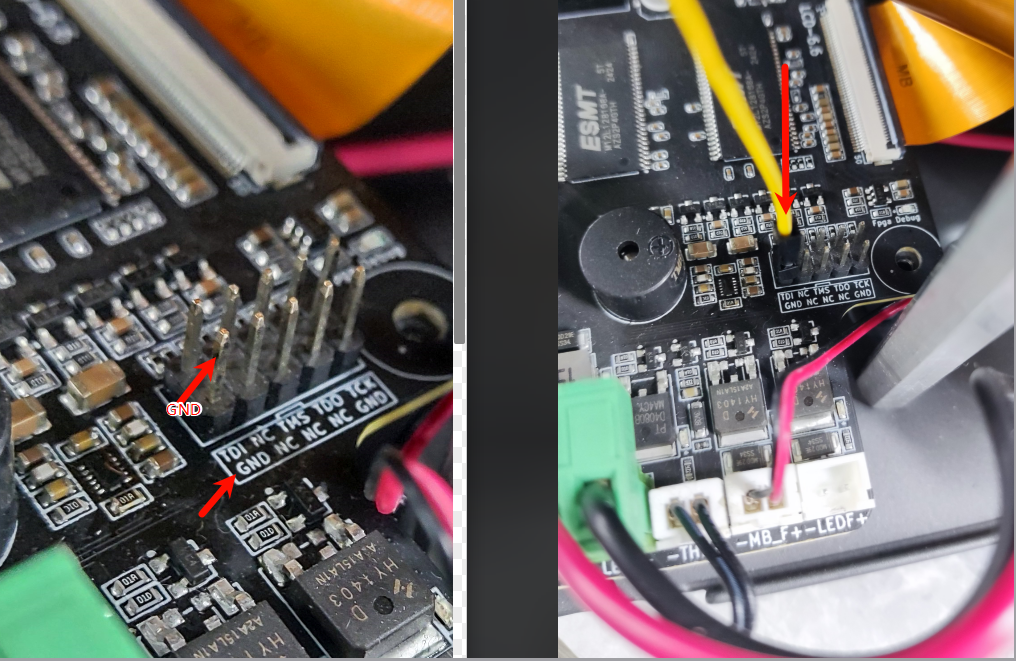
¶ Step 4 Check whether the earth wire is loose and replug the wire.
¶ Still have issues?
Inspecting the printer in accordance with the above instructions do not affect the printer's warranty. If you remain uncertain about the cause of the issue,contact ELEGOO technical support team and inform us of the results of item 1 to 3.