¶ Preparation
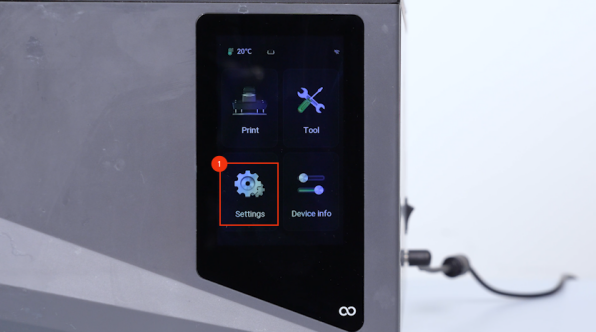
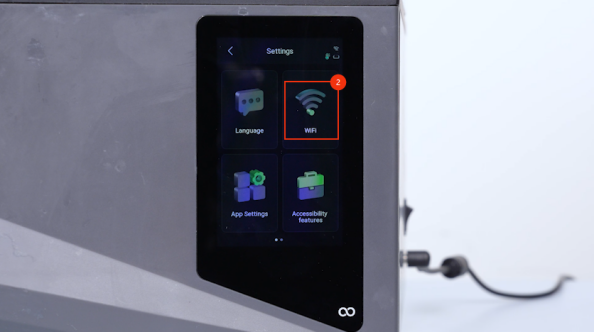
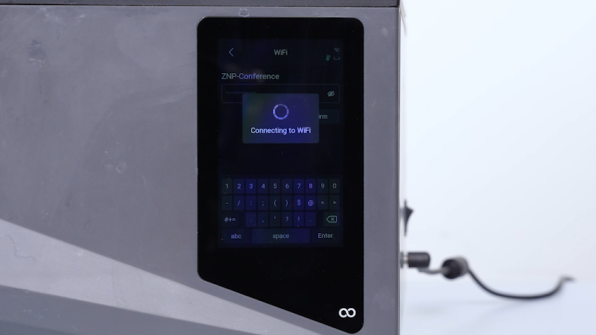
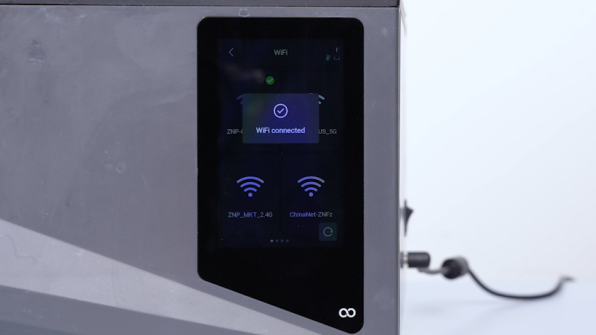
- On the touch screen, click Settings - WiFi and connect your printer to Wi-Fi.
Note: Make sure that your printer and PC are connected to the same LAN.
¶ Tutorial Video
¶ ELEGOO SatelLite
-
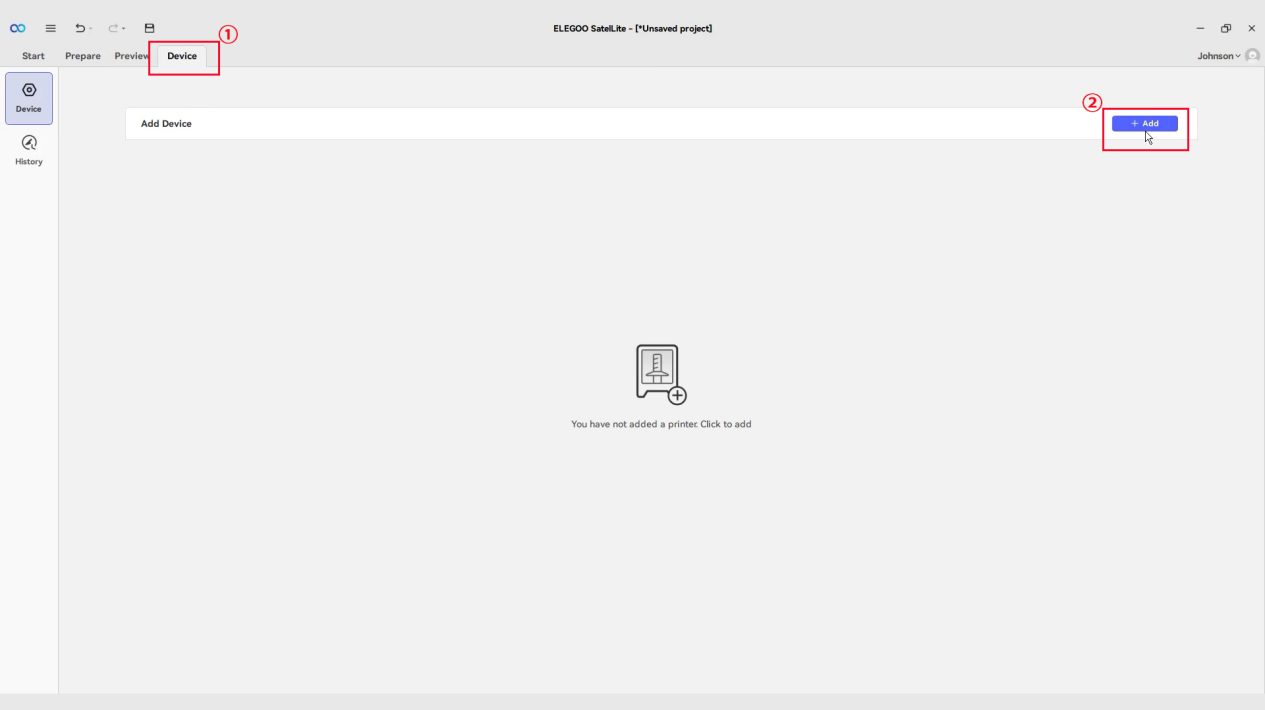
Click Device - Add Device.
-
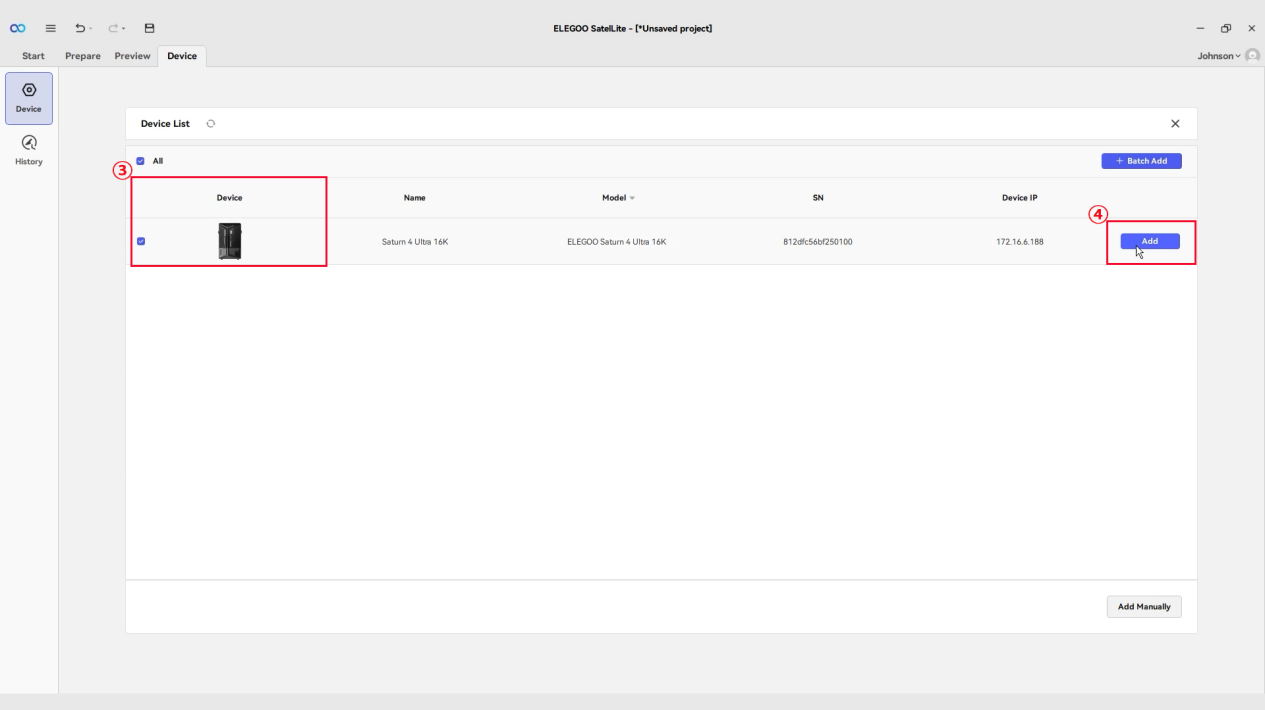
Select the printer you want to add and click Add.
-
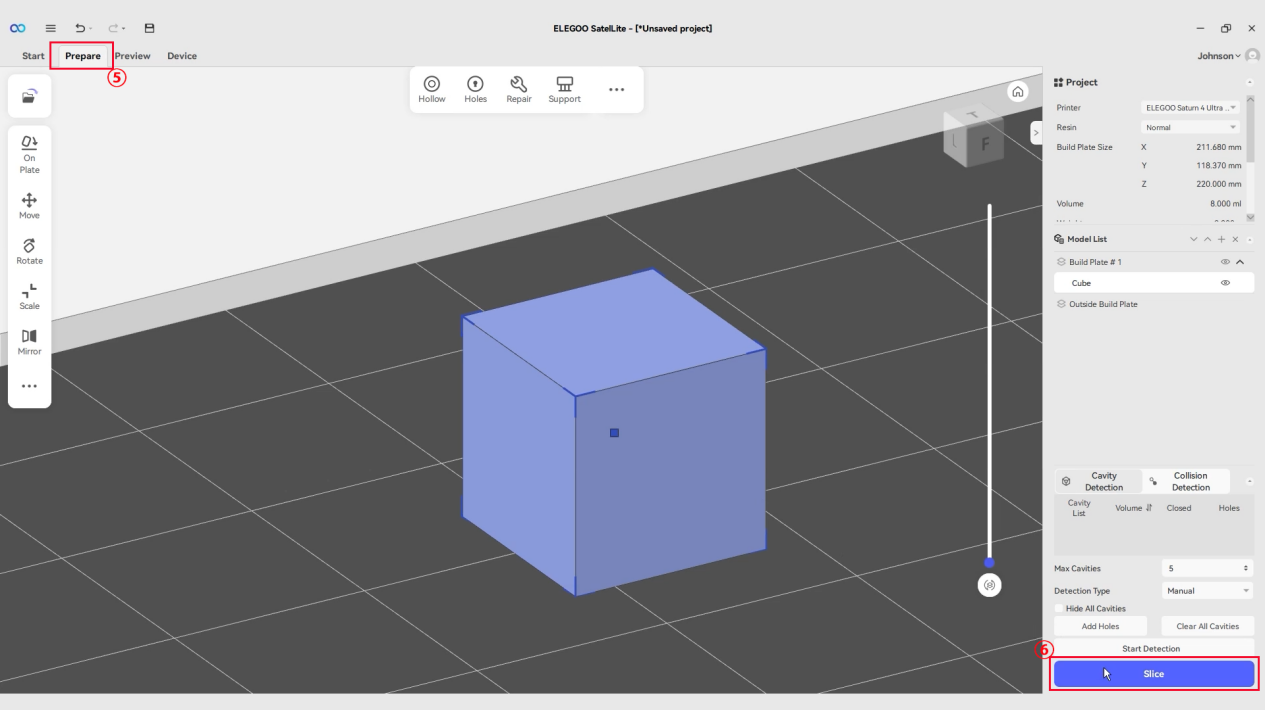
Click Prepare - Slice.
-
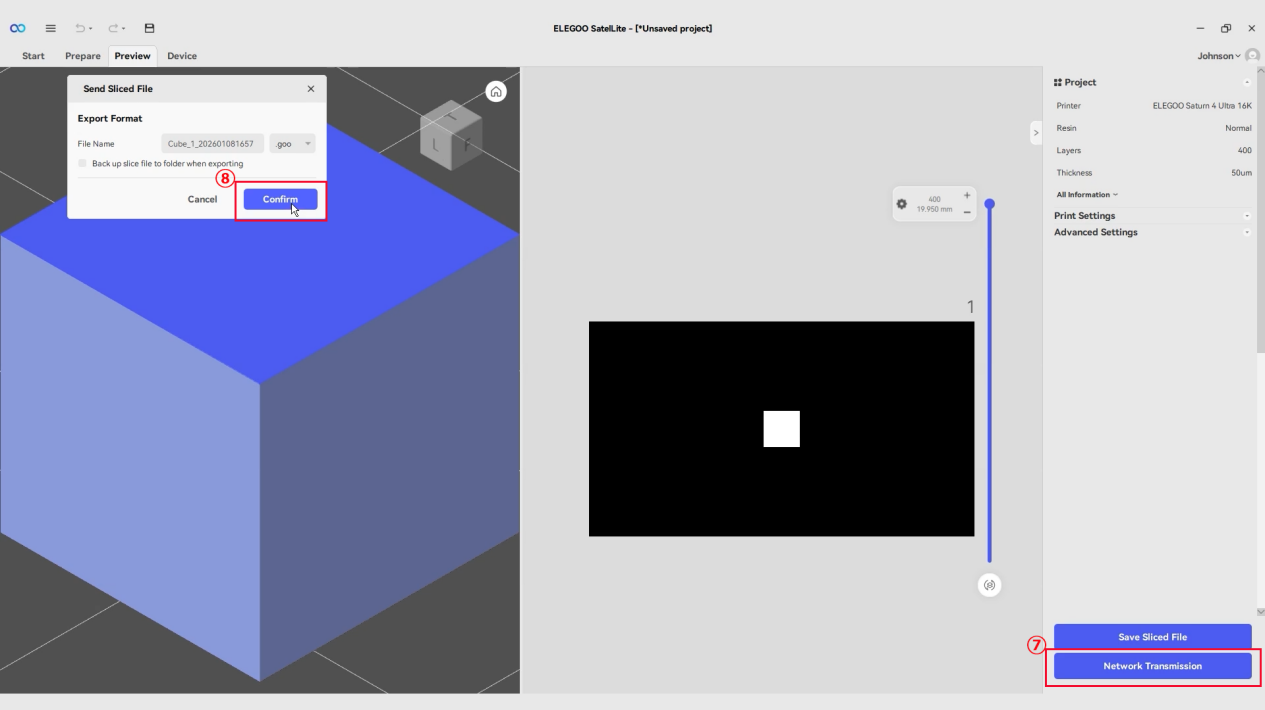
After slicing, click Network Transmission - Confirm.
-
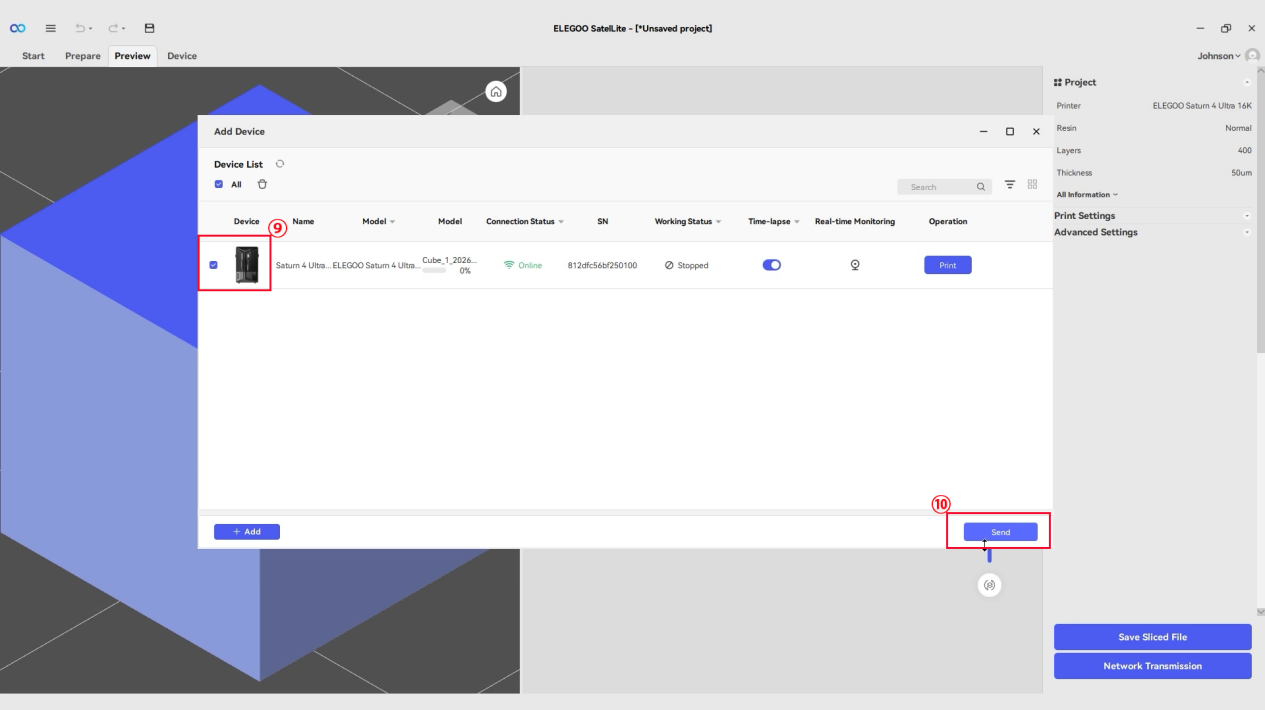
Select the added printer and click Send Files.
-
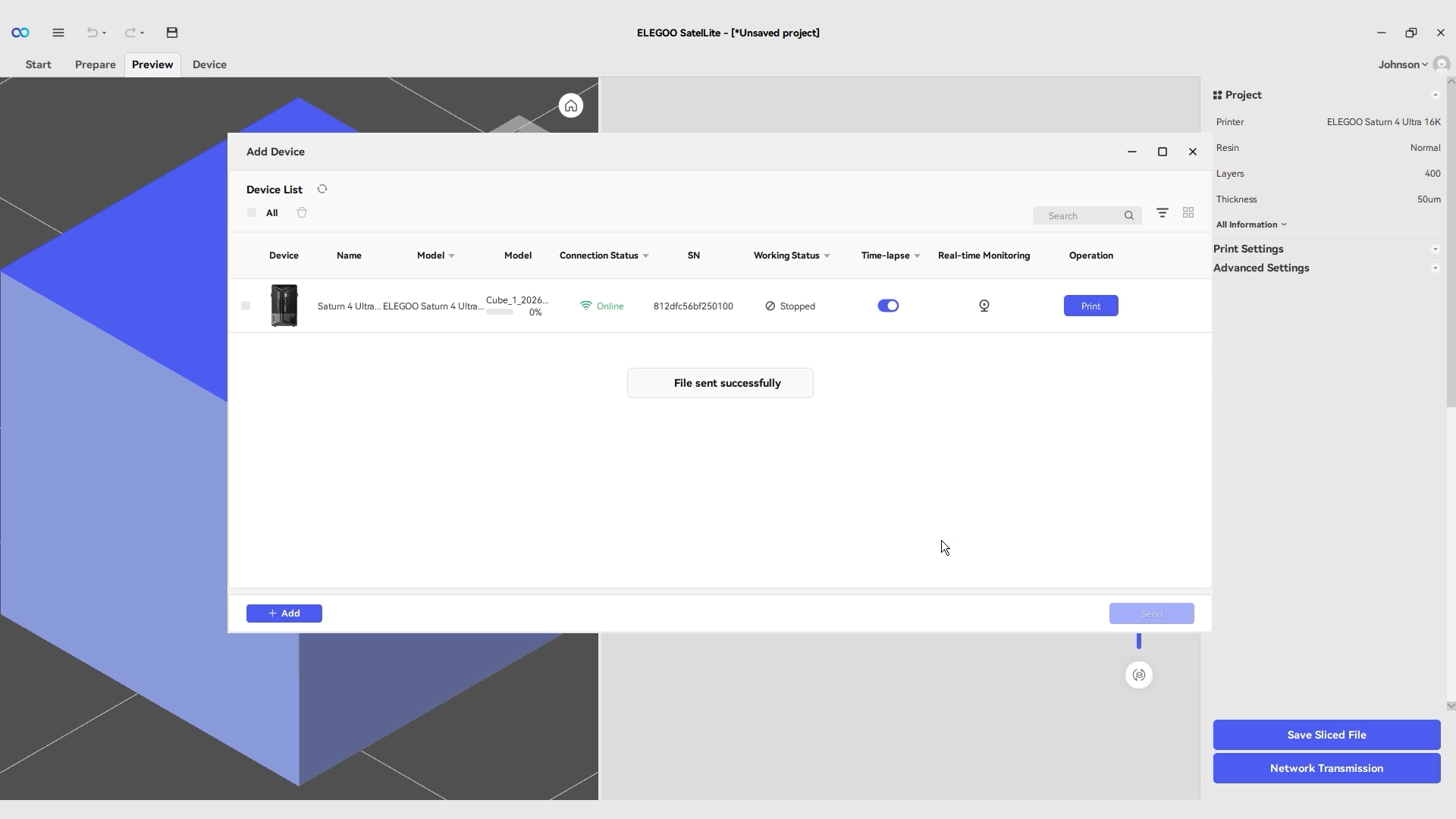
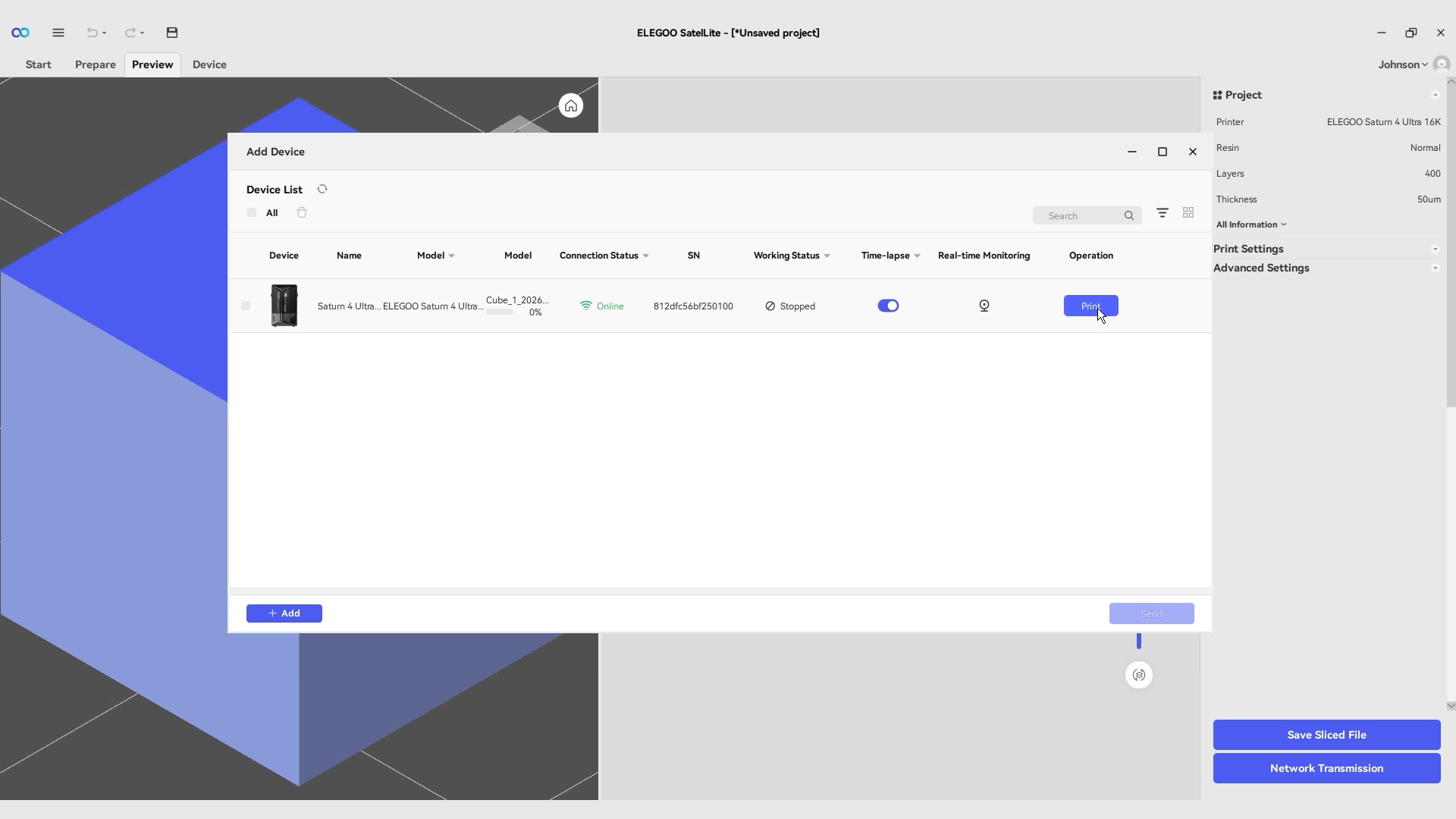
After the model file is transmitted to the printer, click Print.
Note: If you need to cancel the printing, close the device interface.
-
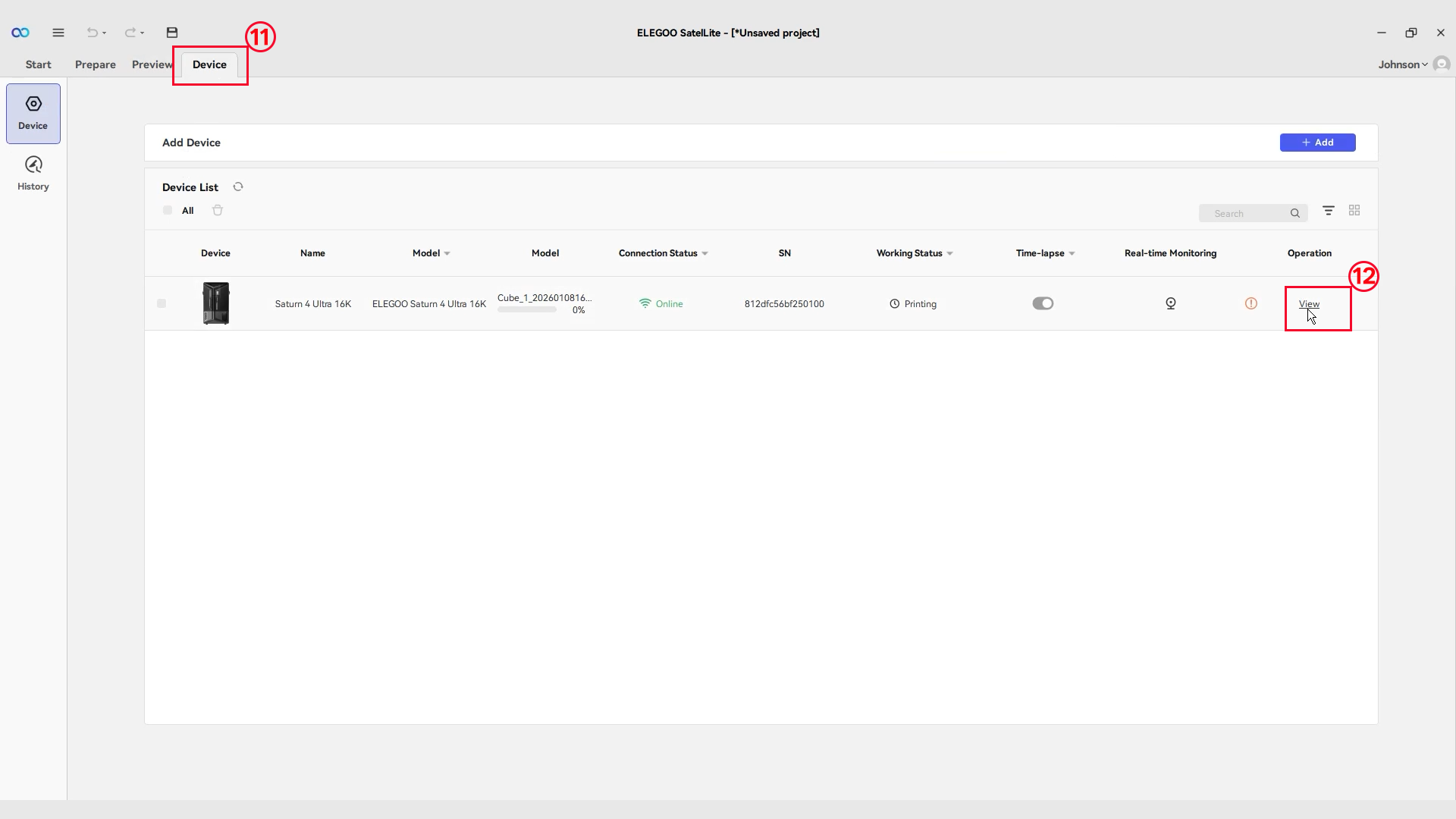
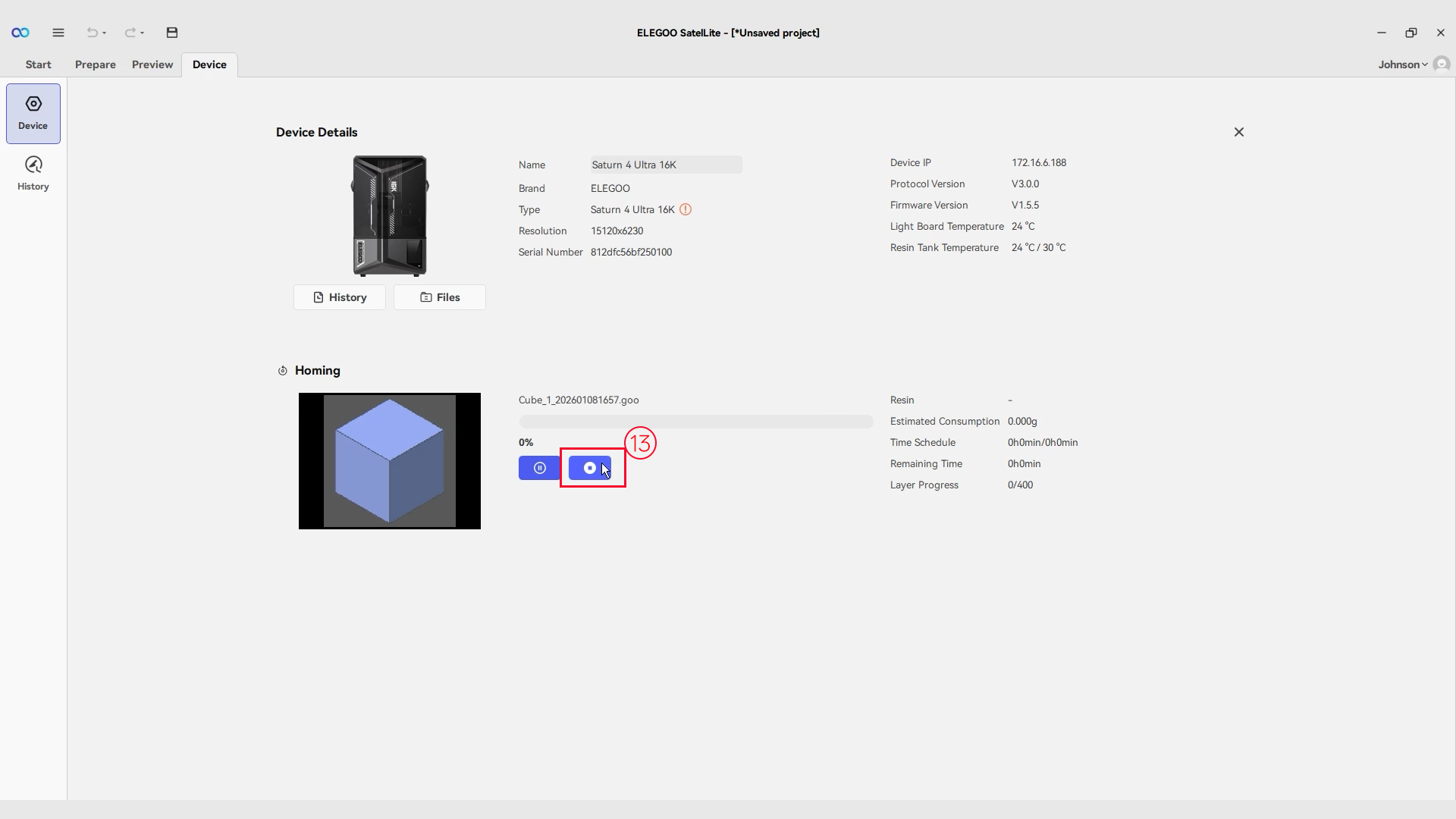
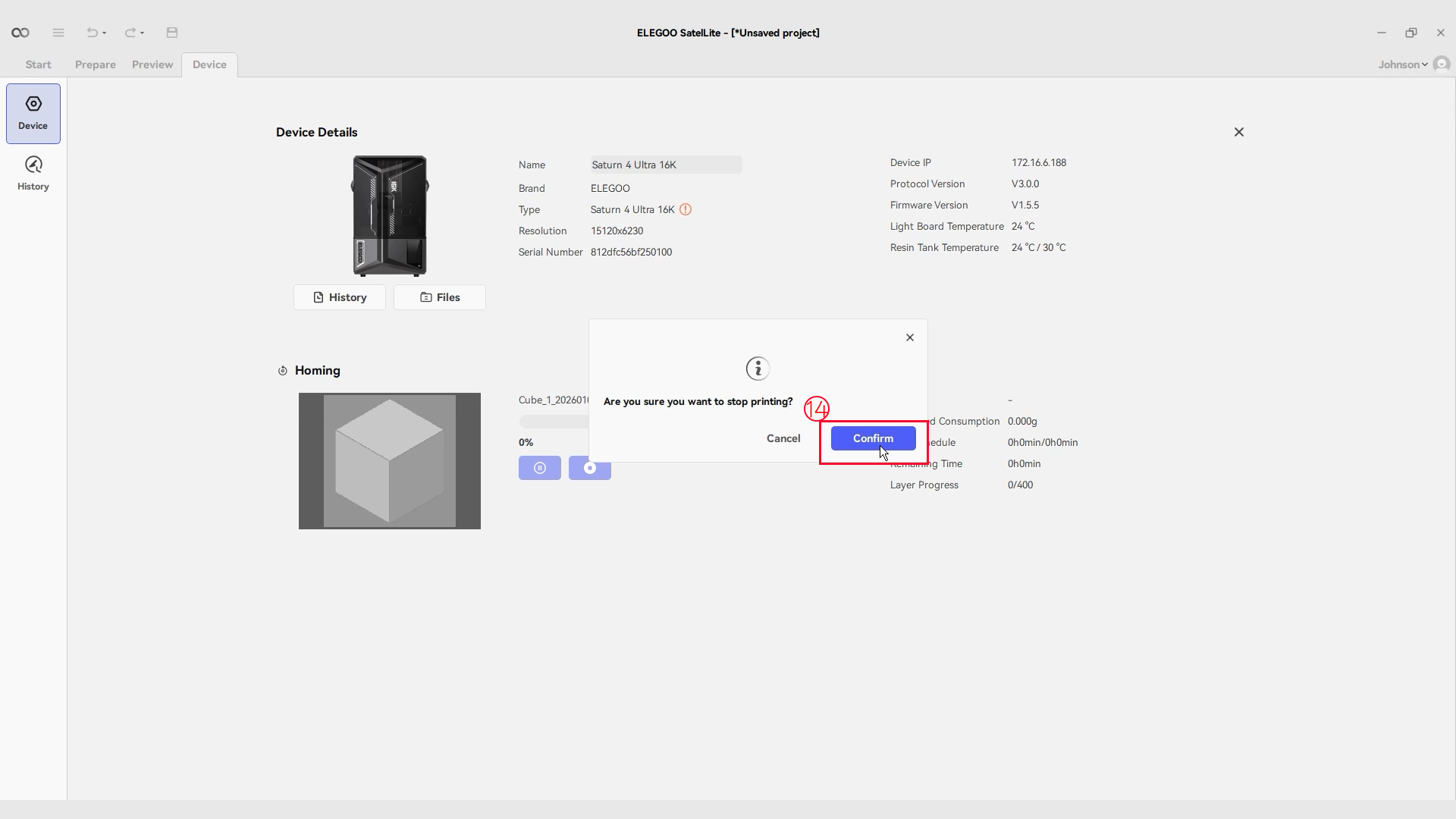
Click Device - View More - Stop - Confirm.
¶ Chitubox
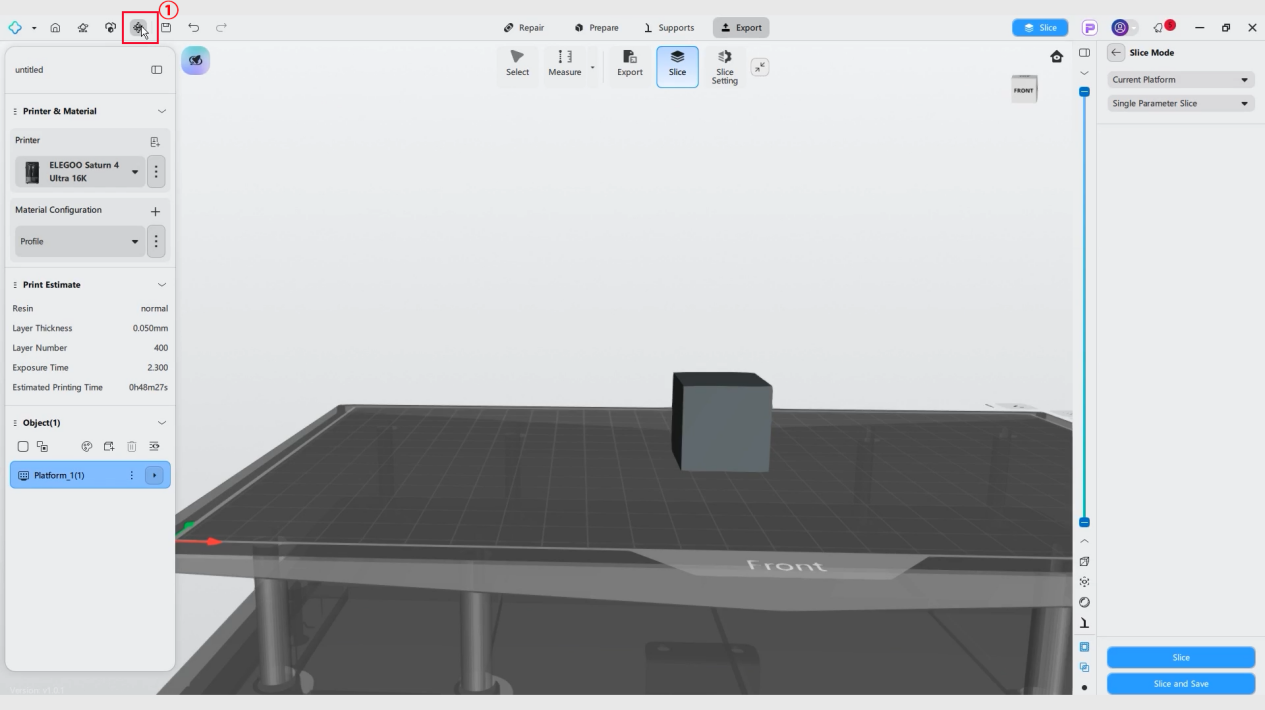
- Click ChituManager on the top-left corner.
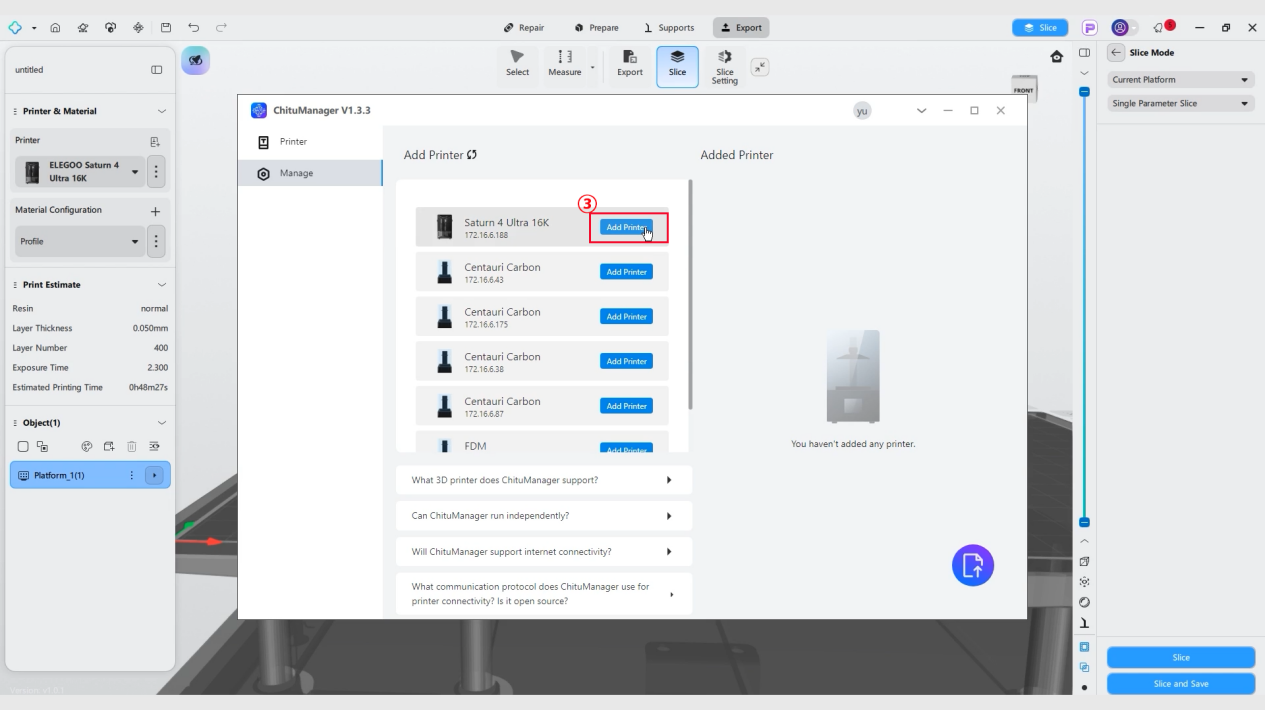
- Click Add Printer and find the printer you need to add.
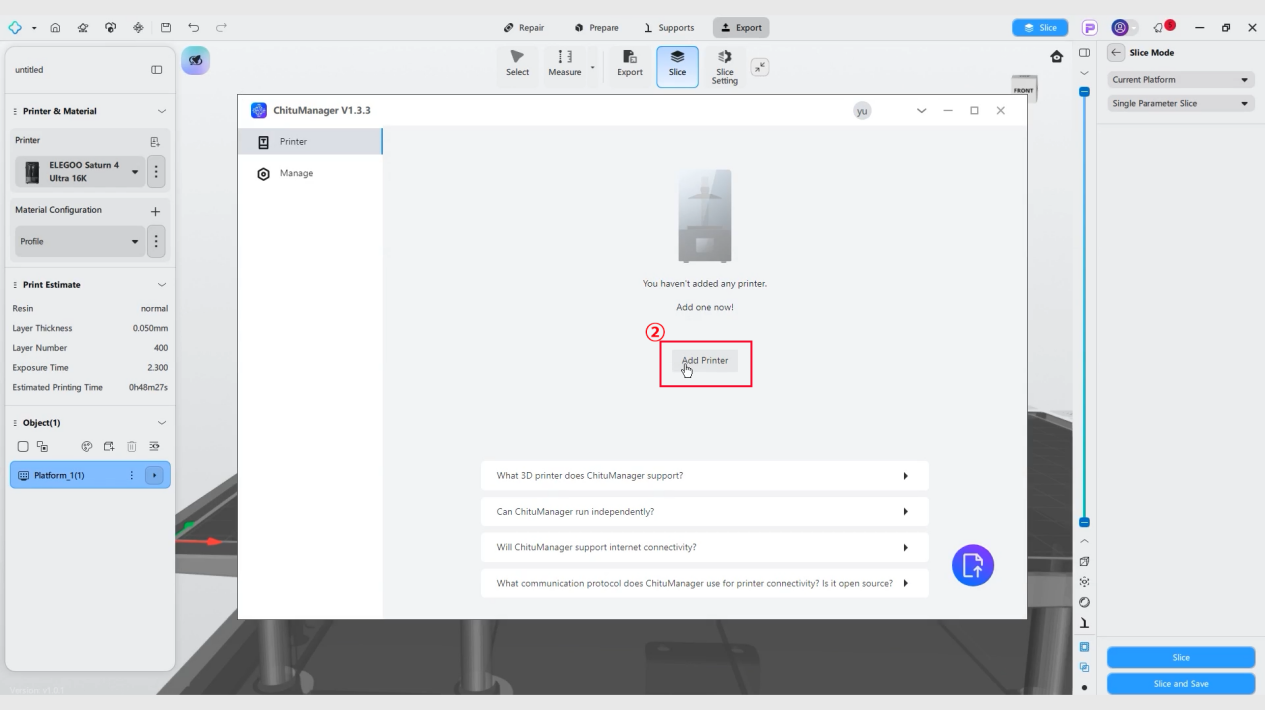
- Click Add Printer.
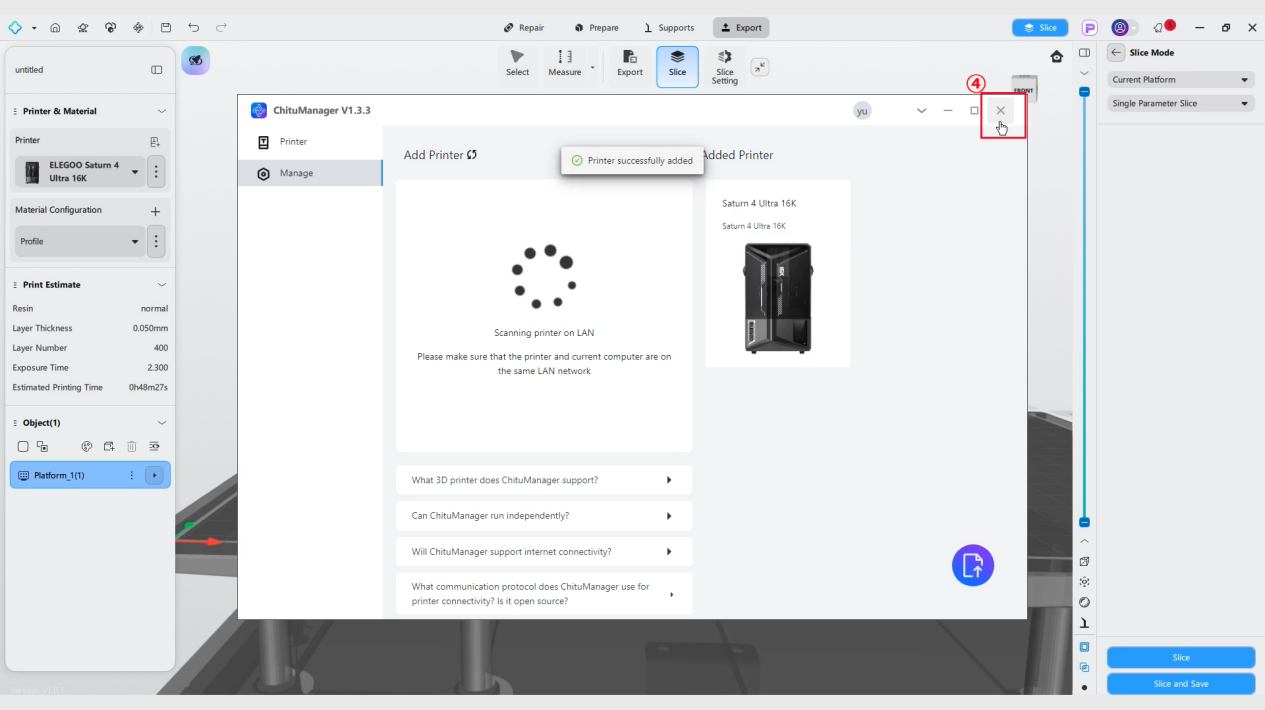
- Close ChituManager interface.
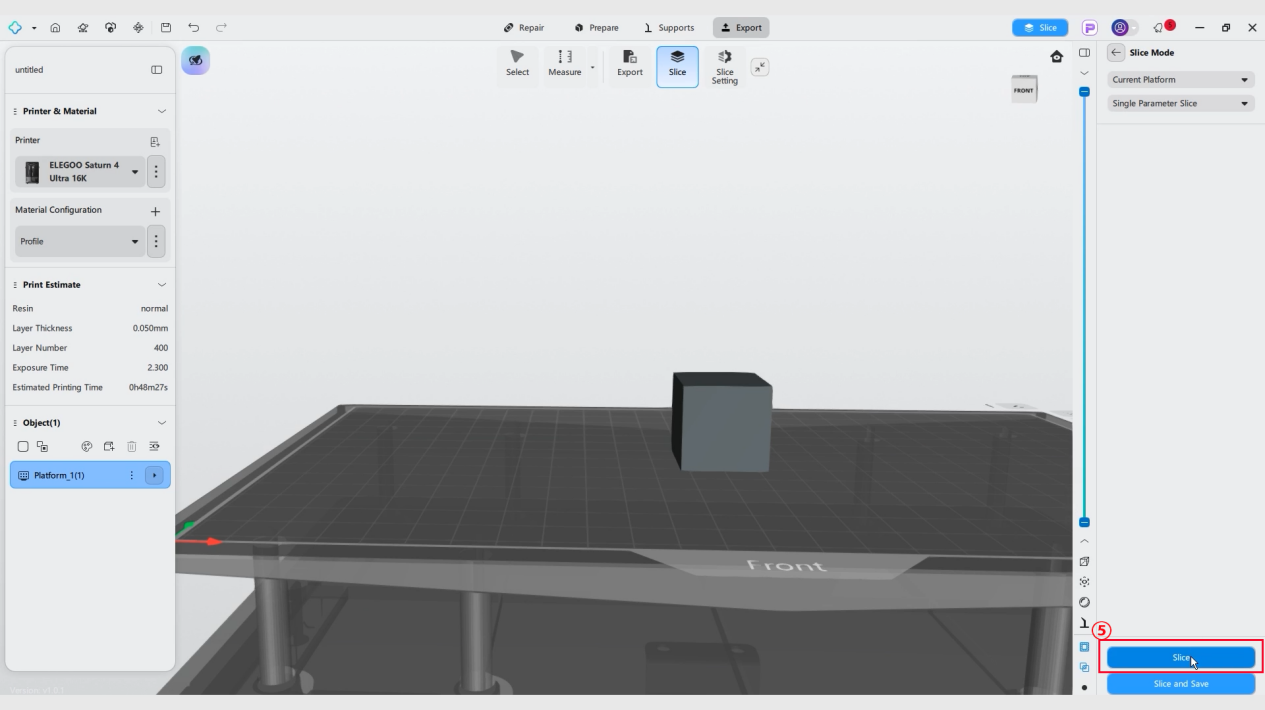
- Click Slice and wait for the slicing process to complete.
-
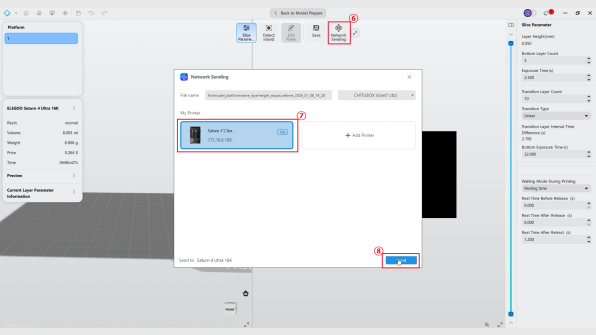
Click Network Sending. Select your printer in the pop-up window. Click Sending and wait for the file to finish transmitting.
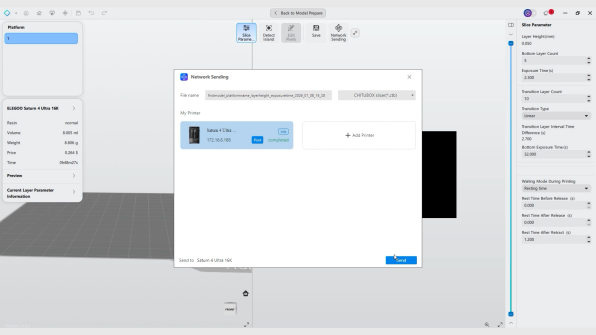
-
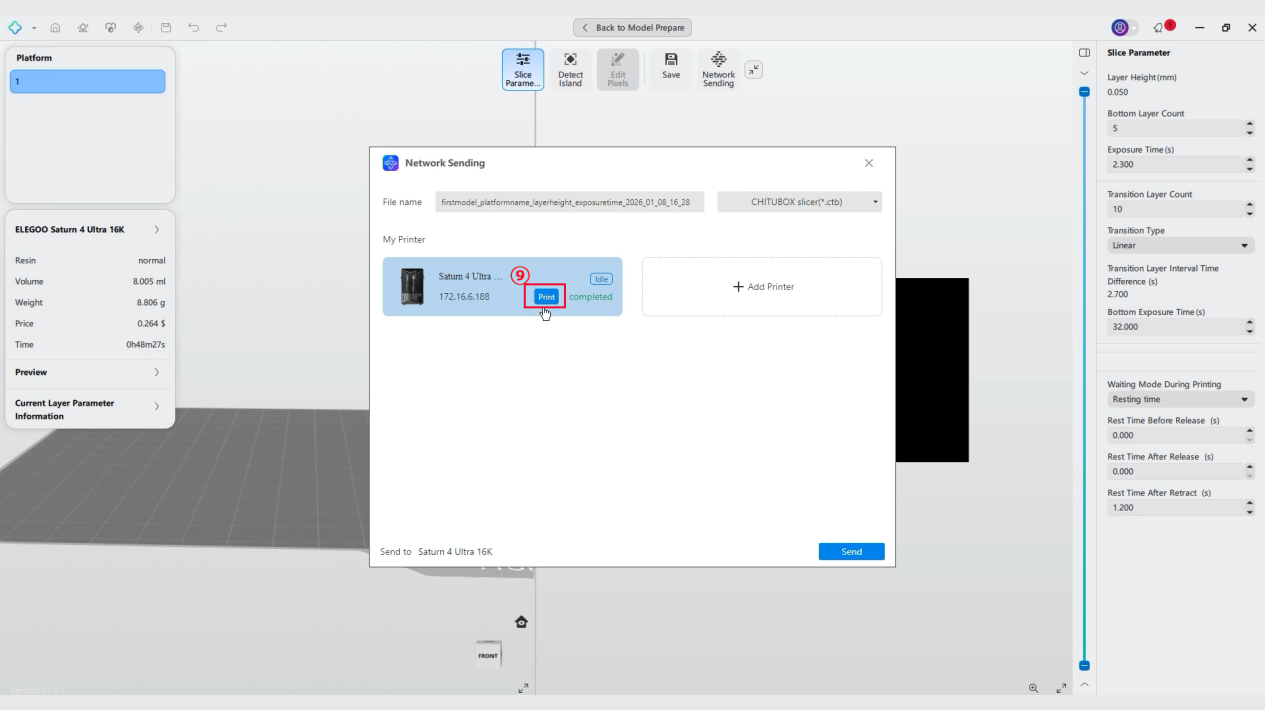
Click Print.
-
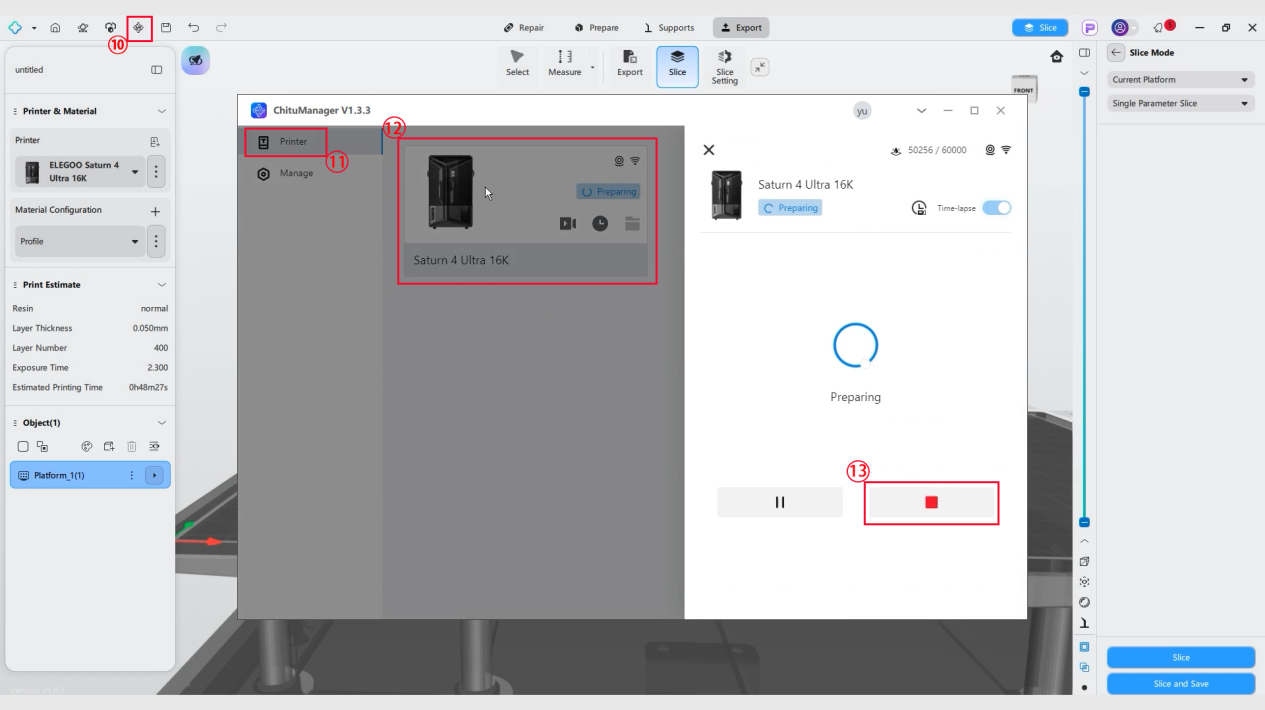
If you need to stop the printing, click ChituManager - Printer - Added Printer - Stop - Confirm.