¶ Issue Description
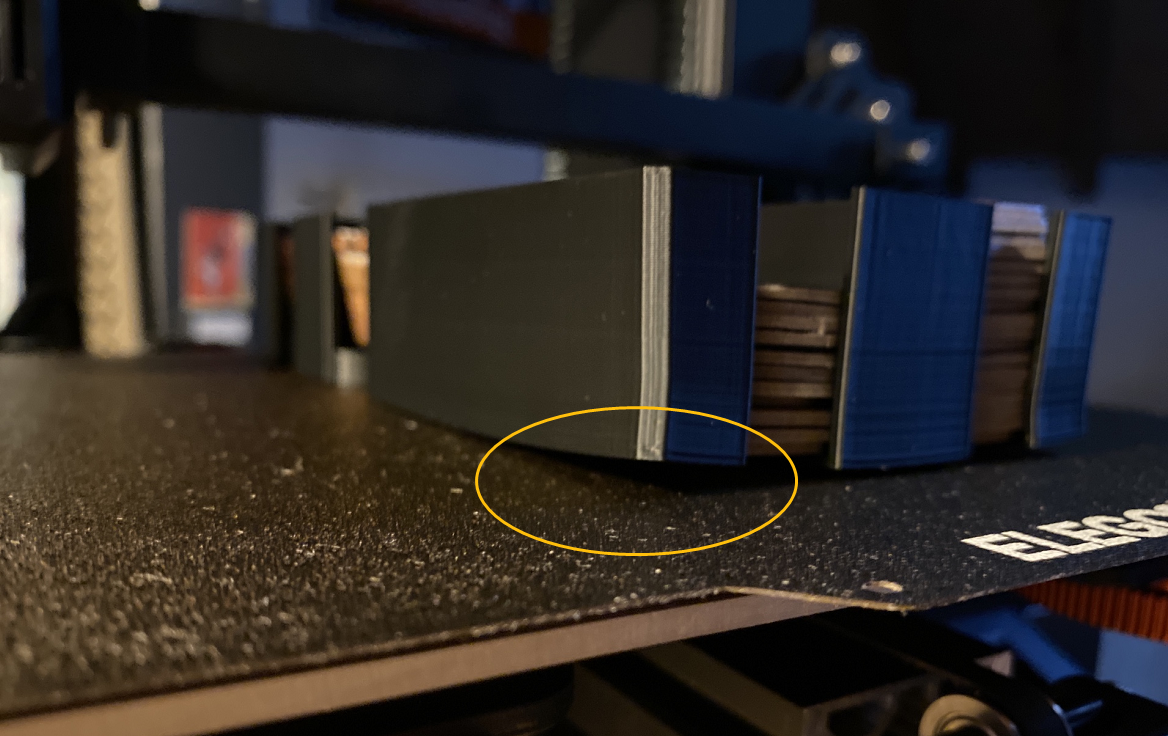
During printing, the bottom layers of the model lift from the heated bed.
¶ Reasons
-
The adhesiveness of the PEI plate surface reduces due to contamination.
-
The Z offset setting is incorrect.
-
The model is placed with an improper angle.
-
The model experiences excessive cooling.
-
The printer is located in an area with a low ambient temperature and without a thermal enclosure installed.
¶ Troubleshooting Steps
¶ Step 1 Clean the PEI plate surface and apply adhesive.
- Clean the PEI plate surface with alcohol or clean water.
Note: Do not touch the PEI plate surface. Oil from fingers may adhere to the surface and reduce its adhesiveness, leading to poor bed adhesion, model detachment or edge warping.
- Apply solid glue (PVP glue stick) to the PEI plate surface since the adhesiveness of the PEI plate gradually decreases during printing.
¶ Step 2 Check whether the Z offset value is correctly set.
If the Z offset value is incorrect, the distance between the nozzle and the PEI plate becomes too large, and the first layer cannot adhere well to the PEI plate surface, which will result in poor bed adhesion, model detachment or edge warping.
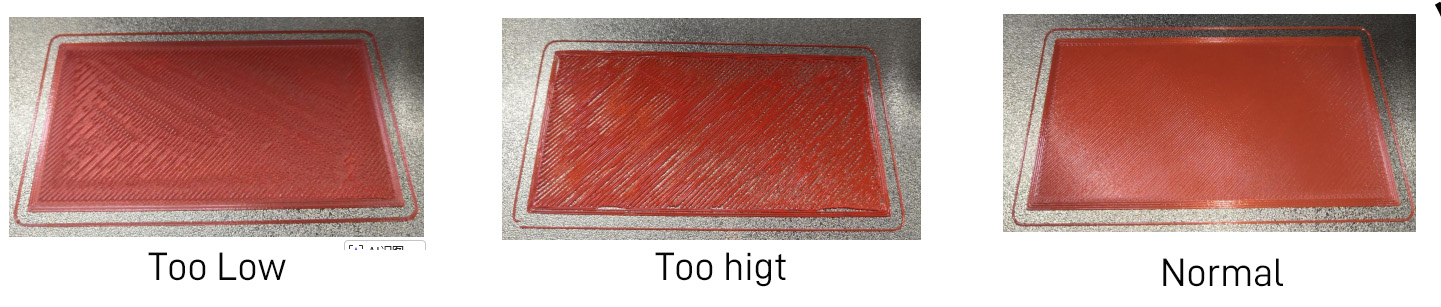
- Refer to The Nozzle is too Far From the Heated Bed During Auxiliary Leveling for adjustment of the Z offset.
¶ Step 3 Adjust the model placement angle via slicing software.
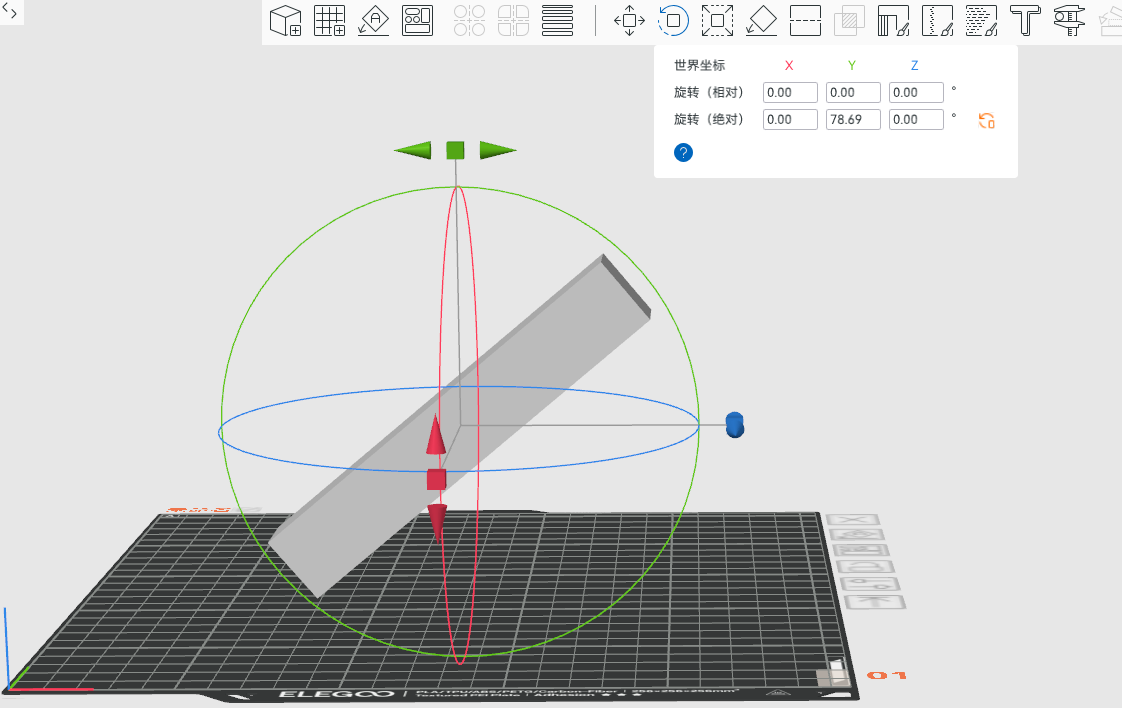
Note: If the contact area of the model's bottom layer is large, the total shrinkage stress is high even with good adhesion, which is likely to exceed the adhesive force and cause the edges or corners to warp.
- For large models, adjust the model's placement angle to reduce the contact area between the main part of the model and the heated bed.
¶ Step 4 Check the temperature of both the model and the room in which the printer is located.
Excessive model cooling and low ambient temperature at printer's location can lead to model warping.
-
If the model is large, turn off the auxiliary cooling fan for 20 layers before the end of printing, especailly for Neptune 4 and Centauri series printers since the auxiliary cooling fan delivers strong airflow.
-
If printing in clod weather, follow the adjustments listed below:
-
For Neptune 3 and Neptune 4 series, install a thermal enclosure for the printer.
-
Increase the heated bed temperature by 5-10 ℃.