¶ What is Z Seam?
Z seam is formed by the starting and ending points of each layer.
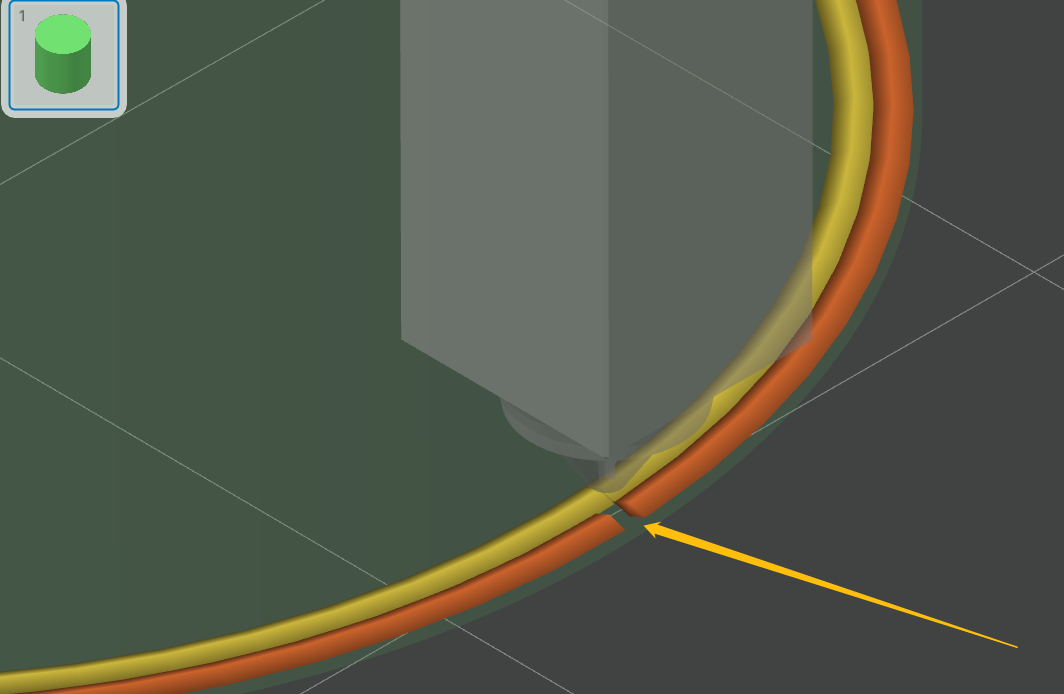
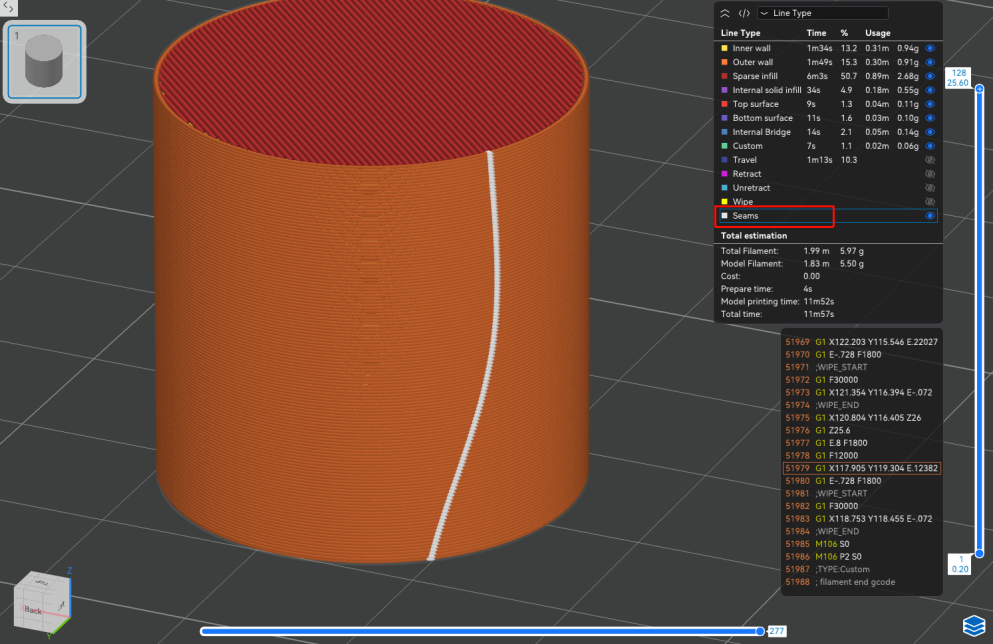
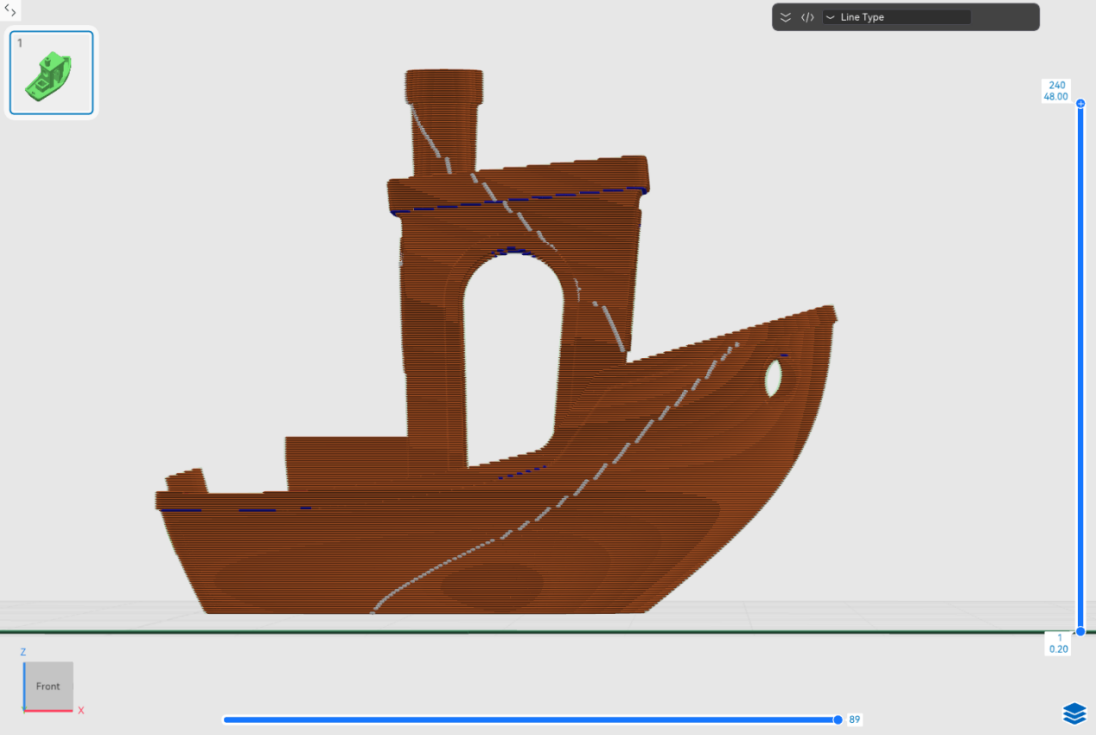
You can preview the Z seam through the slicing software, which is the white seam shown in the picture below.
¶ Can the Z Seam be Hidden or Eliminated?
Z seam is an inherent feature of the FDM process that cannot be completely eliminated. However, it can be made less visible by adjusting the settings appropriately.
¶ How to Diminish the Effect of Z Seam?
For most models, it is recommended to select default setting - Aligned through the slicing software. Below are the settings and the corresponding Z-seam effect.
¶ Aligned
Aligned is a default setting, with which the Z seam will be aligned as vertically as possible, typically appearing on the model's reverse side or least conspicuous areas.
The white dots/lines in the preview interface indicate the current position of the generated Z seam.
¶ Aligned Back
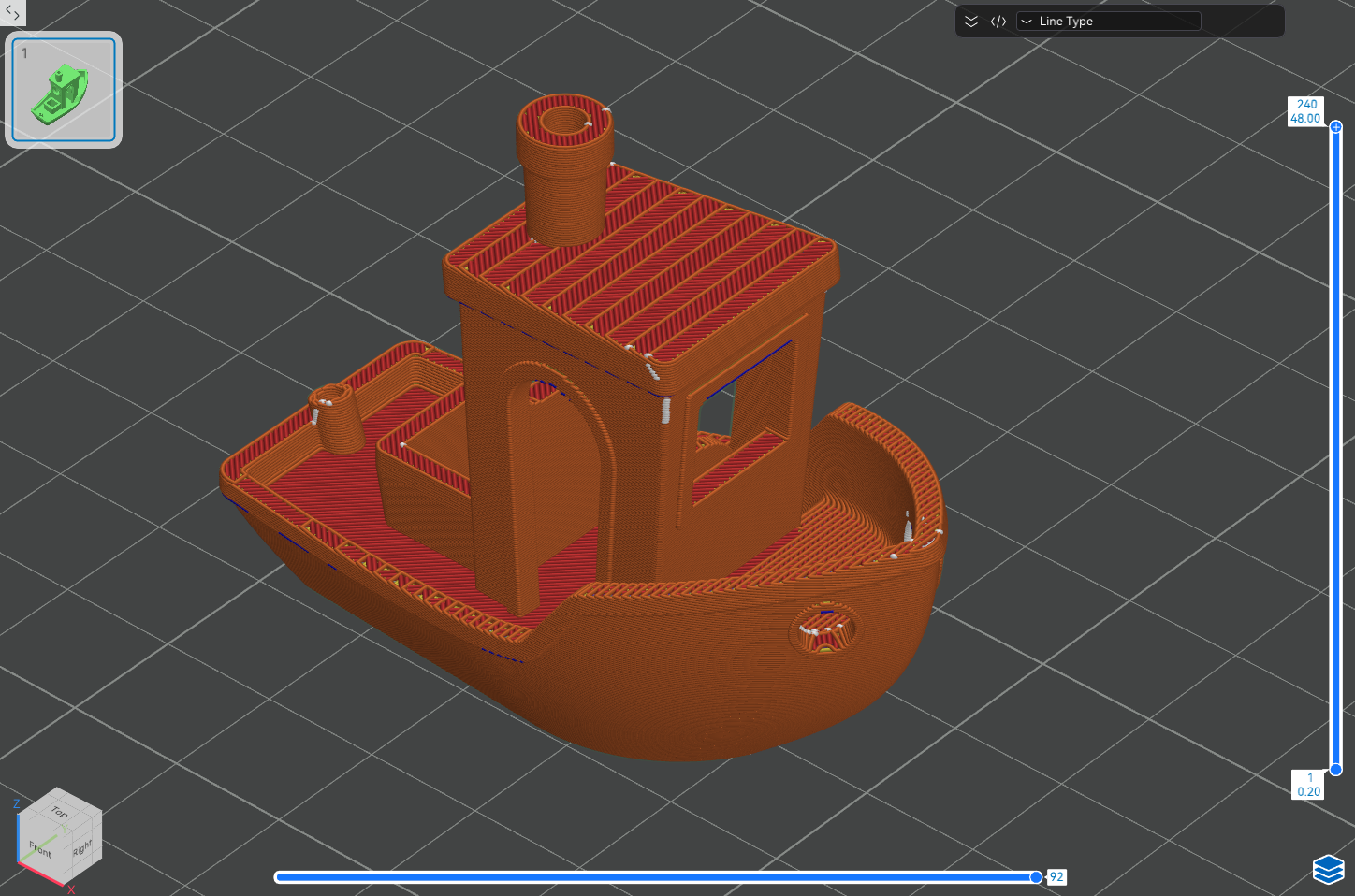
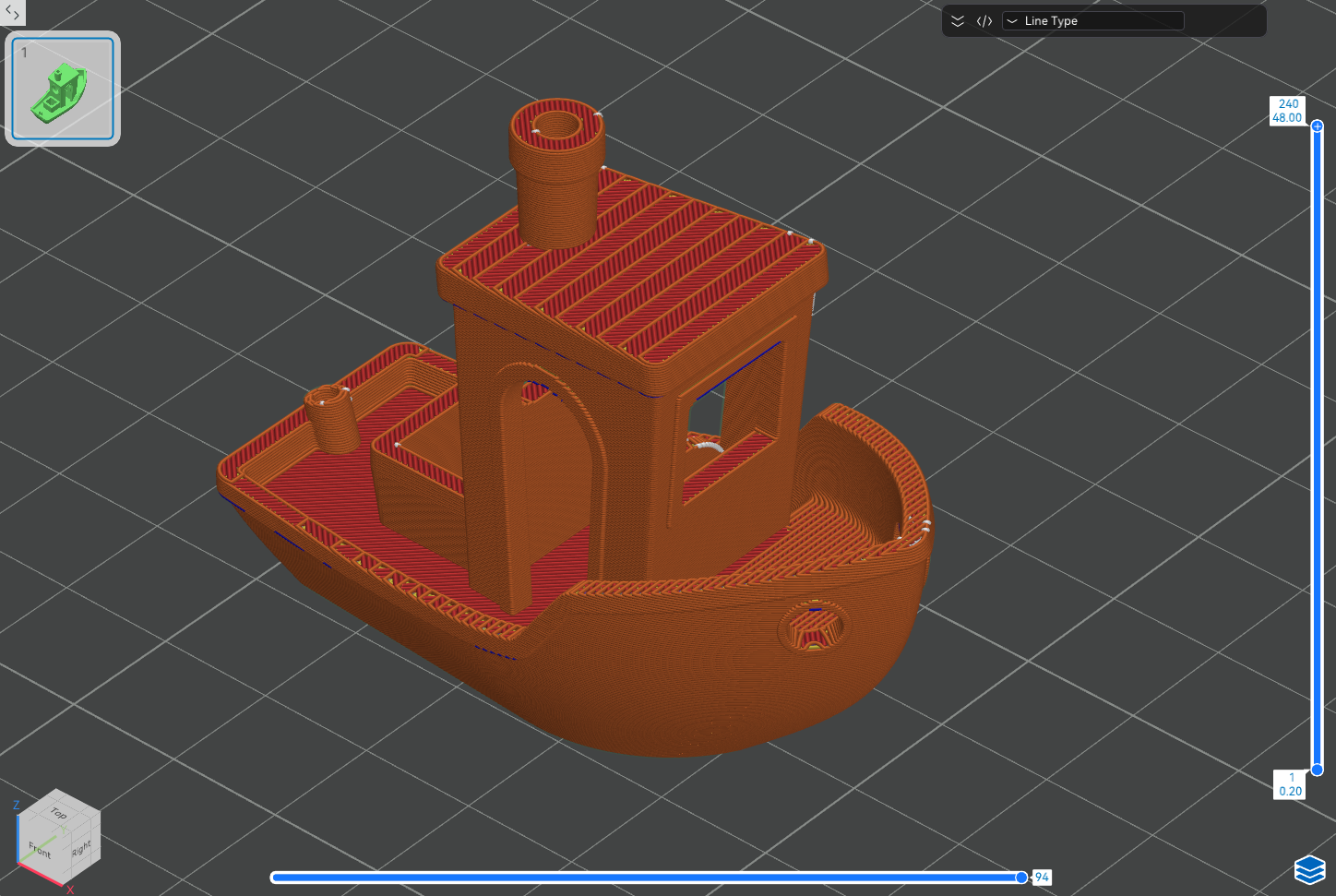
Aligned back means to position Z seam on the model's "back side" wherever possible, and make sure it is aligned along the same vertical line.
¶ Random
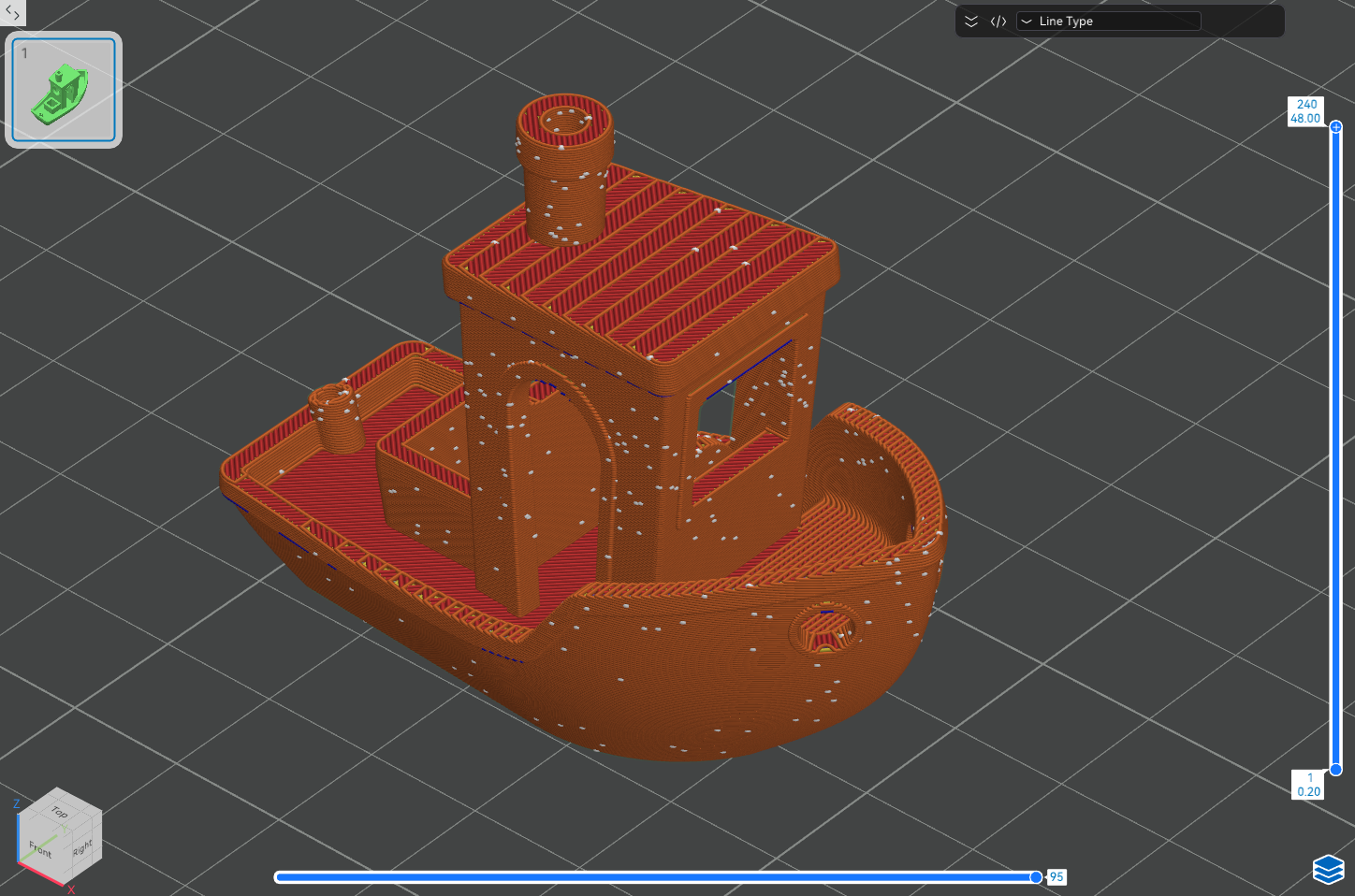
Random distribute the Z Seam lines randomly on each layer. The setting is suitable for models where appearance is not a priority, as the surface will exhibit scattered dot-like marks.
¶ Back
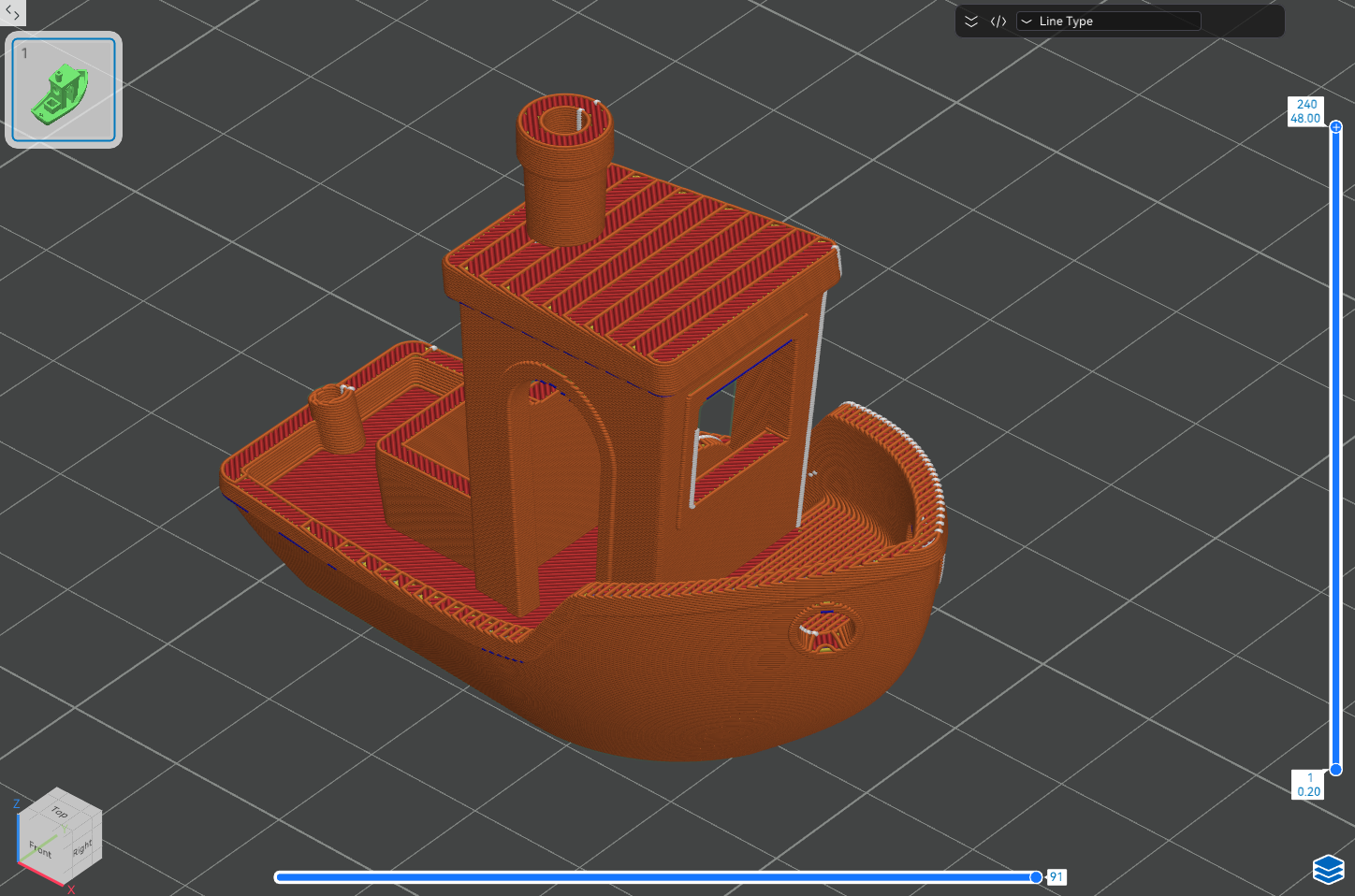
Back can position the Z seam lines across all layers towards the rear of the model.
¶ Nearest
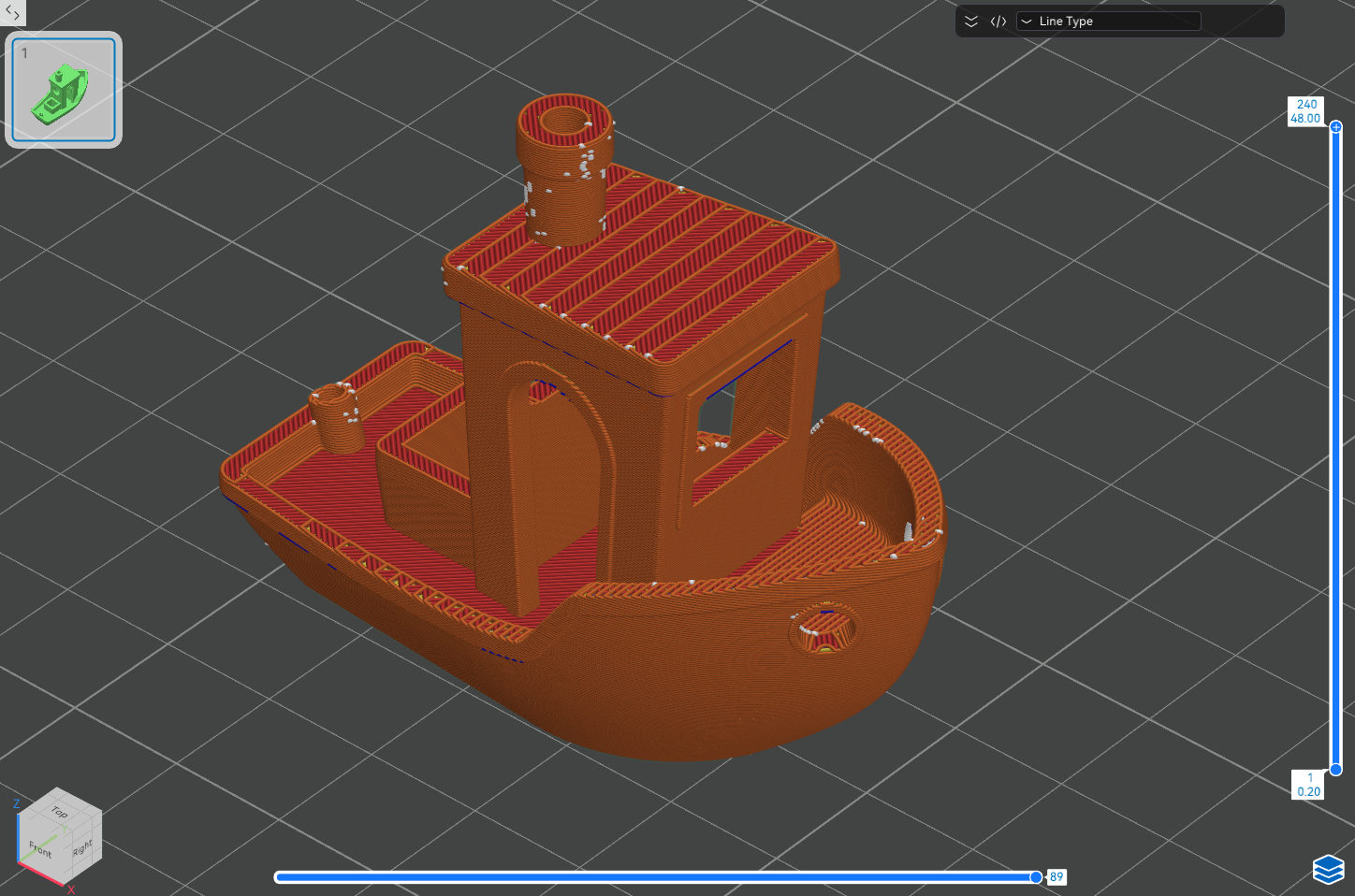
Nearest can optimise the Z seam positions based on nozzle movement efficiency. The seam may not be vertically aligned, but the printing time may be reduced.
¶ User-Specified
-
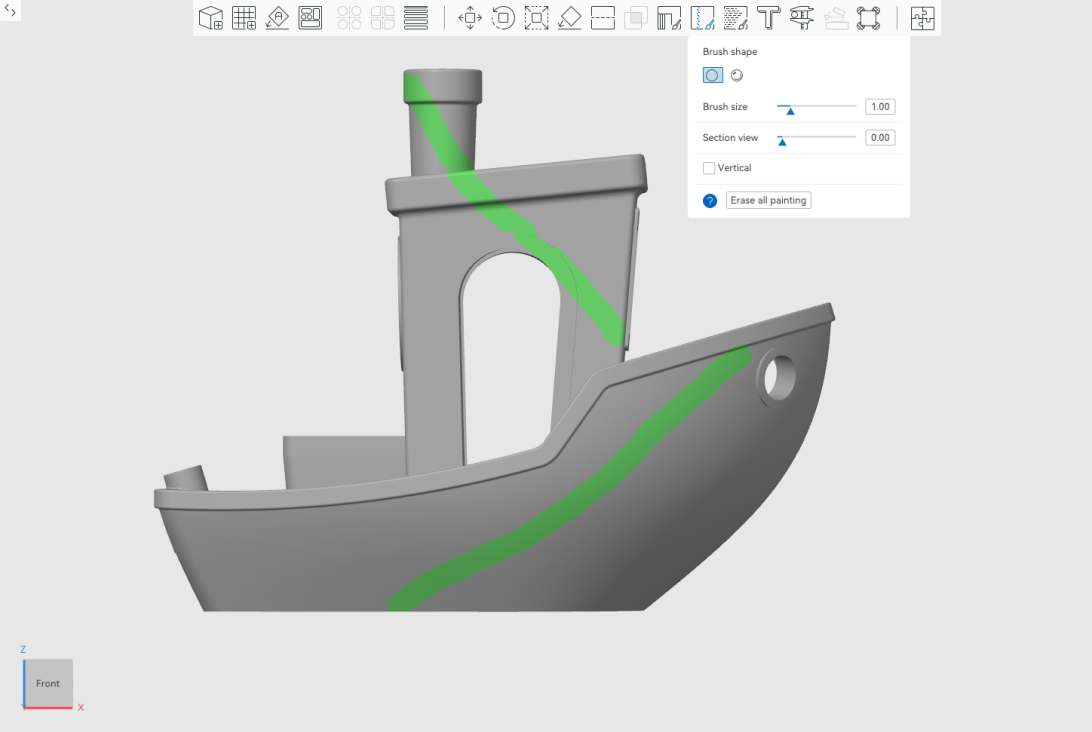
Select Seam painting in the Prepare interface.
 \
\ -
The menu of Seam painting can be shown.
 \
\ -
Click Slice plate and the Z seam will be generated.
¶ Conceal the Z-seam further if you are still dissatisfied with the default Z-seam settings.
¶ Activate Scarf joint seam
¶ What is Scarf joint seam?
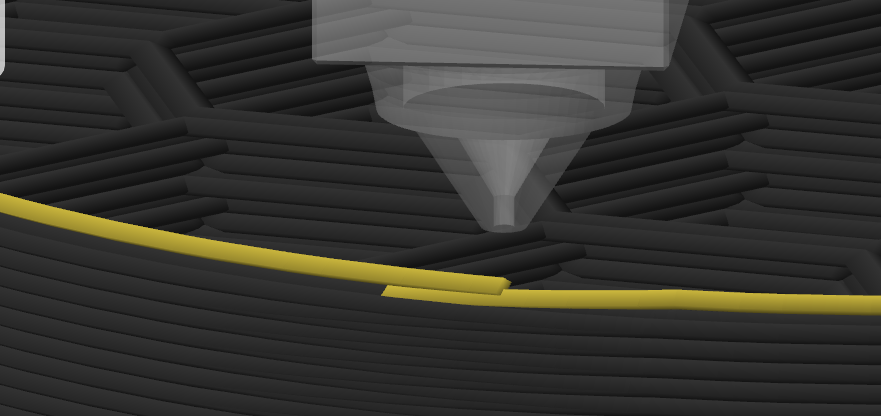
Rather than aligning the seams strictly in a straight line, Scarf joint seam can arrange Z seam in a zigzag pattern along the model's surface creases or contours.
¶ Steps for setting
-
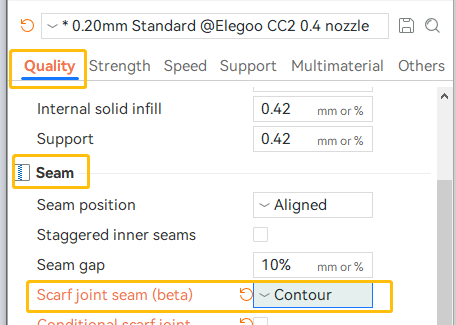
Select Quality - Seam - Scarf joint seam.
-
Set the value of Scarf length, since if the Scarf length is set as the default value of 0, the Scarf joint seam will not be effective.
The recommended values of Scarf length are:
- Models of small volume: 5 - 8 mm
- Models of big volume: 10 - 20 mm
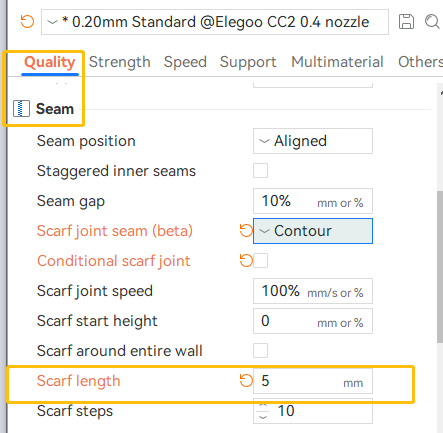
- Select Slice plate and in the Preview interface, you can observe that the Z seam is no longer a straight line running from bottom to top, but has transformed into a "staircase-like" path.
¶ Activate Spiral vase
Spiral vase is used to print seamless, single-walled models without a defined top or base. Generally, the setting is used for decorative objects such as vases, lampshades and containers.
With the Spiral vase setting being activated, the Z-axis rises continuously and gradually throughout the print, rather than abruptly after each layer.
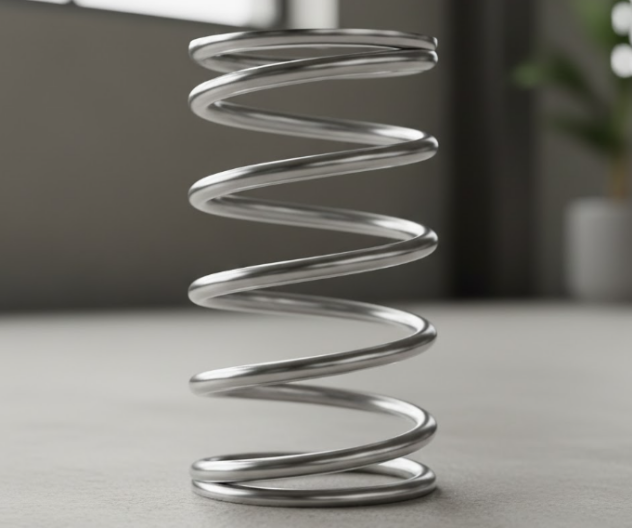
And, the extruder follows a continuous spiral path from the base to the apex of the model. The layers interlock seamlessly, forming an unbroken continuum like the coils of a spring.
Disadvantages: The model design is severely constrained (single-walled, no roof surface, no overhang), resulting in low structural strength and limited functionality.
Click Others - Special mode - Spiral vase.
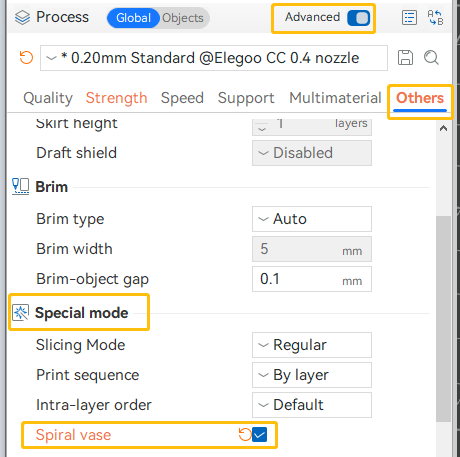
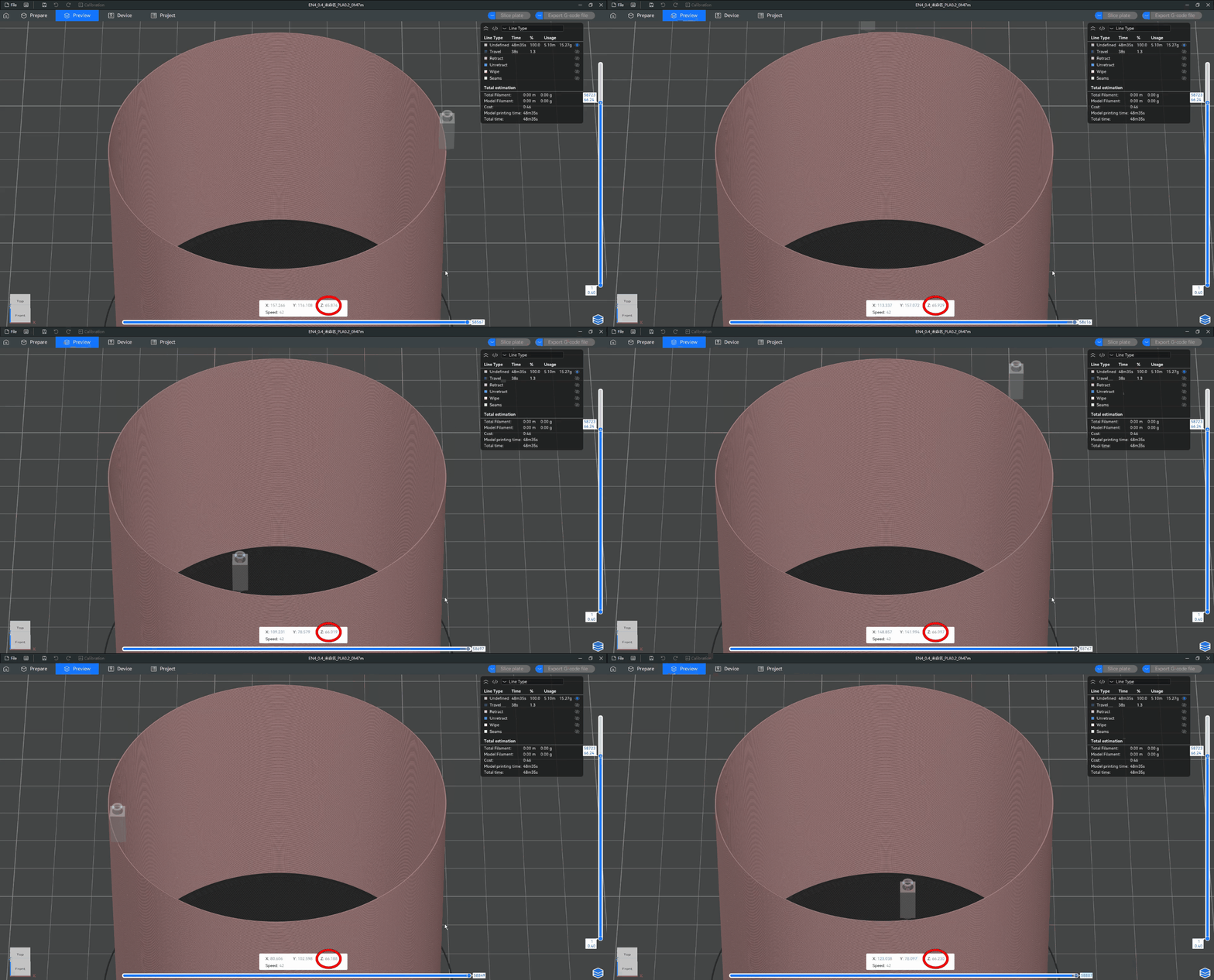
After slicing, the model will ascend slowly along the Z-axis in a spiral pattern.