¶ Fault Description
Models fail to adhere, show poor adhesion, or detach during printing at the center area of the Build Plate.
¶ Failure Phenomenon
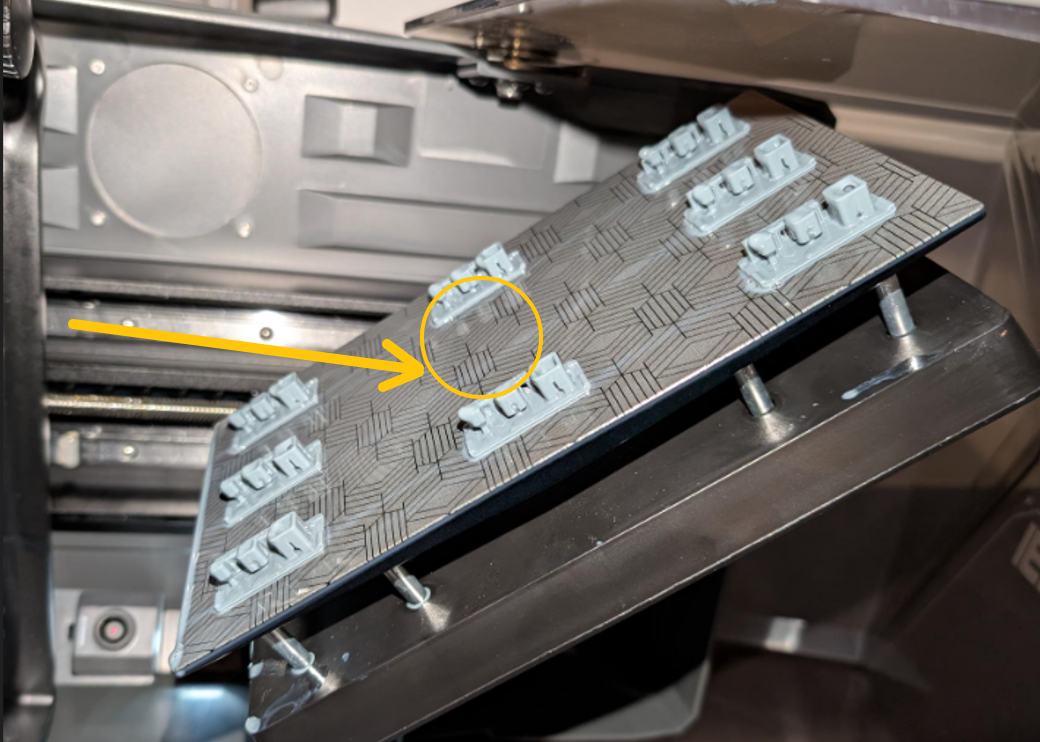
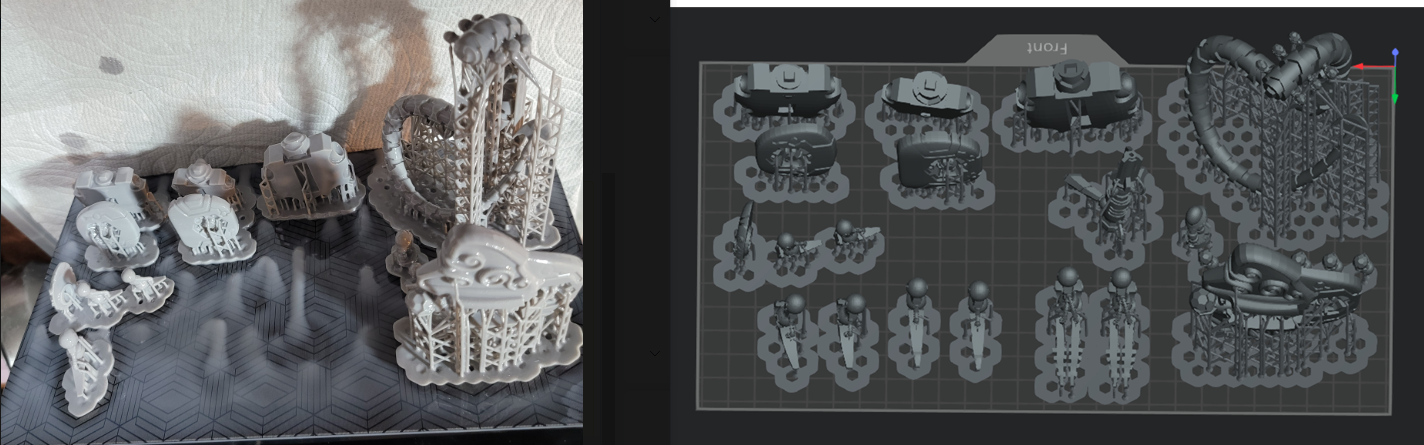
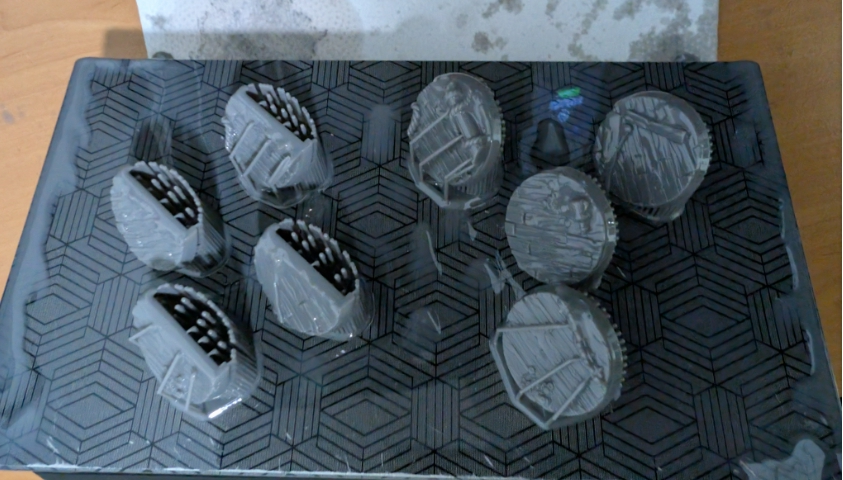
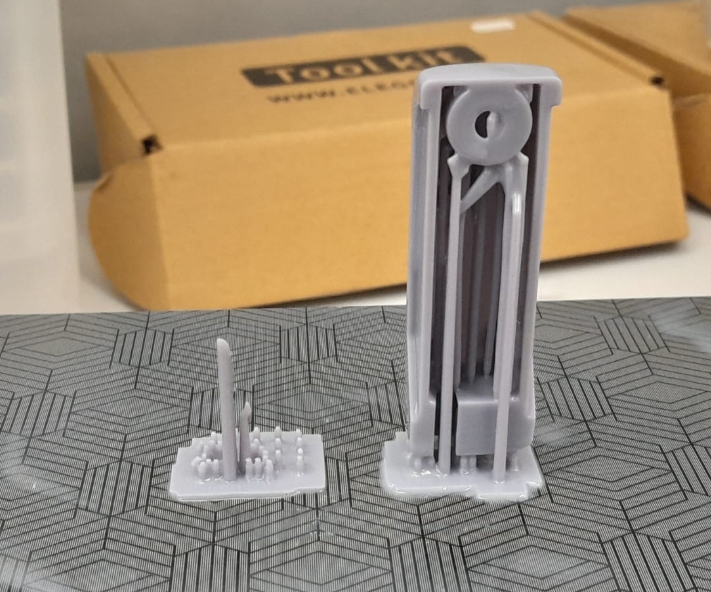
¶ Possible Causes
- High resin viscosity causing abnormal resin flow-back
- Insufficient Build Plate accuracy, or excessive gap between the Build Plate and LCD screen
- LCD screen loosened or improperly installed
- Poor release film condition, such as whitening, scratches, damage, or aging
¶ Troubleshooting Steps
¶ Check the Release Film
Inspect whether the release film has whitening, scratches, damage, or abnormal tension.
¶ Preheat the Resin
The optimal printing temperature for resin is 25°C.
If the ambient temperature in the printer location is below 25°C, it is recommended to preheat the resin before printing.
Place the resin bottle in warm water at approximately 60°C for about 10 minutes to help reduce resin viscosity.
¶ Enable Active Heating
If the printer supports an external heater or built-in tank heating function, enable it in advance to preheat the internal chamber or resin.
¶ Adjust Slicing Settings
Appropriately increase:
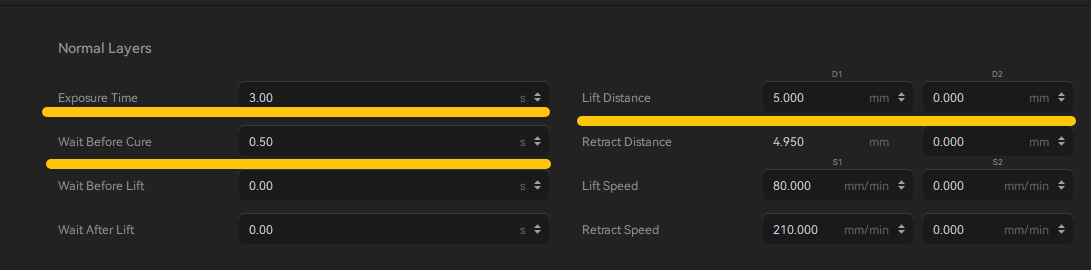
- Normal layer exposure time by 1–3 seconds
- Rest Time After Release by 2–3 seconds
For bottom-up LCD resin printers, you may also increase:
- Lift distance by 2–3 mm
¶ Check LCD Screen Installation Status
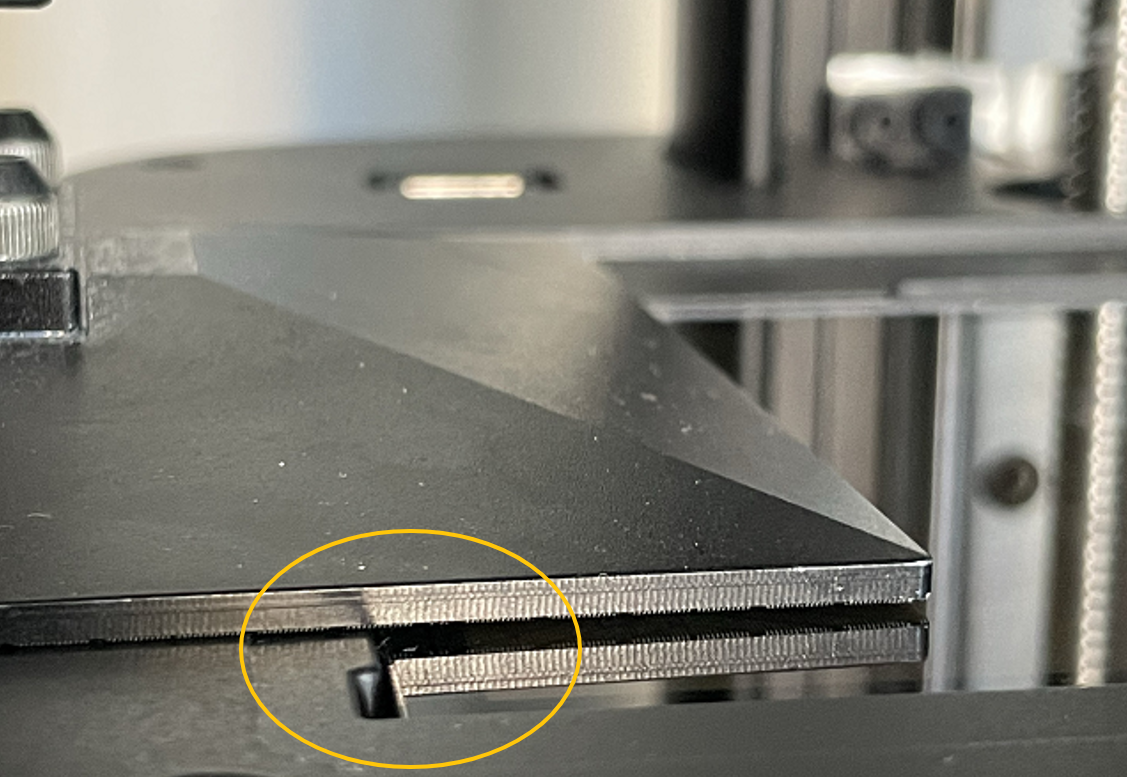
Check whether the screws securing the LCD screen are loose.
Verify whether there is any visible misalignment or gap between the LCD screen and the printer frame.
If abnormal, reinstall the LCD screen properly.
Refer to the installation video for the corresponding printer model below:
https://wiki.elegoo.com/video-tutorials/parts-replacement
¶ Still Not Resolved
If the issue persists, please provide the following information and contact technical support(Email: 3dp@elegoo.com):
- Photos of the failed print model
- Model
ctborgoofile(This file will not be made public.) - Model
stlfile (This file will not be made public.) - LCD screen exposure status photo
- Resin information, including a clear photo of the resin bottle label showing the resin type, brand, color, and recommended exposure settings if available.
¶ Help us improve
If you have any ideas about the wiki pages, please let us know via ELEGOO official feedback channel