¶ Fault Symptoms
No Display
After running the Exposure Test, the LCD Screen remains completely black with no image displayed. The UV light may remain off, or it may turn on while the screen still displays no image.
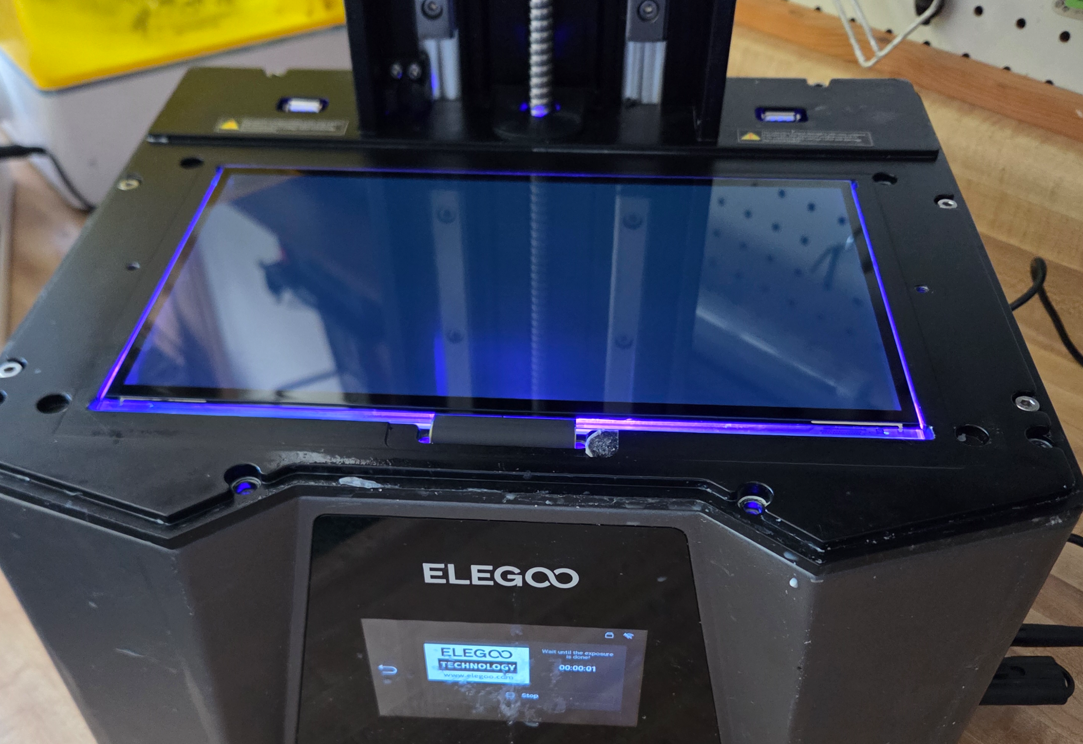
Partial Display
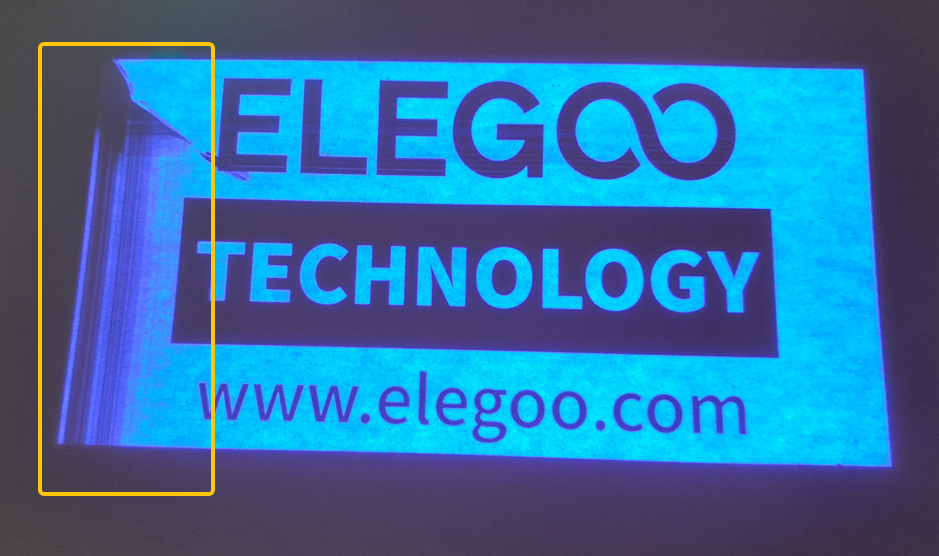
The LCD Screen only displays part of the exposure pattern. Symptoms may include missing edges, black areas, or incomplete images.
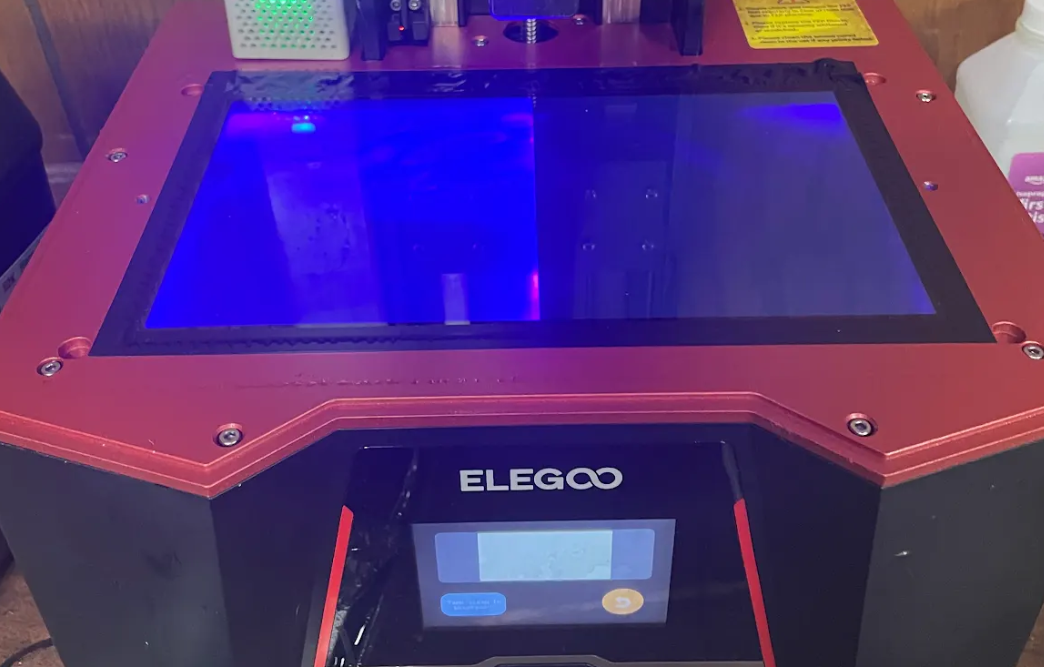
Dead Pixels
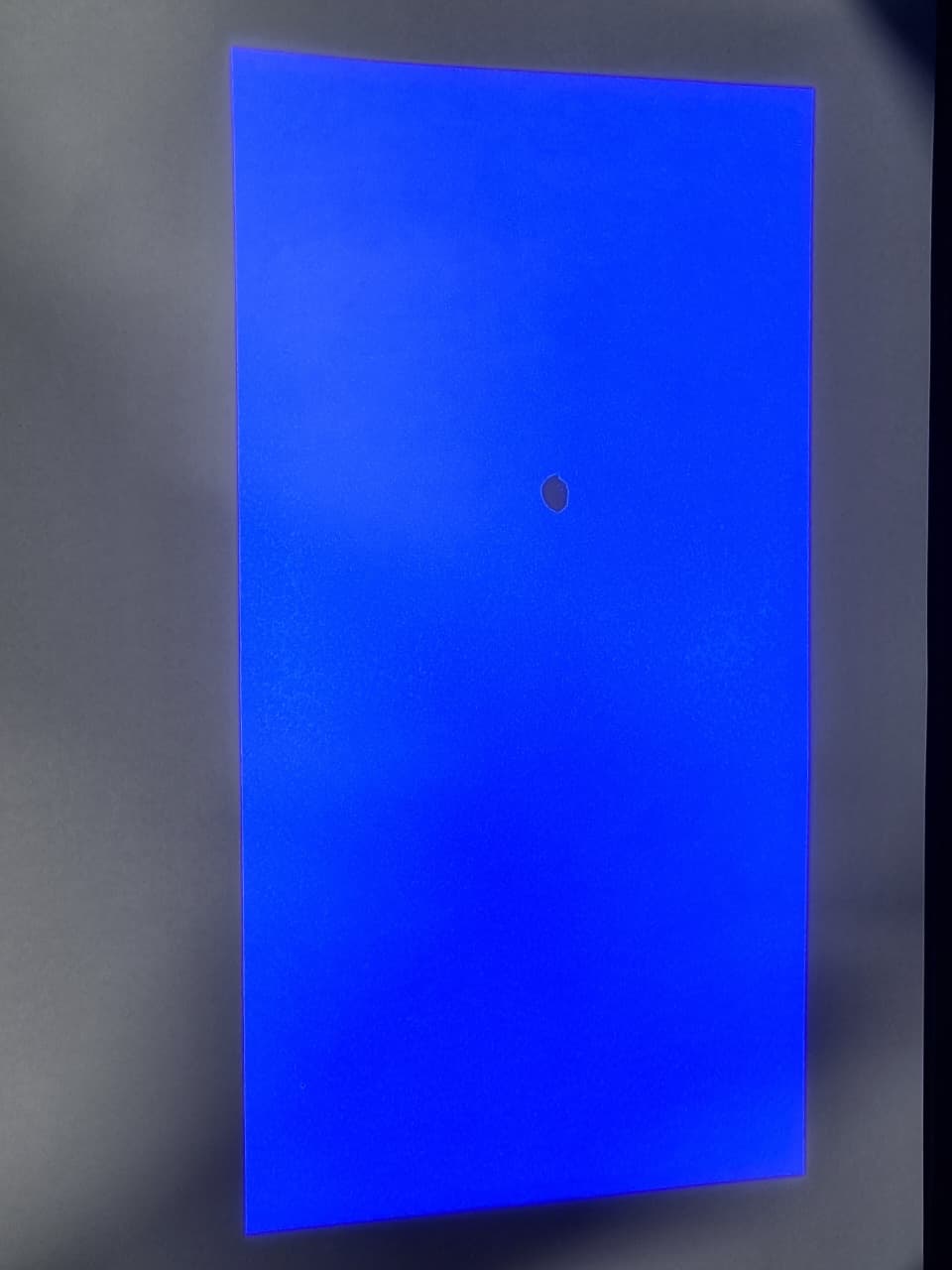
Screen Flickering
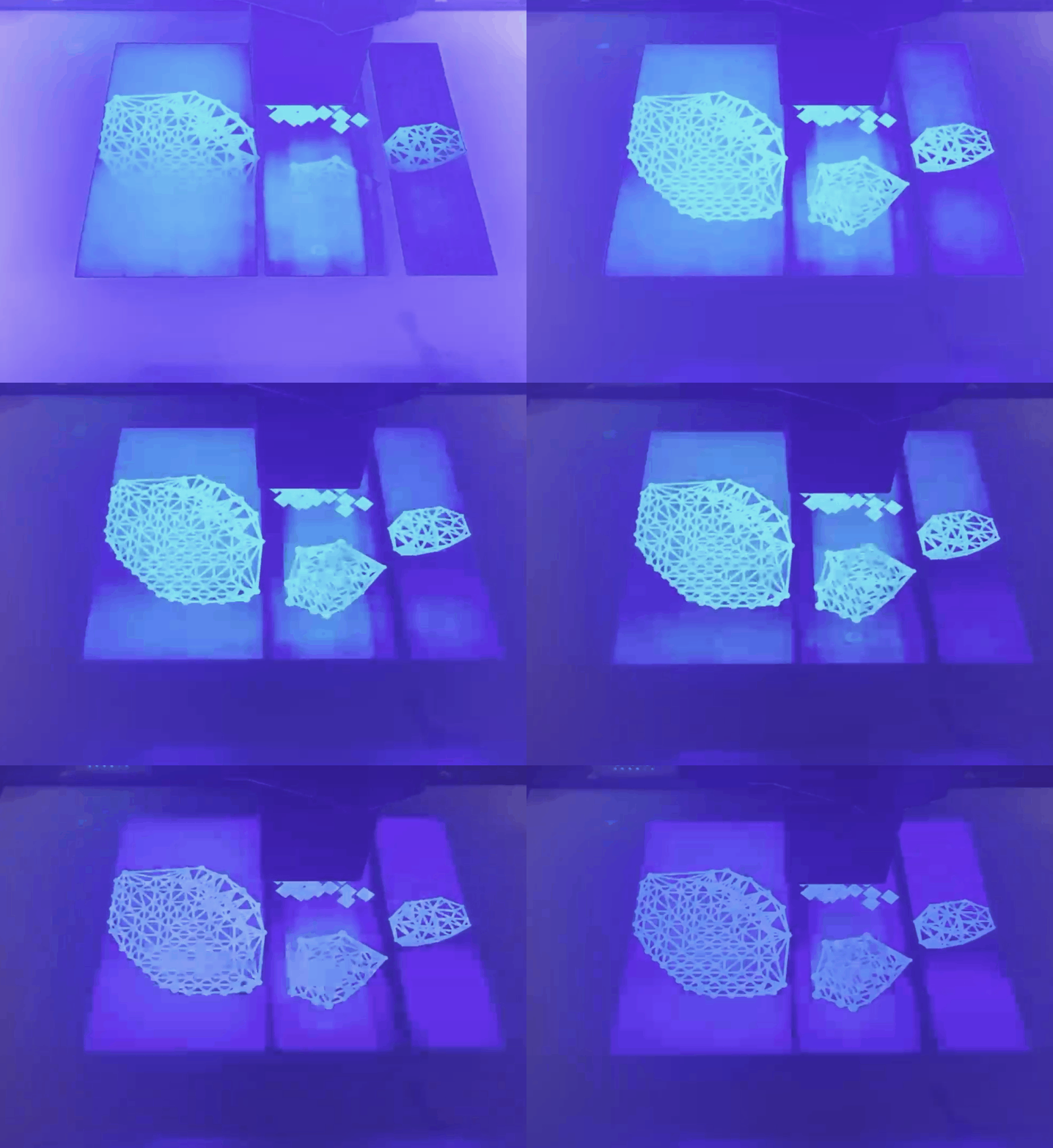
Lines on the Screen
¶ Possible Causes
- The LCD Screen has dead pixels, physical cracks or damage, or other display defects.
- Resin leakage, cured resin, or debris is present on or inside the LCD Screen.
- The LCD Screen ribbon cable is improperly installed, has poor contact, or is damaged.
- The printer firmware is outdated or incompatible.
- The LCD Screen itself has failed.
¶ Troubleshooting
¶ Check the LCD Screen Surface
- When the LCD Screen is not exposing, carefully inspect its surface for cracks.If cracks are found together with dead pixels, the LCD Screen should be replaced as soon as possible. To help prevent future LCD Screen damage, follow these recommendations:
- Filter the Photopolymer Resin before every print.
- Run the Clean Tank function after every failed print to remove cured resin from the Resin Tank.
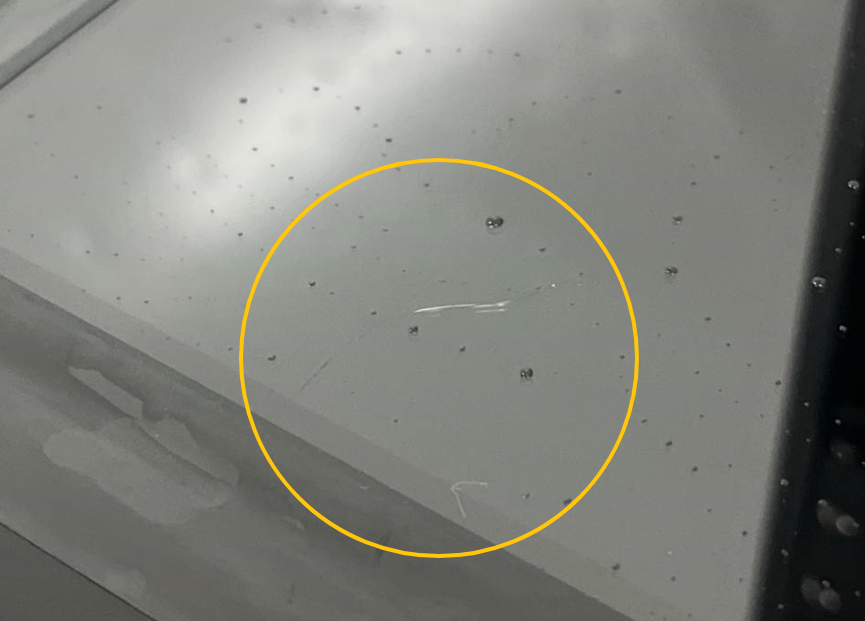
- If the LCD Screen surface is not cracked, inspect both the LCD Screen and the Fresnel lens for cured resin, dust, or other debris that may block UV exposure.
¶ Check the LCD Screen Cable — LCD Screen Side
-
Turn off the printer power switch and unplug the adapter plug or power cable.
-
Find your current printer model from this link, then disassemble the printer to access the LCD screen cable.
-
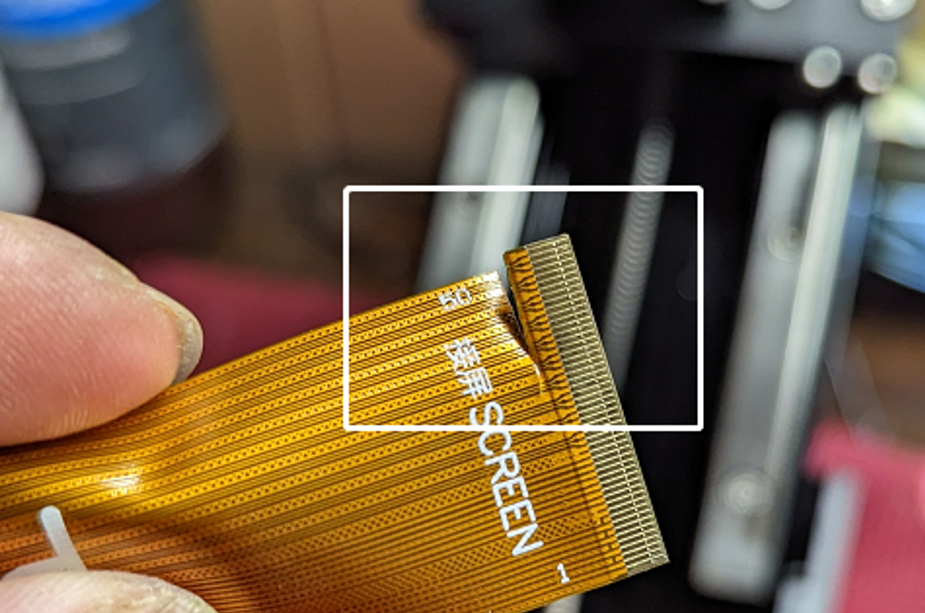
Check whether the cable is properly installed. Disconnect and reconnect the LCD screen cable.
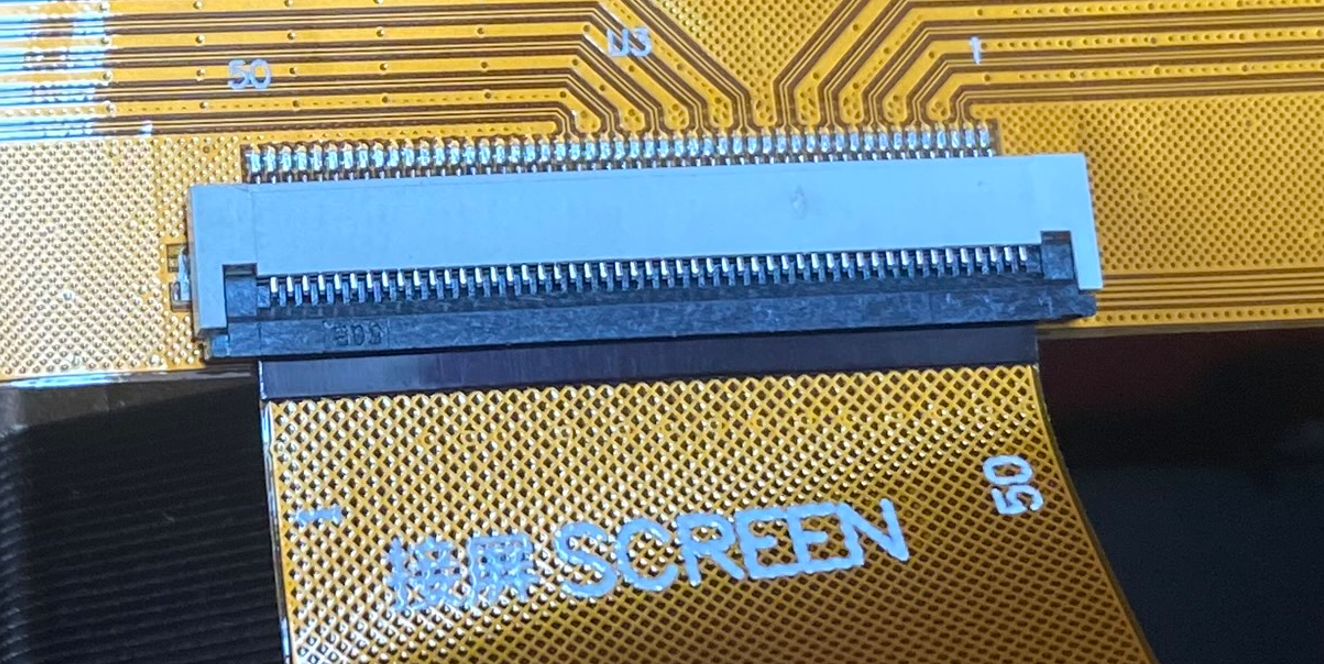
Note: Some printer models require the LCD cable to be installed in a specific direction. The side marked “LCD” or “SCREEN” should face the LCD screen, while the side marked “MB” should face the motherboard.
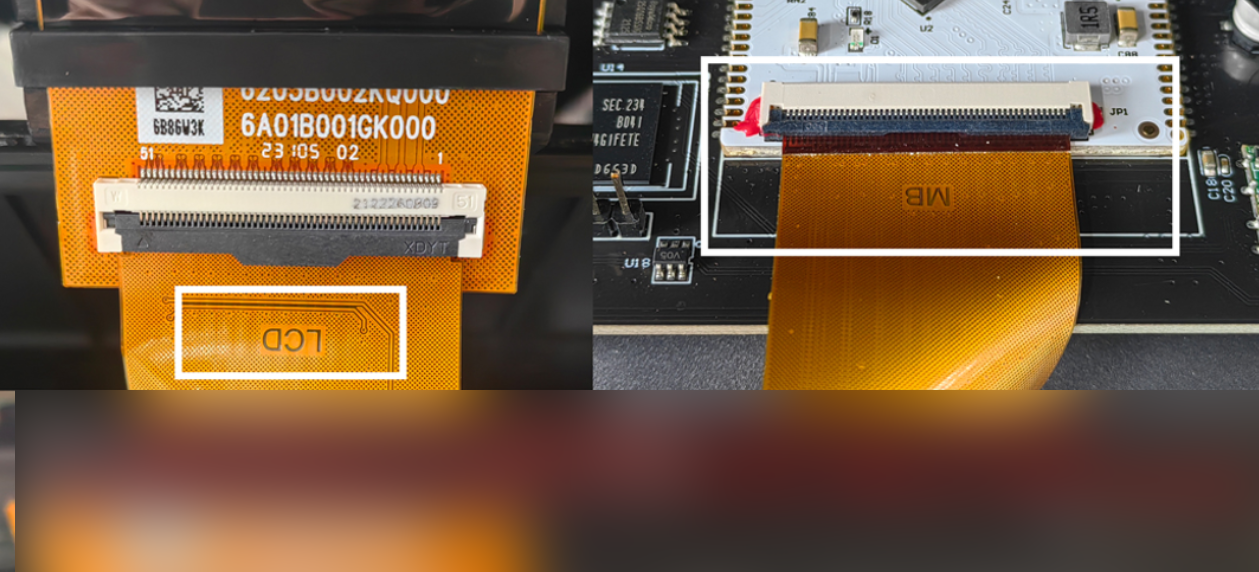
Note: If the LCD screen cable is damaged, turn off the printer power switch and unplug the power cable. Replace it with a new LCD screen cable.
¶ Check the LCD Screen Cable — Motherboard Side
-
Turn off the printer power switch and unplug the adapter plug or power cable.
-
Find your current printer model from this link, then disassemble the printer to access the LCD screen cable.
-
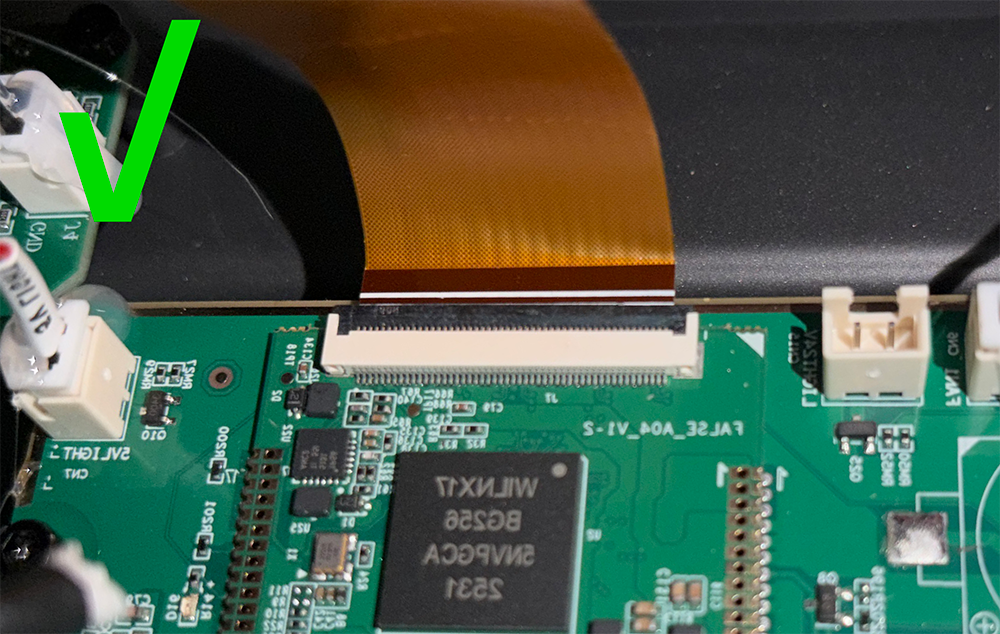
Disconnect and reconnect the LCD screen cable.
¶ Update Printer Firmware
-
If the issue still exists after reinstalling the cable, and there is no obvious damage to the LCD cable or LCD screen surface, try updating the printer firmware.
-
Download the latest firmware version from this link.
-
After updating the firmware, perform the exposure test again and check whether the LCD screen display returns to normal.
-
If the firmware is not listed on the download page, update the printer firmware to the latest version through
OTA.
¶ Contact Technical Support
If the LCD screen still cannot display the exposure image after completing all troubleshooting steps above, please contact ELEGOO technical support via email (3dp@elegoo.com) and provide the following information:
- A photo of the LCD screen when it is not exposing.
- A photo of the LCD screen during exposure.
- A photo of the LCD screen cable connection on the motherboard side.
- A photo of the LCD screen cable connection on the LCD screen side.
- The printer order number.
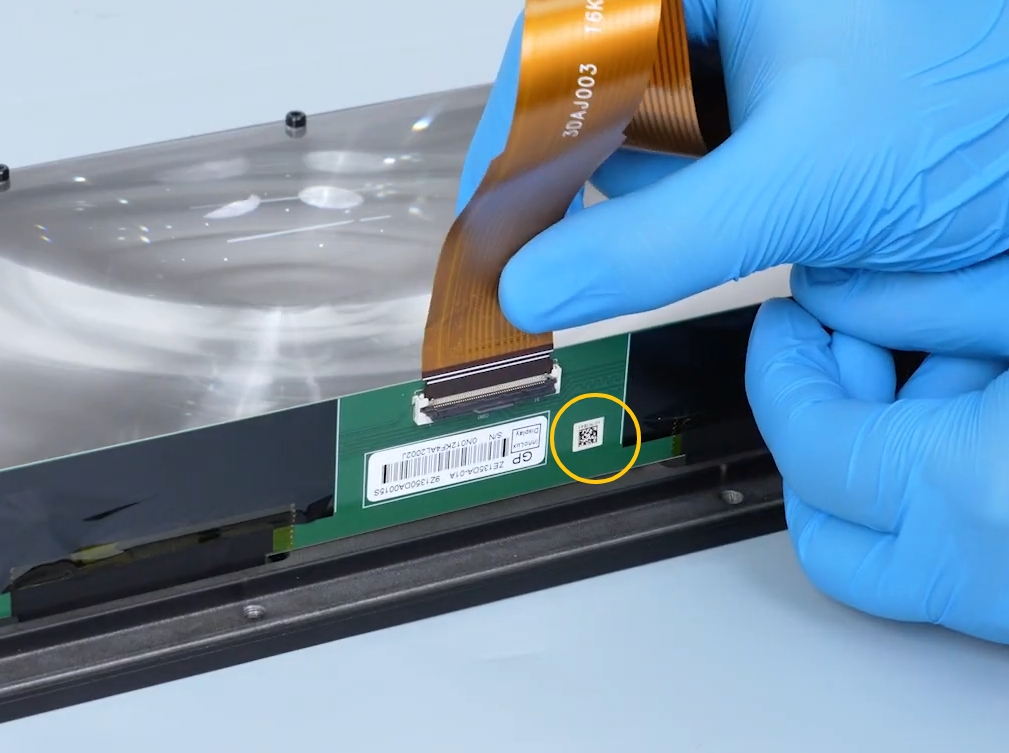
(If the printer was purchased from an ELEGOO distributor, please provide the invoice instead of the order number.) - A photo of the QR code on the LCD screen side.
Note: The LCD screen has a limited warranty. Resin leakage, damage to the scratch-resistant film, artificial damage, and collision damage are not covered under warranty. For detailed warranty terms, please refer to this link.
¶ Help us improve
If you have any ideas about the wiki pages, please let us know via ELEGOO official feedback channel