¶ Fault Description
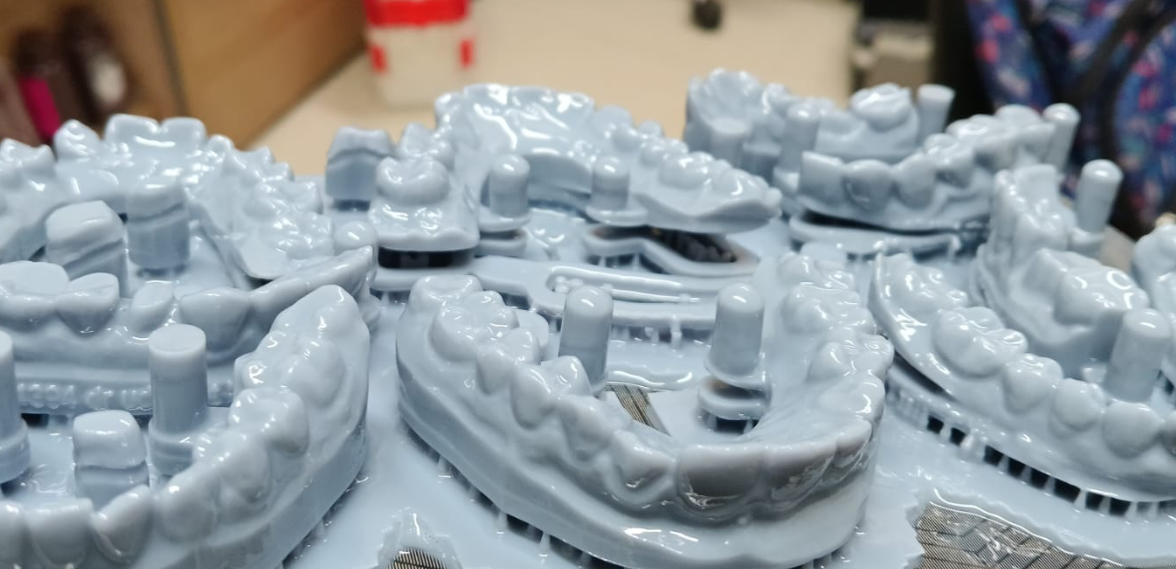
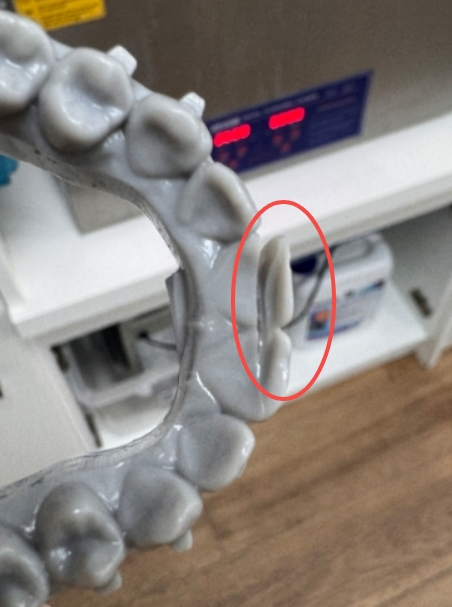
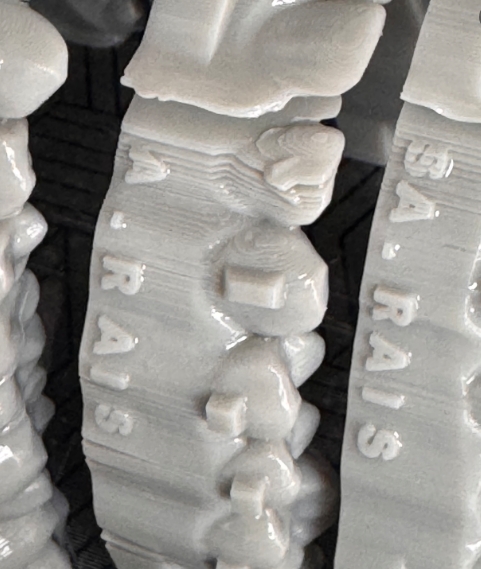
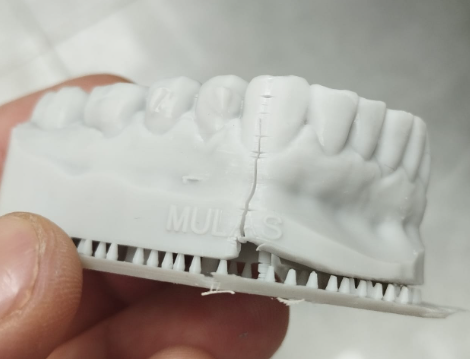
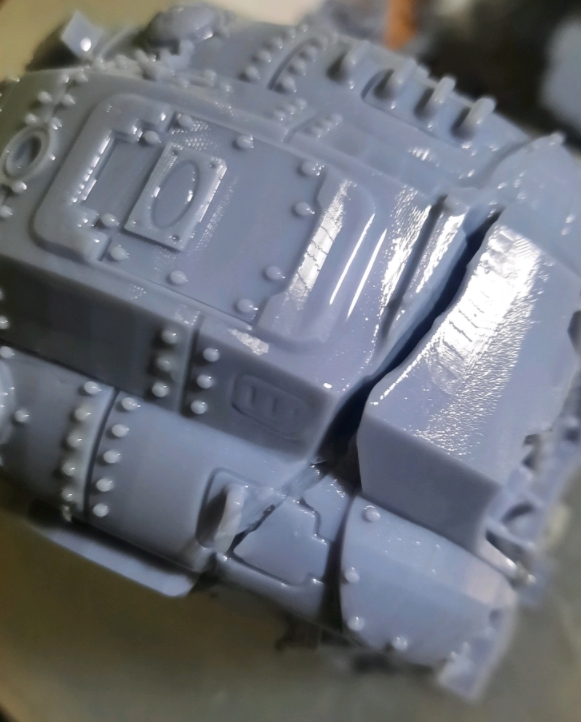
During multi-model array printing, models located near the center of the Build Plate are more likely to crack, separate between layers, detach from the Build Plate, or fail to print, while models near the edges generally print successfully.
Models printed near the center often exhibit incomplete curing and weak interlayer adhesion, while models near the edges may print normally.
¶ Failure Phenomenon
¶ Possible Causes
- The LCD Screen has degraded, resulting in reduced UV light intensity in specific areas. Insufficient exposure energy leads to incomplete curing of the Photopolymer Resin.
- The ambient temperature is too low, causing high resin viscosity and poor resin flow, preventing the Resin from flowing back and fully replenishing each new layer.
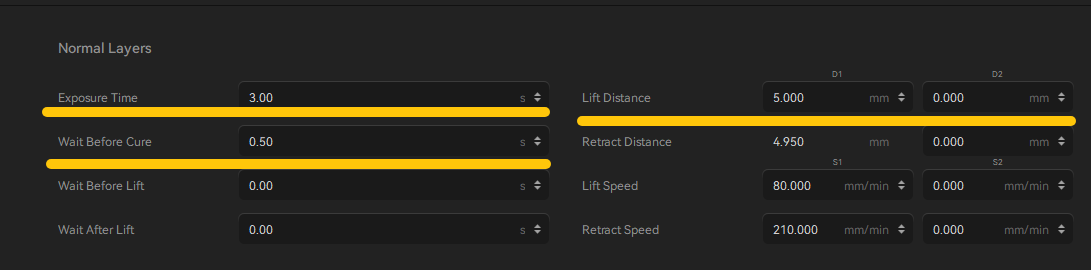
- The normal layer exposure time is too short, resulting in insufficient curing and weak interlayer bonding.
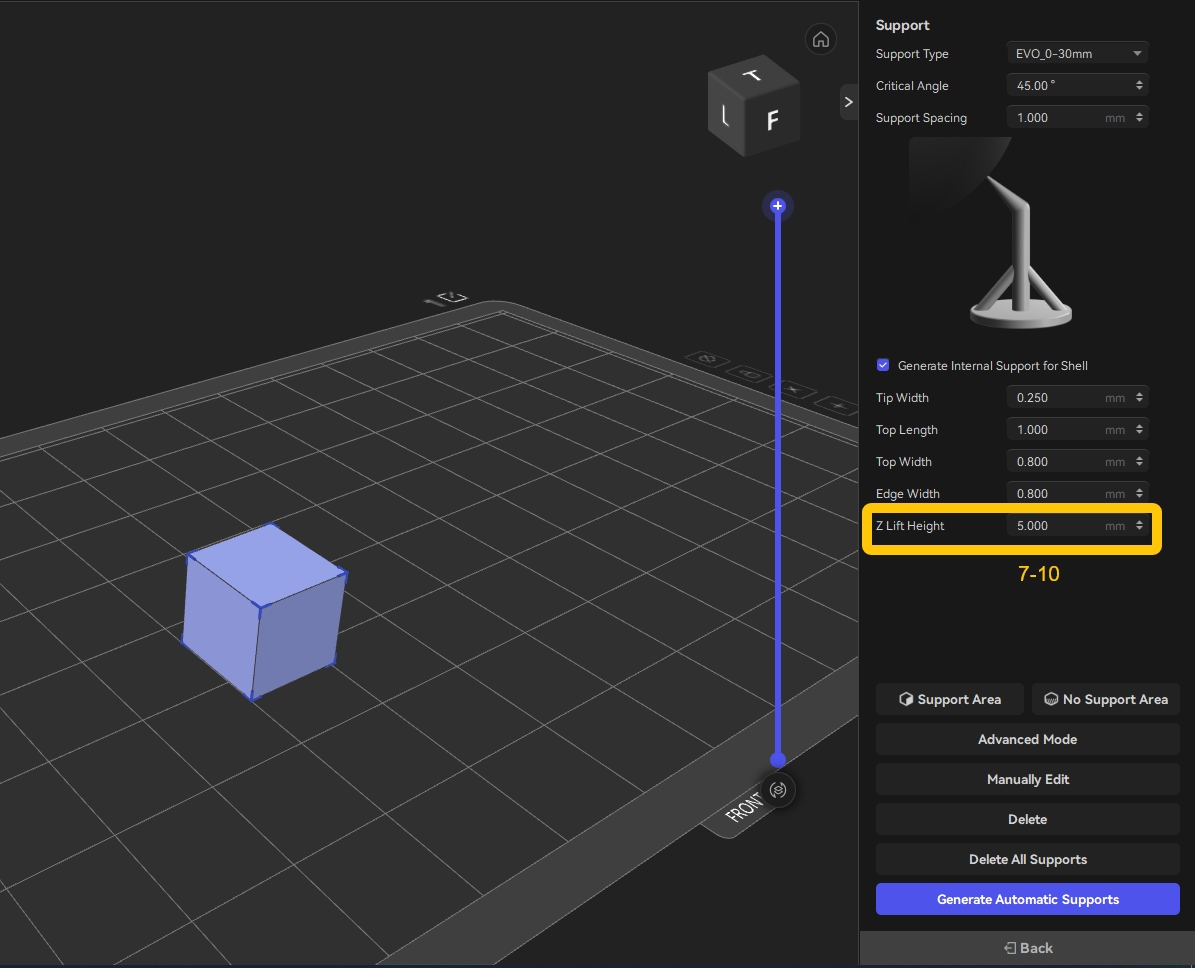
- The model’s Z Lift Height above the raft is too low, leaving insufficient clearance between the model and the raft. This restricts resin flow during the peel process and prevents proper resin replenishment.
¶ Tools Required
| Tool | Requirement |
|---|---|
| Hot water | Approximately 60°C (140°F) |
| Plain white paper | For LCD exposure inspection |
¶ Troubleshooting
¶ Step 1 — Preheat the Resin
Recommended Resin temperature: 25–30°C (77–86°F)
If the ambient temperature is below 25°C, preheat the Resin Bottle before printing by soaking it in hot water at approximately 60°C (140°F) for about 10 minutes.
This reduces resin viscosity and improves resin flow.
¶ Step 2 — Use a Heating Device
If your printer supports heating, enable the external heater or the built-in Tank Heating function before printing to preheat the printing chamber or the Resin.
¶ Step 3 — Increase Exposure Time and Rest Time After Retract
Increase the following parameters appropriately:
| Parameter | Recommended Adjustment |
|---|---|
| Normal Layer Exposure | +1–3 s |
| Rest Time After Retract | Increase appropriately |
For top-lifting printers, you may also increase the lifting distance by 2–3 mm.
¶ Step 4 — Increase the Model's Z Lift Height Above the Raft
Default value: 5 mm
Increase the Z Lift Height to 7–10 mm.
¶ In ELEGOO SatelLite
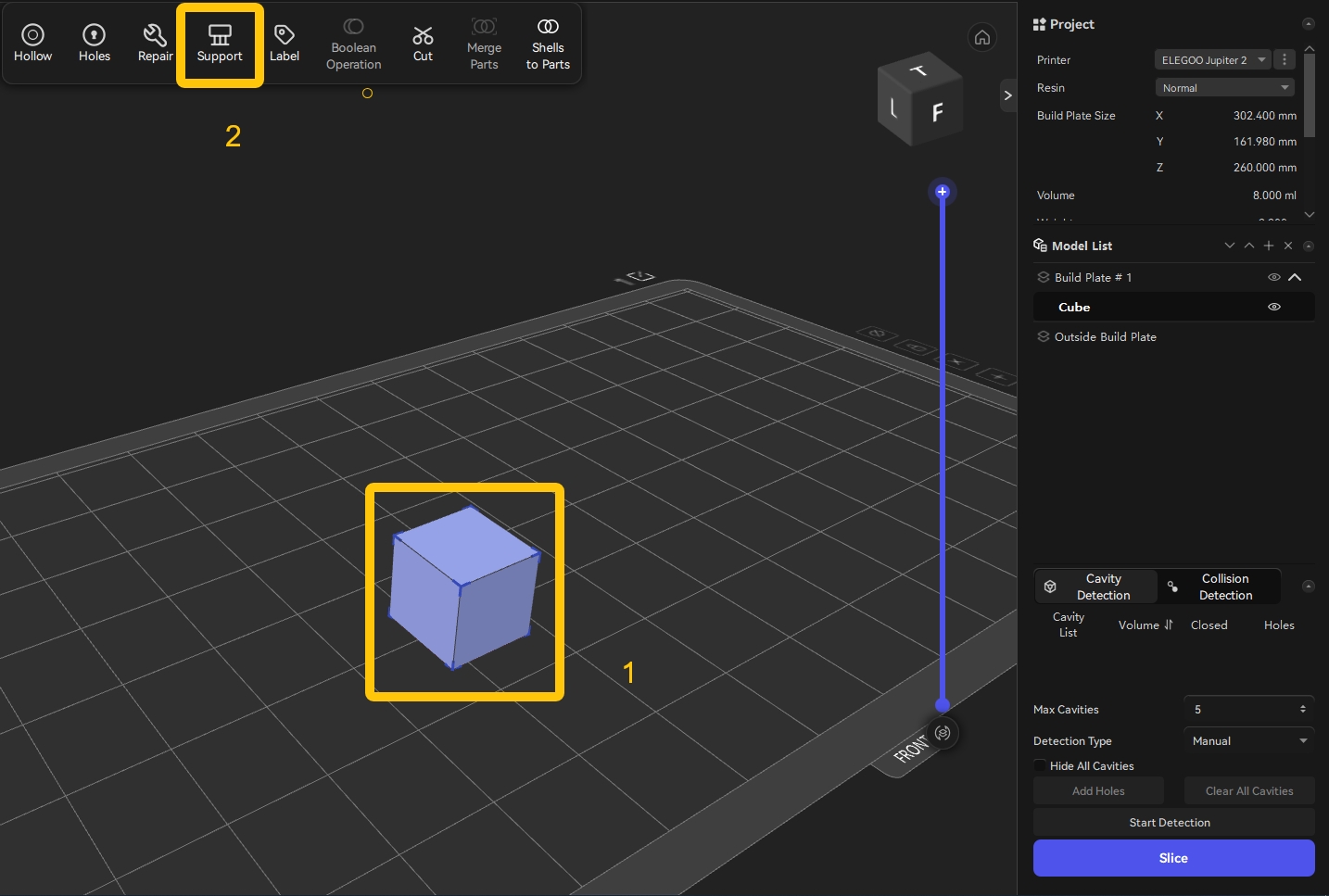
Select Model-Support-Set Z Lift Height-Enter
¶ Step 5 — Increase the Exposure Time
¶ Scenario 1
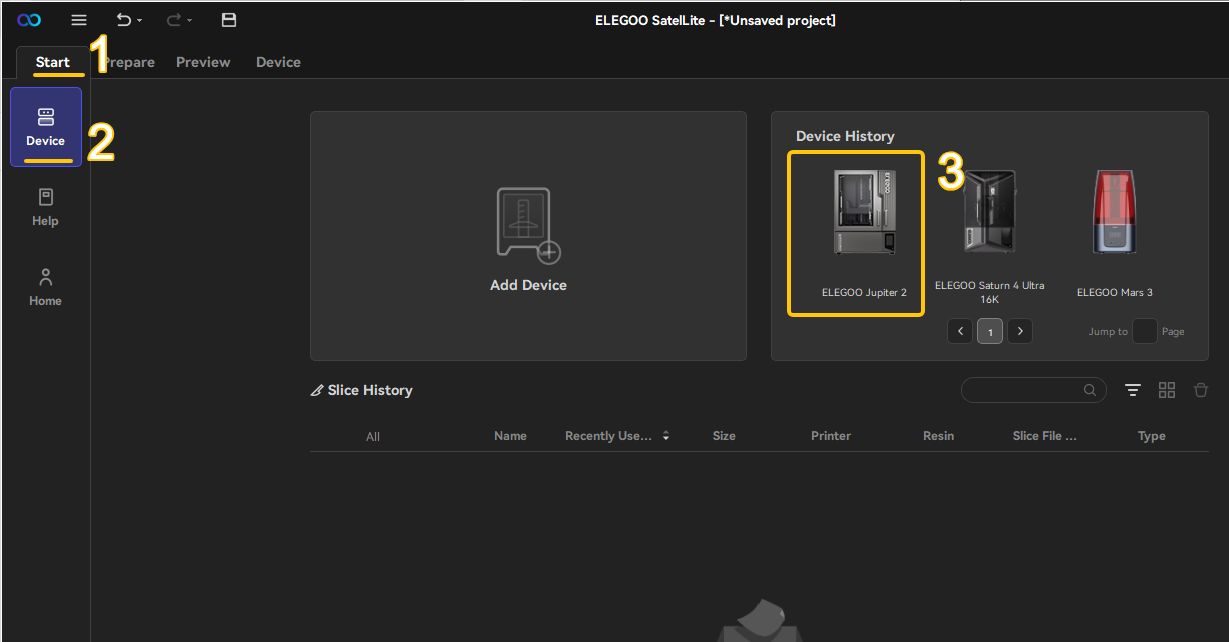
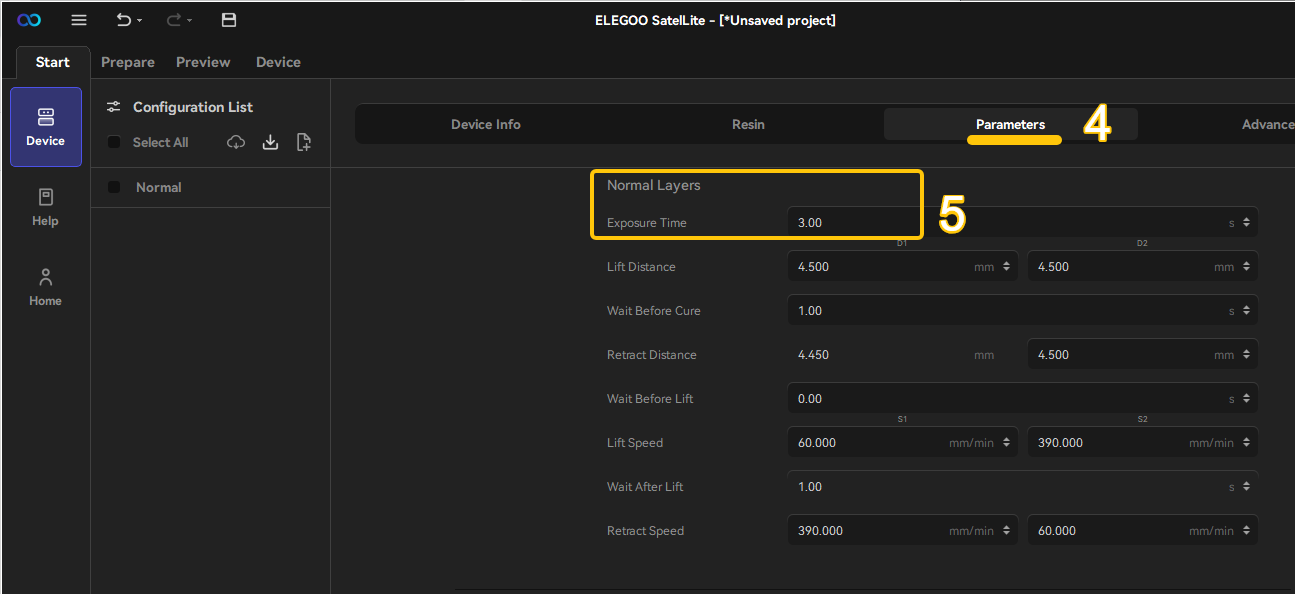
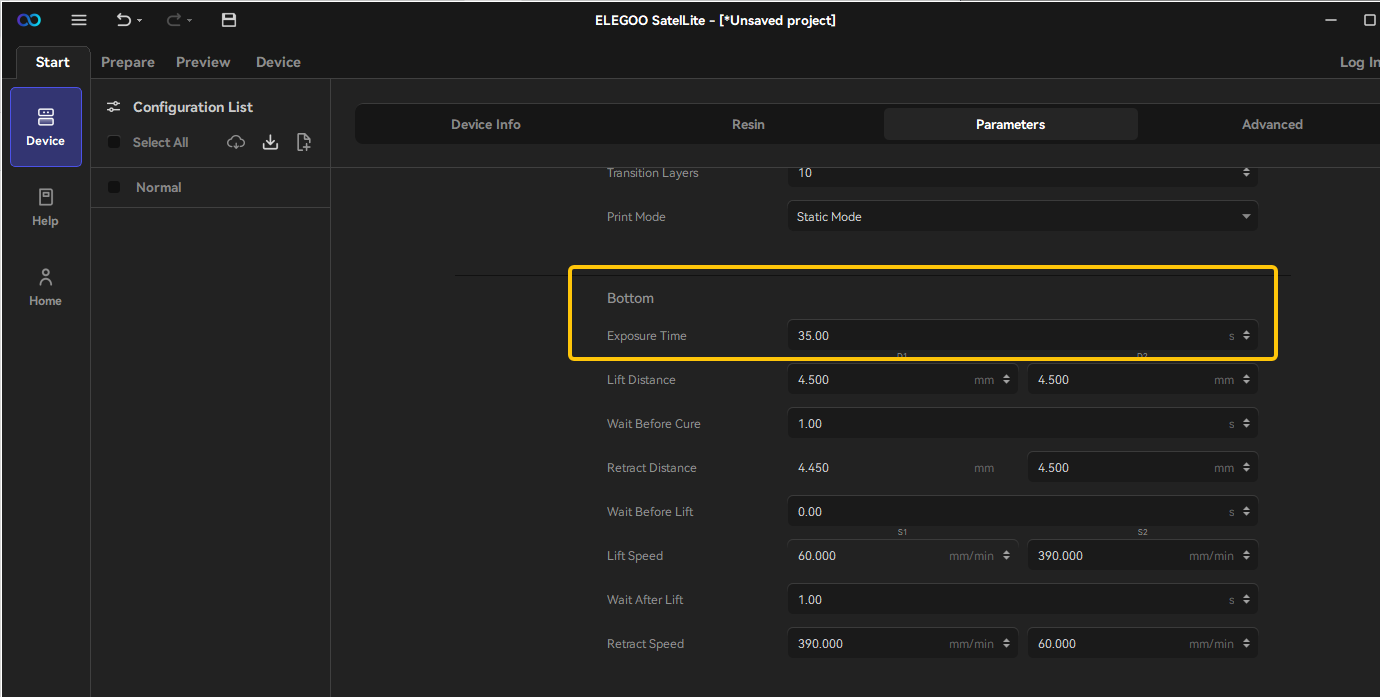
If the printing environment, Photopolymer Resin, slicing parameters, and model file remain unchanged, but prints that previously succeeded have recently begun failing, increase the exposure time as follows.
| Parameter | Recommended Adjustment |
|---|---|
| Bottom Layer Exposure | +5–10 s |
| Normal Layer Exposure | +1–3 s |
¶ Scenario 2
⚠ If increasing the exposure time does not improve the print quality, the LCD Screen may have degraded.
Proceed with the inspection below.
¶ Step 1 — Check the LCD Exposure Pattern
On the Touch Screen, tap the ELEGOO logo to activate the LCD exposure test and verify that the displayed pattern is complete.
¶ Step 2 — Perform the White Paper Test
- Remove the Resin Tank.
- Place a sheet of plain white paper on the LCD Screen.
- Run Tank Cleaning from the Touch Screen.
- Observe the UV illumination from directly above.
Pay particular attention to the area corresponding to the failed print.
A normal LCD exposure should appear as shown below.

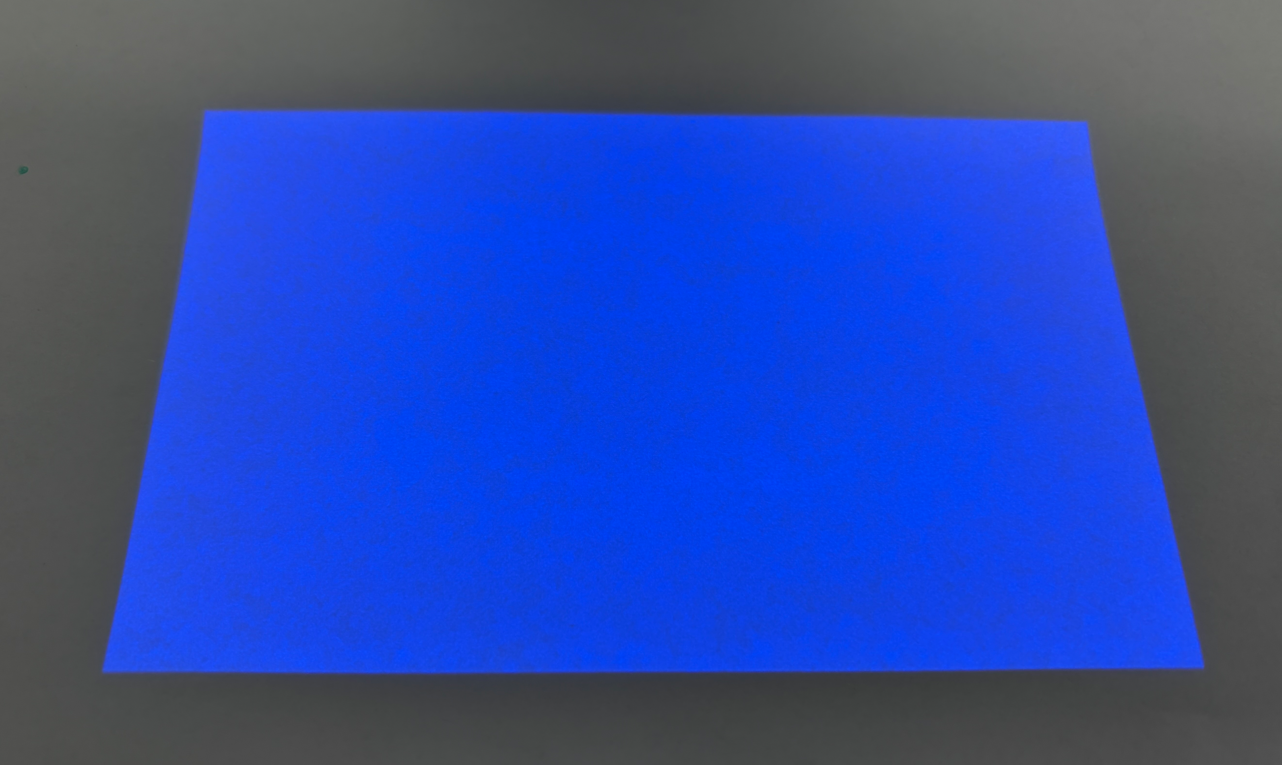
⚠ If the exposure pattern is incomplete or certain areas appear noticeably darker, the LCD Screen has likely degraded and should be replaced.
¶ Still Not Resolved?
If the issue persists after completing all troubleshooting steps, please contact 3dp@elegoo.com and provide the following information:
- Photos of the failed print
- Photos of the LCD exposure test
- ELEGOO Logo Test
- Tank Cleaning Test
- Sliced file (.ctb or .goo)
- Original STL model
- Resin brand, type, and color
Note:
Your sliced files and STL models will remain confidential.
¶ Help Us Improve
If you have any ideas about the wiki pages, please let us know via ELEGOO official feedback channel