¶ Fault Symptoms
The Z Axis limit switch fails to trigger when the printer is homing or performing a self-test, causing the Z Axis gantry to continue moving upward and collide with the top of the Z Axis assembly.
¶ Possible Causes
- The Z Axis limit switch is loose.
- The Z Axis limit trigger plate is deformed.
- The Z Axis limit switch is faulty.
¶ Required Tools
- 2.0 mm Allen key
- Gloves
- Lint-free cloth
¶ Troubleshooting Steps
Reminder: Before troubleshooting, open the UV cover and remove the build plate and resin tank to facilitate the following inspections.
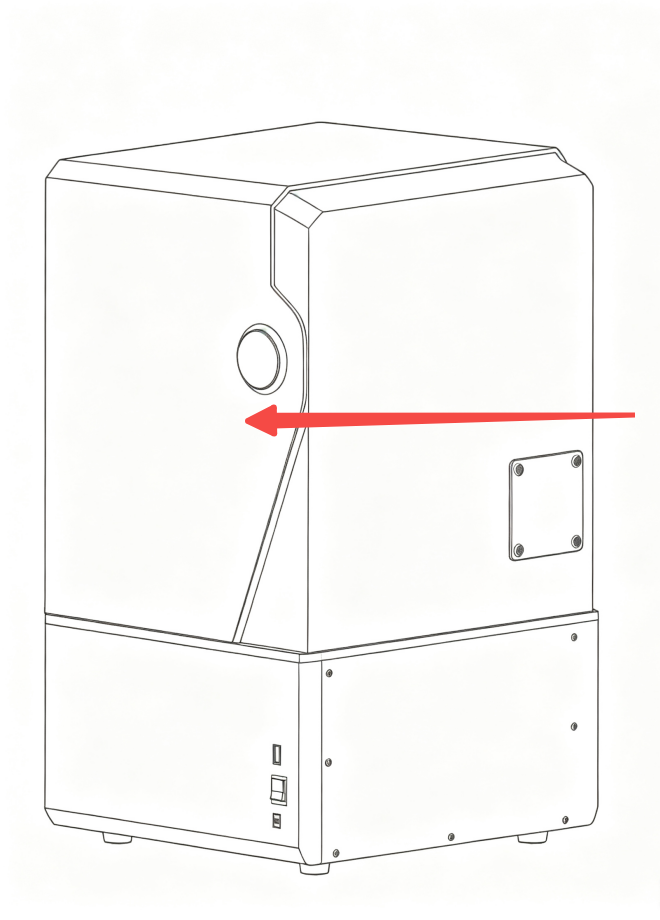
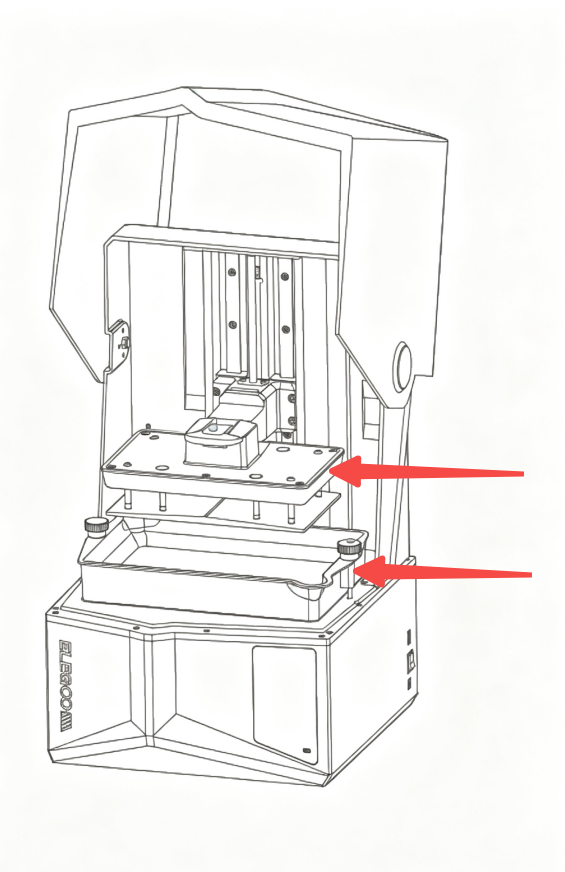
¶ Manually Trigger the Z Axis Limit Switch
- Turn off the printer using the power switch, and unplug the adapter.
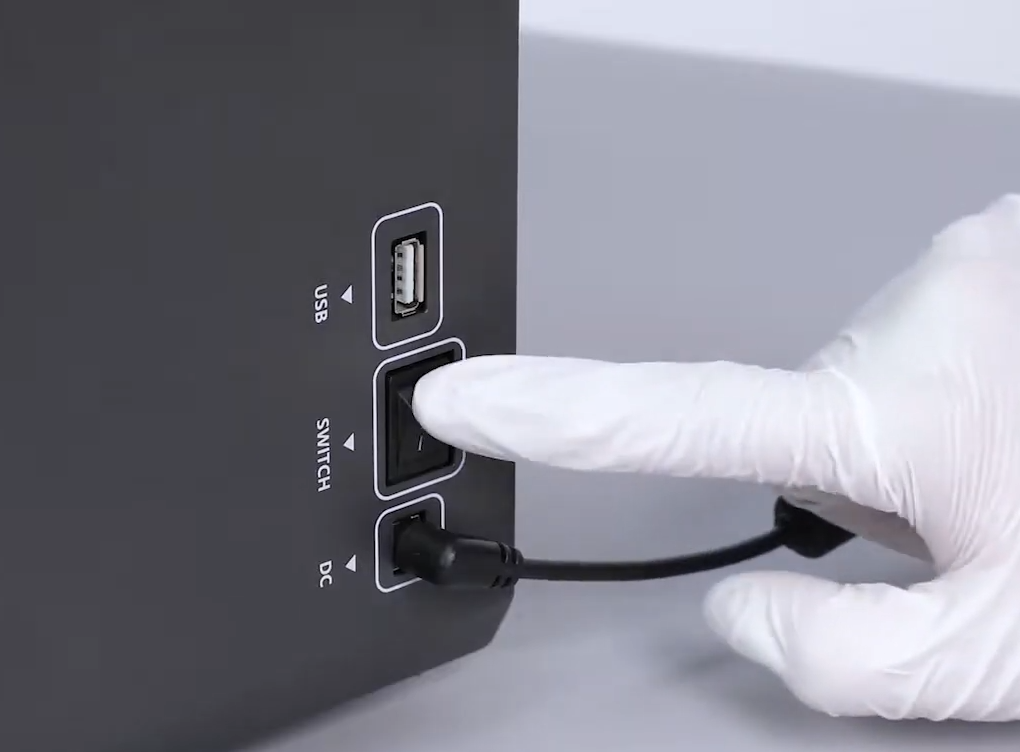
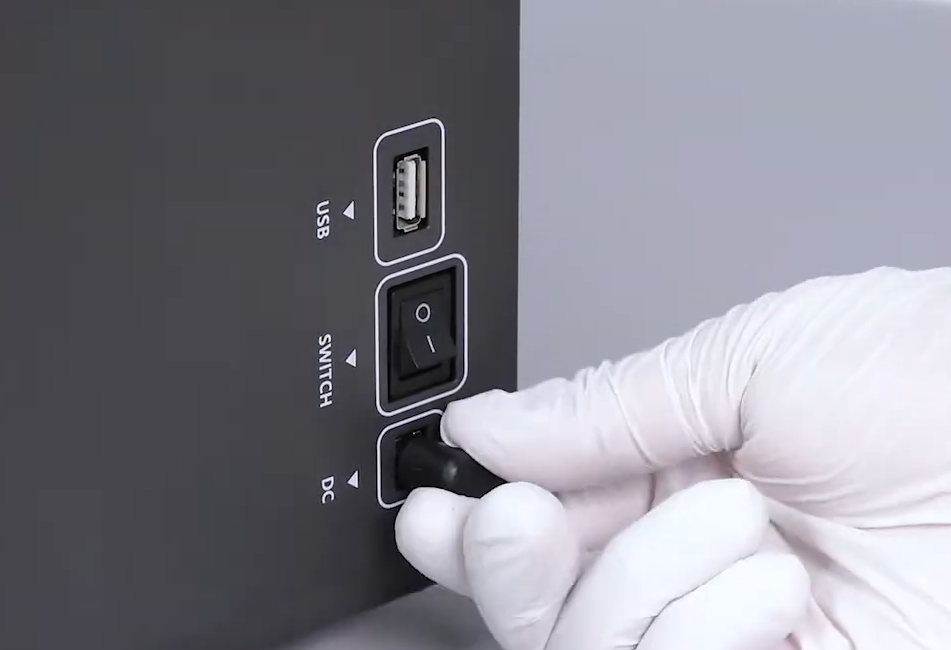
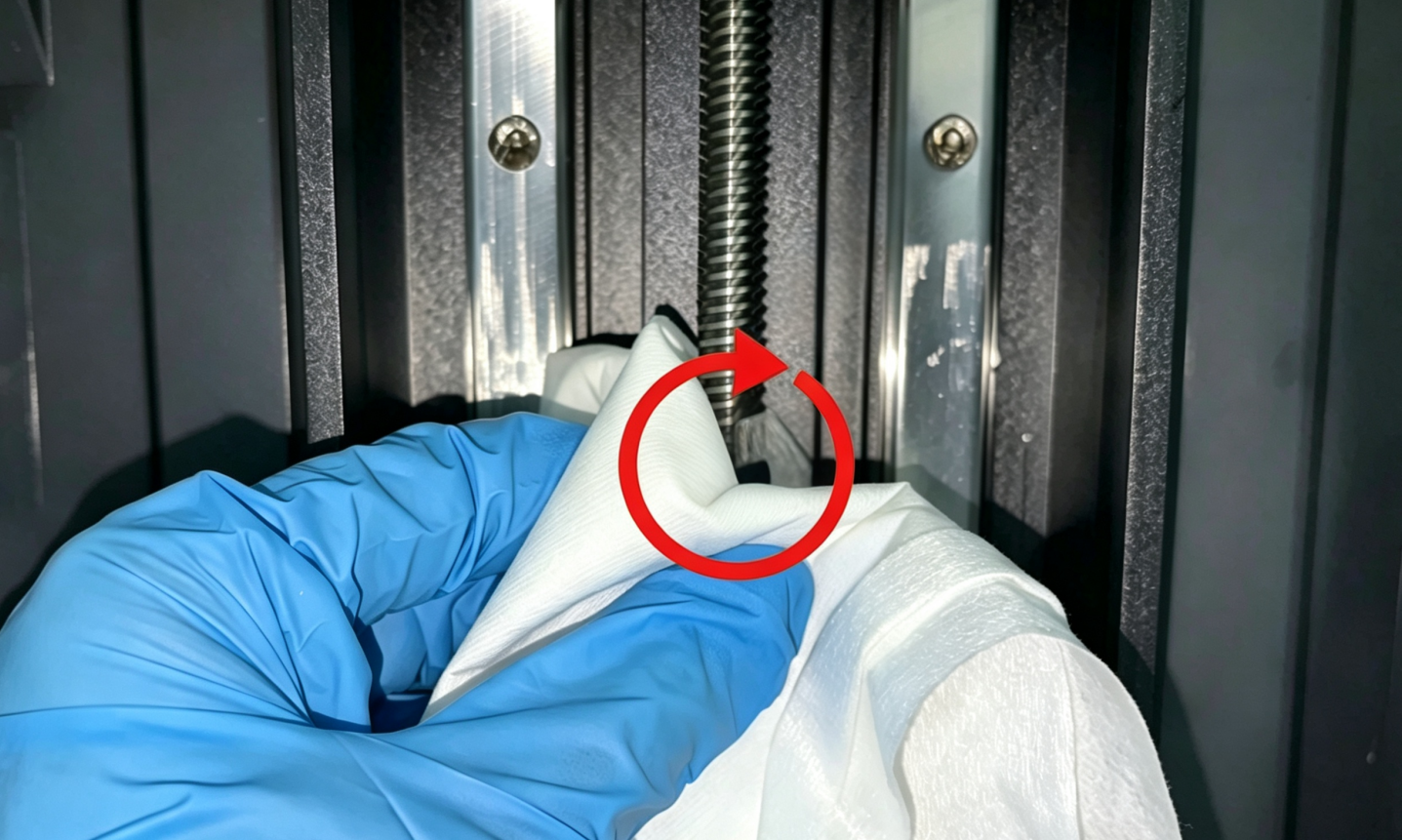
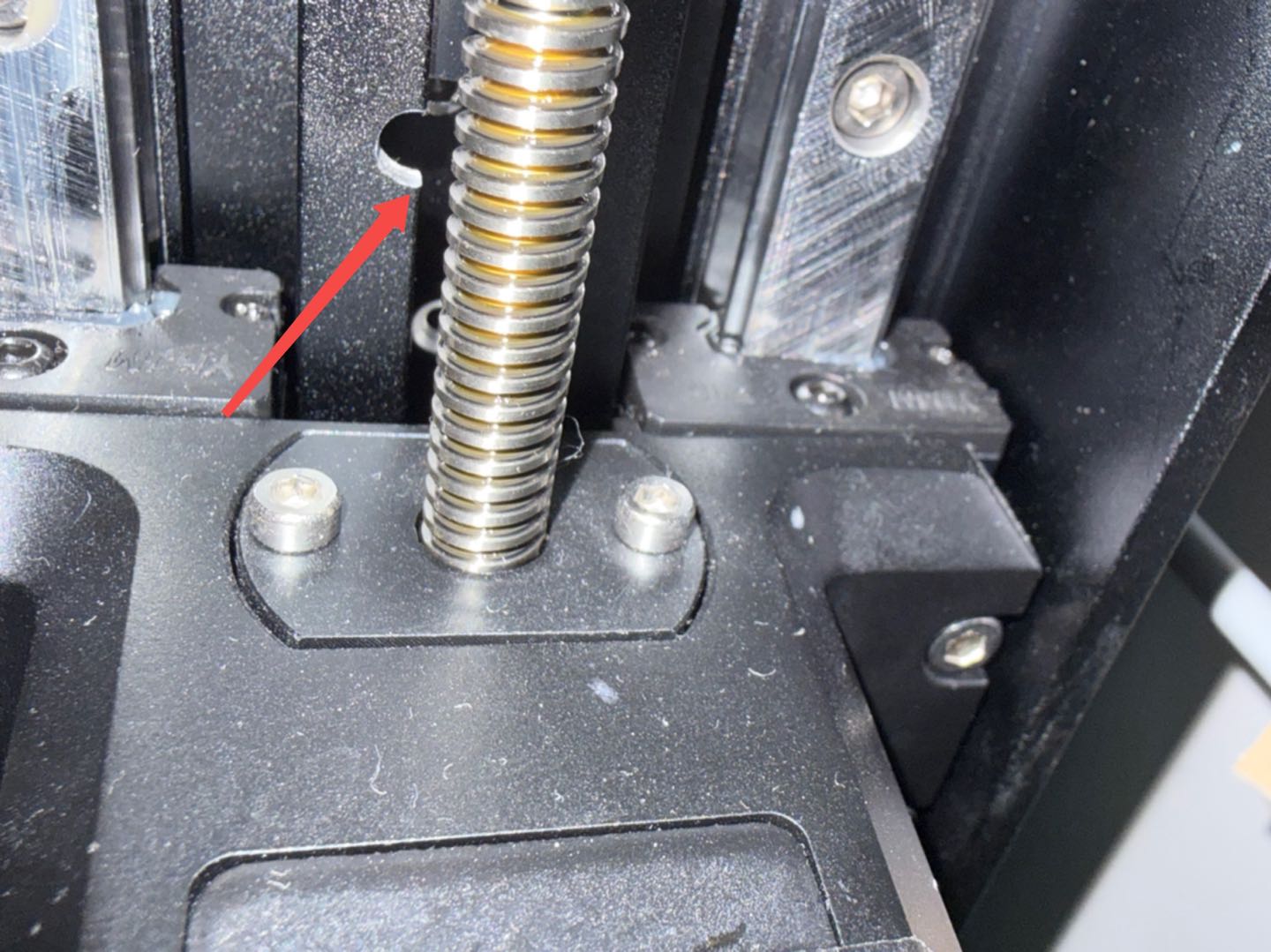
2. Manually rotate the Z Axis lead screw counterclockwise until the Z Axis gantry moves below the marked slot.
Reminder: The surface of the Z Axis lead screw is coated with grease. Wear gloves or wrap the lead screw with a lint-free cloth before manually rotating it.
-
Reconnect the power adapter and turn on the printer. Wait until the touch screen enters the self-test interface.
-
While the Z Axis is moving, use an Allen key from a safe position to gently press the Z Axis limit switch to trigger it.
Caution: Keep your hands and other body parts away from the Z Axis movement area during operation.
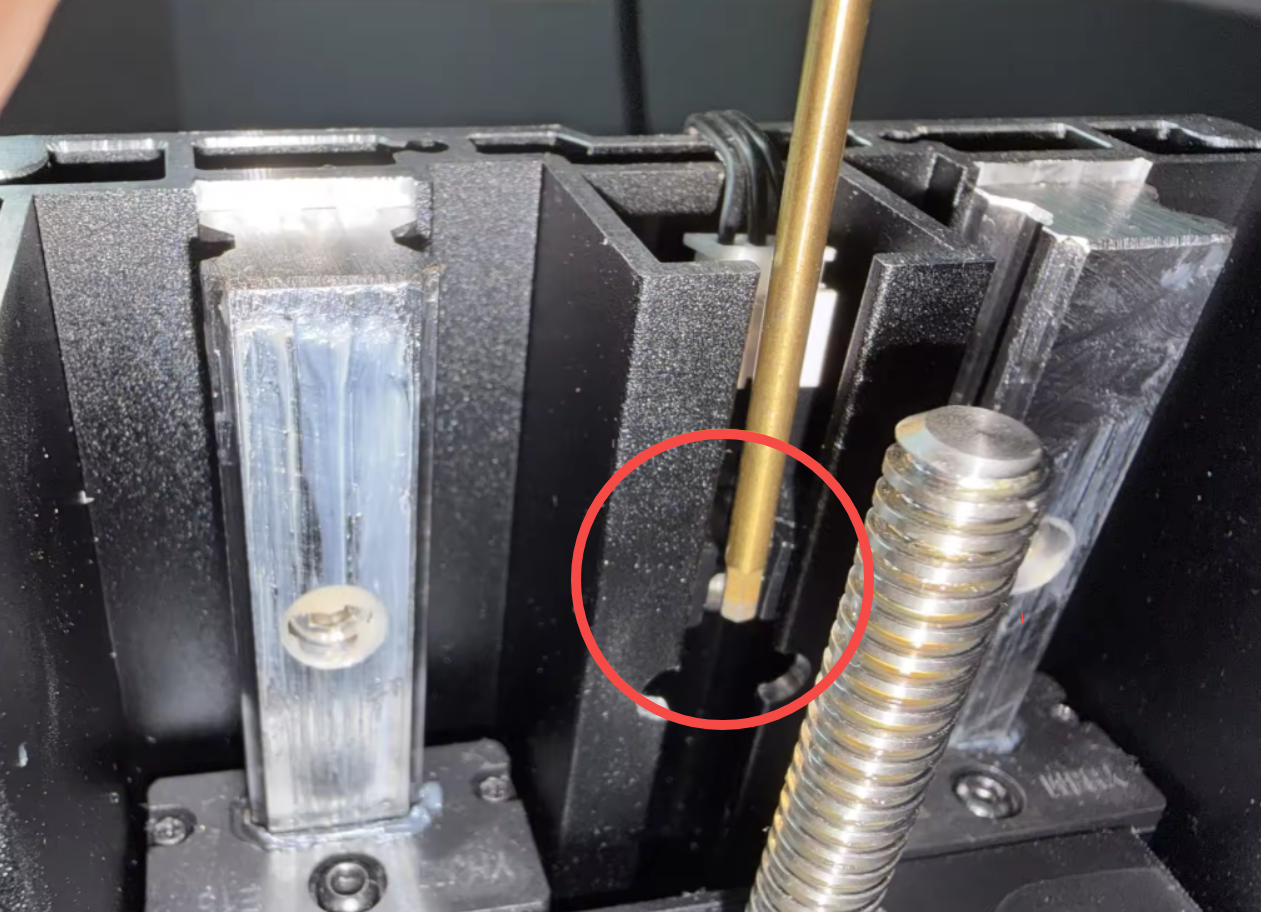
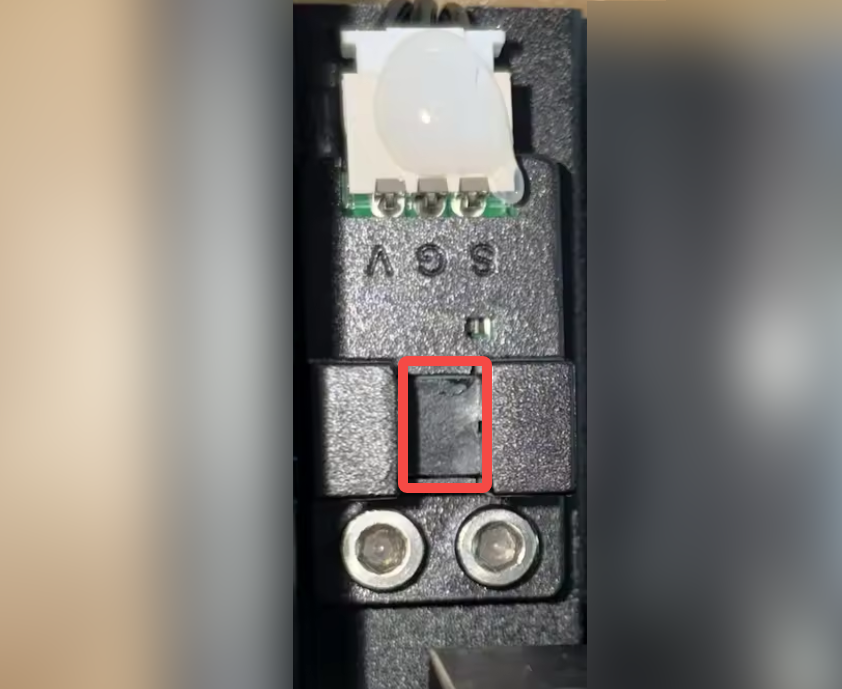
Reminder: The red rectangular area indicates the effective detection area of the Z Axis limit switch. The limit switch cannot detect the trigger plate correctly when it is outside this area.
- Check whether the Z Axis stops immediately:
- If the Z Axis stops normally, continue with the following steps to check the mounting screws of the Z Axis limit switch and the Z Axis limit trigger plate.
- If the Z Axis does not stop immediately, turn off the printer at once to prevent the Z Axis gantry from continuing upward and colliding with the top of the Z Axis, which may damage the printer components. Then proceed with the following steps and focus on checking the Z Axis limit switch connector.
¶ Check the Z Axis Limit Switch and Connector
-
Turn off the printer using the power switch, and unplug the adapter.
-
Refer to the video from 00:00–00:50 to remove the UV cover, then check whether the Z Axis limit switch connector and mounting screws are loose.
Reminder: A small amount of hot melt adhesive is applied to the Z Axis limit switch connector before shipment to prevent the connector from becoming loose. If the connector is not loose, do not remove the hot melt adhesive.
How to replace the limit switch of the Z-axis?
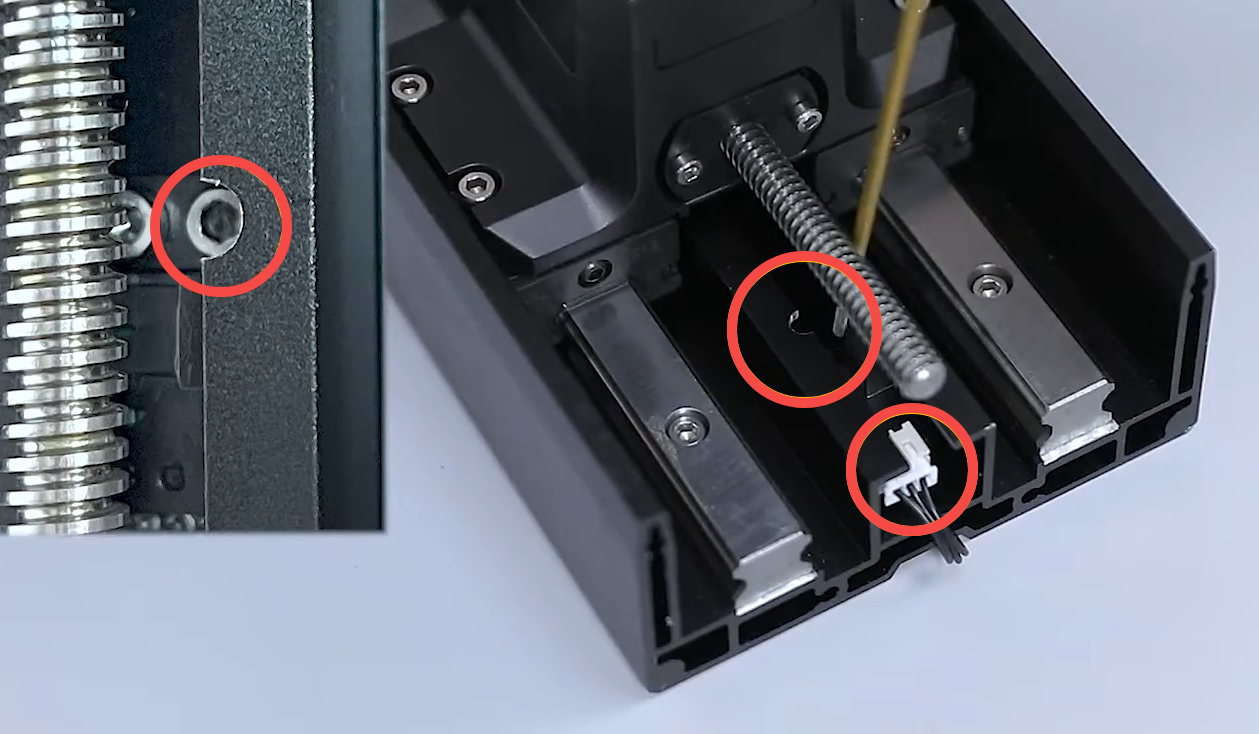
- If the connector is loose, reconnect it securely.
- If the connector is not loose, proceed with the following troubleshooting steps. Do not reinstall the UV cover yet.
¶ Check the Limit Switch Trigger Plate
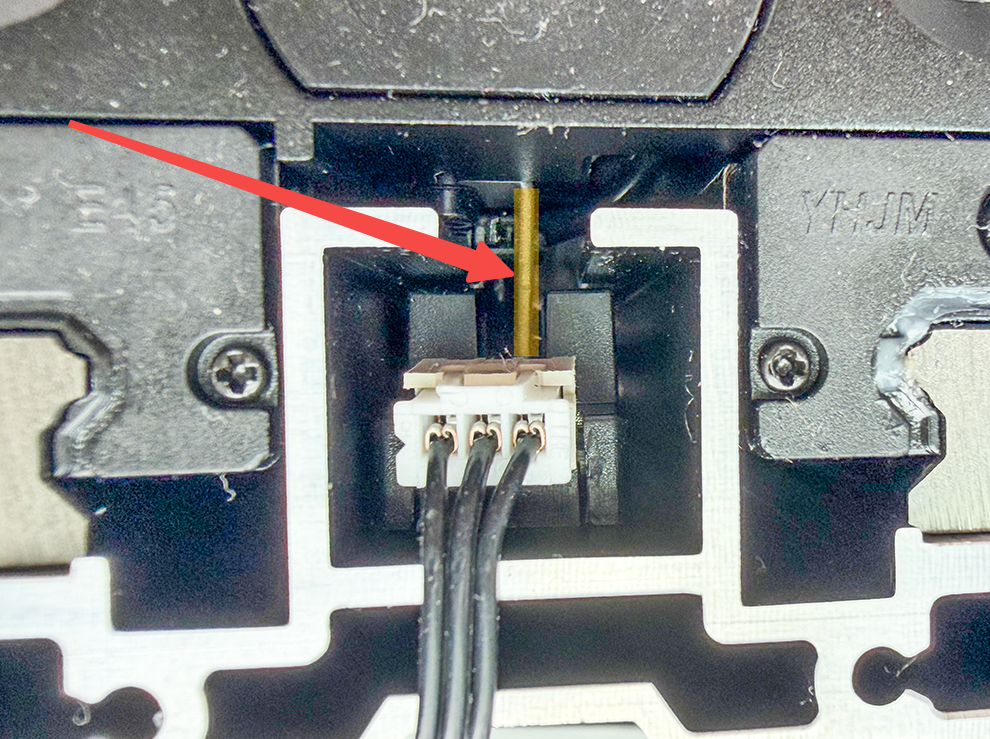
From above the Z Axis, check the limit switch trigger plate for deformation. Under normal conditions, the limit switch trigger plate should be approximately centered relative to the limit switch and should not come into contact with the surface of the limit switch.
- If the limit switch trigger plate is deformed, replace it with a new one.
¶ Contact Technical Support
If the issue persists after completing the above steps, contact Technical Support at 3dp@elegoo.com and provide the following information:
- Test Result: Whether the Z Axis stops normally when the Z Axis limit switch is manually triggered using an Allen key.
- Photo: A clear photo of the Z Axis limit switch connector.
- Photo: A clear photo of the Z Axis limit trigger plate.
¶ Help Us Improve
If you have any suggestions or feedback about the wiki pages, please let us know through the ELEGOO official feedback channel.