¶ Symptom
After starting a print, the Z Axis motor does not move, or it stalls during operation.
¶ Possible Causes
- Photopolymer Resin has leaked into the Z Axis motor, causing motor failure.
- The Z-axis limit switch or its wiring is faulty.
- Insufficient lubrication on the Lead Screw or linear guide, resulting in excessive mechanical resistance.
- The printer firmware is abnormal.
- The Z Axis motor cable is loose or has poor electrical contact.
¶ Required Tools
- 95% Ethyl Alcohol
- Lint-free cloth
- Lubricating grease
- 2.5 mm hex wrench
- 3.0 mm hex wrench
¶ Preparation Before Troubleshooting
Please remove the Resin Tank and Build Plate.
¶ Troubleshooting Steps
¶ 1. Check the Inside of the Z Axis Motor
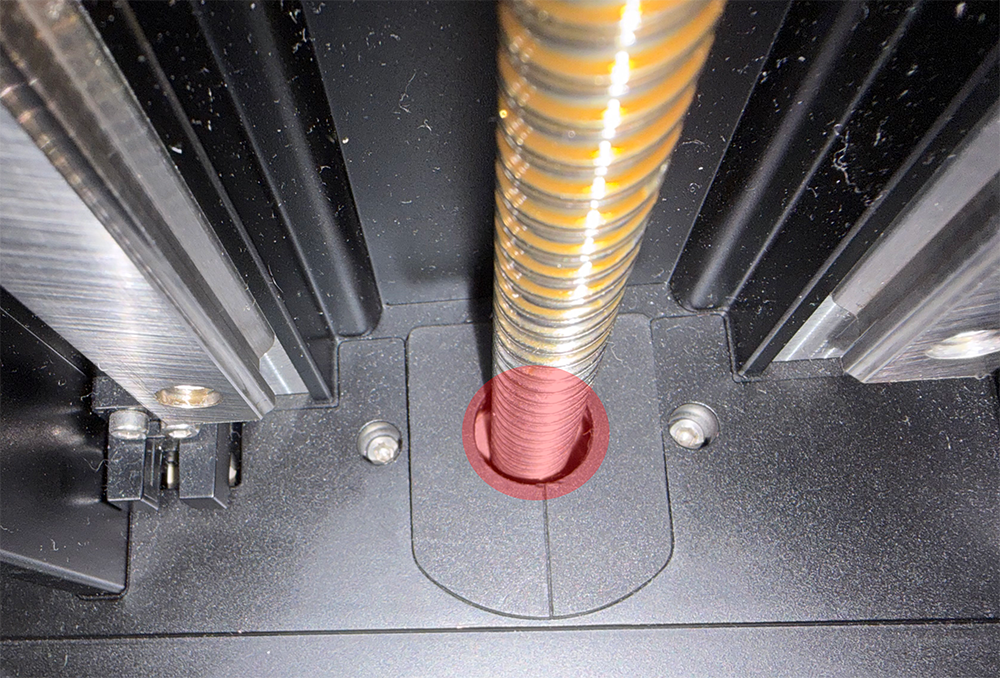
Inspect the Z-axis stepper motor for photopolymer resin leakage.
-
If Photopolymer Resin has leaked into the stepper motor:
- Immediately turn off the printer using the Switch.
- Unplug the power adapter.
- Do not continue using the printer.
- Replace the stepper motor.
-
If no Photopolymer Resin is found on the top of the stepper motor, continue with the following troubleshooting steps.
Motor Replacement Video:
https://www.youtube.com/watch?v=kTy4jdzC5Ec
¶ 2. Check the Surface of the Z-Axis Limit Switch
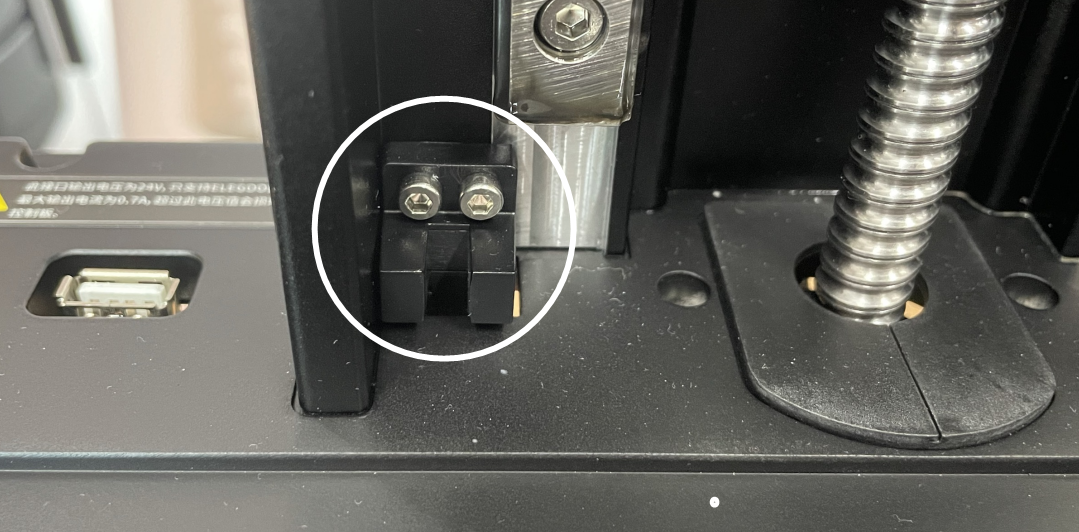
Inspect the surface of the Z-axis limit switch for Photopolymer Resin or other contaminants.
Photopolymer resin or debris may cause the limit switch to trigger incorrectly, preventing the Z Axis motor from moving.
If contamination is found:
- Turn off the printer using the Switch.
- Unplug the power adapter.
- Moisten a lint-free cloth with a small amount of Ethyl Alcohol.
- Clean the surface of the limit switch.
- Reconnect the power adapter and power on the printer.
If the motor still does not operate normally, continue with the next troubleshooting step.
¶ 3. Loosen the Lead Screw Nut for Testing
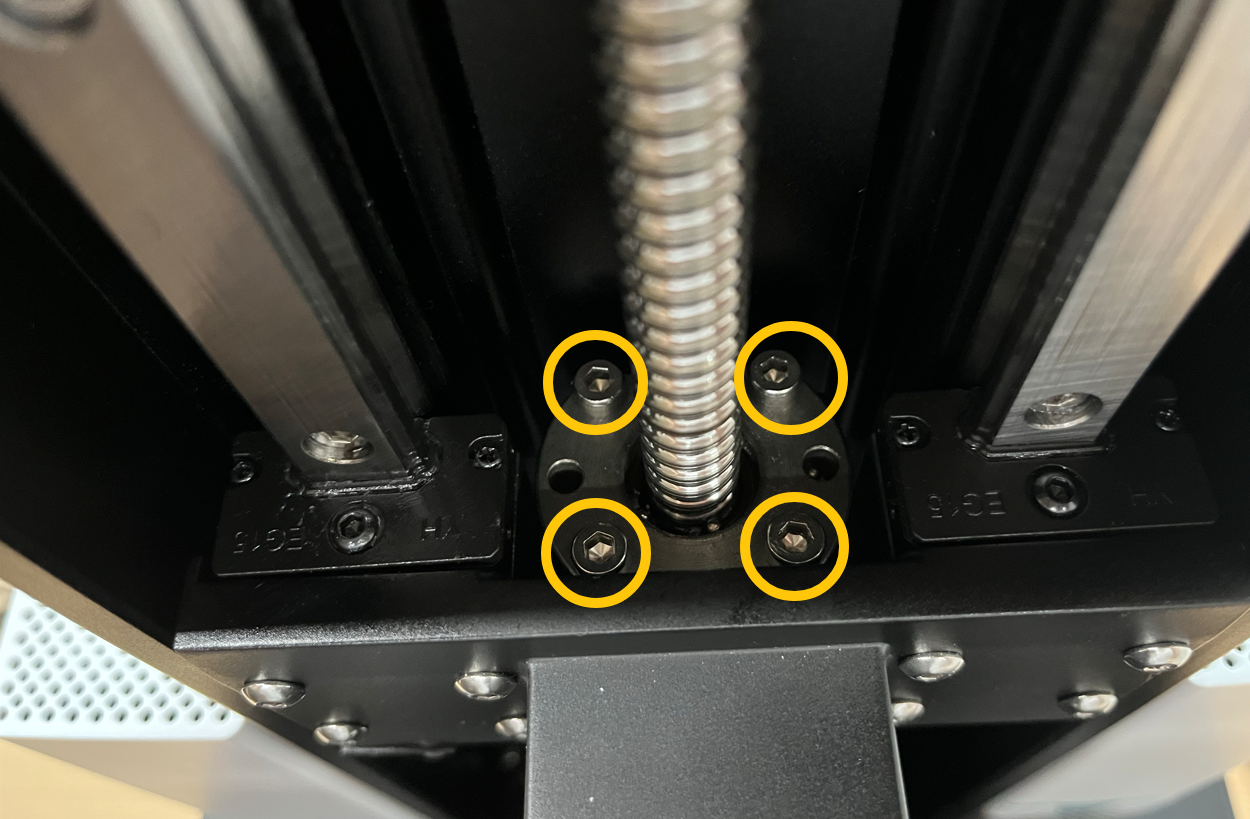
Using a 3.0 mm hex wrench, remove the four screws securing the lead screw nut.
(Some production batches use only two screws.)
Reinstall the screws, but do not overtighten them.
If the issue persists after reinstalling the screws, continue with the next troubleshooting step.
¶ 4. Lubricate the Lead Screw and Linear Guide
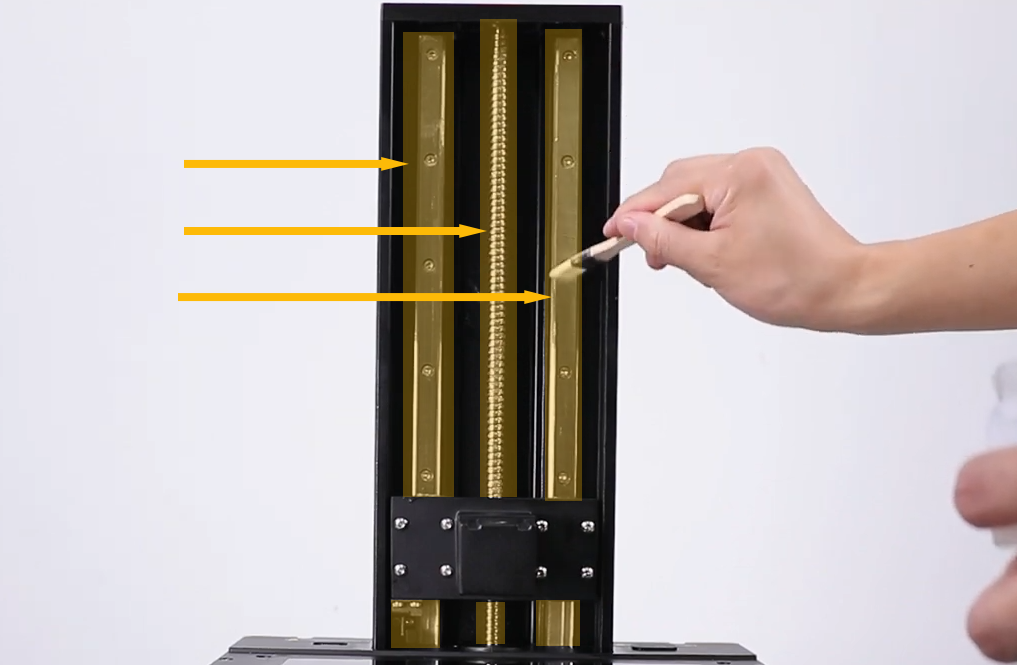
The Lead Screw and linear guide require regular lubrication.
If they have not been lubricated for an extended period:
- Clean the surfaces of the Lead Screw and linear guide with a lint-free cloth.
- Apply fresh grease.
Recommended lubricant: White lithium grease.
¶ 5. Update the Printer Firmware
-
Download the latest firmware for Saturn 3 Ultra:
https://elegoo-supportcenter.oss-us-west-1.aliyuncs.com/Saturn 3 Ultra V1.5.4 firmware-20260710T070151Z-2-001.zip -
Follow the firmware update guide:
https://www.youtube.com/watch?v=GaJQeIjX3CY -
After the update is complete, restart the printer and check whether the issue has been resolved.
If the problem persists, continue with the next troubleshooting step.
¶ 6. Disconnect the Z-Axis Limit Switch for Testing
-
Turn off the printer using the Switch and unplug the power adapter.
-
Follow the video below (00:00–01:00) to remove the front cover:
https://www.youtube.com/watch?v=YEGo0nxWhSA -
Locate the Z-axis limit switch cable and note its original installation position.
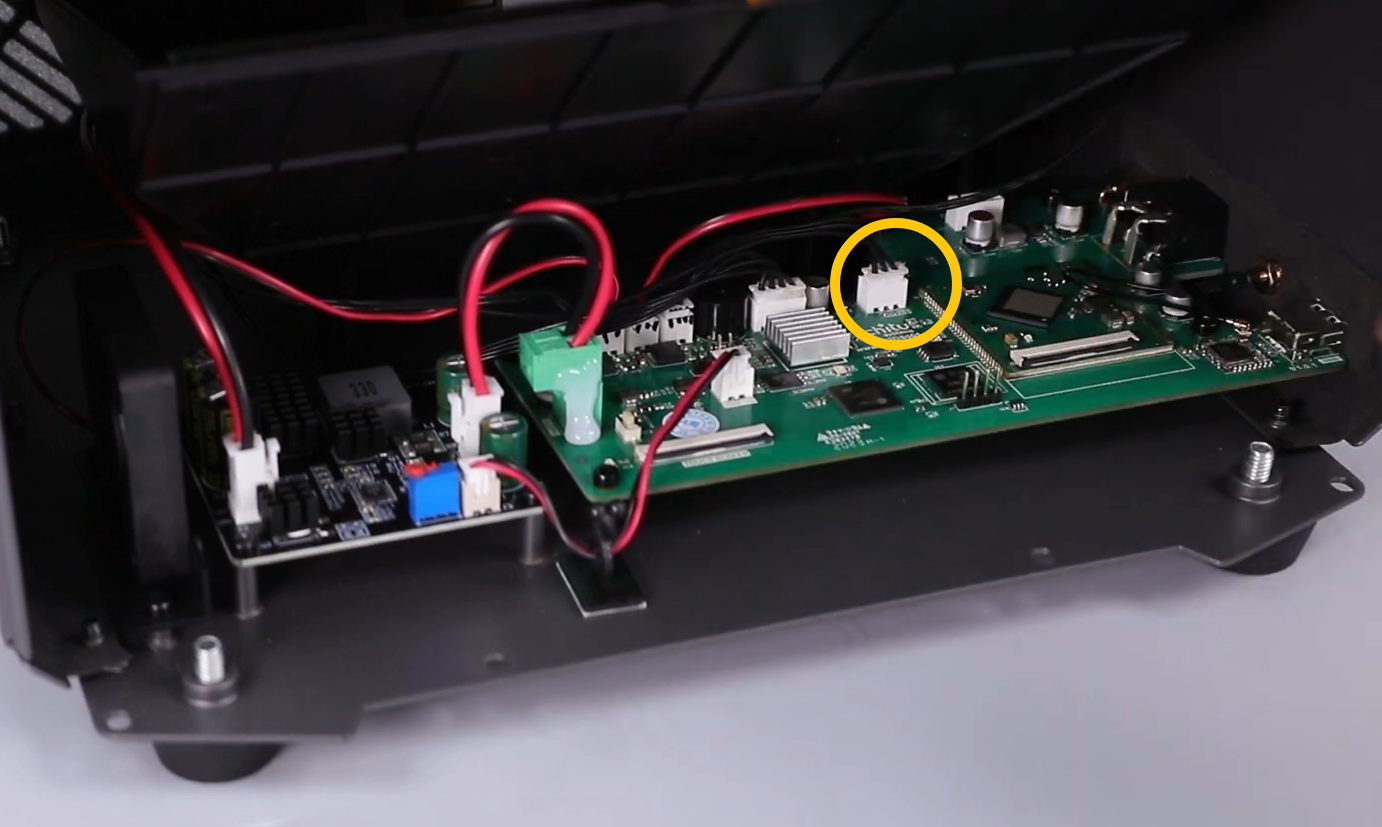
- Disconnect the limit switch cable.
- Power on the printer.
- Use the Touch Screen to move the Z Axis and check whether the motor operates normally.
-
If the Z Axis motor works normally after disconnecting the limit switch:
- The limit switch or its wiring is likely faulty.
- Replace both the limit switch and its cable.
-
If the Z Axis motor still does not operate, continue with the next troubleshooting step.
¶ 7. Check the Z Axis Motor Cable Connection
-
Turn off the printer using the Switch and unplug the power adapter.
-
Follow the video below (00:00–02:14) to remove the bottom cover:
https://www.youtube.com/watch?v=kTy4jdzC5Ec -
Check whether both ends of the Z Axis motor cable are securely connected.
Reconnect the following connectors:
- ② Z Axis motor connector
- ① Z-axis limit switch connector
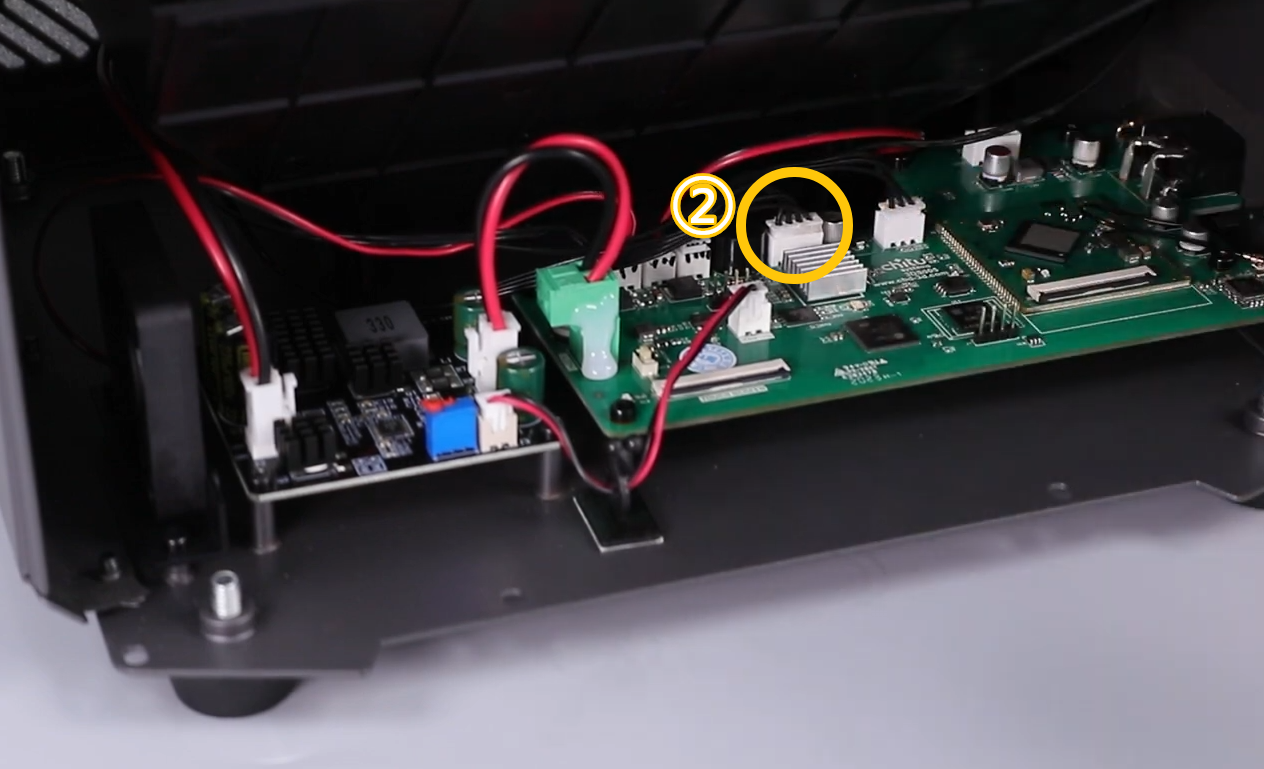
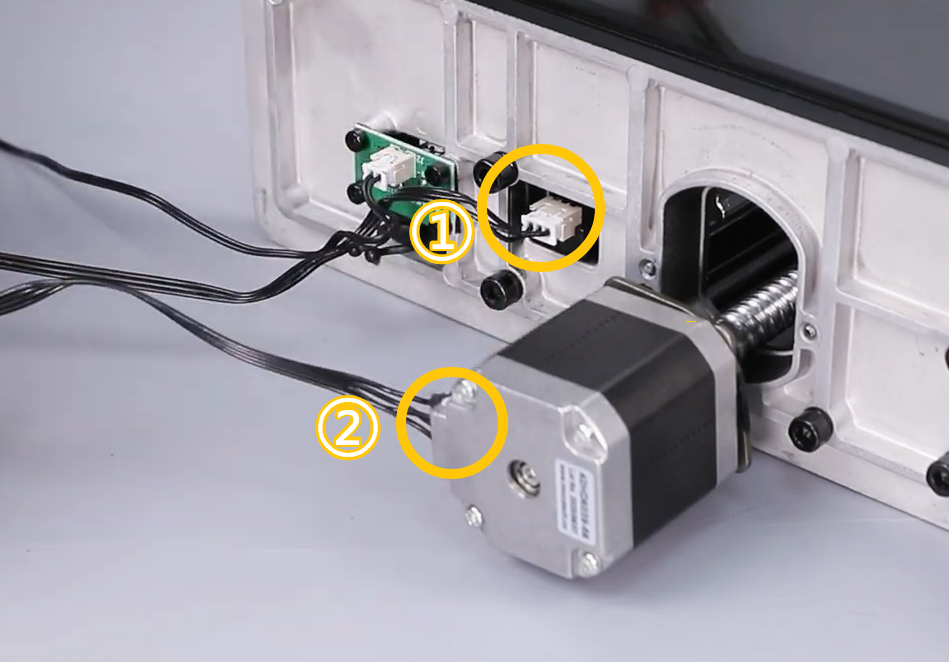
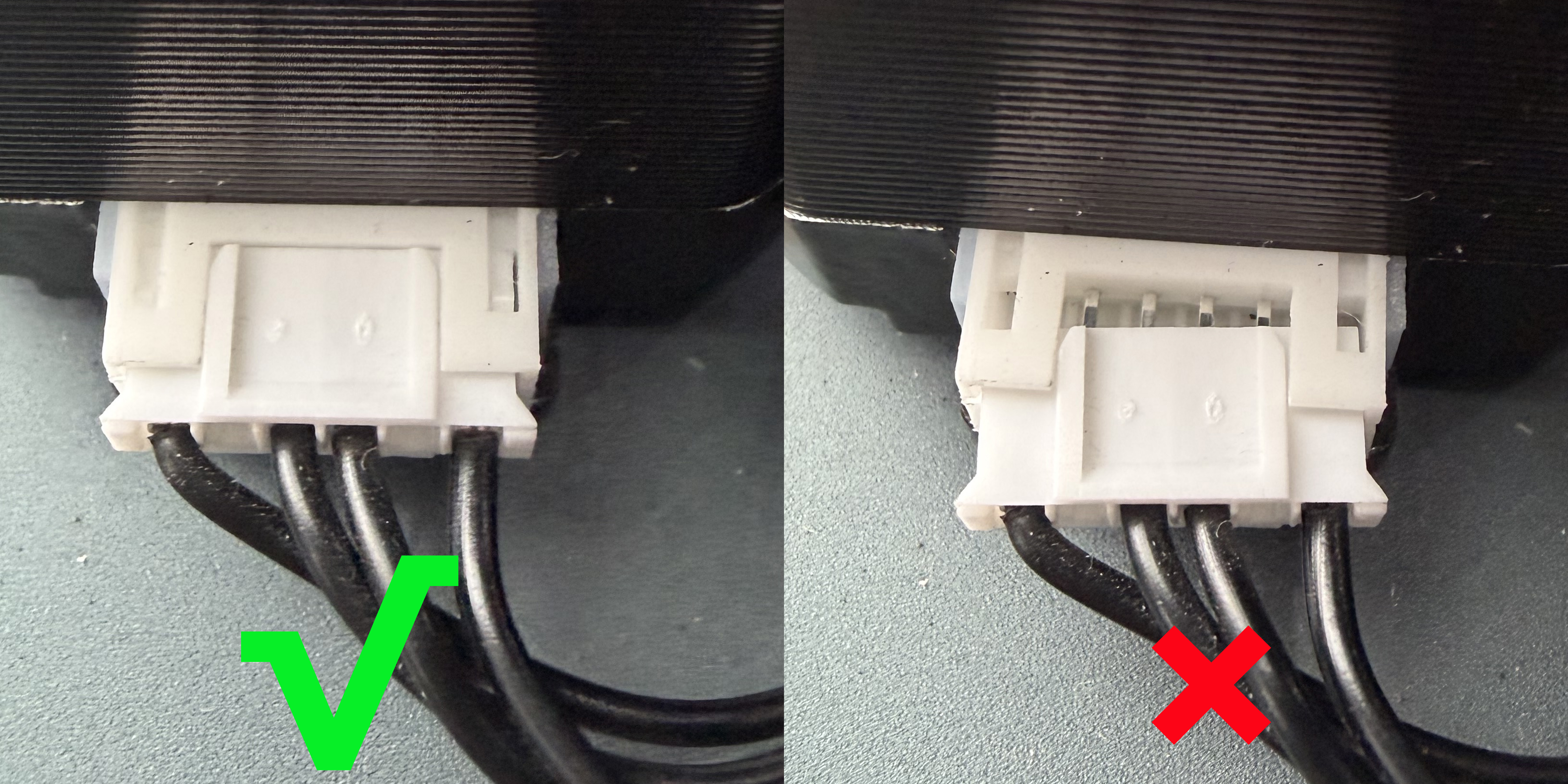
- After reconnecting the cables, power on the printer and verify that the Z-axis moves normally.
¶ If the Issue Persists
Please contact ELEGOO Technical Support:
Email: 3dp@elegoo.com
Provide the following information:
- A video showing the Z Axis motor failing to move or stalling.
- A photo of the inside of the Z Axis motor.
- A photo of the Z-axis limit switch.
- Photos of the Lead Screw and linear guide.
- Test result: After disconnecting the Z-axis limit switch connector from the mainboard, does the Z Axis motor operate normally?
- Inspection result: Is the Z Axis motor cable loose or damaged?
¶ Help Us Improve
If you have any suggestions for improving our Wiki pages, please let us know through the official ELEGOO feedback channel: