¶ Issue Description
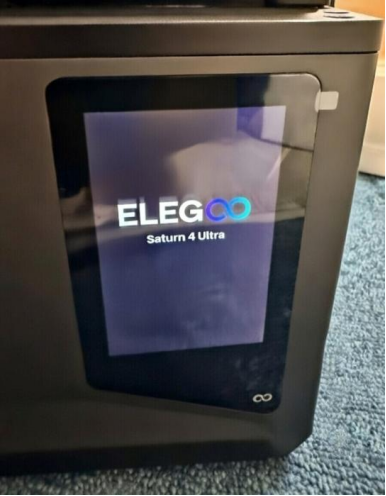
After powering on the printer, the touch screen starts getting stuck at ELEGOO logo and cannot enter into the main interface.
¶ Reasons
-
The firmware crashed.
-
One of the components has a short circuit.
¶ Troubleshooting Steps
¶ Tools needed for troubleshooting
-
A FAT32 USB flash drive with the capacity under 16GB
-
A 2.0 mm Allen key
¶ Step 1 Update the firmware
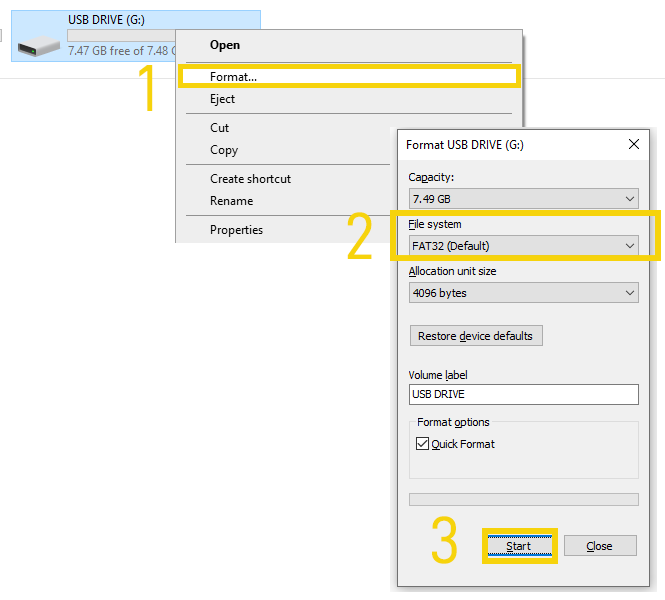
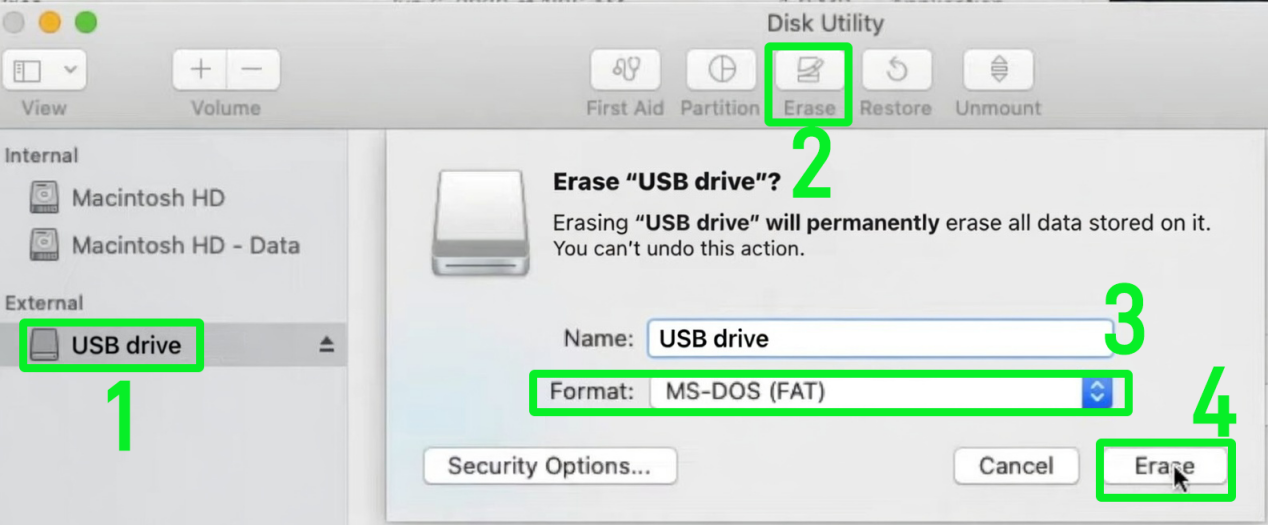
- Insert the USB flash drive into your PC and format it.
- Format the USB flash drive in Windows
Click USB DRIVE - Format - Start.
- Format the USB flash drive macOS
Click USB drive - Erase - MS-DOS(FAT 32) or MS-DOS(FAT) - Erase.
2. Click the link to download the fixing firmware.
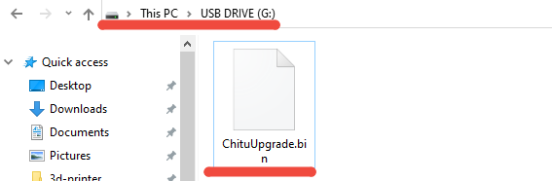
3. Unzip the compressed package of the fixing firmware. Copy the fixing firmware (ChituUpgrade.bin) to the root directory of the USB flash drive.
Note: The directory which you accessed by double-clicking the USB flash drive is the root directory.
- Insert the USB flash drive into the printer and restart the printer. The printer updates the fixing firmware automatically.
- If the touch screen enters into the main interface after updating the fixing firmware, it indicates that the issue is resolved and the firmware should be reloaded.
If printer's motherboard contains capacitors, please update the firmware to the version below.
Saturn 4 Ultra Firmware
Saturn 4 Ultra How to Update firmware
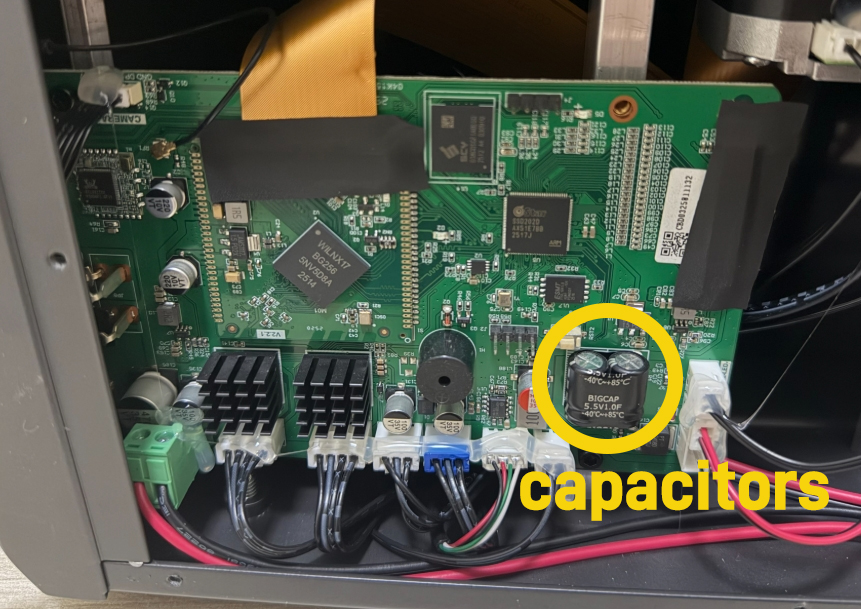
If printer's motherboard does not contain capacitors, please update the firmware via the touchscreen OTA
- If the touch screen still gets stuck, proceed to Step 2 for further troubleshooting.
¶ Step 2 Check whether any component has a short circuit.
- Turn the power switch OFF (symbol "〇").
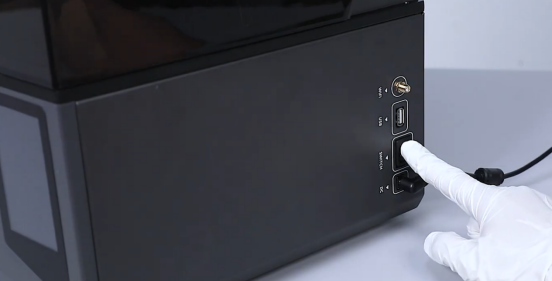
- Unplug the power adapter cable.

- Release and remove the seven screws shown in the picture below.
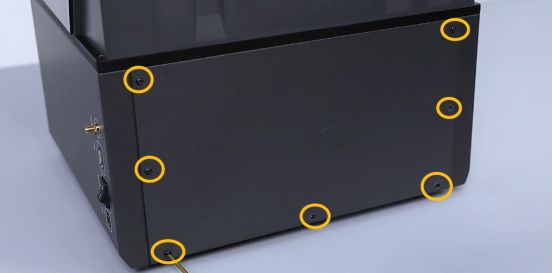
- Reserve the touch screen ribbon cable and unplug the marked cables. Insert the power adapter cable into the motherboard port and turn the power switch ON (symbol "|").
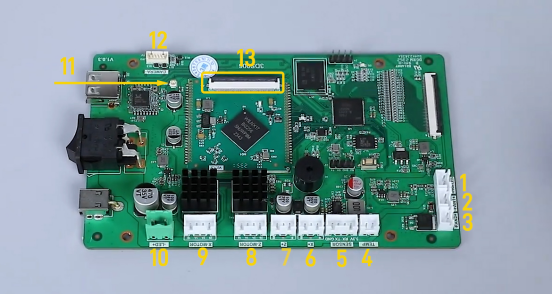
-
If the touch screen still cannot enter into the main interface, it indicates that the motherboard should be replaced. After completing the motherboard replacement, please update the following firmware.
-
If the touch screen enters into the main interface, it indicates that one of the components connected to the motherboard has a short circuit and the component should be replaced. Contact ELEGOO technical support team and provide the part number of the component.