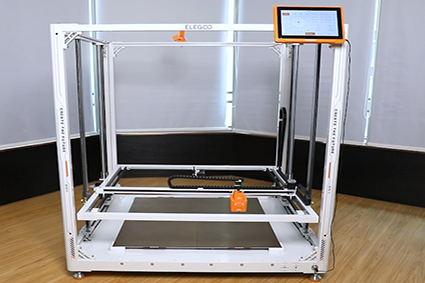
¶ Tools and Materials
- A 2.0 mm Allen key
- A 2.5 mm Allen key
- A new chamber interface board
¶ Tutorial Video
https://www.youtube.com/watch?v=guWTfYJcswM
¶ Instruction
¶ Power Off the Printer and Remove the PEI Limit Stops
-
Power off the printer and unplug the power cord.
-
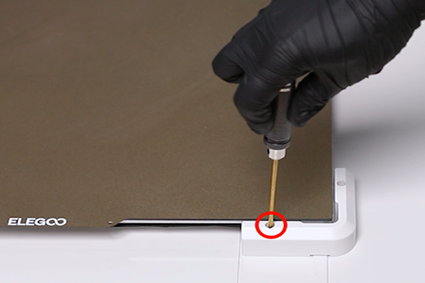
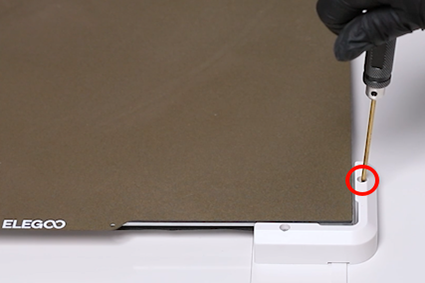
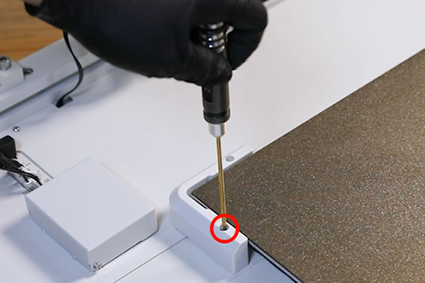
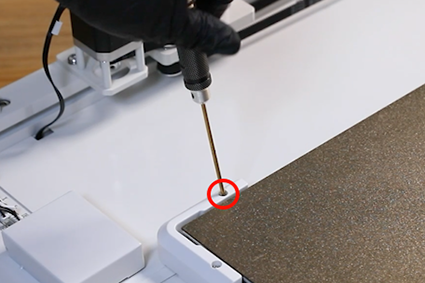
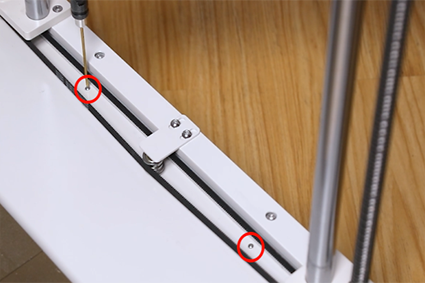
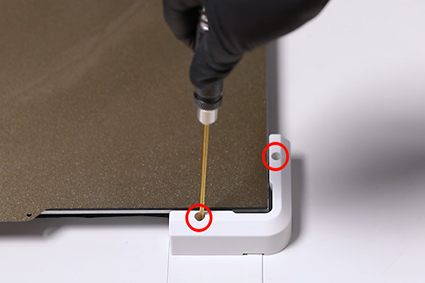
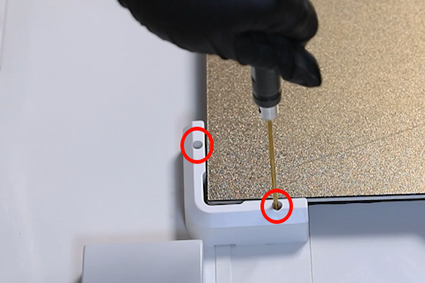
Loosen the 2 screws securing the PEI limit stop at the front right side and the back side of the printer using the 2.0 mm Allen key.
¶ Disconnect the External Cables and Remove the Power Box Cover
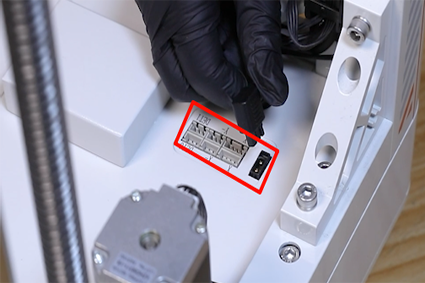
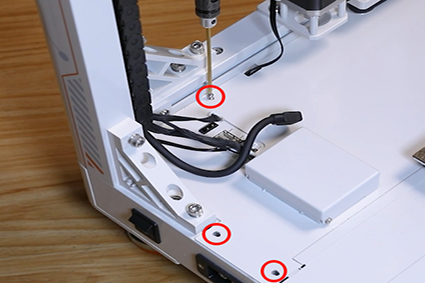
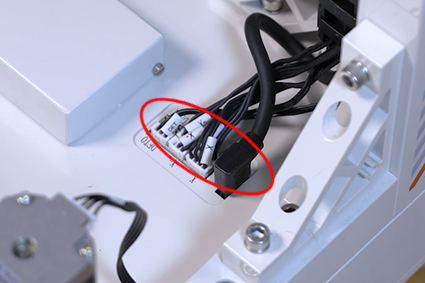
- Unplug the cables and connection cables on the chamber interface board at the back right side of the printer. Loosen the eight screws securing the power box cover using the 2.0 mm Allen key.
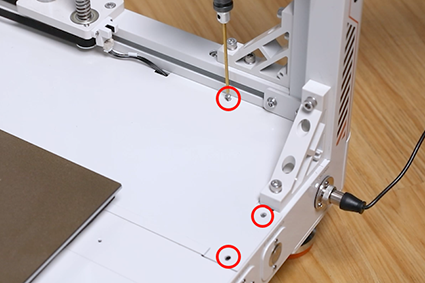
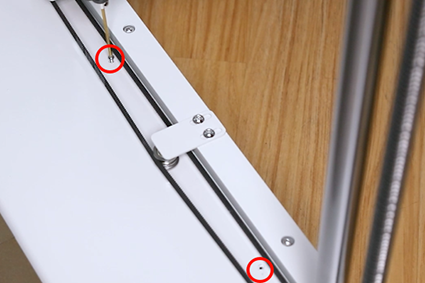
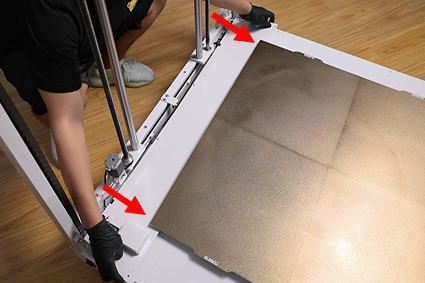
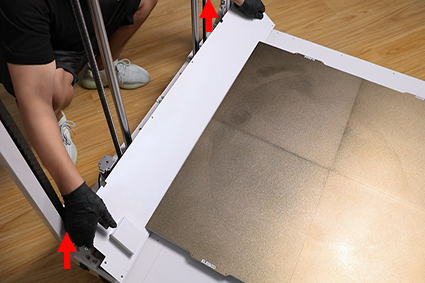
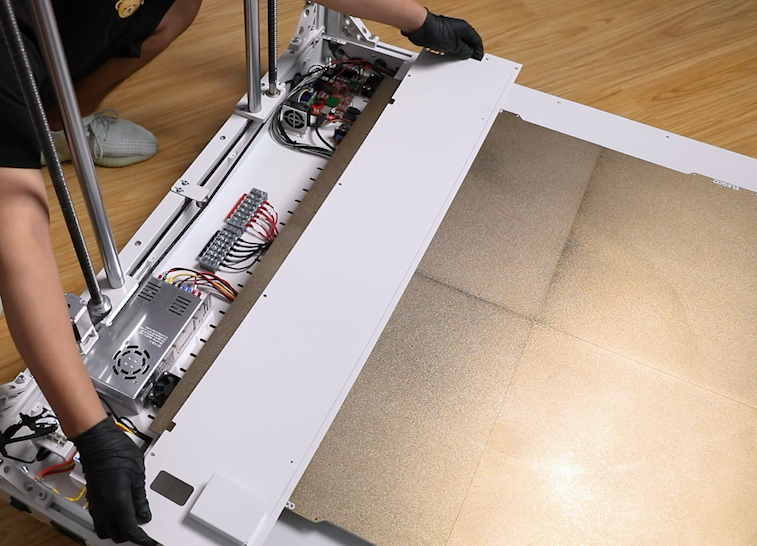
- Remove the power box cover. Lift the outer side of the cover and remove it.
¶ Remove the Chamber Interface Board Holder
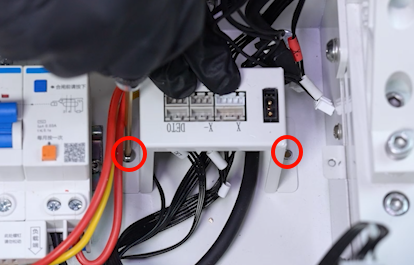
- Loosen the two screws securing the chamber interface board holder using a 2.5 mm Allen key.
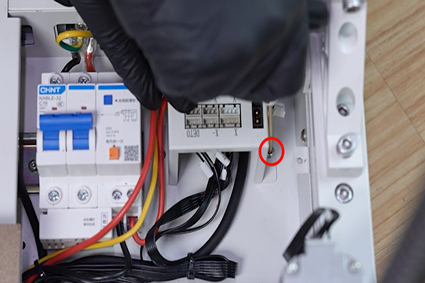
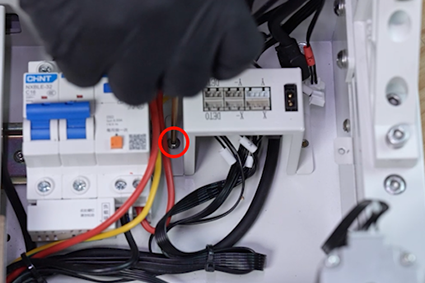
¶ Disconnect and Remove the Old Chamber Interface Board
- Unplug the cables under the chamber interface board. Loosen the four screws securing the chamber interface board using a 2.0 mm Allen key. Remove the old chamber interface board.
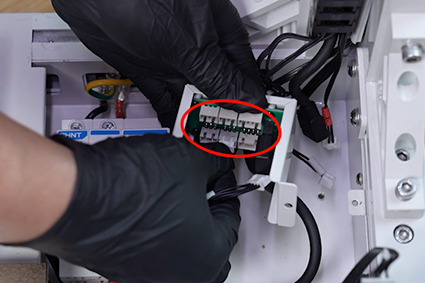
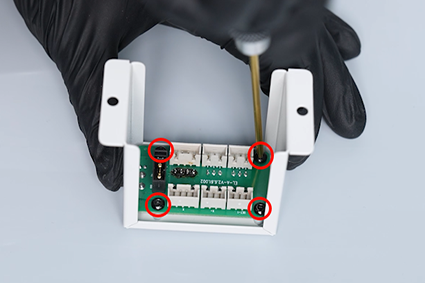
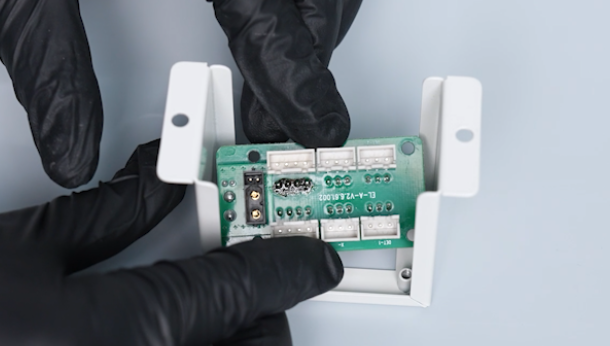
¶ Install the New Chamber Interface Board
- Prepare the new chamber interface board. Align the chamber interface board with the screw holes and put it in the installation position. Tighten the four screws securing the chamber interface board using a 2.0 mm Allen key.
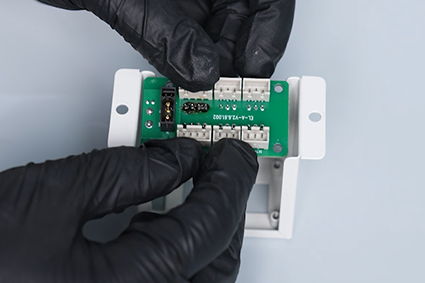
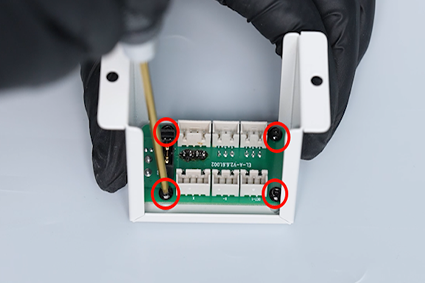
¶ Connect the Cables and Reinstall the Board Holder
- Plug the cables and connection cables under the chamber interface board according to the label information. Align the chamber interface board holder with the screw holes and put it in the installation position. Tighten the two screws securing the chamber interface board holder using a 2.5 mm Allen key.
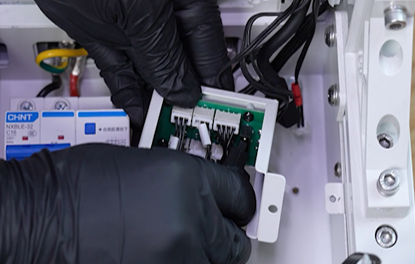
¶ Position the Power Box Cover
- Prepare the power box cover. Put it under the heated bed by placing it sideways.
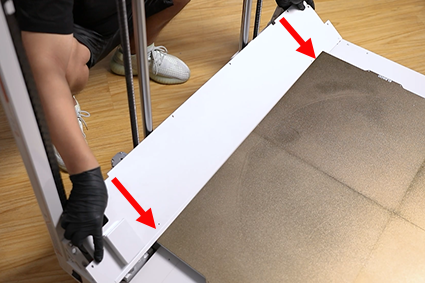
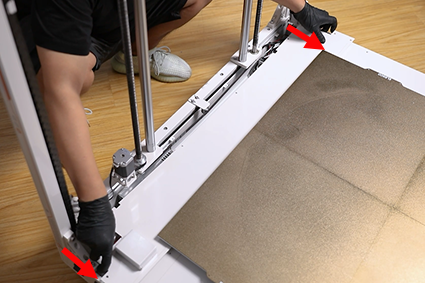
- Align the power box cover with the screw holes and slide it into the installation position.
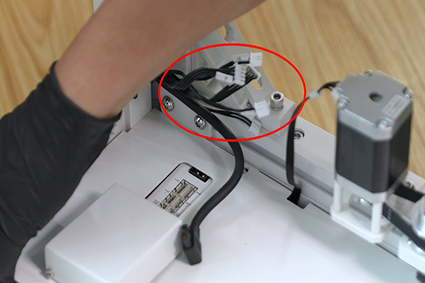
Note: Organize the ribbon cables connected to the chamber interface board. Do not leave them under the cover plate.
¶ Secure the Power Box Cover and Reconnect the External Cables
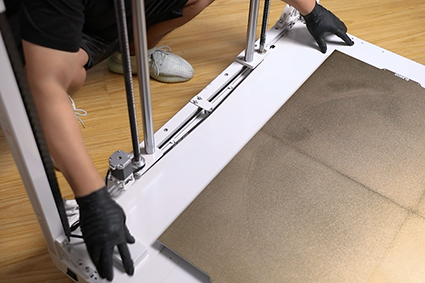
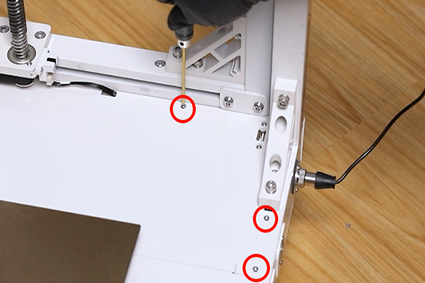
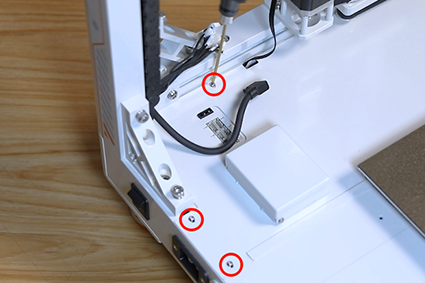
- Tighten the 8 screws securing the power box cover using a 2.0 mm Allen key. Insert the cables and connection cables into the chamber interface board.
Note: The front and rear sides are secured with long screws, and the right side is secured with short screws.
¶ Reinstall the PEI Limit Stops
- Tighten the 2 screws securing the PEI limit stop at the front right side and the back side of the printer using the 2.0 mm Allen key.
¶ Verification
Plug in the power cord and power on the printer. Select Prepare > All (Homing Button) on the touchscreen. The printer starts the homing process. The printer is ready for use after the homing process is completed normally.