¶ Fault Symptoms
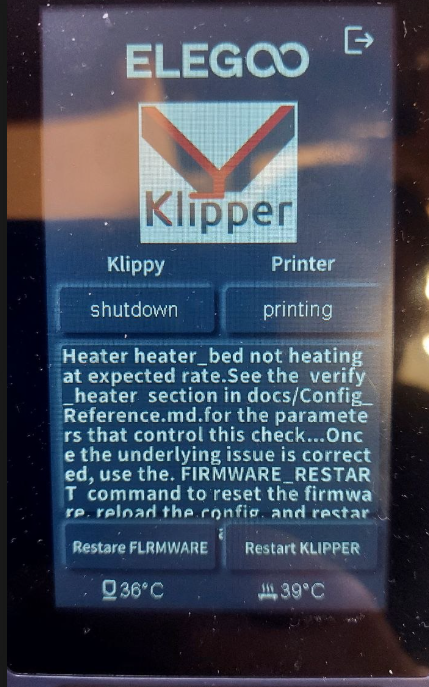
When heating the heated bed, the touch screen displays the following Klipper error:
Heater heater_bed not heating at expected rate.
¶ Possible Causes
- The power supply voltage selector is set incorrectly.
- The heated bed cable or heated bed thermistor wire is damaged.
- The heated bed cable connector or heated bed thermistor wire connector is loose or has poor contact.
- The heated bed cable connector or heated bed thermistor wire connector on the mainboard is loose, resulting in an abnormal connection.
- The heated bed output voltage from the mainboard is abnormal.
¶ Required Tools
- Phillips screwdriver
- 2.0 mm Allen key
- Multimeter (for measuring the output voltage)
¶ Troubleshooting Steps
¶ 1. Check and Adjust the Power Supply Voltage Setting
- Turn off the printer and unplug the power cord.
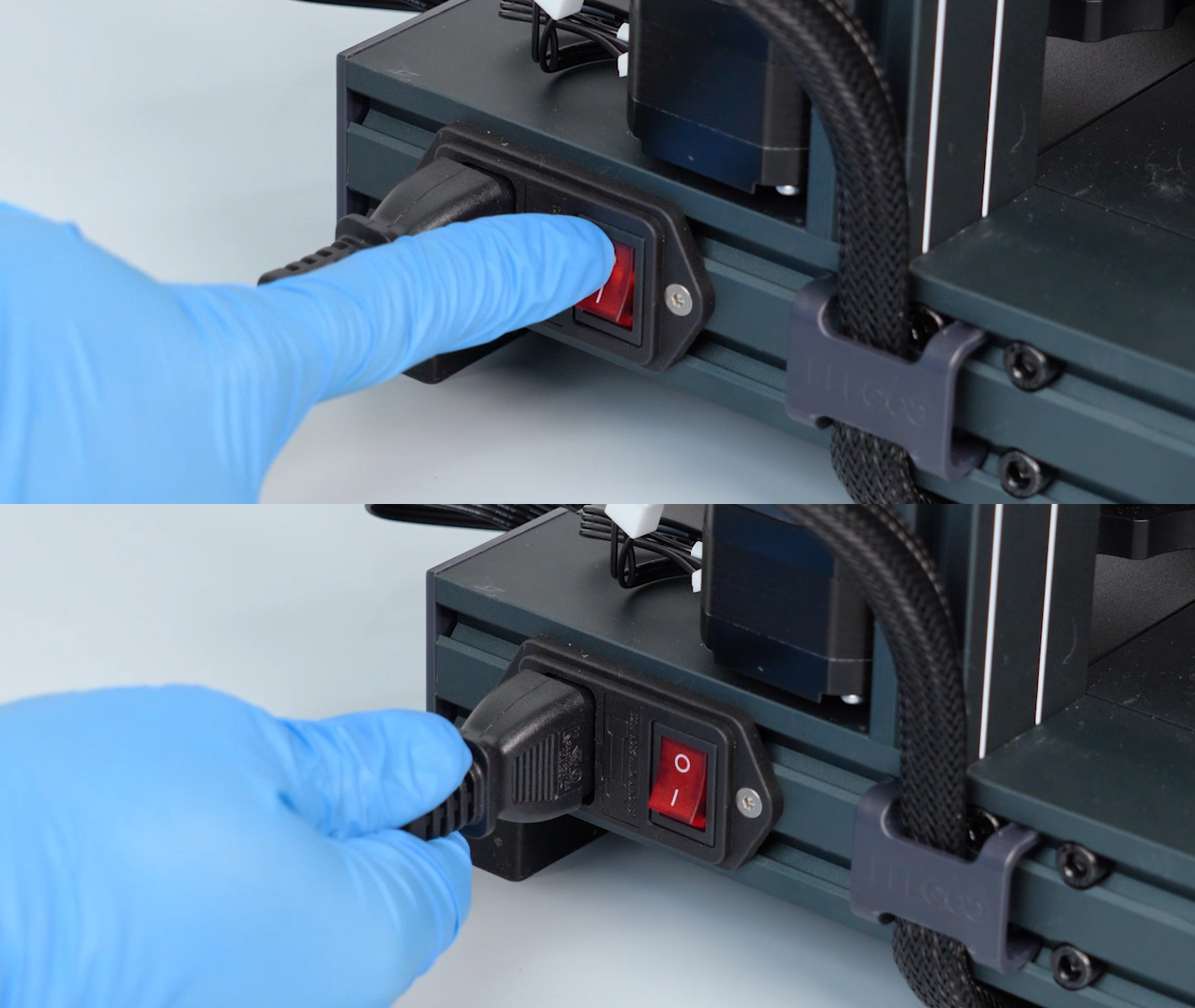
- Check whether the power supply voltage selector is set correctly for your region.
Locate the voltage selector on the rear of the printer.
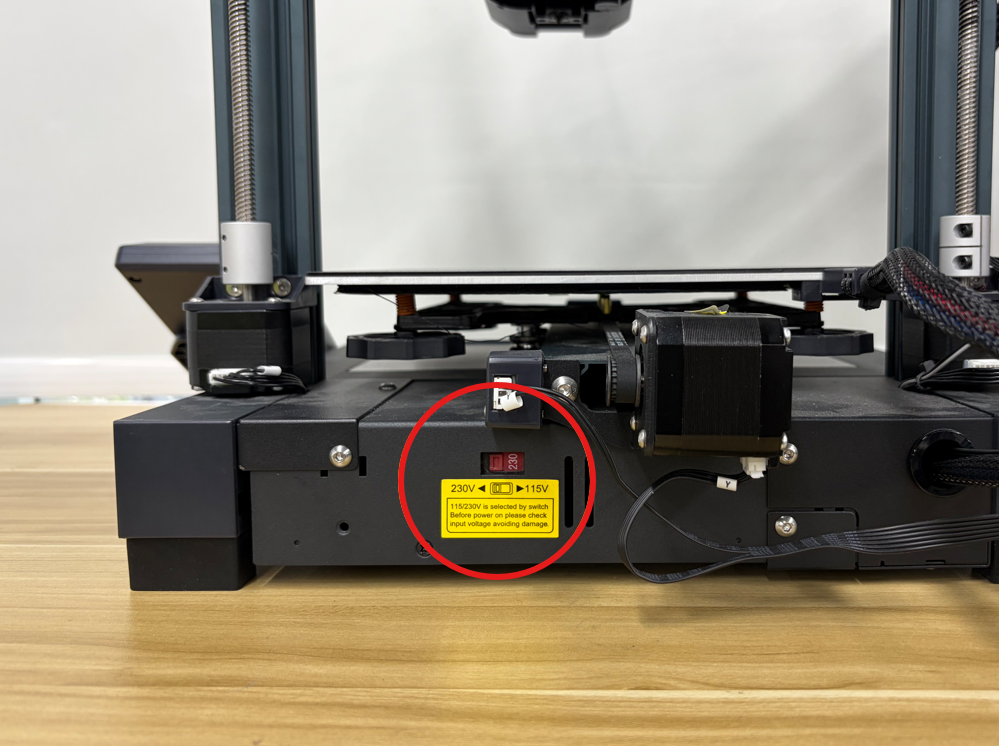
- Make sure the power supply voltage is set correctly according to the local mains voltage.
Reminder: Always turn off the printer and unplug the power cord before adjusting the voltage selector.
Select the appropriate voltage setting according to the local mains voltage:
- For a local mains voltage of approximately 110–120 V, select the 115 V setting.
- For a local mains voltage of approximately 220–240 V, select the 230 V setting.
Caution: An incorrect power supply voltage setting may prevent the printer from operating properly and may damage the power supply components.
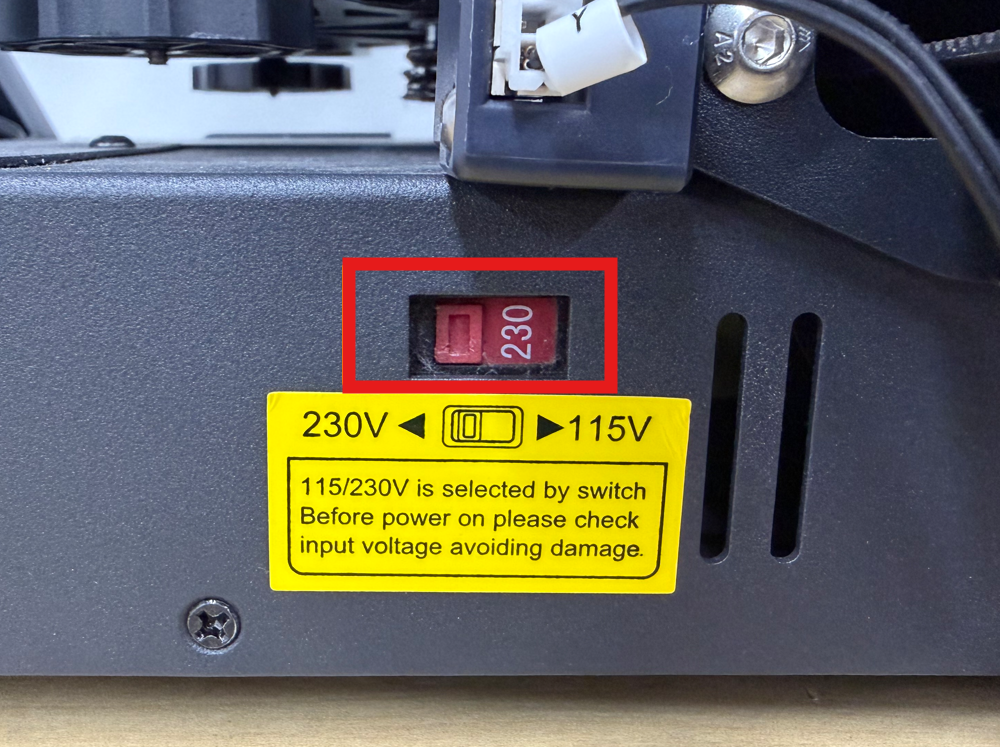
- If the voltage setting is incorrect, adjust it to the correct setting, reconnect the power cord, turn on the printer, and test the heated bed.
- If the voltage setting is correct, continue with the following troubleshooting steps.
¶ 2. Check the Heated Bed Heating Wire Harness for Damage
Inspect the heated bed heating wire harness at the rear of the heated bed that connects to the mainboard. Check for the following:
- Damaged insulation
- Burn marks
- Broken wires
- Abnormal bending
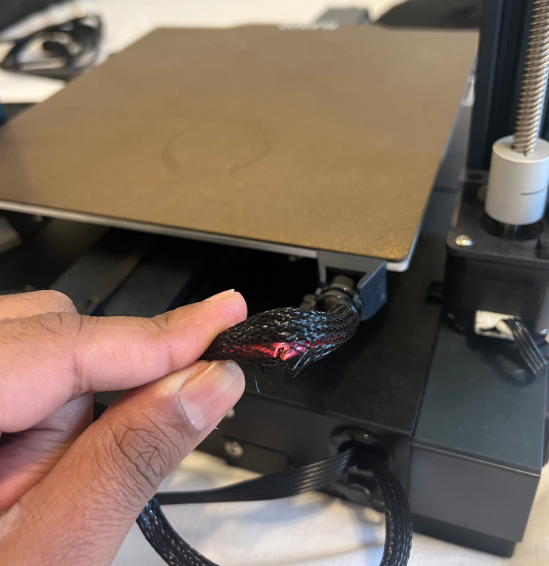
If the heated bed heating wire harness is damaged, replace the entire heated bed assembly.
¶ 3. Check the Heated Bed Thermistor Wire and Heated Bed Connection Ports
Note: The printer must be turned off and the power cord must be unplugged before performing the following steps.
- Carefully turn the printer over with the side containing the power switch facing upward.
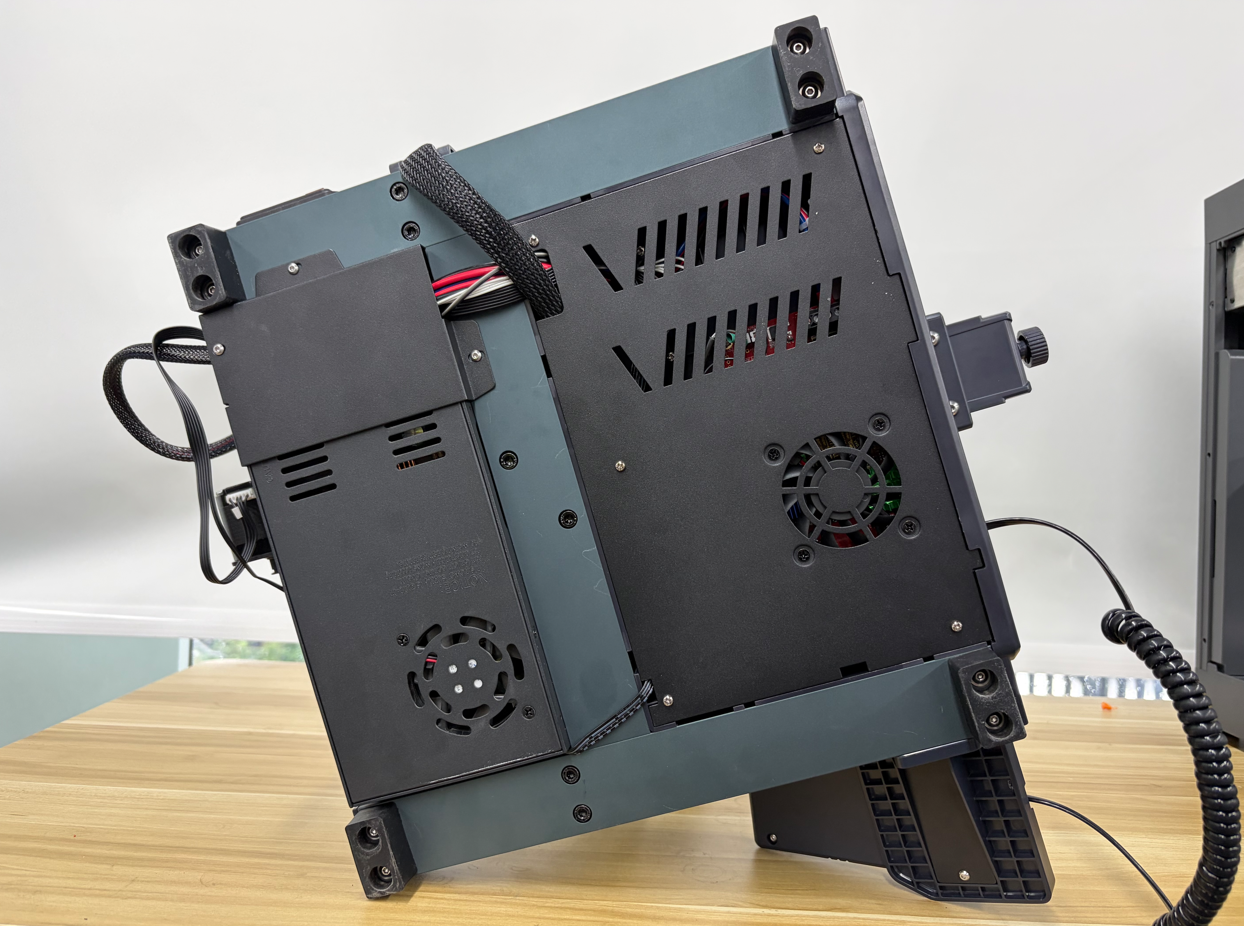
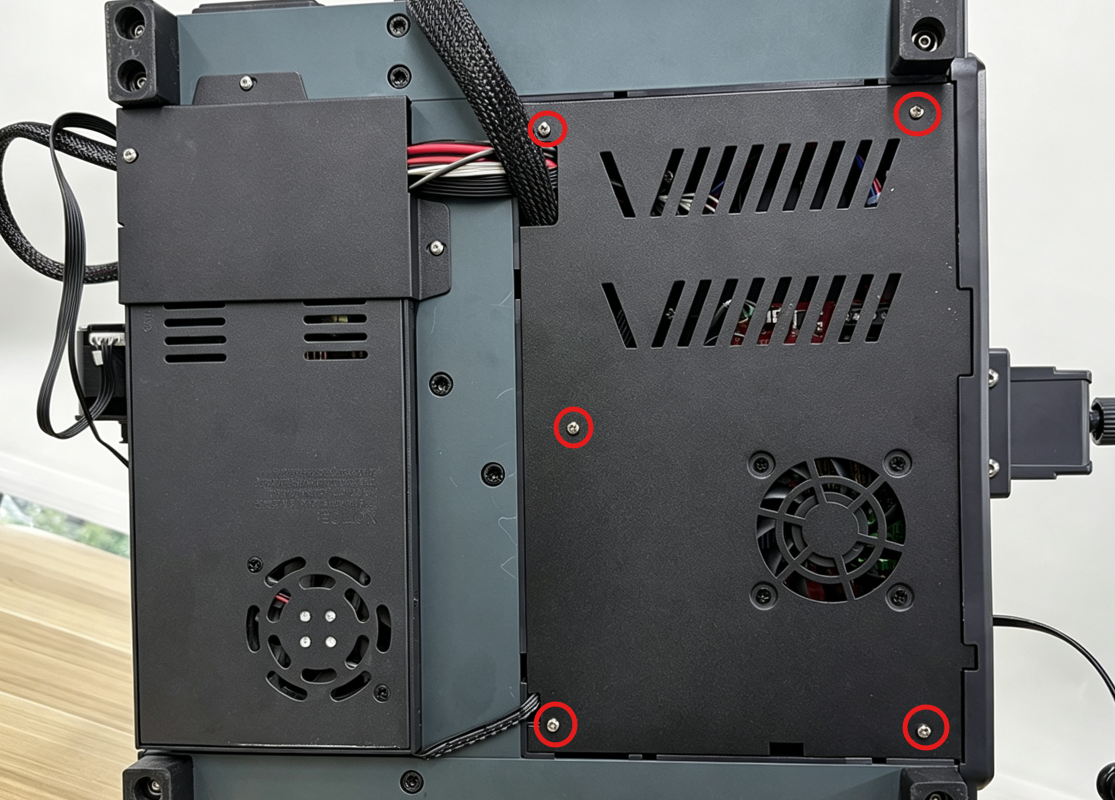
- Use a Phillips screwdriver to remove the 5 screws securing the mainboard bottom cover.
- Slowly open the mainboard bottom cover and disconnect the mainboard cooling fan connector.
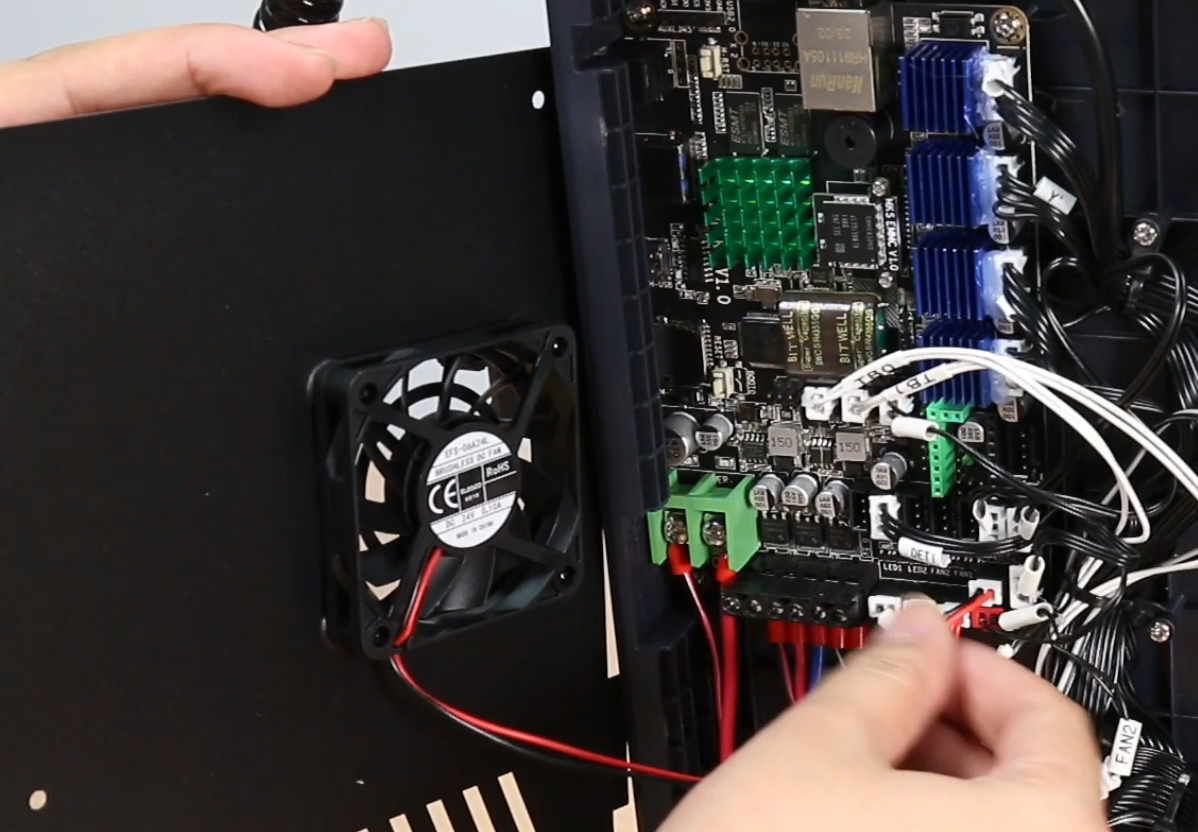
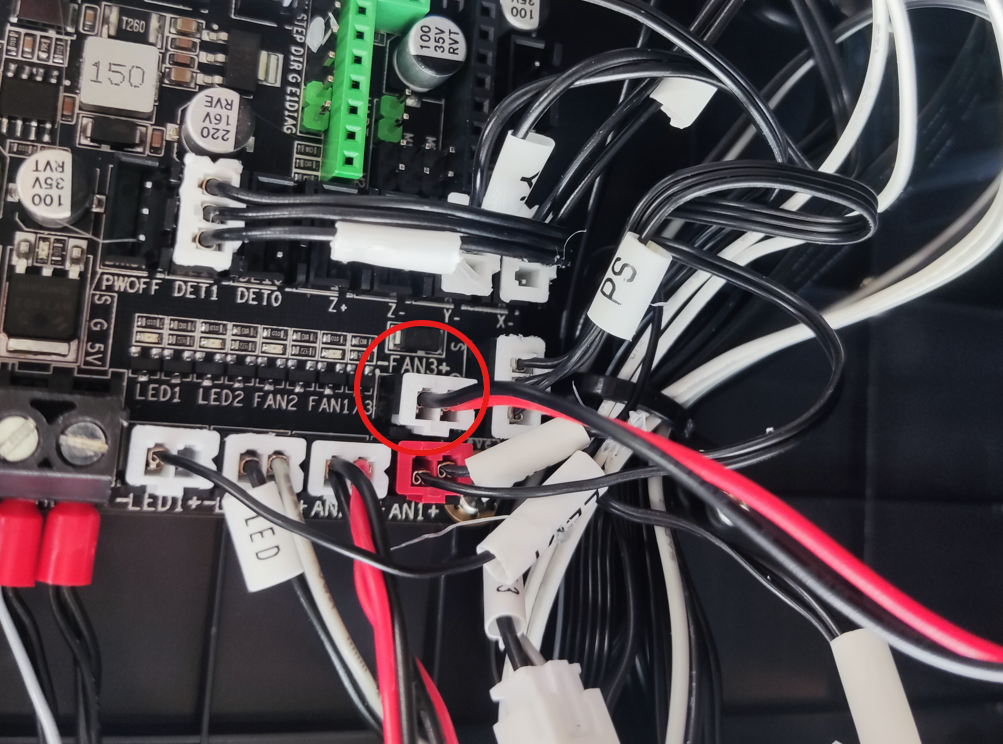
- Check whether the heated bed cable connectors are loose, then disconnect and reconnect them.
Since the Neptune 4 Pro uses a dual-zone heated bed, check and reconnect both the TB0 and TB1 heated bed connectors.
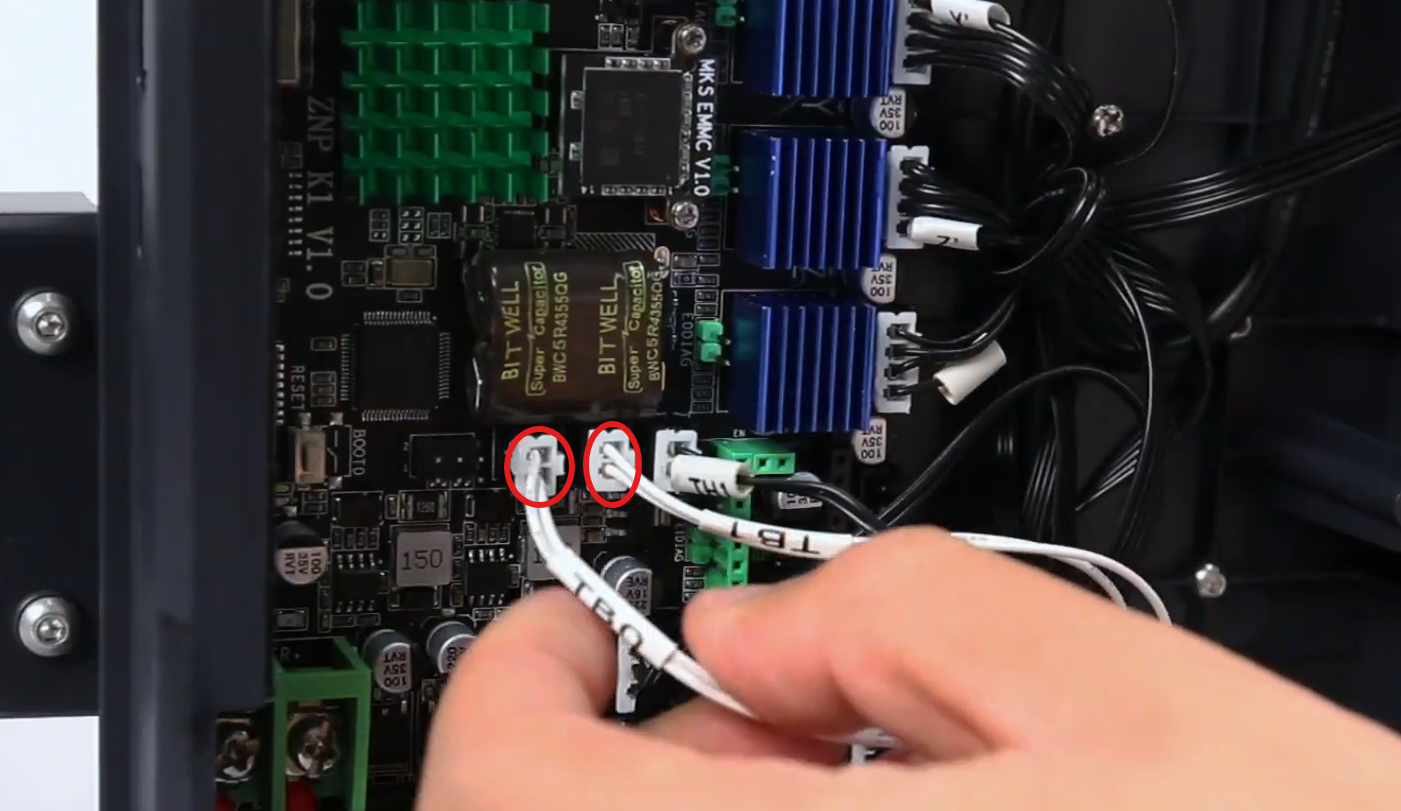
For the Neptune 4, check and reconnect only the TB0 connector.
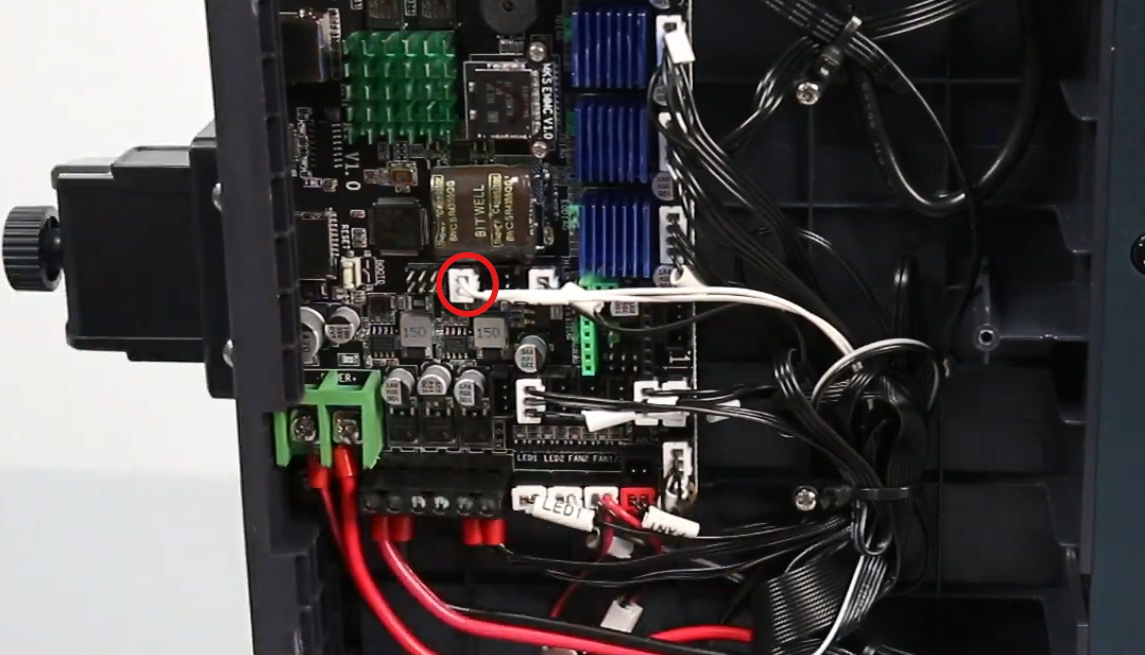
- Check whether the heated bed cables on the mainboard are loose.
For the Neptune 4 Pro, check both the HB0 and HB1 terminals and make sure the wires are securely connected. Tighten the terminal screws if necessary.
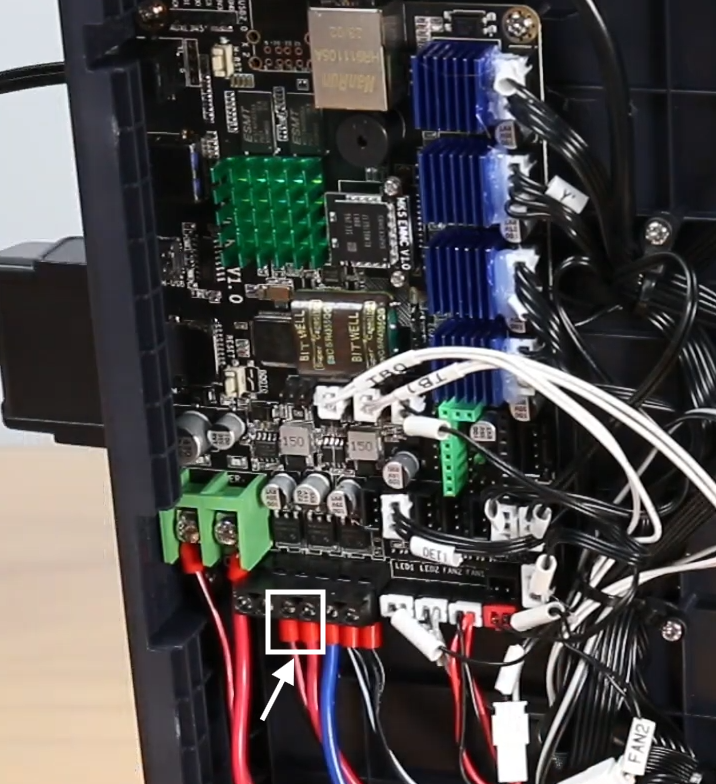
For the Neptune 4, check the HB0 terminal and make sure the wire is securely connected. Tighten the terminal screw if necessary.
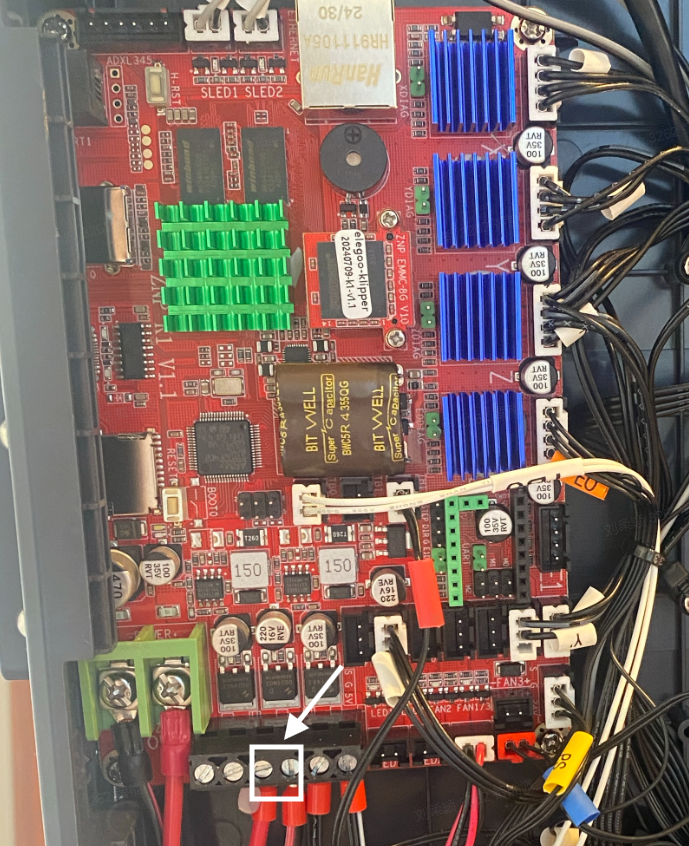
- Disconnect and reconnect the heated bed thermistor wire.
After completing the above steps, reinstall all removed components, turn on the printer, and heat the heated bed. Check whether the error message disappears and whether the heated bed heating function has returned to normal.
¶ 4. Check the Heated Bed Output Voltage on the Mainboard
Reminder:
A multimeter is required for this step. If you do not have a multimeter, skip this step.
The printer must remain powered on during the measurement. Do not touch other electronic components to avoid causing a short circuit.
- Connect the power cord and turn on the printer.
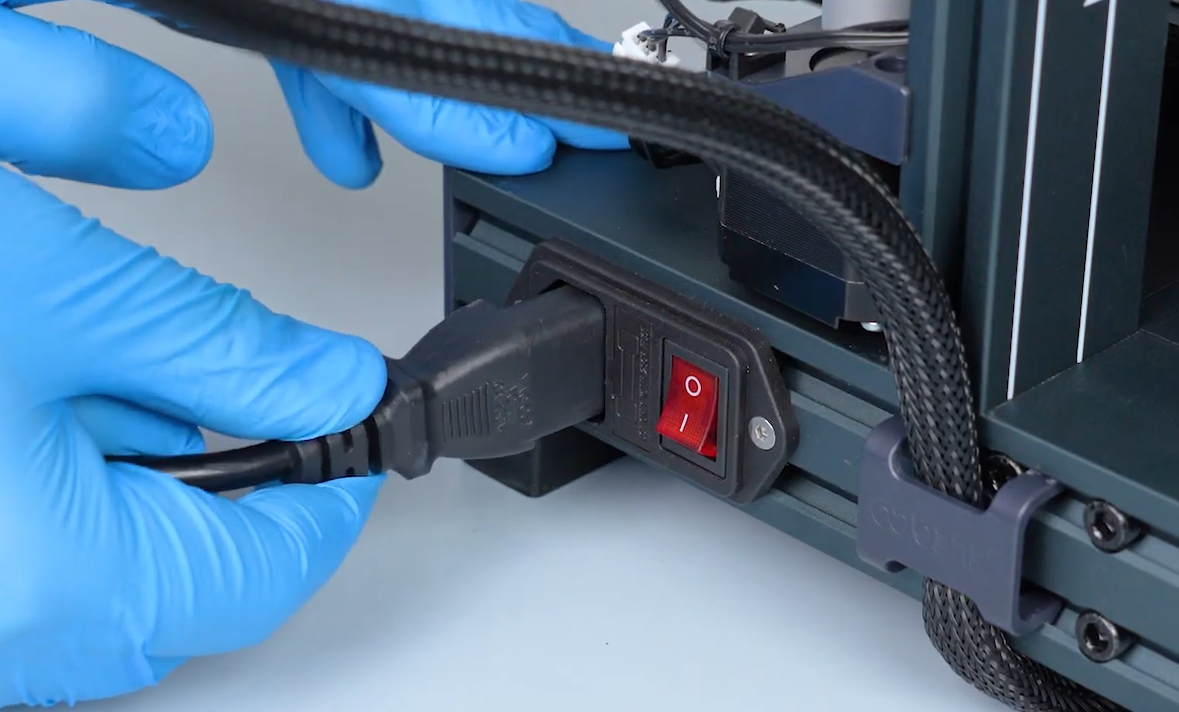
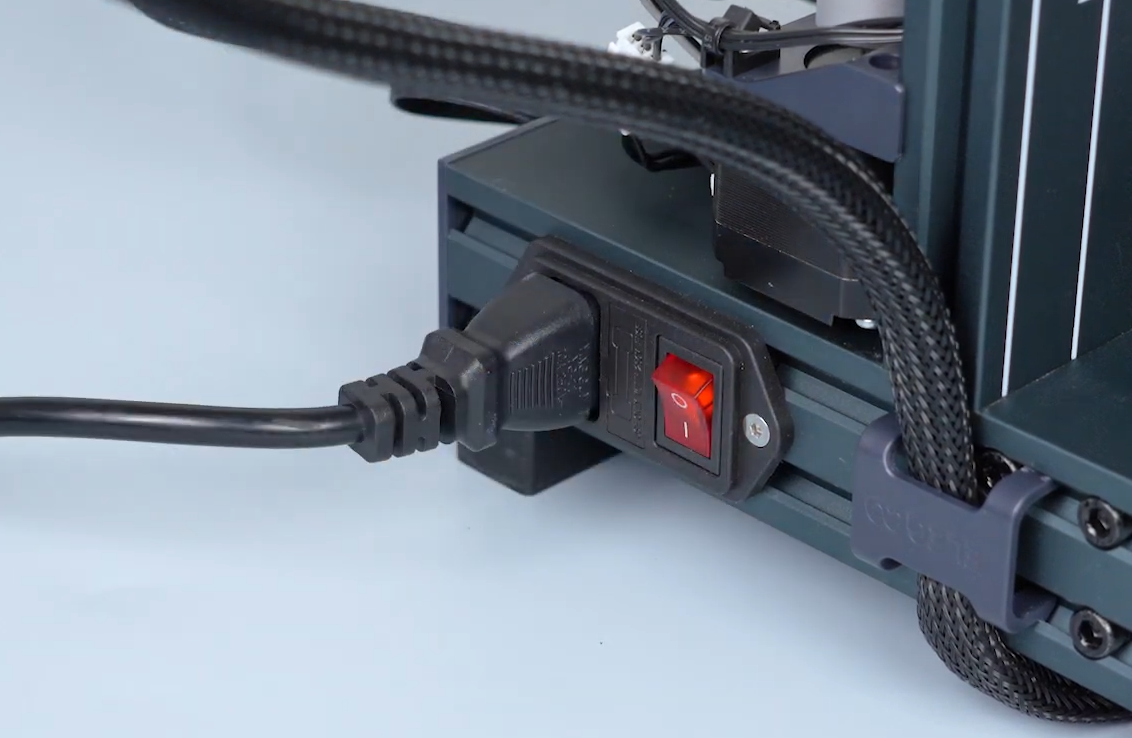
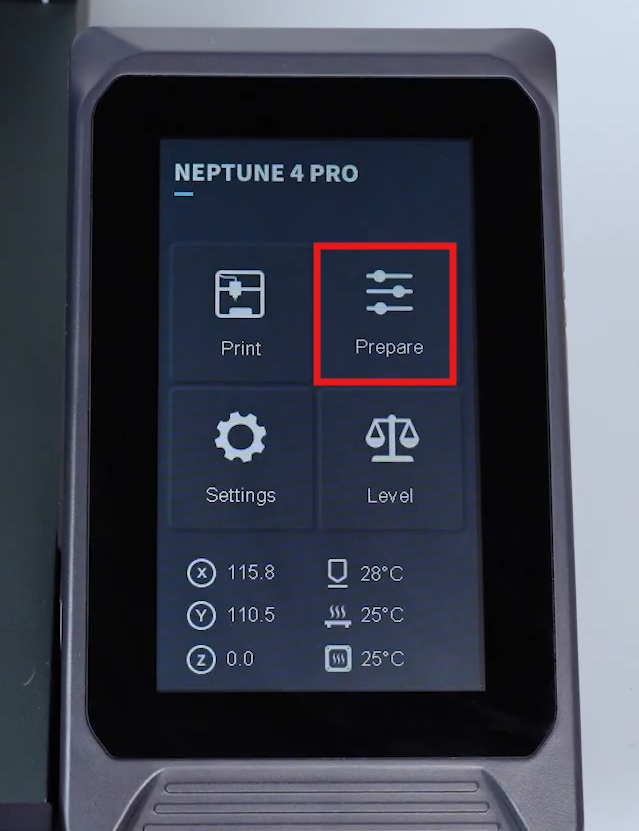
- On the touch screen, go to Prepare > Temperature and set a temperature for the heated bed.
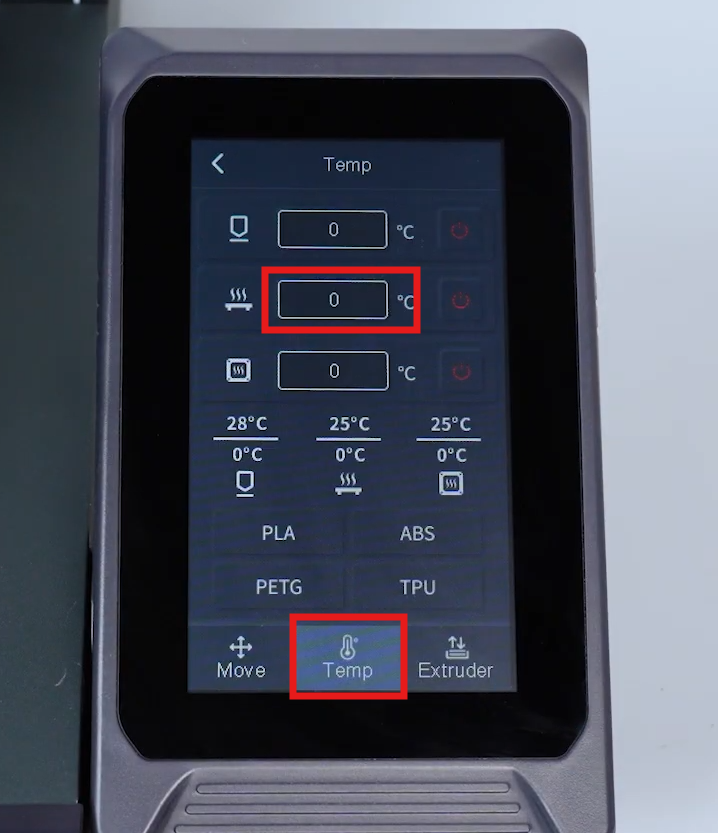
- Measure the voltage at the heated bed output port on the mainboard. When the heated bed is heating, the voltage should be approximately 24 V DC.
Neptune 4 Pro:
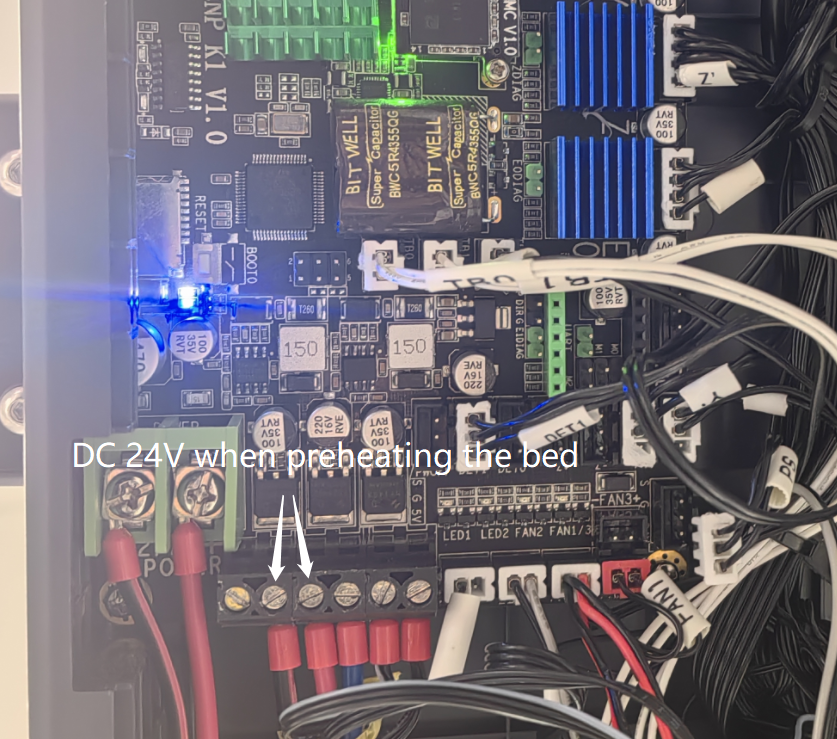
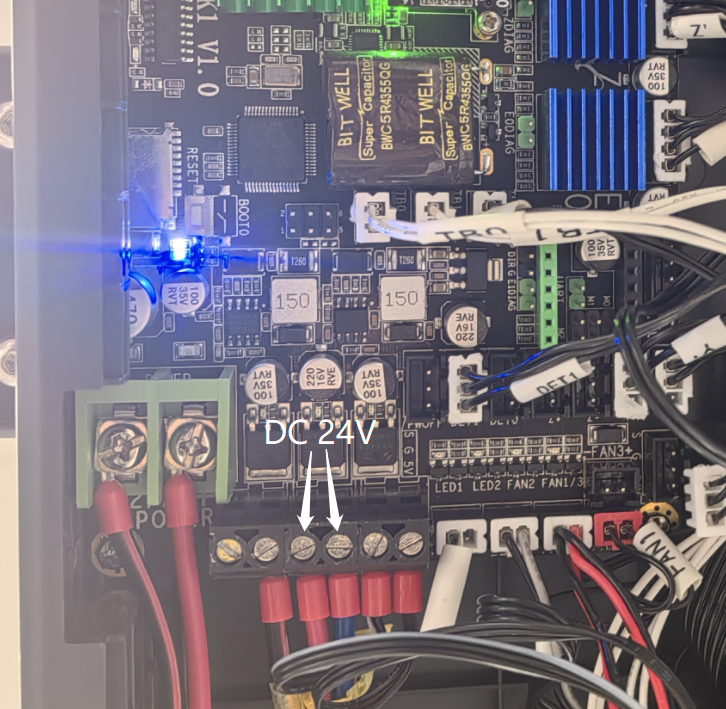
Neptune 4:
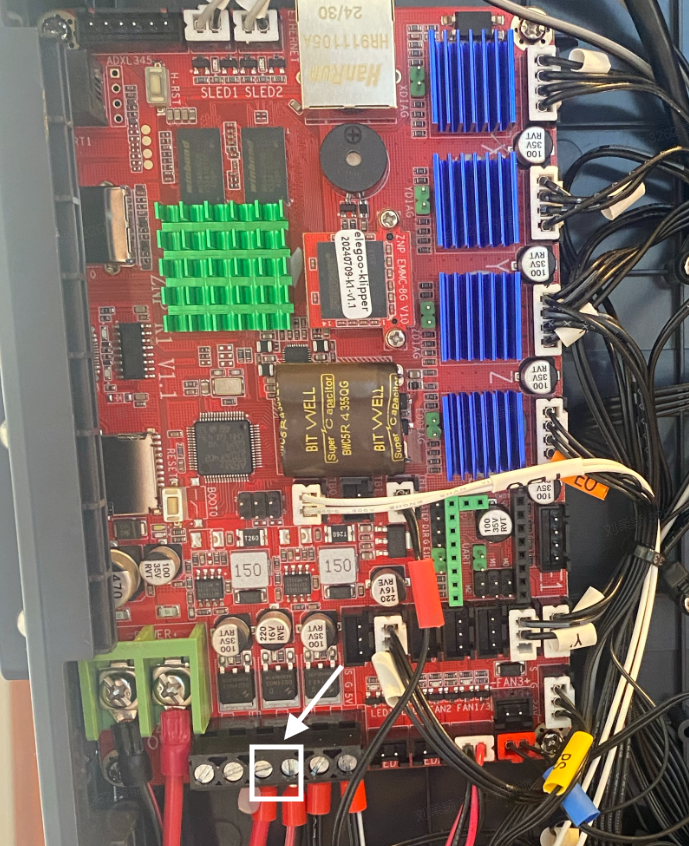
Normal: When the heated bed is heating, the heated bed output port on the mainboard should provide approximately 24 V DC.
Abnormal:
- No 24 V output: The mainboard may be faulty.
- Abnormally low or unstable output voltage: The mainboard or power supply may be faulty.
¶ Contact Technical Support
If the issue persists after completing all the above troubleshooting steps, please contact Technical Support at 3dp@elegoo.com and provide the following information:
- Is the power supply voltage selector set correctly?
- Is the heated bed cable loose or damaged?
- Are the heated bed thermistor wire connector and heated bed cable connectors properly connected?
- Does the mainboard heated bed output port provide approximately 24 V DC, and is the output voltage stable? (Skip this step if you do not have a multimeter.)
¶ Help us improve
If you have any ideas about the wiki pages, please let us know via ELEGOO official feedback channel