¶ Required Tools and Materials
- 1.5 mm Allen key
- 2.0 mm Allen key
- 2.5 mm Allen key
- Wire cutters
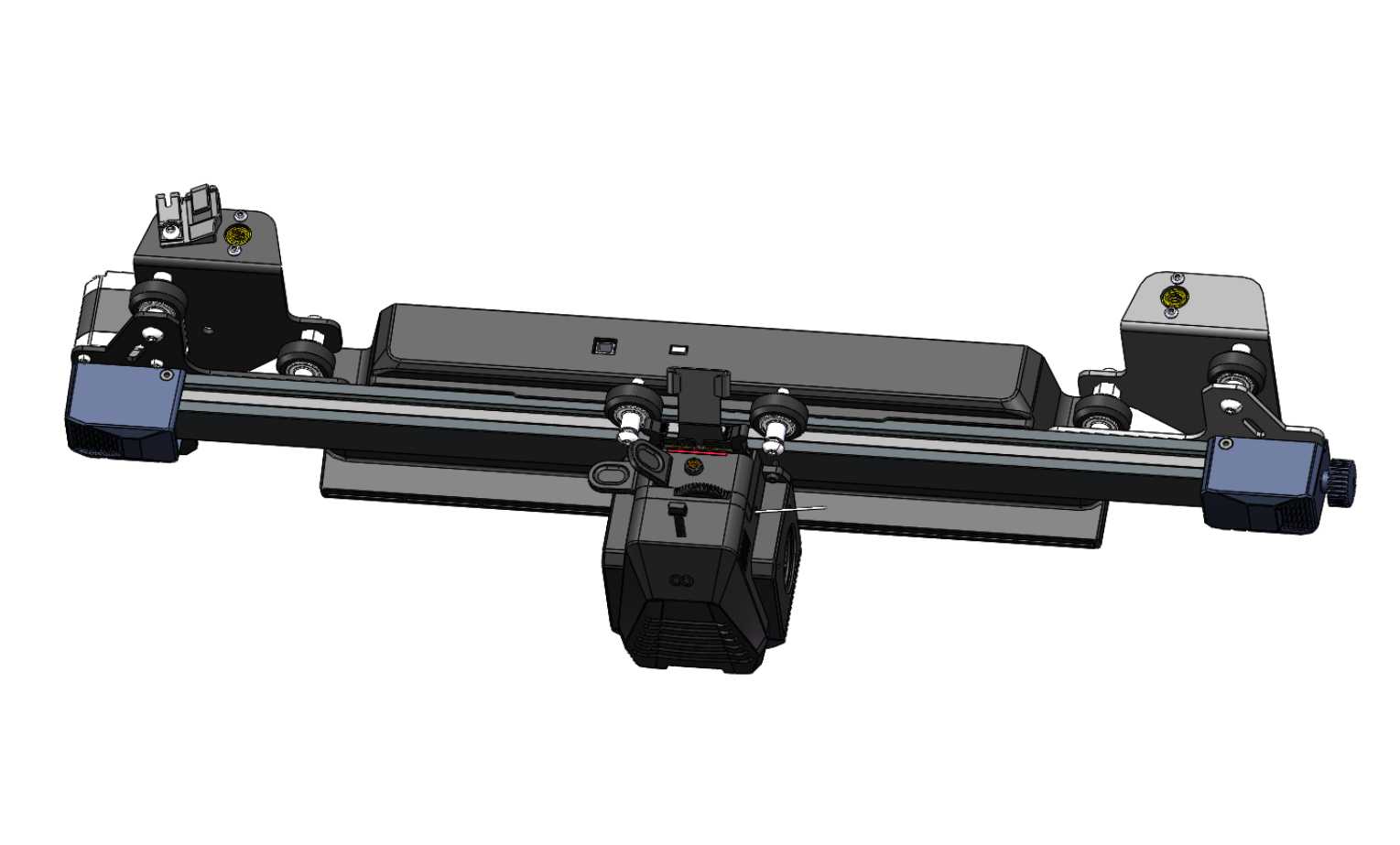
- New X-axis assembly
¶ Preparation
- Unload or cut the filament, and remove the filament spool.
- Turn off the power switch and unplug the power cord.
¶ Disassembly
¶ 1. Remove the Tie Rods
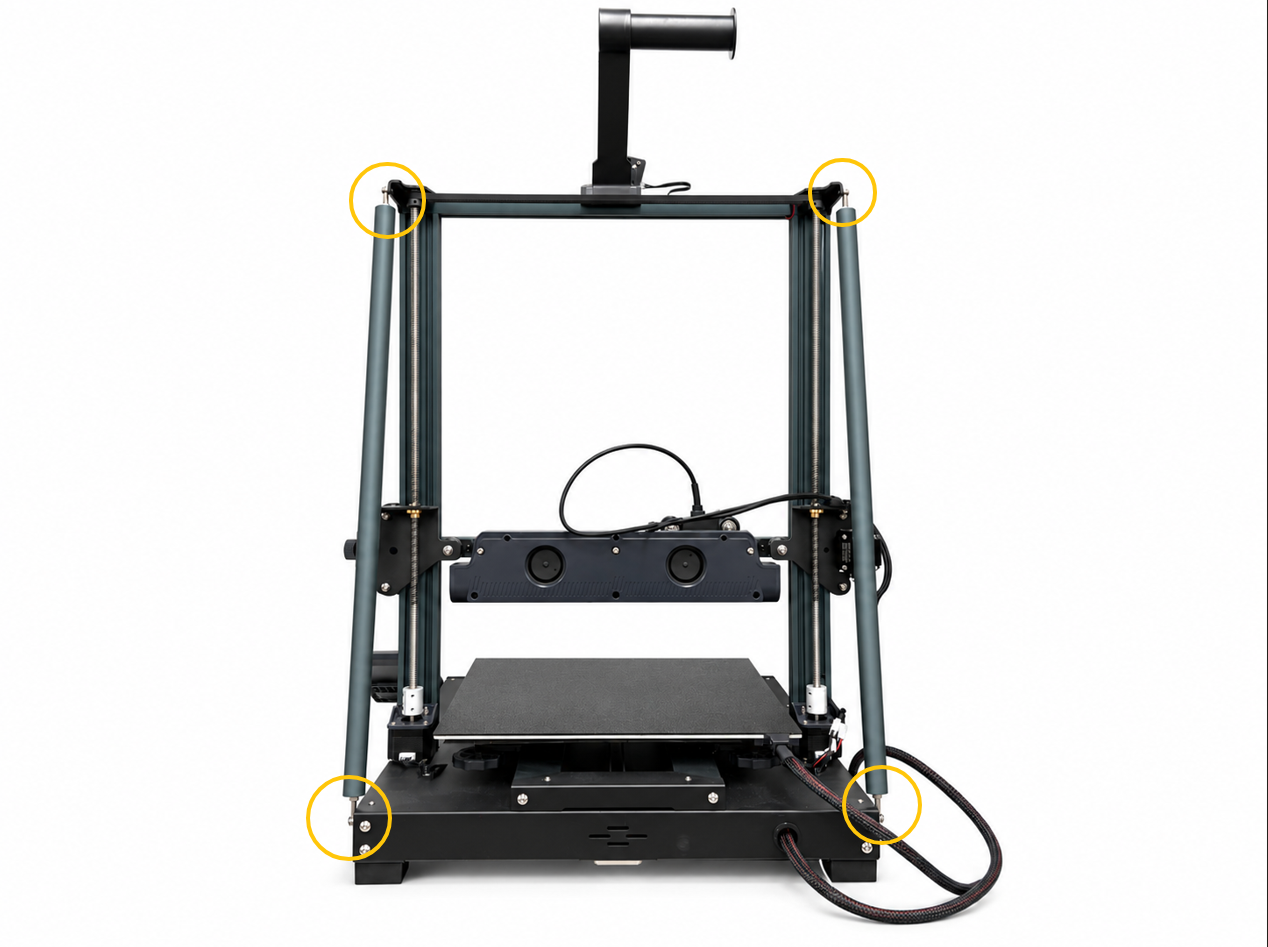
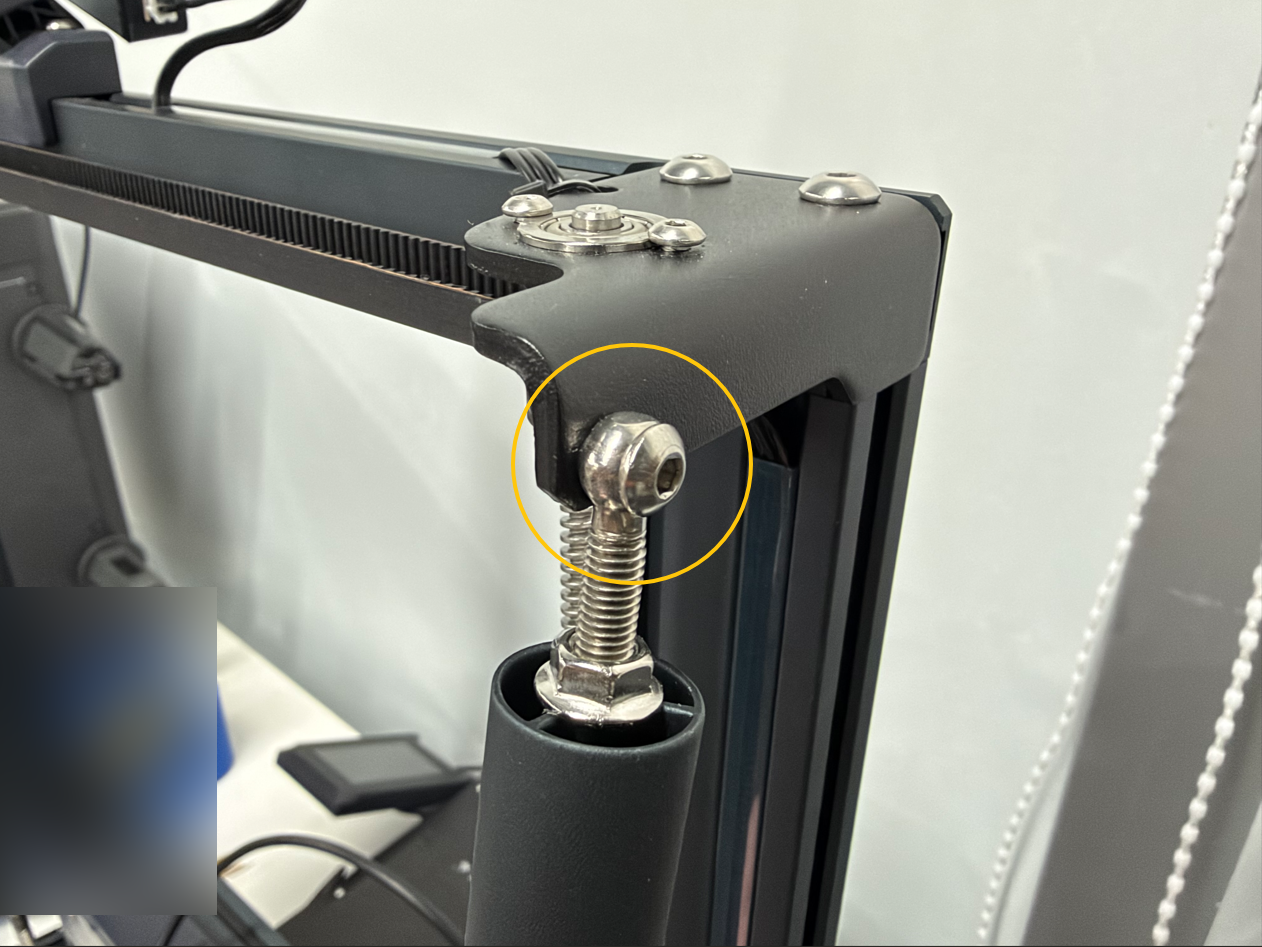
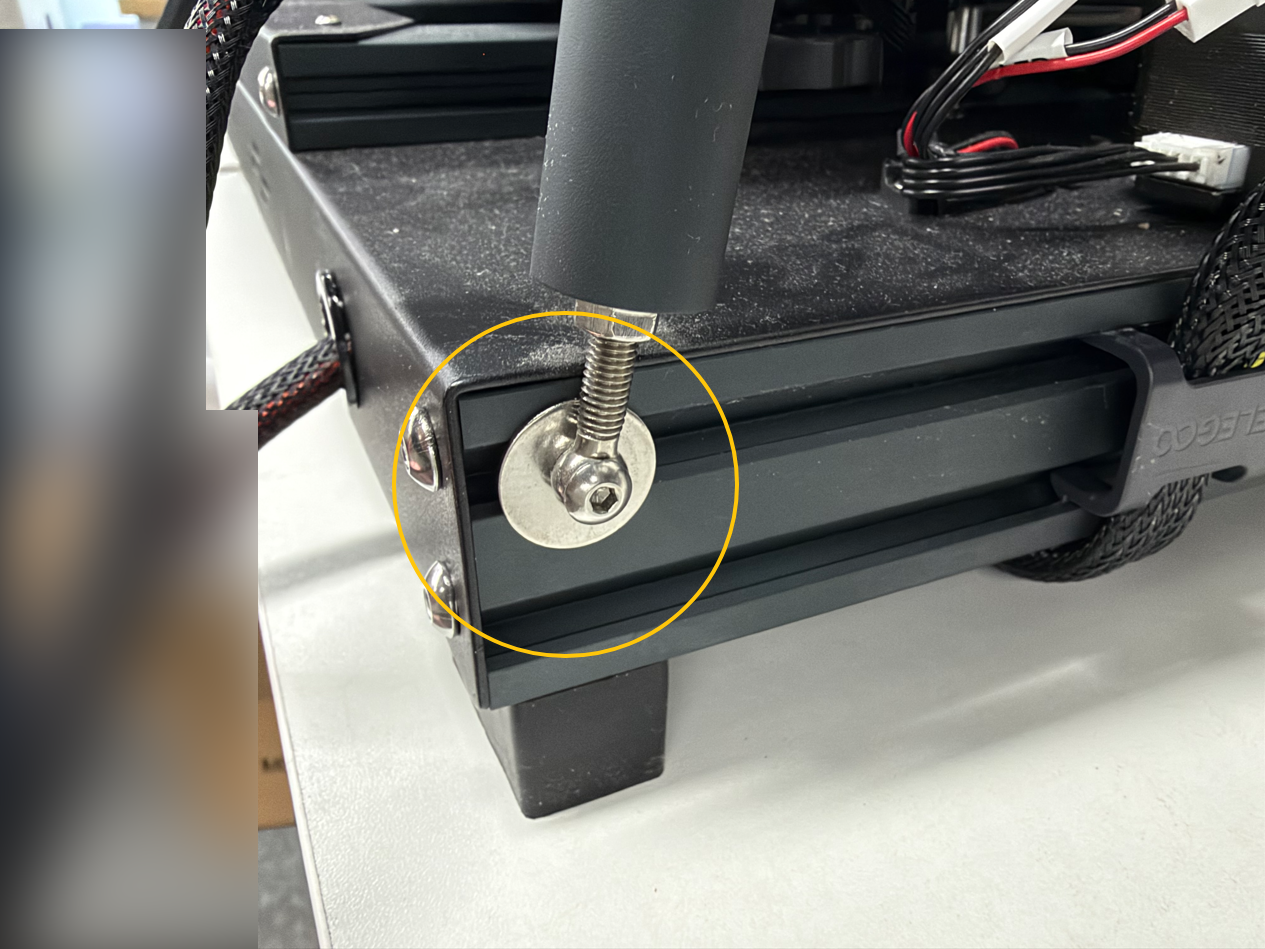
Use a 2.5 mm Allen key to remove the four screws securing the left and right tie rods, then remove the tie rods.
¶ 2. Disconnect the Cables
¶ 2.1 Use a 1.5 mm Allen key to remove the two screws securing the extruder communication cable connector, then disconnect the connector.
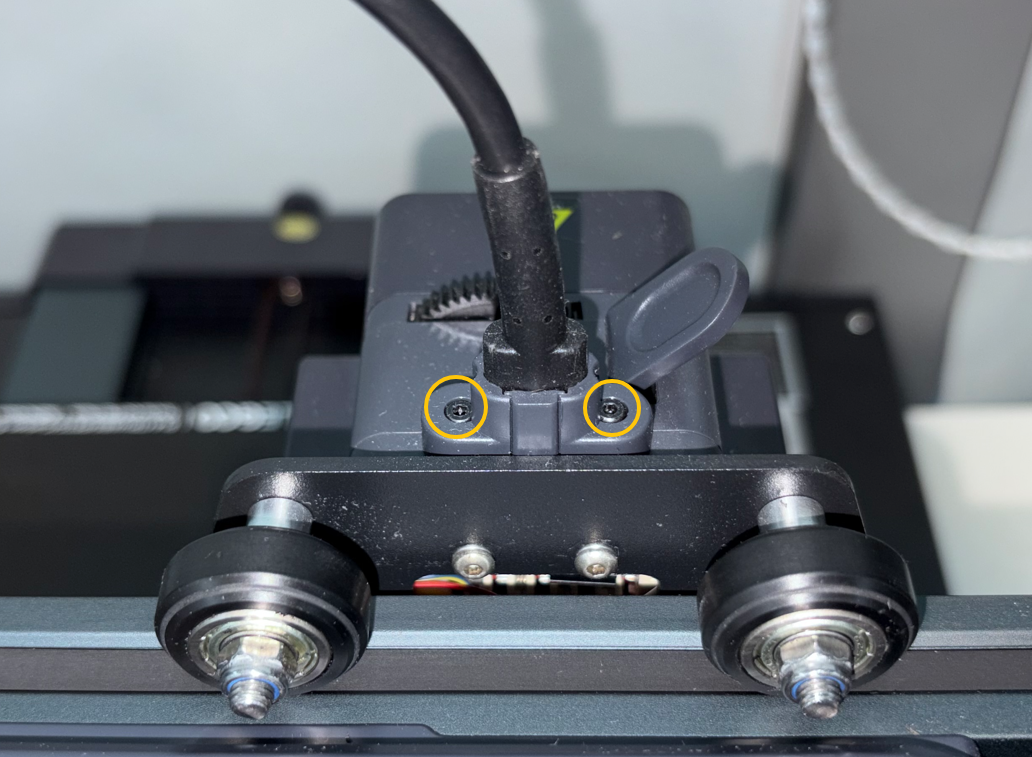
¶ 2.2 Disconnect the auxiliary fan connector.
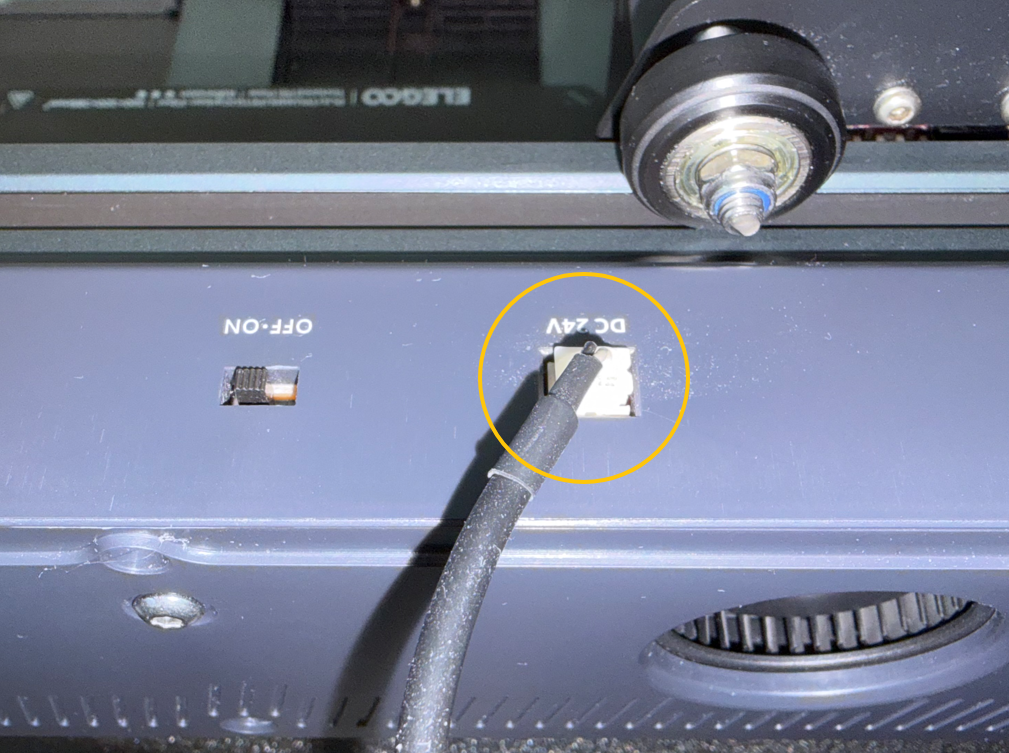
¶ 2.3 Disconnect the X motor cable connector.
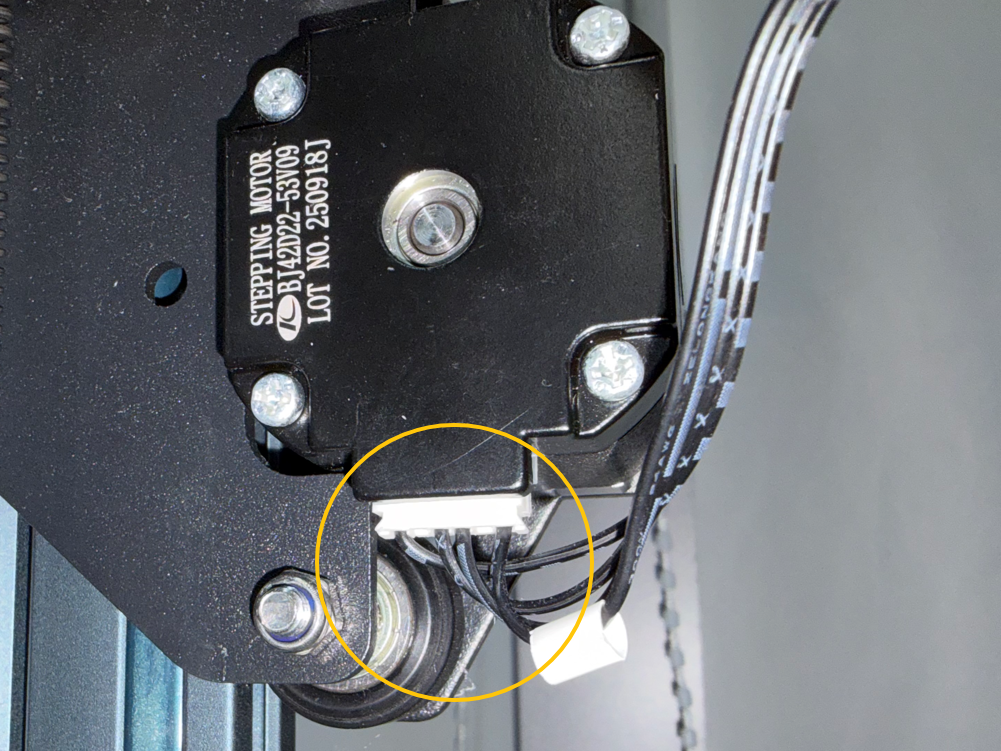
¶ 2.4 Use a 2.5 mm Allen key to remove the screw securing the cable clip, then remove the cable harness.
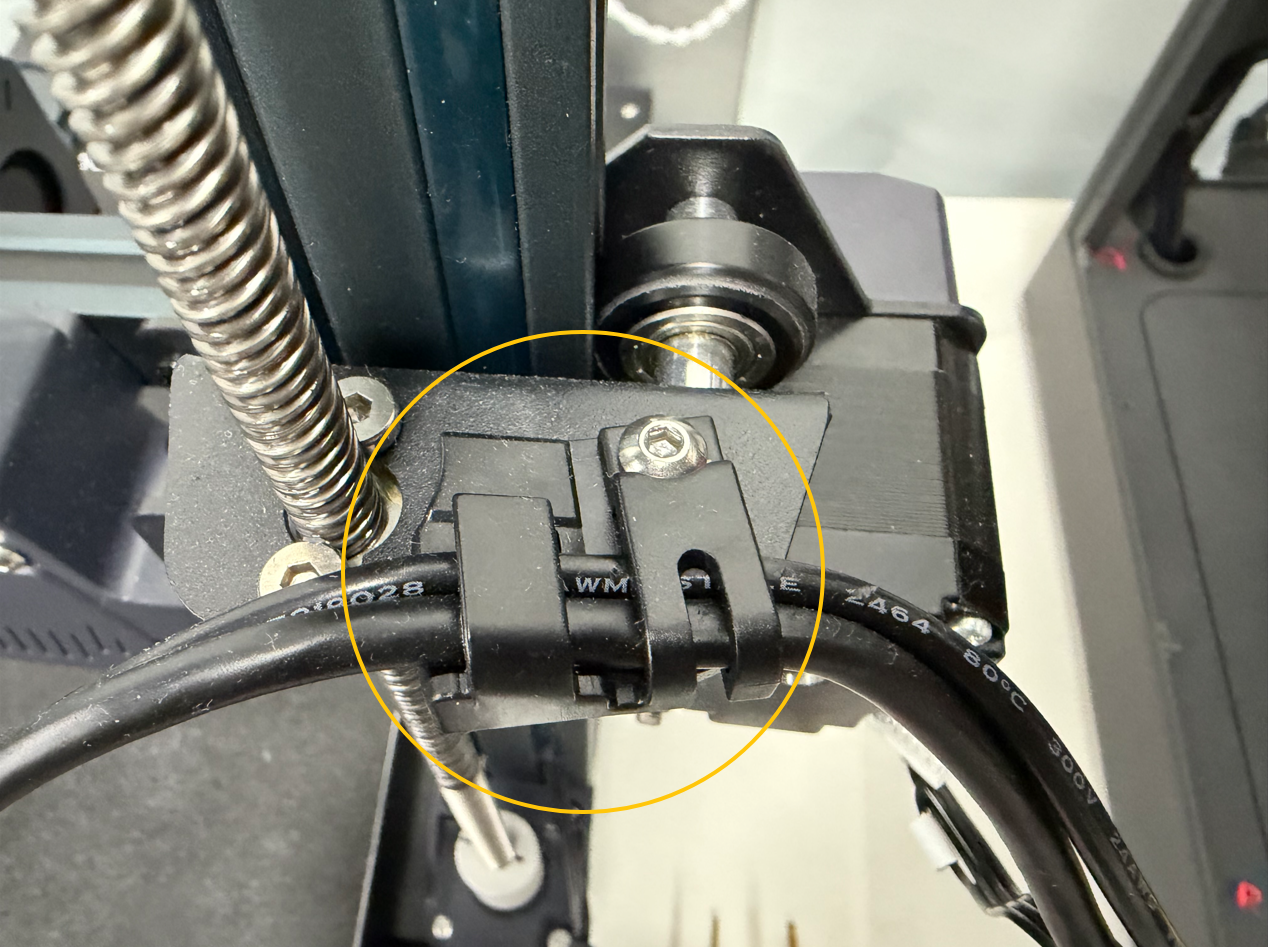
¶ 3. Remove the Top Sheet Metal Assemblies
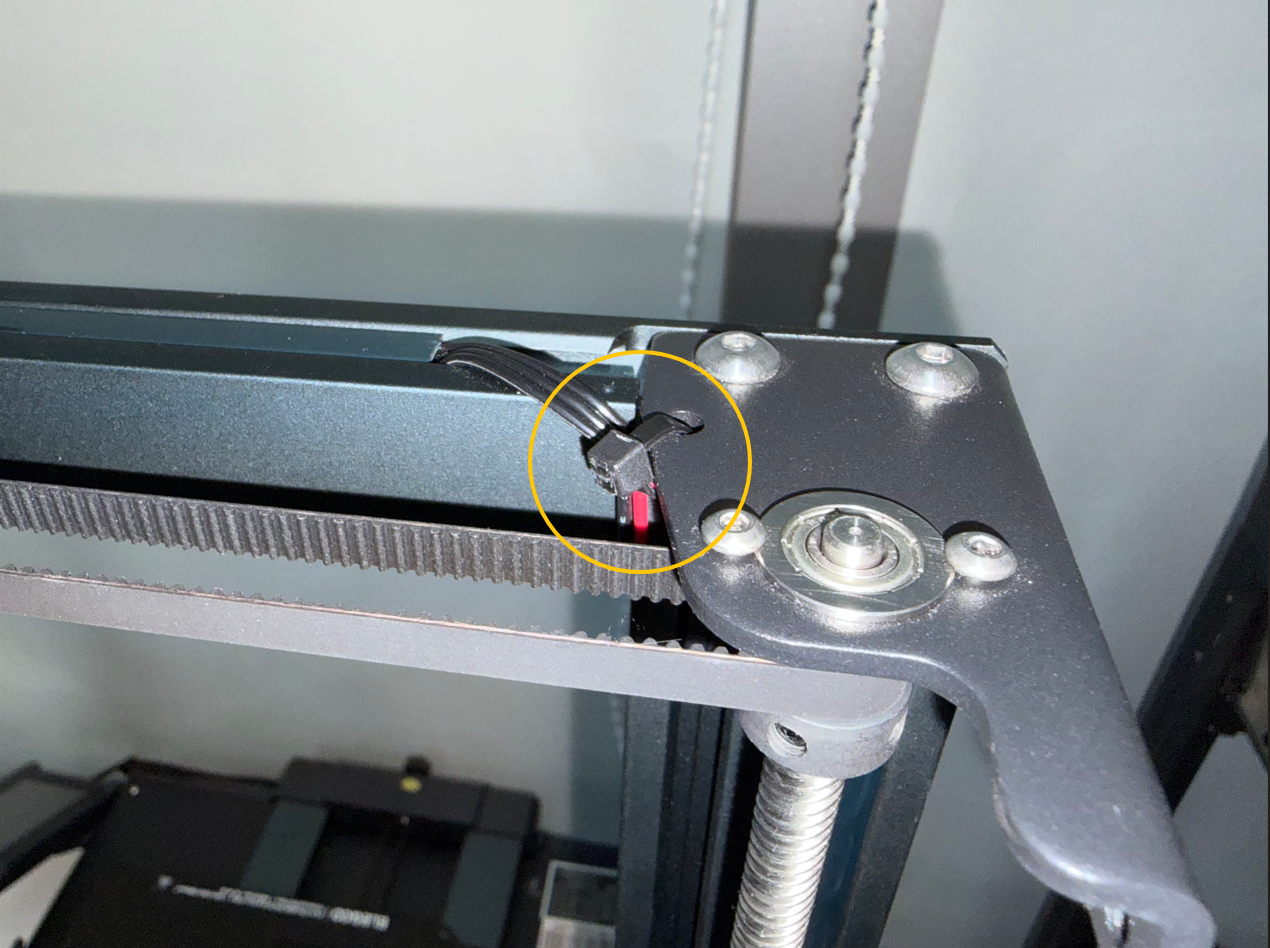
¶ 3.1 Cut the cable tie using wire cutters.
¶ 3.2 Use a 2.5 mm Allen key to remove the screws securing the right top sheet metal assembly.
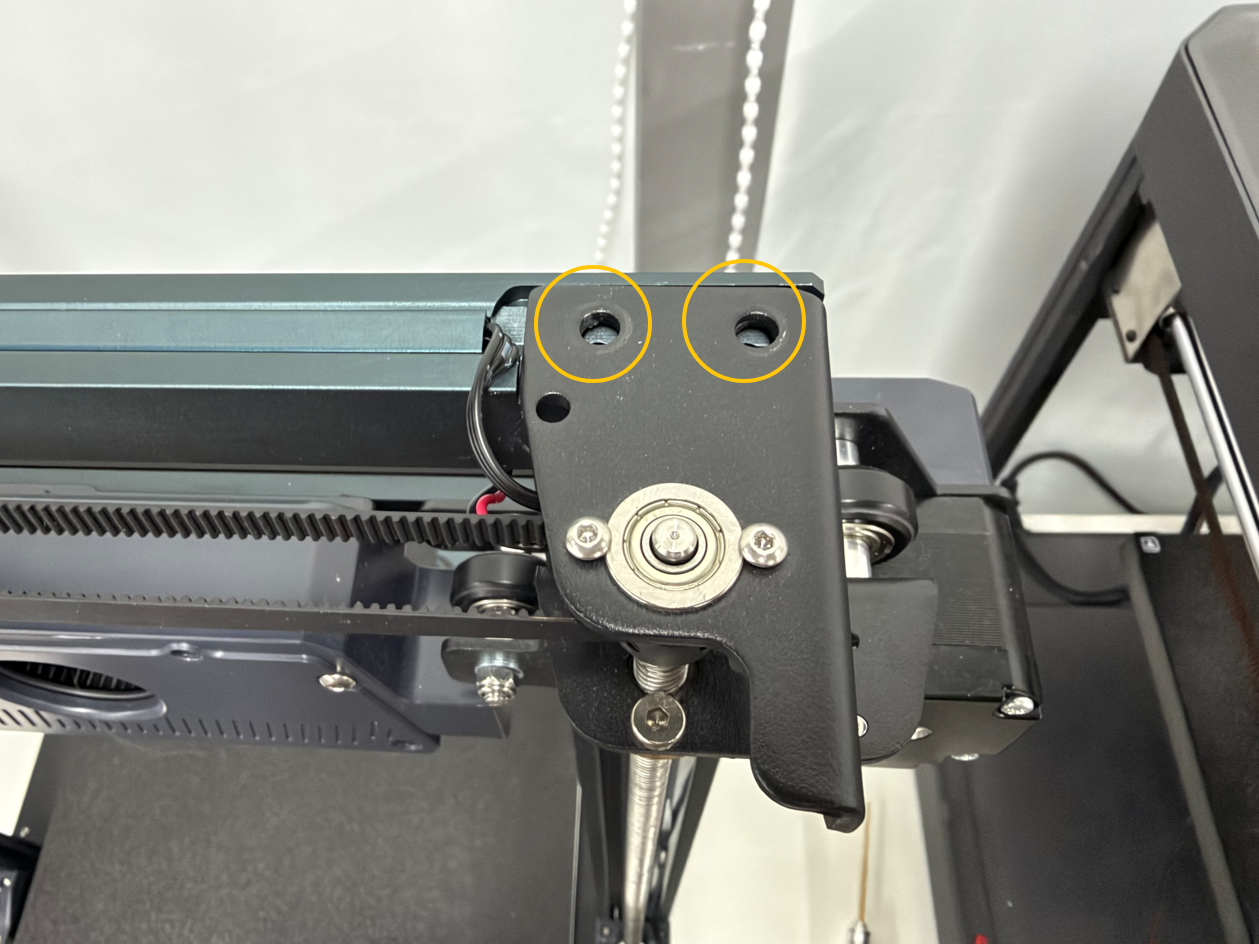
¶ 3.3 Remove the right top sheet metal assembly.
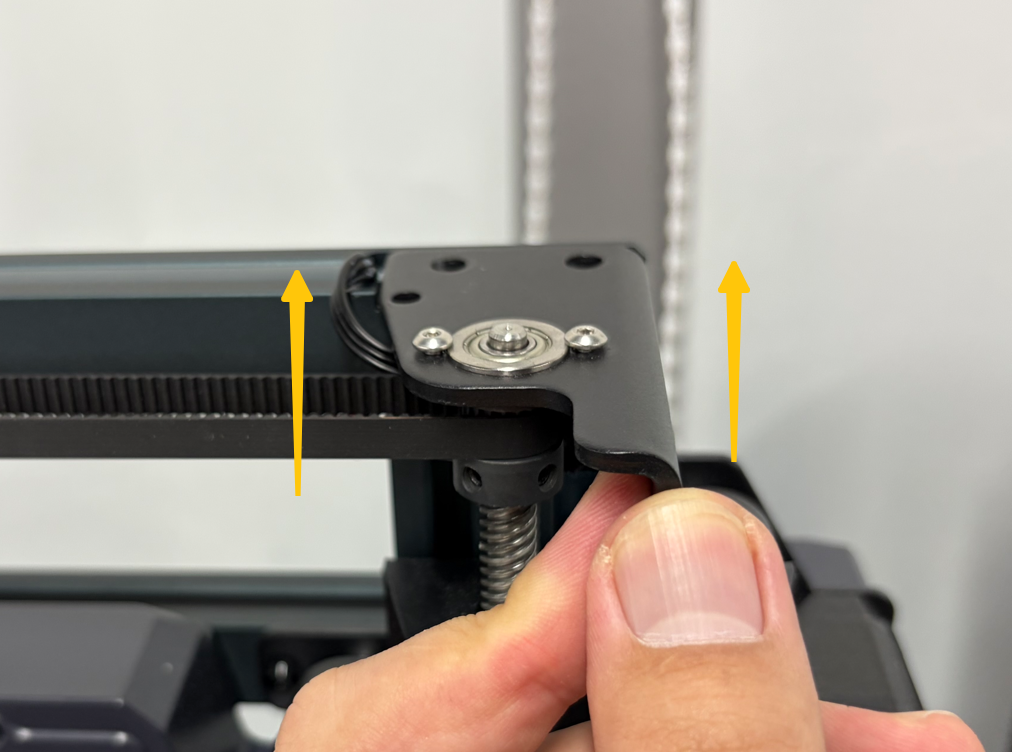
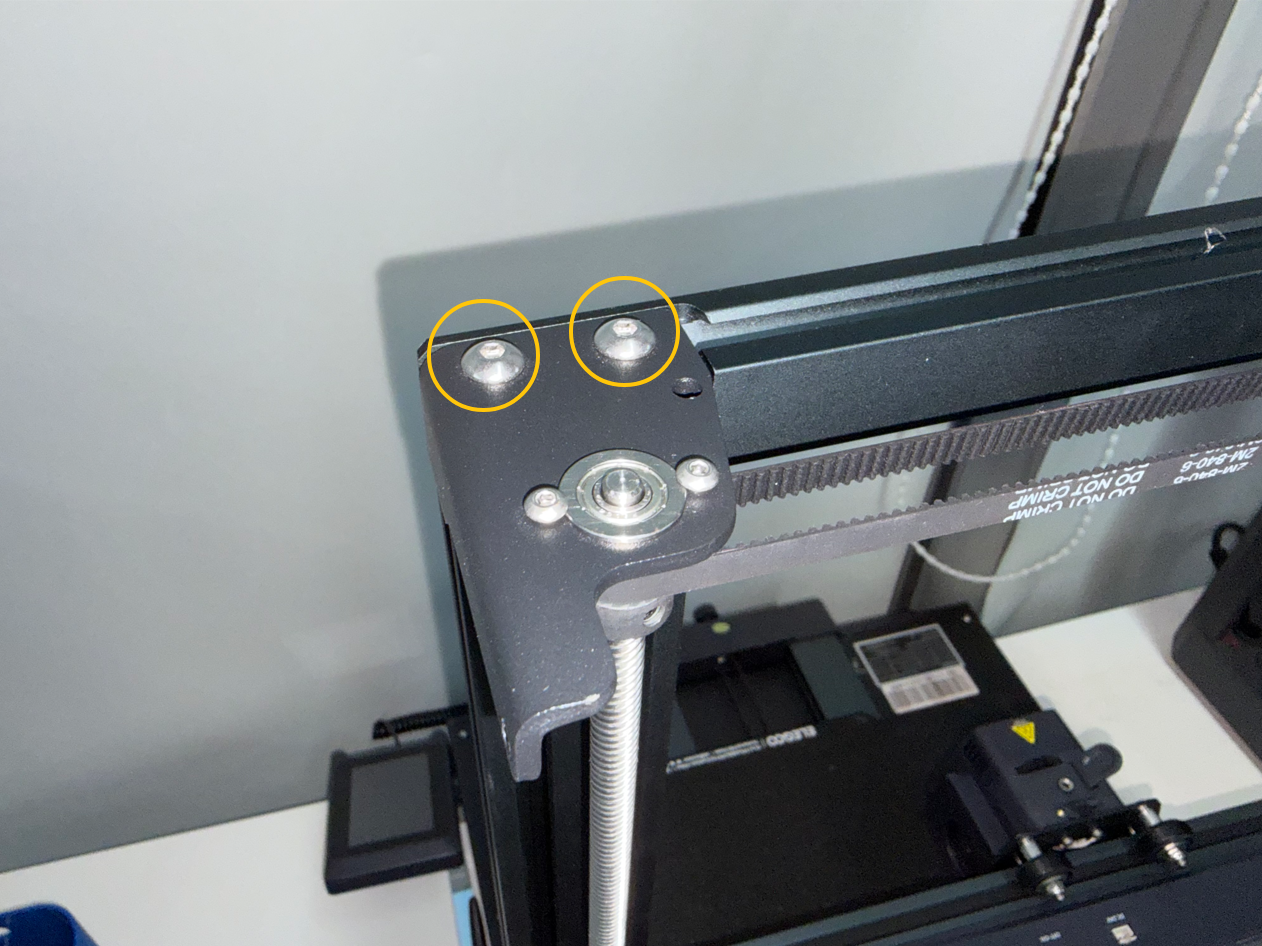
¶ 3.4 Repeat the same procedure to remove the left top sheet metal assembly.
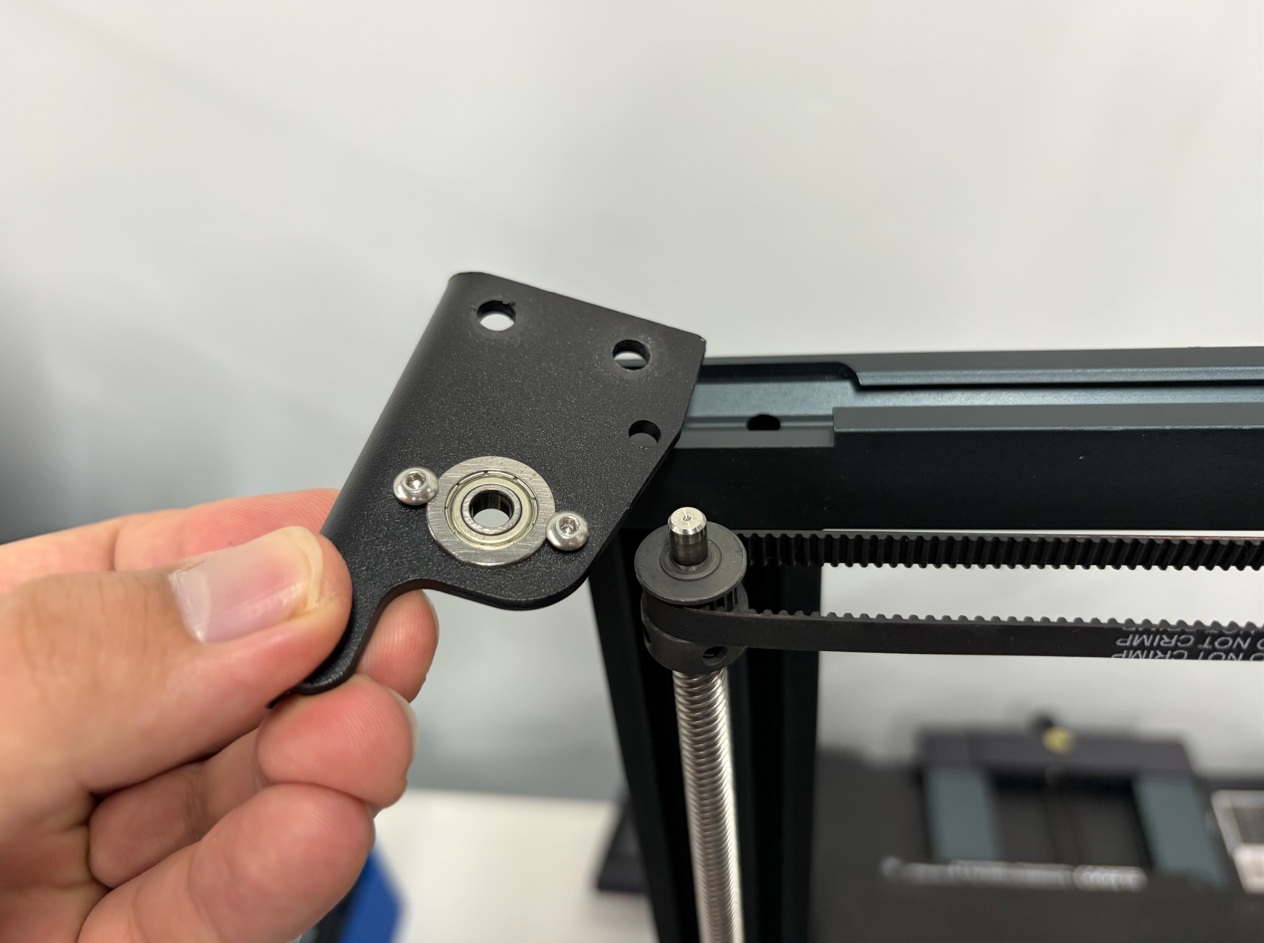
¶ 4. Remove the Crossbeam Assembly
¶ 4.1 Disconnect the filament runout sensor assembly connector.
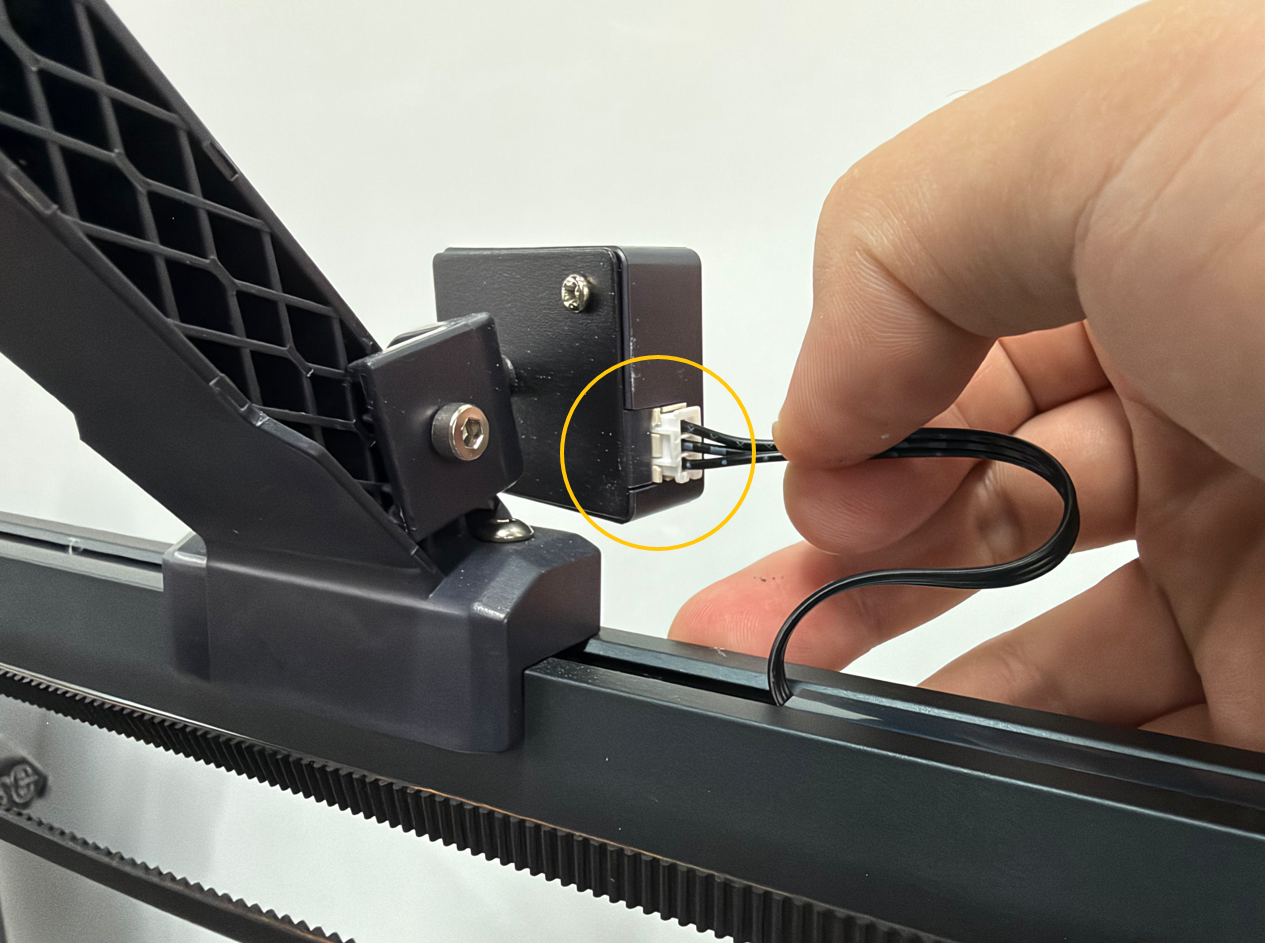
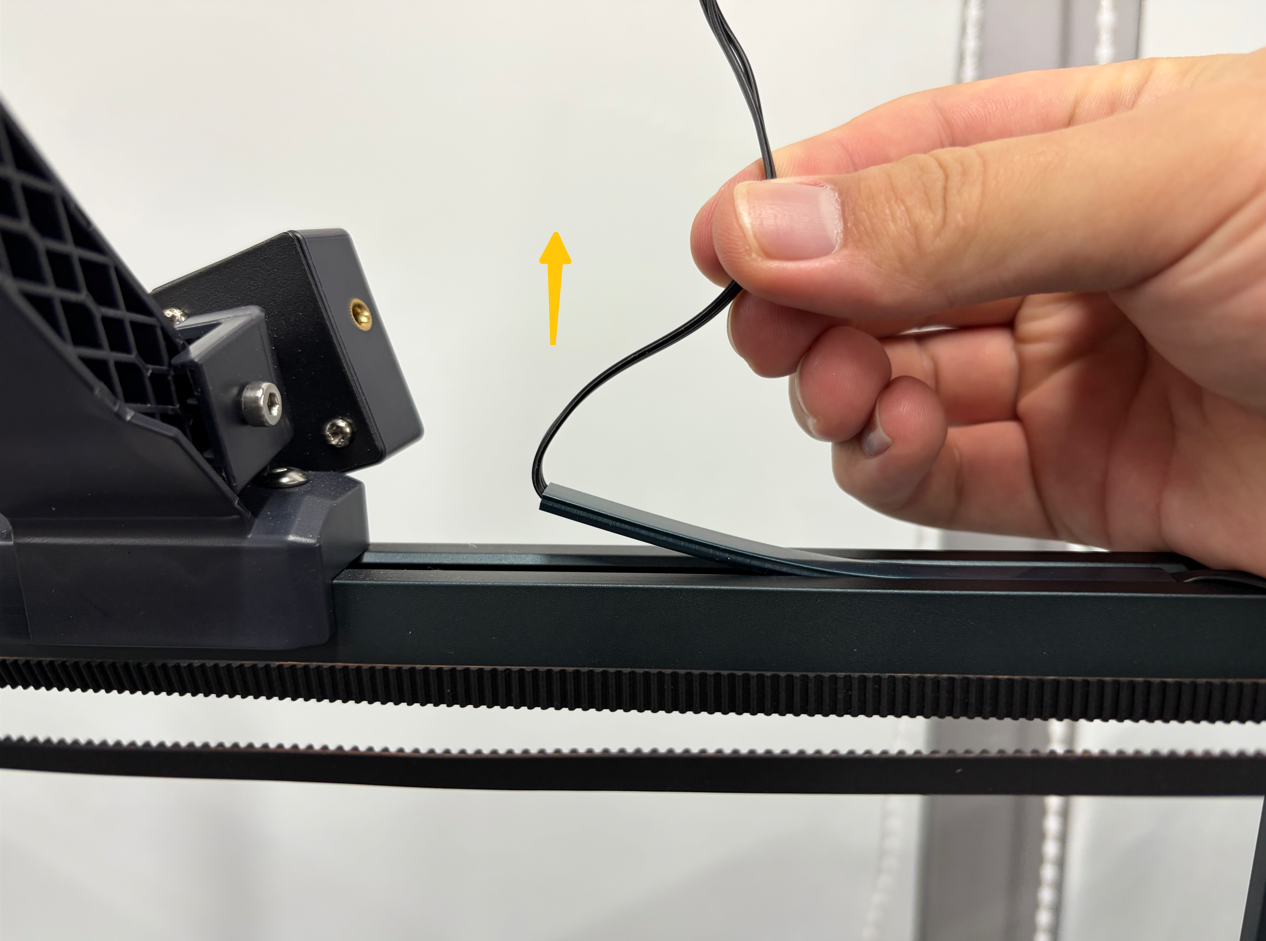
¶ 4.2 Pull the filament runout sensor cable upward to lift the cable clip. Once the clip is loose, remove it.
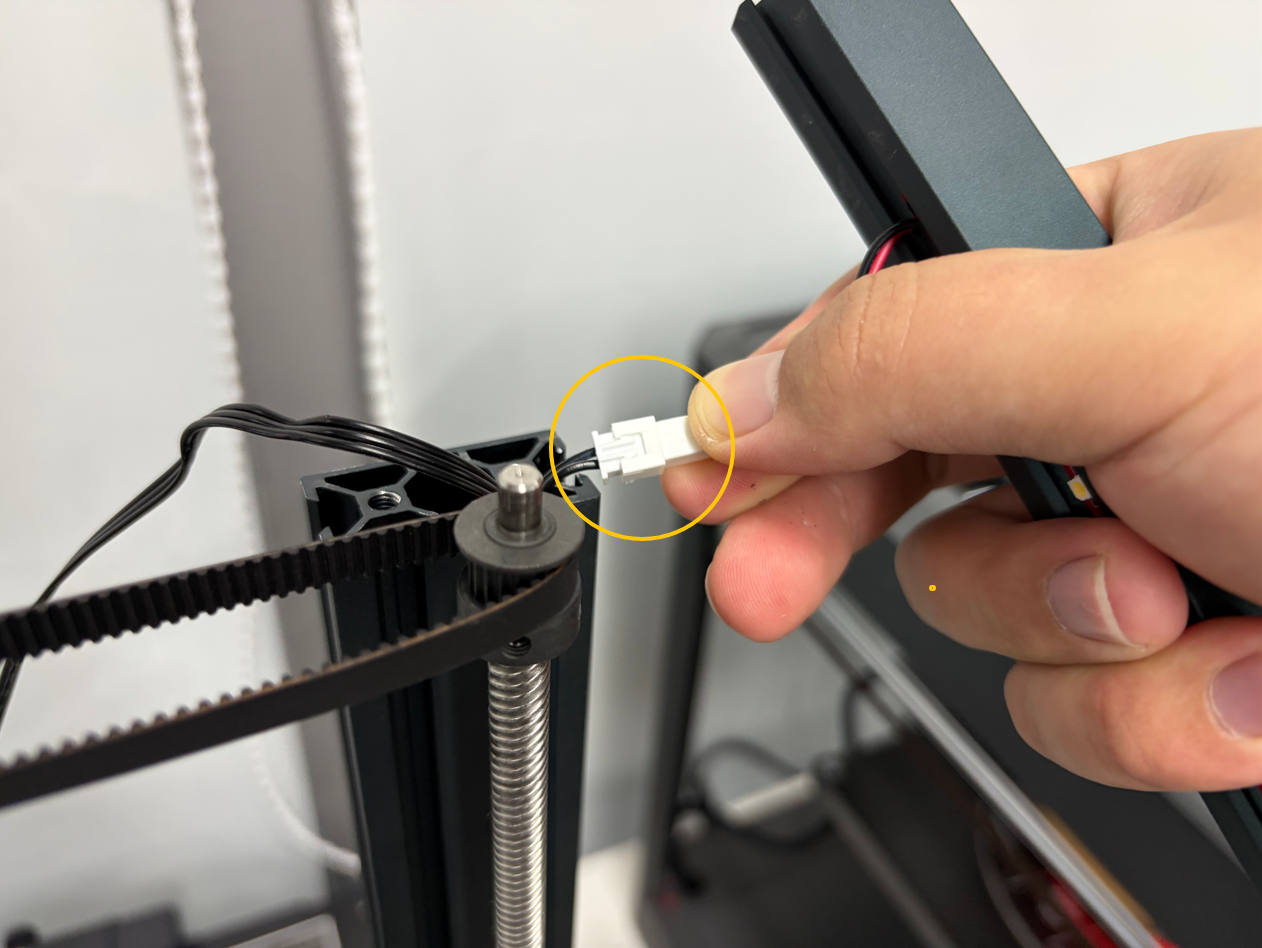
¶ 4.3 Disconnect the gantry LED adapter cable connector, then remove the crossbeam assembly.
¶ 5. Remove the Z-Axis Timing Pulleys and Belt
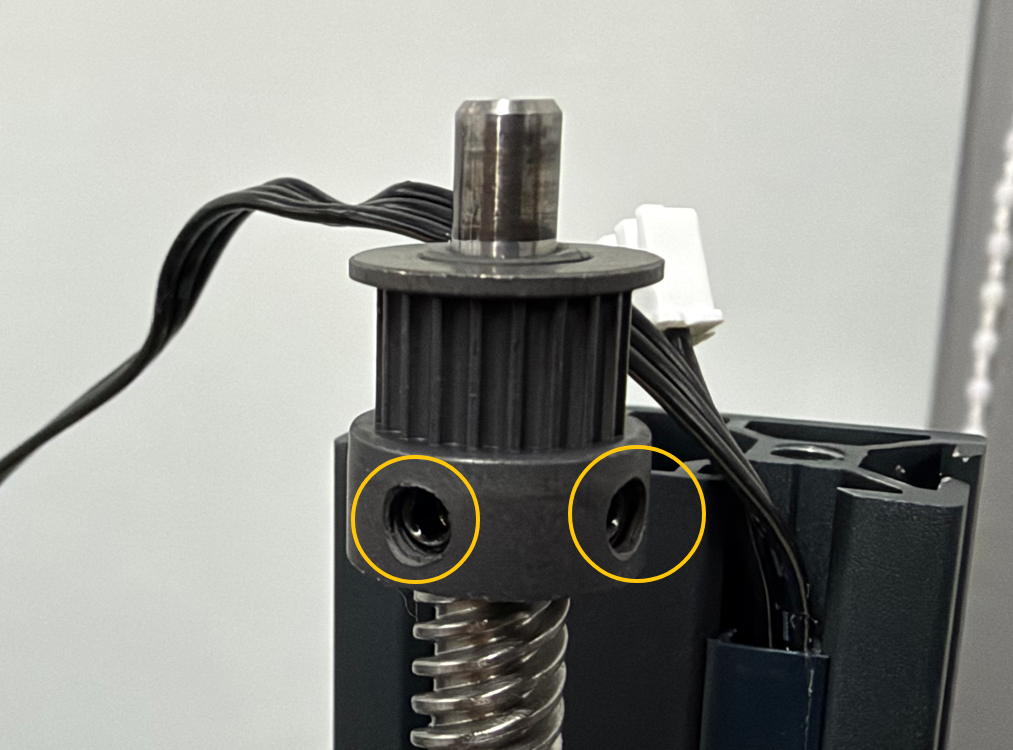
¶ 5.1 Use a 2.0 mm Allen key to loosen the grub screws securing the left and right Z-axis timing pulleys.
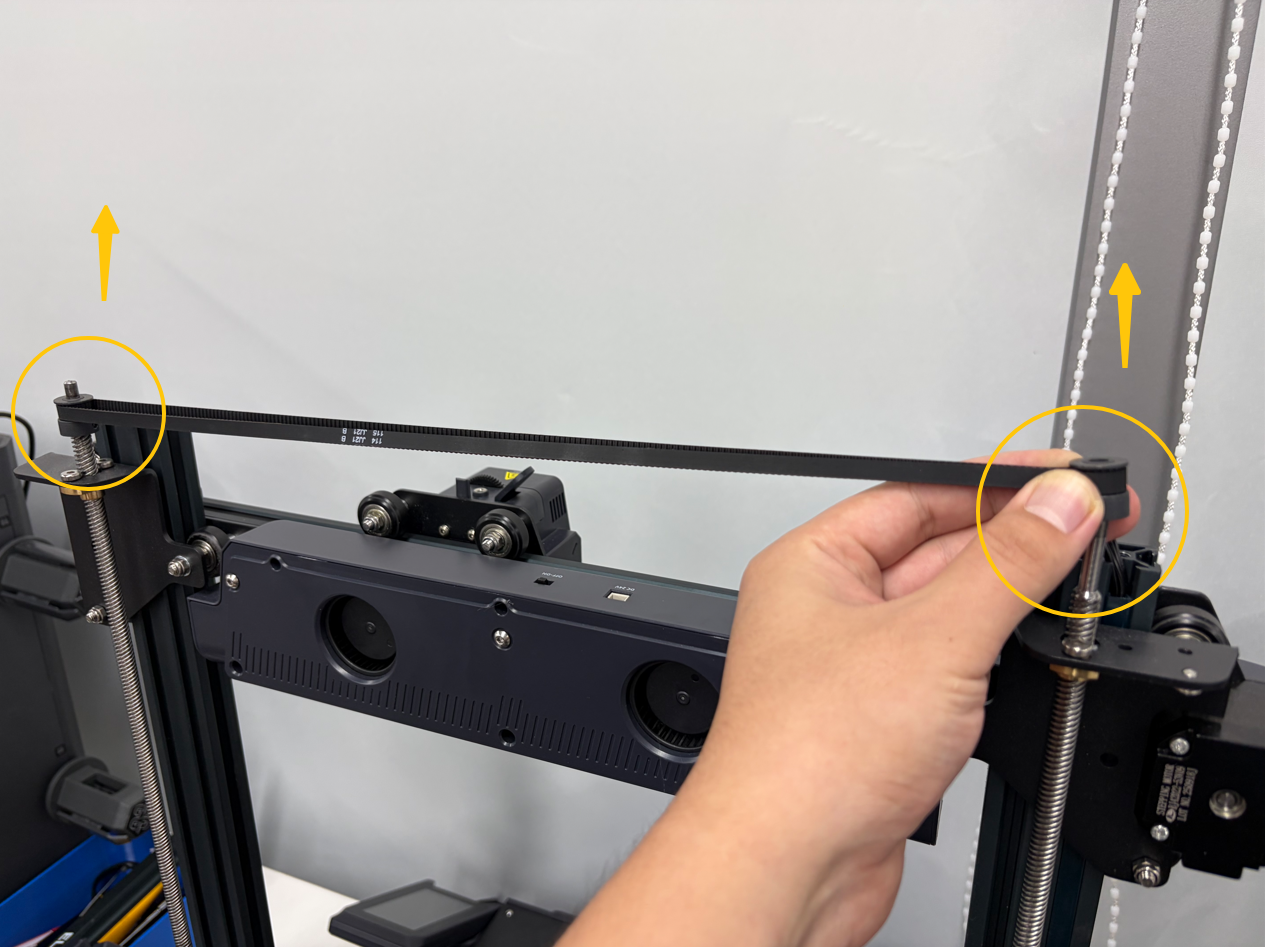
¶ 5.2 Lift the Z-axis timing pulleys upward, then remove the pulleys and the Z-axis timing belt.
¶ 6. Remove the X-Axis Assembly
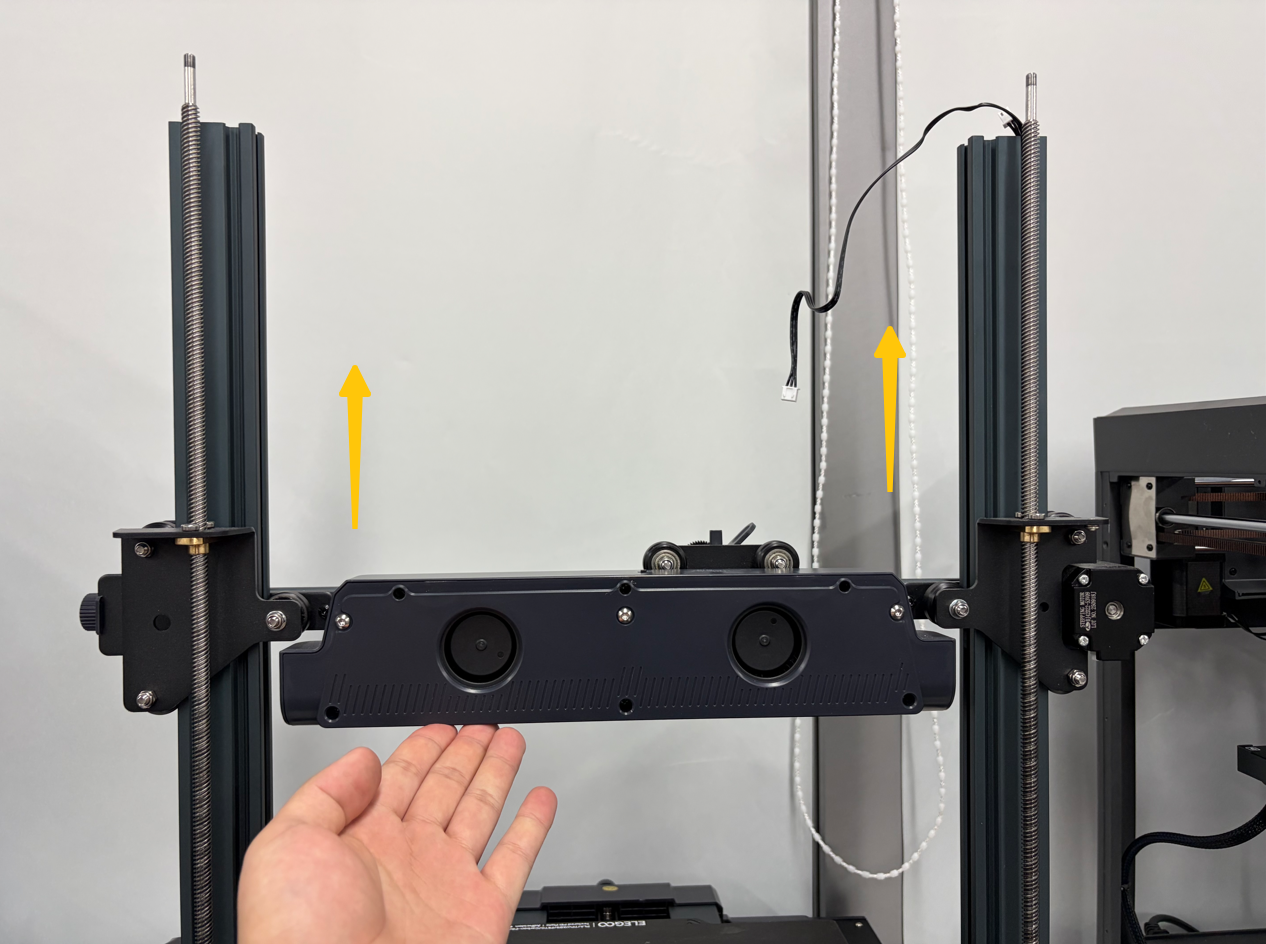
¶ 6.1 Continue pushing the X-axis assembly upward until the tops of the X-axis idler wheel panel and X-axis motor panel are level with the smooth sections of the Z-axis lead screws.
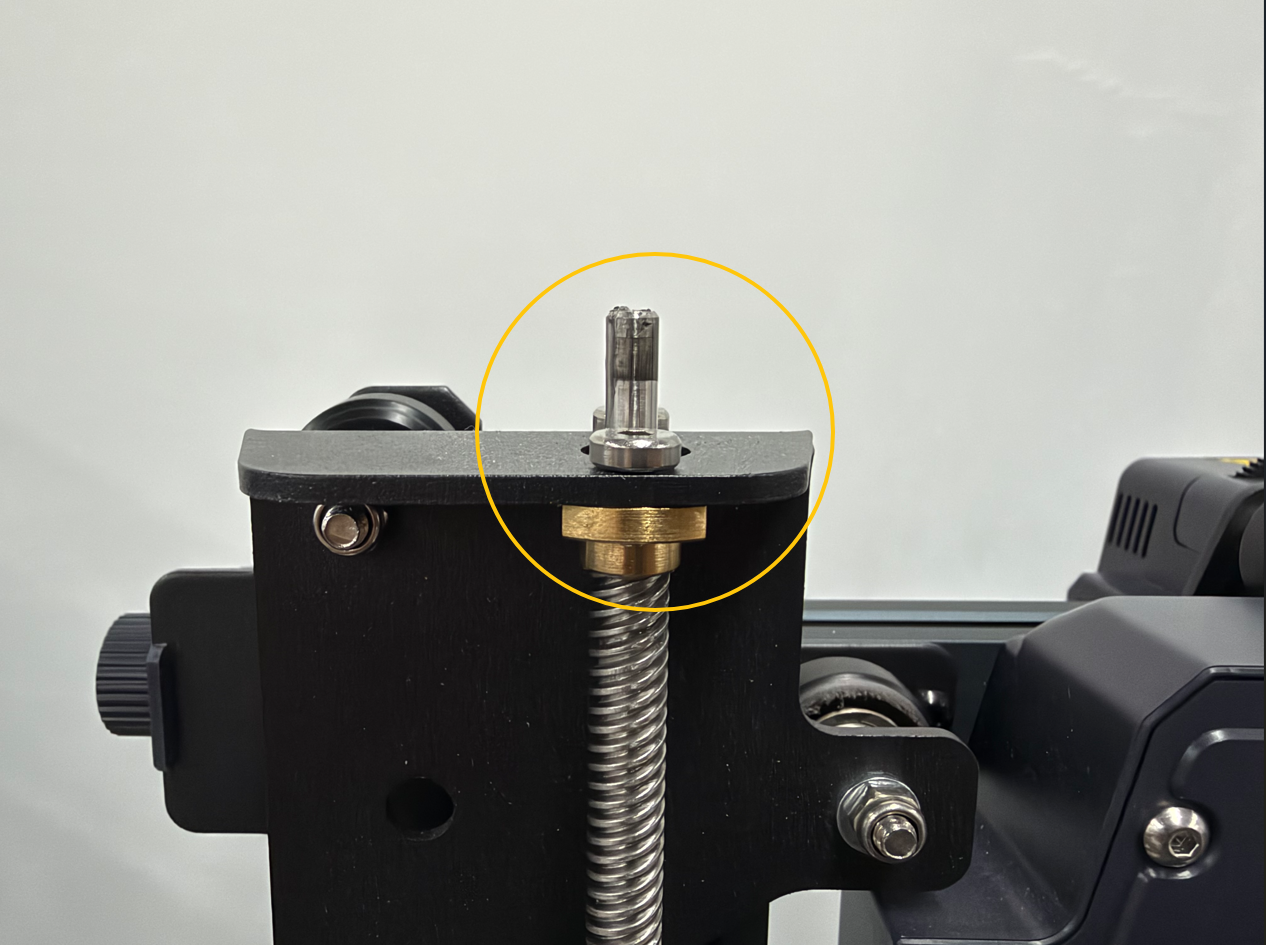
¶ 6.2 After confirming that the X-axis assembly has disengaged from the Z-axis lead screws, carefully remove the old X-axis assembly.
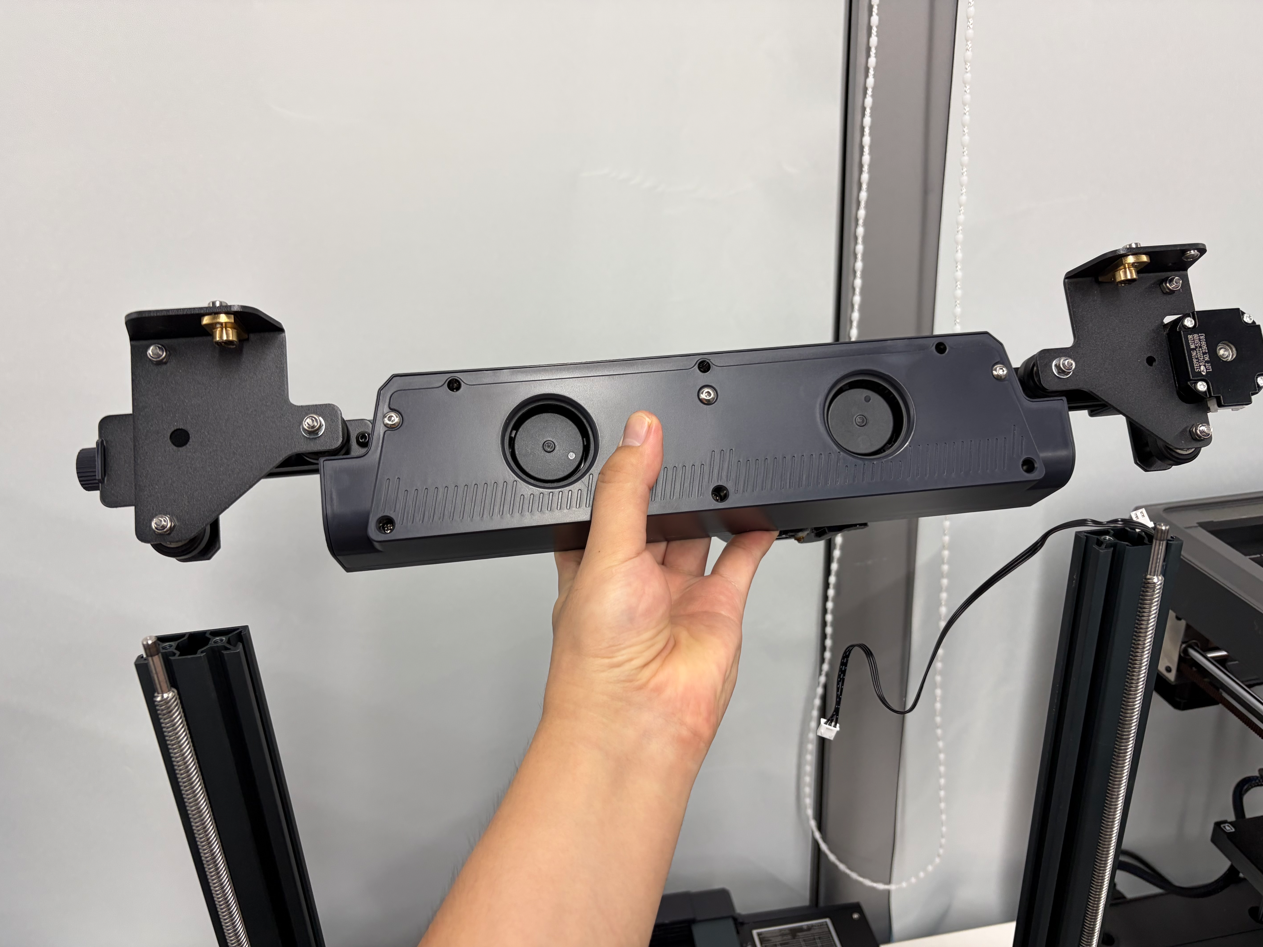
¶ Installation
¶ 1. Install the X-Axis Assembly
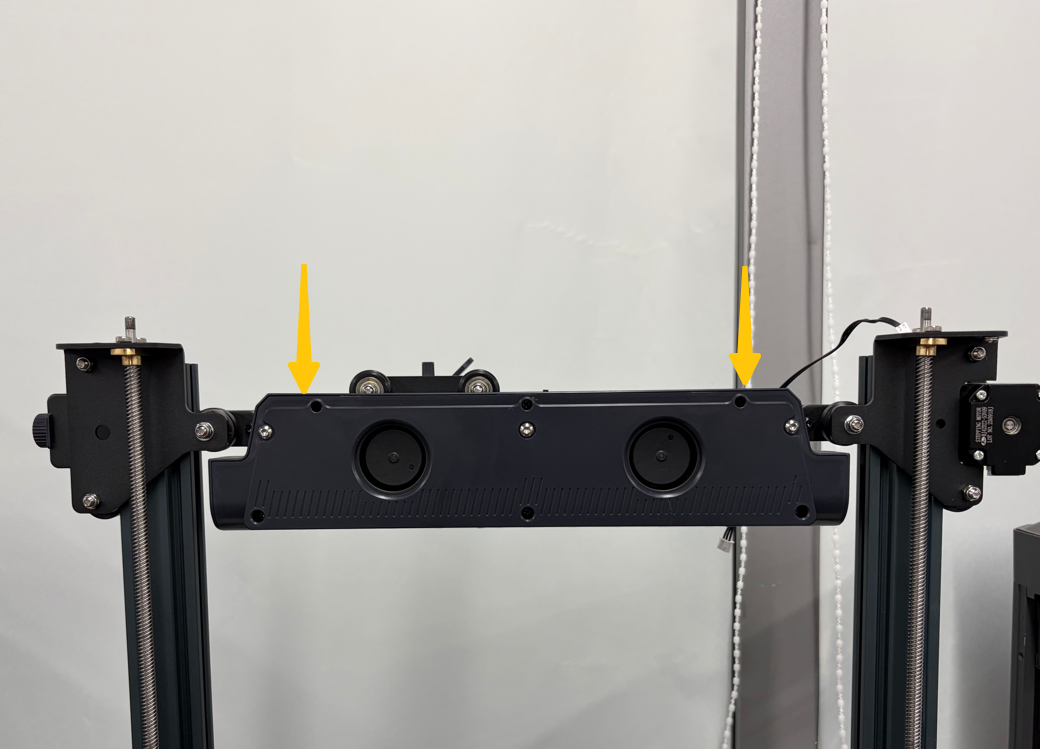
¶ 1.1 Align the new X-axis assembly with the left and right Z-axis lead screws, then position it in place.
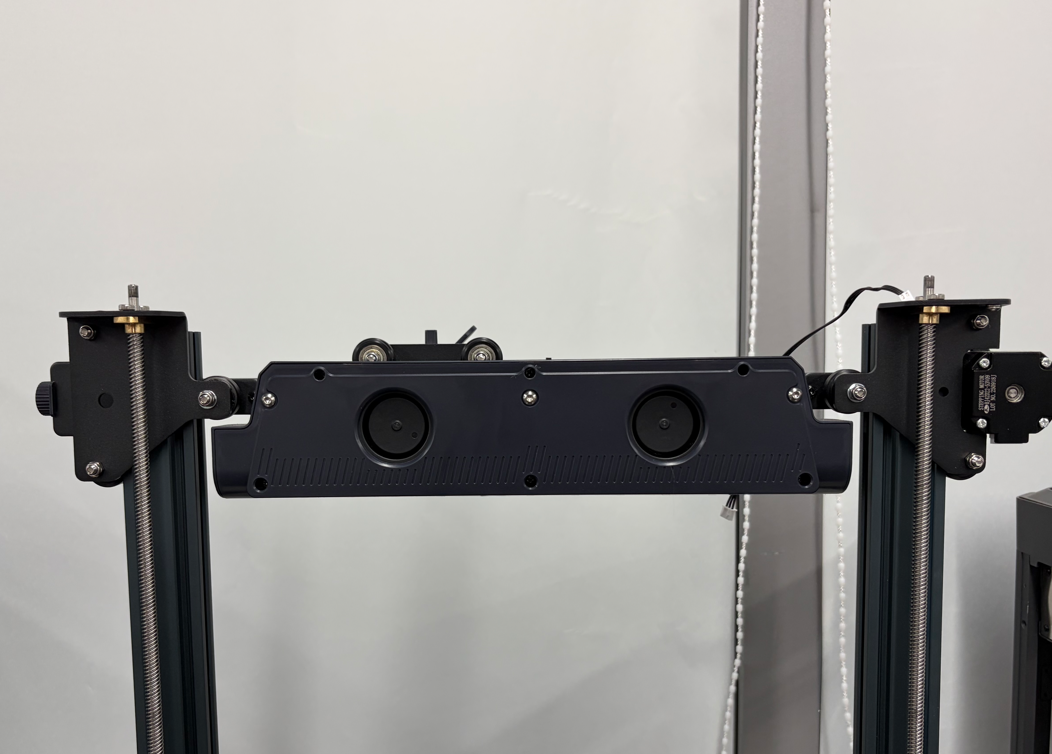
¶ 1.2 Ensure that the Z-axis heights on the left and right sides are level.
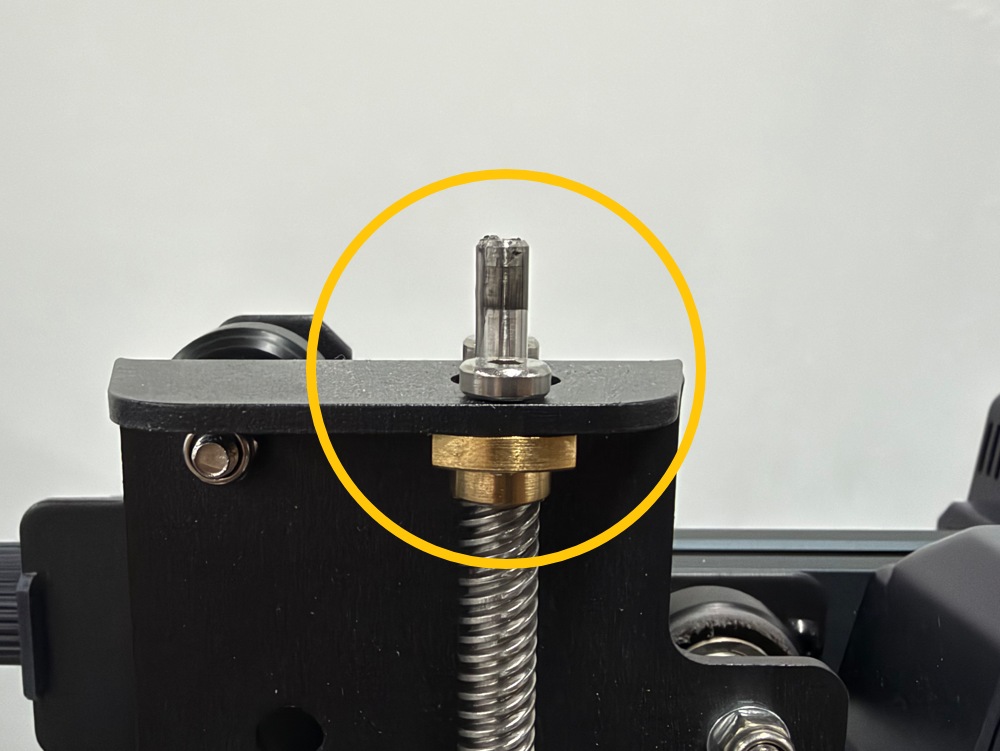
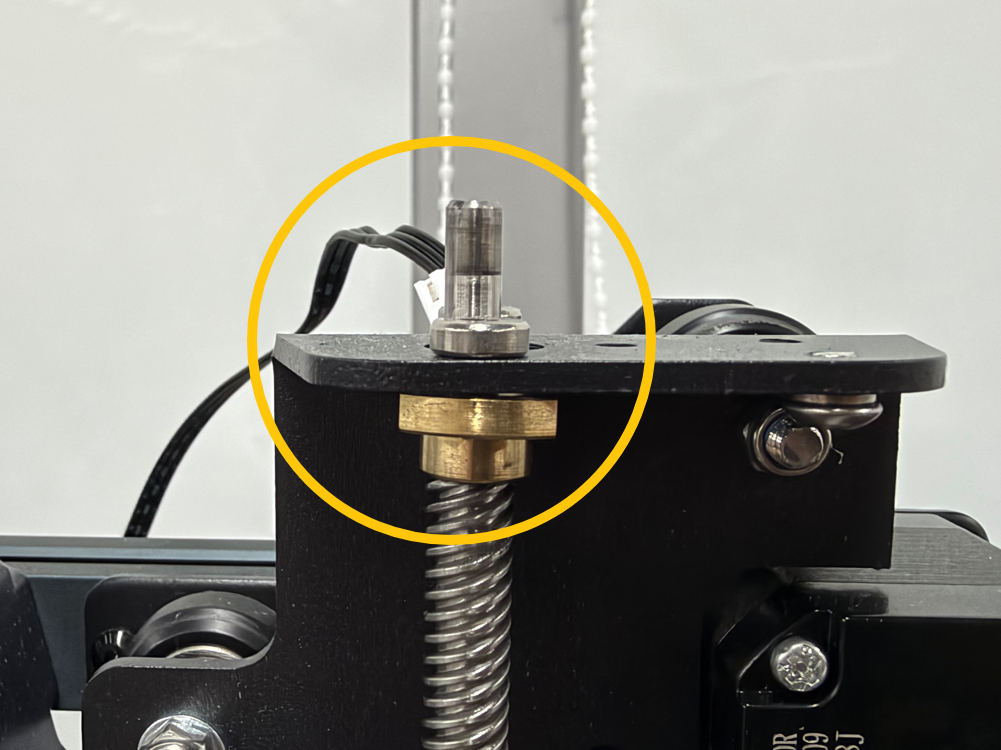
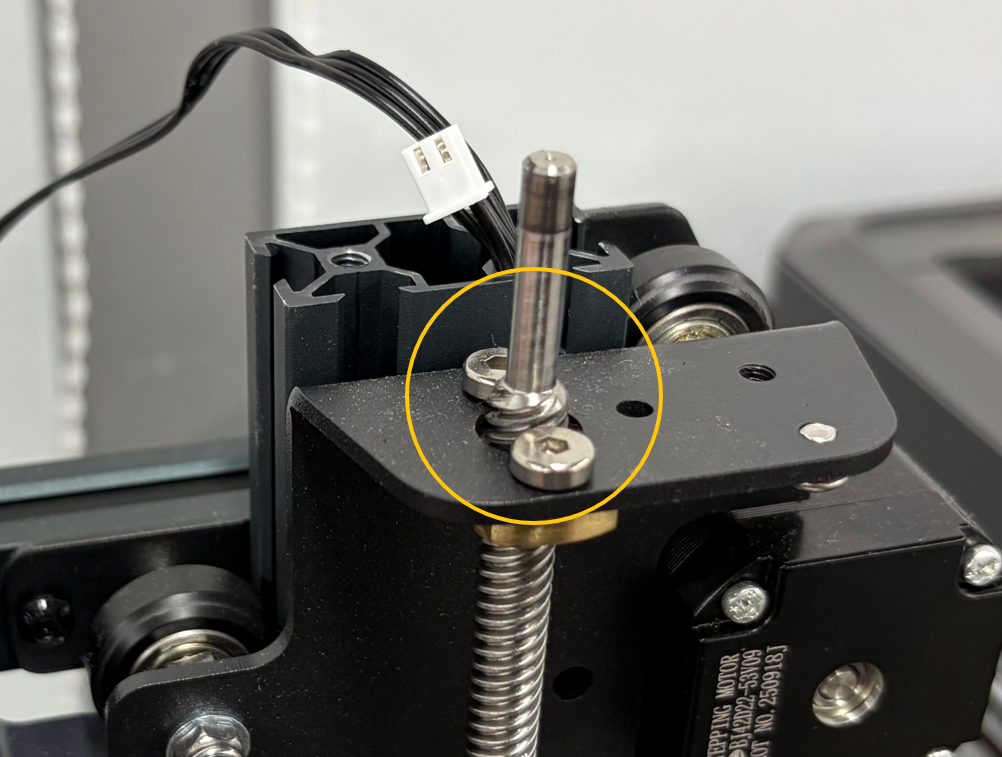
¶ 1.3 Slowly push the X-axis assembly downward until the threaded sections of both Z-axis lead screws engage with the lead screw nuts.
¶ 2. Install the Z-Axis Timing Pulleys and Belt
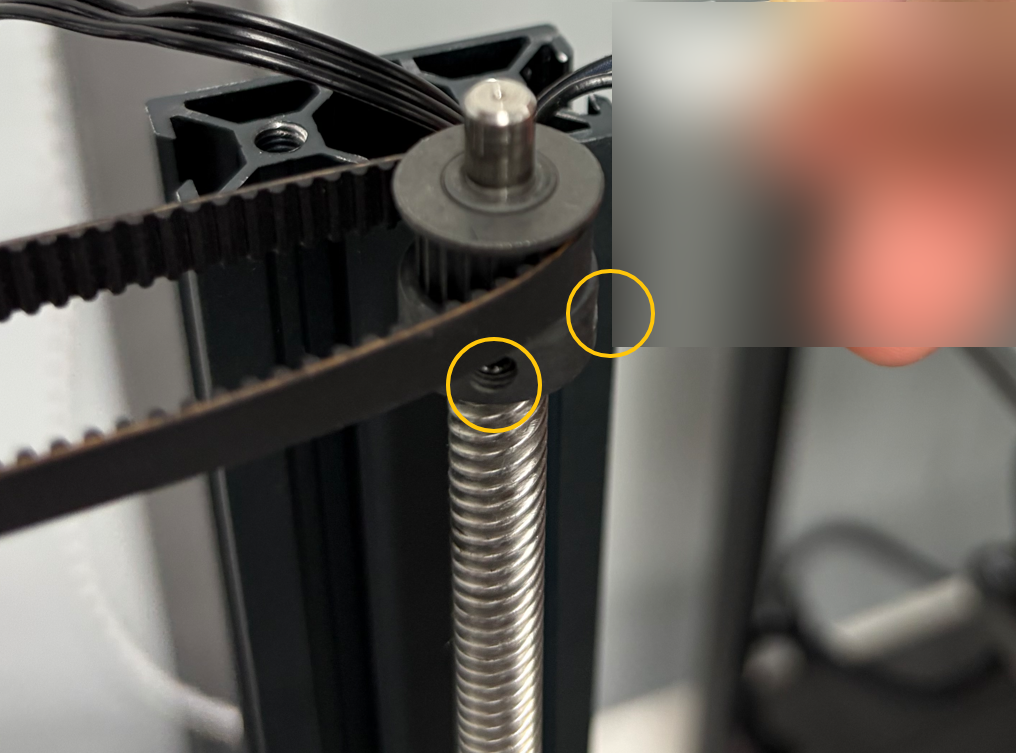
¶ 2.1 Position the left timing pulley in place, then tighten the two grub screws securing the left Z-axis timing pulley.
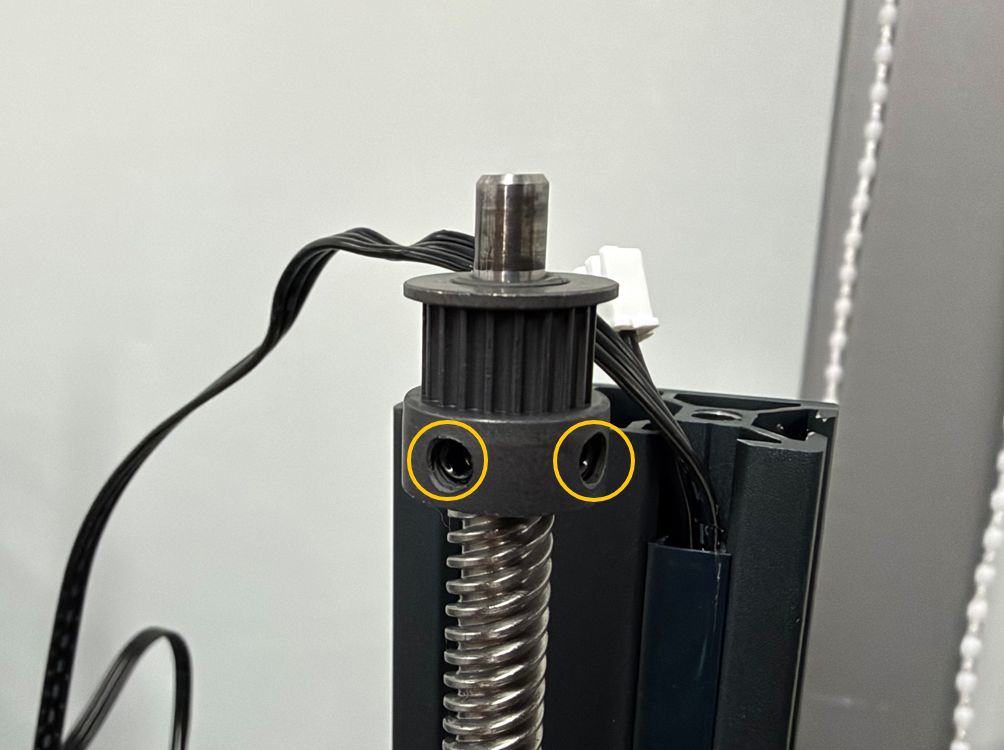
¶ 2.2 First, fit the Z-axis timing belt onto the left timing pulley. Then, position the right Z-axis timing pulley inside the belt and install it on the smooth section of the right Z-axis lead screw.
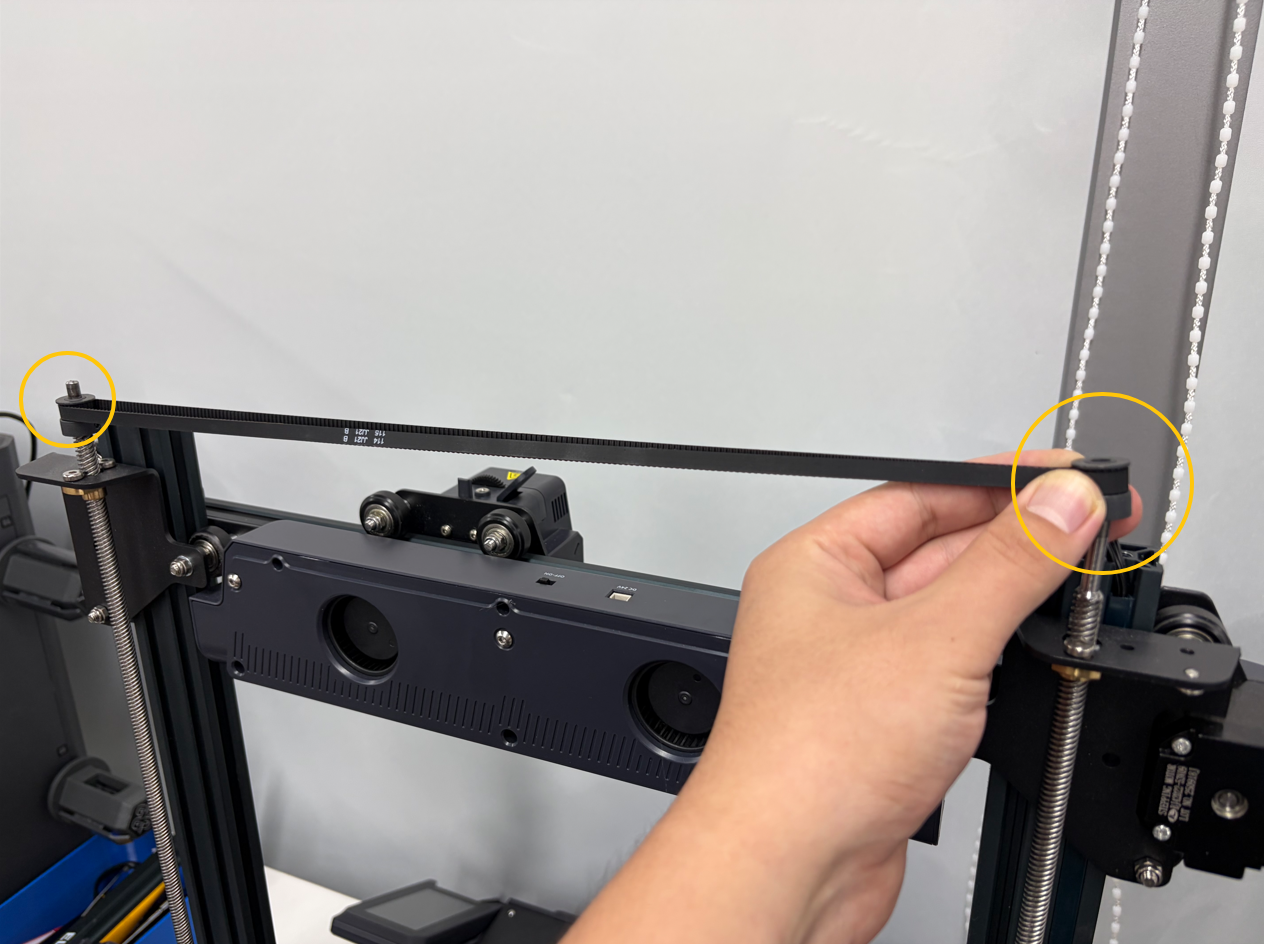
¶ 2.3 Tighten the grub screws securing the right Z-axis timing pulley on the right Z-axis lead screw.
¶ 3. Install the Crossbeam and Top Sheet Metal Assemblies
¶ 3.1 Position the crossbeam assembly in place.
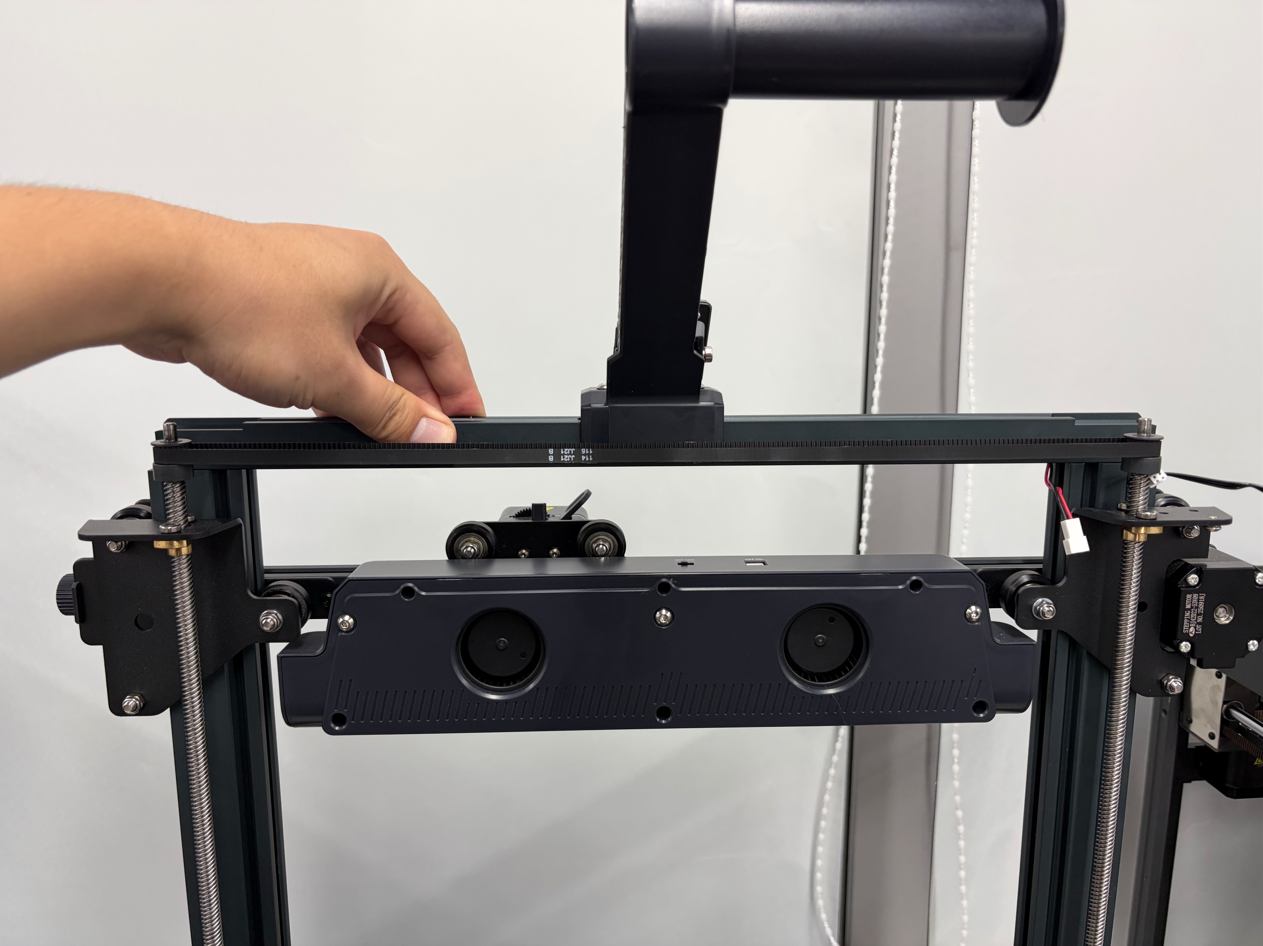
¶ 3.2 Support the crossbeam while positioning the left top sheet metal assembly in place.
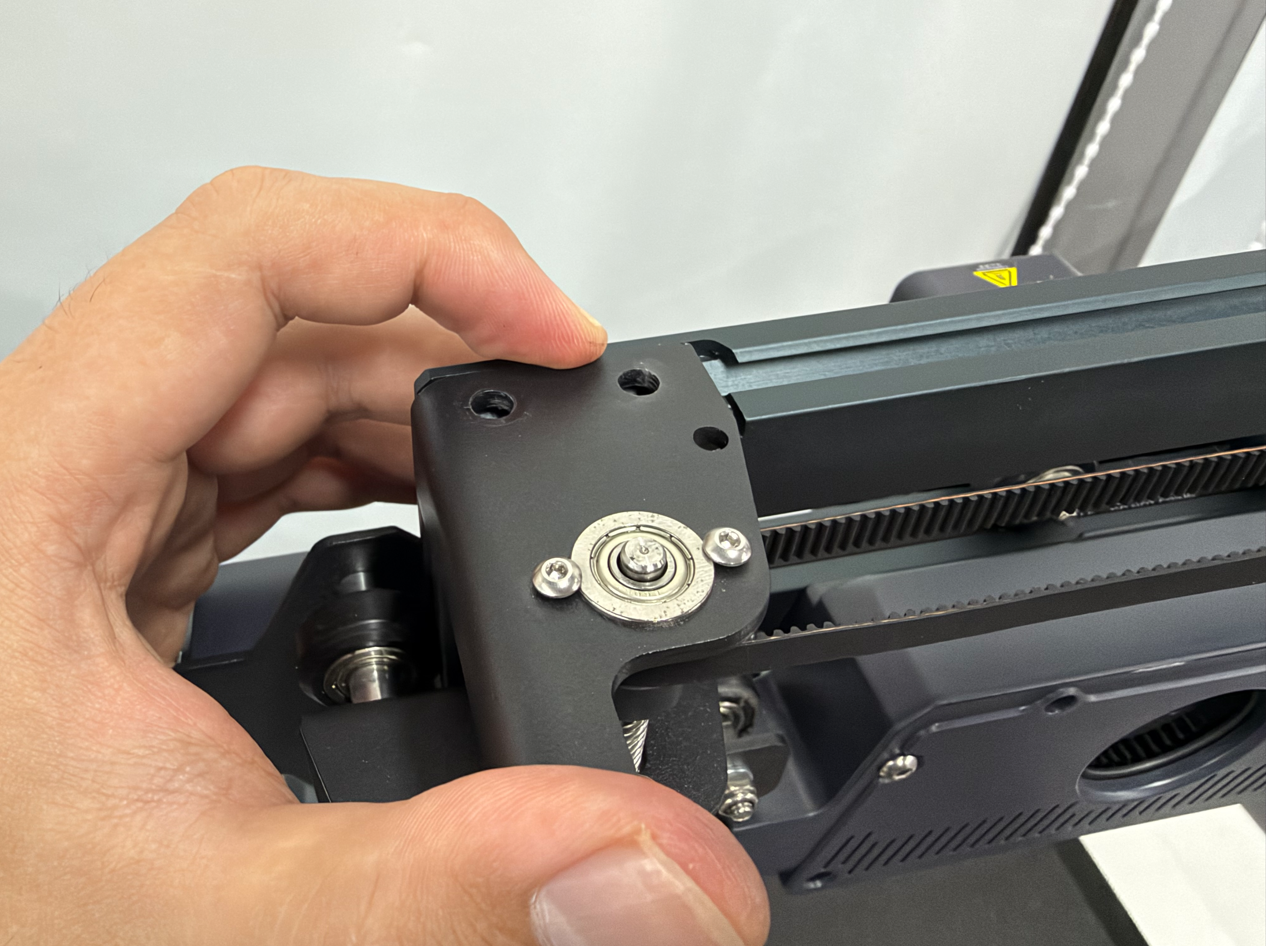
¶ 3.3 Tighten the two screws securing the left top sheet metal assembly.
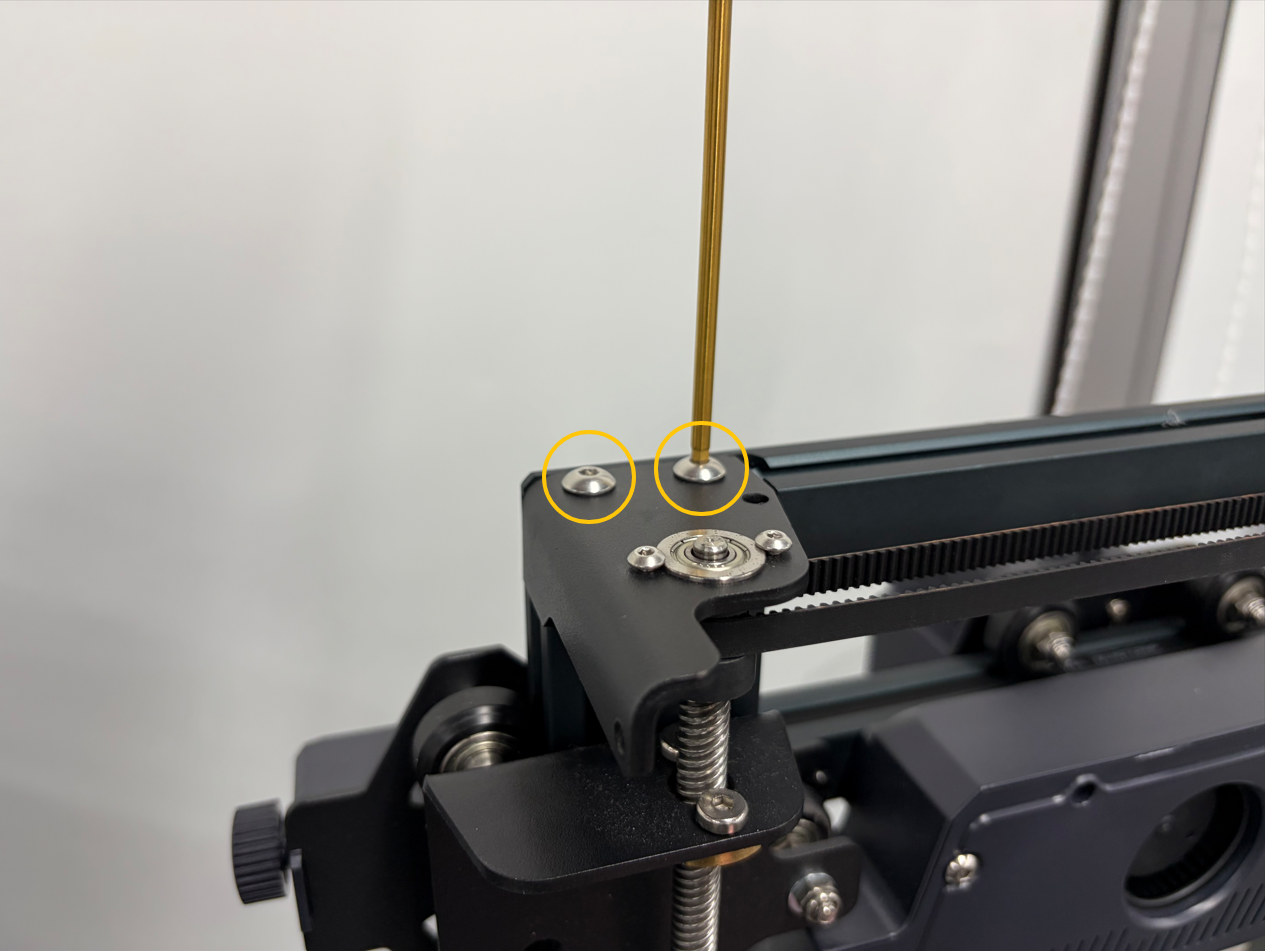
¶ 3.4 Route the filament runout sensor cable harness through the groove in the aluminum profile.
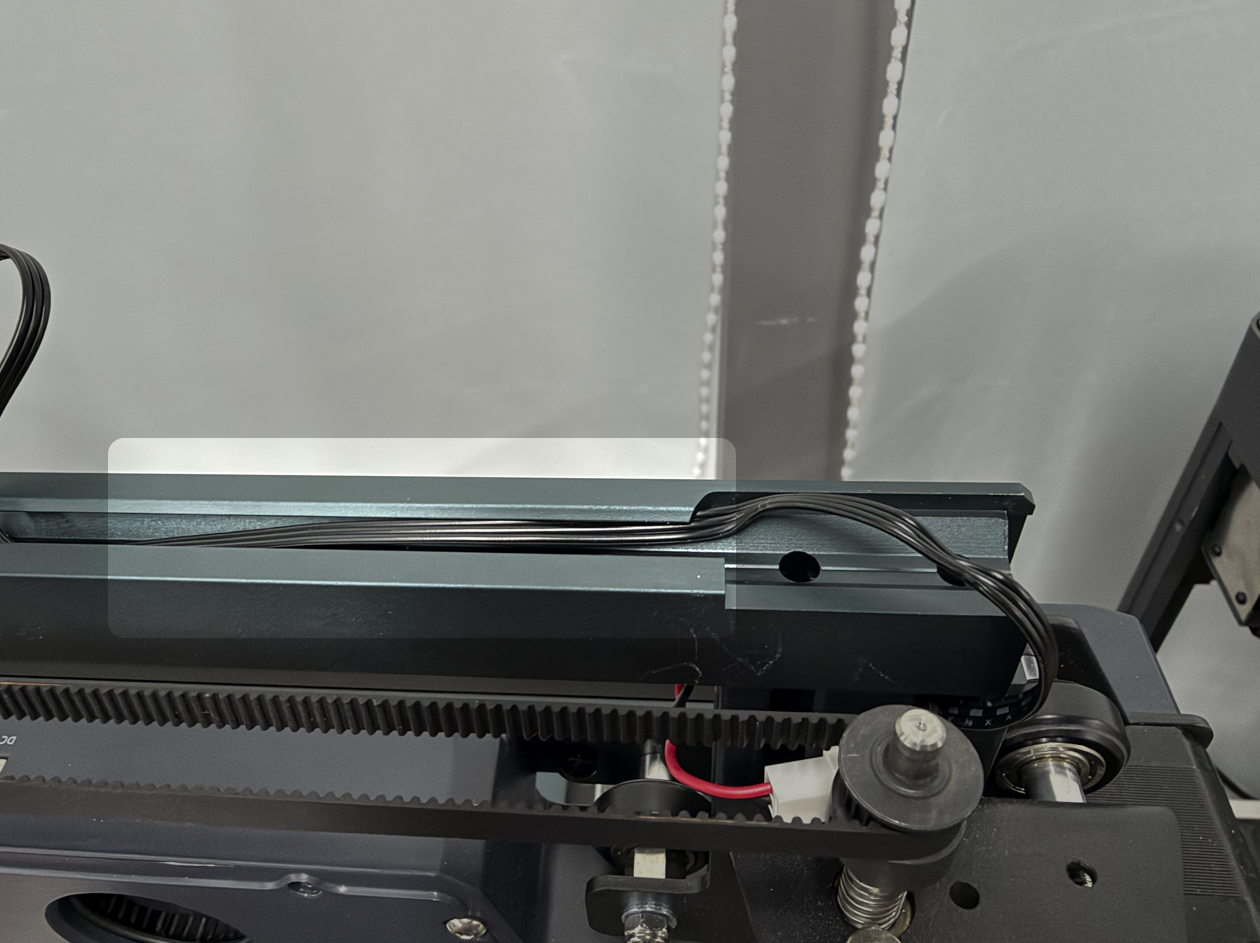
¶ 3.5 Reinstall the cable clip.
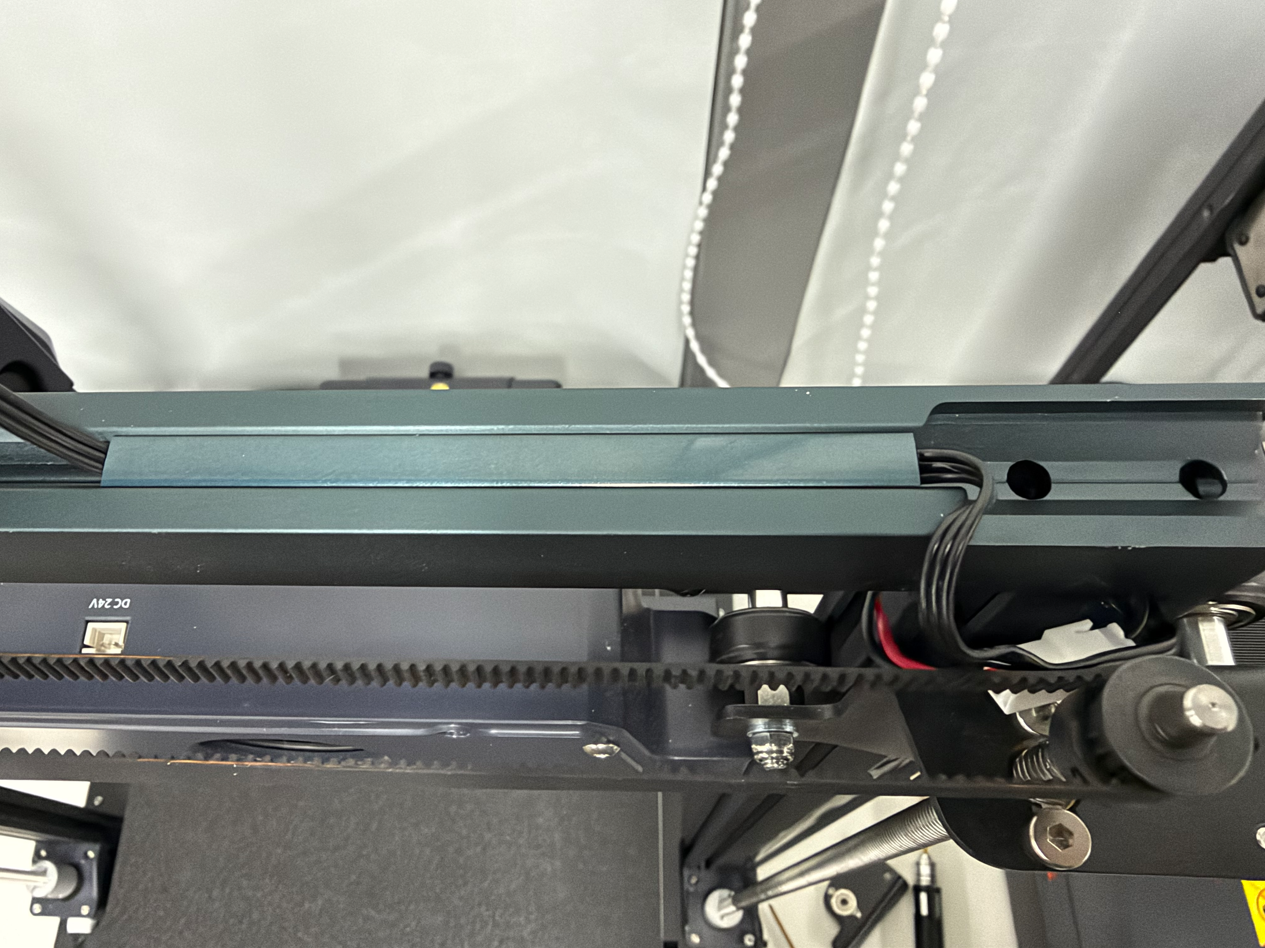
¶ 3.6 Reconnect the gantry LED cable connector to the adapter port.
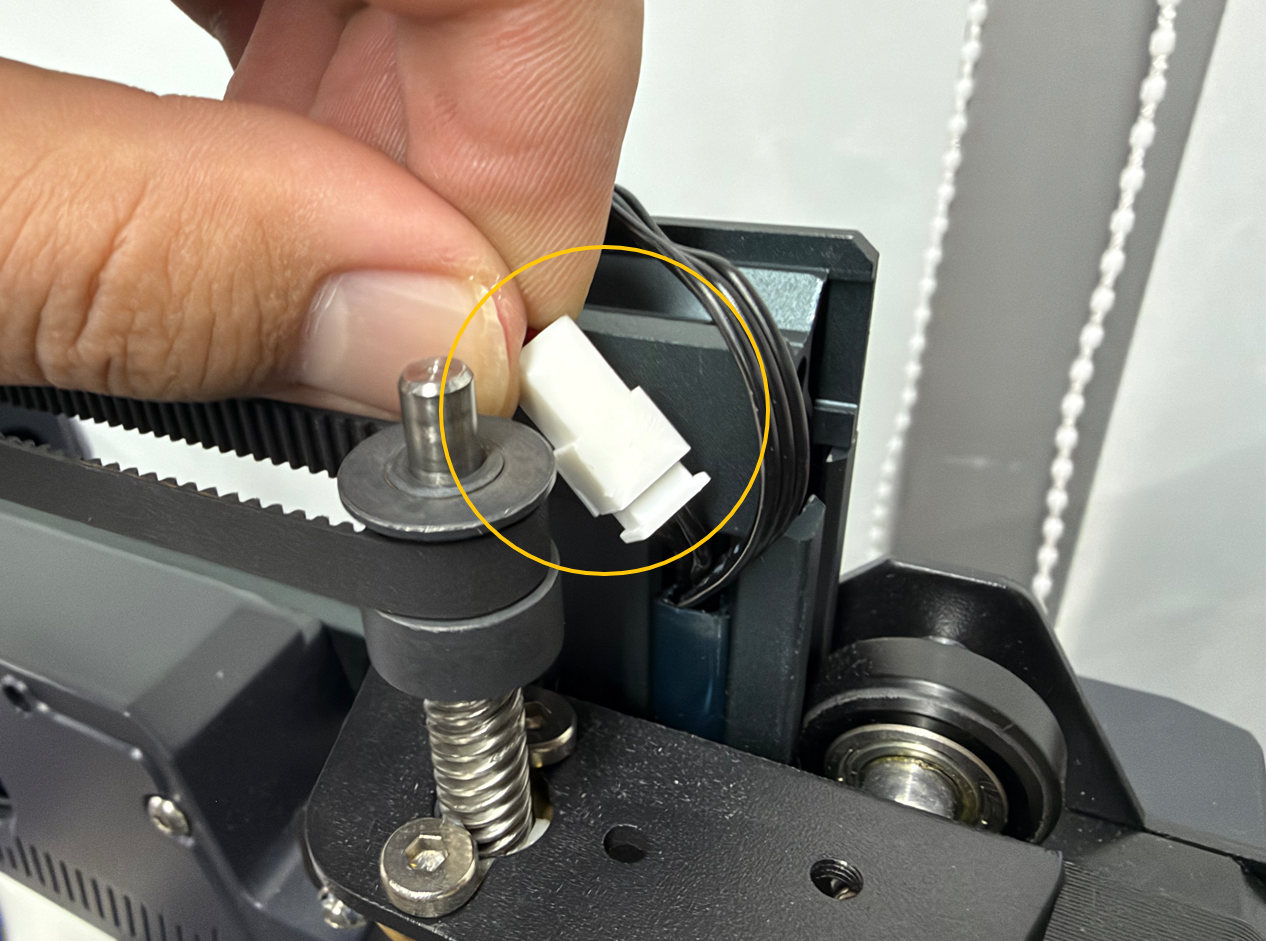
¶ 3.7 Position the right top sheet metal assembly in place, then tighten the two screws securing it.
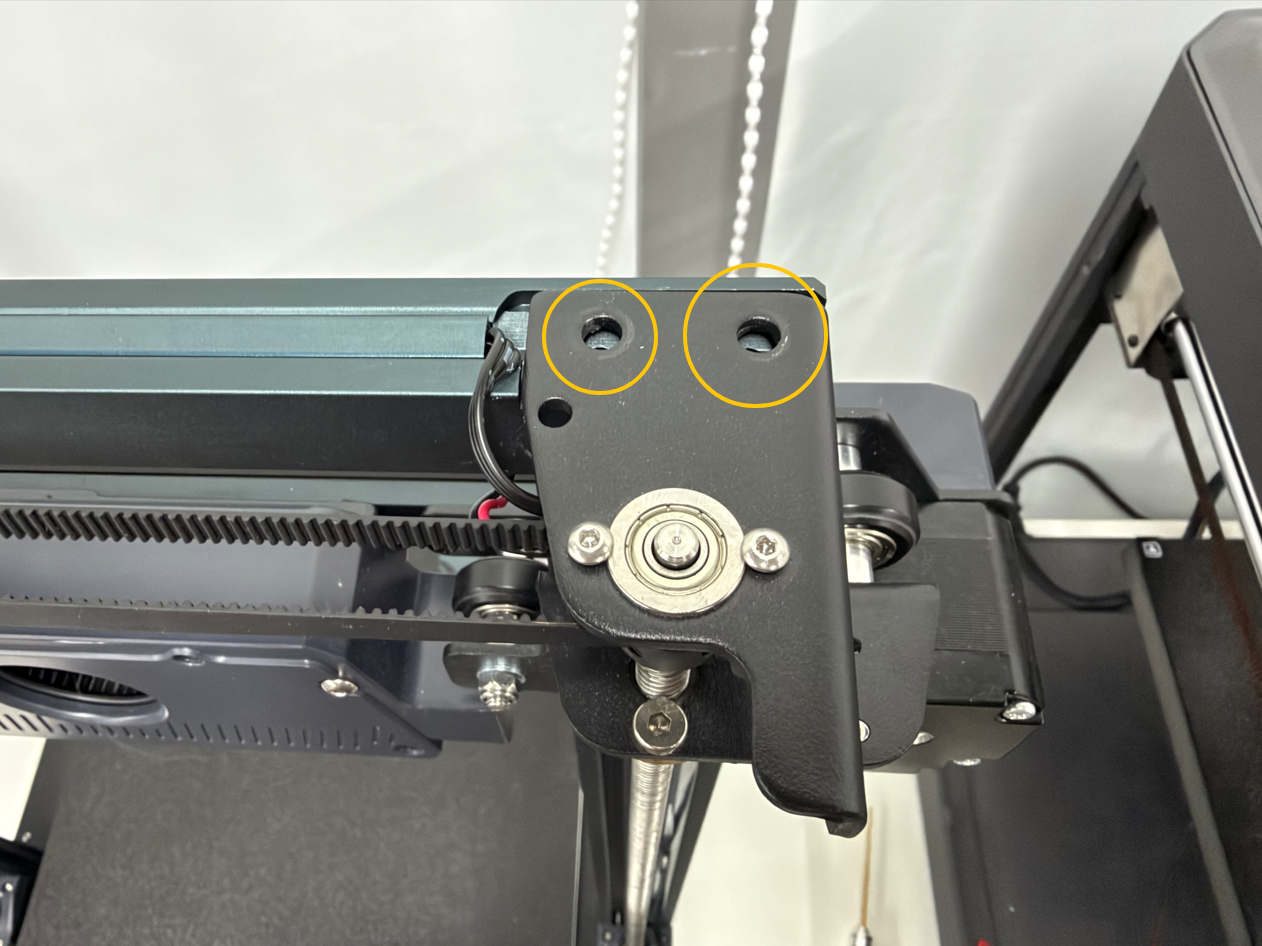
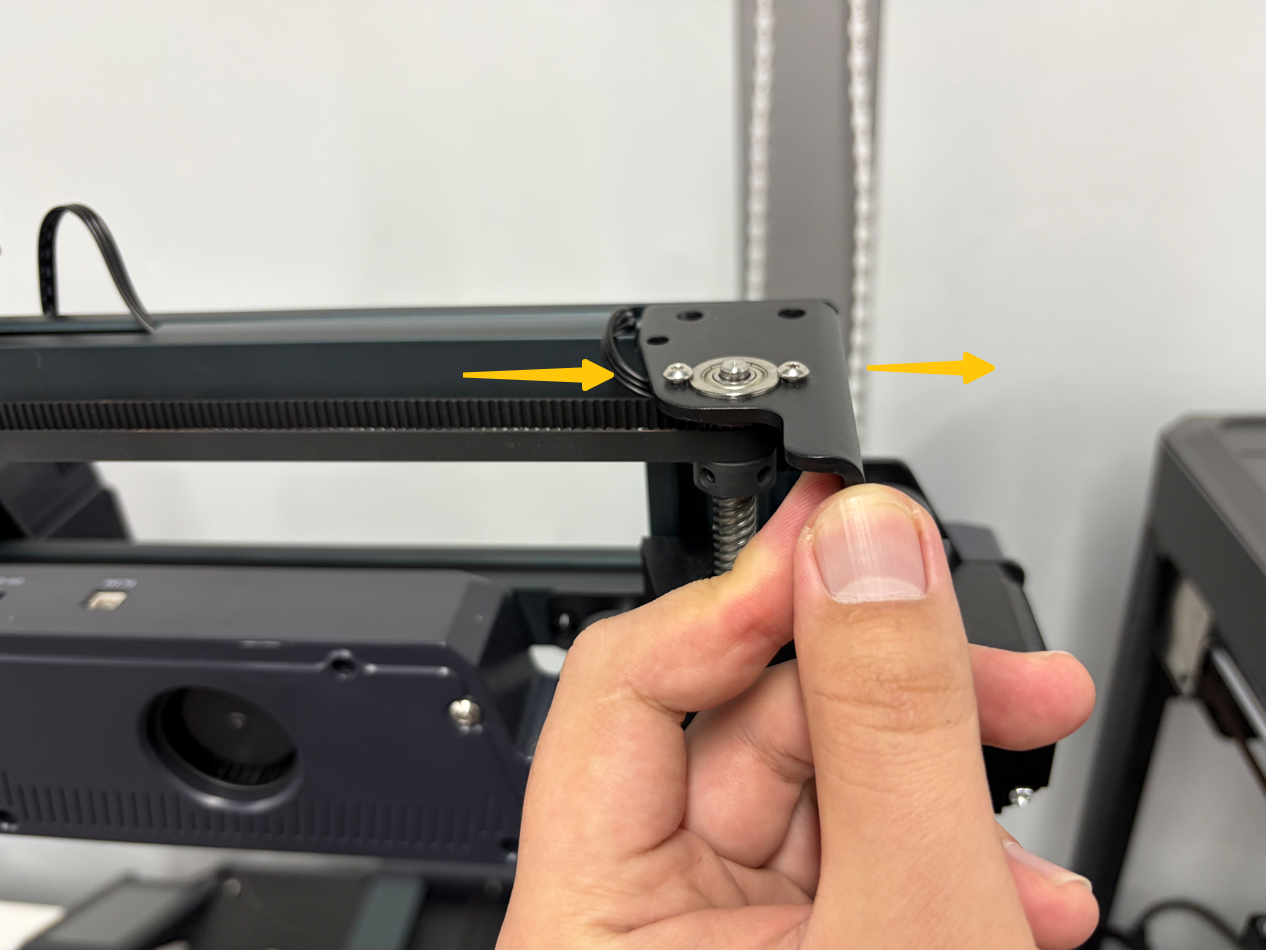
Note: If the Z-axis timing belt is too loose, loosen the two screws securing the top sheet metal assembly. Gently push the assembly outward until the belt is taut, then retighten the screws.
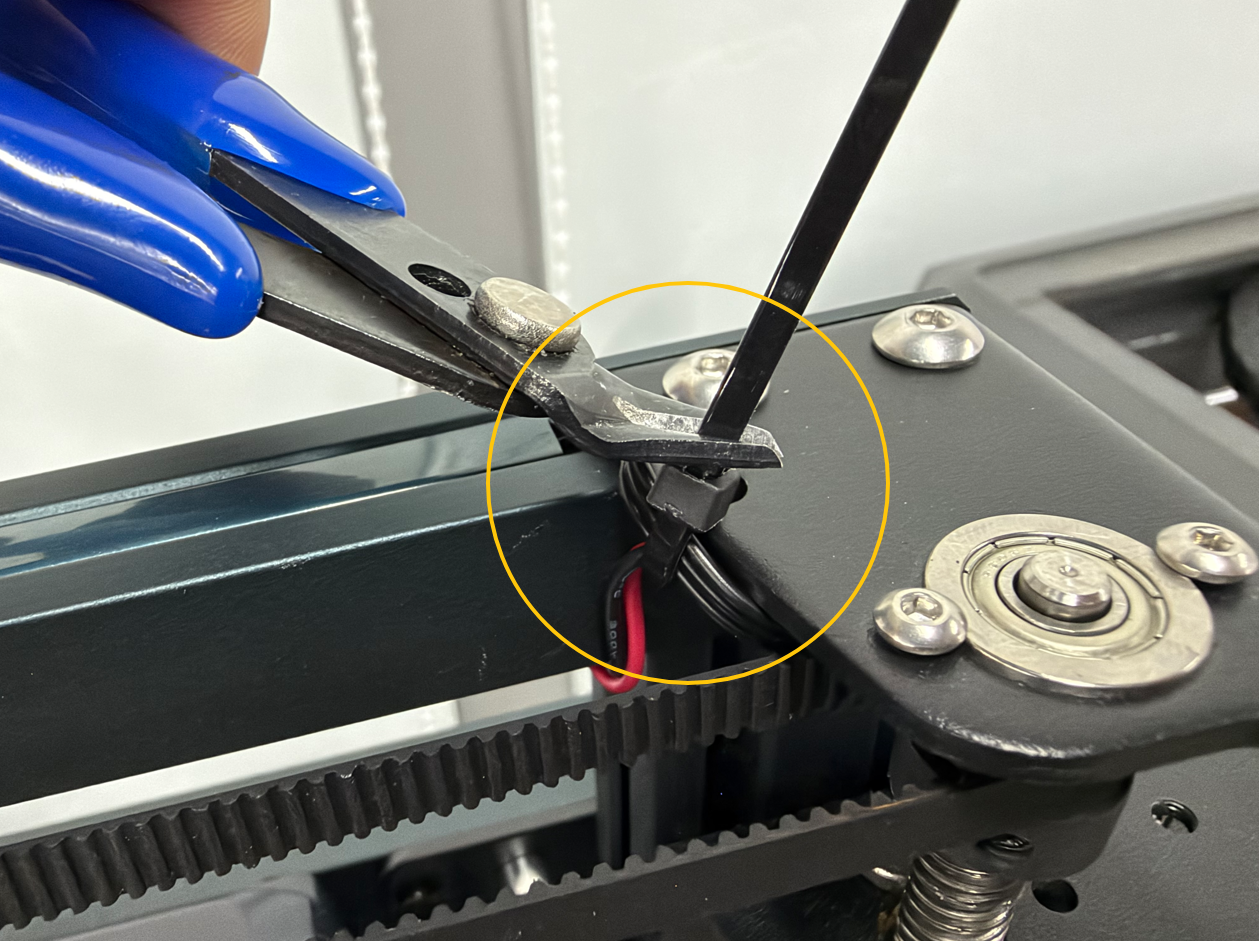
¶ 3.8 Secure the cable harness with a cable tie, then trim off the excess with wire cutters.
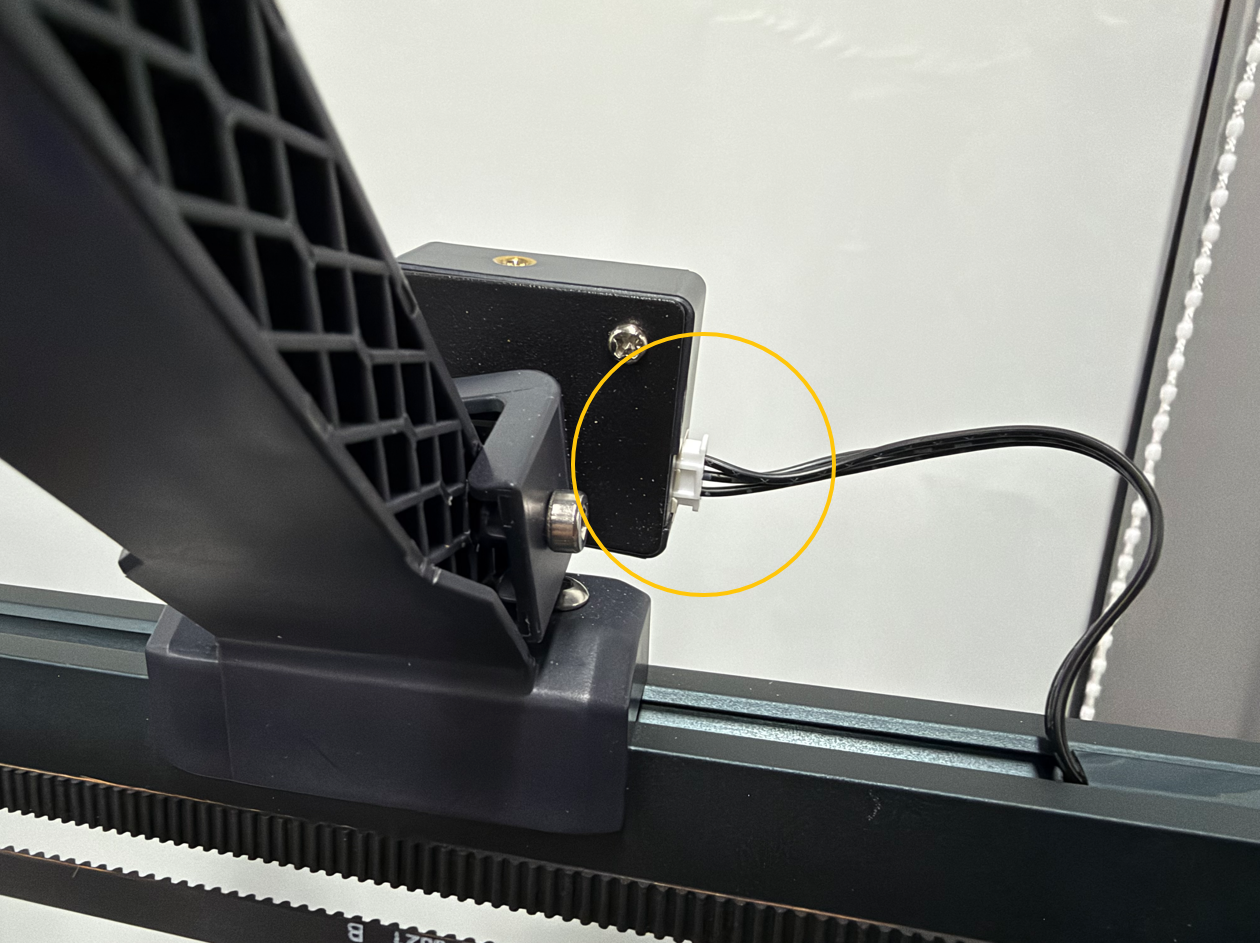
¶ 3.9 Reconnect the filament runout sensor connector to its original port.
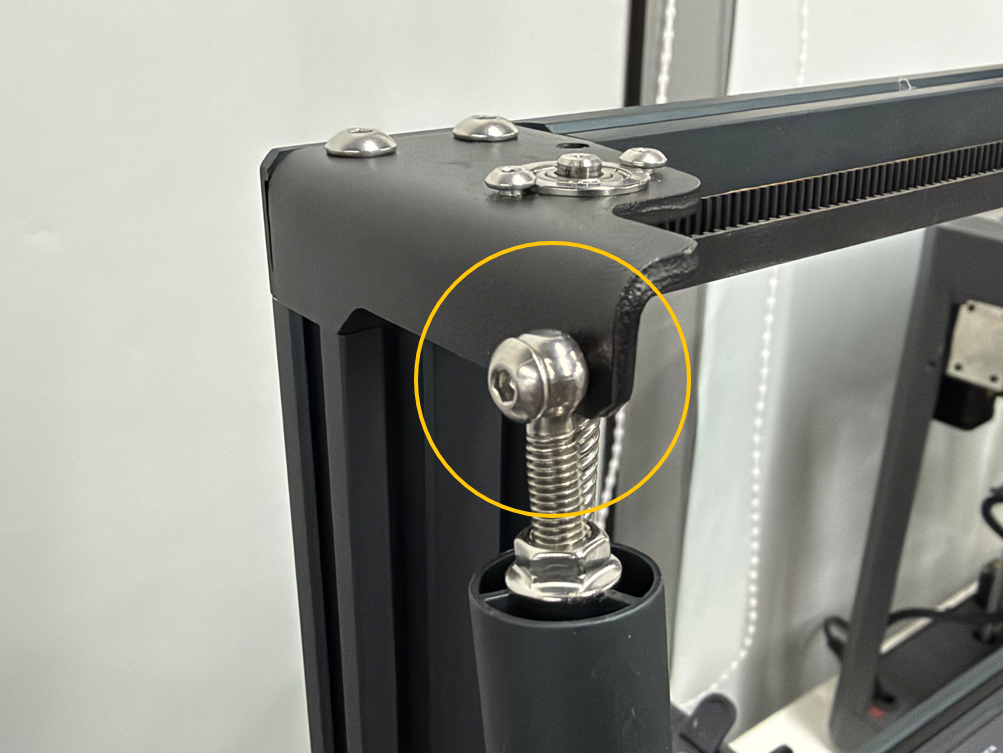
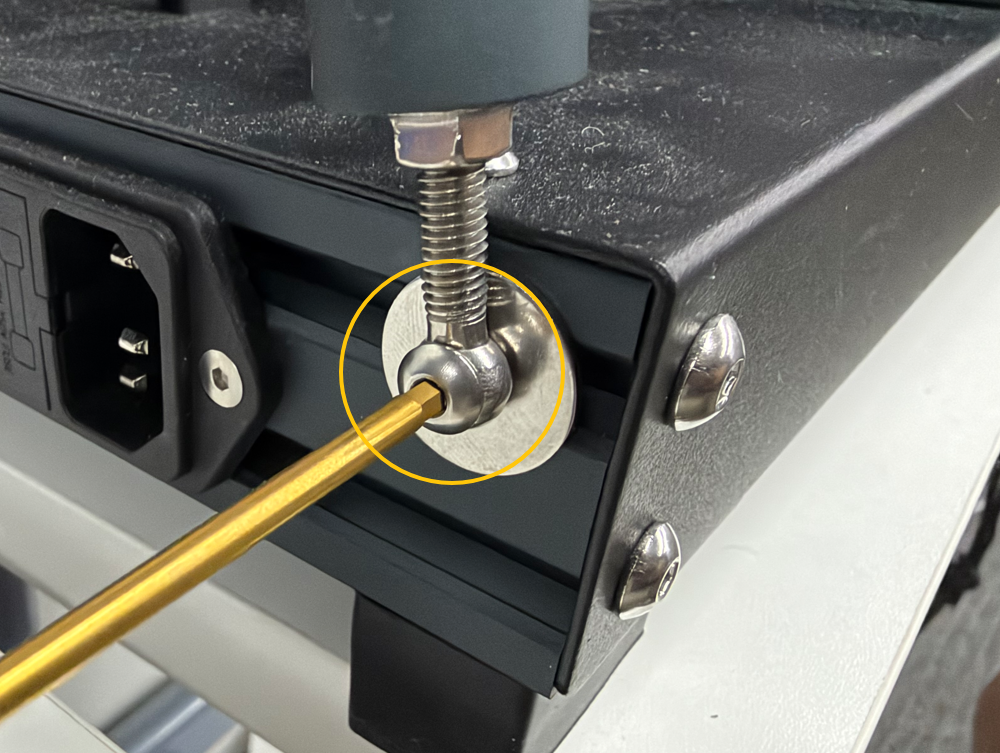
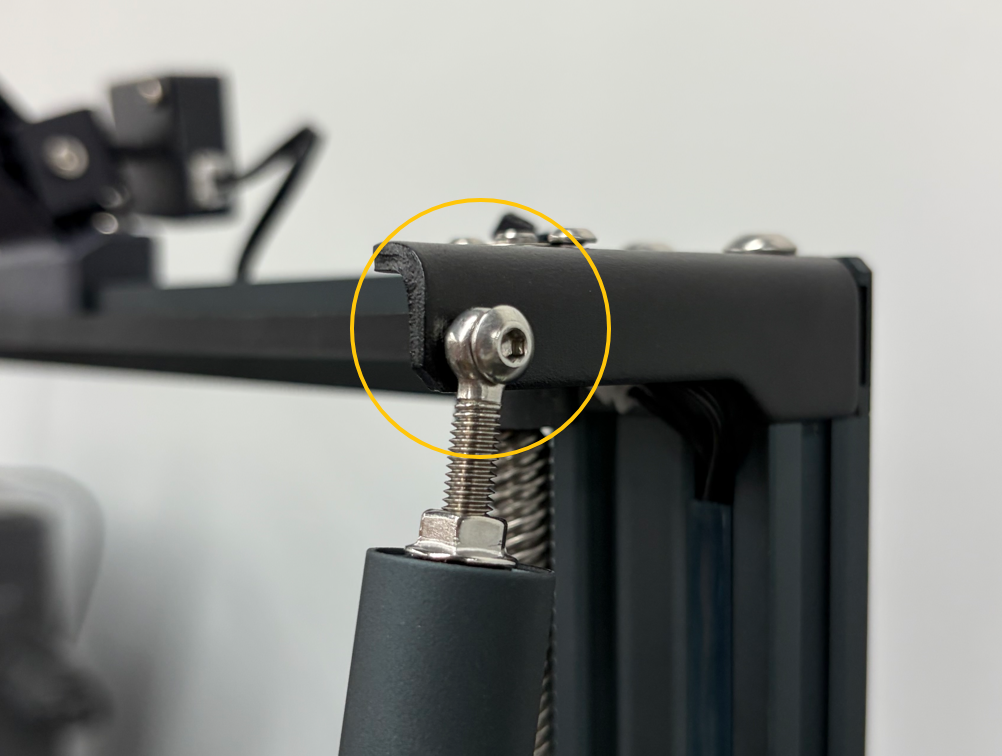
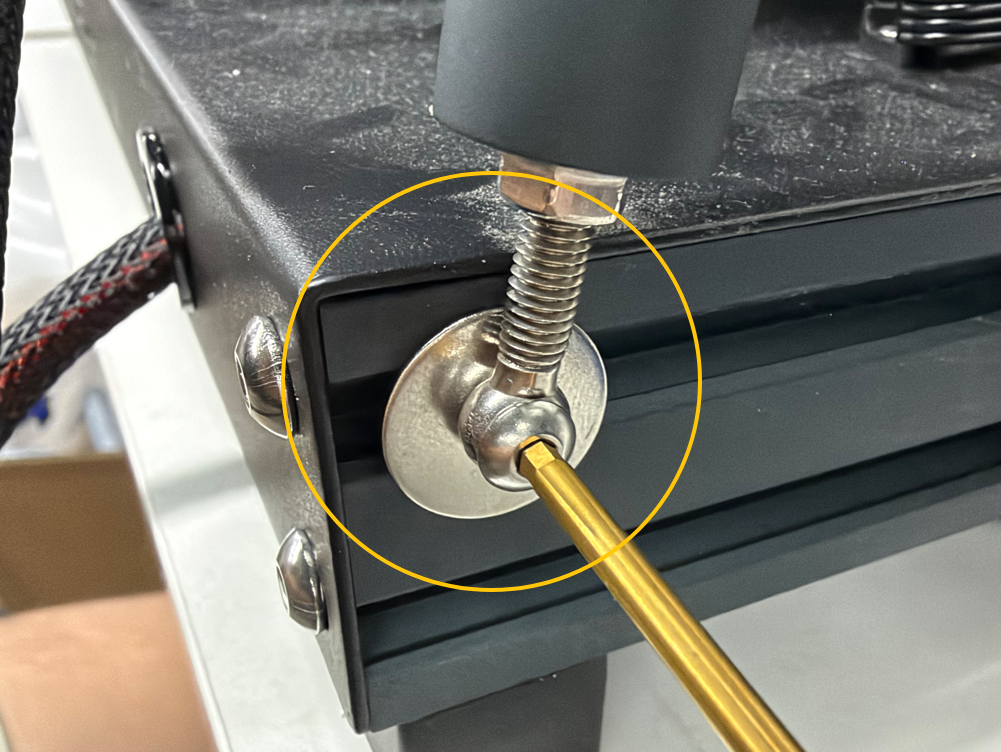
¶ 4. Install the Tie Rods
Position the left and right tie rods in place, then tighten the securing screws.
¶ 5. Reconnect the Cables
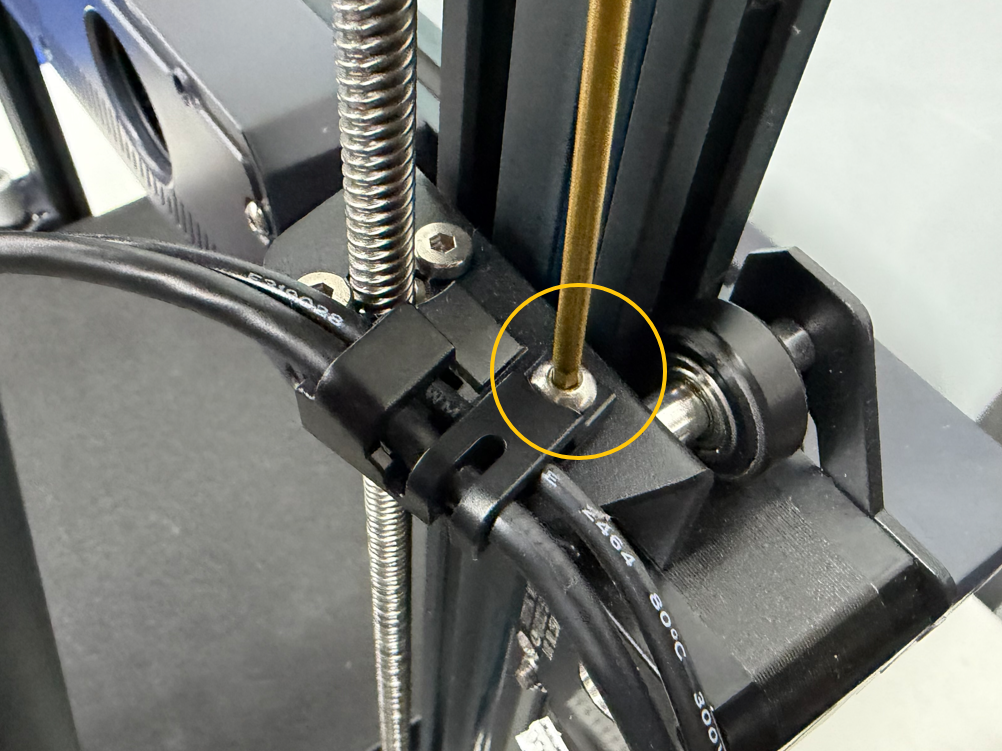
¶ 5.1 Reinstall the cable clip and tighten its securing screw.
¶ 5.2 Reconnect the X motor cable connector to its original port.
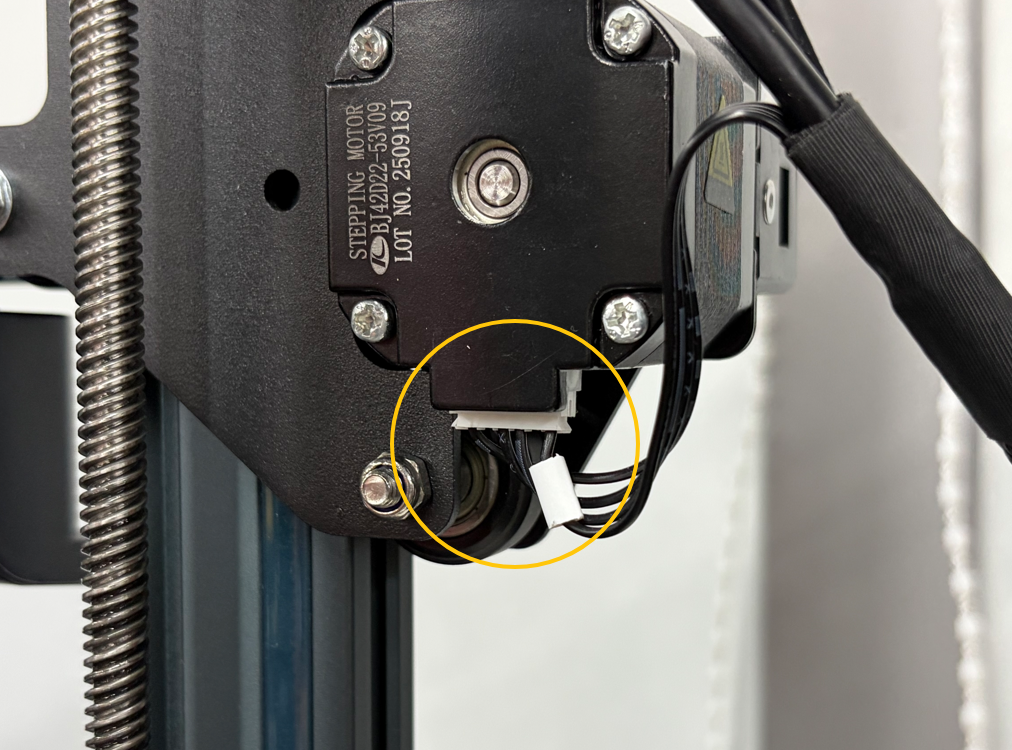
¶ 5.3 Reconnect the auxiliary fan connector to its original port.
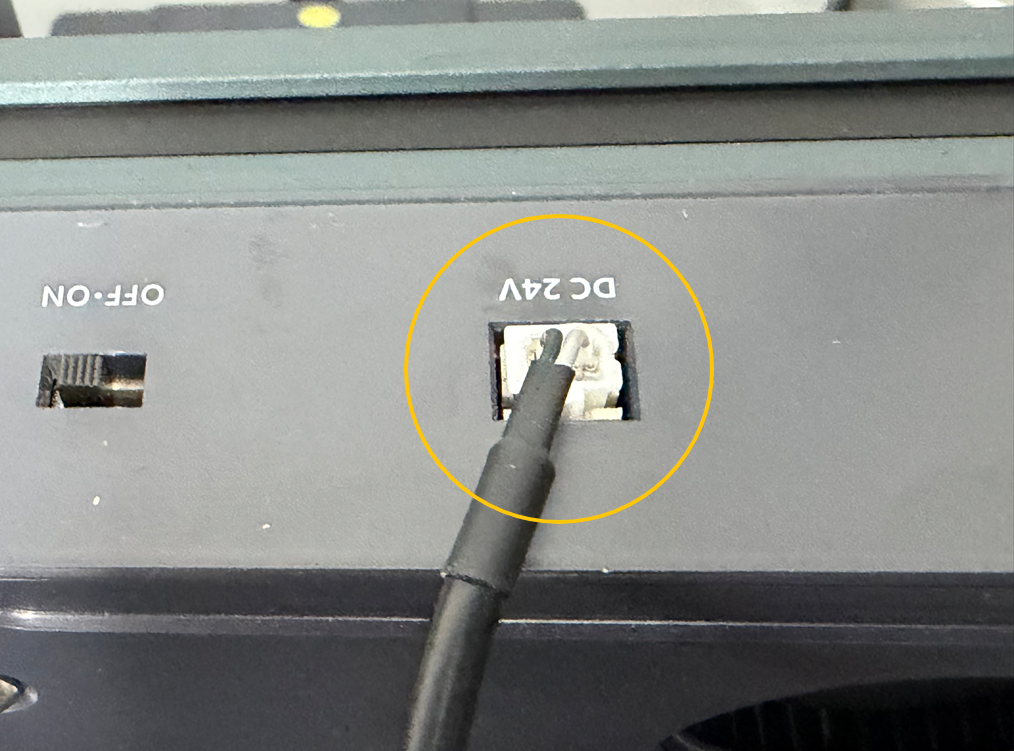
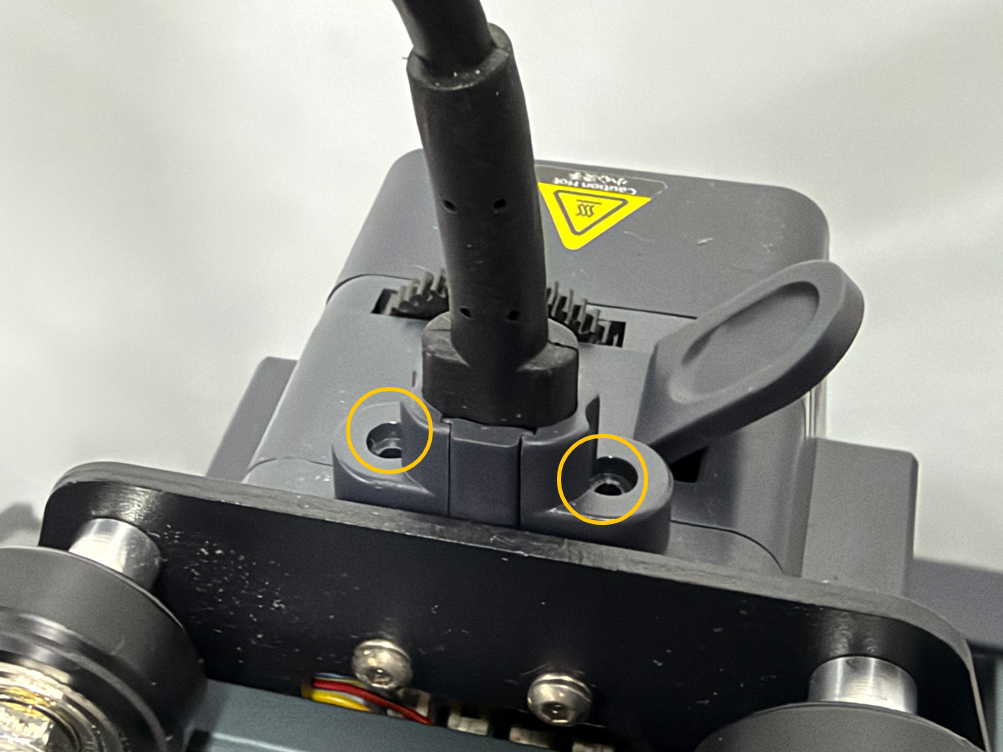
¶ 5.4 Reconnect the extruder communication cable connector to its original port, then tighten the two screws securing the connector.
¶ Verification
- Plug in the power cord and turn on the power switch.
- Use the touchscreen to verify that the following functions work correctly:
- Check that the displayed nozzle temperature is approximately equal to the ambient temperature.
- Activate nozzle heating and verify that the temperature rises normally.
- Load filament and verify that it can be extruded properly.
- Move the X-axis left and right using the controls.
- Tap the X-axis homing button and verify that the X-axis homes correctly and the limit switch is triggered.
- Confirm that the X-axis assembly functions properly, then rerun automatic bed leveling and calibration. Once both procedures are complete, the printer is ready for use.
¶ Help us improve
If you have any ideas about the wiki pages, please let us know via ELEGOO official feedback channel .