¶ Fault Symptoms
- After printing is completed, there is no cured resin on the Build Plate or in the Resin Tank.
- When clicking LCD Exposure on the Touch Screen, the LCD screen displays the exposure pattern normally, but the UV light does not turn on.
¶ Possible Causes
- An incorrect adapter specification is being used.
- The adapter is faulty.
- The UV light connector is loose.
- One of the following components is damaged:
- UV light board
- Constant current board
- Mainboard
¶ Required Tools
- 2.0 mm Allen wrench
- Multimeter
¶ Troubleshooting Steps
Reminder:
To make troubleshooting easier, please remove the Anti-UV Cover, Build Plate, and Resin Tank before starting.
¶ 1. Check the Adapter
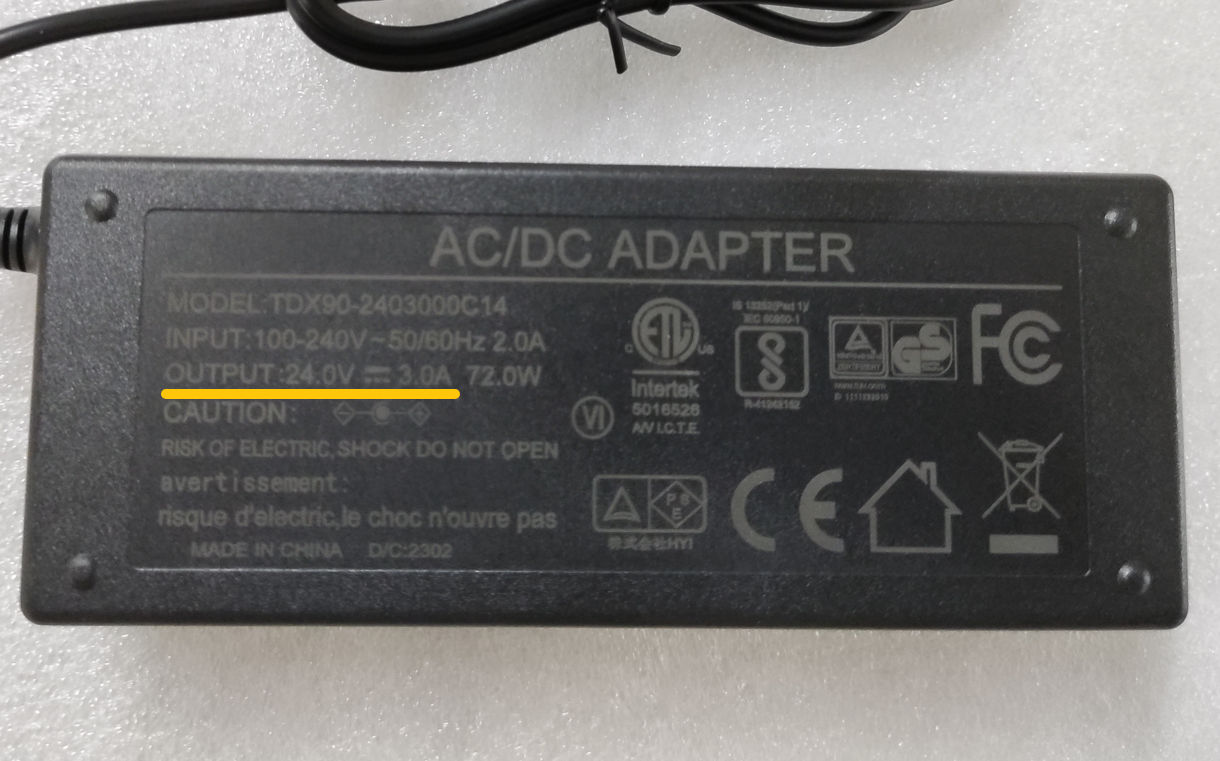
1. Check the Adapter Specification
Turn the adapter over and check the specification label on the back of the adapter.
The default adapter specification for Mars 5 Ultra is:
24V 3A
Note:
Most Mercury series adapters output 12V and are not compatible with Mars 5 Ultra.
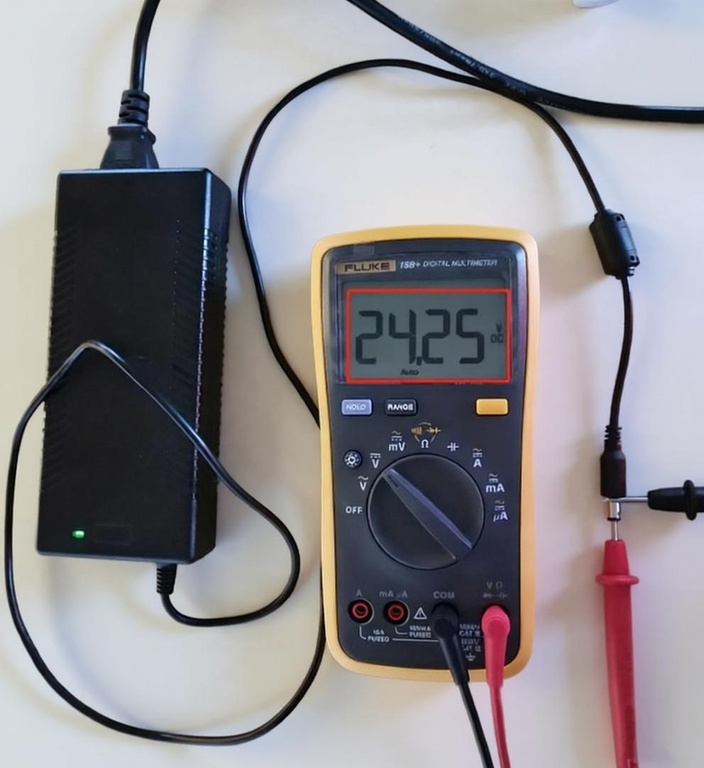
2. Check the Adapter Output Voltage
Use a multimeter to verify whether the adapter output voltage is approximately 24V.
Note:
This step requires experience using a multimeter. If you do not have a multimeter, you can skip this step.
3. Test with Another Adapter
If you do not have a multimeter, try using another 24V adapter with the following specifications:
- Output voltage: 24V
- Output current: ≥ 3A
- Same DC connector specification
Connect the adapter to the Mars 5 Ultra and check whether the UV light turns on normally.
¶ 2. Check the UV Light Connectors
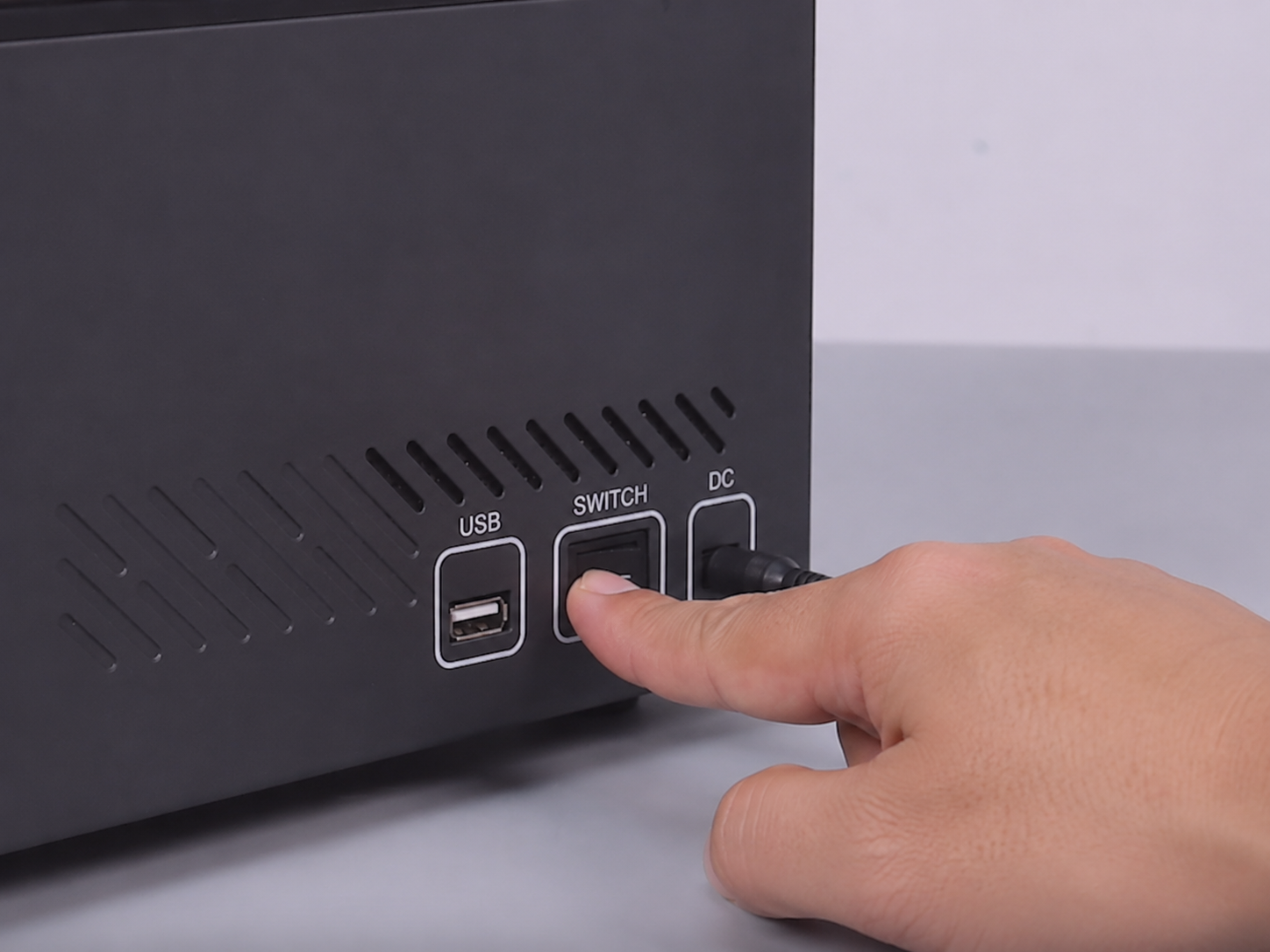
1. Turn Off the Printer
Turn off the Power Switch and disconnect the adapter.
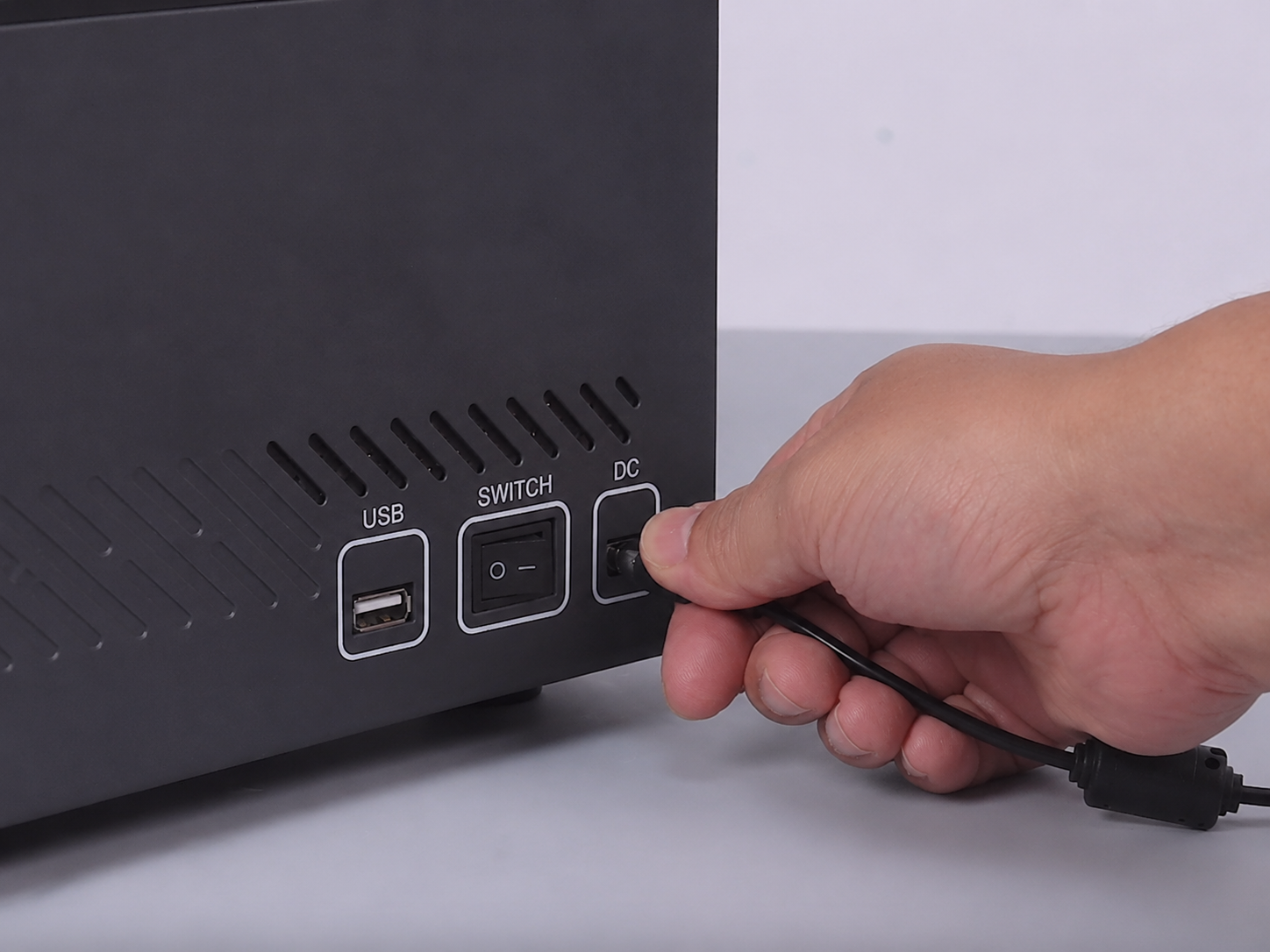
2. Remove the Rear Panel
Use a 2.0 mm Allen wrench to remove the seven screws securing the rear panel, then remove the rear panel.
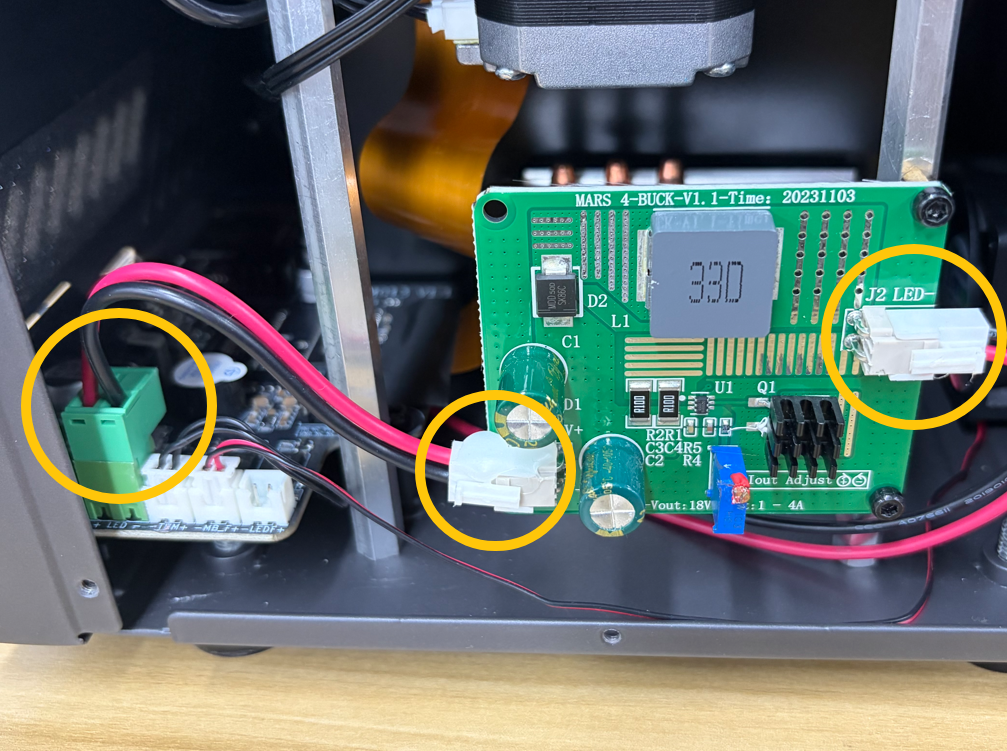
3. Check the UV Light Connectors
Check whether the three connectors at the marked positions are loose.
¶ 3. Check Mainboard Output Voltage
1. Power On the Printer
Reconnect the adapter and turn on the printer.
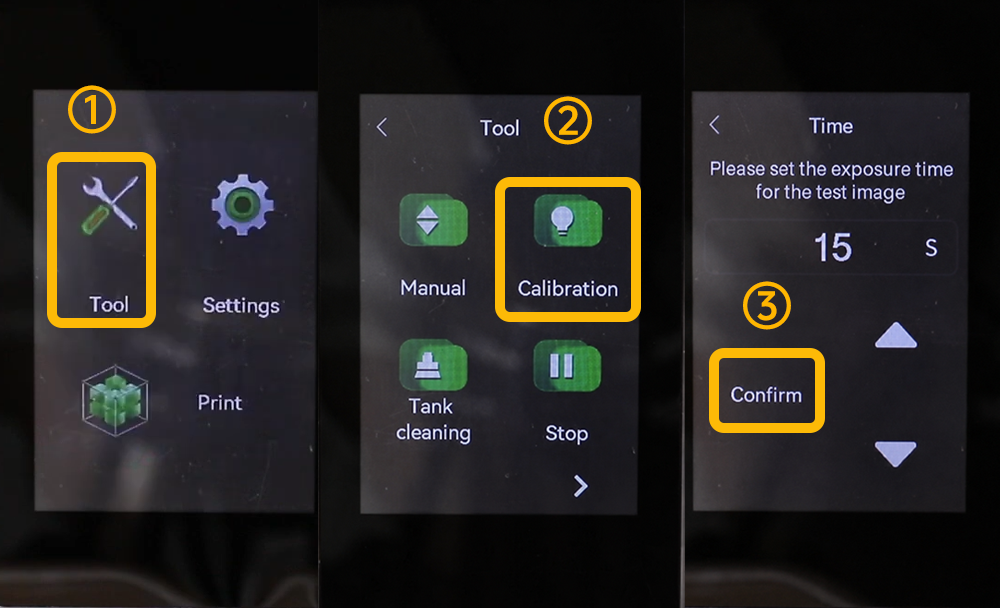
2. Start LCD Exposure
On the Touch Screen, select:
Tool → Calibration → Confirm
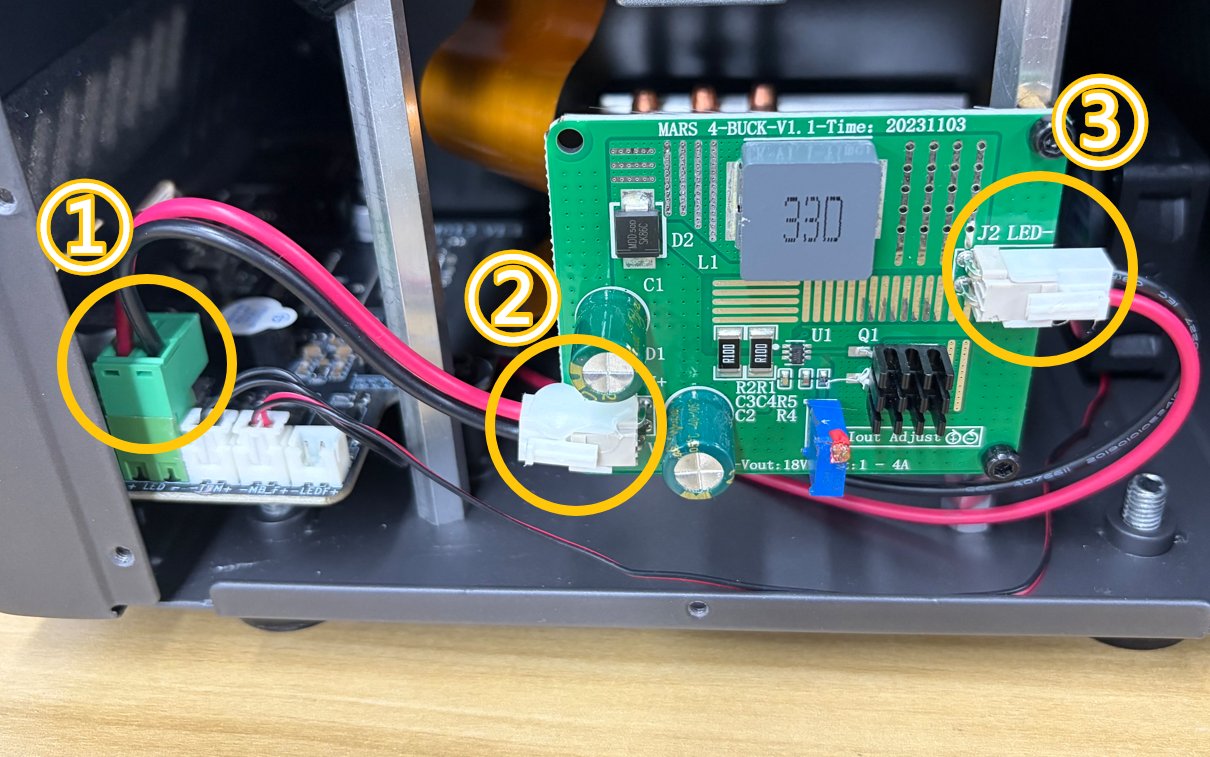
3. Measure the Output Voltage
Use a multimeter to check the output voltage at the UV light ports.
¶ Contact Technical Support
Please provide the following information when contacting technical support:
Email:
3dp@elegoo.com
Required Information
- Video — Record a video showing the UV light failing to turn on.
- Inspection result — Confirm whether the adapter specification is correct.
- Inspection result — Confirm whether the adapter output voltage is 24V.
(If you do not have a multimeter, this step can be skipped.) - Inspection result — Confirm whether the UV light turns on when using another 24V adapter.
- Inspection result — Confirm whether the constant current board connector is loose or discolored.
- Inspection result — Confirm whether positions ①②③ have the specified output voltage.
(If you do not have a multimeter, this step can be skipped.)
¶ Help us improve
If you have any ideas about the wiki pages, please let us know via ELEGOO official feedback channel