¶ Manual Firmware Update
- Turn on the scanner.
- Connect the scanner via WLAN or a USB 3.0 data&charge cable.
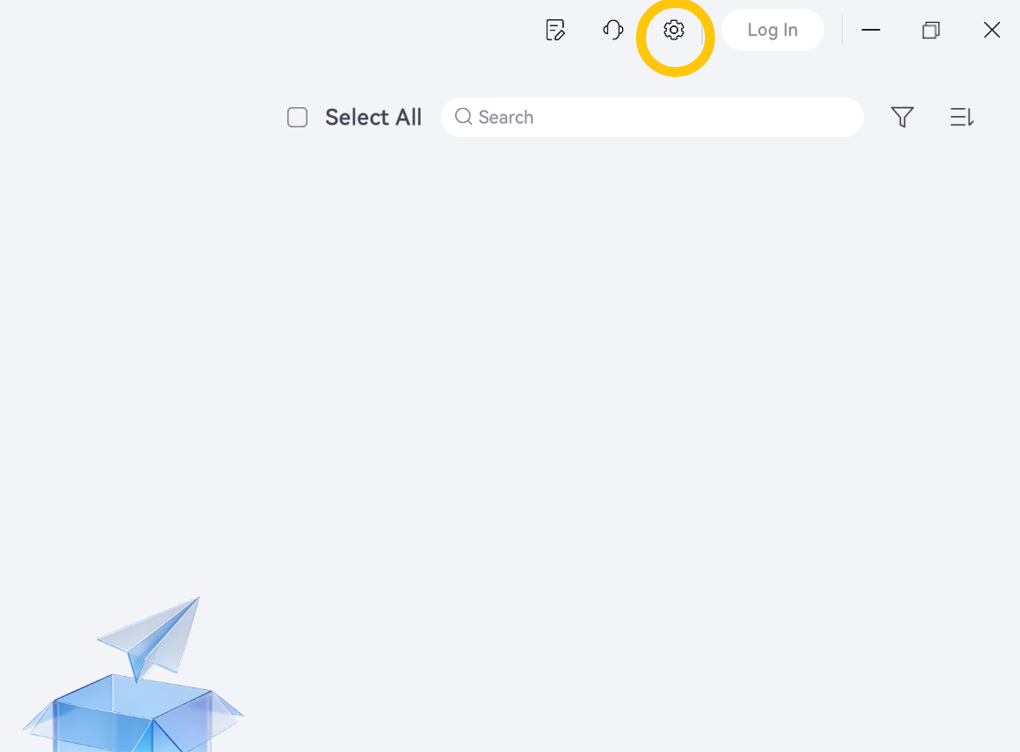
- Click the Settings icon in the upper-right corner to open the settings page.
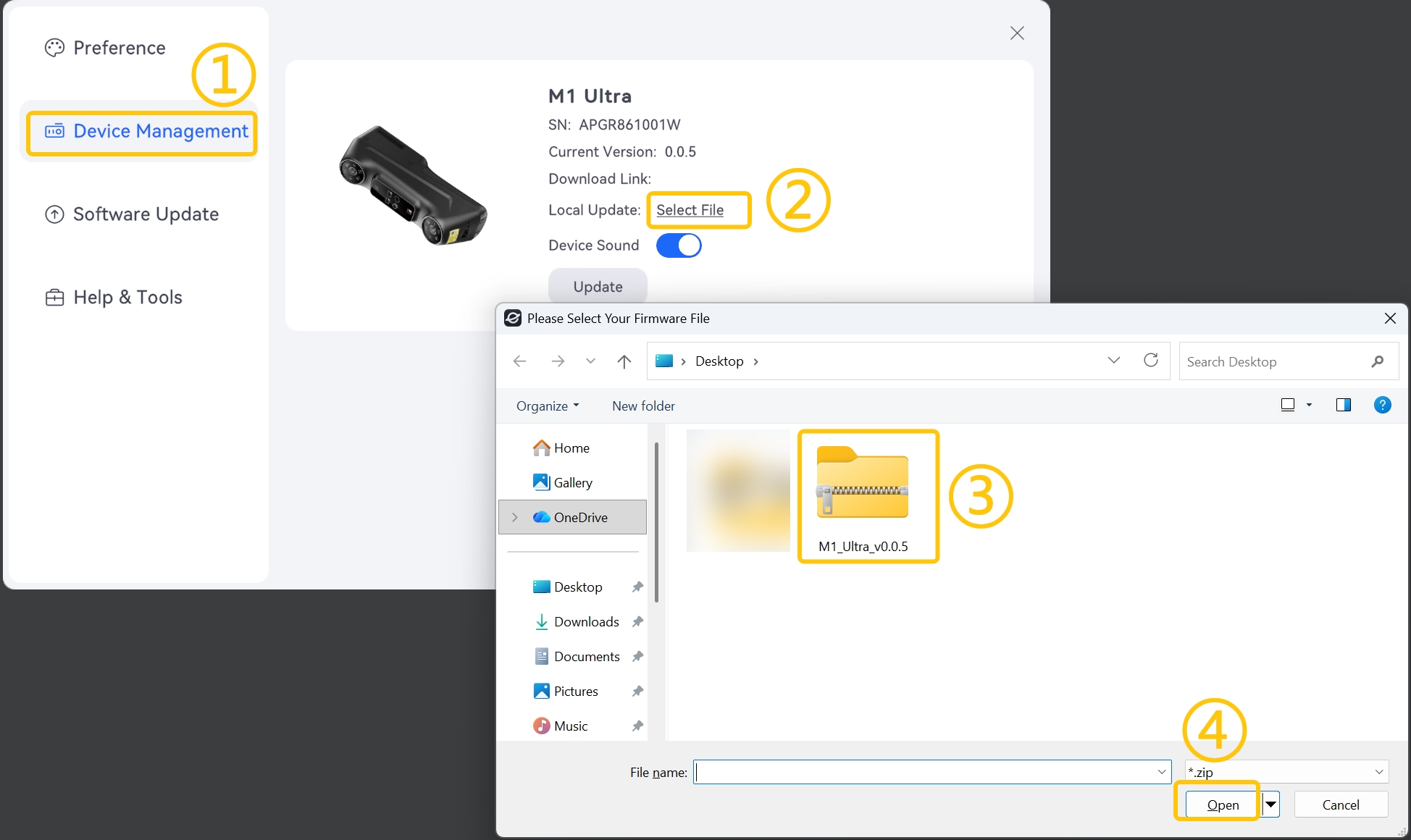
- Go to Device Management > Select File, select the firmware file, and click Open.
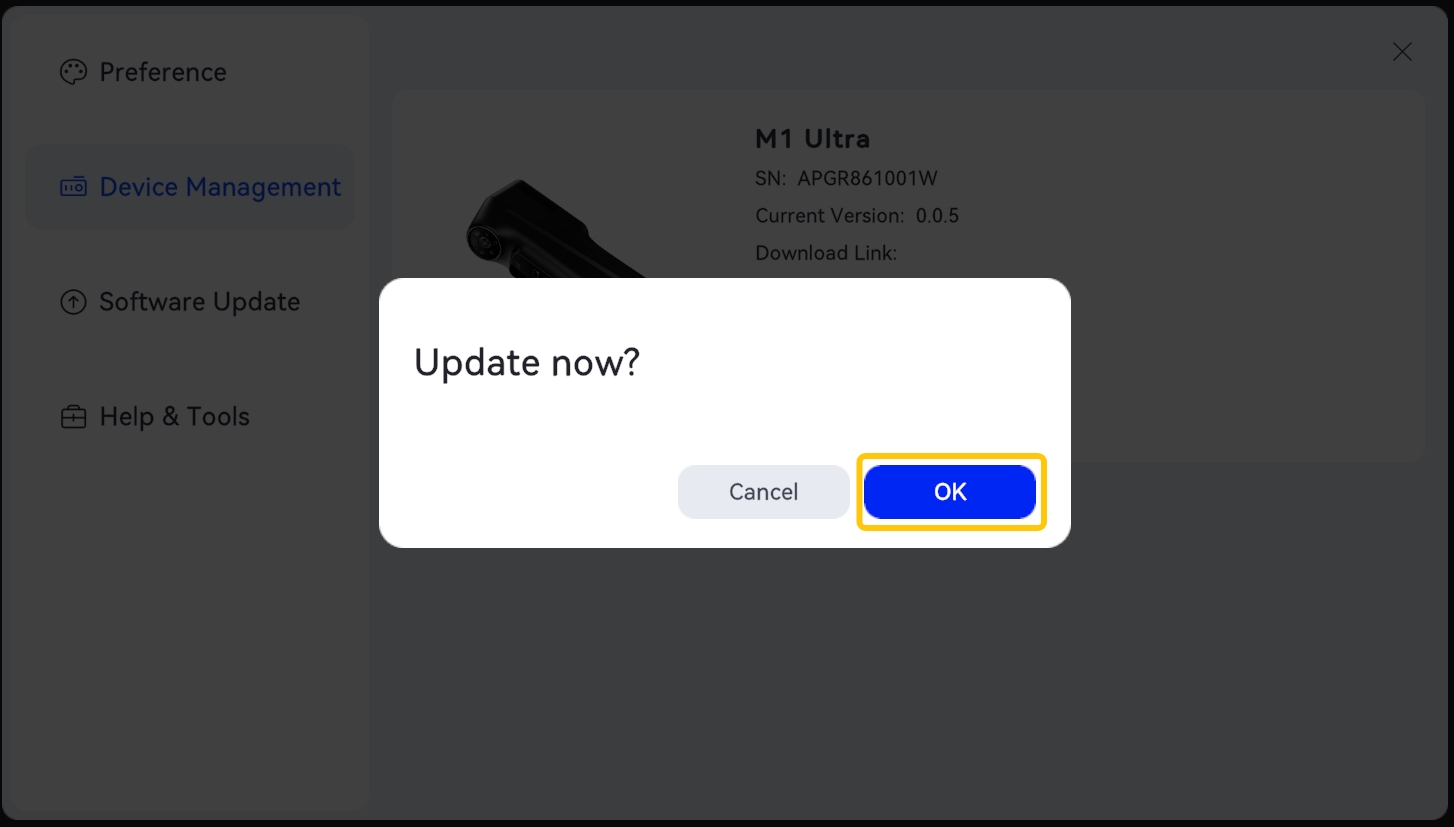
- Click Confirm in the pop-up window.
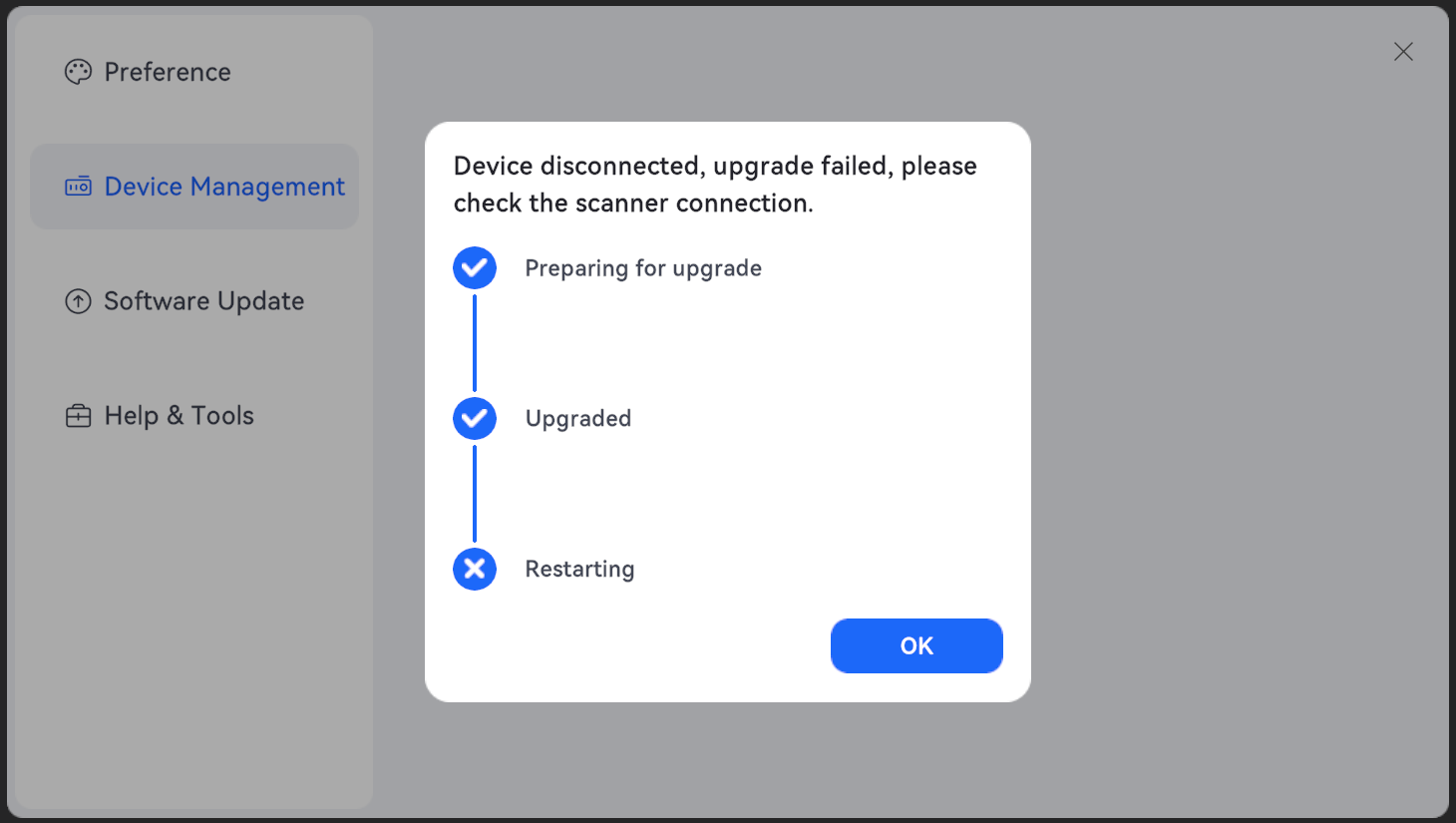
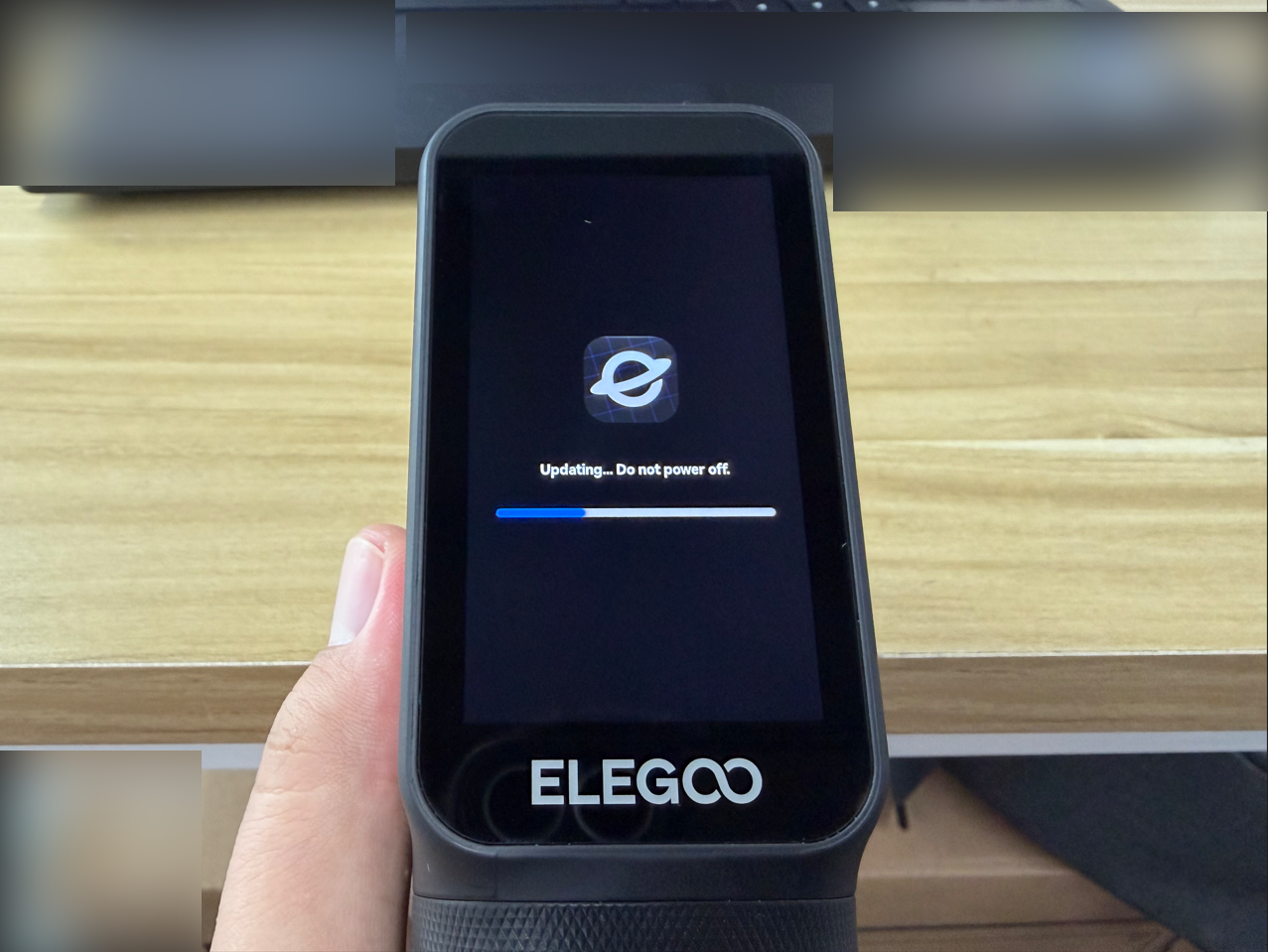
- Wait for the firmware update to complete, then click OK.
¶ Verify the Firmware Version
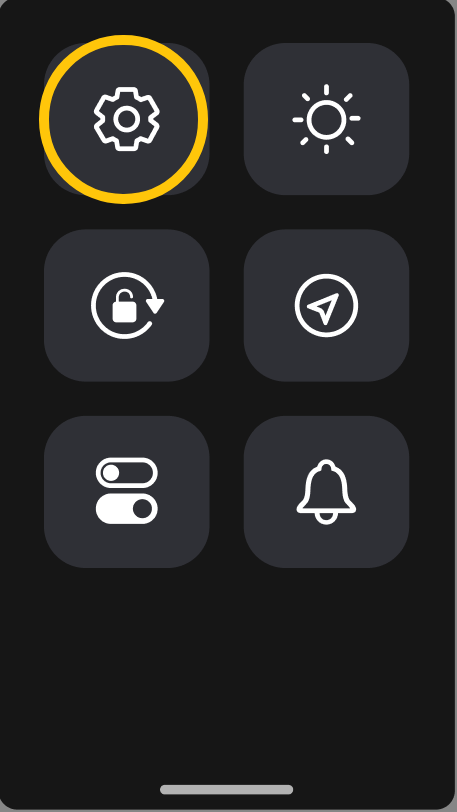
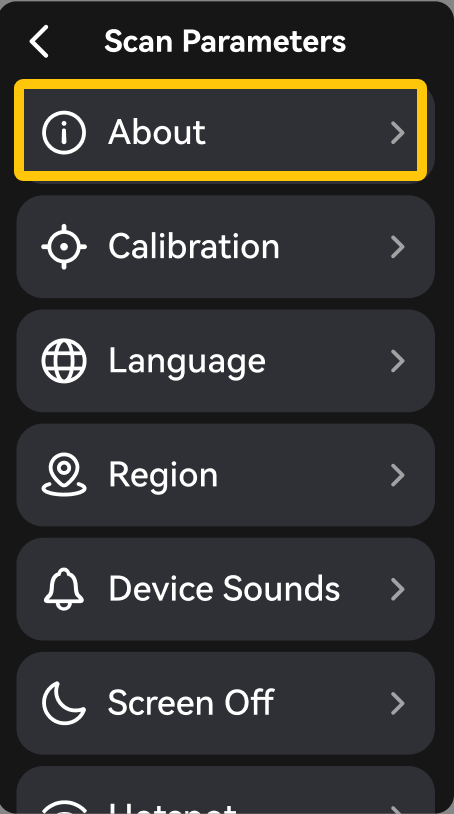
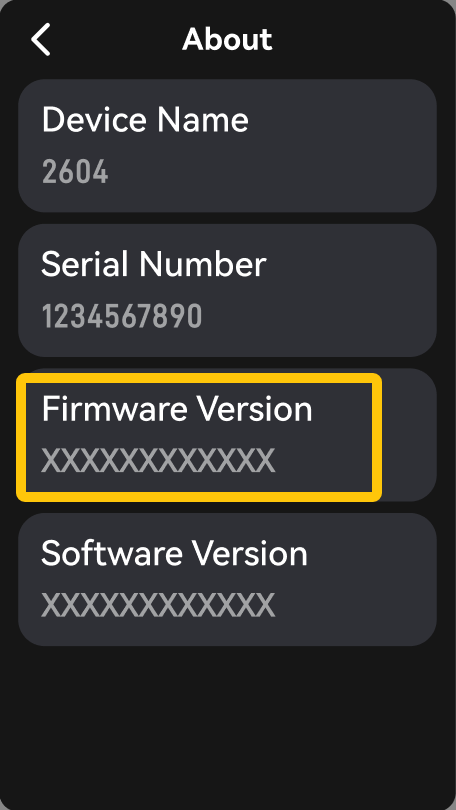
On the scanner's touchscreen, go to Settings > About and confirm that the firmware version has been updated to the new version. The firmware update is now complete.
¶ Help Us Improve
If you have any suggestions for improving our wiki pages, please share them through the ELEGOO Official Feedback Channel.