¶ Fault Code Description
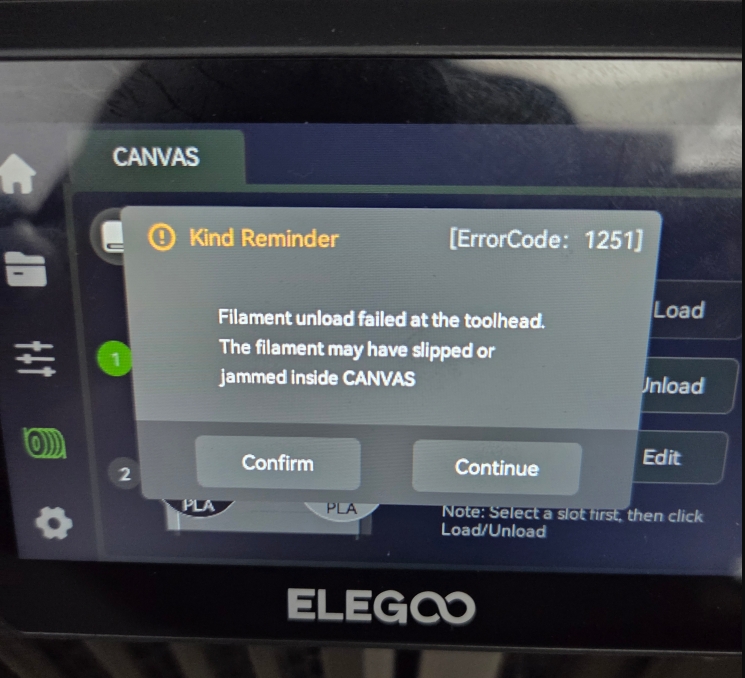
Filament unload failed at the toolhead. The filament may have slipped or jammed inside CANVAS
¶ Possible Causes
- Filament broken inside the PTFE tube
- Tool head Filament detection board false trigger or failure
- CANVAS-side Filament detection board false trigger or failure
- Abnormal gear assembly on the CANVAS feeder
¶ Required Tools
- 2.0 mm Allen key
- 2.5 mm Allen key
- Tweezers
¶ Troubleshooting Steps
¶ 1. Check for Broken Filament in the PTFE Tube and 4-in-1 Hub Assembly
a. Turn off the printer power switch and unplug the power cord.
.png)
.png)
b. Check the PTFE tube for broken filament.
.png)
- If the filament is broken on the CANVAS side, use tweezers to gently press the end of the PTFE tube connector. Wait until the PTFE tube loosens, then pull it out and remove the broken filament.
.png)
- If the filament is broken on the 4-in-1 hub side, disassemble the 4-in-1 hub to remove the broken filament.
.png)
Disassembly procedure for the 4-in-1 hub:
- Use 2.0 mm and 2.5 mm Allen keys to remove the screws securing the Tool head communication cable / Tank chain. Unplug the Tool head communication cable connector and remove the Tank chain.
- Use a 2.0 mm Allen key to remove the two screws securing the 4-in-1 hub assembly. Disconnect and remove the 4-in-1 hub assembly.
- Check the 4-in-1 hub assembly / Gear box for broken filament.
.png)
.jpeg)
If no broken filament is found in the Tool head or PTFE tube, proceed to steps 2 and 3 for further troubleshooting.
¶ 2. Check the Filament Detection Board
a. Unplug any PTFE tube from the upper side of the CANVAS.
b. Manually feed filament into the PTFE tube and continue pushing until it cannot advance any further.
c. Access the control menu on the Tool head and check whether the Tool head icon lights up green. (Under normal conditions, the green light stays on continuously.)
.gif)
- If the icon does not light up green, the Filament detection board may have an assembly issue. Refer to the guide below to reinstall the Filament detection board:
Filament Detection Board Replacement - If the Tool head icon still does not light up green after reinstalling the Filament detection board, replace the Filament detection board with a new one.
¶ 3. Check the CANVAS Feeder Assembly
a. Refer to the video below to open the CANVAS housing:
https://www.youtube.com/watch?v=OLclADMW7Tc
b. Ensure that the notch on the upper side of the Feeder assembly is properly aligned and that the Feeder motor wires are correctly seated inside the retaining clip (normal condition as shown in the figure below).
.png)
.png)
c. Check whether the connectors on the Feeder assembly and Filament detection board are loose. Re-plug the connectors at both ends of the Feeder assembly.
.png)
.png)
If the issue remains unresolved after completing all the above steps, please contact technical support.Technical Support Email: 3dp@elegoo.com
¶ Help us improve
If you have any ideas about the wiki pages, please let us know via ELEGOO official feedback channel