¶ Fault Symptom
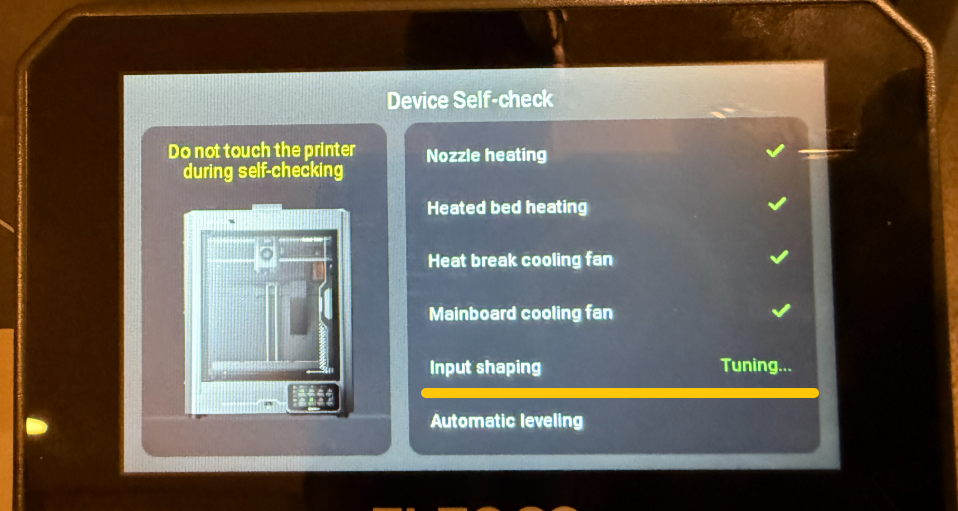
During the self-check process of the Centauri Carbon, the touchscreen gets stuck on the Input Shaping step and cannot proceed to the next step.
¶ Possible Causes
- The printer frame was deformed during transportation.
- The heated bed was tilted during transportation, causing increased resistance during Z-axis movement.
- The heated bed fixing screws were not removed before use.
- The Z-axis motor connector is loose.
¶ Required Tools
- 2.0 mm Allen key
- Lubricating grease (white lithium grease recommended)
¶ Troubleshooting Steps
¶ 1. Check Whether the Printer Frame Is Deformed
Place the glass cover on top of the printer and open and close the glass door. Check whether the glass cover is properly aligned with the printer's top frame.
The following images show an example of severe printer frame deformation.
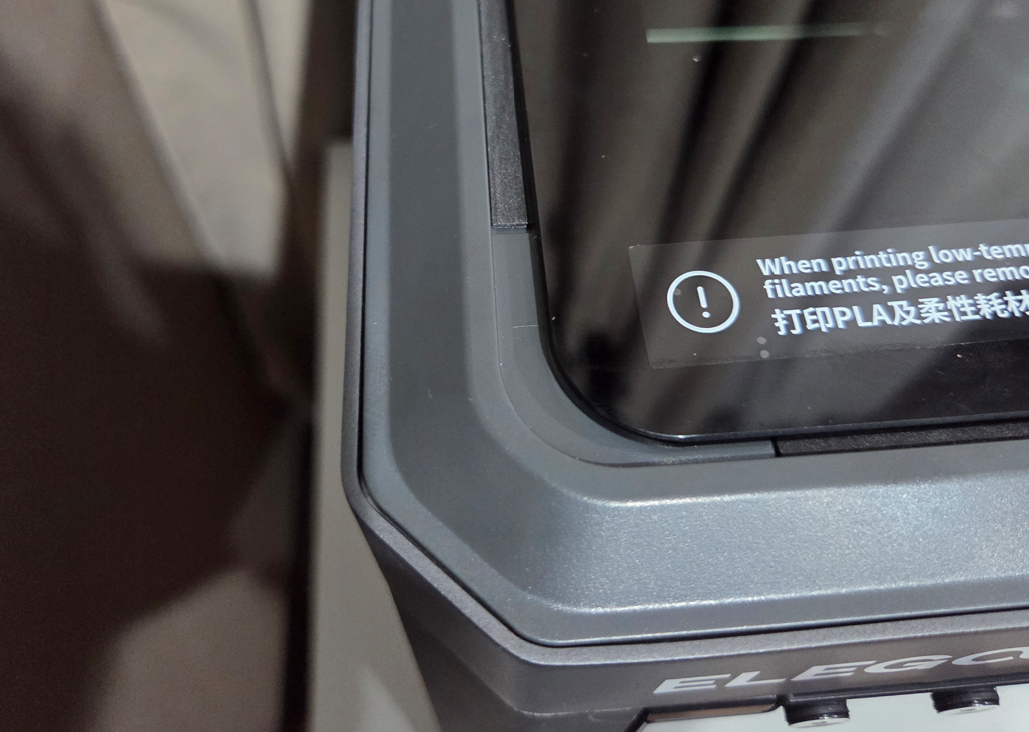
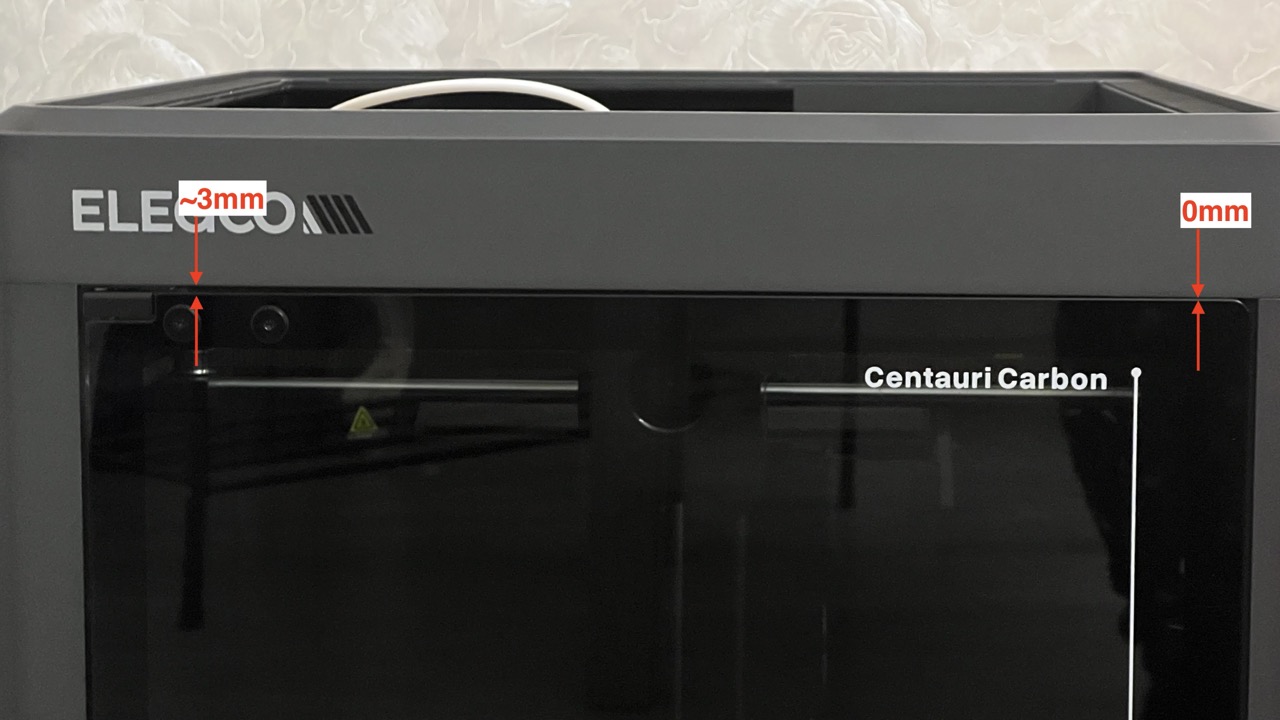
Take clear photos and contact the technical support team. No further troubleshooting is required.
¶ 2. Check Whether the Heated Bed Fixing Screws Have Been Removed
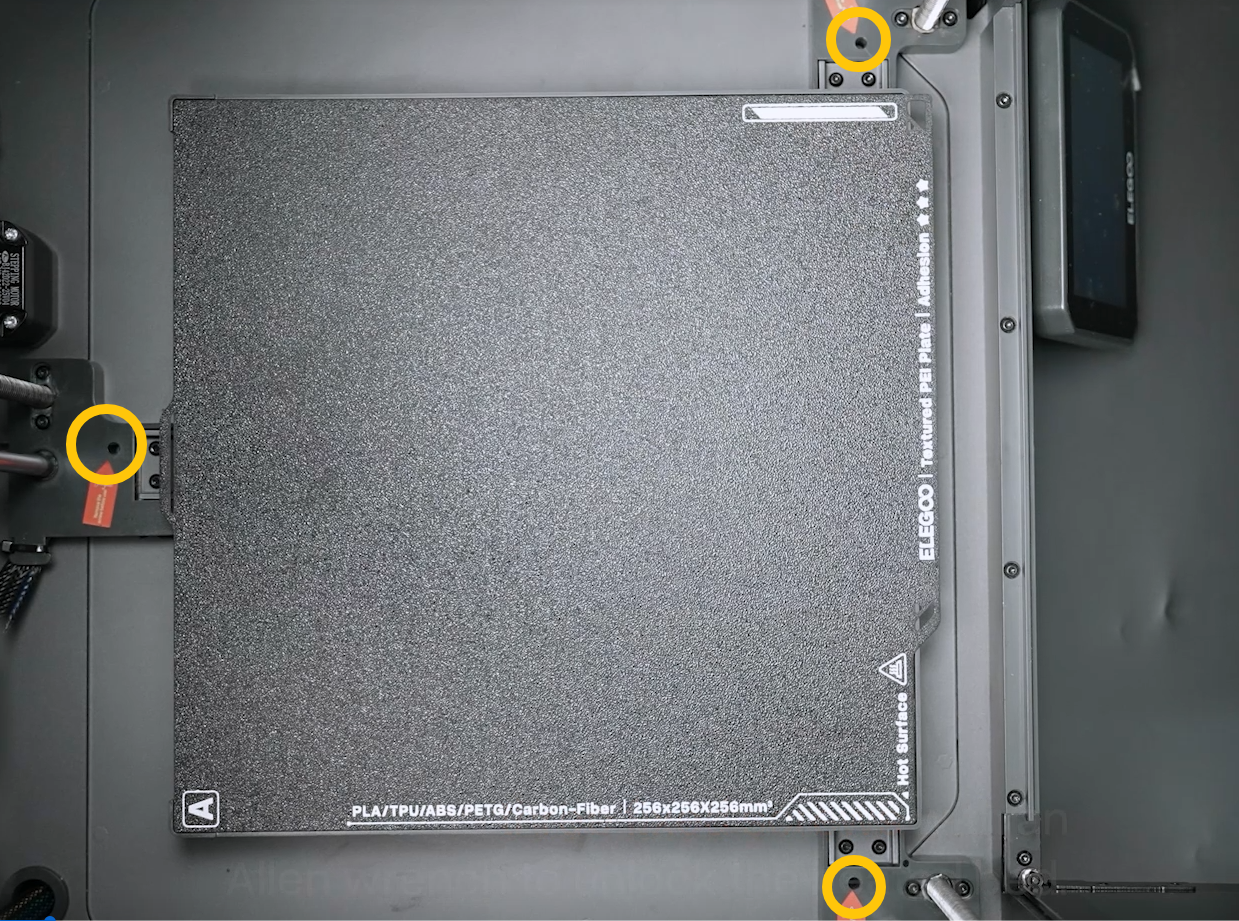
The heated bed is secured with three fixing screws during factory assembly. Before using the printer, make sure all three screws have been removed.
If the three screws have already been removed, continue with the next troubleshooting step.
¶ 3. Check Whether the Z-axis Can Move Upward Normally
- Turn off the printer and disconnect the power cord.
- Place the printer on its side.
- Use a 2.0 mm Allen key to remove the ten screws securing the bottom cover, then remove the bottom cover.
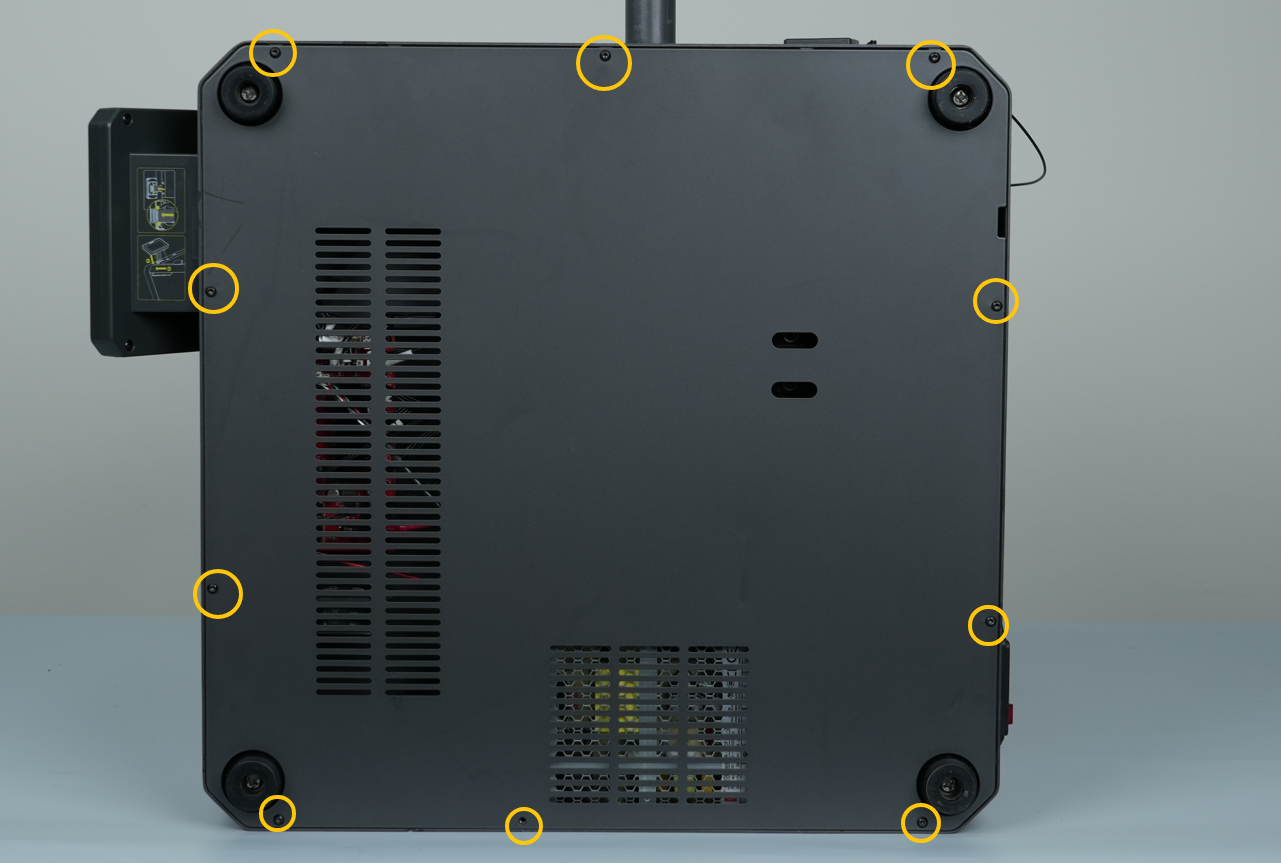
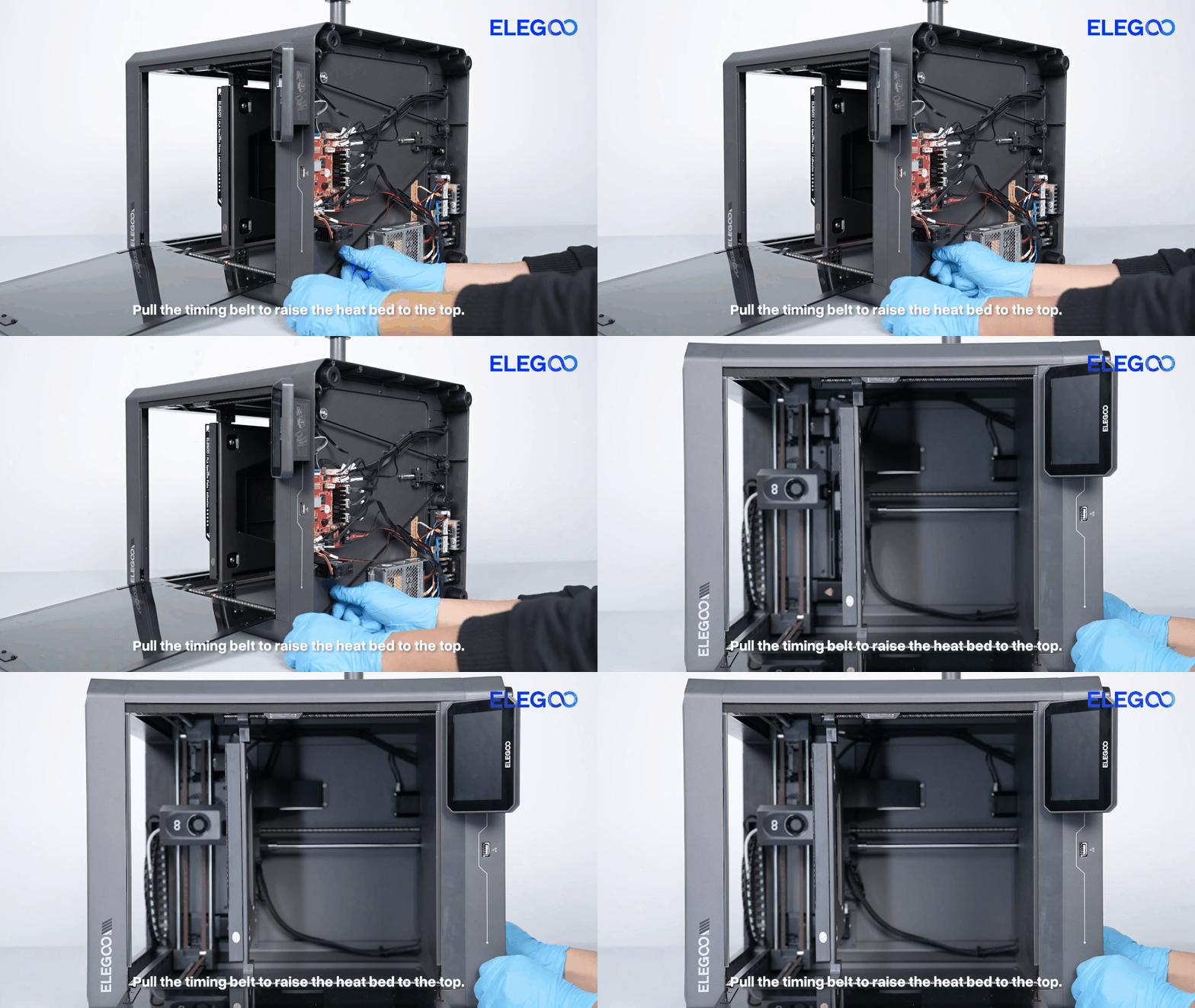
- Manually pull the Z-axis timing belt to check whether the heated bed can move upward smoothly.
If the Z-axis cannot move upward normally or excessive resistance is felt:
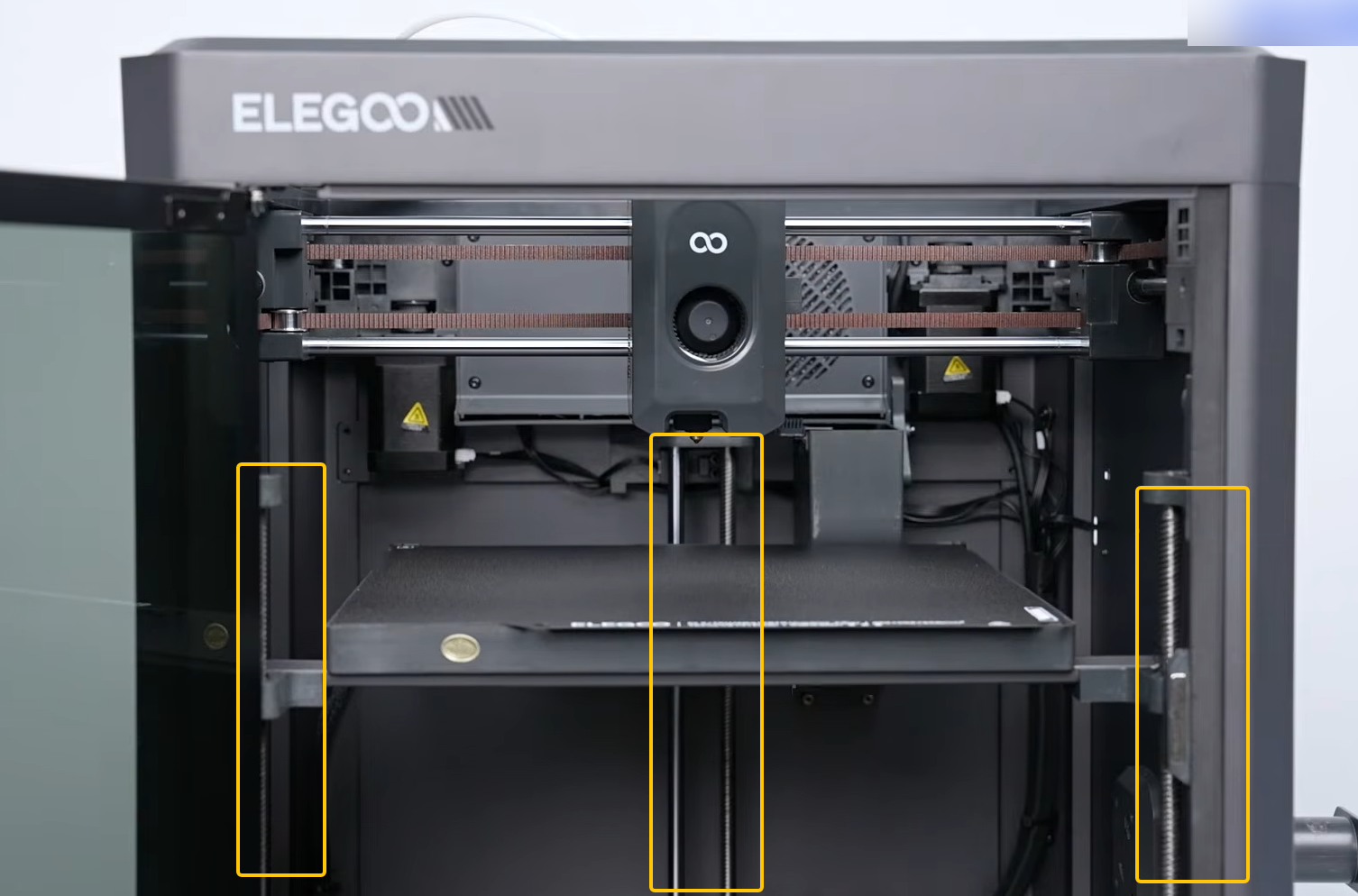
- Check whether the heated bed is tilted.
- Apply lubricating grease to the Z-axis guide rails. White lithium grease is recommended.
- Refer to the following video to adjust the heated bed:
https://www.youtube.com/watch?v=-Eb-BmPszuU
If the Z-axis moves upward normally without excessive resistance:
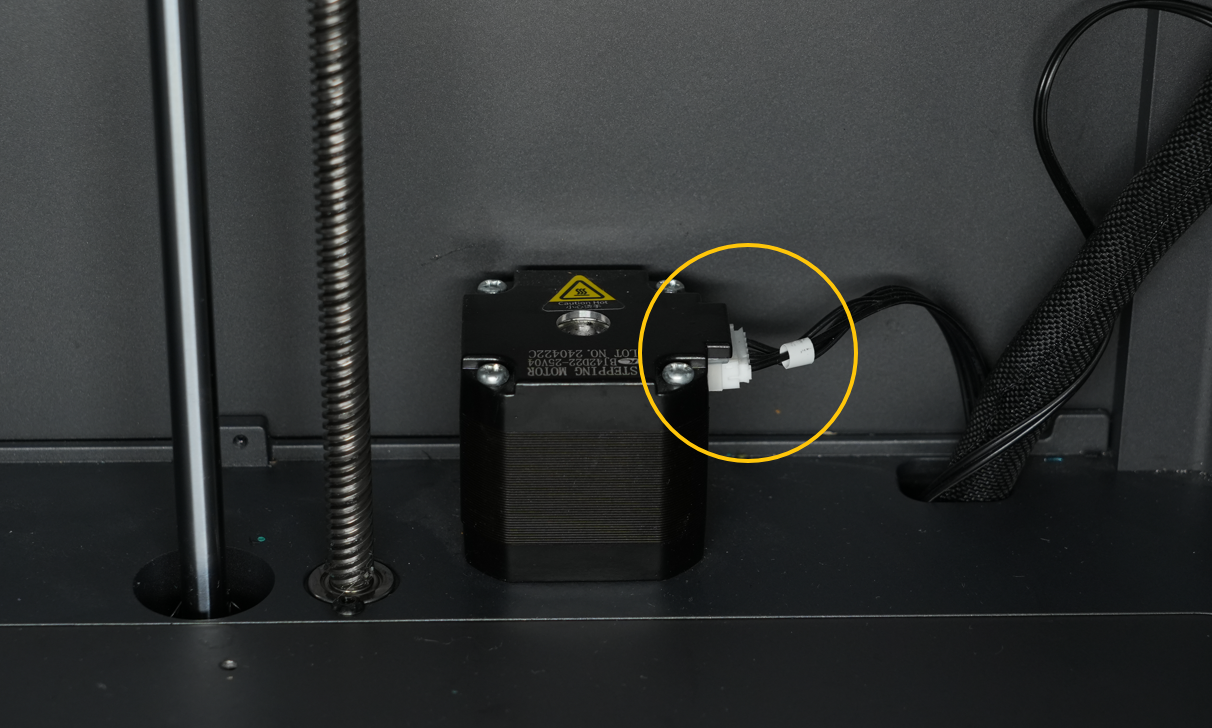
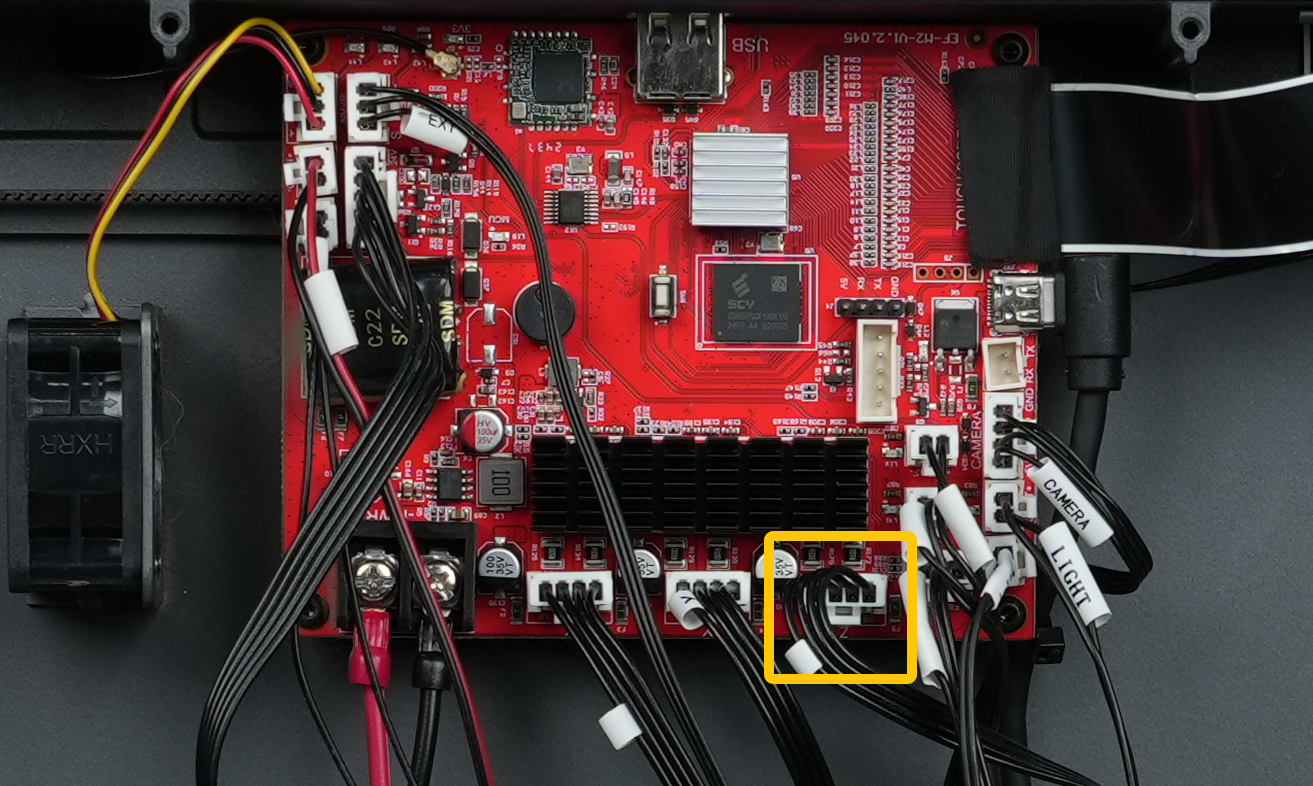
Check whether the Z-axis motor connectors are loose.
Disconnect and reconnect both ends of the Z-axis motor cable.
¶ If the Issue Persists
Please contact the technical support team and provide the following information.
Email: 3dp@elegoo.com
¶ Required Information
- A complete video of the self-check process, clearly showing the movement of the X, Y, and Z axes.
- Photos of the printer's top frame.
- Photos of the front glass door.
- Photos of both ends of the Z-axis motor cable connectors.
¶ Help us improve
If you have any ideas about the wiki pages, please let us know via ELEGOO official feedback channel