¶ Fault Symptoms
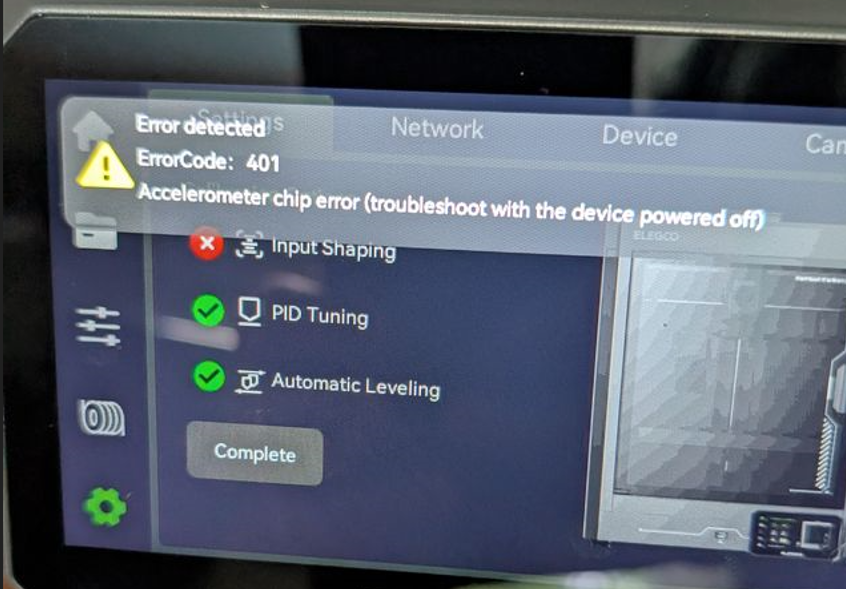
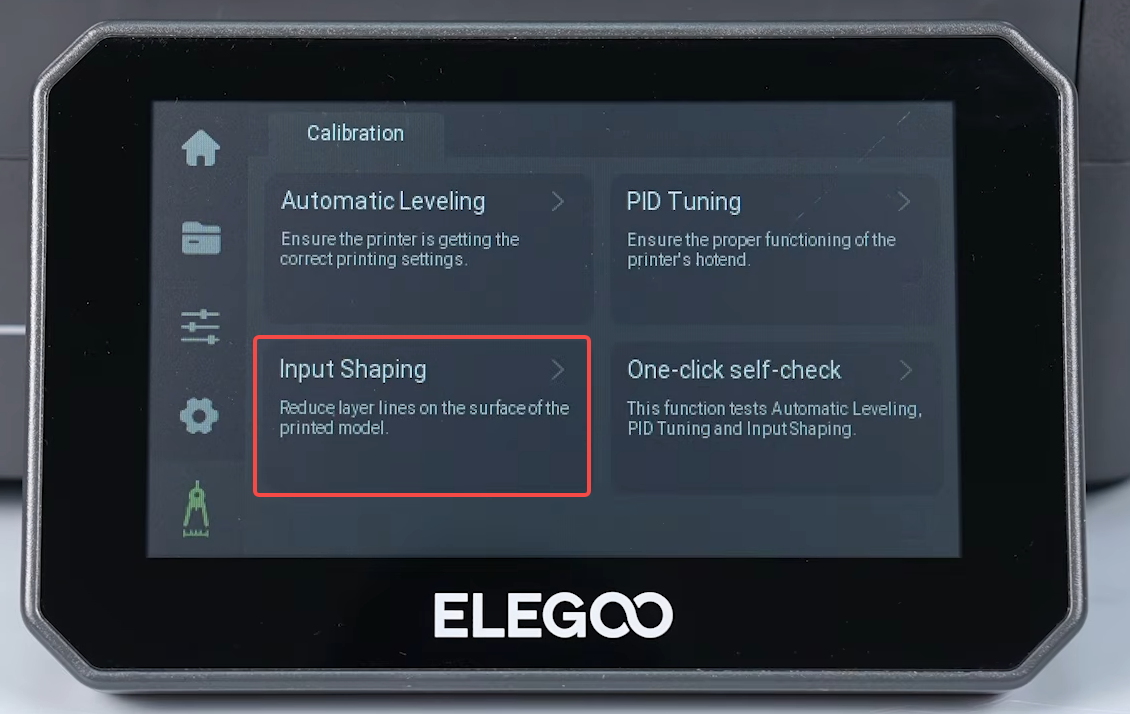
During self-test or when manually performing Input Shaping calibration, the touch screen displays the following error:
401 Accelerometer chip error
¶ Possible Causes
- The X/Y timing belts are loose.
- The accelerometer is faulty.
¶ Tools Required for Troubleshooting
- 2.0 mm Allen key
¶ Troubleshooting Steps
¶ Tighten the X/Y Timing Belts
-
Turn off the printer and unplug the power cord.
-
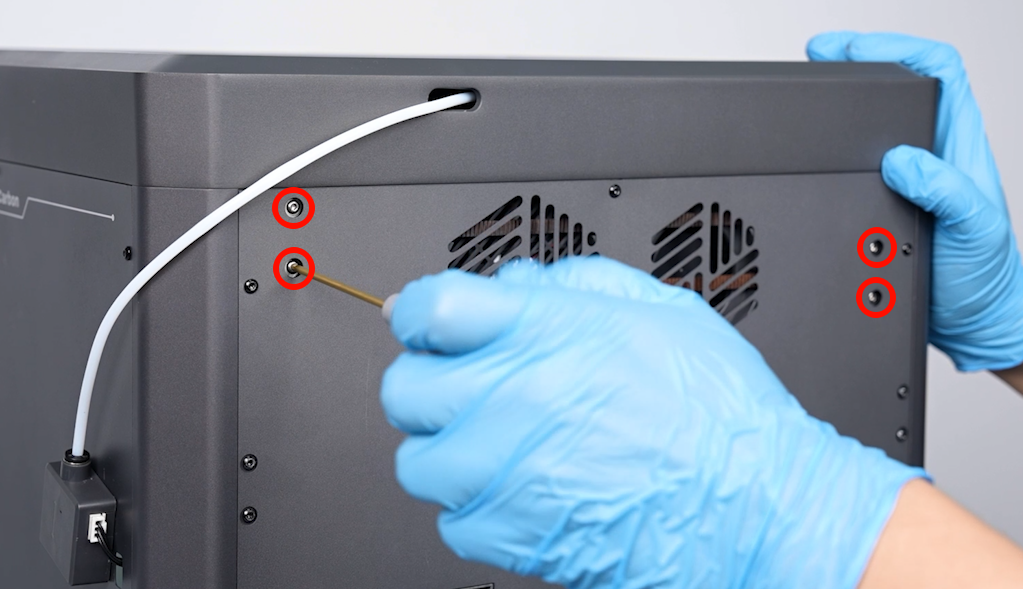
Use a 2.0 mm Allen key to loosen the four screws securing the X/Y tensioners.
Note: Only loosen the screws. Do not remove them.
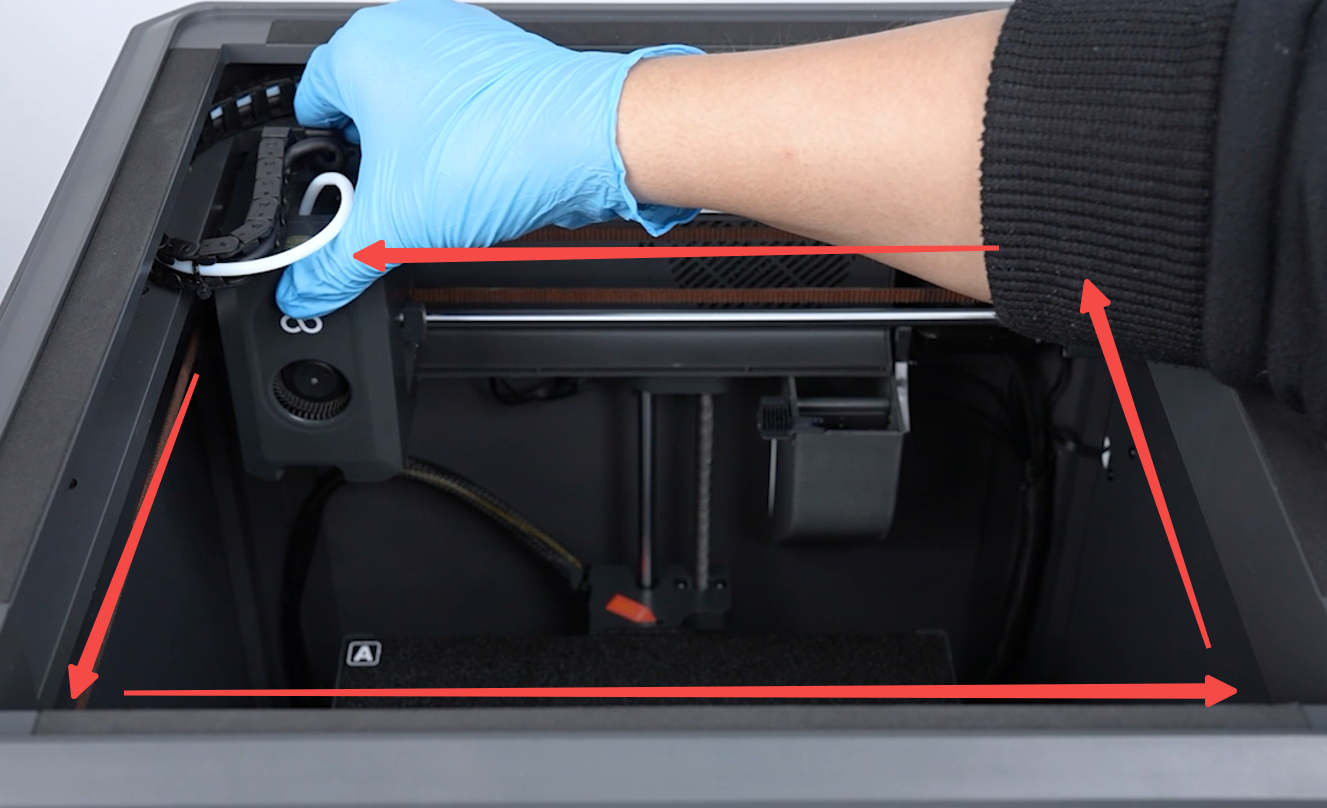
- Move the tool head to each of the four corners of the printer. The X/Y timing belts will automatically tighten.
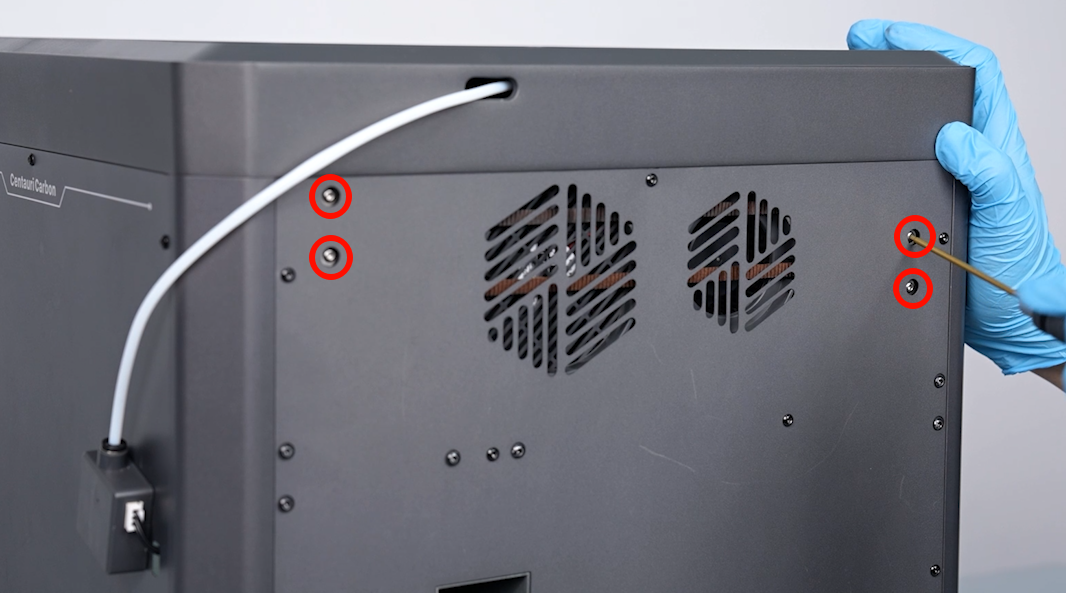
- Tighten the screws on the X/Y timing belt tensioners.
-
Turn on the printer.
-
Enter the self-test interface again, or manually start Input Shaping calibration.
- If error 401 still occurs, the extruder communication board may be faulty.
¶ Contact Technical Support
If the issue persists after completing the troubleshooting steps above, please contact Technical Support at 3dp@elegoo.com and provide the following information:
- A video showing how the error is reproduced. The video should clearly show the movement of the tool head and when the error appears on the touch screen.
- A video showing the printer homing after you tap Home on the touch screen. The video should clearly show whether the tool head moves smoothly.
- The current firmware version (Touch Screen → Settings → Check for Updates).
- The printer's SN code, which can be found on the white label near the power switch. The format is usually CC.XXXX.XXX.
¶ Help us improve
If you have any ideas about the wiki pages, please let us know via ELEGOO official feedback channel