¶ Issue Description
The touch screen displays error code 801.
¶ Reasons
-
The CANbus cable has poor contact.
-
The tool head communication board is damaged.
-
The CANbus cable is damaged.
-
The motherboard has a malfunction.
¶ Troubleshooting Steps
¶ Tools needed for troubleshooting
-
A 2.0 mm Allen key
-
A multimeter
¶ Step 1 Re-plug CANbus cable connected to the tool head.
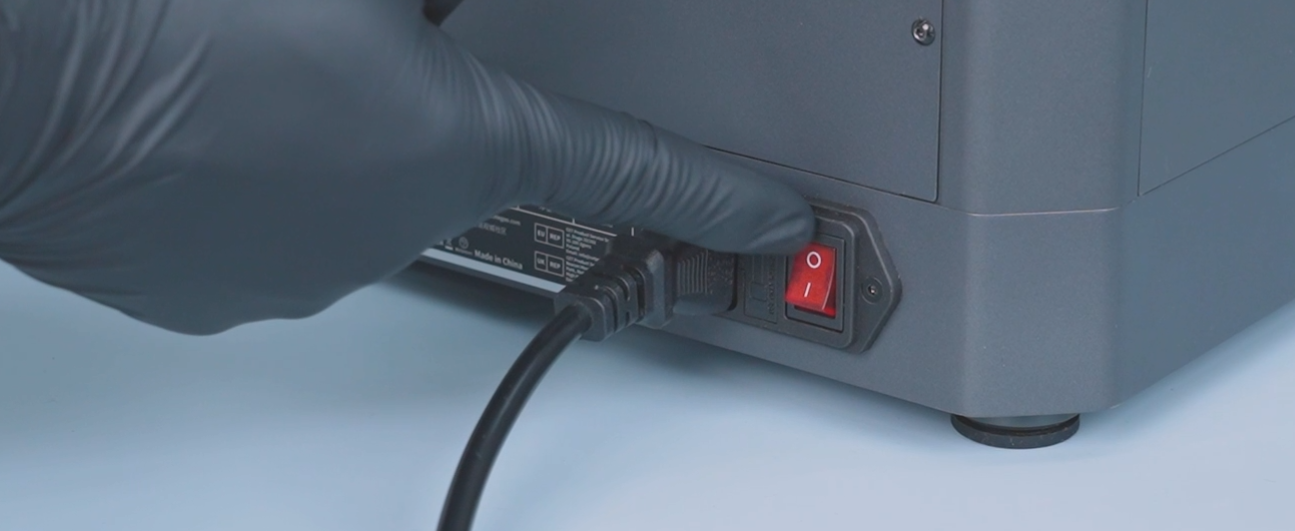
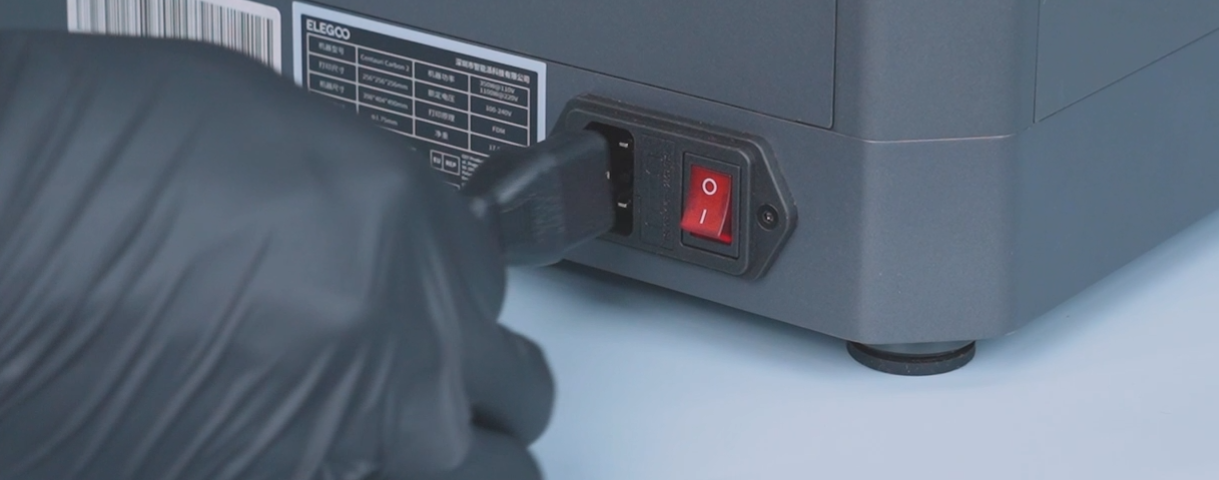
- Turn the power switch OFF (symbol "〇") and unplug the power supply cable.
-
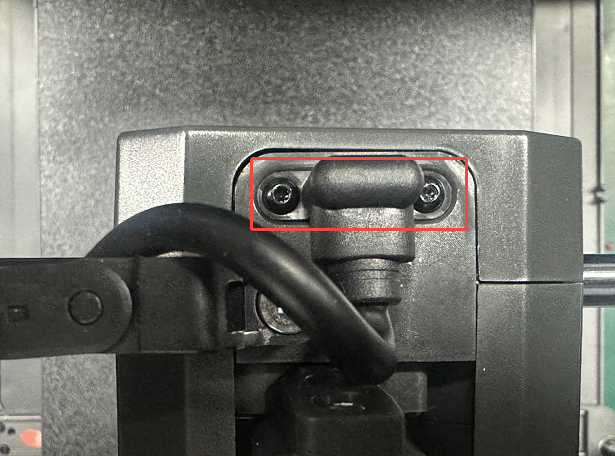
Remove the two screws securing the CANbus cable.
-
Re-plug the CANbus cable.
¶ Step 2 Re-plug the CANbus cable connected to the motherboard.
-
Turn the power switch OFF (symbol "〇") and unplug the power supply cable.
-
Remove the ten screws securing the bottom cover with a 2.0 mm Allen key and remove the cover.
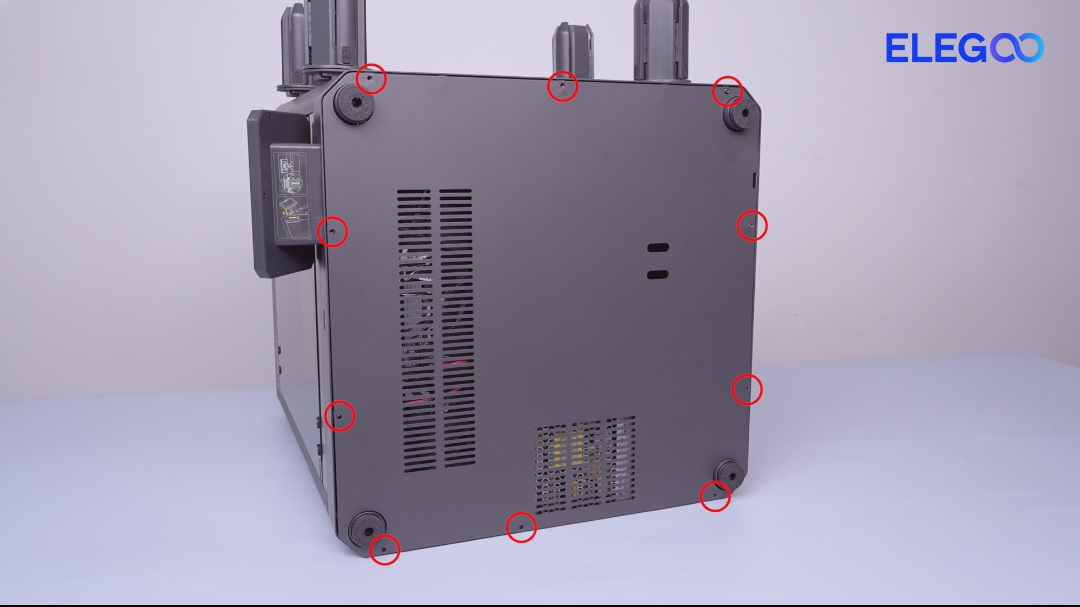
- Re-plug the extruder CANbus cable connected to the motherboard.
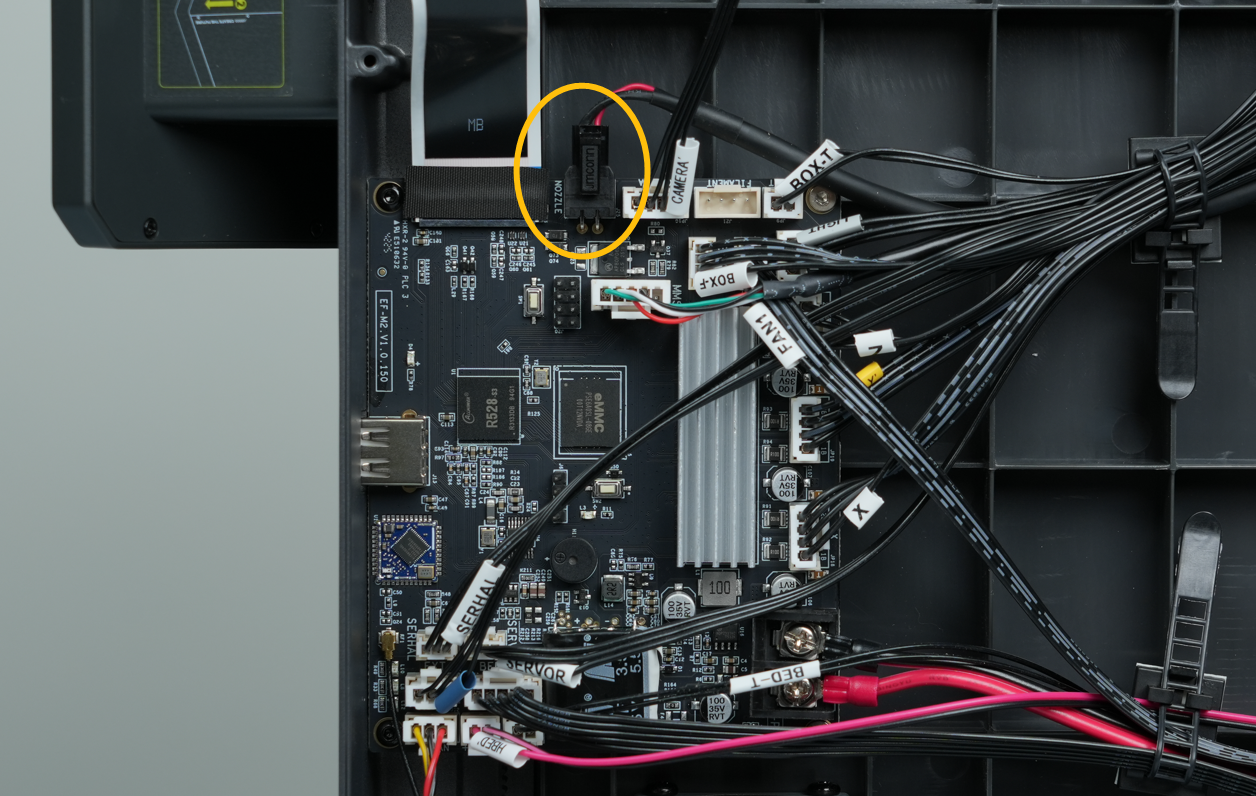
¶ Step 3 Check whether the forward voltage of the tool head communication board is within the normal range.
-
Turn the power switch OFF (symbol "〇") and unplug the power supply cable.
-
Set the multimeter to the diode mode or continuity (buzzer) mode.
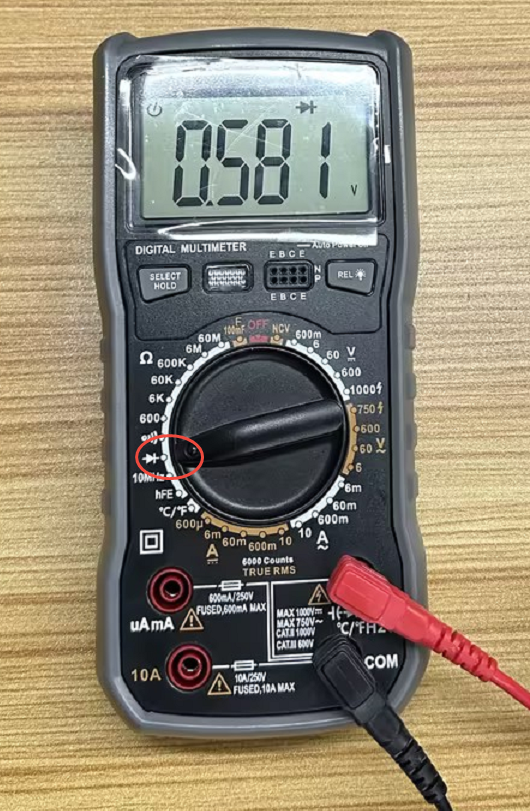
- Measure the forward voltage at the corresponding position.
Note: The normal forward voltage is approximately 0.58 V.
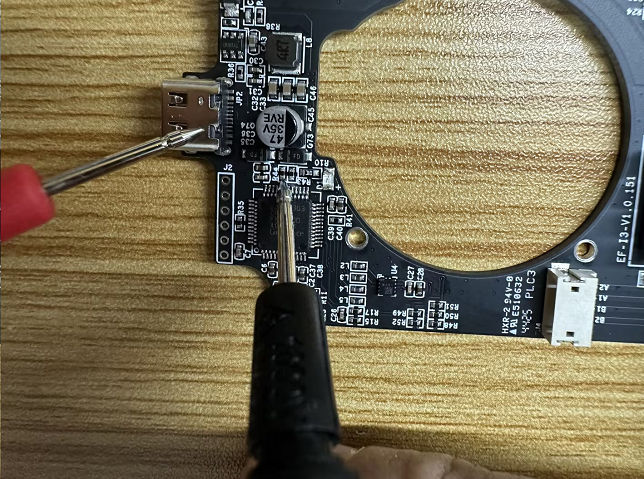
- If the measured value deviates significantly from the normal range, it indicates that the tool head communication board needs to be replaced.
¶ Step 4 Check whether the forward voltage at the corresponding position on the motherboard is within the normal range.
-
Turn the power switch OFF (symbol "〇") and unplug the power supply cable.
-
Set the multimeter to the diode mode or continuity (buzzer) mode.
-
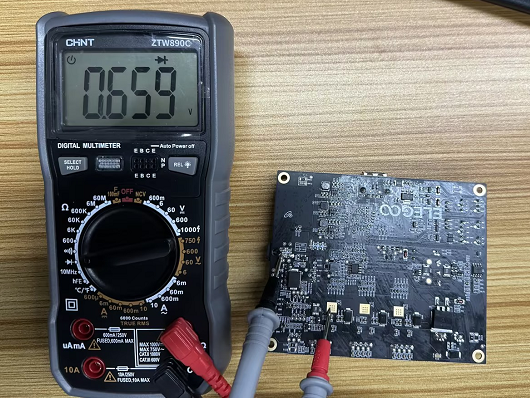
Measure the forward voltage at the corresponding position.
Note: The normal forward voltage is approximately 0.66 V.
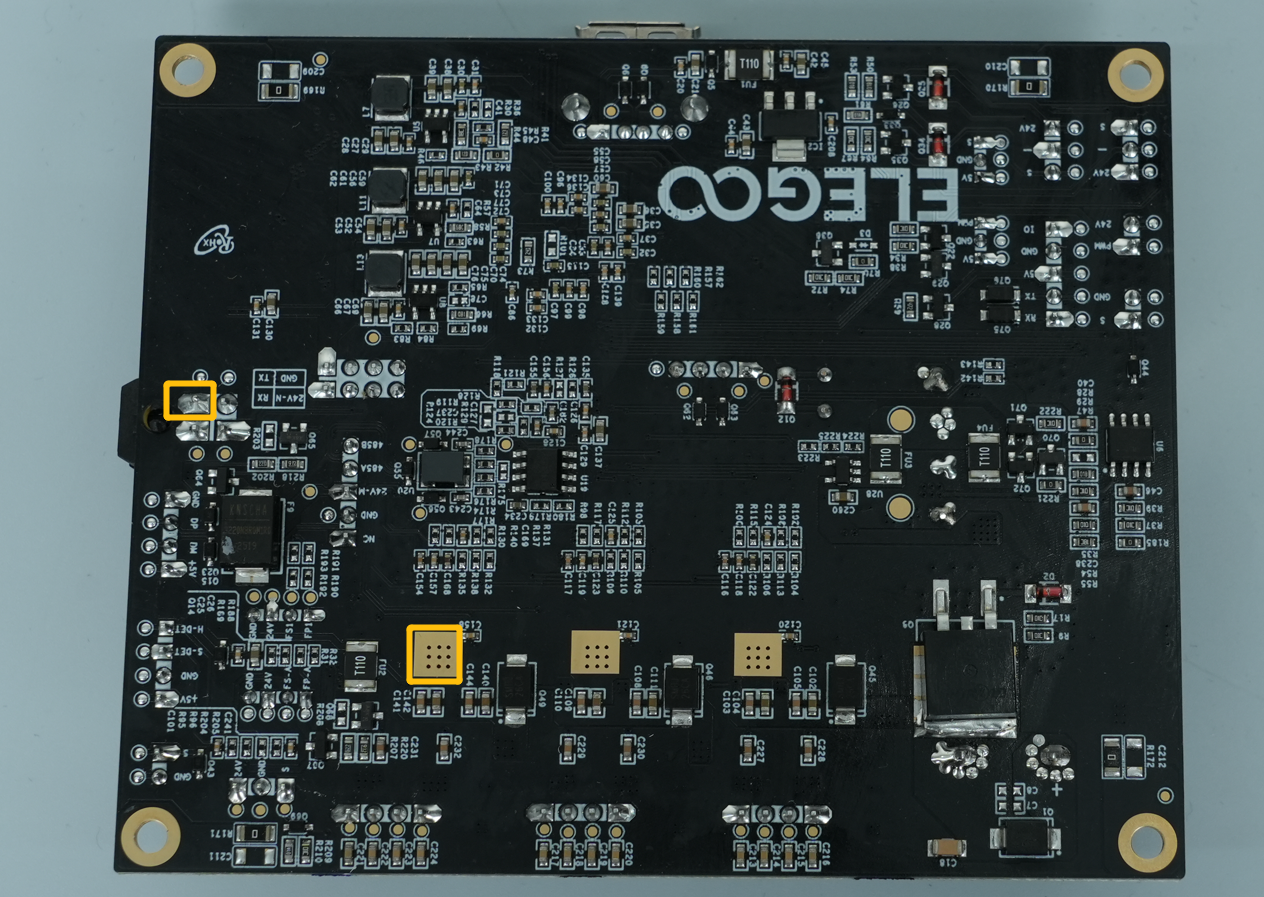
-
If the measured value deviates significantly from the normal range, it indicates that the motherboard needs to be replaced.
-
If the measured forward voltage of both the tool head communication board and the motherboard are within the normal range, it indicates that the tool head CANbus cable needs to be replaced.