¶ Issue Description
The touch screen displays error code 707.
¶ Reasons
- The front cover of the tool head is not fastened tightly.
- The magnets of the tool head front cover lost magnetism.
- The magnets fall off.
¶ Troubleshooting Steps
¶ Step 1 Re-install the tool head front cover.
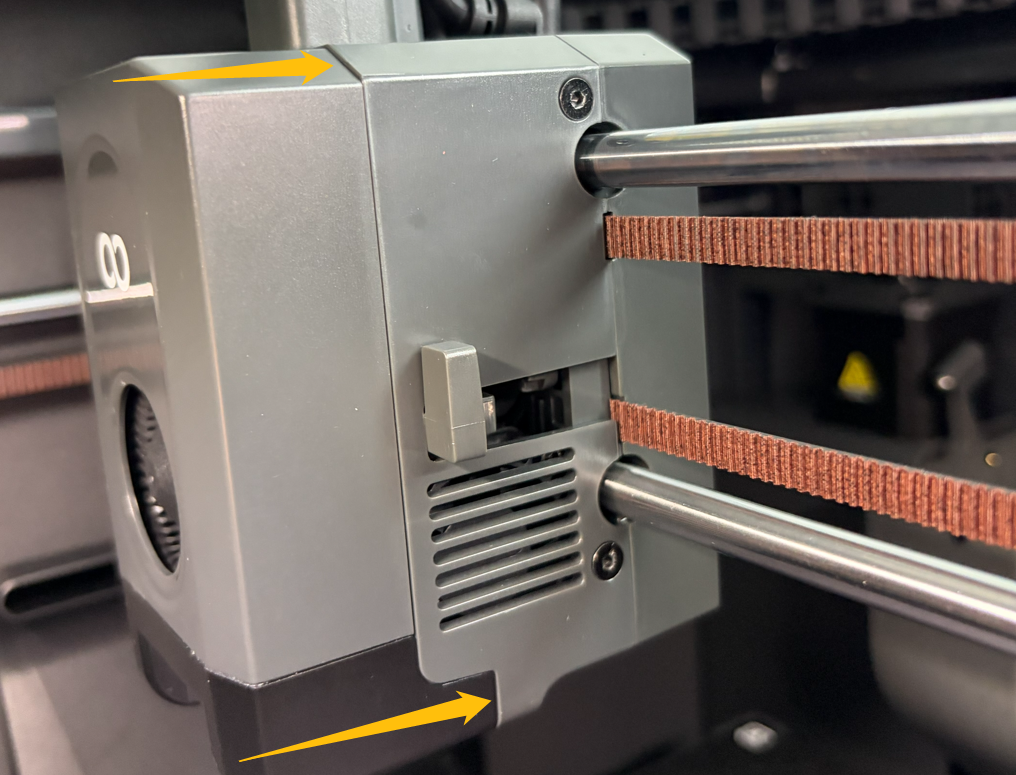
- Make sure that the front cover of the tool head is fastened tightly with no gap between the front cover and the main tool head.
¶ Step 2 Check the magnetism of the tool head front cover magnets.
Note: The tool head front cover is equipped with three magnets and the three magnets are located at the marked positions in the photo below.
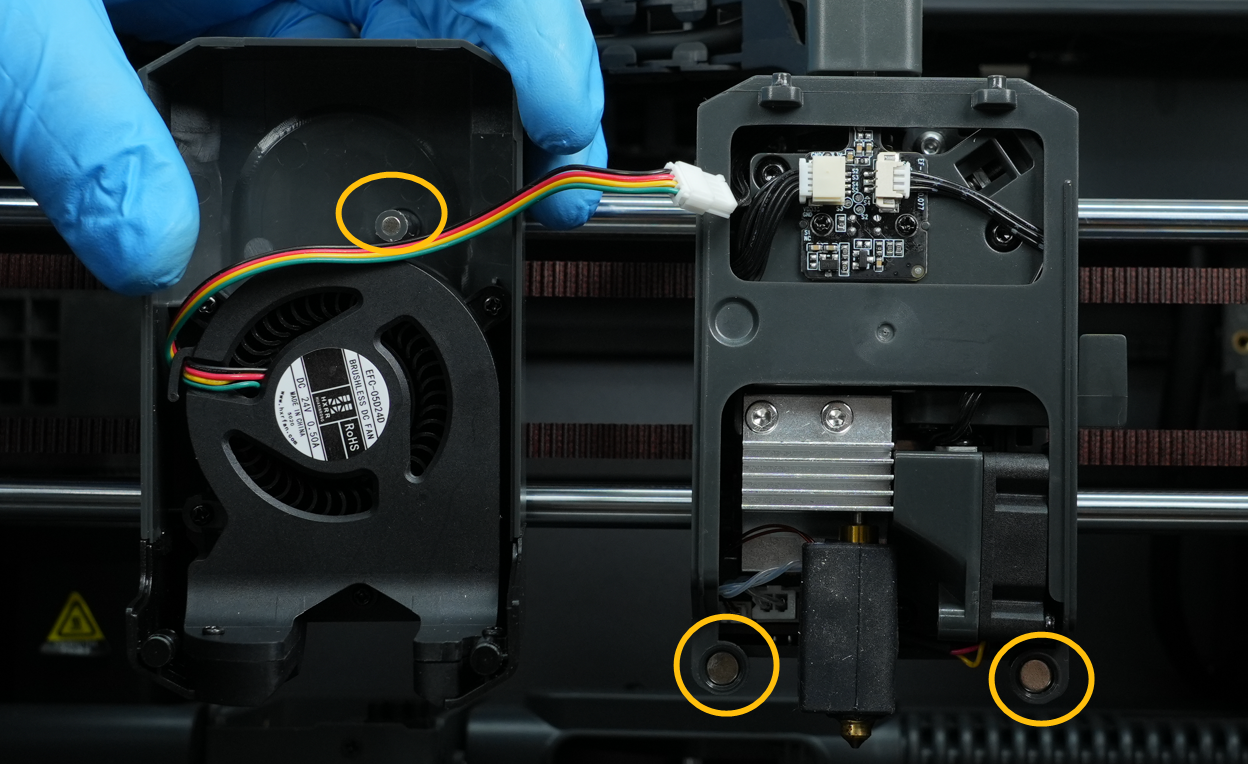
- Place a ferrous object on the marked positions and check whether the magnets still have magnetism.
- If the magnets lost their magnetism, it indicates that the magnets need to be replaced.