¶ Issue Description
The model cooling fan is abnormal.
¶ Reasons
-
The model cooling fan cable is abnormal or the fan is obstructed by foreign objects.
-
The model cooling fan cable is loosely connected.
¶ Troubleshooting Steps
¶ Tools needed for troubleshooting
- An multimeter
-
Turn the power switch OFF (symbol "〇") and unplug the power supply cable.
-
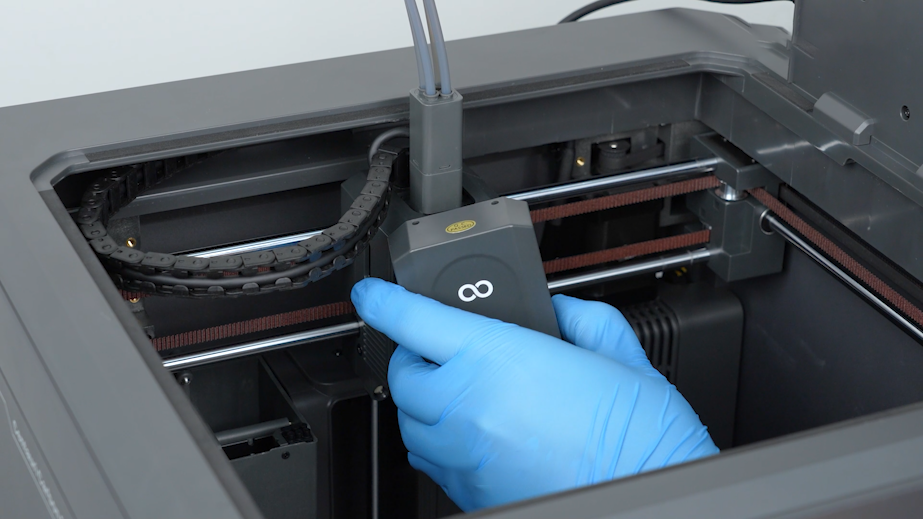
Remove the front cover of the tool head.
-
Check whether the model cooling fan is obstructed by foreign objects.
-
If the fan is obstructed by foreign objects, clean the blades. Reinsert the fan cable and turn the fan on. Observe whether the model cooling fan can rotate normally.
-
If the model cooling fan can operate normally, it indicates that the issue has been resolved.
-
If the model cooling fan still cannot operate normally, it indicates that the model cooling fan or the tool head communication board is damaged.
- If an multimeter is available, follow the steps below for further troubleshooting.
-
Set the speed of the model cooling fan to 70% and turn the cooling fan on.
-
Measure the voltage of the three marked positions with a multimeter of the model cooling fan port on the communication board.
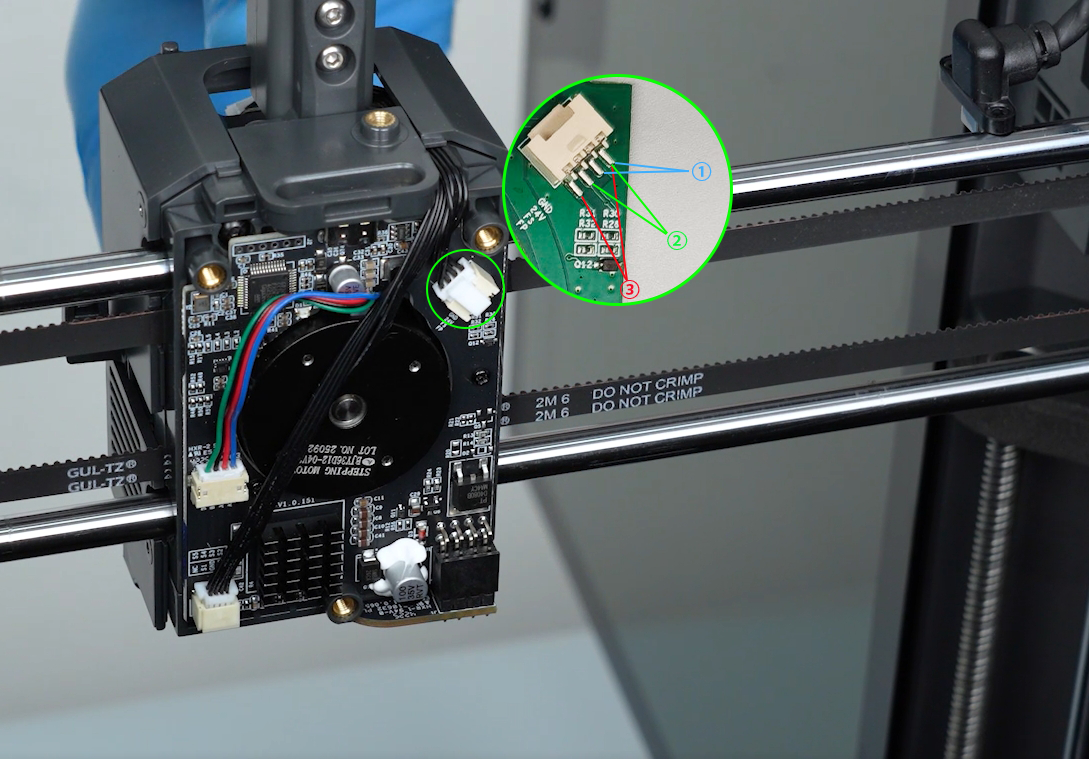
Note:
- The position 1 marked by red arrows is 24V.
- The position 2 marked by yellow arrows as 3.3V.
- The position 3 marked by green arrows as 2.3V.
-
If the voltage is abnormal, it indicates that the communication board needs to be replaced.
-
If the voltage is normal, it indicates that the model cooling fan needs to be replaced.
- If an multimeter is not avaliable, it is necessary to replace the model cooling fan and the tool head communication board.