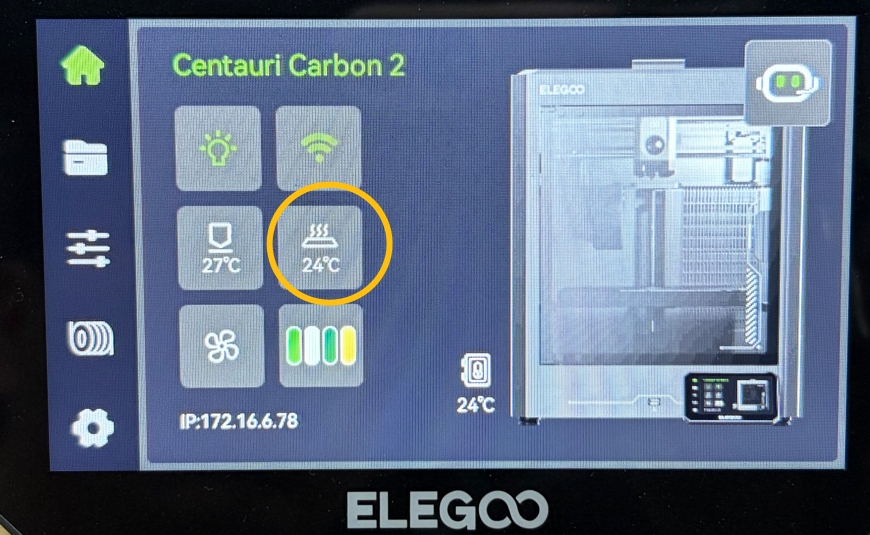
¶ Issue Description
The touch screen displays error code 205 or error code 206.
¶ Reasons
-
The chamber thermistor cable is loose, disconnected or improperly installed.
-
The chamber thermistor is damaged.
-
The chamber thermistor cable port on the motherboard has a malfunction.
¶ Troubleshooting Steps
¶ Tools needed for troubleshooting
-
A 2.0 mm Allen key
-
A multimeter
¶ Step 1 Check whether the chamber thermistor cable on the motherboard is loose.
- Turn the power switch OFF (symbol "〇") and unplug the power supply cable.
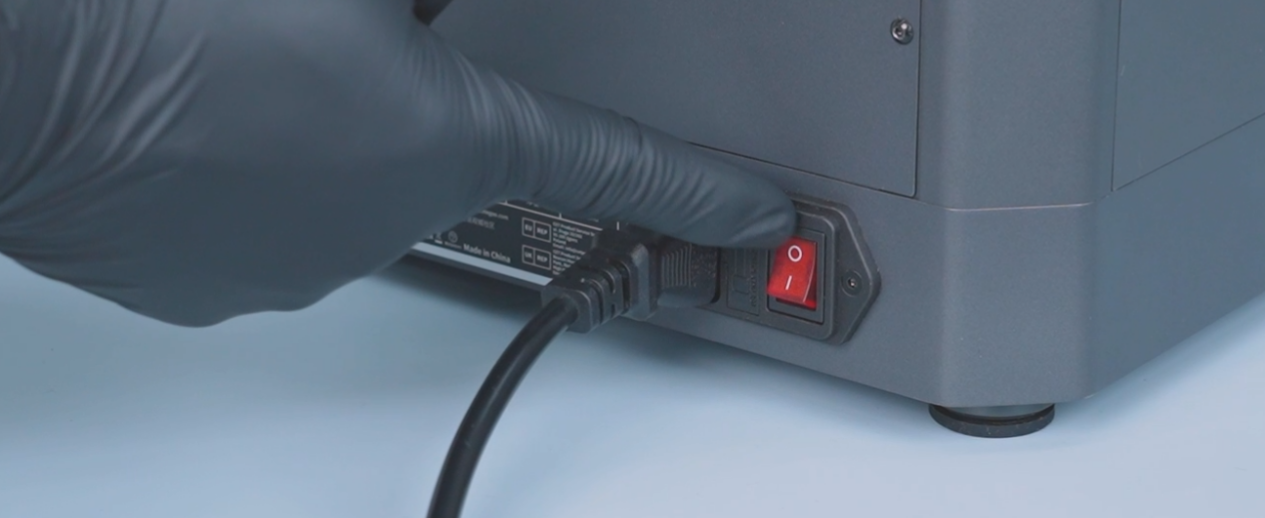
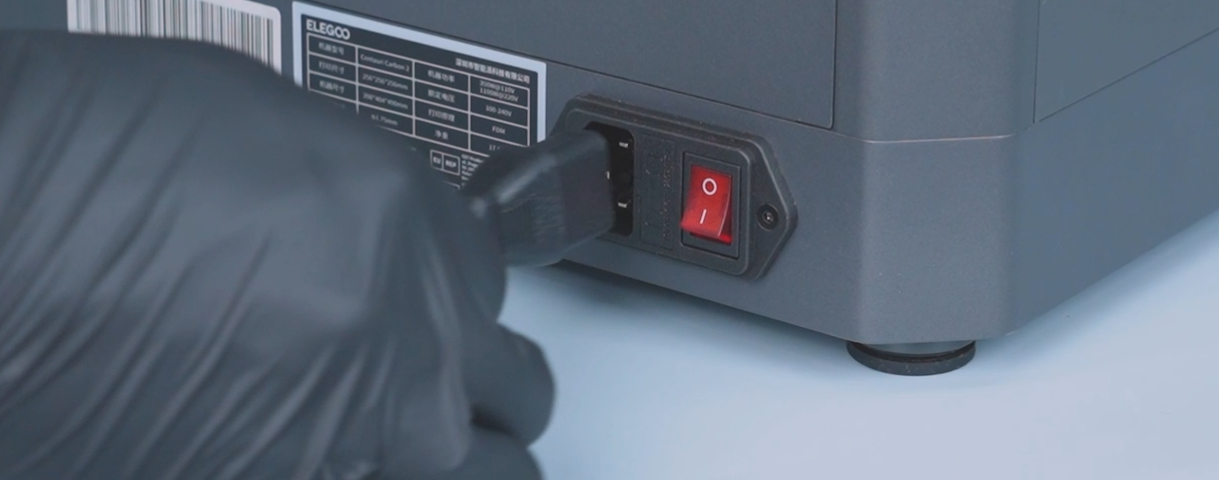
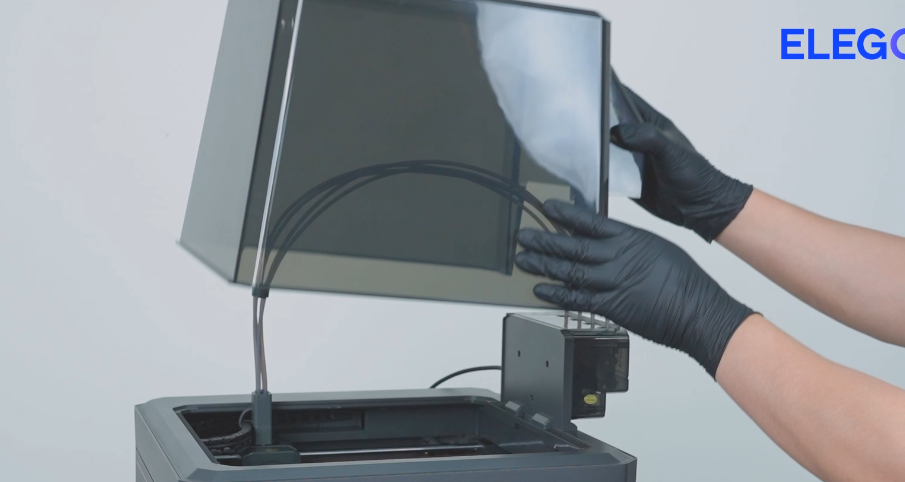
- Remove the lid.
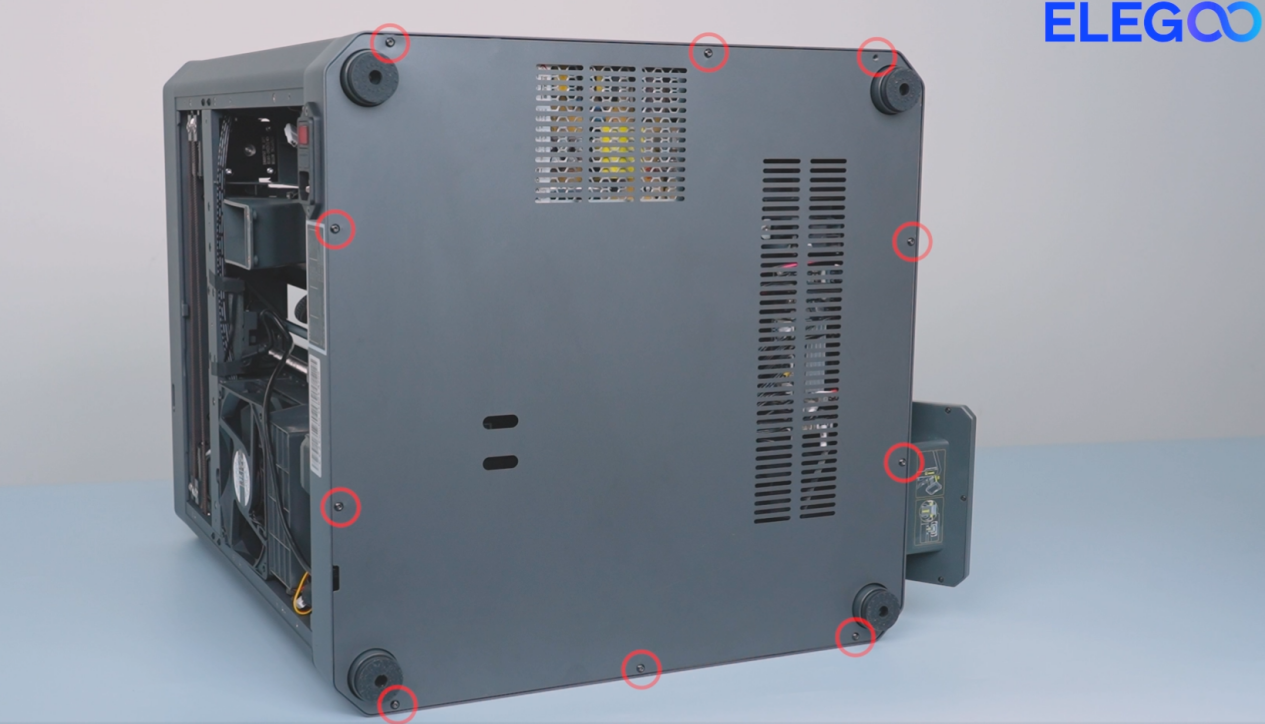
- Remove the ten screws securing the bottom cover with a 2.0 mm Allen key and remove the bottom cover.
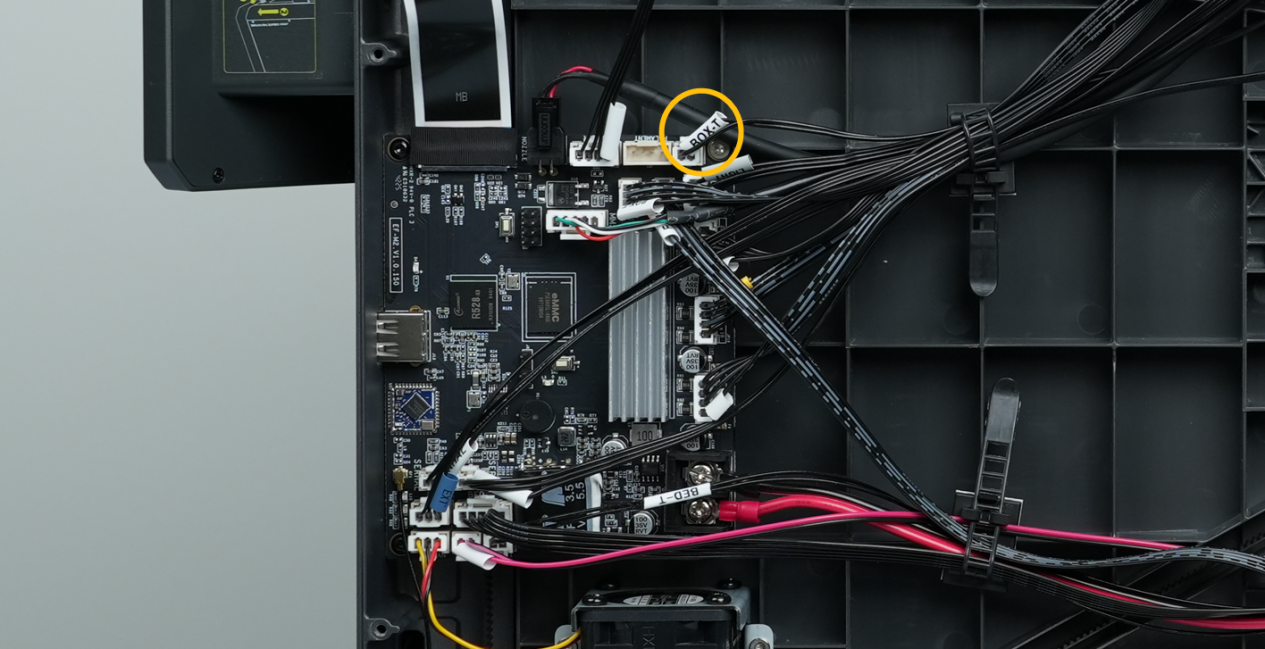
- Check if the chamber thermistor cable is loose and re-plug the cable.
¶ Step 2 Check whether the resistance value of the chamber thermistor is within a reasonable range.
-
Turn the power switch OFF (symbol "〇") and unplug the power supply cable.
-
Set the rotary switch to 200 KΩ.
-
Unplug the chamber thermistor cable and check whether its resistance value is within a reasonable range.
Note: The Centauri Carbon 2 Combo is equipped with an NTC100K thermistor. At a room temperature of 25℃, the measured resistance via multimeter is approximately 100KΩ (with a tolerance of ±1%). The resistance ranges from 33KΩ to 100KΩ at 0-25℃.
- If the resistance value is abnormal, it indicates that the chamber thermistor is damaged and needs to be replaced.
¶ Step 3 Interchange the chamber thermistor and the heated bed thermistor cables for testing
-
Turn the power switch OFF (symbol "〇") and unplug the power supply cable.
-
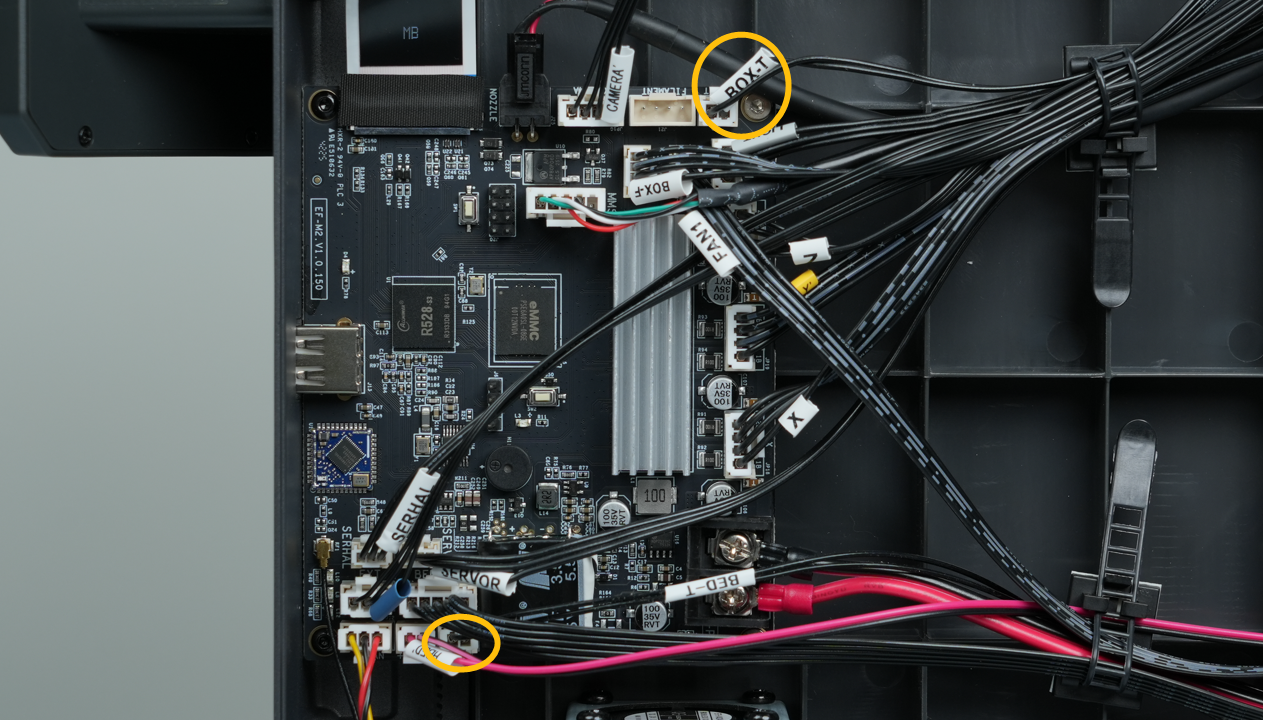
Swap the cables of the chamber thermistor and the heated bed thermistor.
-
Plug in the power supply cable and turn the power switch ON (symbol "|").
-
Check the heated bed temperature displayed on the touch screen.
- If the heated bed temperature is not the room temperature, it indicates that the chamber thermistor is damaged and needs to be replaced.
- If error code 205 still occurs,it indicates that the motherboard is damaged and needs to be replaced.