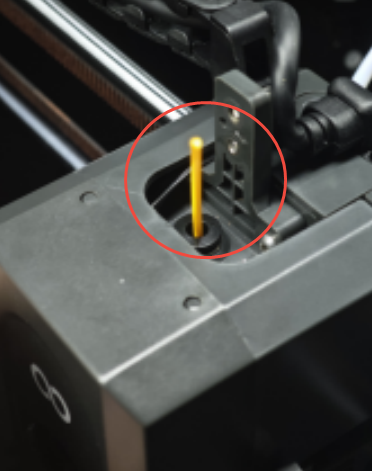
¶ Issue Description
The filament inside the tool head has abnormality.
¶ Reason
During the filament feeding process, the 4-in-1 hub has filament inside. However, the trigger is not activated. The printer received a wrong message that the 4-in-1 hub is empty and the current feeding channel cannot enter normally.
¶ Troubleshooting Steps
-
Turn the power switch OFF (symbol "〇") and unplug the power supply cable.
-
Remove the lid.
-
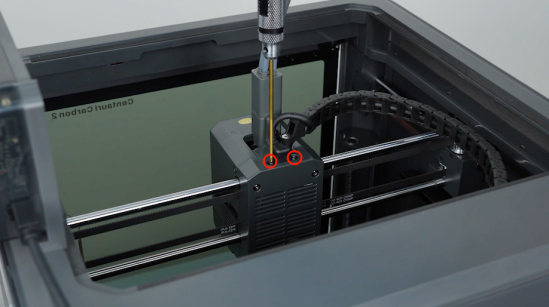
Loosen and remove the two screws securing the extruder communication cable with a 1.5 mm Allen key.
-
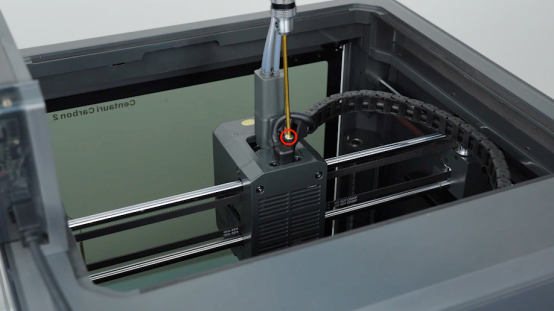
Loosen the screws securing the tank chain with the 2.5 mm Allen key and unplug the extruder communication cable.
-
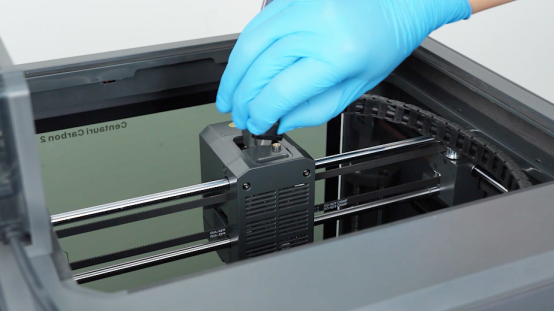
Loosen the two screws securing the 4-in-1 hub with a 2.0 mmAllen key and remove the 4-in-1 hub.
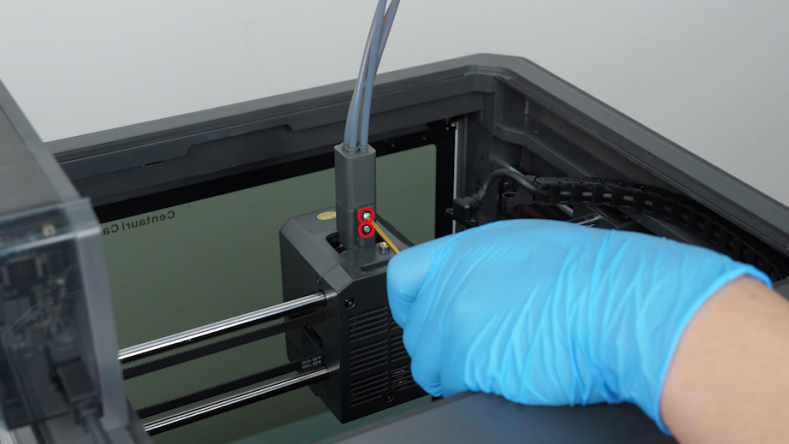
- Take out the broken filament.