¶ Issue Description
The touch screen displays error code 1102.
¶ Reasons
-
The grating is obstructed by foreign objects.
-
The servomotor is defective.
-
The servomotor detection board is defective.
¶ Troubleshooting Steps
¶ Tools needed for troubleshooting
- A 2.0 mm Allen key
¶ Preparation
¶ Check whether the grating can be closed normally.
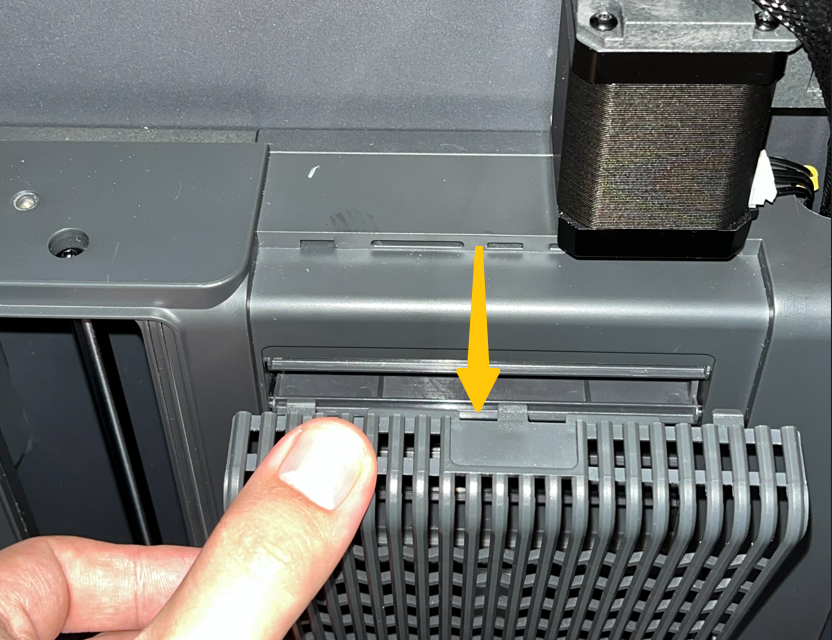
- Remove the grating cover.
- Create a model in the ELEGOO Slicer. Select the filament type as ABS and print the model.

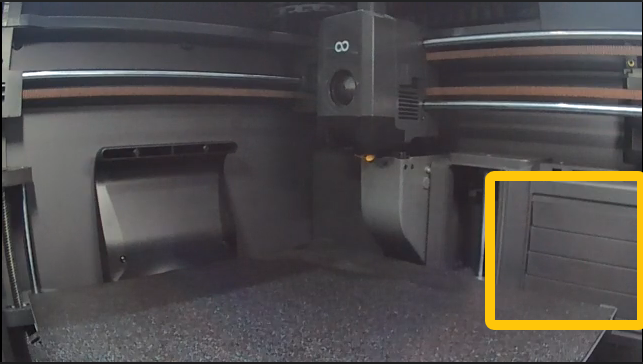
3. Print the model and check whether the grating can be closed during the printing. The picture below shows the normal situation.
-
If the grating can be closed normally, refer to Step 1 for further troubleshooting.
-
If the grating cannot be closed normally, refer to Step 2 and Step 3 for further troubleshooting.
¶ Step 1 Re-plug the servomotor detection cable.
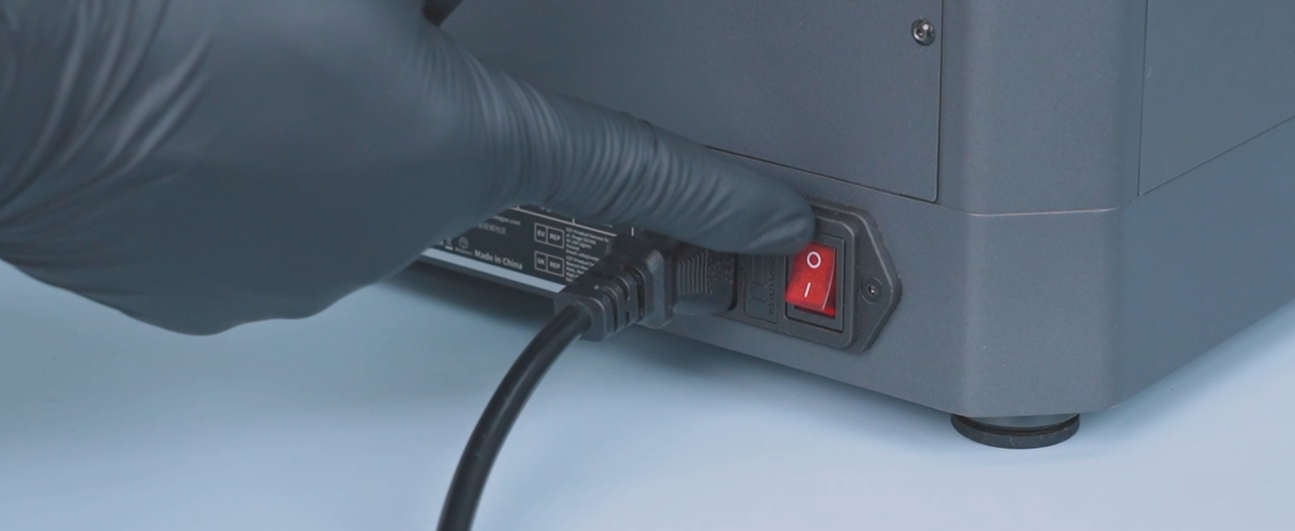
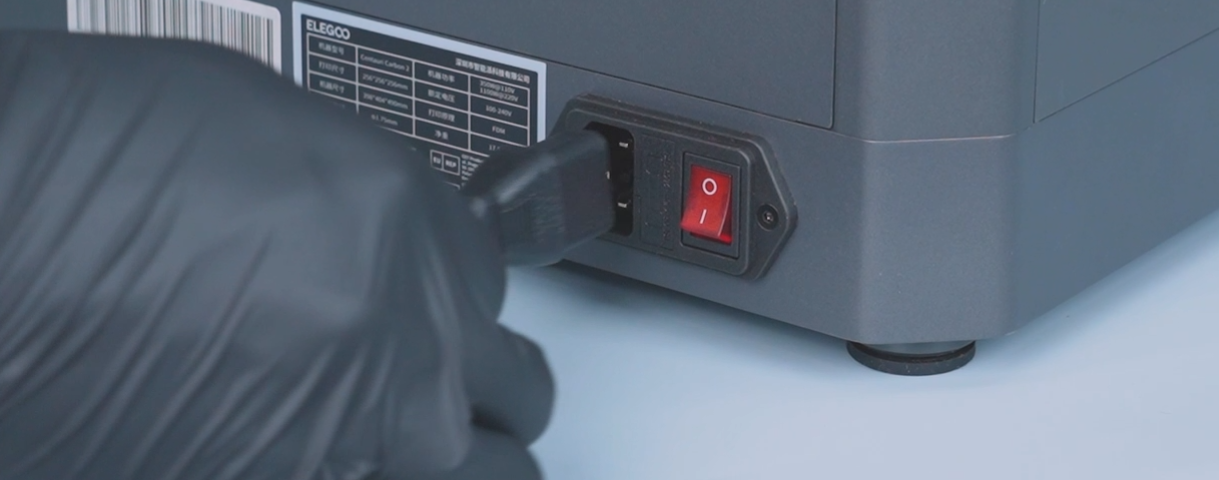
- Turn the power switch OFF (symbol "O"). Unplug the power supply cable.
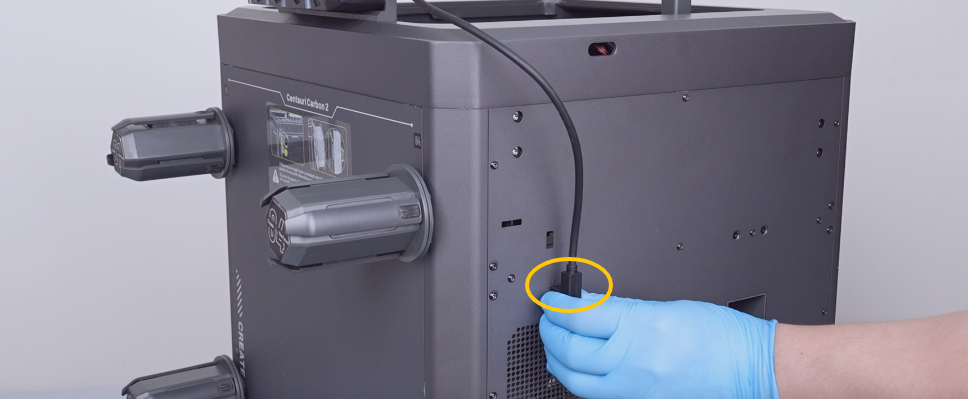
- Unplug the CANVAS communication cable.
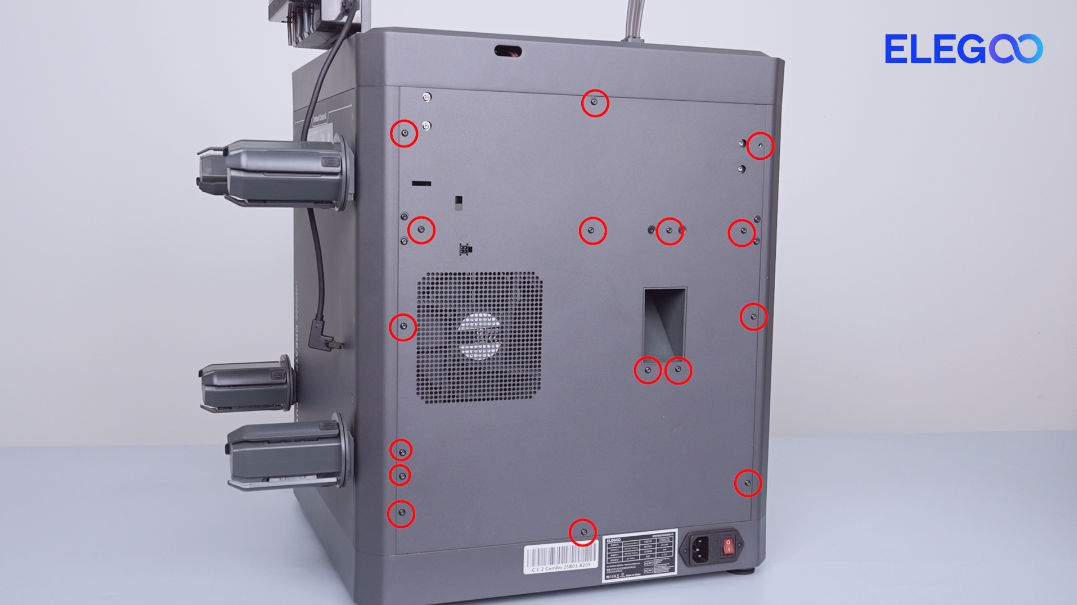
- Release and remove the sixteen screws securing the back cover with a 2.0 mm Allen key.
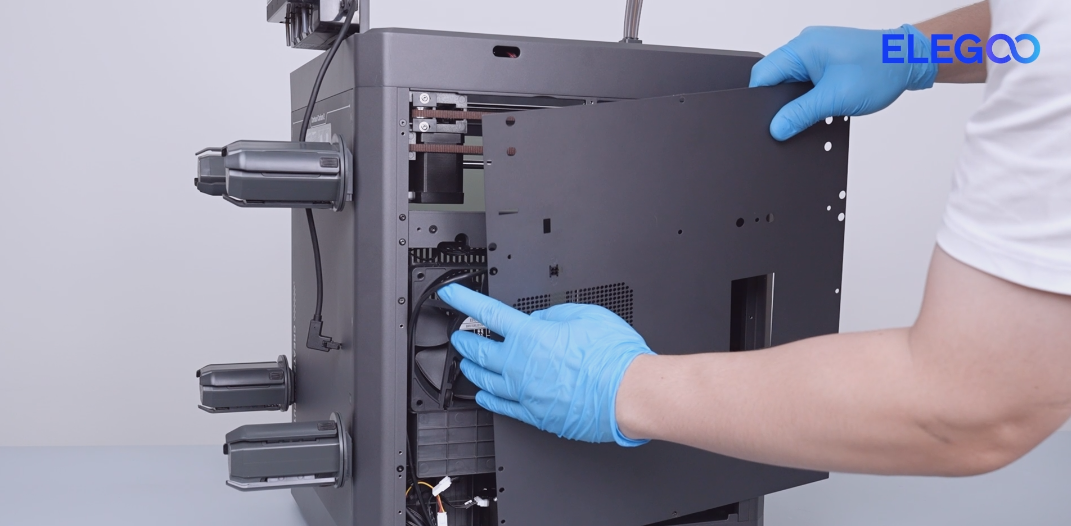
- Remove the CANVAS extension cable from the gap on the case fan side. Lay the back cover temporarily on the table.
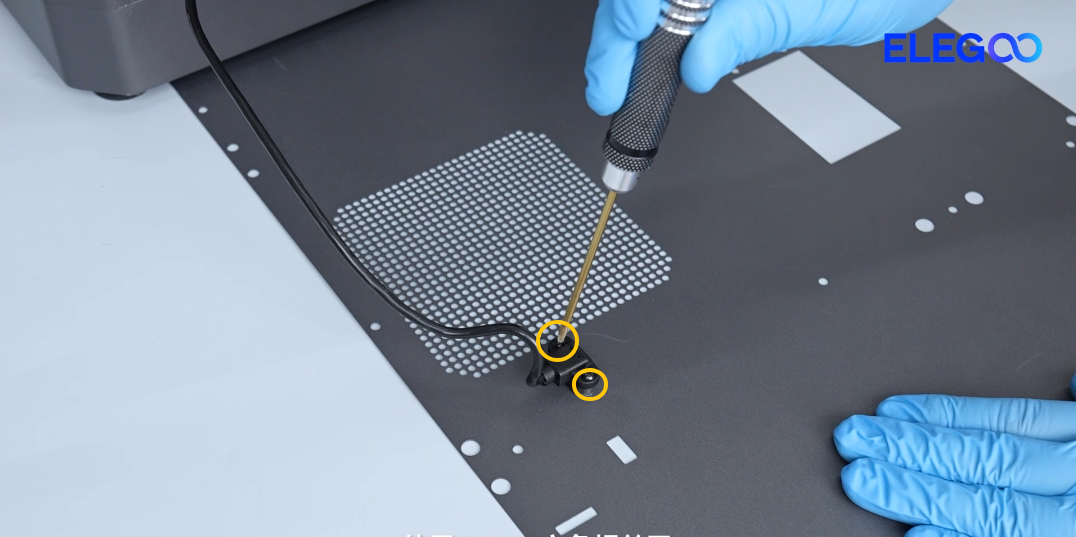
- Release and remove the two screws securing the CANVAS extension cable with a 2.0 mm Allen key.
- Remove the screws on the upper side and back side of the partition.
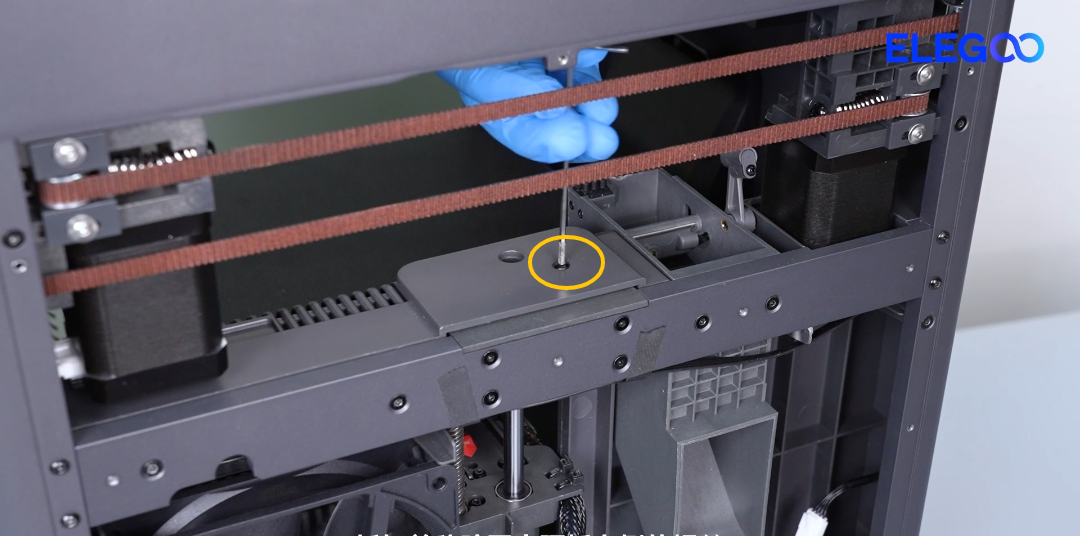
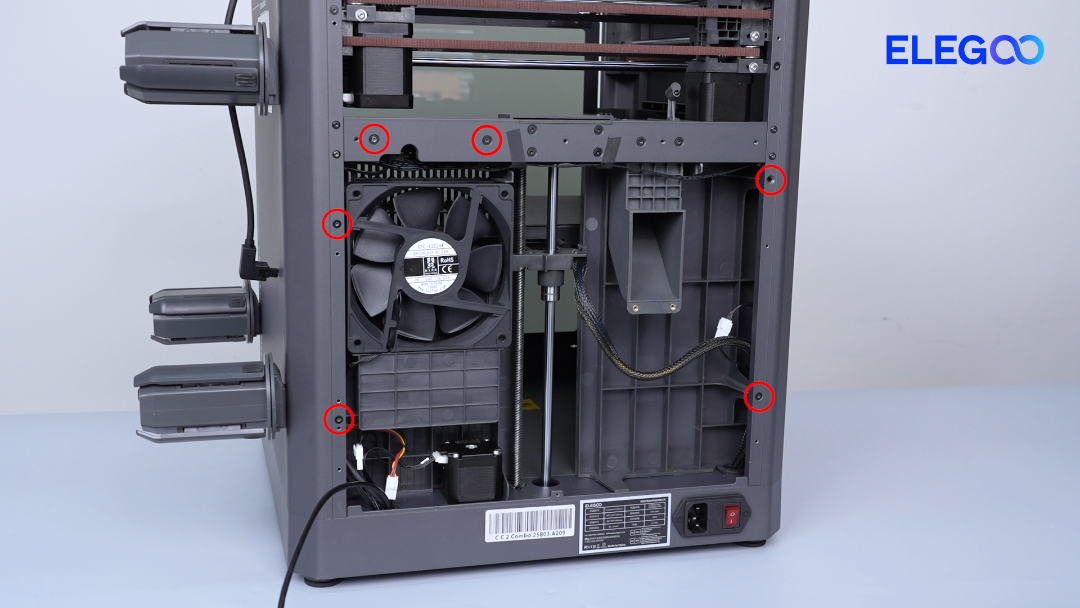
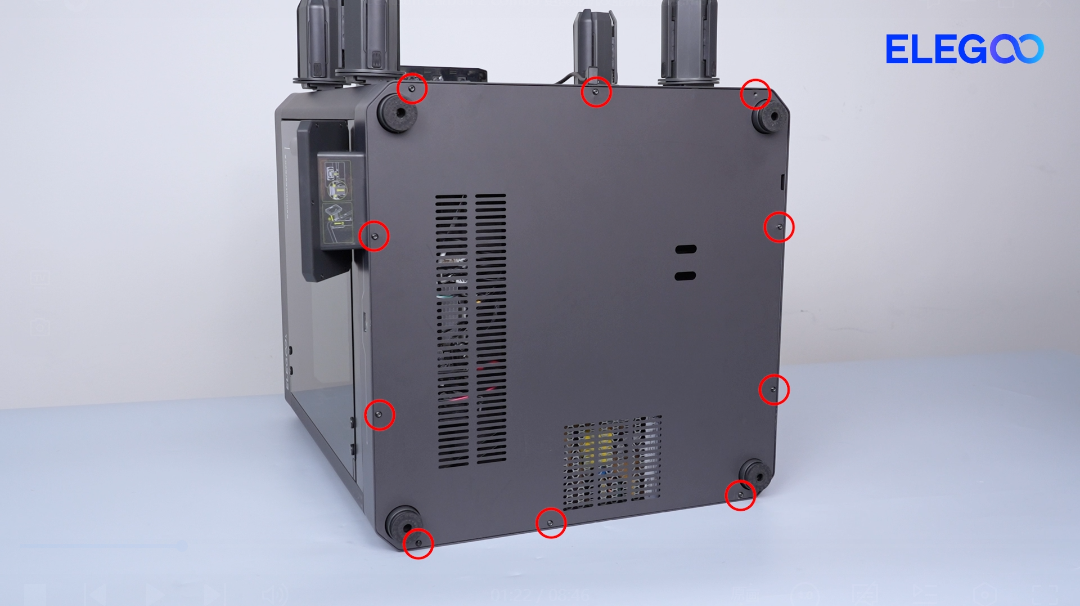
- Release and remove the ten screws securing the bottom cover with a 2.0 mm Allen key. Remove the bottom cover.
- Release and remove the two screws securing the bottom of the partition with a 2.0 mm Allen key.
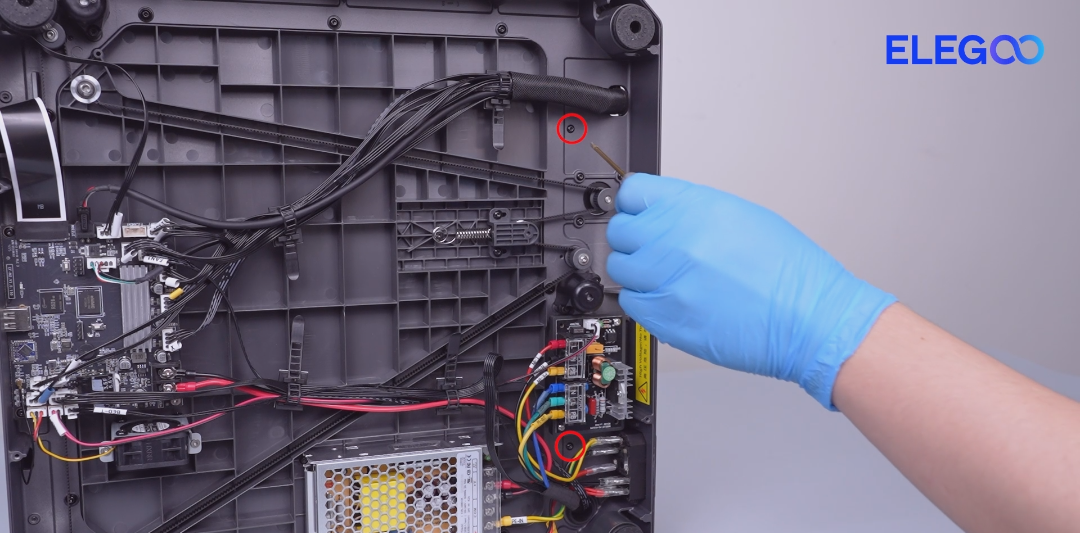
- Unplug the auxiliary cooling fan cable, case fan cable and the servomotor cable.
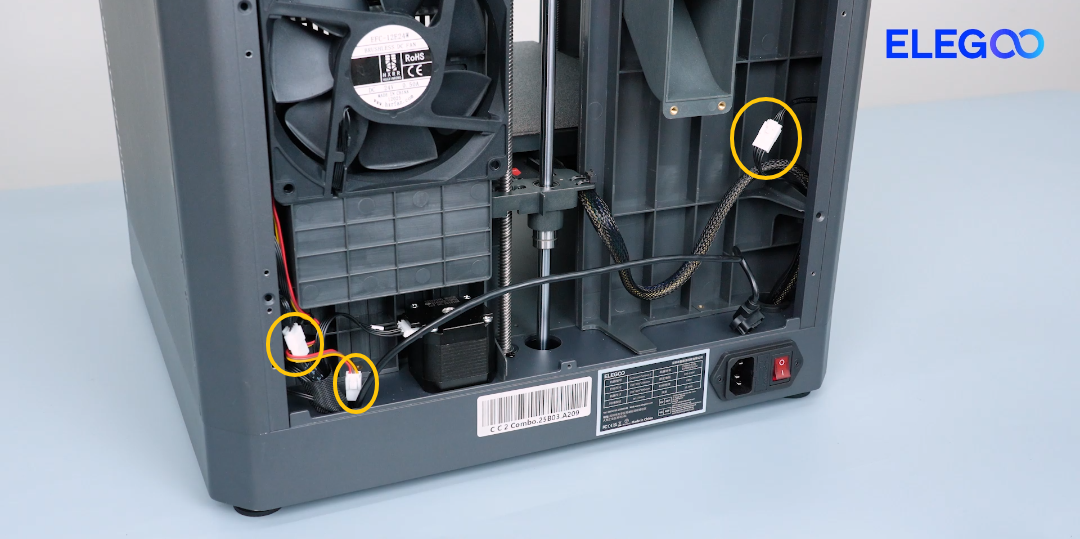
- Re-plug the cable of the servomotor detection board.
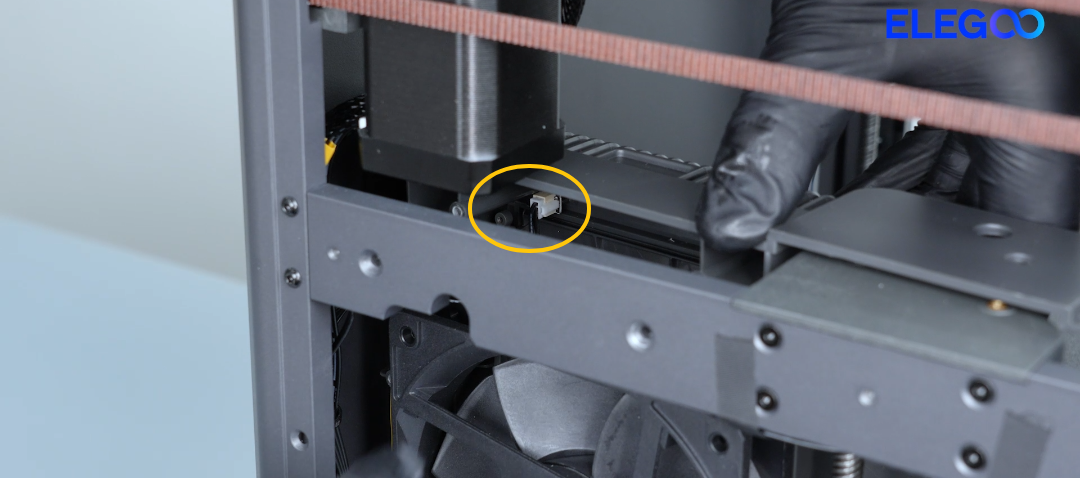
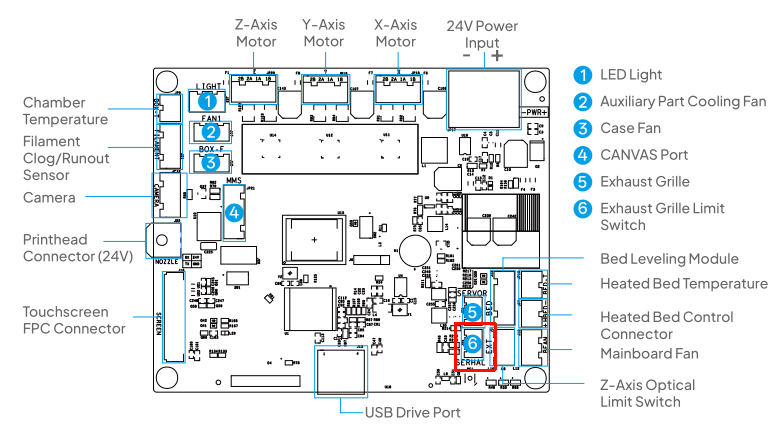
- If the issue still occurs, it indicates that the servomotor detection board needs to be replaced.
¶ Step 2 Check whether the grating can be opened or closed manually.
-
Turn the power switch OFF (symbol "〇") and unplug the power supply cable.
-
Pull the grating up and down manually and check whether the grating can be opened and closed normally.
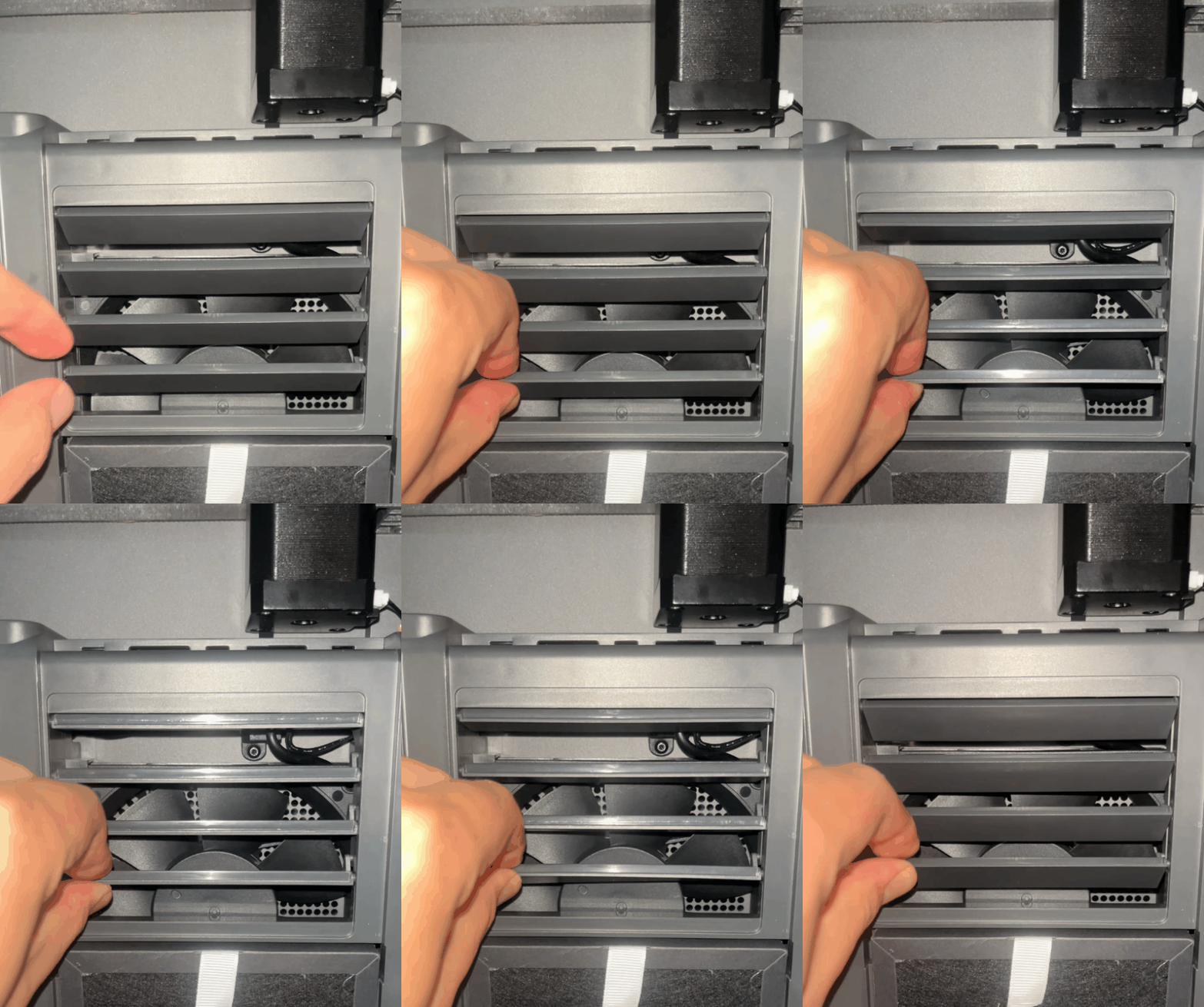
-
If the grating cannot be opened and closed normally, check whether the grating is obstructed by foreign objects and clean the objects.
-
If the grating can be opened and closed normally, refer to Step 3 for further troubleshooting.
¶ Step 3 Check the servomotor cable.
-
Turn the power switch OFF (symbol "〇") and unplug the power supply cable.
-
Re-plug the servomotor adapter cable and the servomotor cable connected to the motherboard.
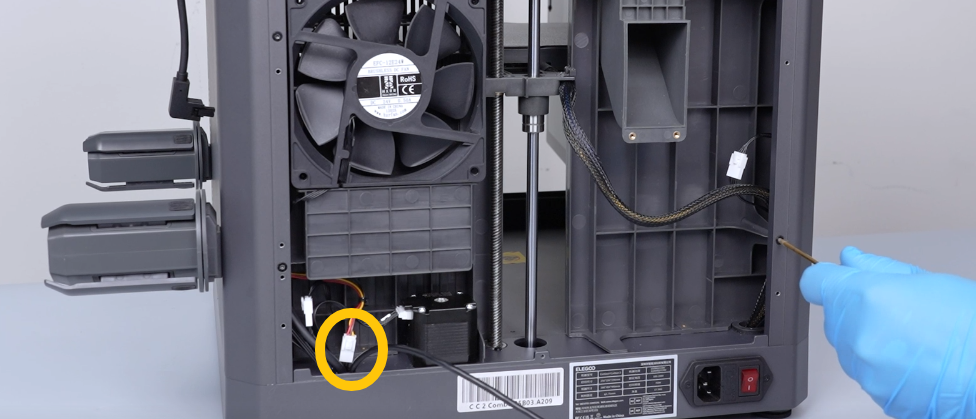
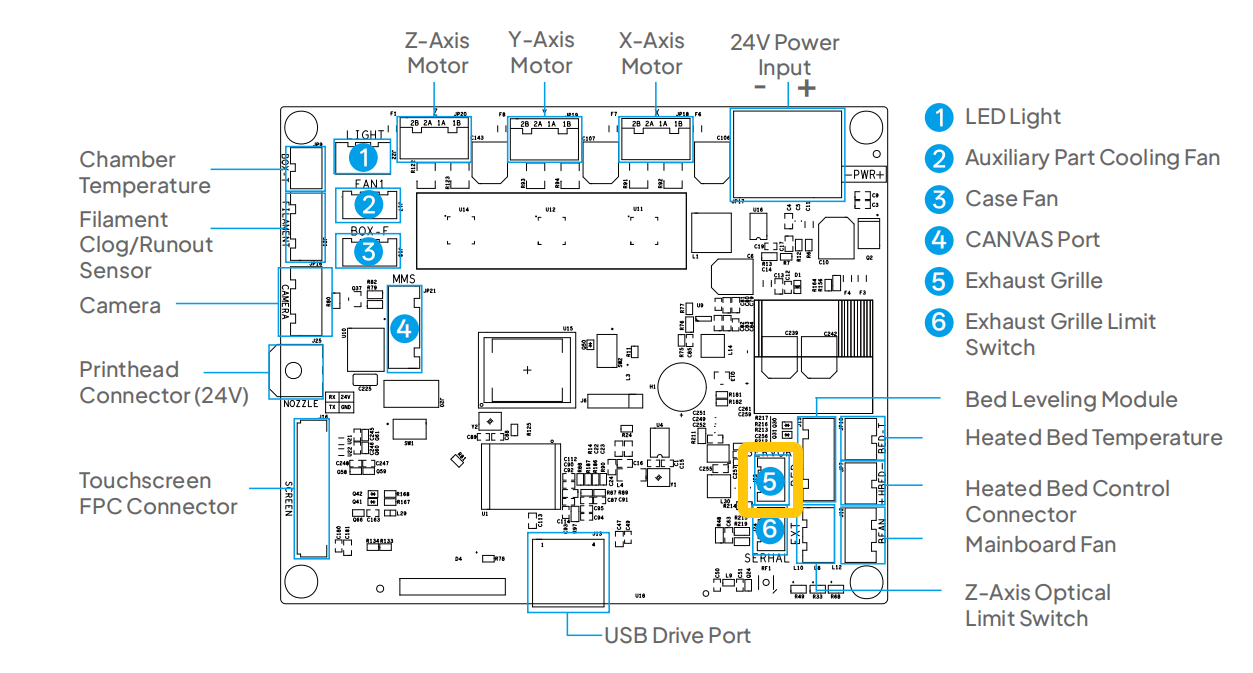
- If the issue still occurs, it indicates that the servomotor needs to be replaced.