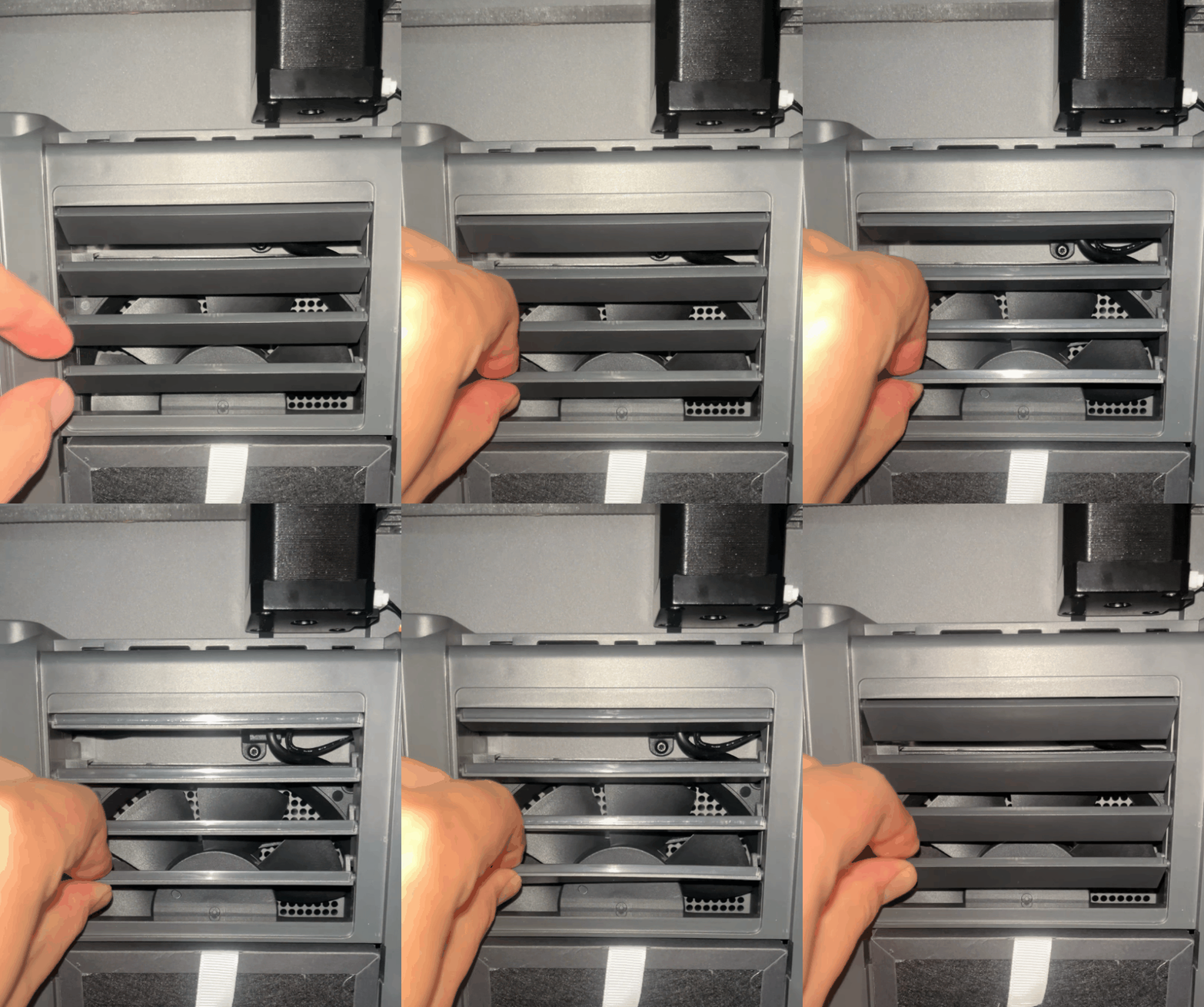
¶ Issue Description
The touch screen displays errror code 1101.
¶ Reasons
-
The magnet of the grating cover falls off.
-
The grating cover is obstructed by foreign objects.
-
The servomotor detection board has a malfunction.
-
The servomotor has a malfunction.
¶ Troubleshooting Steps
¶ Tools needed for troubleshooting
- A 2.0 mm Allen key
¶ Preparation before troubleshooting
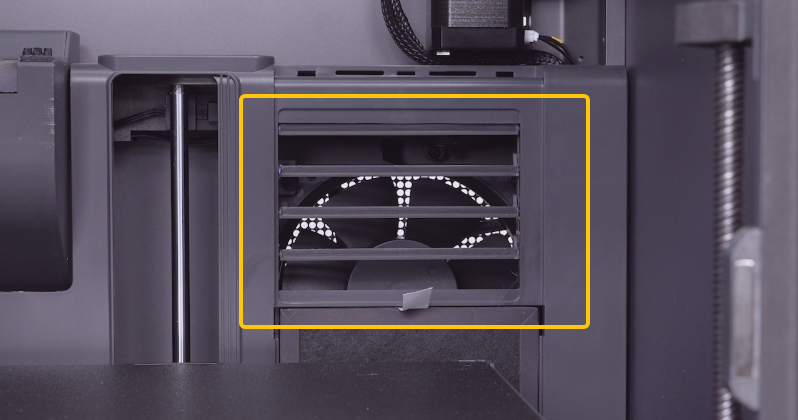
First, confirm whether the grating cover opens normally after the printer is powered on.
-
If the grating cover opens normally, refer to Step 1 for troubleshooting.
-
If the grating cover fails to open normally, refer to Step 2 for troubleshooting.
¶ Step 1 Check whether the grating magnet falls off.
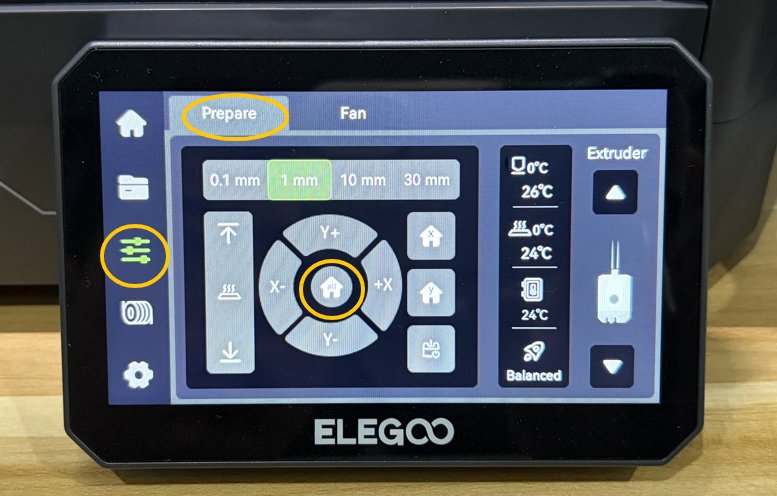
- On the touch screen, select Control - Prepare - Homing and wait for the printer's homing process to complete.
-
Lower the heated bed to the bottom via the touch screen.
-
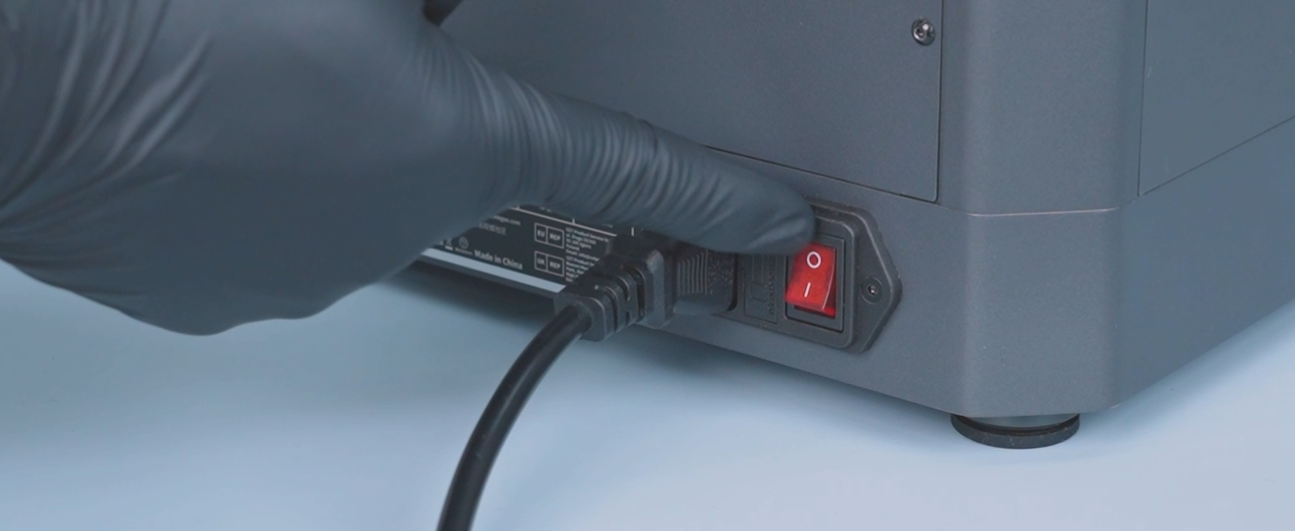
Turn the power switch OFF (symbol "〇") and unplug the power supply cable.
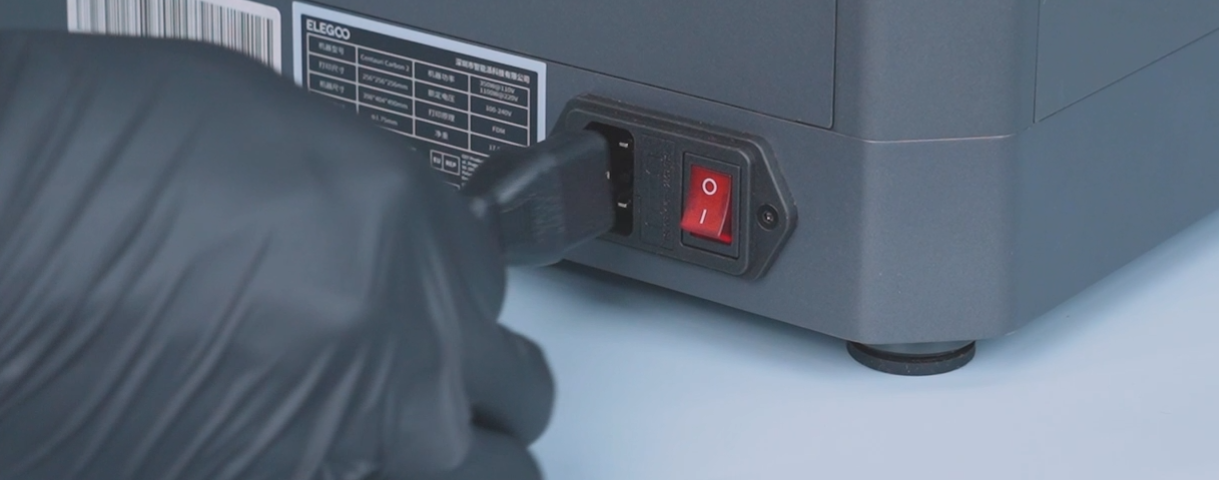
- Unplug the CANVAS communication cable.
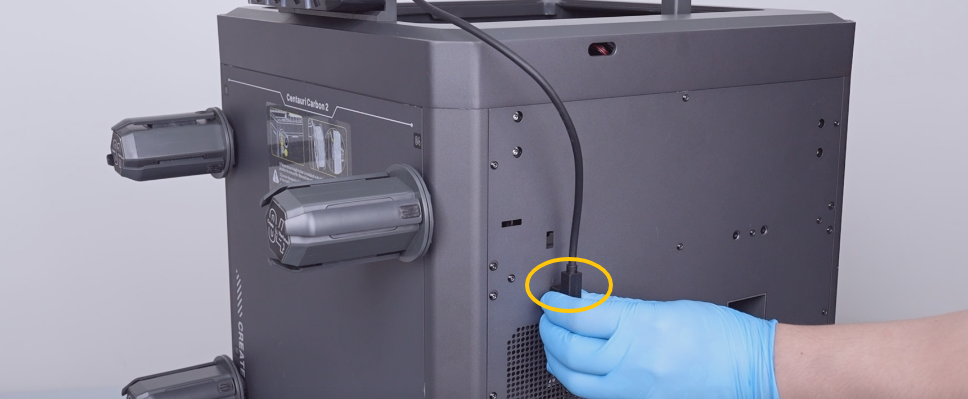
- Remove the sixteen screws securing the back cover with a 2.0 mm Allen key and remove the back cover.
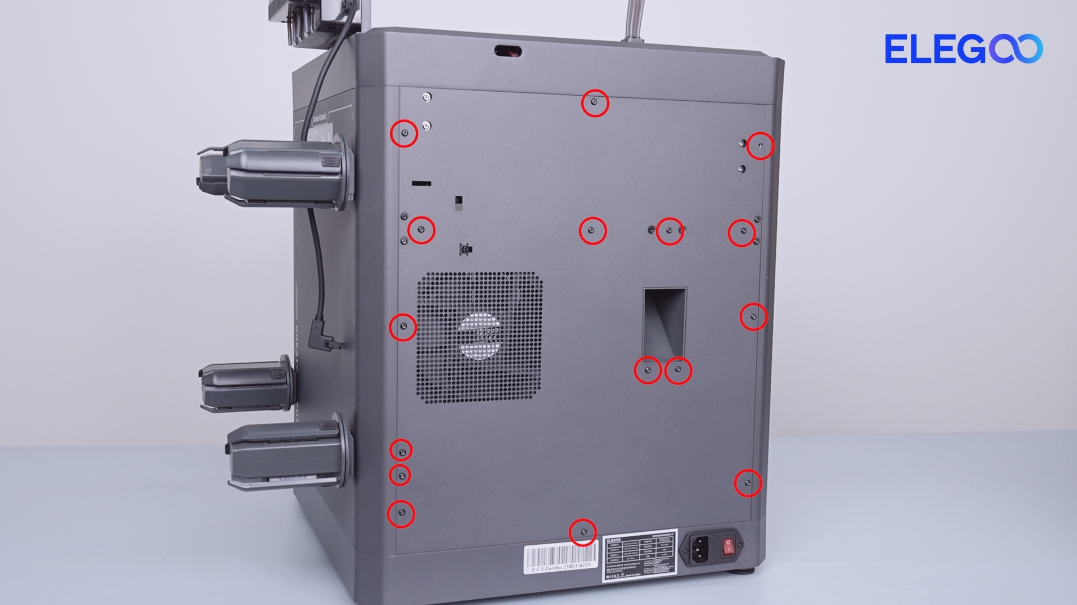
- Pull the CANVAS extension cable out through the gap on the side of the case fan and lay the back cover flat above the table temporarily.
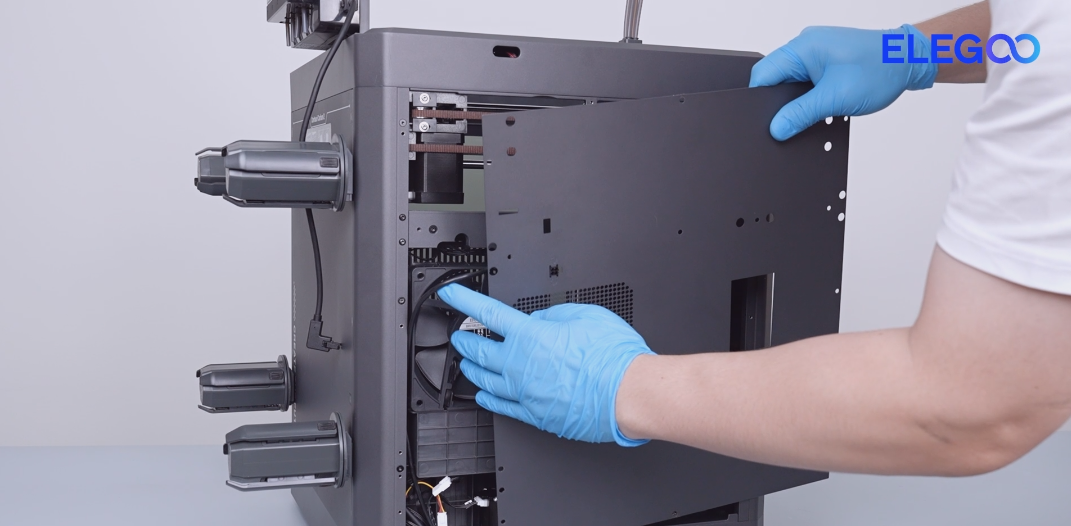
- Remove the two screws securing the CANVAS extension cable with a 2.0 mm Allen key.
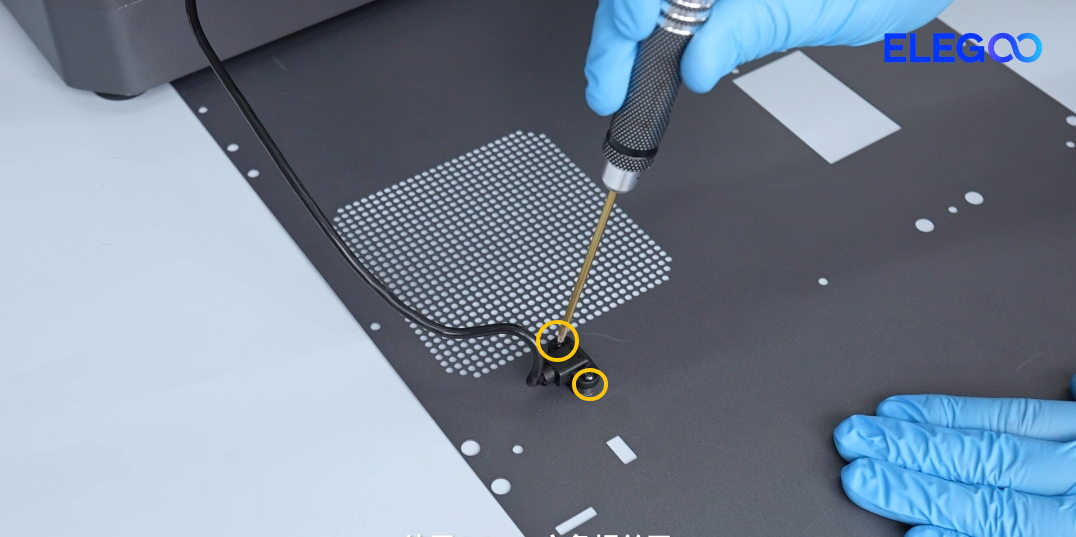
- Remove the screws on the upper and back sides of the partition.
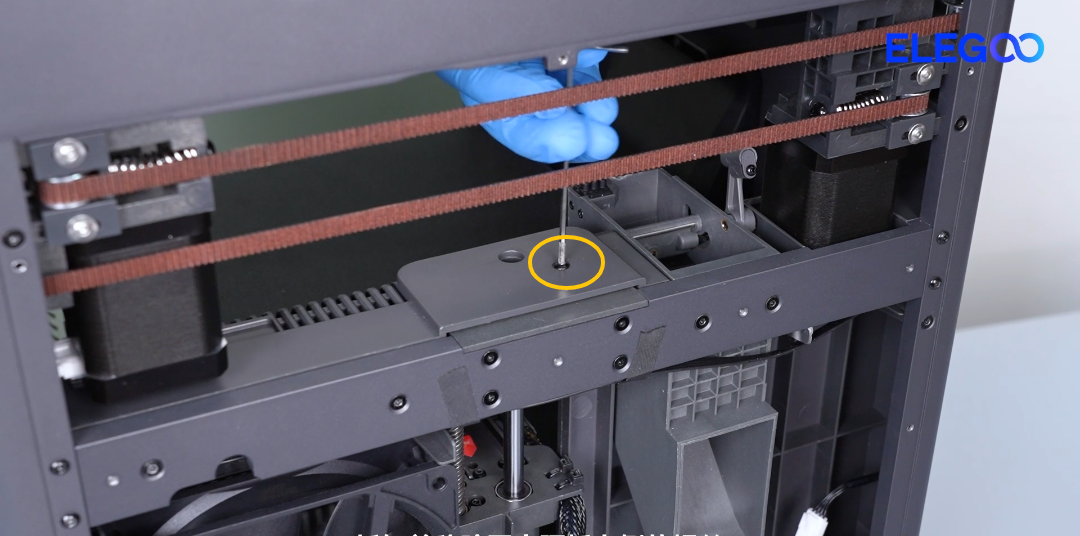
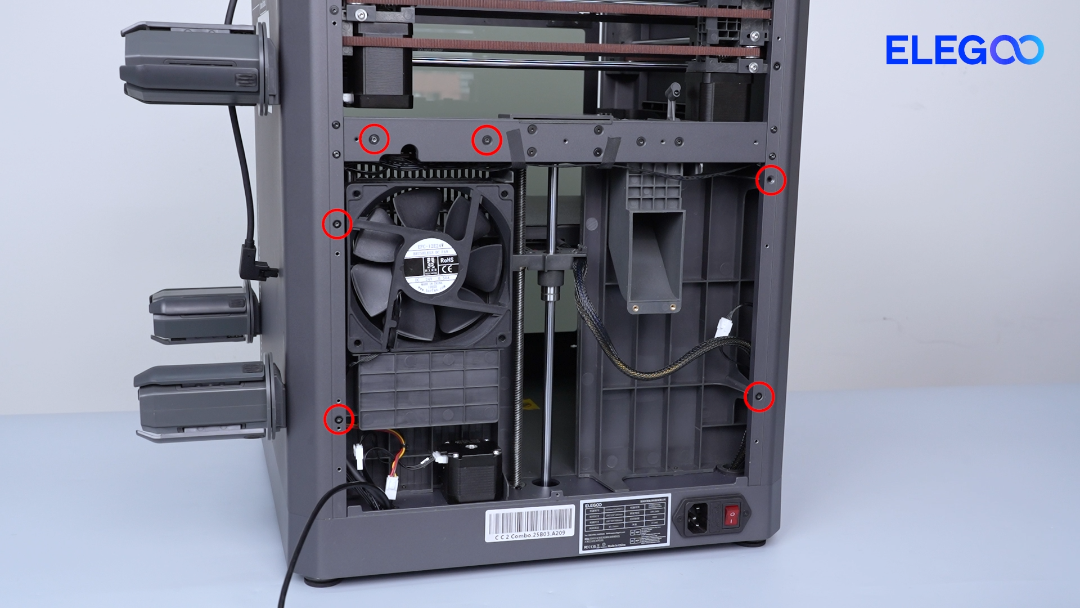
- Remove the ten screws securing the bottom cover with a 2.0 mm Allen key and remove the bottom cover.
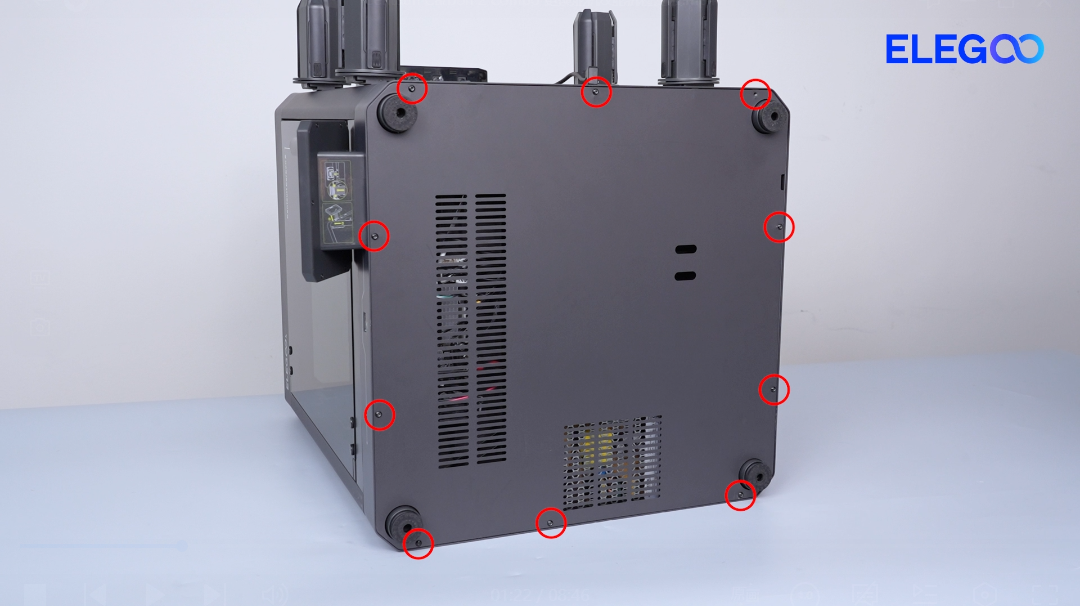
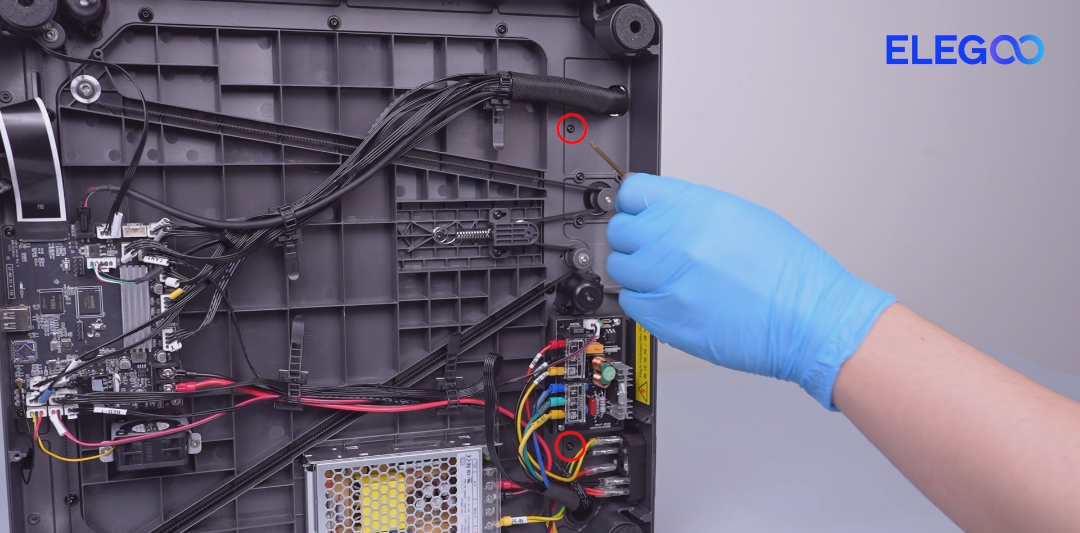
- Remove the two screws securing the bottom of the partition with a 2.0 mm Allen key.
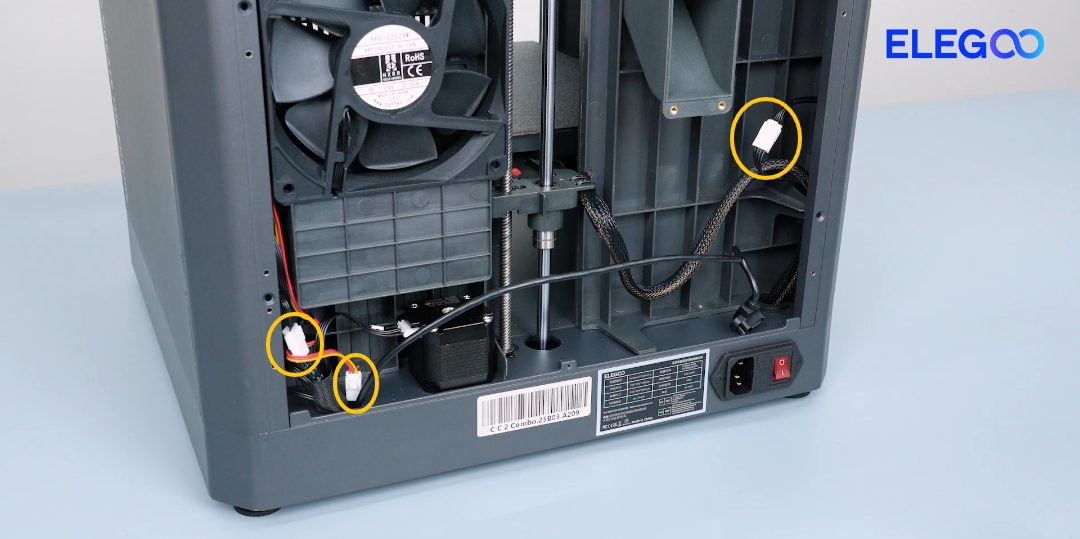
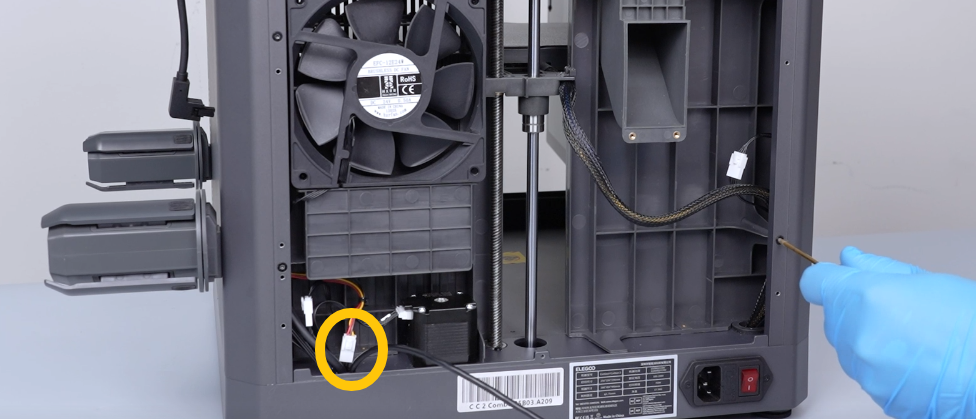
- Unplug the cables of the auxiliary cooling fan, case fan, servomotor and servomotor detection board.
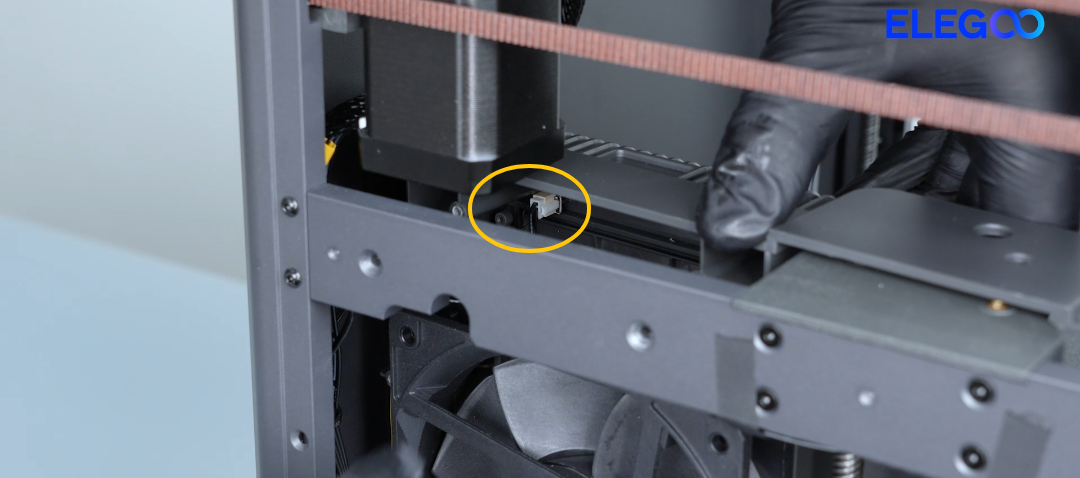
- Check whether the servomotor magnet falls off.

-
If the magnet falls off, it is necessary to install a new magnet.
-
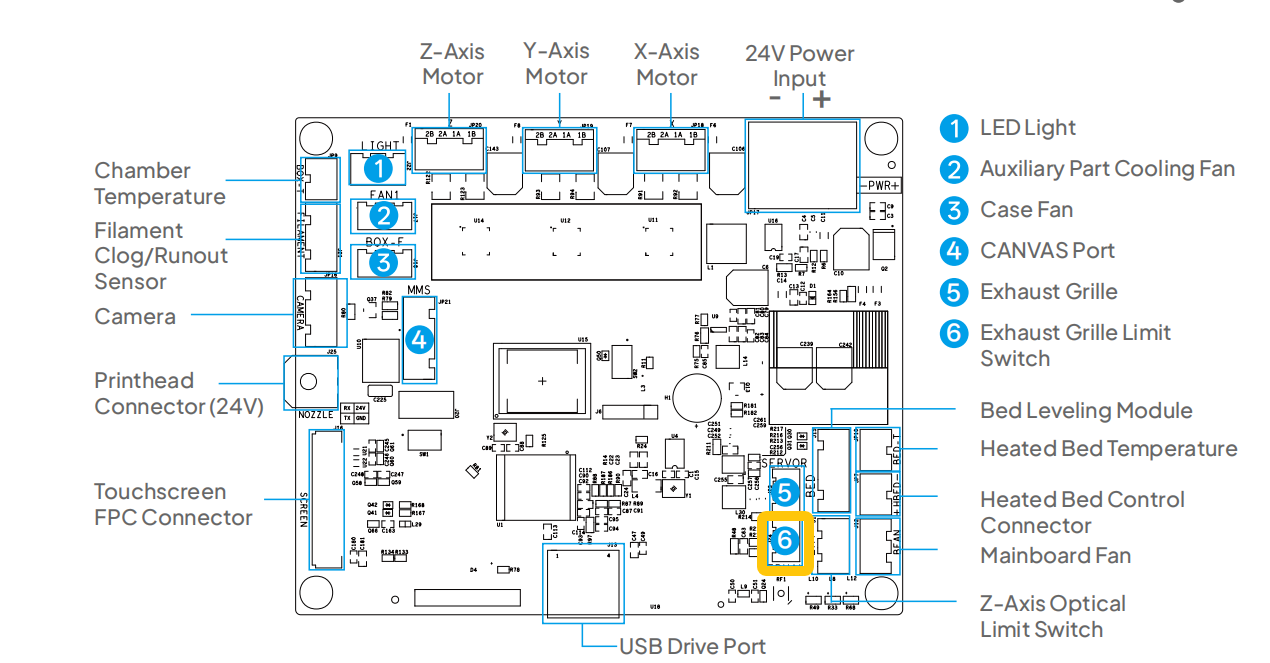
If the magnet is in place, try re-plugging the servomotor detection cable connected to the servomotor detection board and the motherboard.
-
If the issue still occurs, it indicates that the servomotor detection board needs to be replaced.
¶ Step 2 Check whether the grating cover is obstructed by foreign objects.
-
Turn the power switch OFF (symbol "〇") and unplug the power supply cable.
-
Remove the grating cover protector.
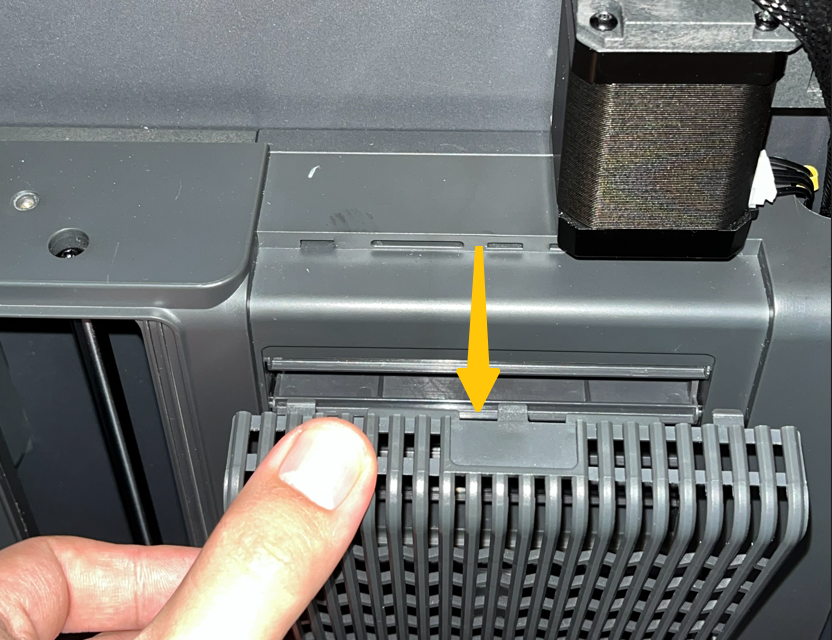
- Re-plug the adapter cable connected to the servomotor and the motherboard.
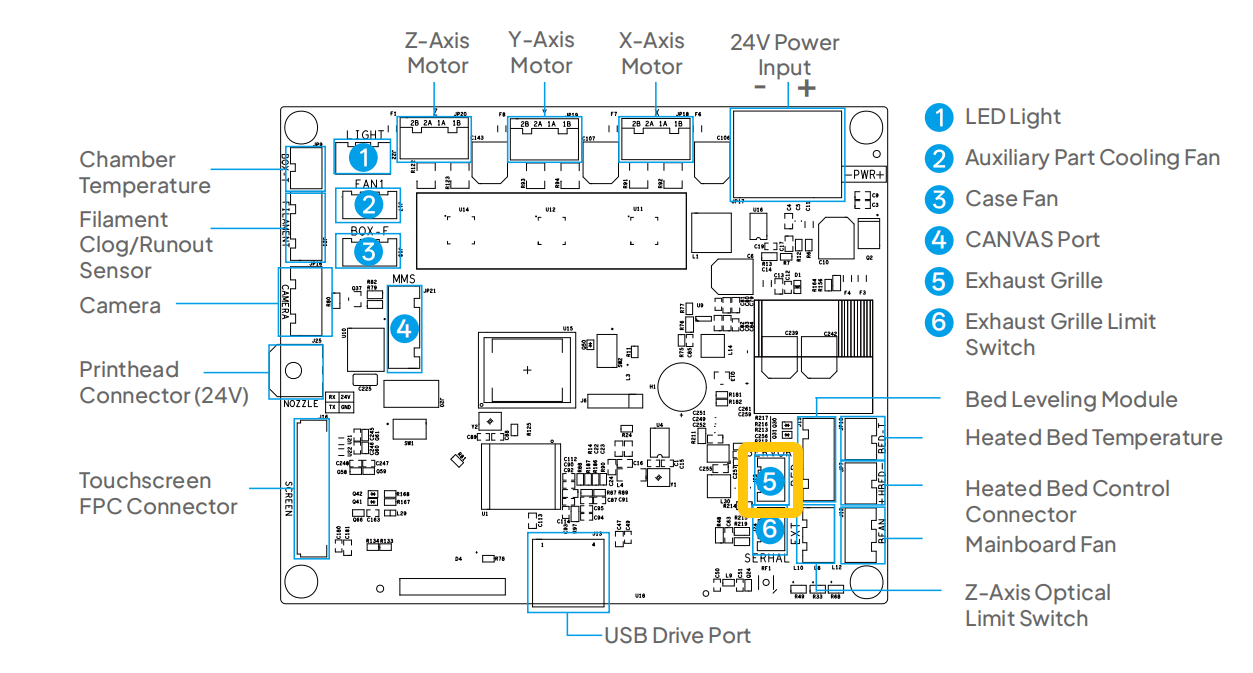
- Check whether the grating cover is obstrcuted by opening and closing it manually.
- If the grating cover can be opened and closed manually, it indicates that the servomotor needs to be replaced.