¶ Required Tools
- Alcohol or dishwashing detergent
- Lithium-based white grease
- Lint-free cloth
- Keyboard cleaning gel
- Brush
¶ Operation Steps
¶ PEI Plate
-
Clean both sides of the PEI plate using water + dishwashing detergent + a sponge. After cleaning, wipe the PEI plate dry with a lint-free cloth.
Do not use metal brushes, as they will damage the PEI coating. -
Alternatively, wipe both sides of the PEI plate using alcohol + a lint-free cloth. This helps remove dust and grease from the surface.
Try to avoid touching the PEI surface with your hands, as skin oils may reduce adhesion.
¶ X & Y Axis Optical Shafts
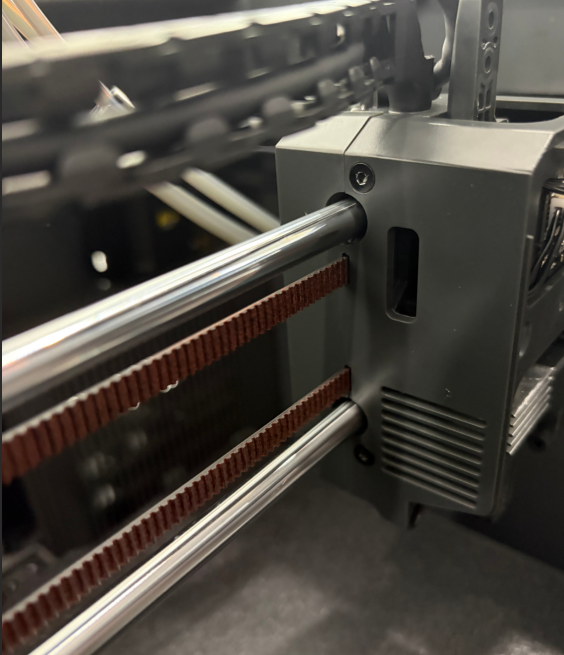
- Clean the X/Y axis optical shafts using a lint-free cloth.
- Apply lithium-based white grease onto the X/Y axis optical shafts.
- Manually move the X and Y axes back and forth to evenly distribute the lubricant.
¶ Z Axis Optical Shaft & Lead Screw
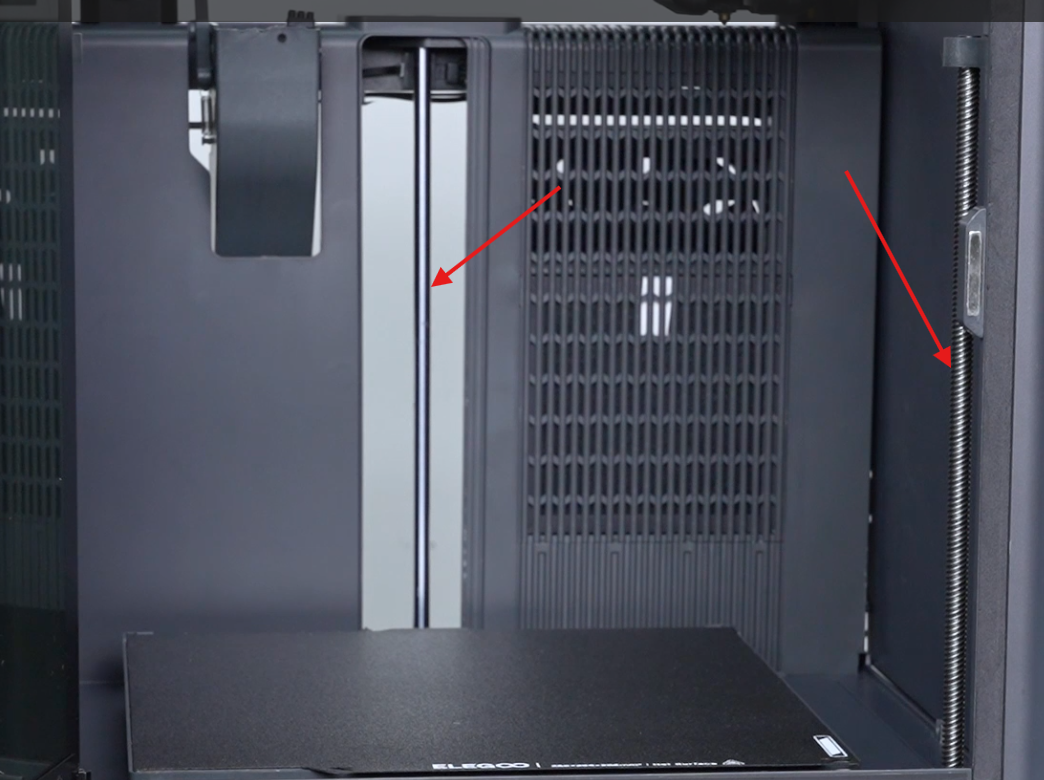
- Clean the Z axis optical shaft and lead screw using a lint-free cloth.
- Apply lithium-based white grease to the Z axis optical shaft and lead screw.
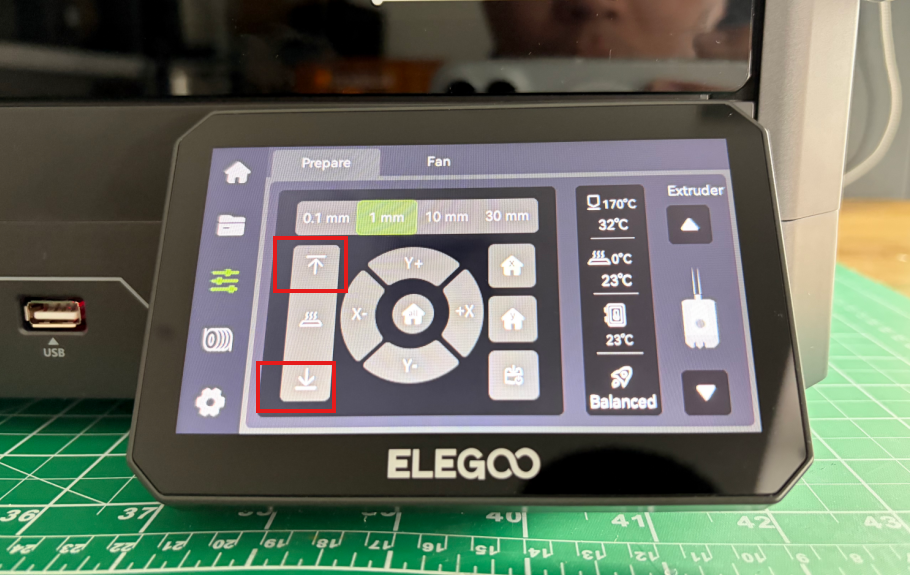
3. Use the touch screen to move the Z axis up and down to evenly distribute the grease.
¶ Gear Box
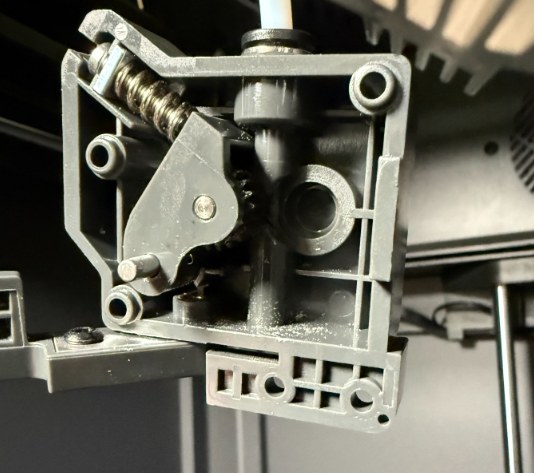
- Disassemble the gear box.
https://www.youtube.com/watch?v=0XCBpwRAjXE&feature=youtu.be - Use a soft-bristle brush to clean residual filament debris inside the gear box.
- If any gear wear is found, replace the gear set immediately.
¶ Timing Belt
After long-term operation, timing belts may naturally stretch (especially in high-temperature environments). Excessively loose belts may cause layer shifting, motor skipping, or print failure.
Procedure:
- Loosen the four screws on the X/Y belt tensioners.
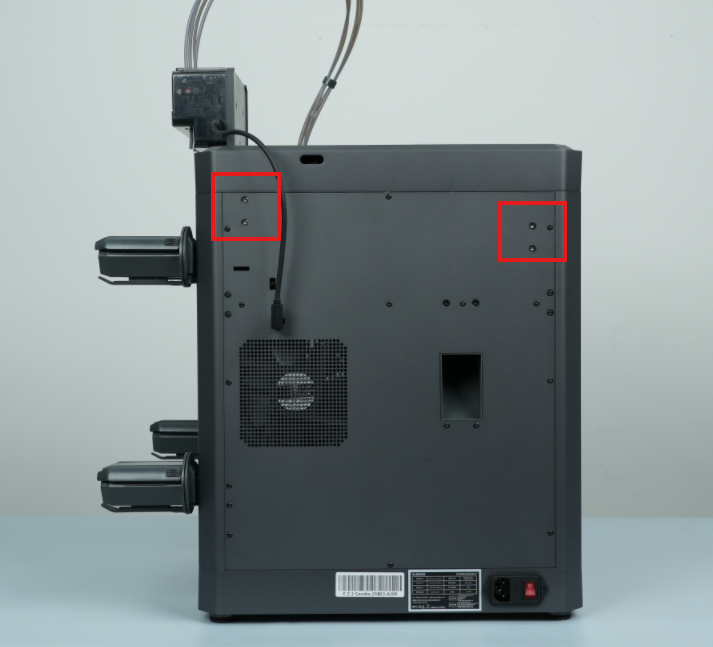
2. Move the tool head back and forth along the X/Y axes; the tensioners will automatically tighten the belts.
3. Retighten the X/Y tensioner screws.
¶ Auto-feeding Module
- Disassemble the Auto-feeding Module.
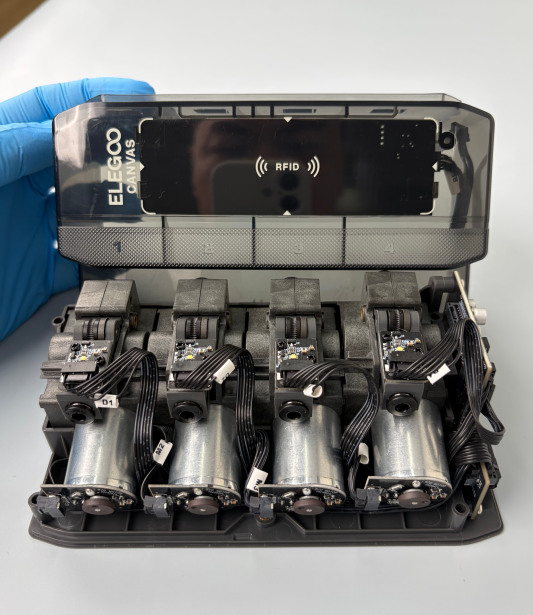
2. Check whether the gears are worn:
- If worn, replace the gears immediately.
- If not worn, apply lithium-based white grease.
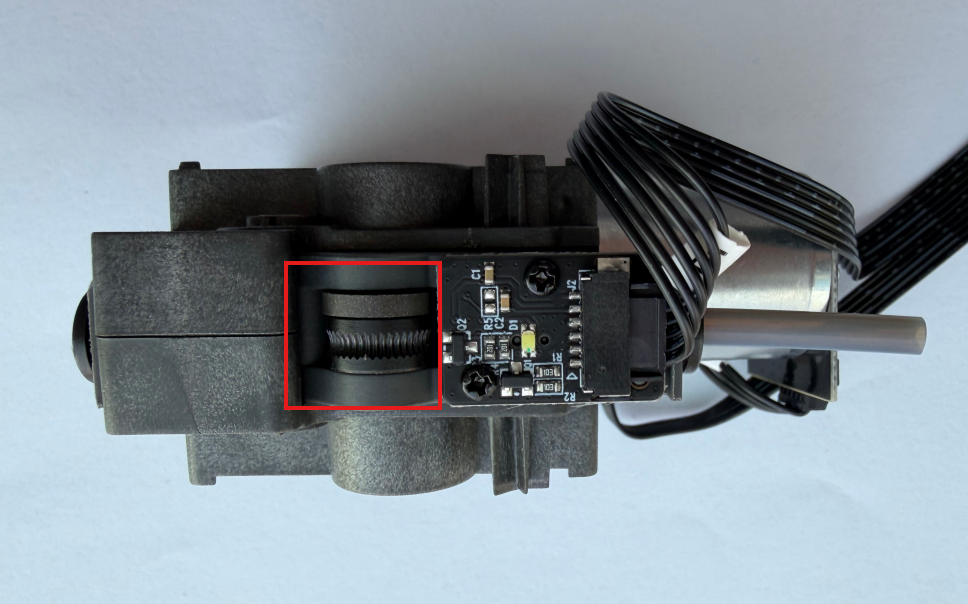
3. Use a soft brush to clean filament debris from the gears.