¶ Tools and Materials
-
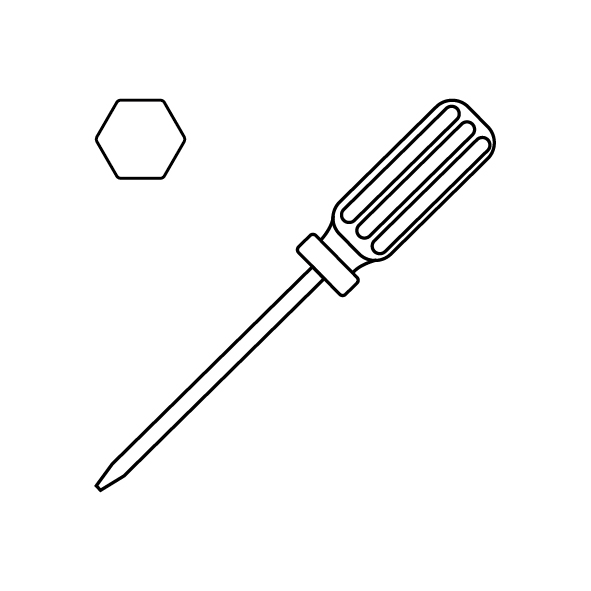
A 2.5 mm Allen key
-
A new hotend kit
¶ Tutorial Video
¶ Instructions
¶ Preparation
Plug in the power supply cable. Turn the power switch ON (symbol "|").
¶ Remove the old hotend kit
-
Remove the lid.
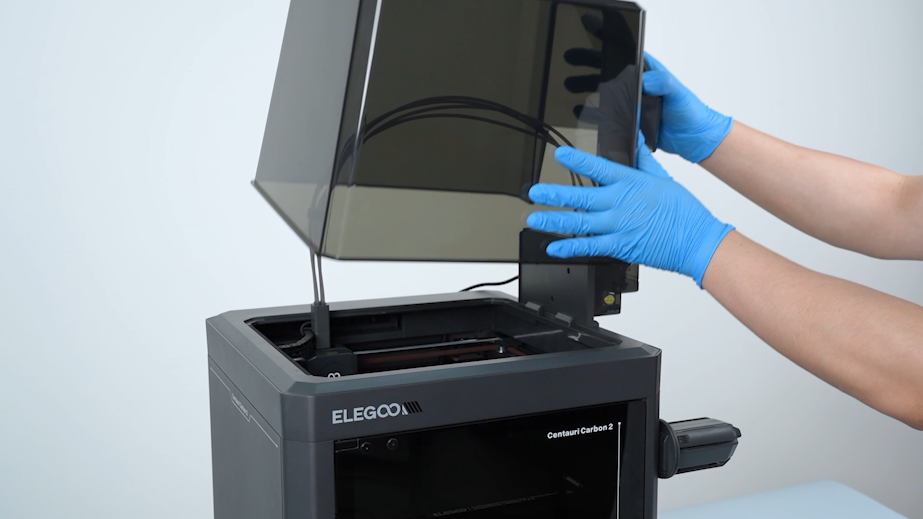
-
Remove the front glass door.
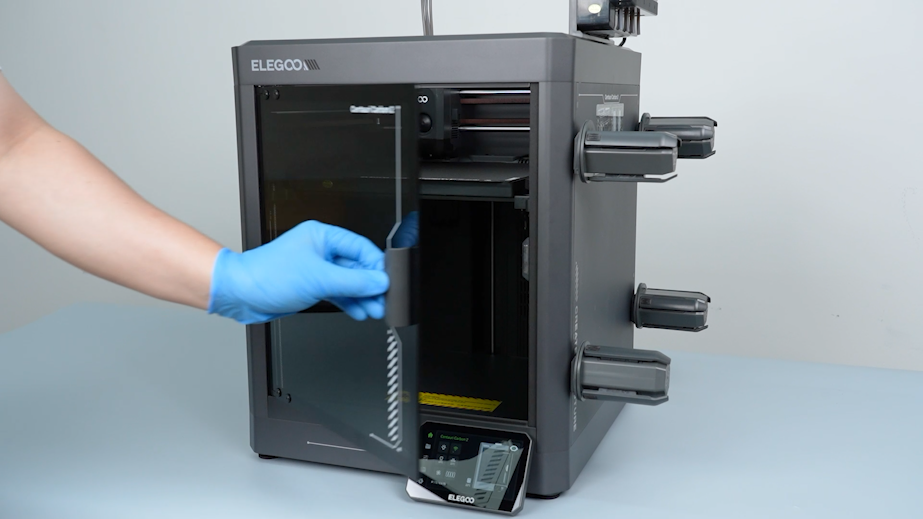
-
On the touch screen, select Control - Homing.
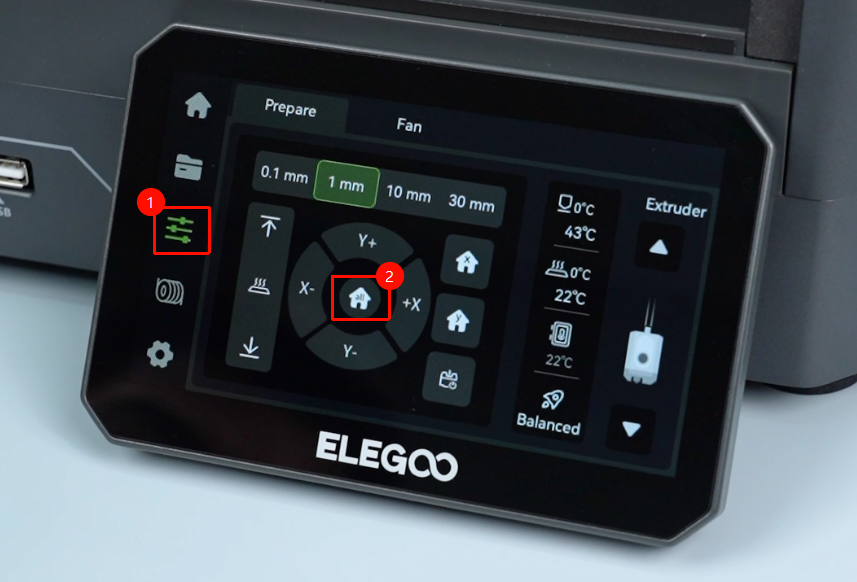
-
Wait for the homing process to complete.
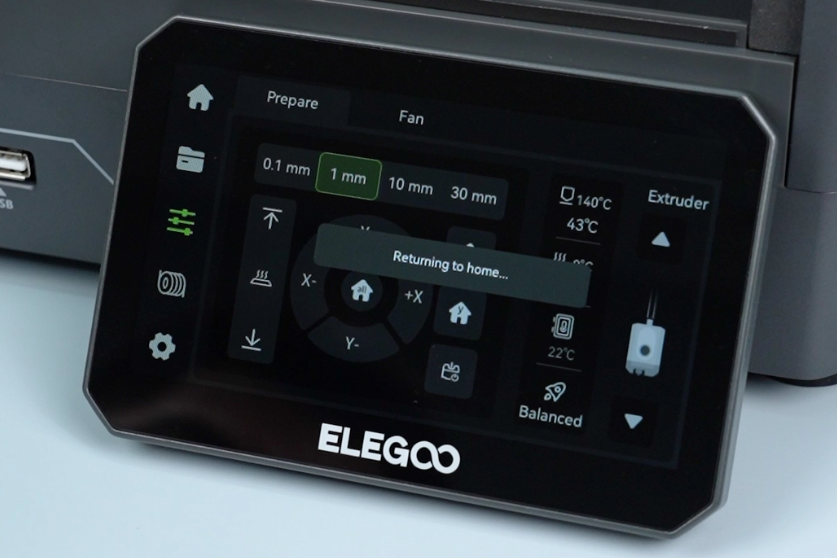
-
On the touch screen, select ↓ to lower the heated bed to the bottom.
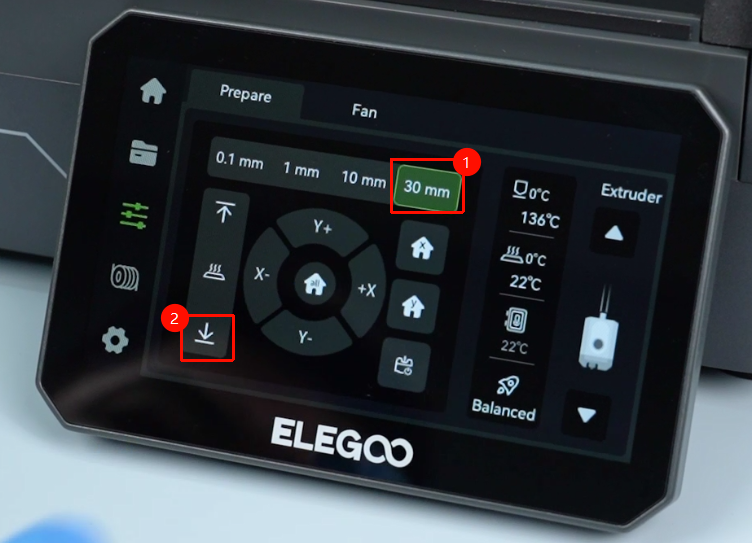
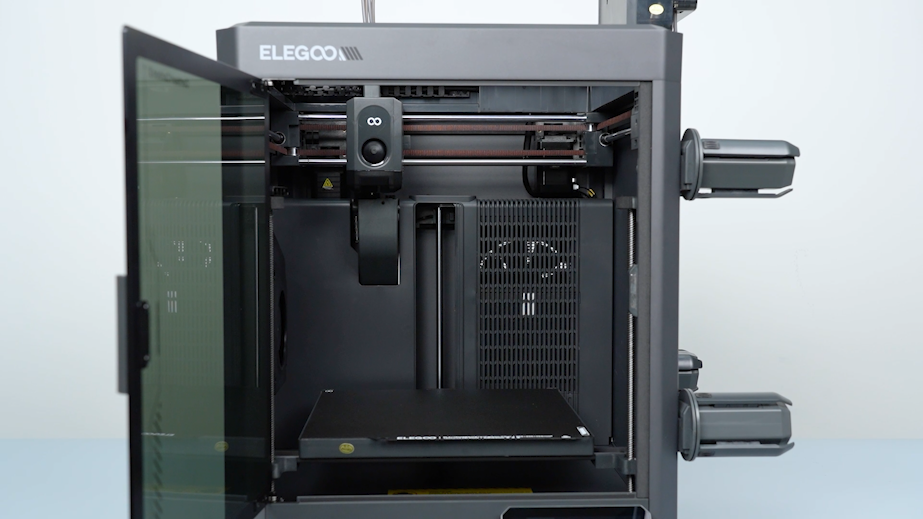
-
Turn the power switch OFF (symbol "O"). Unplug the power supply cable.
-
Remove the front cover of the tool head. Unplug the cable of the model cooling fan.
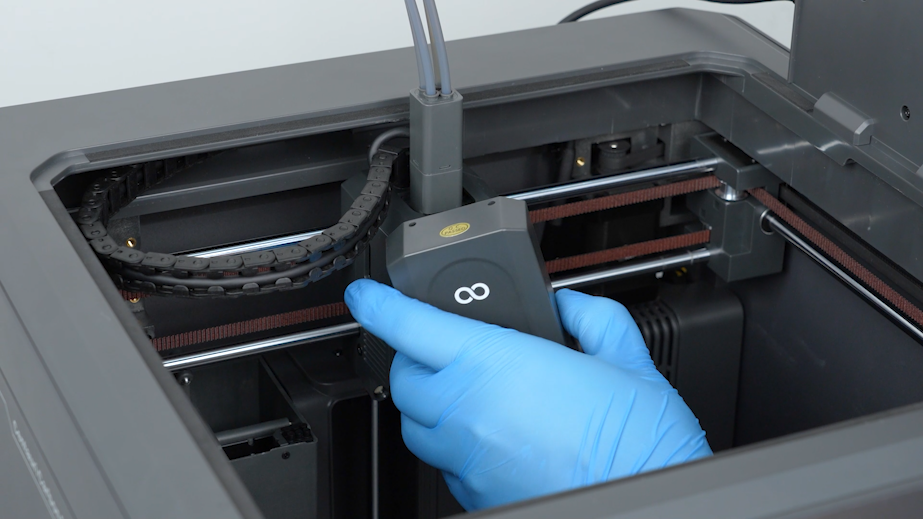
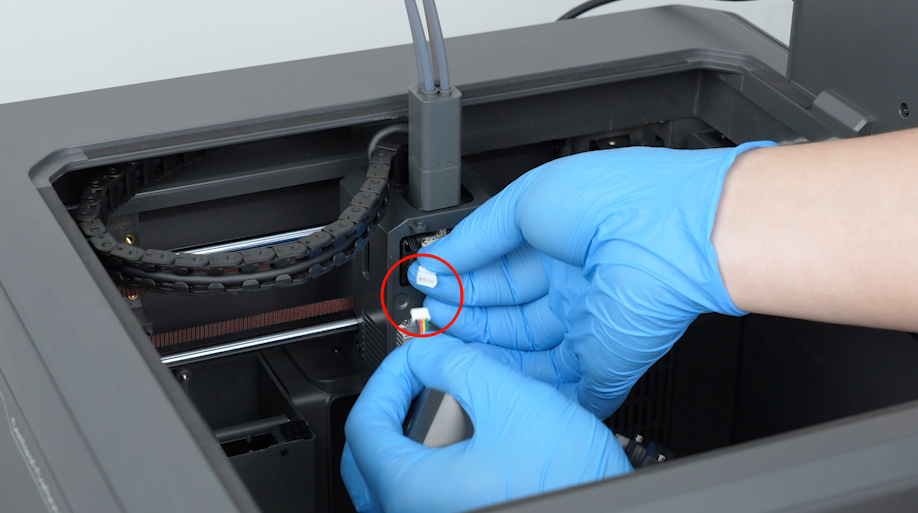
-
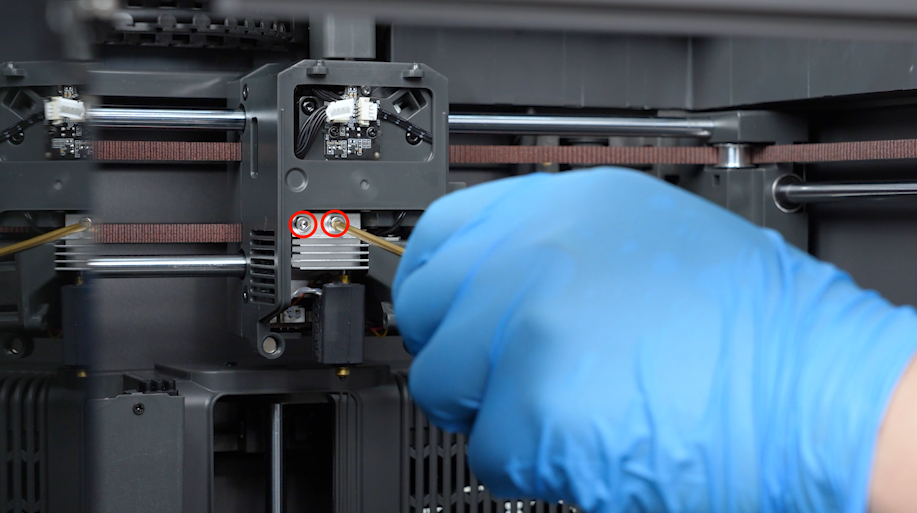
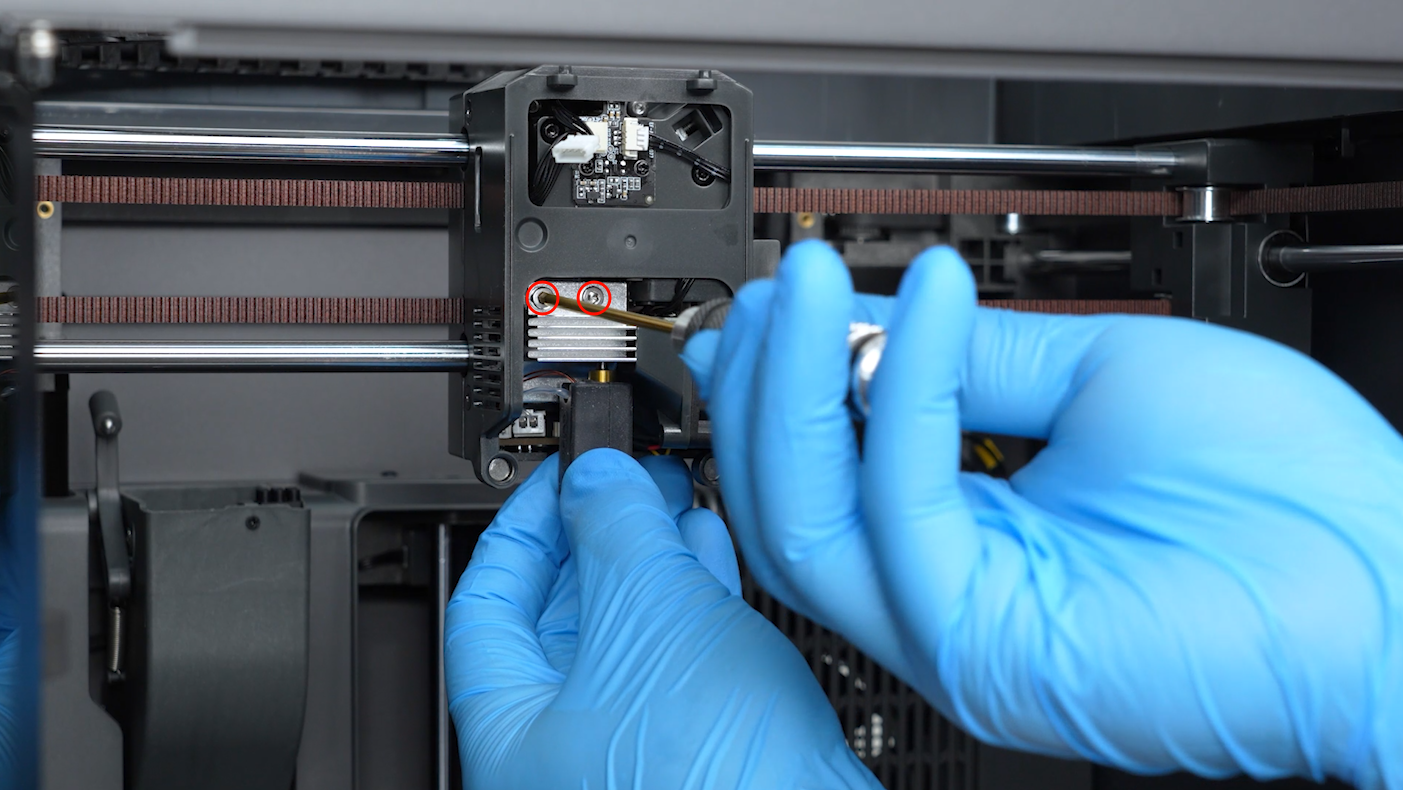
Loosen the screws securing the hotend kit with a 2.5mm Allen key. Remove the screws with a pair of tweezers.
-
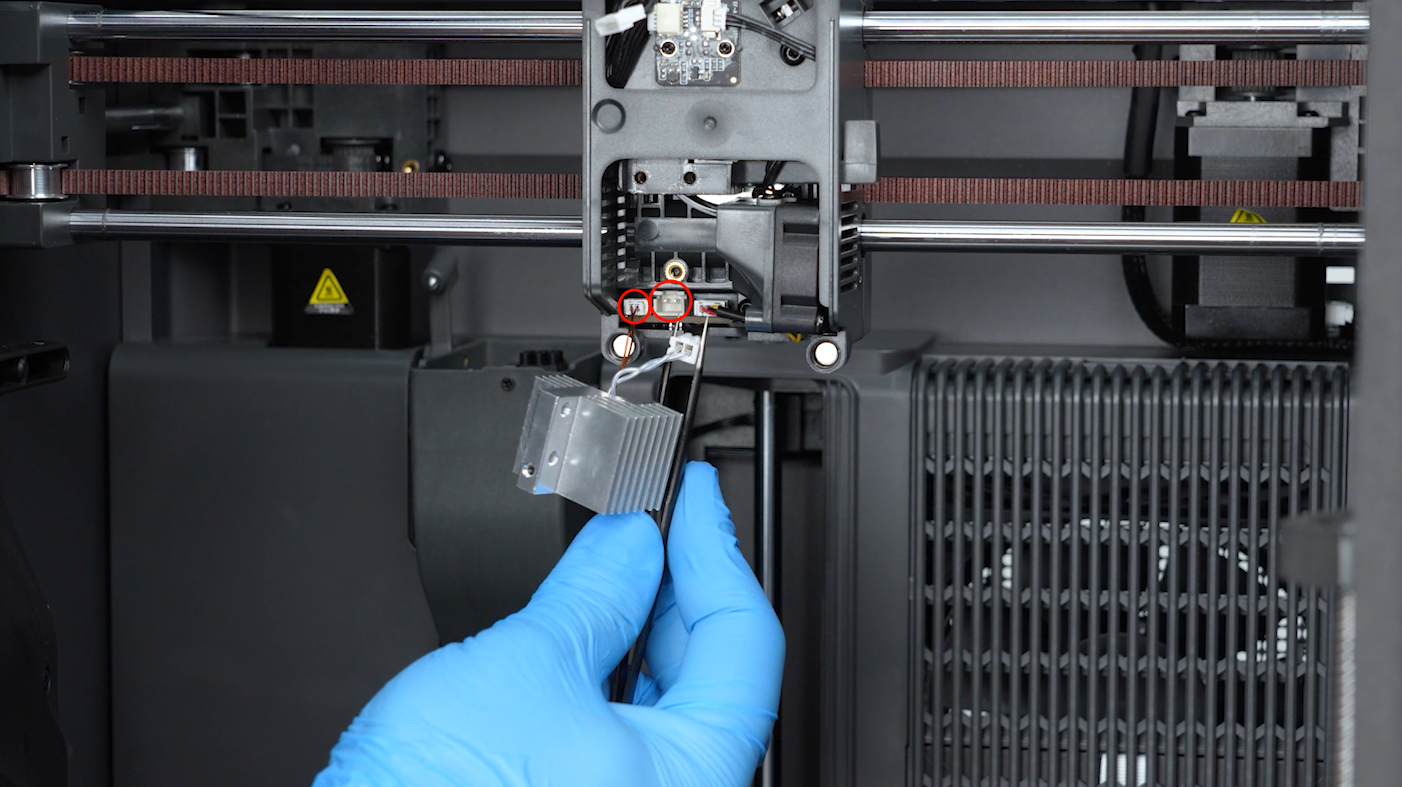
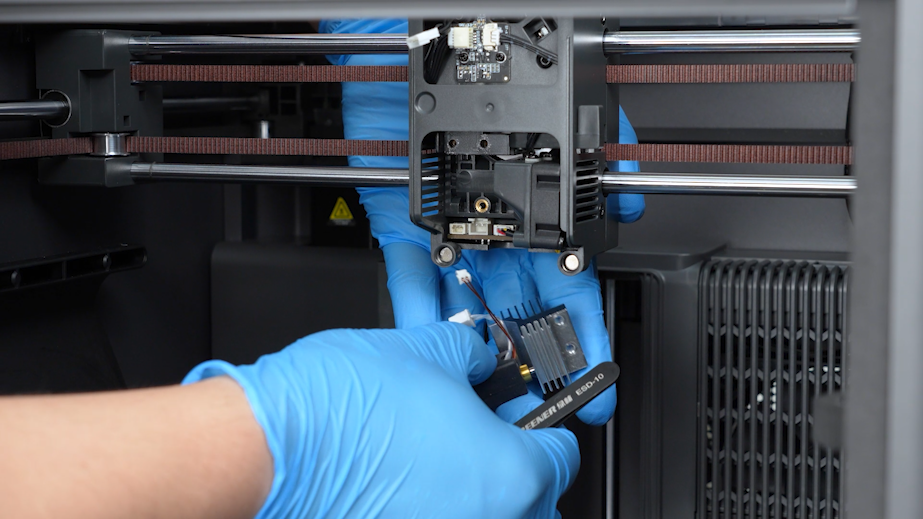
Unplug the ceramic heating plate cable and the thermistor cable. Remove the old hotend kit.
¶ Install the new nozzle assembly
-
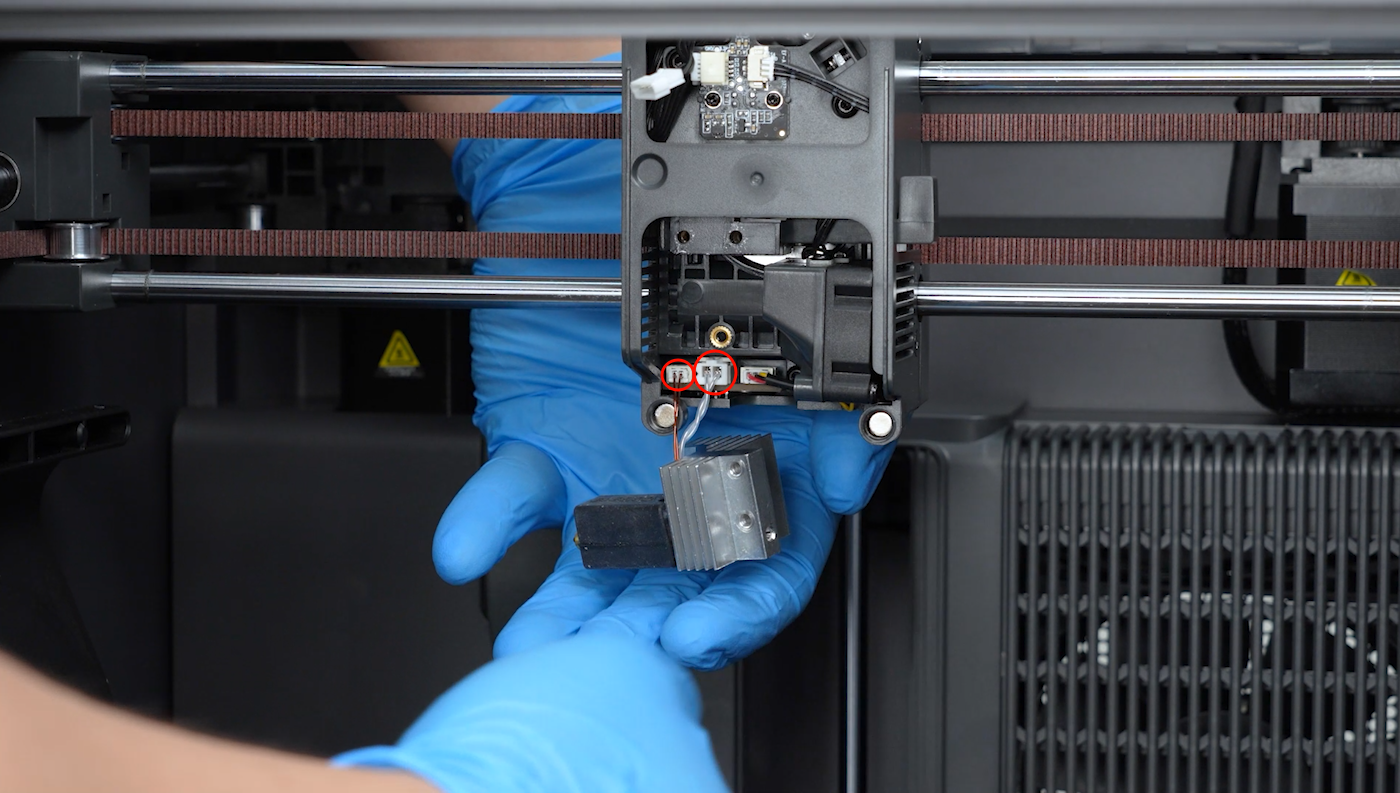
Prepare the new hotend kit. Plug in the cables of the ceramic heating plate and the thermistor.
-
Tighten the two screws securing the hotend kit with a 2.5mm Allen key.
-
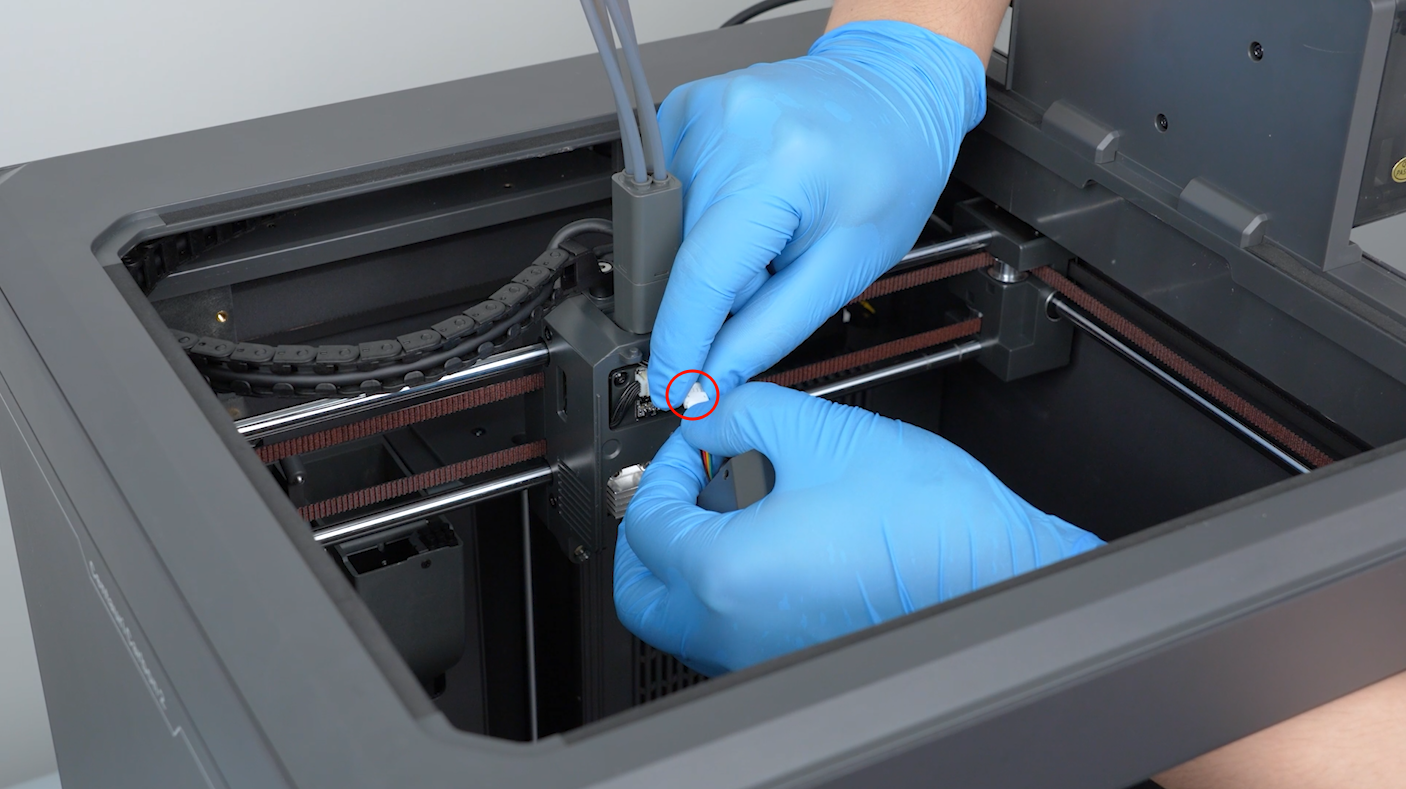
Prepare the front cover of the tool head. Plug in the model cooling fan cable.
-
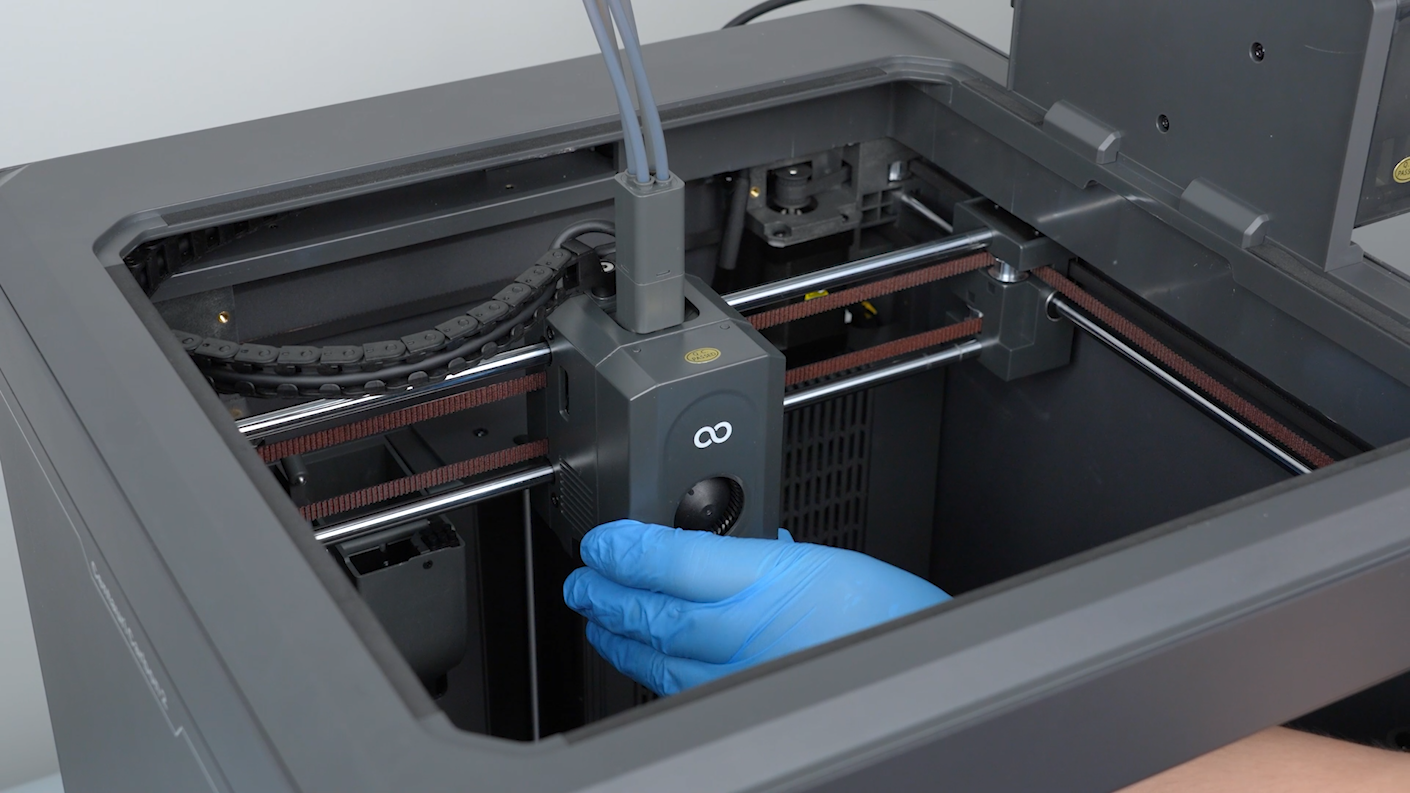
Install the front cover of the tool head.
¶ Restart the printer
-
Turn the power switch ON (symbol "|") and plug in the power supply cable.
-
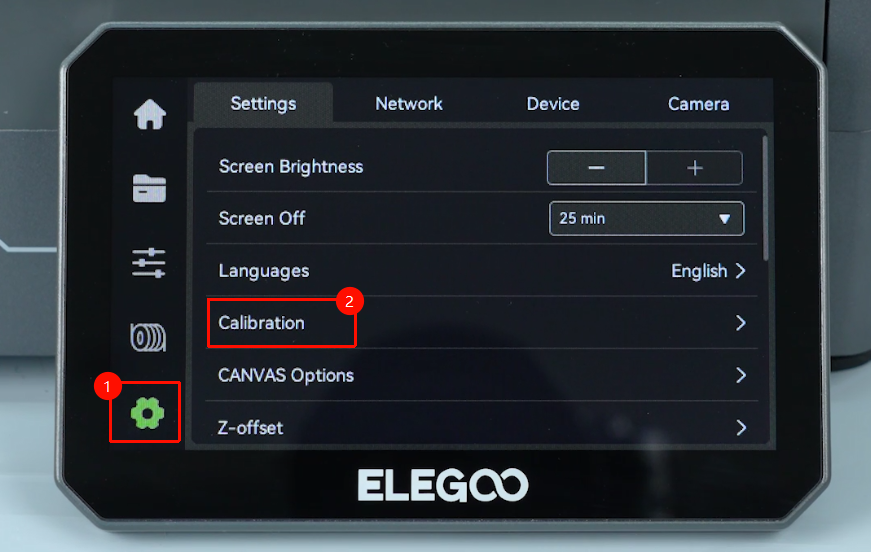
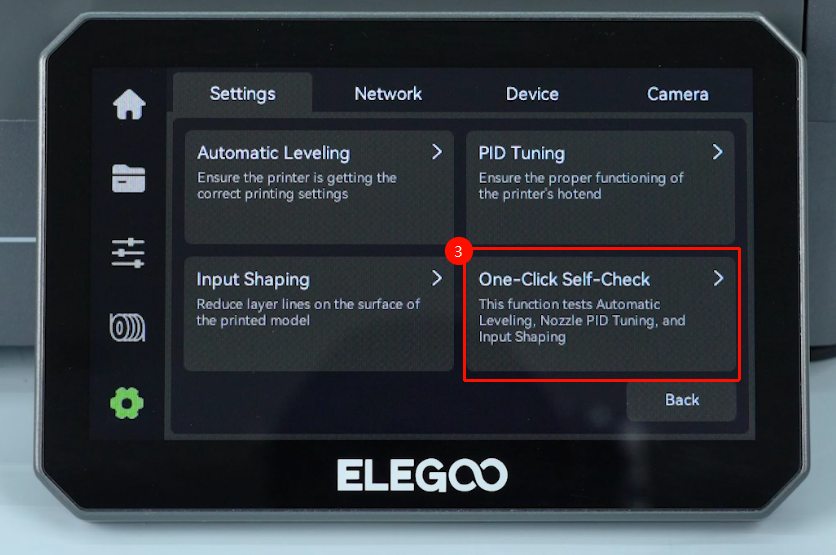
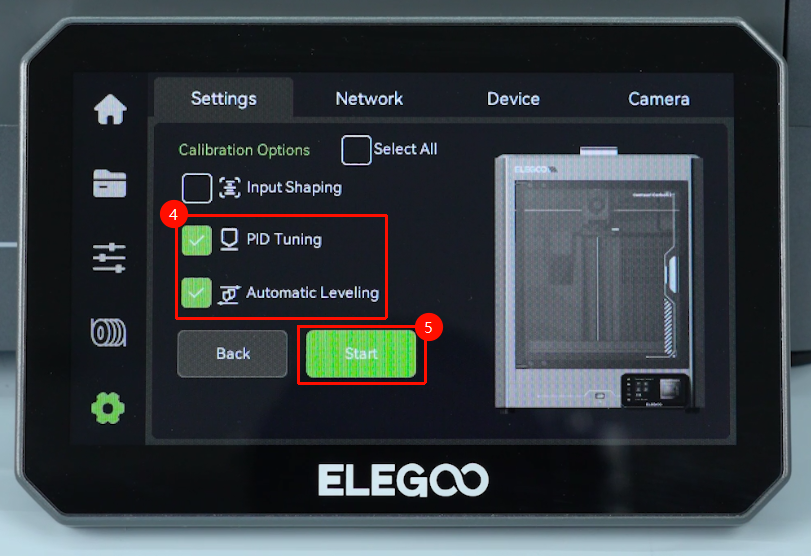
On the touch screen, select Settings - Calibration - One-Click self-check. The printer is ready for use after the calibration.