¶ Tools and Materials
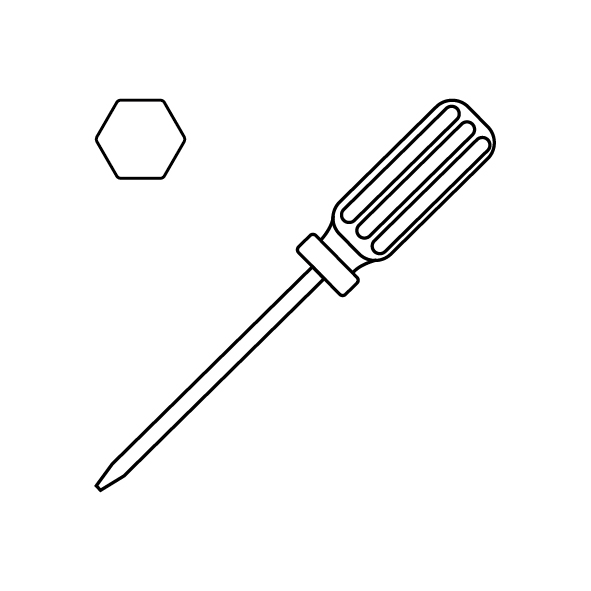
- A 2.0 mm Allen key
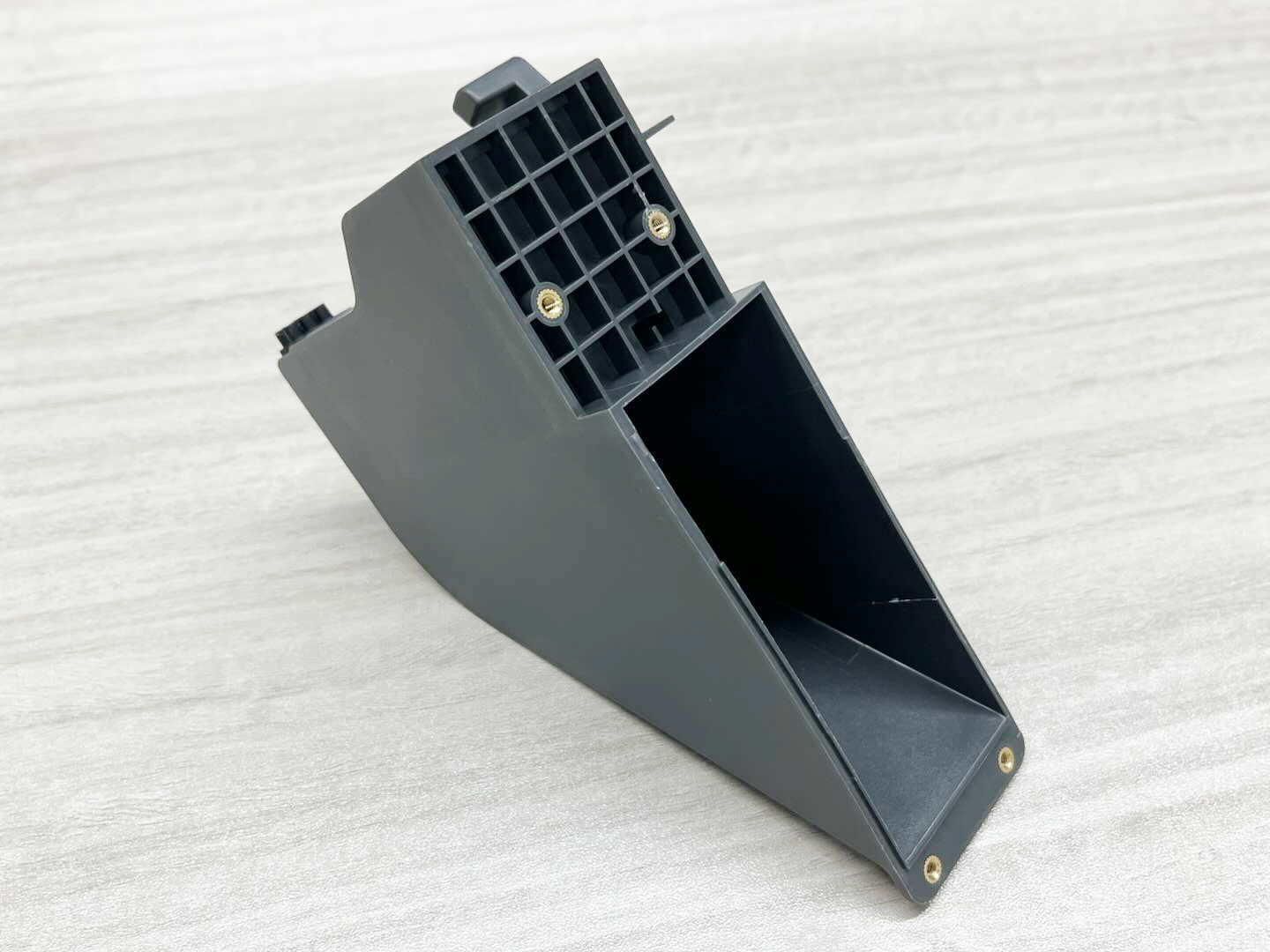
- A new excess chute
¶ Instruction
¶ Preparation
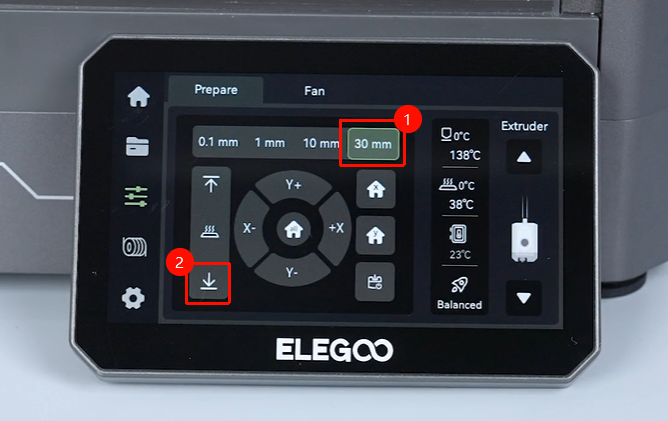
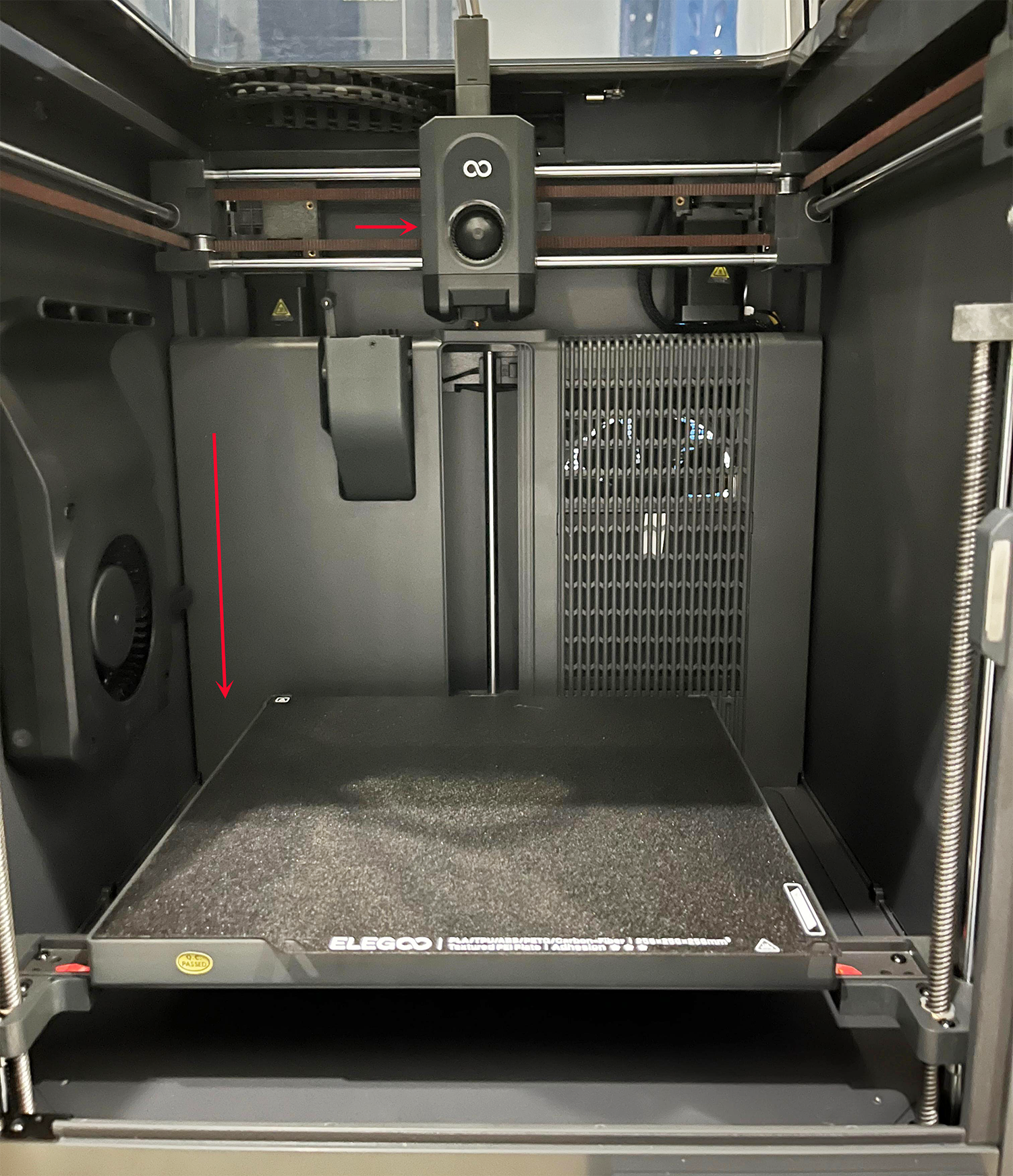
- On the touchscreen, select 30 mm - ↓ to lower the heated bed to the bottom.
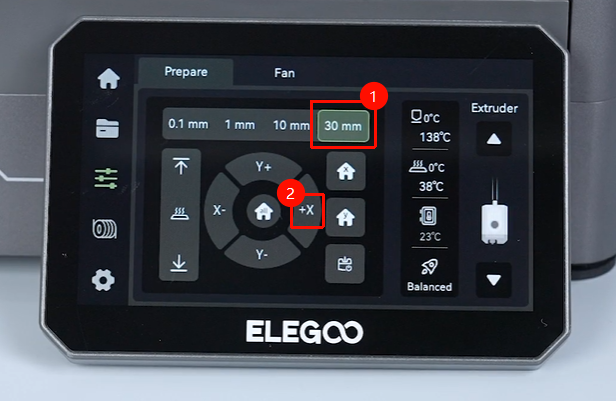
- On the touch screen, select 30 mm - +X to move the tool head to the right side of the excess chute.
-
Turn the power switch OFF (symbol "〇") and unplug the power supply cable.
-
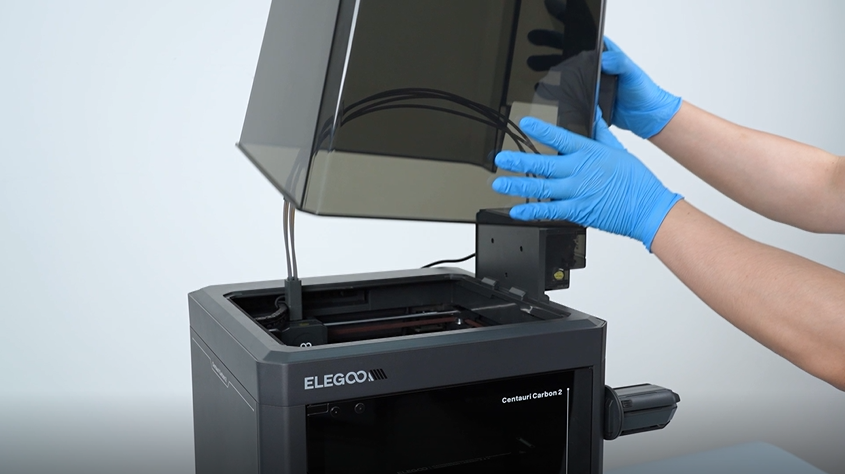
Remove the lid.
¶ Remove the old excess chute
- Loosen the 4 screws securing the excess chute on the back cover of the printer with a 2.0 mm Allen key.
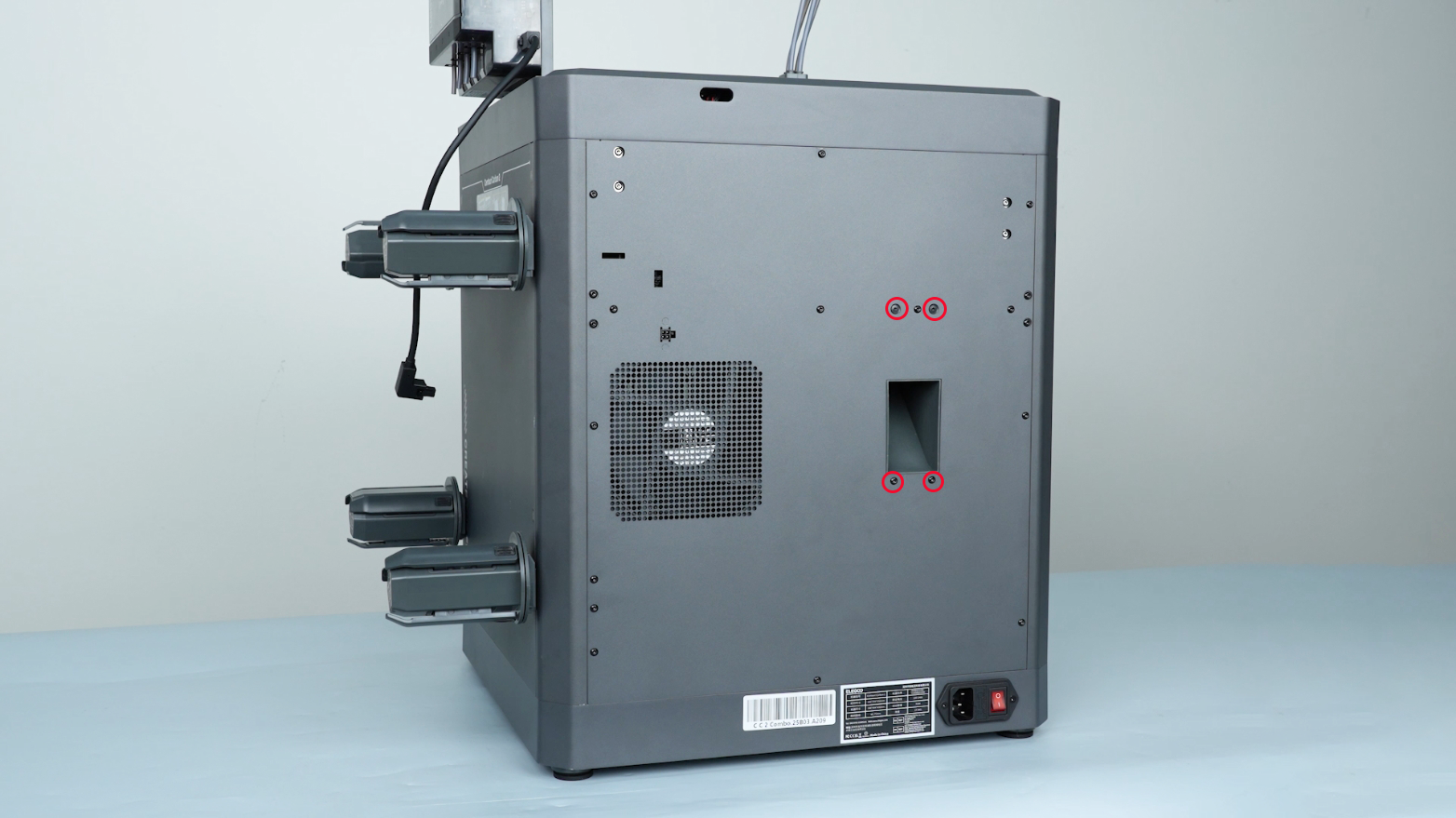
- Remove the old excess chute.
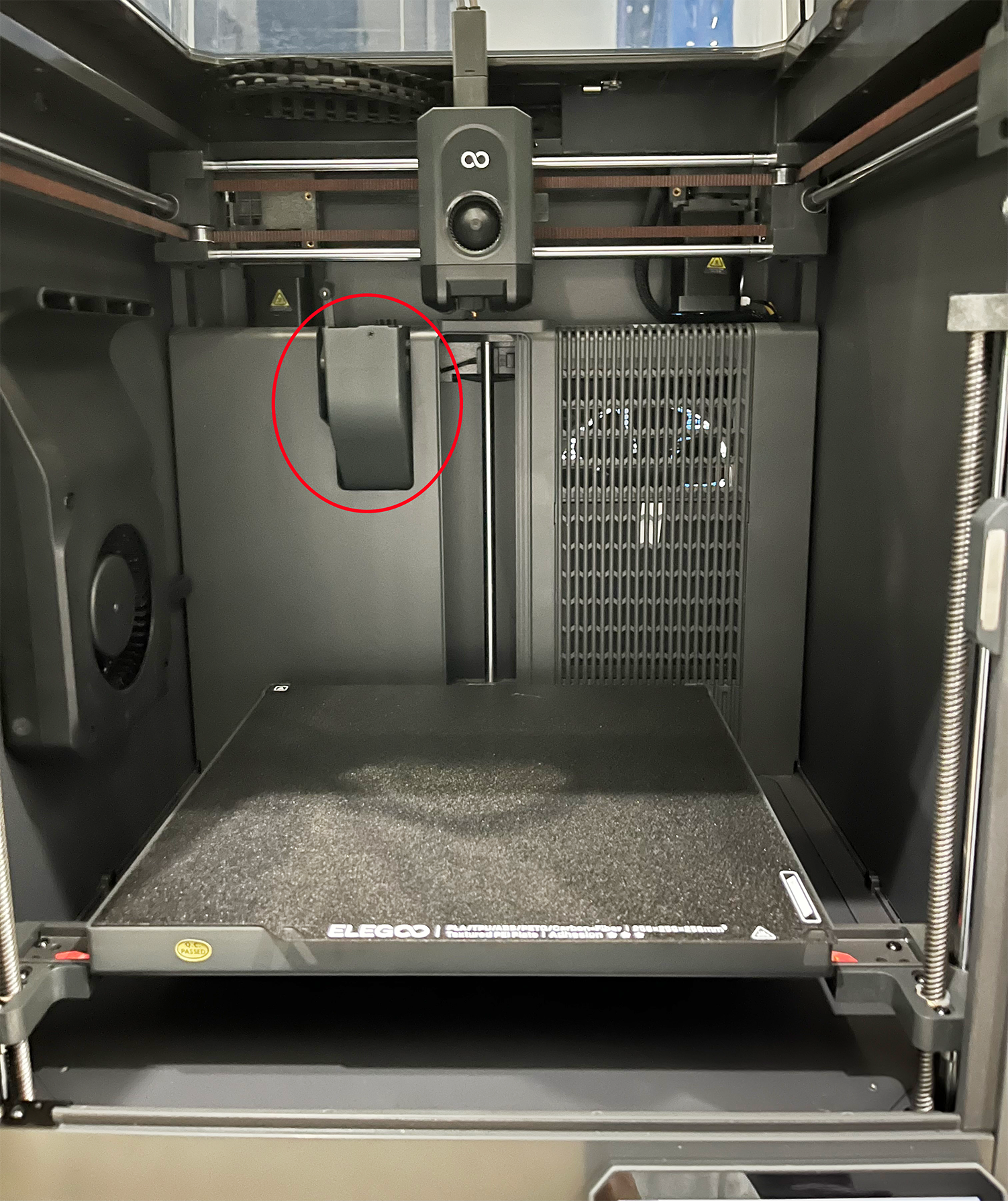
¶ Install the new excess chute
-
Put the new excess chute in the installation position and align it with the screws.
-
Tighten the 4 screws securing the excess chute on the back cover of the printer with a 2.0 mm Allen key.
¶ Restart the printer
-
Plug in the power supply cable and turn the power switch ON (symbol "|").
-
On the touch screen, select Function - home and the printer starts the homing process.
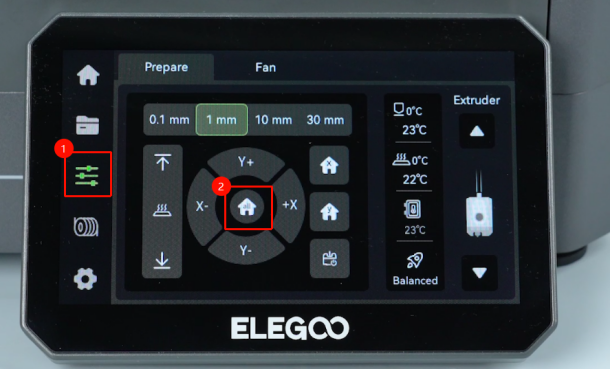
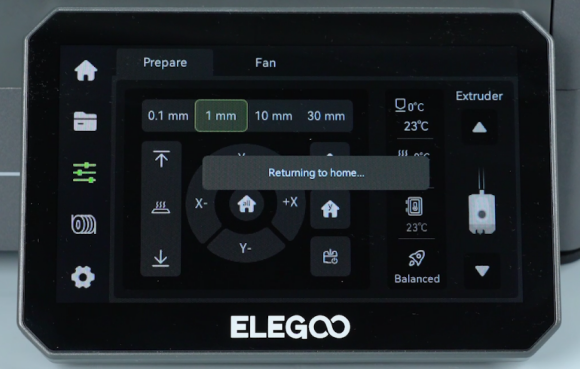
- Confirm that the homing process completes normally and the heated bed and the nozzle do not scrape the excess chute, the printer is ready for use.