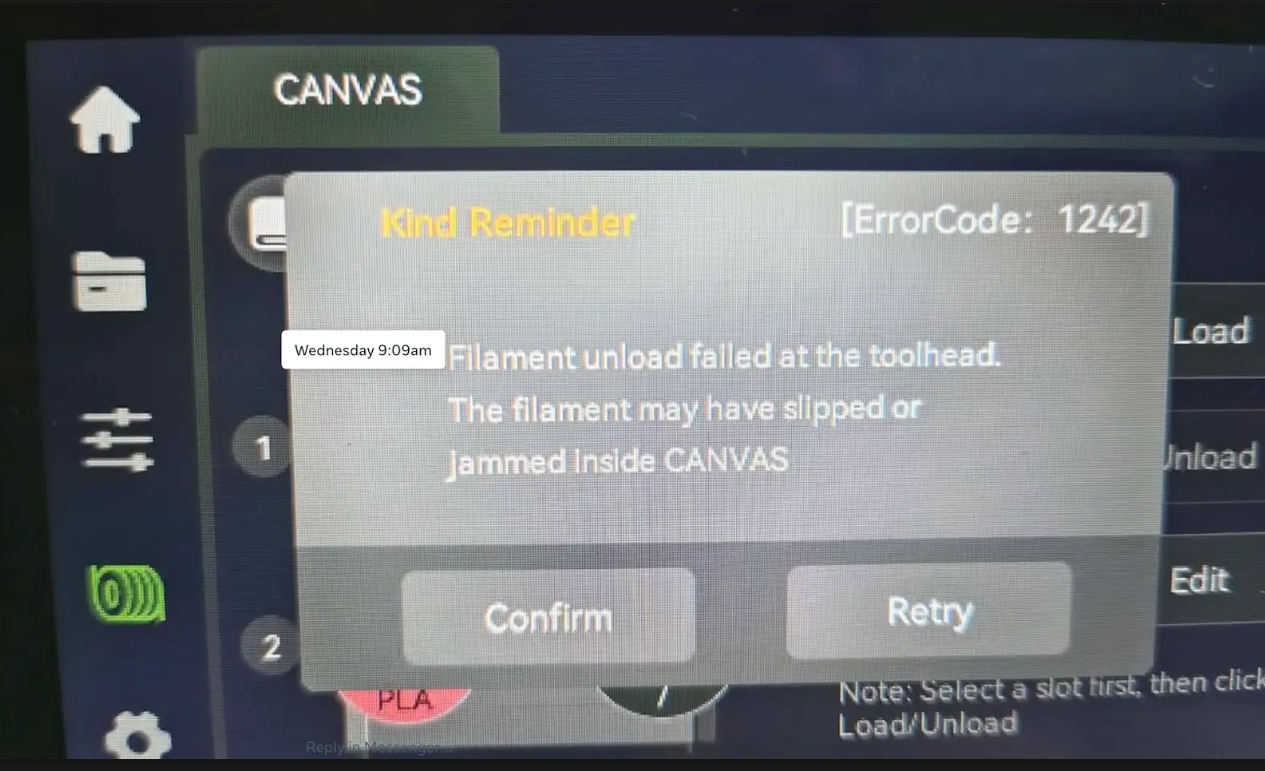
¶ Fault Phenomenon:
Filament unload failed at the toolhead. The filament may have slipped or jammed Inside CANVAS
¶ Error Code Meaning:
Filament feed from CANVAS to extruder failed (filament did not reach the print head filament detection sensor and trigger within 30 seconds).
¶ Possible Causes:
- Individual CANVAS feed port abnormal (feed/extrude assembly, wiring, or channel issue)
- 4-in-1 hub abnormal (clogged with residual filament, poor extrusion)
- Tool head abnormal (gearbox, hotend, nozzle clog, or filament detection board issue)
- Filament itself abnormal (tangled, knotted, or jammed)
¶ Tools Required for Troubleshooting
1.5mm Hex Screwdriver
2.0mm Hex Screwdriver
2.5mm Hex Screwdriver
One Strand of Filament
Cutter
¶ Troubleshooting Steps
¶ Step 1 — Switch to another CANVAS port for testing
Use filament from a different CANVAS port to perform a print test.
.png)
- If the error disappears when using the other three ports, proceed to Step 2.
- If the error still occurs on the other three ports, proceed to Step 3.
¶ Step 2 — Single CANVAS channel error
¶ 1. Check the filament
Inspect whether the filament on this port is tangled, knotted, or jammed. If tangled, untangle it immediately or replace it with a new spool of the same type for testing. If printing returns to normal, the issue is caused by the filament. Reminder: Always hold the end of the filament when loading it into the CANVAS channel to prevent tangling.
.png)
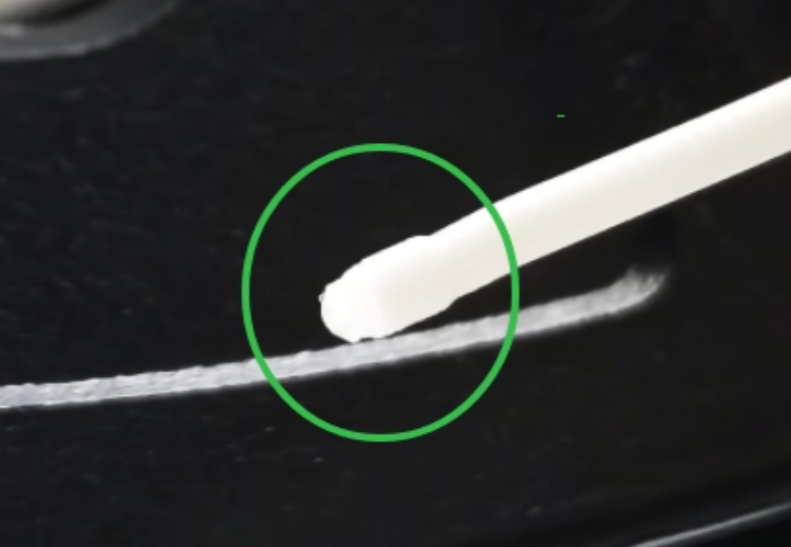
If the filament is not tangled, extract the filament and check whether the end of the filament has thickened. If it has, use cutters to trim off the thickened section.
¶ 2. CANVAS channel inspection
-
Open the CANVAS cover and reinstall the feed/extrude assembly following the reference video: https://www.youtube.com/watch?v=OLclADMW7Tc
Ensure the notches on the upper side of the feed/extrude assembly are aligned with each other, and the feed/extrude motor wires are properly seated inside the cable clips (as shown in the reference image).
.png)
.png)
-
Re-plug the connectors at both ends of the feed/extrude assembly to ensure they are not loose or have poor contact.
.png)
.png)
¶ Step 3 — Error occurs on all four CANVAS channels
¶ 1. Check the 4-in-1 hub
a. Use a 2.0 mm hex screwdriver to loosen the two screws on the back of the 4-in-1 hub and pull it upward to remove.
.png)
b. Manually push filament into the channel and check for residual filament inside the 4-in-1 hub and whether extrusion is smooth.
.gif)
- If the filament is stuck inside the 4-in-1 hub and cannot be pushed out, replace the 4-in-1 hub.
- If the filament can be pushed out normally, proceed to the next steps.
¶ 2. Check the tool head
a. Plug in the power cord and turn on the printer.
b. Insert a piece of filament into the top hole of the tool head.
.png)
c. Set the nozzle temperature to 200°C on the touchscreen, then use the control menu and press the ▽ button to extrude filament.
.png)
d. Check whether the filament extrudes normally from the nozzle.
.gif)
- If the filament cannot be extruded, disassemble the gearbox and check for filament debris inside. Tighten the gears. Reference video for gearbox disassembly:
https://www.youtube.com/watch?v=0XCBpwRAjXE
Turn the lower screw counterclockwise to tighten the gears
.png)
Manually rotate the gears to confirm the gearbox can load filament properly.
.gif)
- If the filament cannot extrude normally but can be pushed out by manually turning the gears, the nozzle is clogged. Replace the nozzle or hotend.
- If the filament extrudes normally from the nozzle, reinstall the filament detection board and carefully check both connector wires for damage. If the issue persists, replace the filament detection board and its connecting cable.
.png)
How to replace the filament detection board:
https://wiki.elegoo.com/centauri-carbon-2-combo/filament-detection-board-replacement
If the issue remains unresolved after completing all the above steps, please contact technical support.Technical Support Email: 3dp@elegoo.com