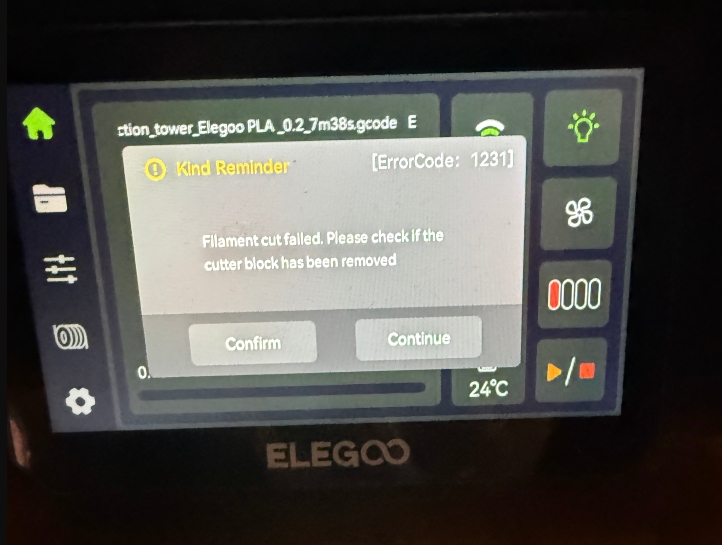
¶ Error Code Meaning
Filament cut failed. Please check if the cutter block has been removed
¶ Possible Causes
- Cutter striker block not properly installed;
- Cutter sensor malfunction;
- Abnormal cutter rebound;
- Wiring pinched, damaged, or loose.
¶ Tools Required
- 2.0 mm Hex Screwdriver
¶ Troubleshooting Steps
¶ 1. Check Cutter Striker Block Installation
Inspect the cutter striker block located at the lower right corner of the printer to ensure it is properly installed, secure, and has not shifted or fallen off.
The image below shows a loose condition.
.gif)
If it is loose, use a 2.0 mm hex screwdriver to tighten the screws securing the striker block.
.png)
Note:
The cutter striker block is located on the right side of the printer’s front door.
.png)
¶ 2. Manually Test Cutter Rebound Function
Press the cutter handle on the print head by hand and check whether it can be pressed smoothly and rebound normally.
The image below shows normal operation.
.gif)
- If the cutter fails to rebound/retract, replace it with a new cutter.
¶ 3. Check Wiring Condition
1.Turn off the printer power switch and unplug the power cord
.png)
2.Open the tool head front cover and check whether the cutter detection board connector is loose. Re-plug the connector to ensure good contact.
.png)
3.Refer to the following link to open the tool head frame and inspect the cutter detection board: https://wiki.elegoo.com/en/centauri-carbon-2-combo/cutter-detection-board-replacement
- Check for any broken wires at the cutter detection board connections and whether the screws securing the board are loose.
.png)
.png)
If you are unsure of the inspection results, please contact our technical support team with the following information:
- Does the cutter striker block wobble?
- When manually pressing the cutter, does it rebound normally?
- Is the cutter visibly damaged?
- On the touchscreen, select “Unload Filament” and record a video from above the tool head that clearly shows the entire cutter triggering process.
.png)
- Is the cutter detection board connector loose or are the wires damaged?
Technical Support Email:3dp@elegoo.com