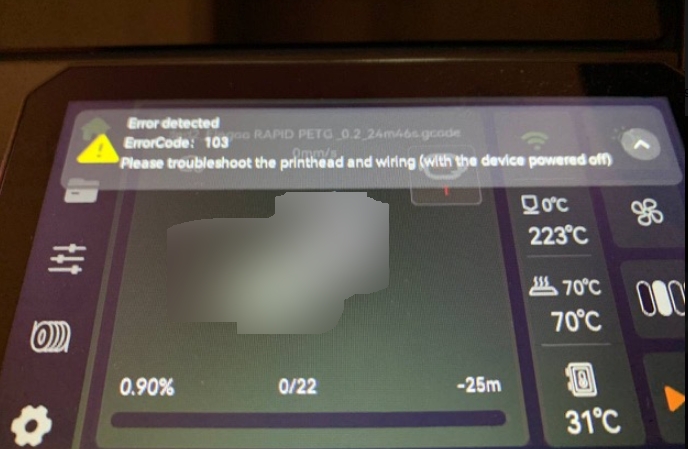
¶ Issue Description
Please troubleshoot the printhead and wiring (with the device powered off)
¶ Possible Causes
- The CAN bus cable connection is abnormal or the cable is damaged.
- The ceramic heater cable is loose, has poor contact, or is damaged.
- The ceramic heater is damaged.
- The tool head heating interface board is damaged.
¶ Required Tools
- 2.5 mm Allen key
¶ Troubleshooting Steps
¶ 1. Check the CAN Bus Connection Status
¶ 1.1 Check Whether the CAN Bus Cable Has Poor Contact
Note: Keep the printer powered on during this inspection. Manually move the tool head to check the connection status.
- Set the nozzle temperature (for example, 200℃) and wait until the nozzle reaches the target temperature.
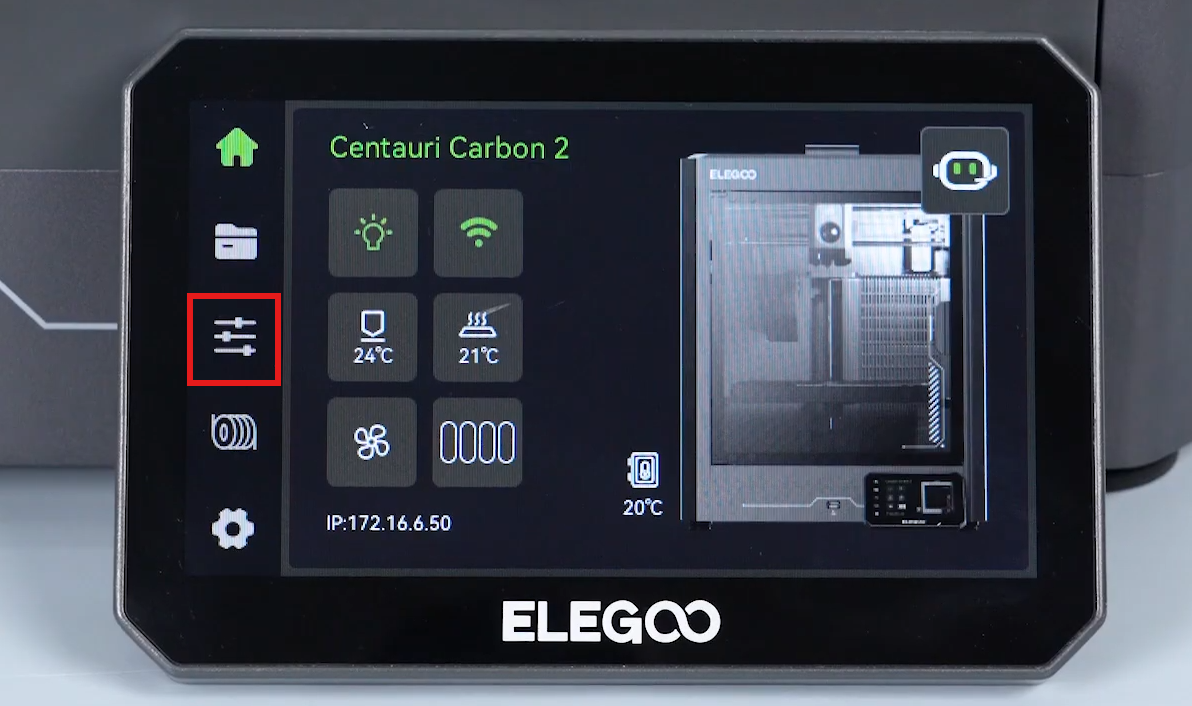
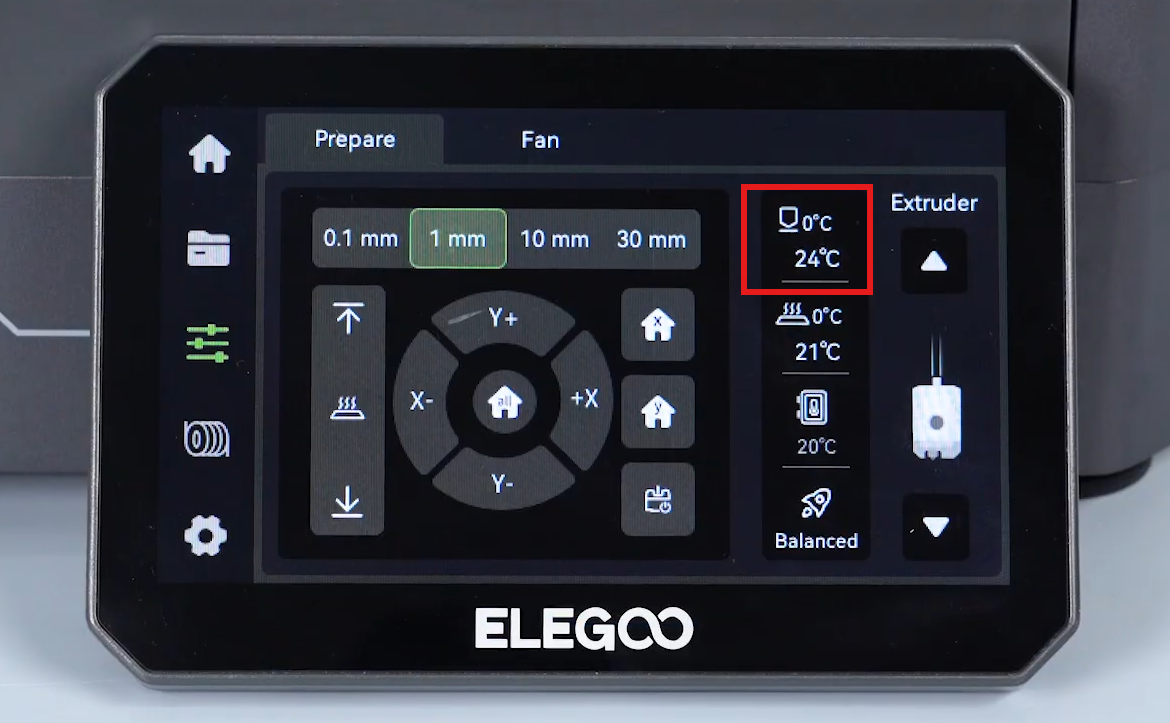
- Manually move the tool head and observe whether Error Code 103 changes when the cable is moved.
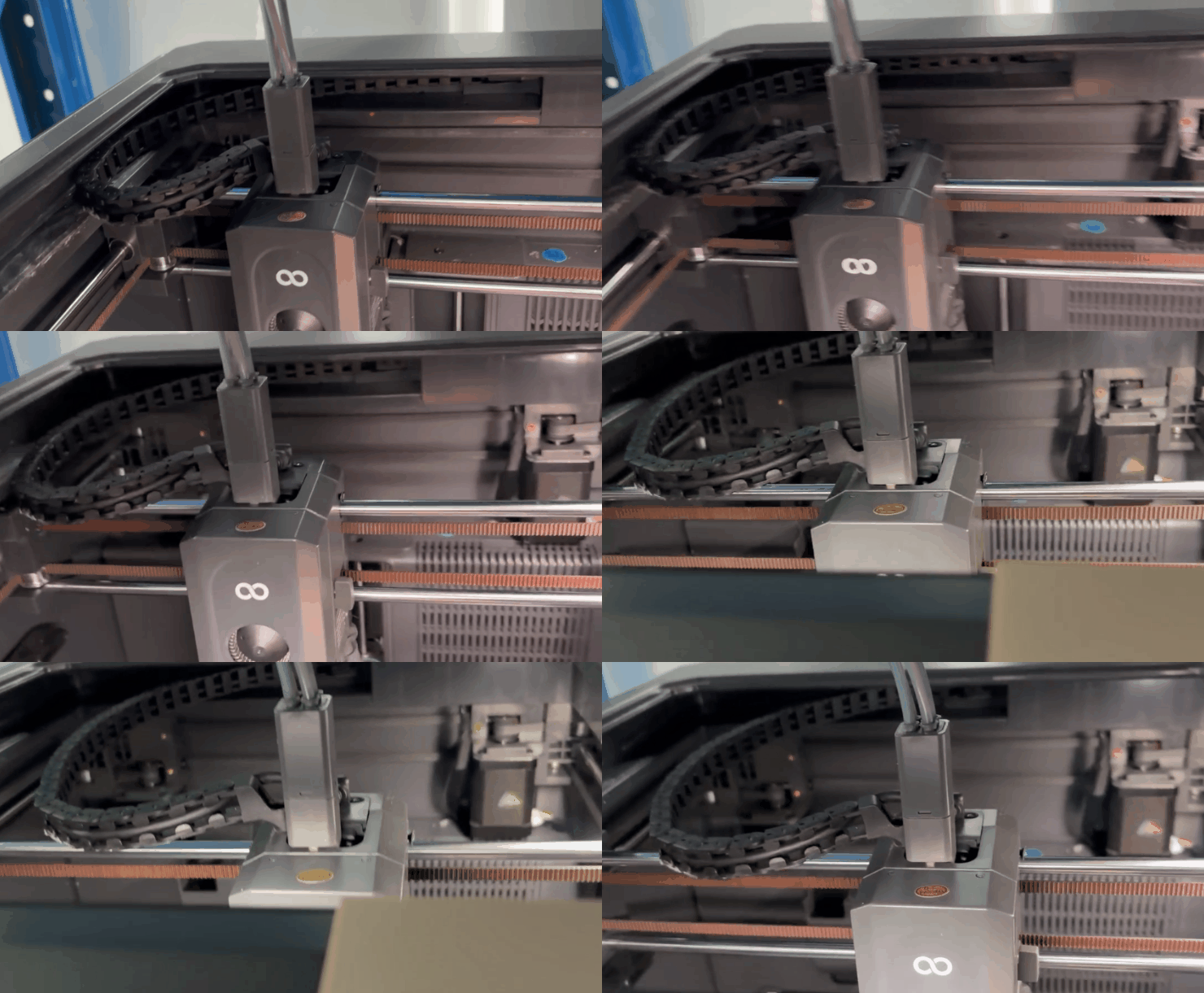
- If Error Code 103 disappears or appears repeatedly when moving the tool head, the CAN bus may have poor contact. Replace the CAN bus.
- If the error status does not change, continue to the next step.
¶ 1.2 Turn Off the Printer Power
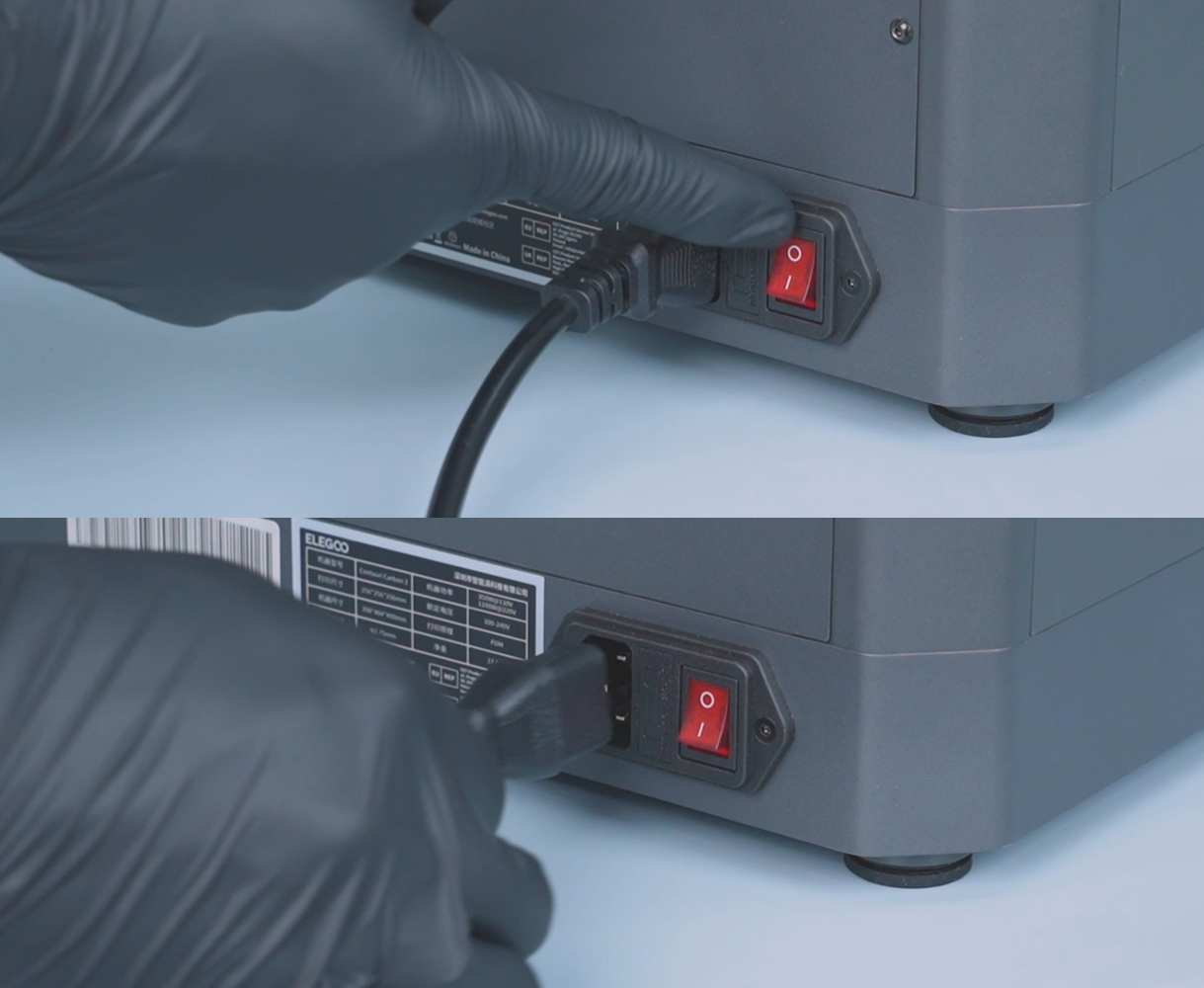
¶ 1.3 Check Whether the CAN Bus Is Damaged
Check the CAN bus for:
- Damaged outer insulation
- Loose connectors
- Poor contact
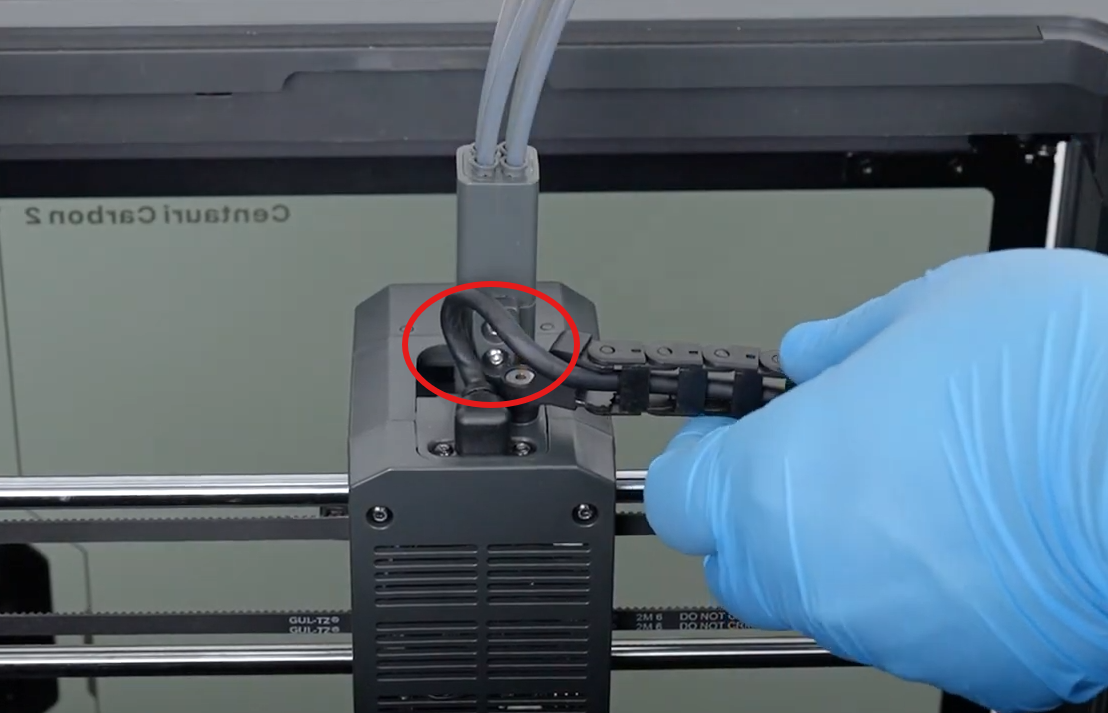
Example of damaged CAN bus:
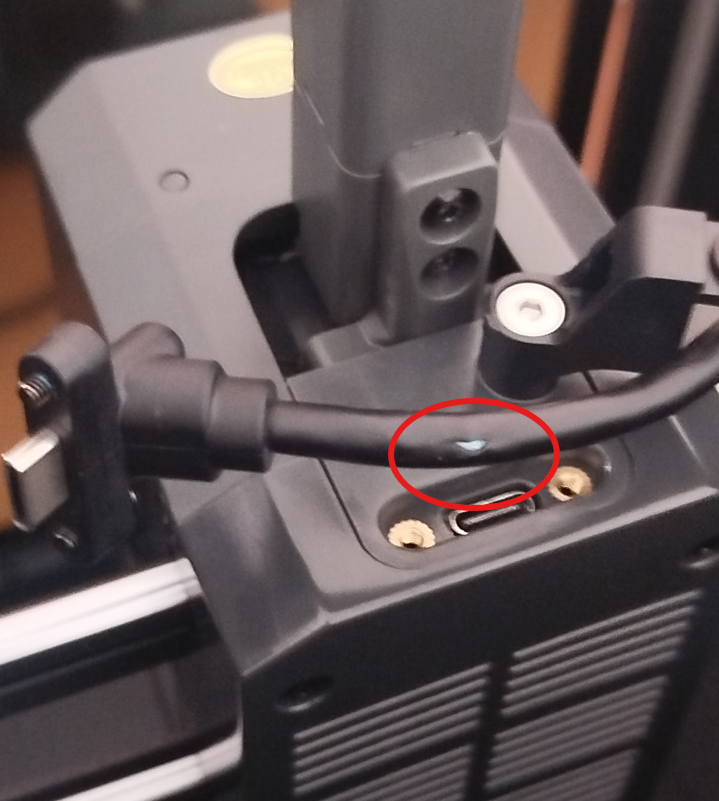
- If the CAN bus is damaged, replace the CAN bus.
¶ 2. Check the Ceramic Heater and Connector of the Nozzle Assembly
¶ 2.1 Check the Ceramic Heater
¶ 1. Open the Upper Cover of CANVAS
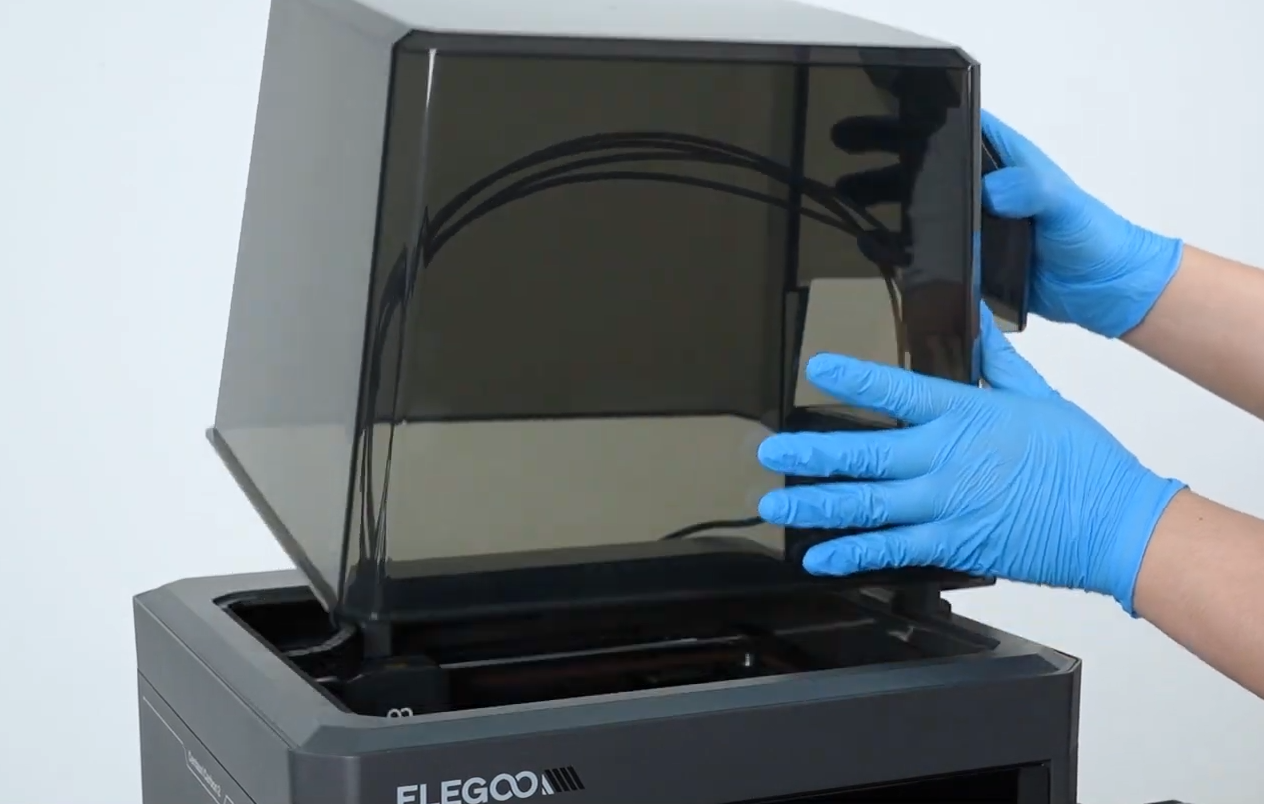
¶ 2. Open the Front Cover of the Tool Head
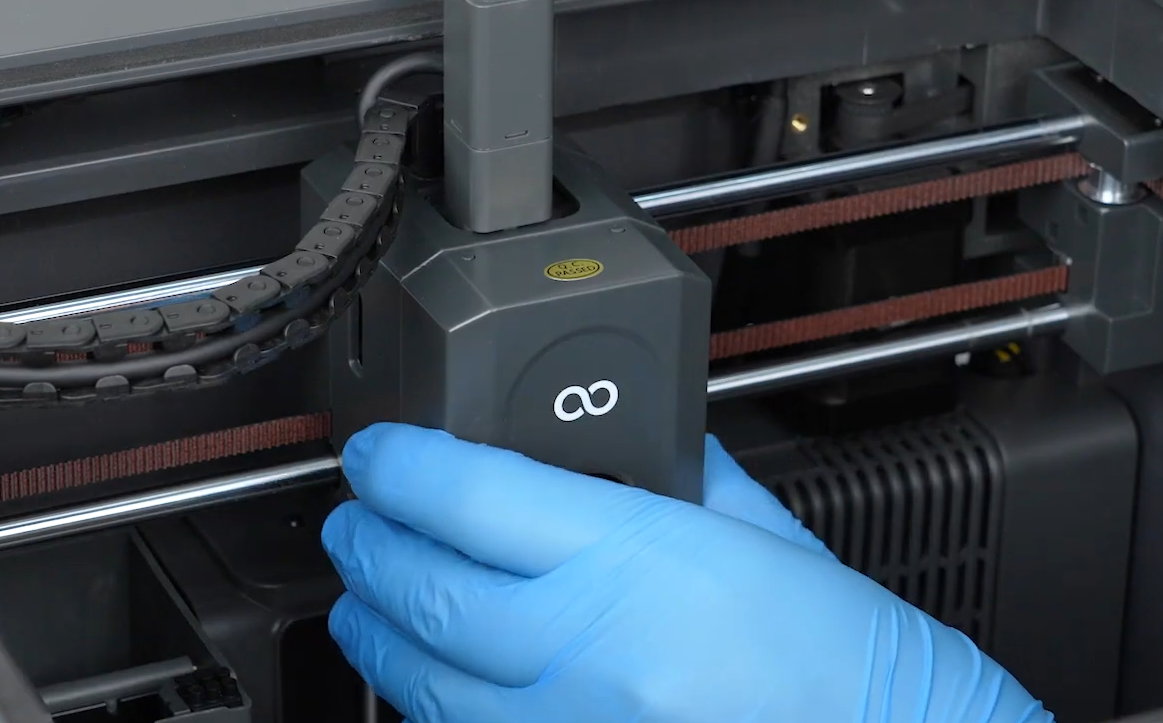
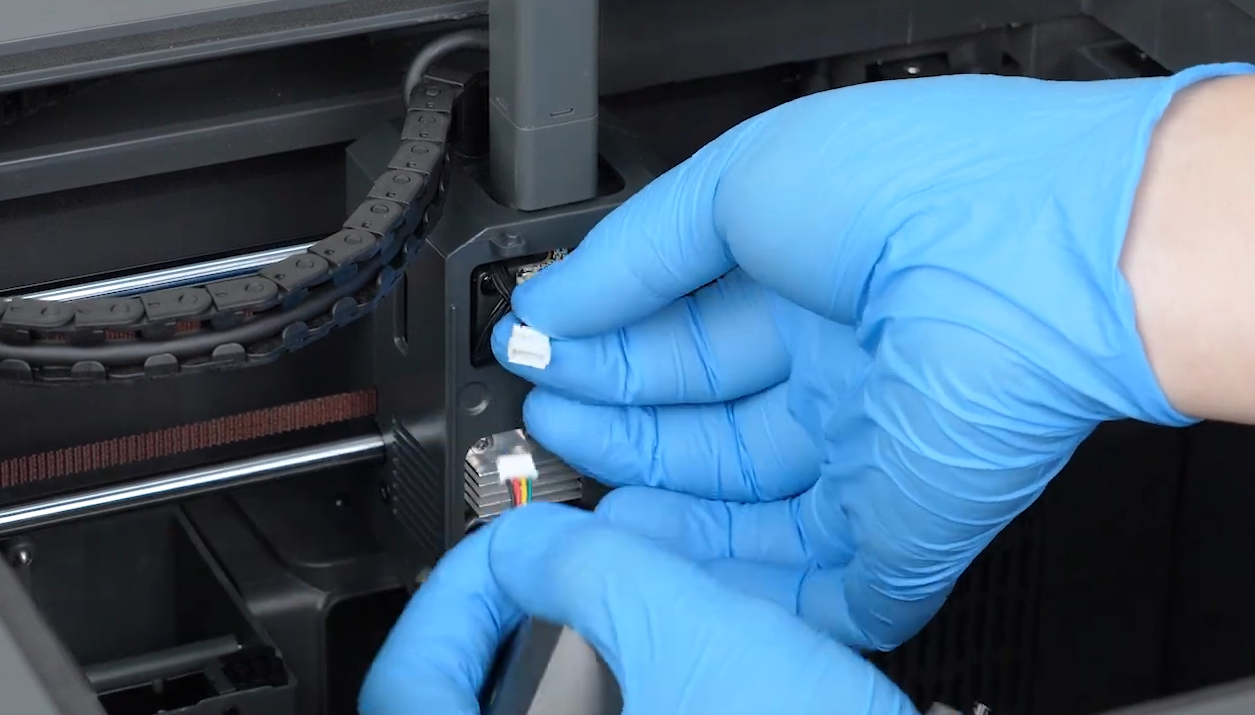
¶ 3. Disconnect the Model Cooling Fan Cable of the Tool Head
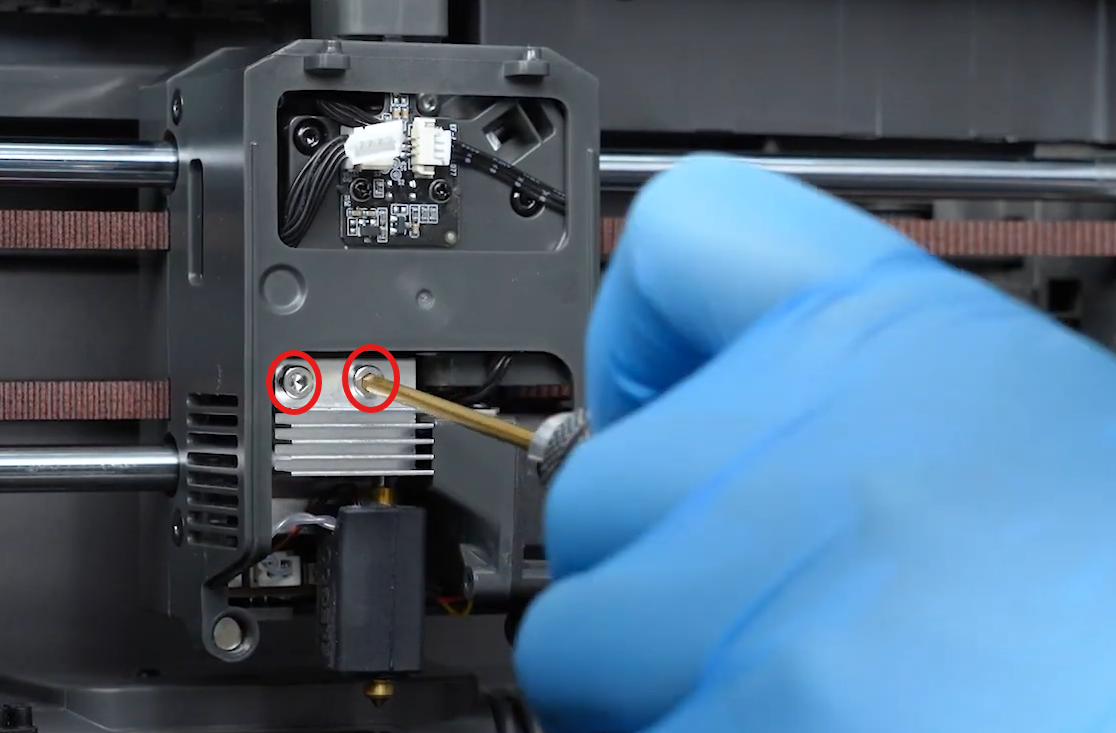
¶ 4. Use a 2.5 mm Allen key to loosen the screws securing the nozzle assembly.
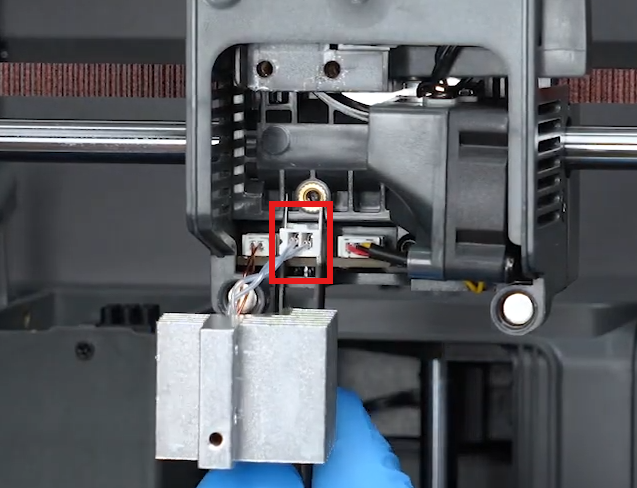
¶ 5. Remove the nozzle assembly.
Note: To avoid burns, make sure the nozzle temperature has cooled down to room temperature before removing the nozzle assembly.
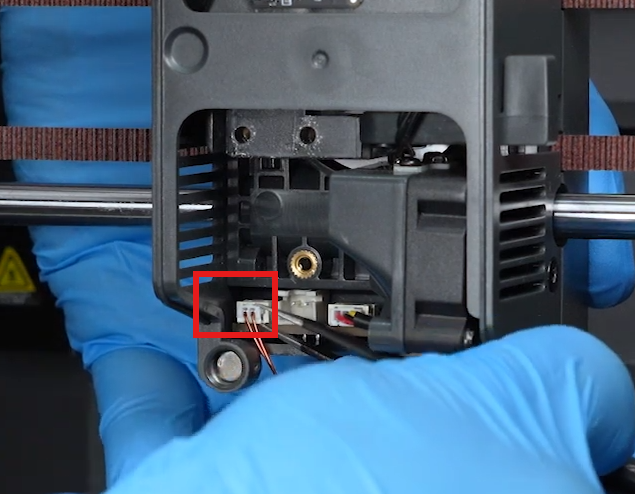
¶ 6. Remove the silicone sleeve and heater retaining ring.
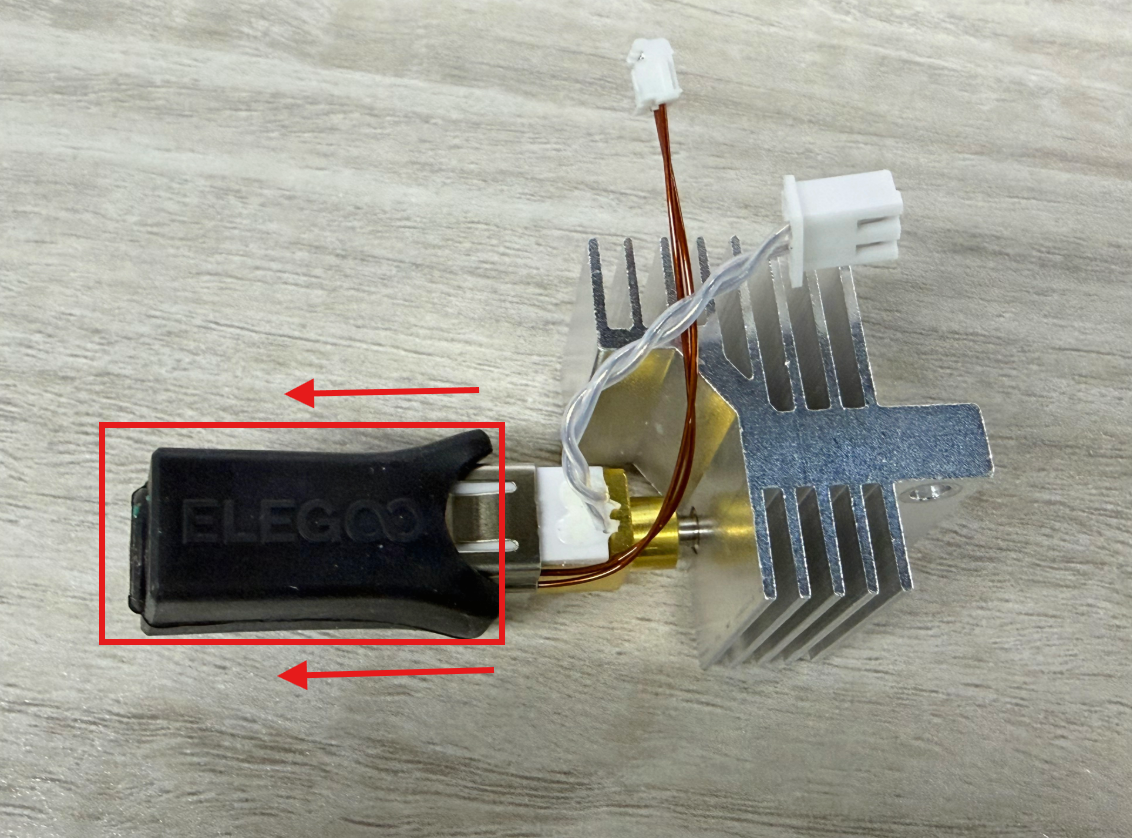
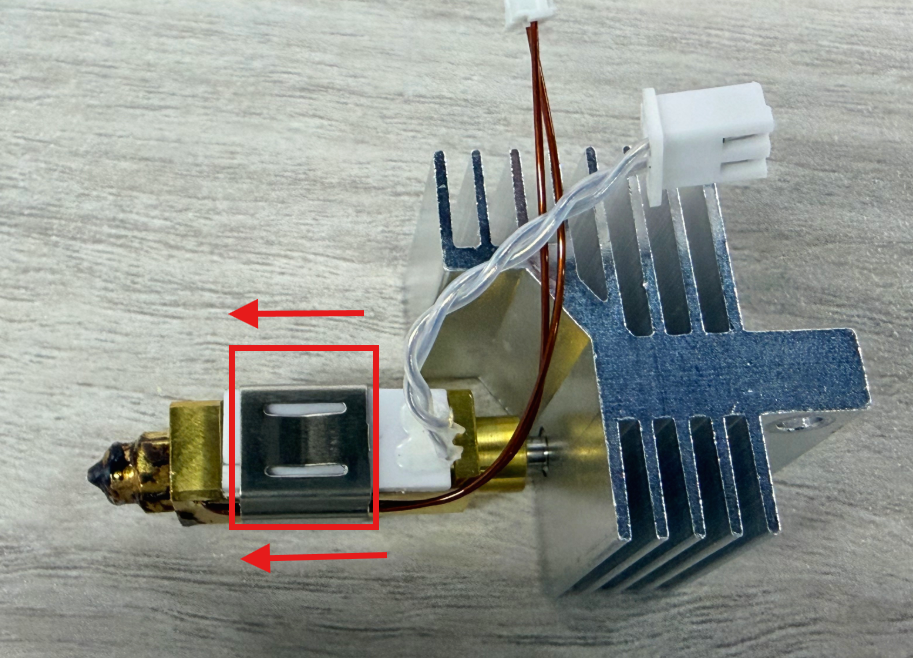
¶ 7. Check whether the ceramic heater wires are damaged and whether the ceramic heater is cracked.
- If the ceramic heater is found to be cracked, replace the ceramic heater to solve the issue.
- If the ceramic heater is confirmed to be normal, reinstall the heater retaining ring and silicone sleeve, then continue troubleshooting according to the next step.
¶ 2.2 Check the Ceramic Heater Connector
- Disconnect and reconnect the ceramic heater connector.
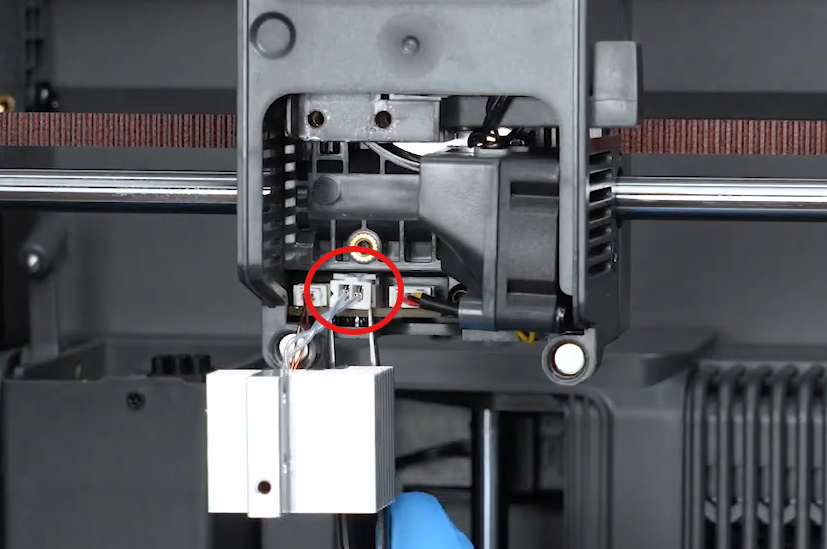
-
After reconnecting the connector, restart the printer and perform a heating test.
-
Set the nozzle target temperature (for example, 200℃) and check whether the nozzle can heat up normally.
- If Error Code 103 still appears, continue checking the tool head heating interface board.
- If the ceramic heater connector is confirmed to be damaged, replace the ceramic heater assembly.
¶ 3. Check Whether the Tool Head Heating Interface Board Port Is Loose or Detached
Check whether the port of the tool head heating interface board is loose or detached according to the figure below.
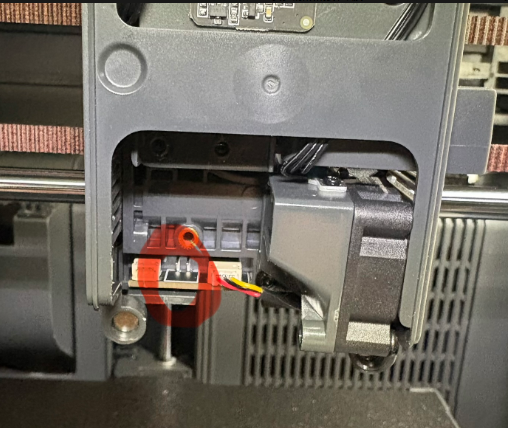
- If the port of the tool head heating interface board is detached, try reconnecting the connector.
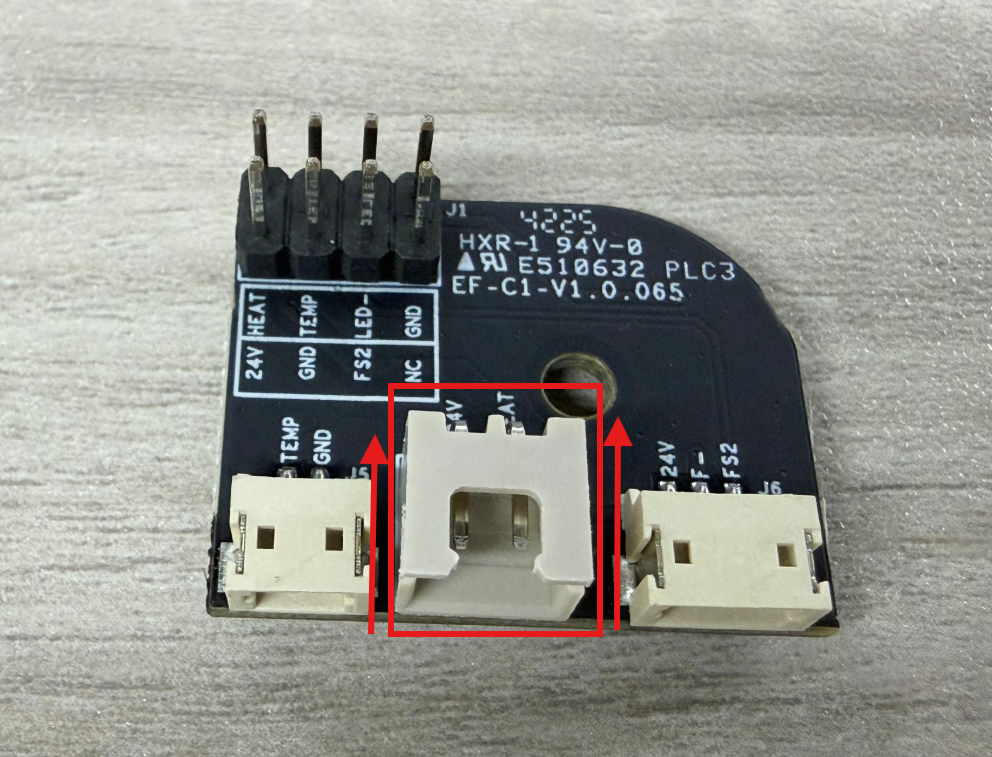
- If Error Code 103 still appears after reconnecting the connector, or if no loose or damaged port is found, please provide the required information according to the next section.
¶ Issue Not Resolved
If no abnormality is found after completing the above inspections, please send the following information to our technical support email:
Email: 3dp@elegoo.com
Please provide:
- A video showing how Error Code 103 is reproduced.
- Whether the CAN bus has any damage or abnormality.
- The connection status of the ceramic heater cable.
- Whether the port of the tool head heating interface board is loose or damaged.
- SN code.
¶ Help us improve
If you have any ideas about the wiki pages, please let us know via ELEGOO official feedback channel