¶ Tools and Materials
-
A 1.5 mm Allen key
-
A 2.0 mm Allen key
-
A 2.5 mm Allen key
-
A pair of pliers
-
Cable ties
¶ Tutorial Video
¶ Instruction
¶ Preparation before operation
-
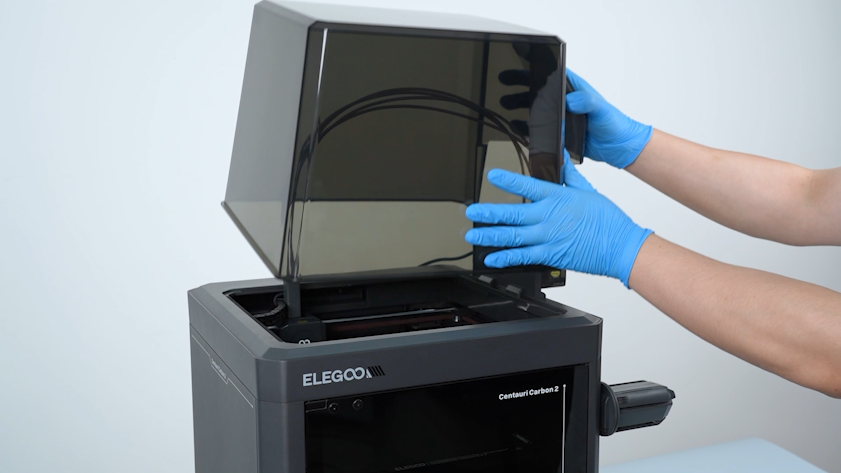
Remove the lid.
-
Plug in the power supply cable and turn the printer power switch ON (symbol "|").
-
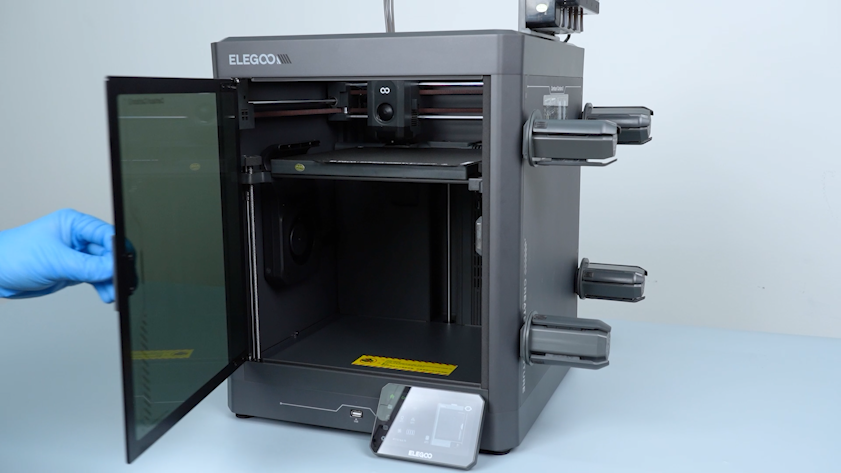
Open the front door.
-
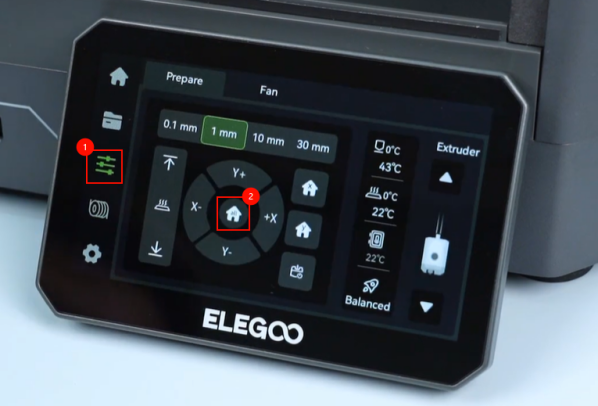
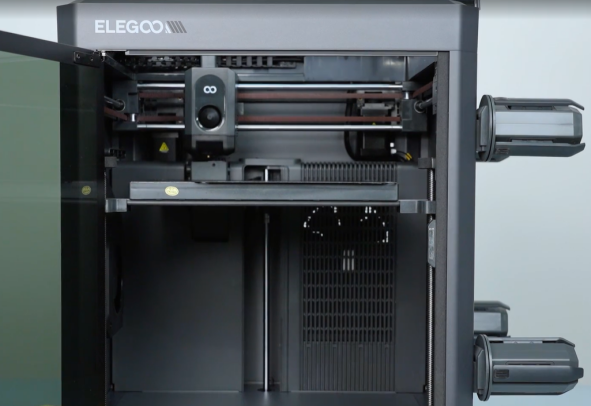
On the touch screen, select Control - Home and wait for the homing process of the tool head to complete.
-
On the touch screen, select 30 mm - ↓ to lower the heated bed to the bottom.
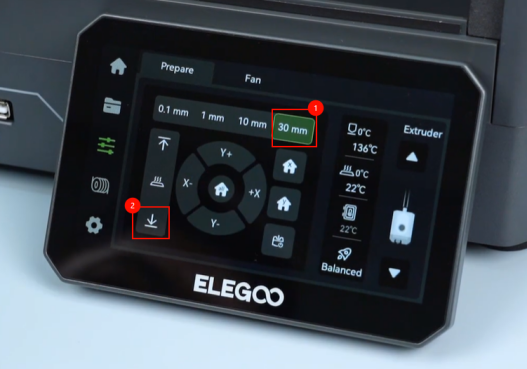
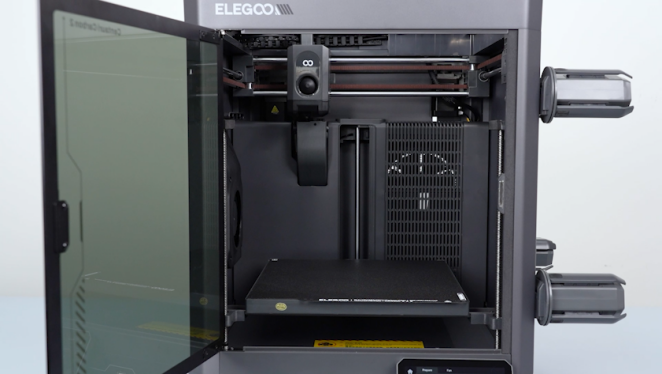
-
Turn the power switch OFF (symbol "〇") and unplug the power supply cable.
¶ Remove the bottom cover and back cover
-
Release and remove the ten screws securing the bottom cover with a 2.0 mm Allen key and remove the bottom cover.
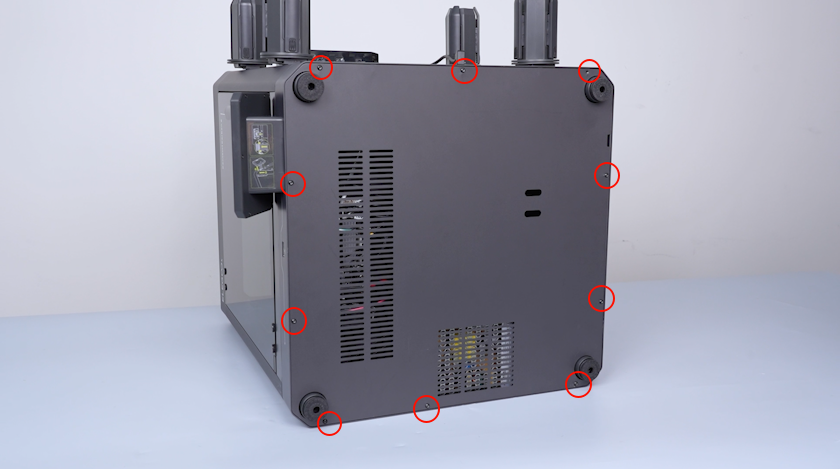
-
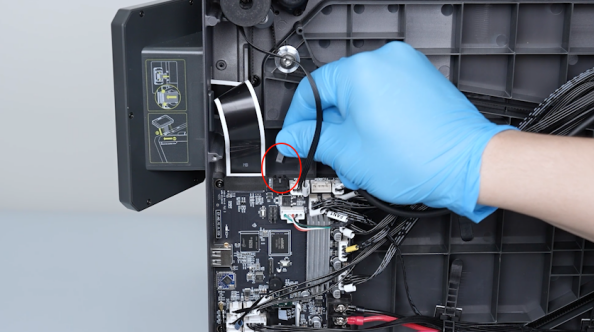
Loosen the two cable ties securing the wires and remove the plug of the Tool head communication cable.
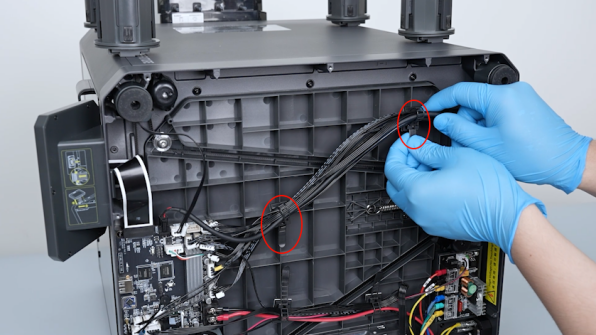
-
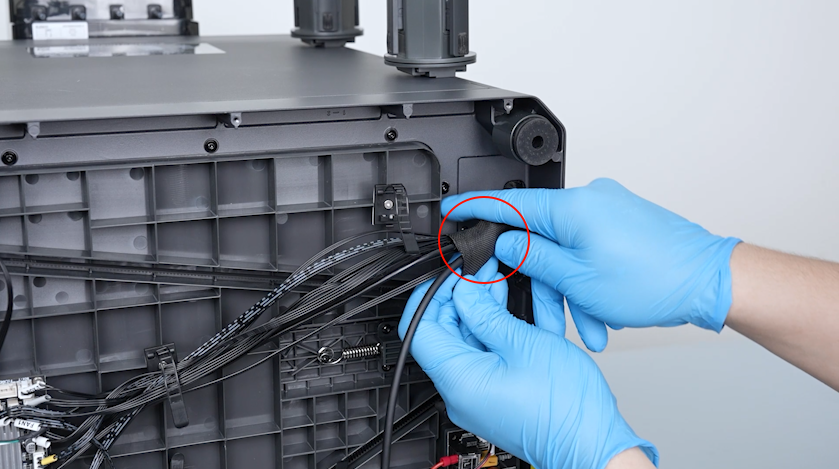
Remove the braided cable sleeve and keep it at hand for later use.
-
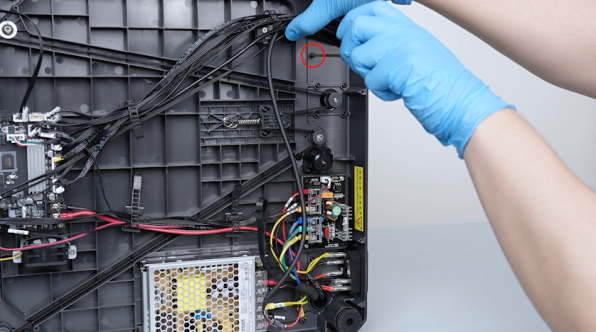
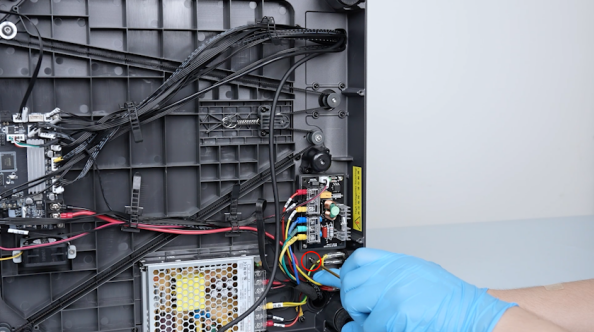
Release and remove the two screws securing the bottom of the partition with a 2.0 mm Allen key.
-
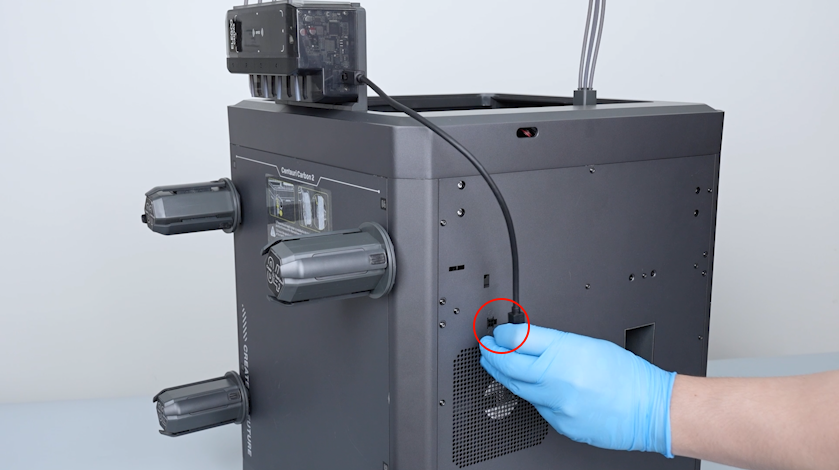
Remove the plug of the CANVAS communication cable.
-
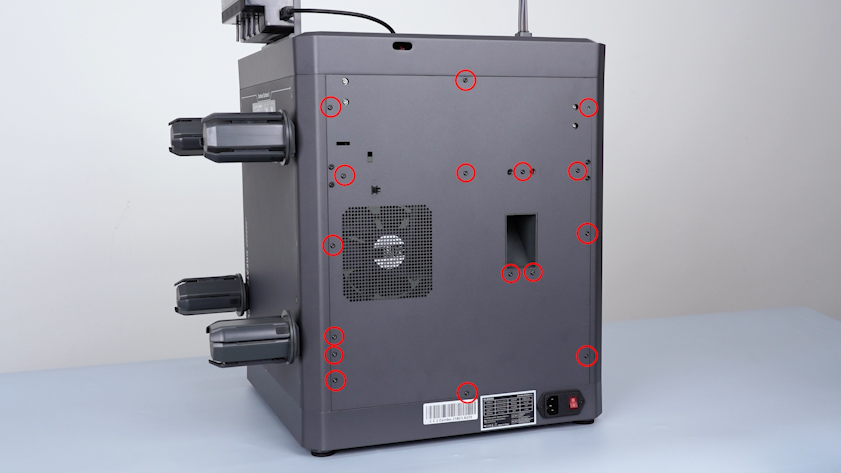
Release and remove the fourteen screws securing the back cover with a 2.0 mm Allen key.
-
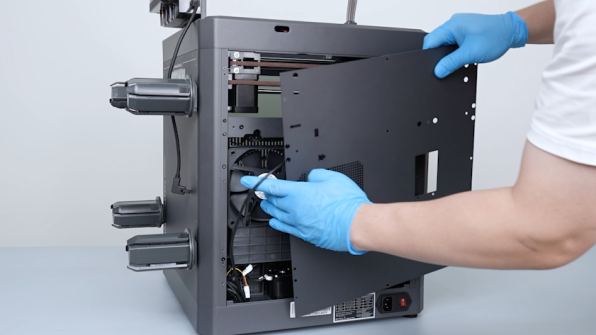
Pull out the CANVAS extension cable through the gap on the side of the chamber cooling fan and place the back cover on the table.
-
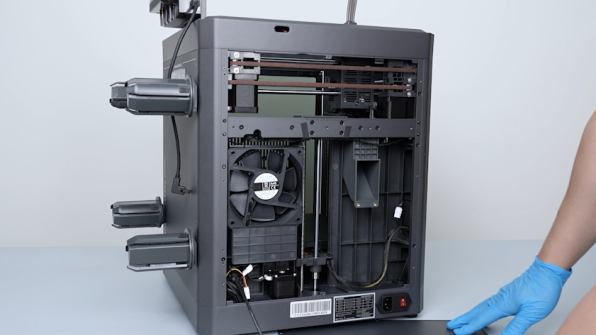
Release and remove the two screws securing the plug of the CANVAS extension cable with a 2.0 mm Allen key.
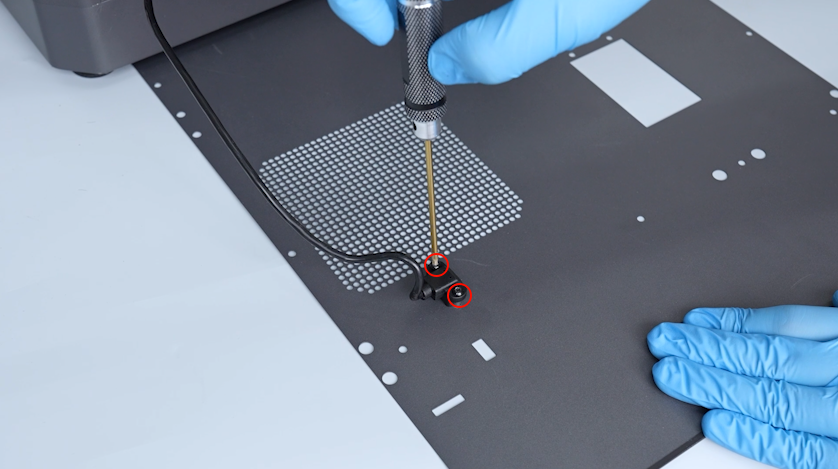
-
Remove the plug and remove the back cover.
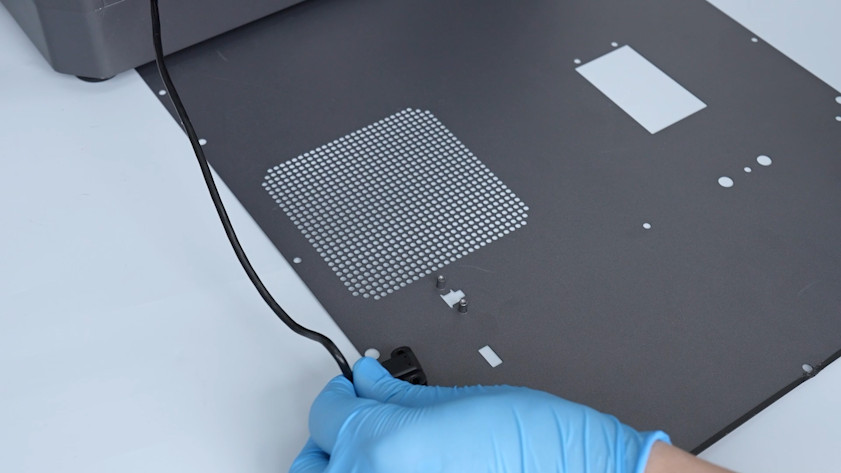
¶ Remove the old Tool head communication cable
-
Pull out the Tool head communication cable from the base hole.
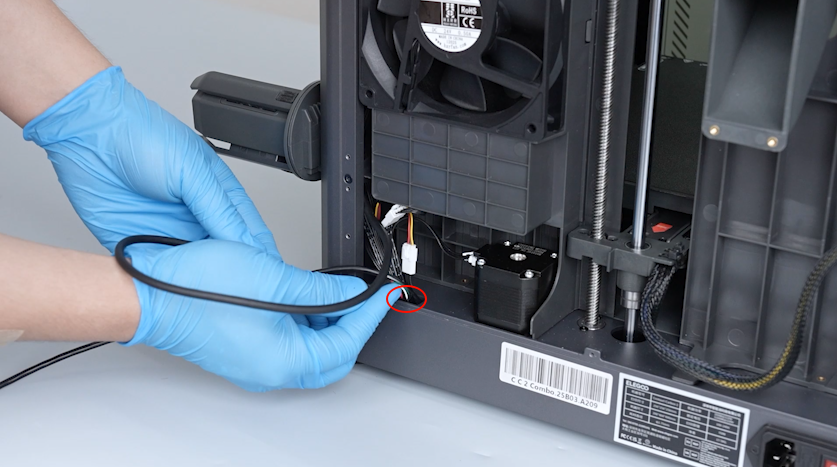
-
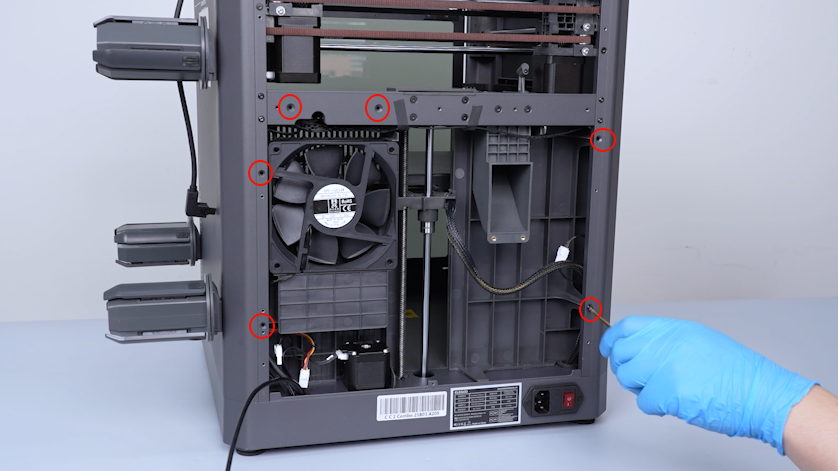
Release and remove the screw securing the upper of the partition with a 2.0 mm Allen key.
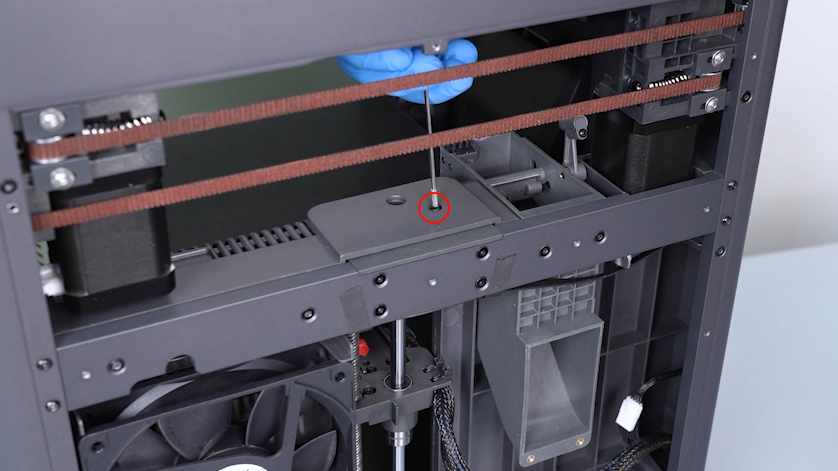
-
Release and remove the six screws securing the back of the partition with a 2.0 mm Allen key.
-
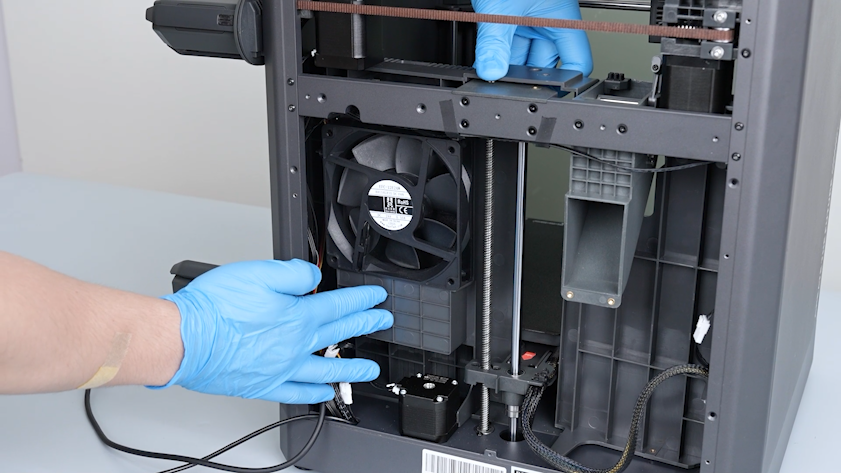
Move the partition backward to expose the braided mesh tube.
-
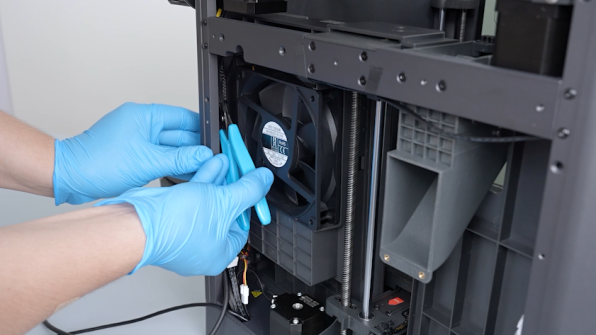
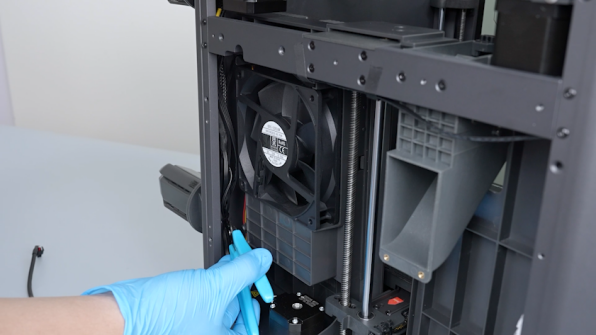
Cut the cable ties with a pair of pliers and remove them.
-
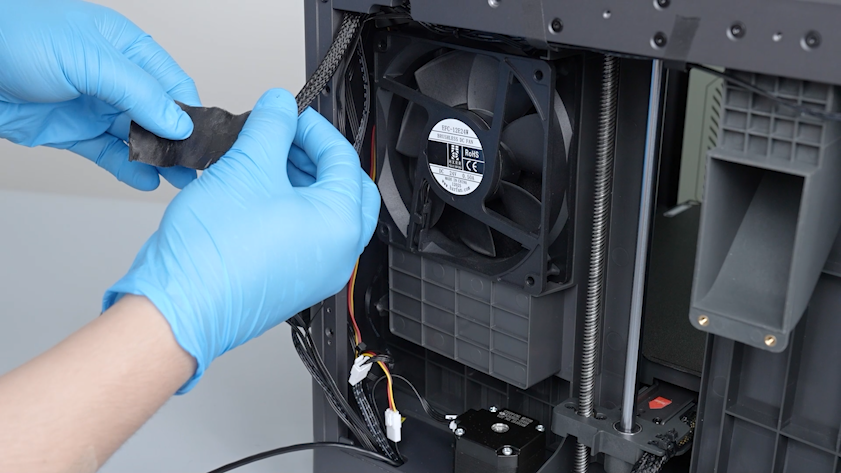
Peel off the tape securing the wires
Note: Keep the tape securing the braided mesh tube at hand for later use.
-
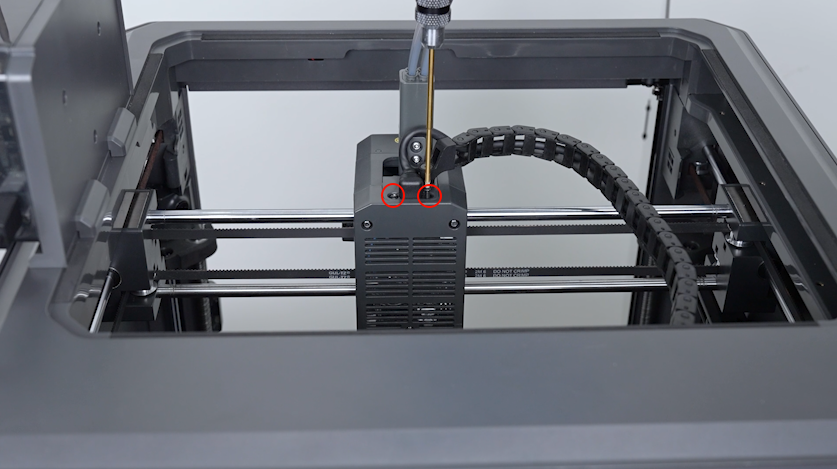
Release and remove the two screws securing the Tool head communication cable with a 1.5 mm Allen key.
-
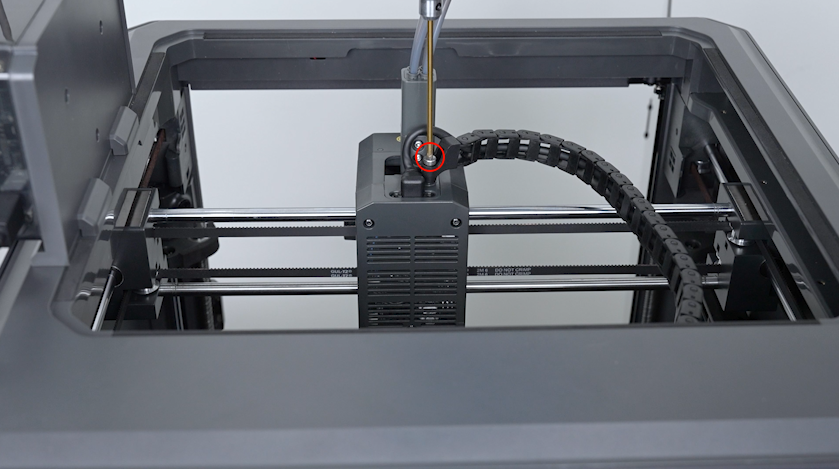
Release and remove the screw securing the tank chain with a 2.5 mm Allen key.
-
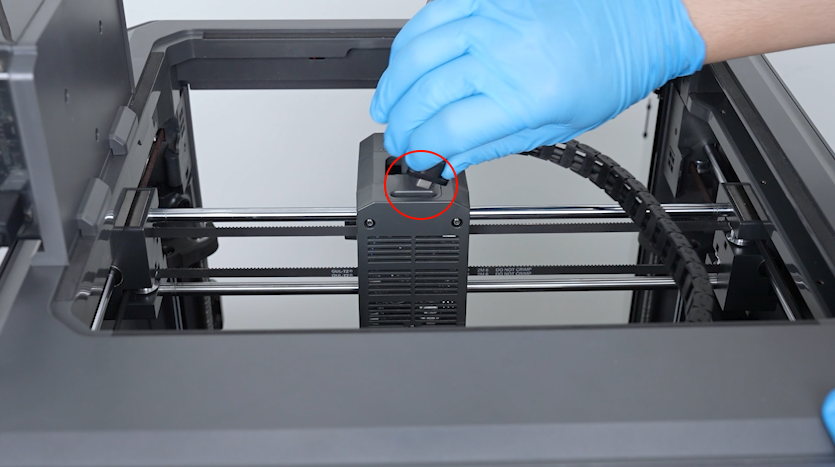
Remove the plug of the Tool head communication cable.
-
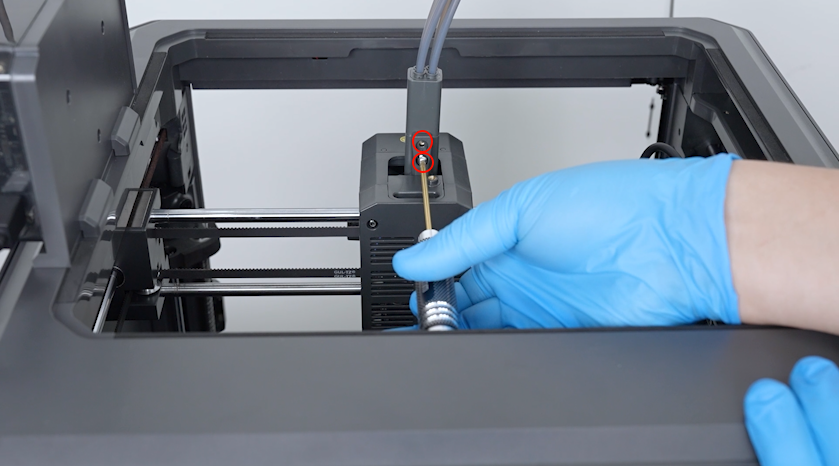
Release and remove the two screws securing the 4-in-1 hub with a 2.0 mm Allen key.
-
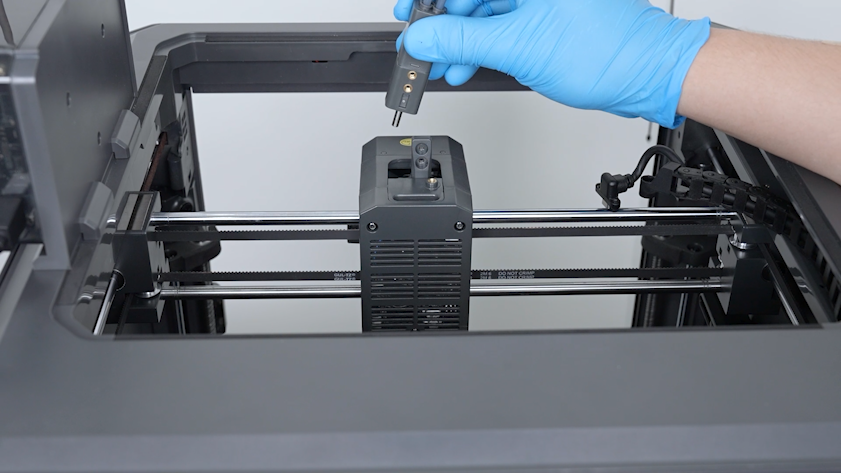
Remove the 4-in-1 hub.
-
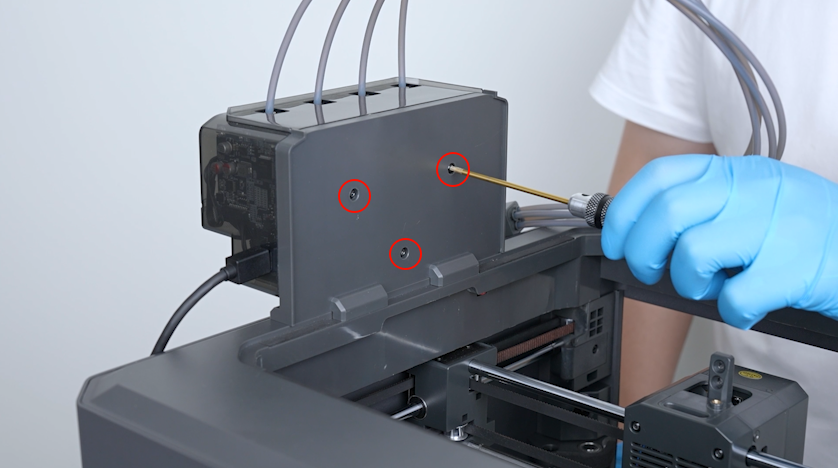
Release and remove the three screws securing the CANVAS with a 2.0 mm Allen key and remove the CANVAS.
Note: Hold the CANVAS when removing the last screw.
-
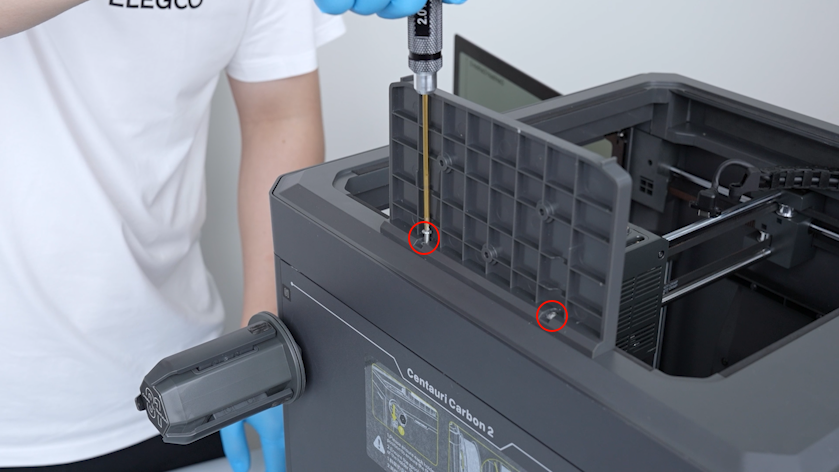
Release and remove the two screws securing the CANVAS holder with a 2.0 mm Allen key and remove the CANVAS holder.
-
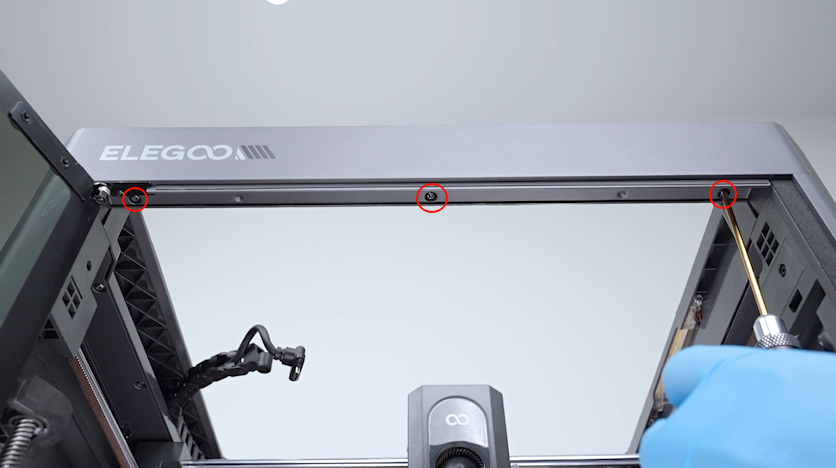
Release and remove the three screws securing the front side of the upper frame housing (front door direction) with a 2.0 mm Allen key.
-
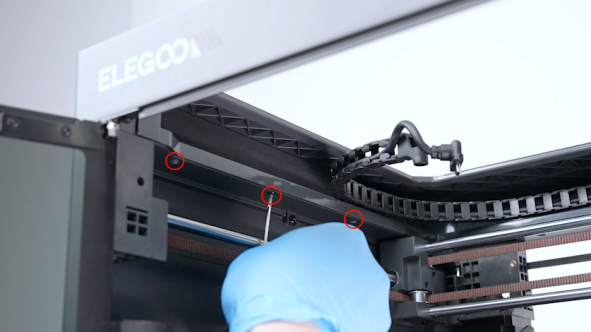
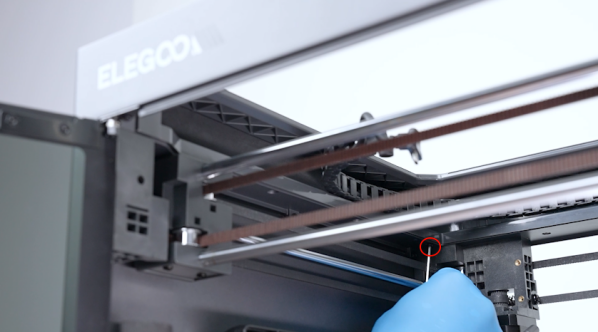
Release and remove the four screws securing the left side of the upper frame housing (left cover direction) with a 2.0 mm Allen key.
-
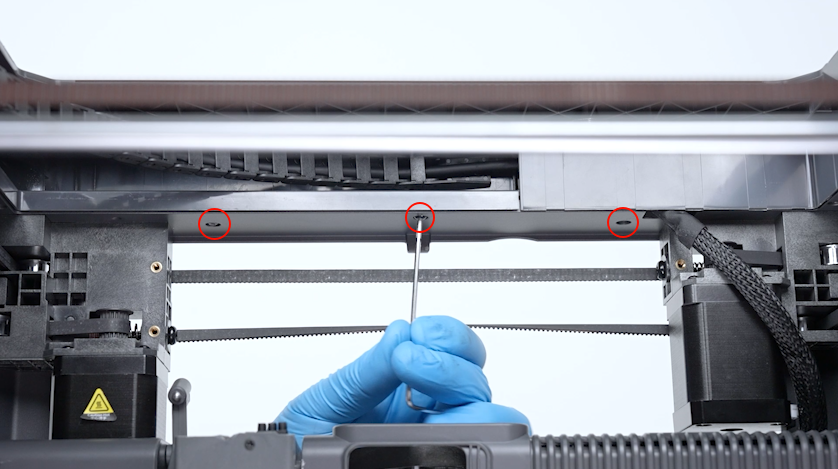
Release and remove the three screws securing the back side of the upper frame housing (back cover direction) with a 2.0 mm Allen key.
-
Release and remove the three screws securing the right side of the upper frame housing (right cover direction) with a 2.0 mm Allen key.
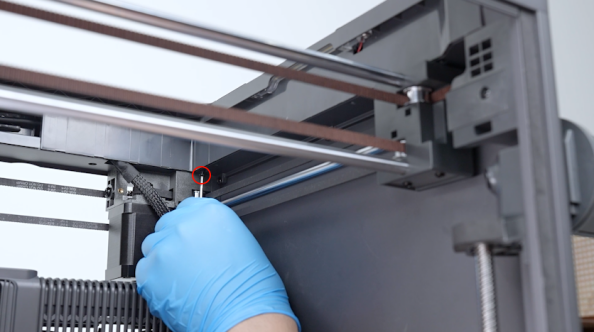
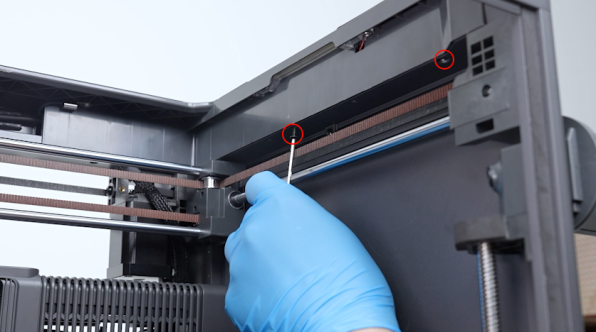
-
Lift the upper frame housing.
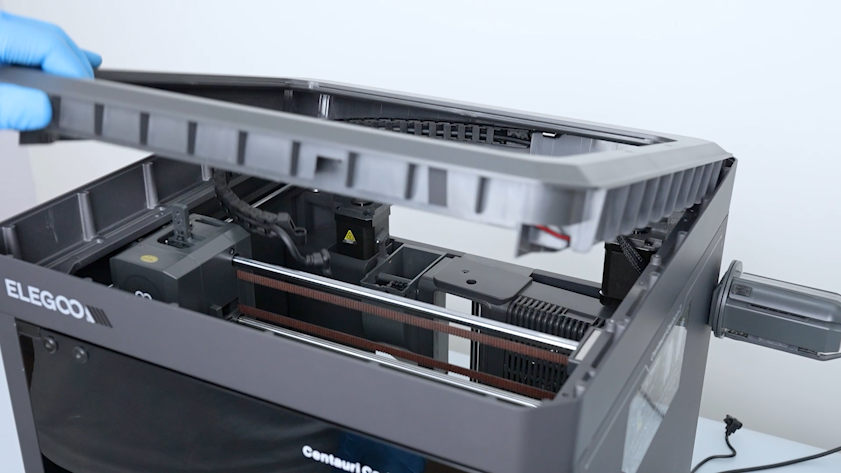
-
Disengage the Tool head communication cable. Release and remove the two screws securing the end of the tank chain with a 2.0 mm Allen key.
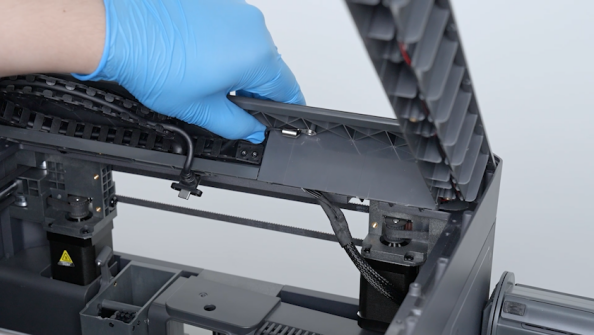
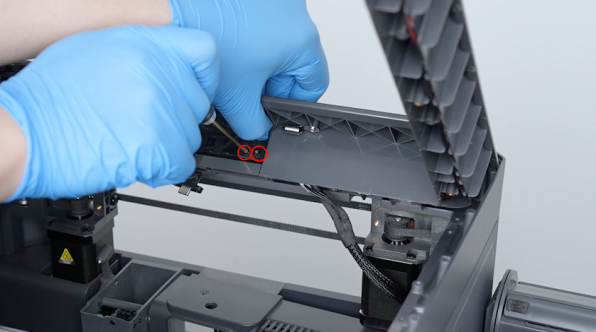
-
Unplug the plugs of the chamber thermistor and LED strip.
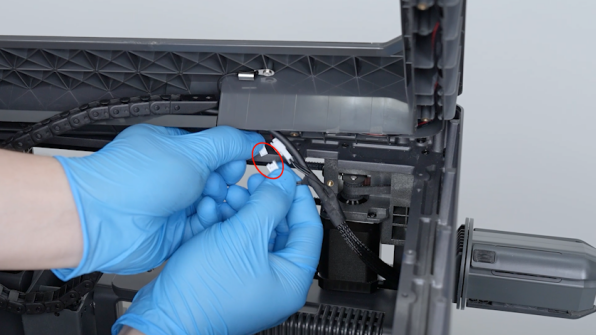
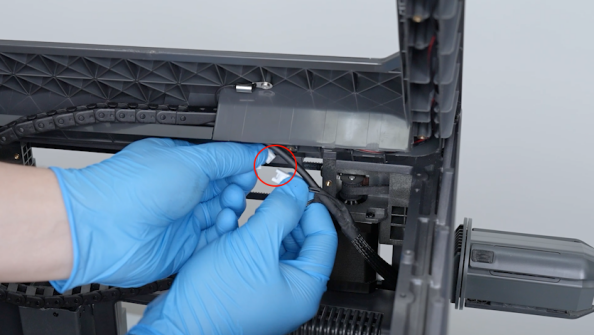
-
Peel off the tape securing the braided mesh tube and keep it at hand for later use.
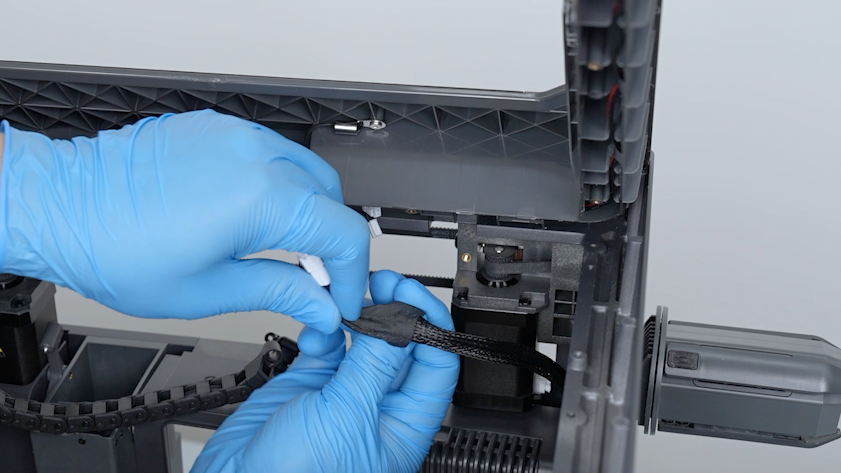
-
Pull out the Tool head communication cable along the partition gap.
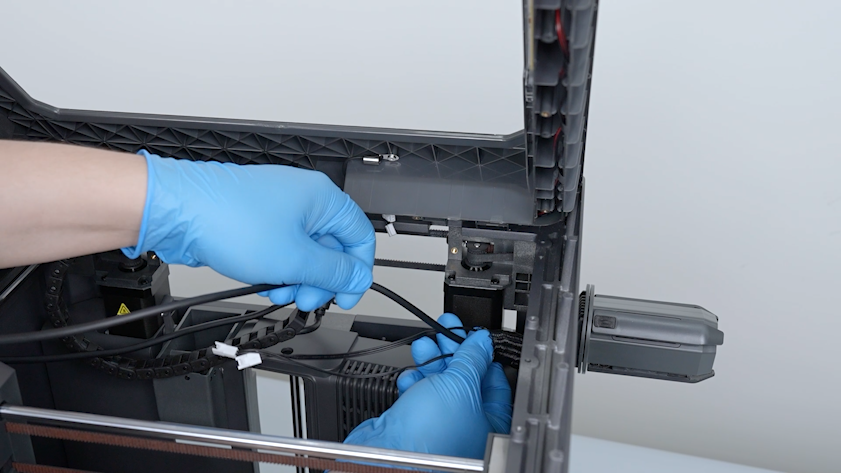
-
Put the upper frame in its original position temporarily.
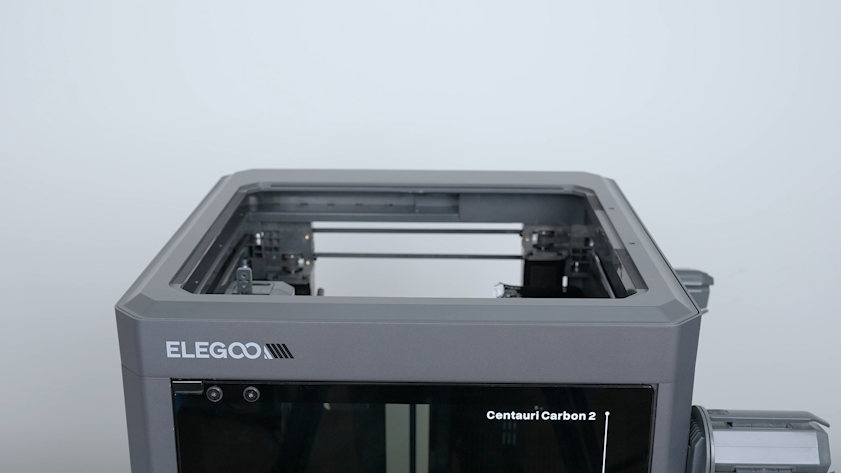
-
Remove both ends of the tank chain.
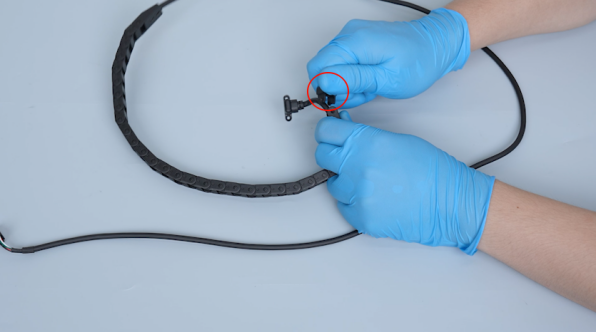
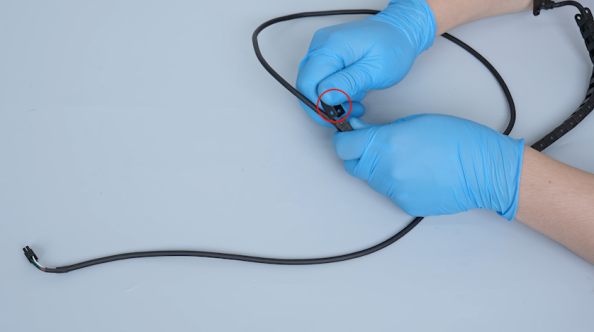
-
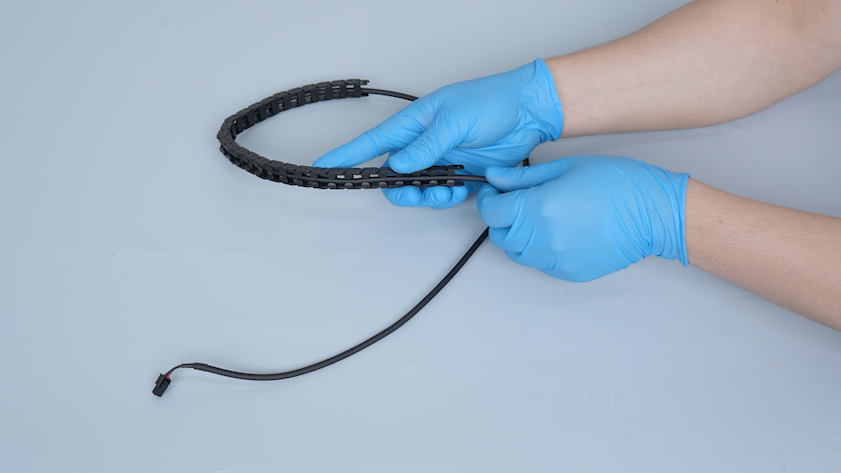
Pull out the old Tool head communication cable from the tank chain.
¶ Install the new Tool head communication cable
-
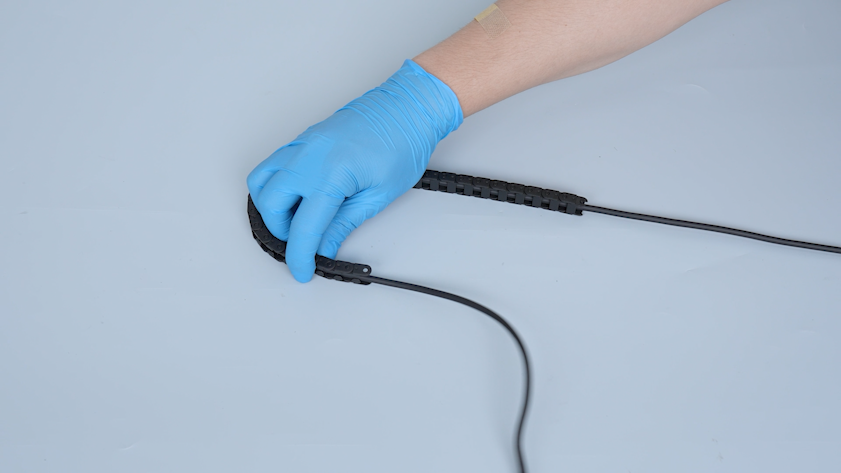
Install the new Tool head communication cable into the tank chain.
-
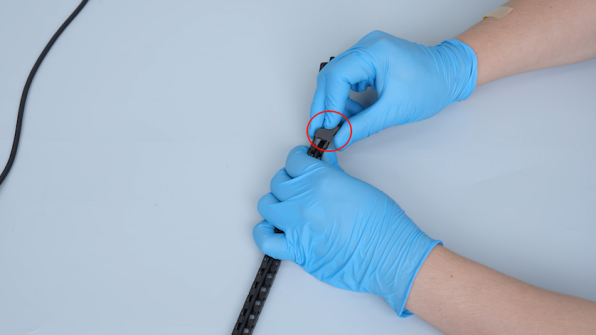
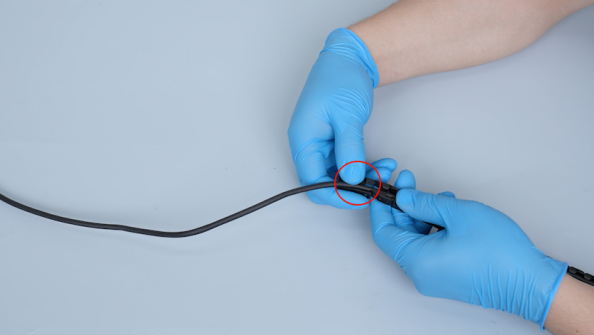
Install both ends of the tank chain to the corresponding positions.
-
Pass the end of the Tool head communication cable along the upper frame groove.
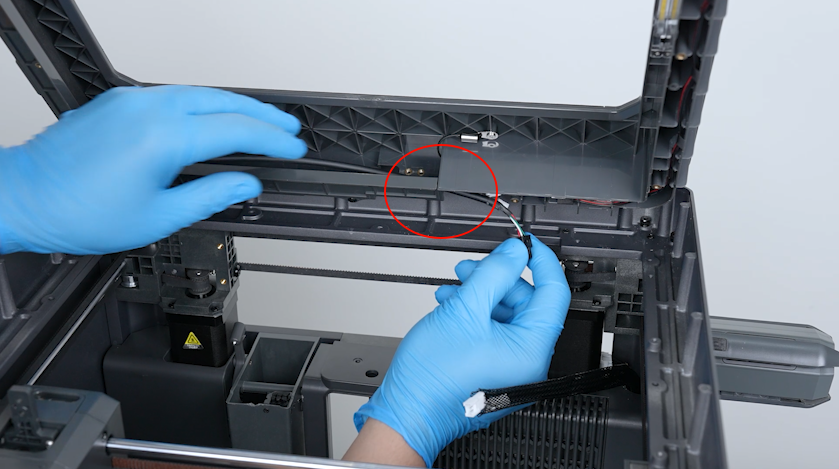
-
Align the tank chain with the upper frame screw holes.
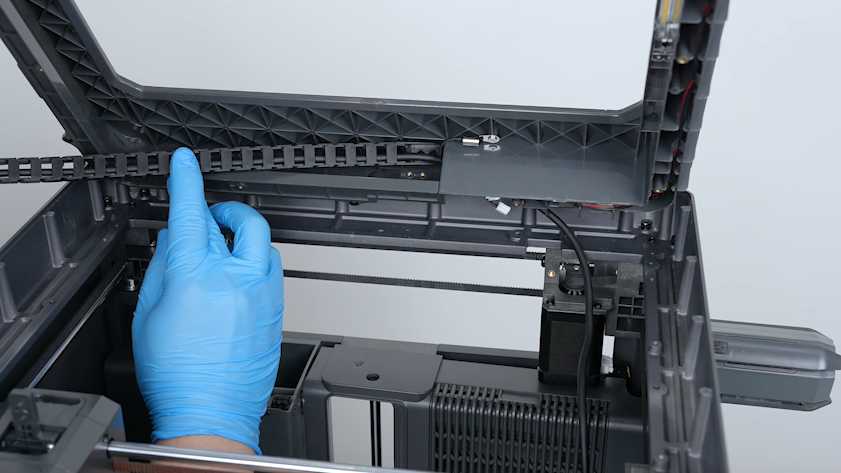
-
Disengage the Tool head communication cable and tighten the two screws securing the end of the tank chain with a 2.0 mm Allen key.
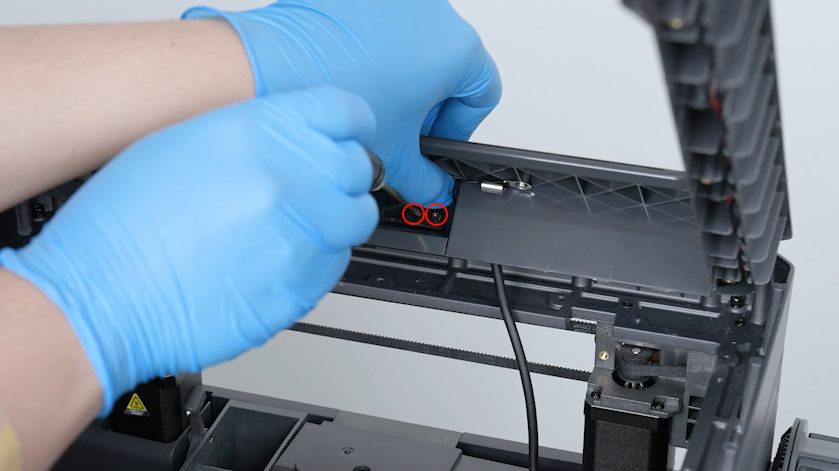
-
Pass the end of the Tool head communication cable through the braided mesh tube.
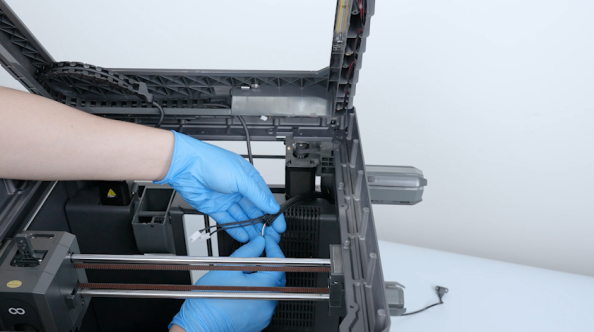
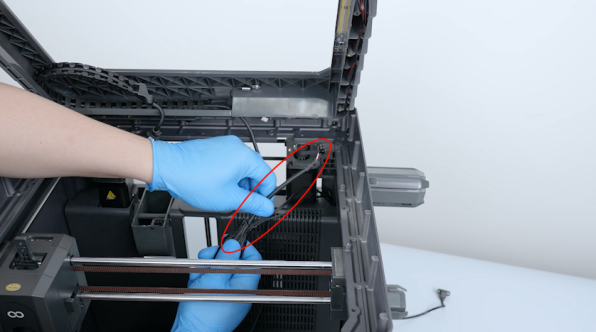
-
Pull out the plugs of the chamber thermistor and LED strip from the braided mesh tube.
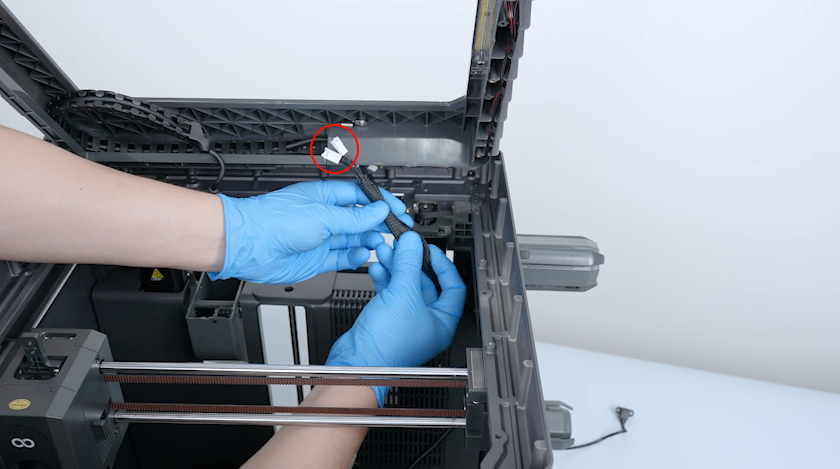
-
Organize the braided mesh tube and secure it with tape.
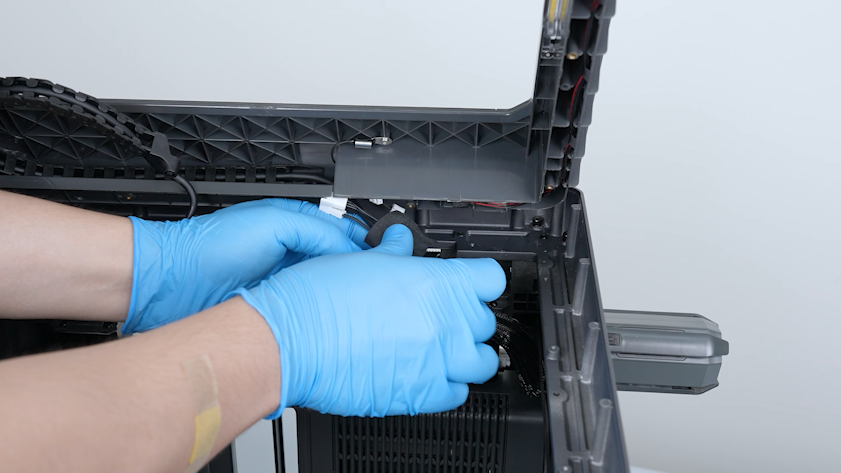
-
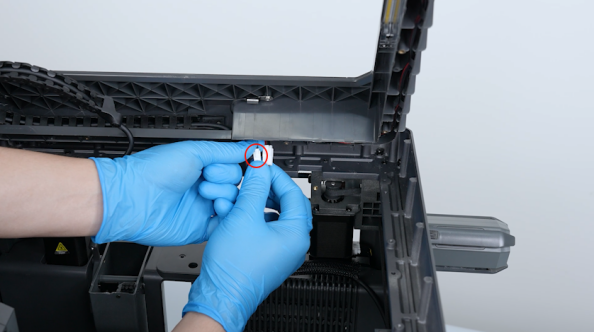
Insert the plugs of the chamber thermistor and LED strip.
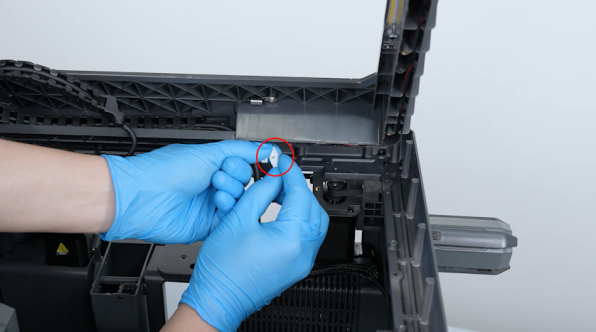
-
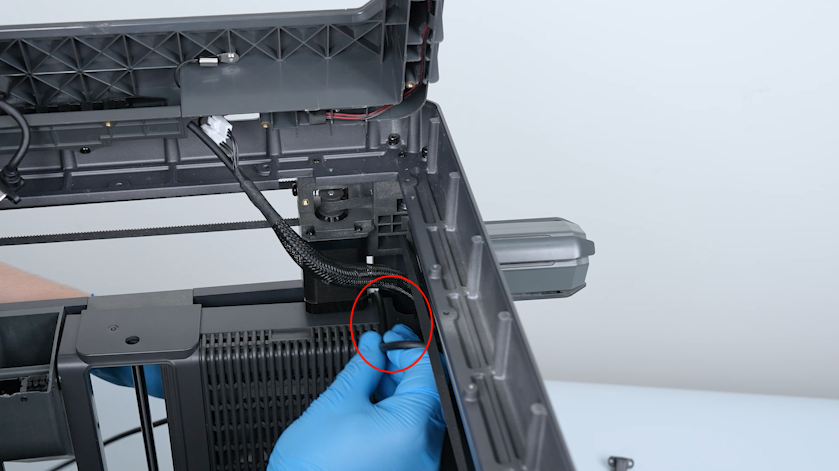
Pass the end of the Tool head communication cable through the partition.
-
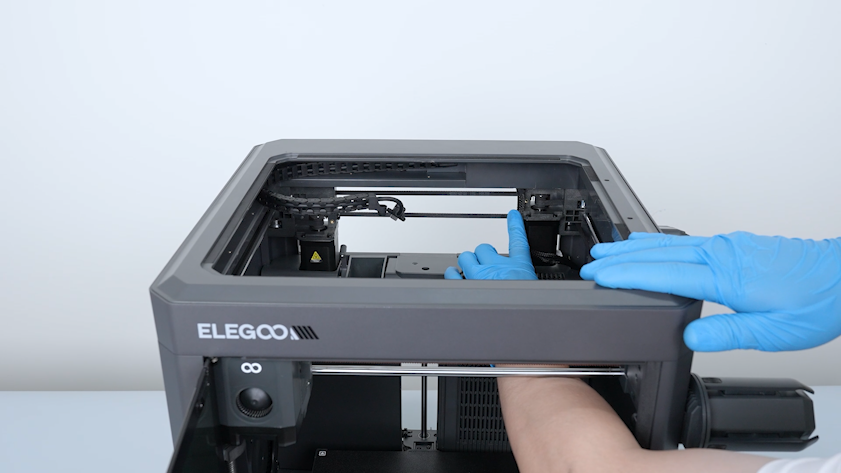
Install the upper frame housing.
-
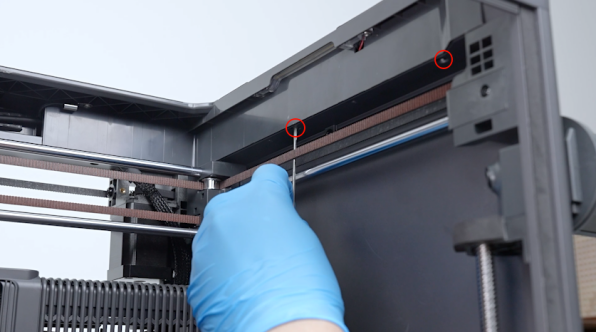
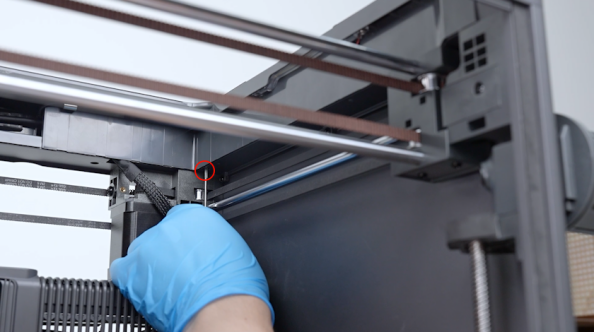
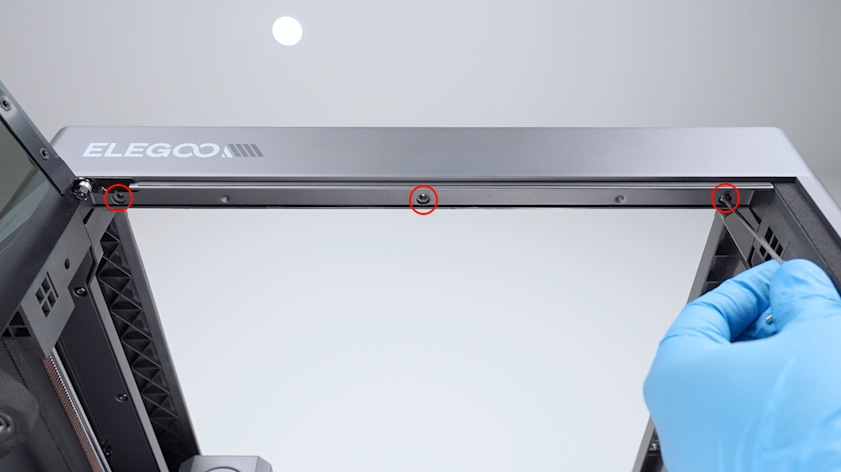
Tighten the three screws on the right side (right cover direction) of the upper frame housing.
-
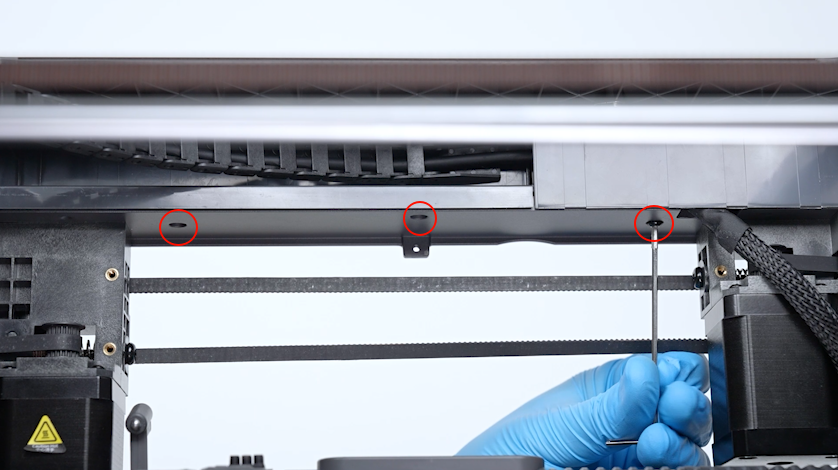
Tighten the three screws on the back side (back cover direction) of the upper frame housing.
-
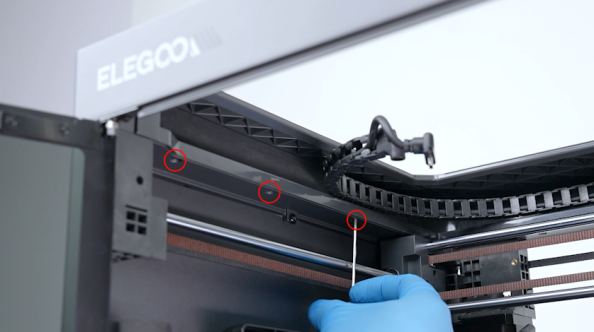
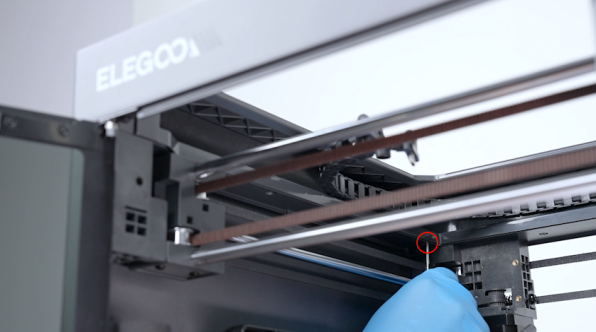
Tighten the four screws on the left side (left cover direction) of the upper frame housing.
-
Tighten the three screws on the front side (front door direction) of the upper frame housing.
-
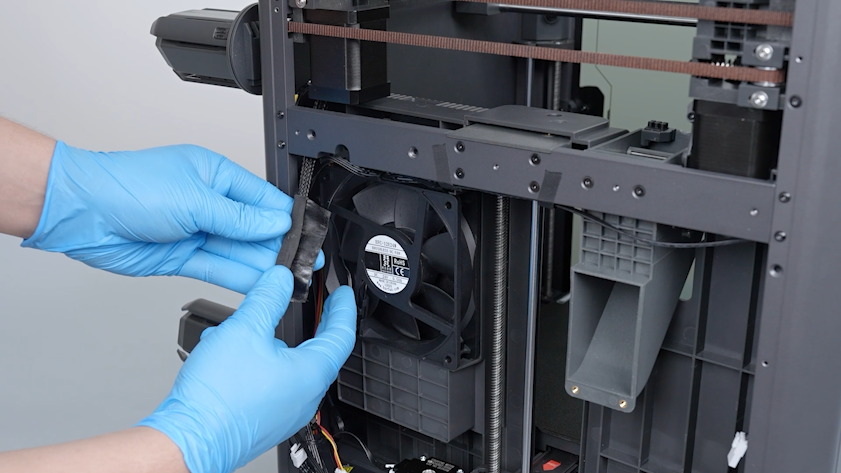
Secure the braided mesh tube with tape.
-
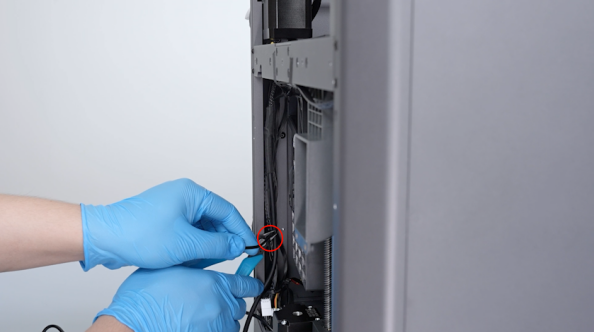
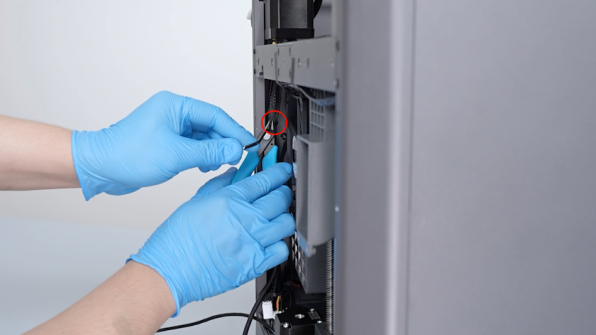
Secure the wires with cable ties. Cut off the end of the cable ties with a pair of pliers.
-
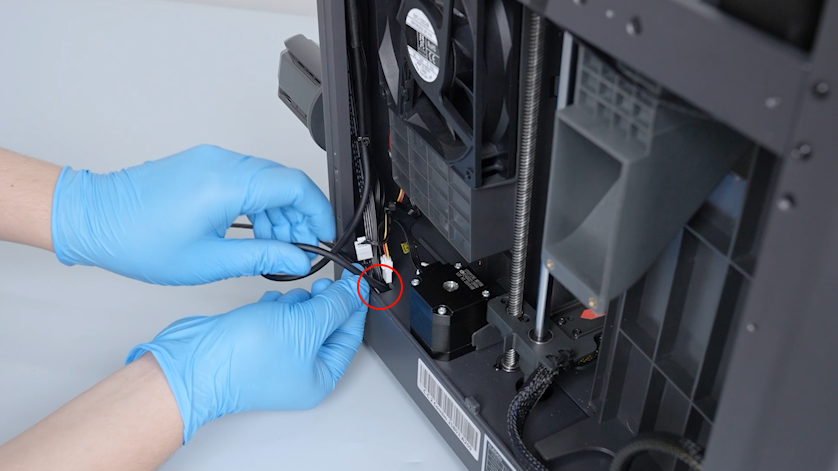
Pass the end of the Tool head communication cable through the base hole.
-
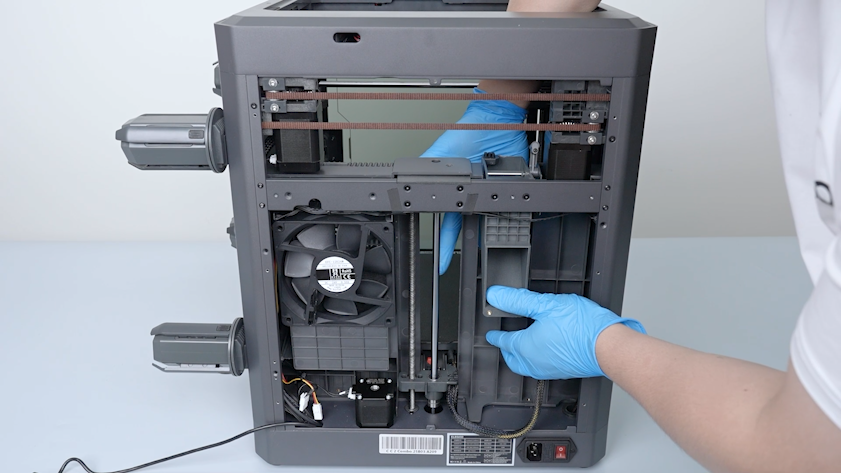
Move the partition to the installation position.
-
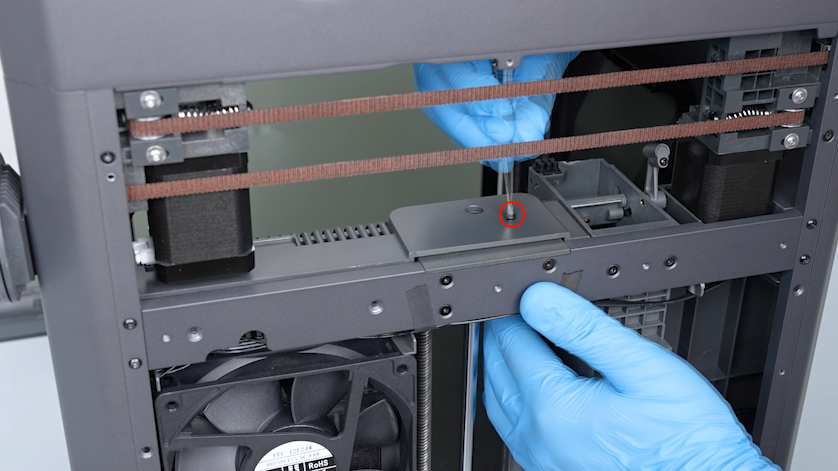
Tighten the screw on the upper of the partition.
-
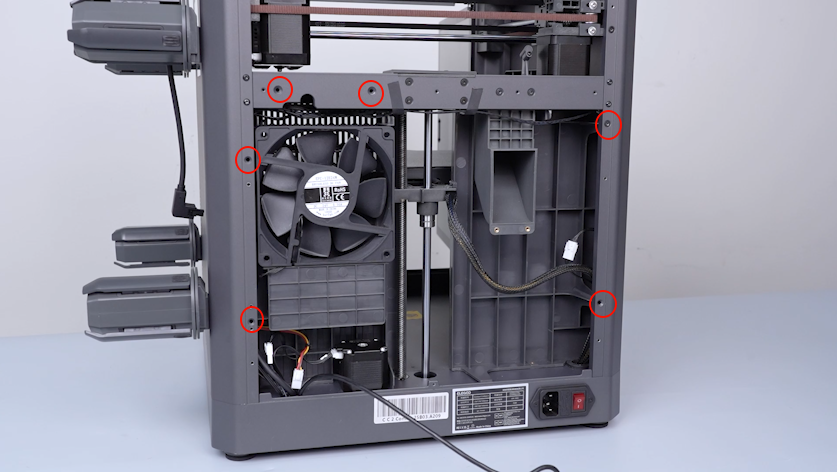
Tighten the six screws securing the back of the partition.
¶ Install the bottom cover and back cover
-
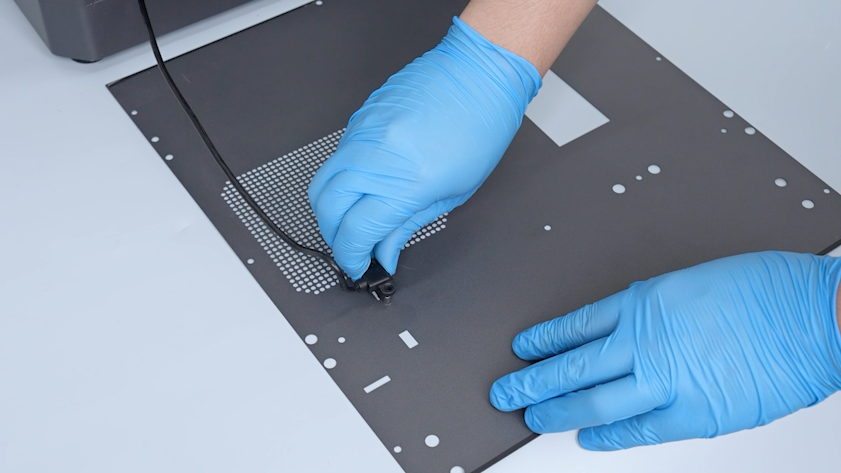
Get the back cover and insert the plug of the CANVAS extension cable.
-
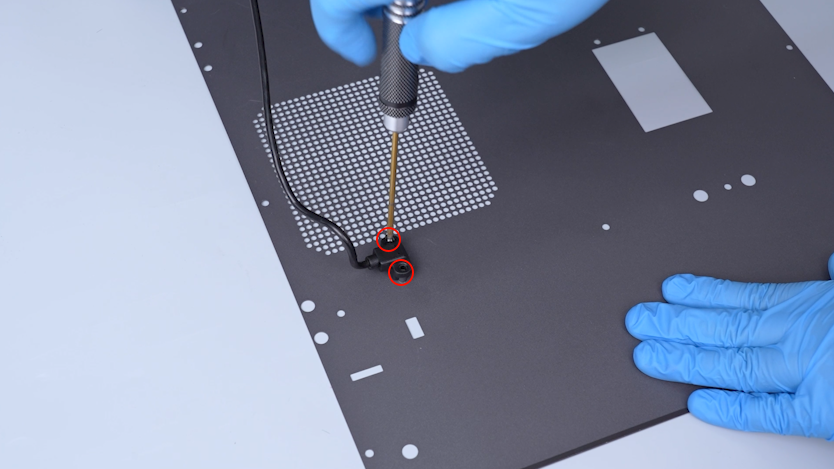
Tighten the two screws securing the plug of the CANVAS extension cable.
-
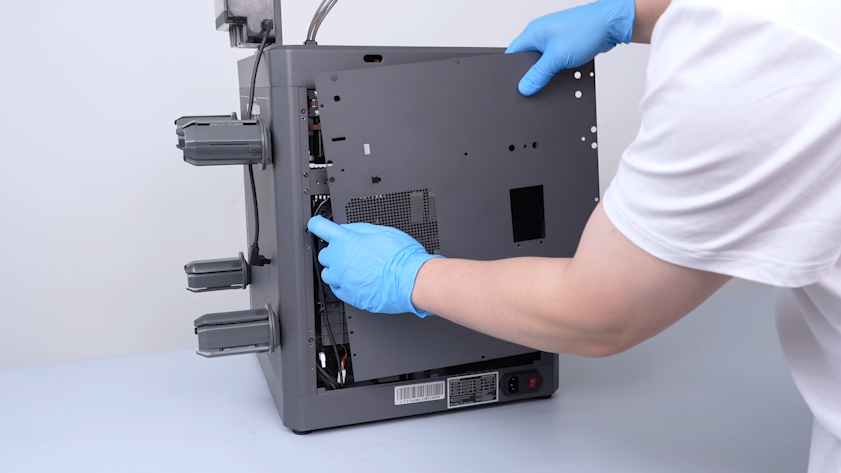
Lift the back cover and place the CANVAS extension cable into the gap on the side of the chamber cooling fan.
-
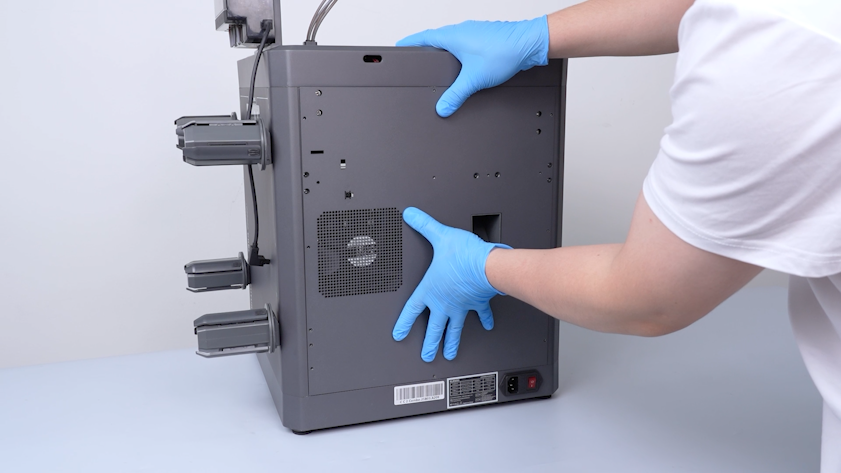
Close the back cover.
-
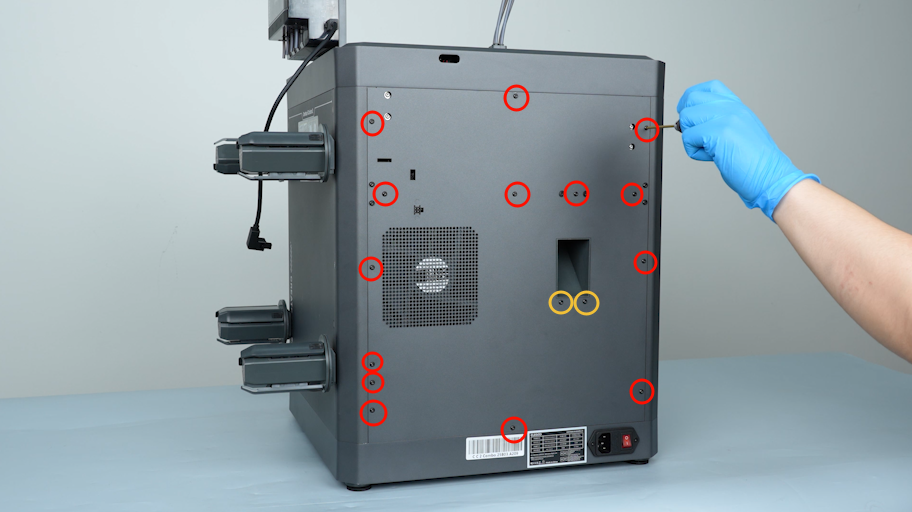
Tighten the fourteen screws securing the back cover.
Note: Screws labeled by the red circle are M3 x 4. Screws labeled by the yellow circle are M3 x 8.
-
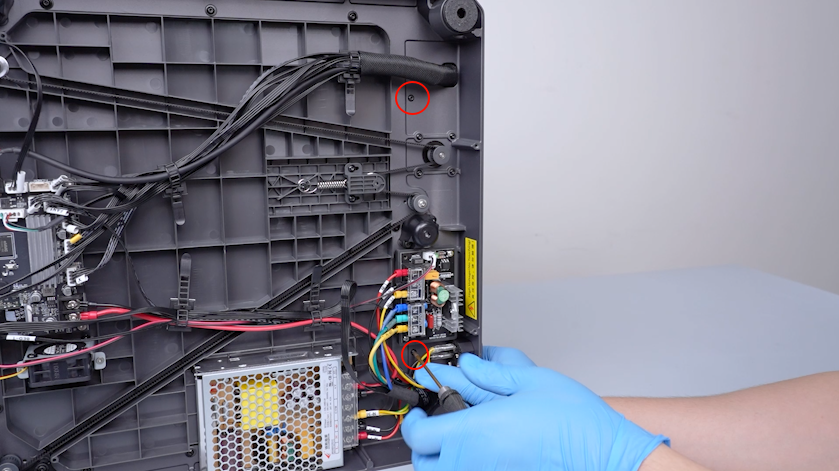
Tighten the two screws at the bottom of the partition.
-
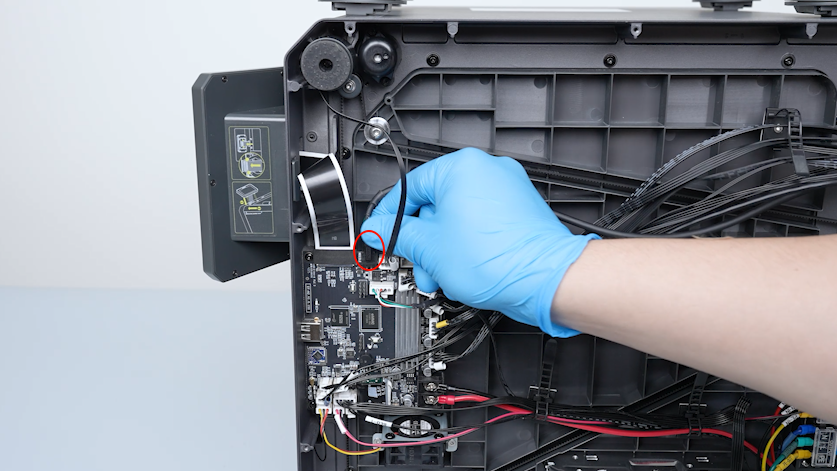
Insert the Tool head communication cable plug into the motherboard.
-
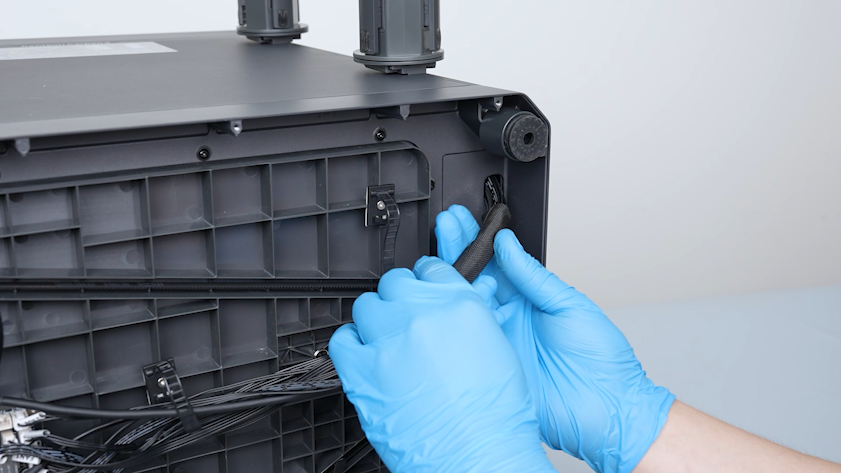
Secure the wires with braided cable sleeve.
-
Secure the wires with cable ties.
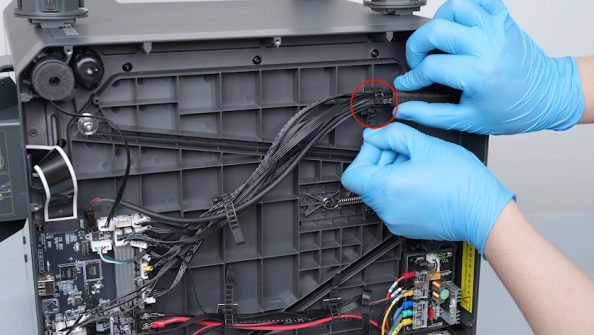
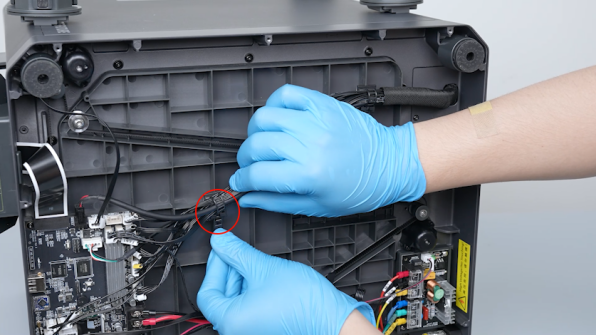
-
Get the bottom cover and put it in the installation position. Tighten the ten screws securing the bottom cover.
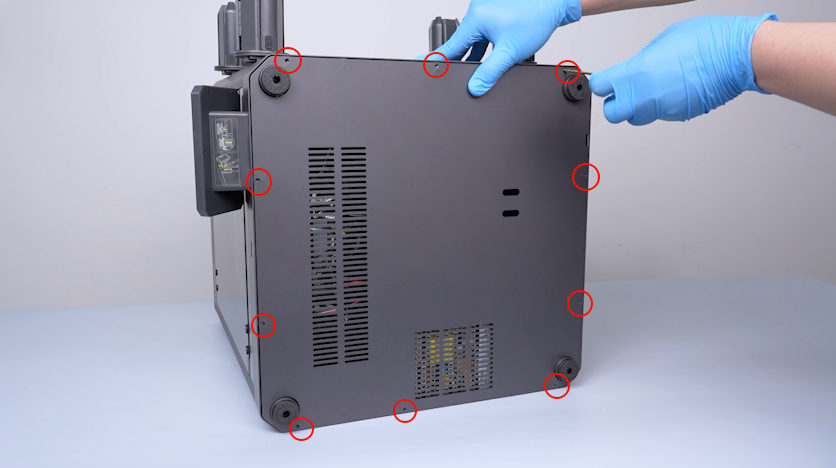
-
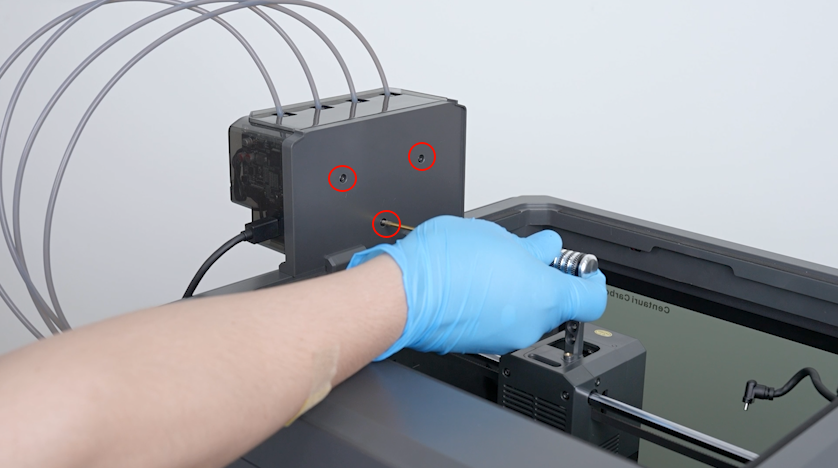
Get the CANVAS holder and put it in the installation position. Put the two screws and tighten them.
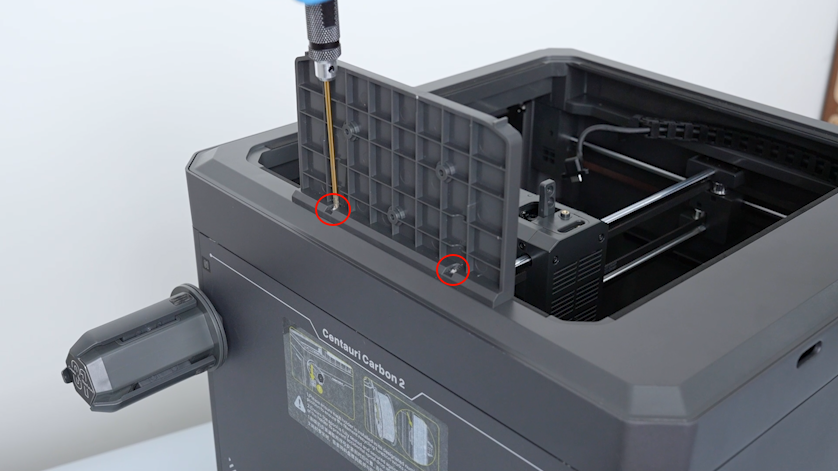
-
Get the CANVAS and put it in the installation position. Tighten the three screws securing the CANVAS.
-
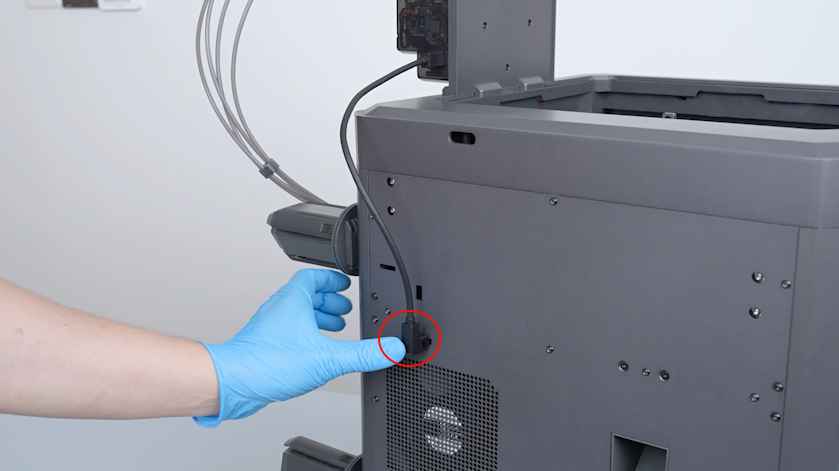
Insert the plug of the CANVAS communication cable.
-
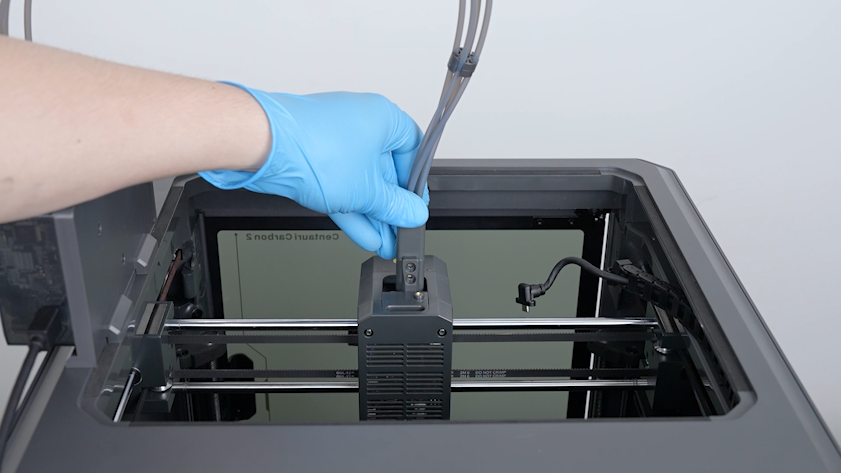
Insert the 4-in-1 hub into the installation position.
-
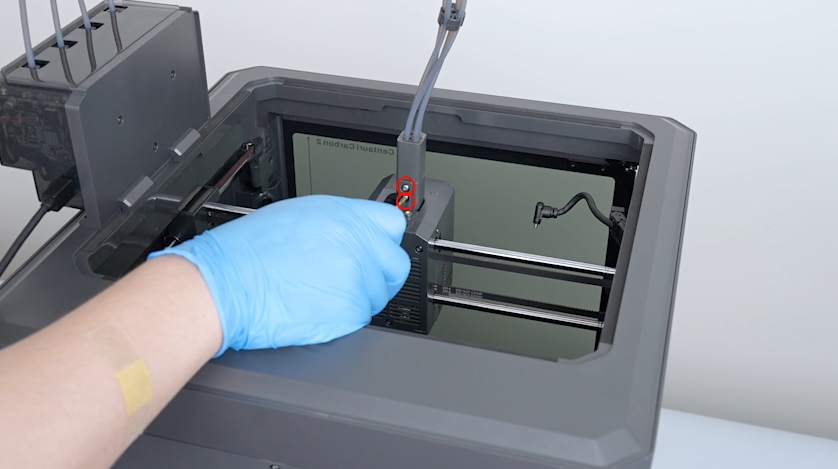
Tighten the two screws securing the 4-in-1 hub.
-
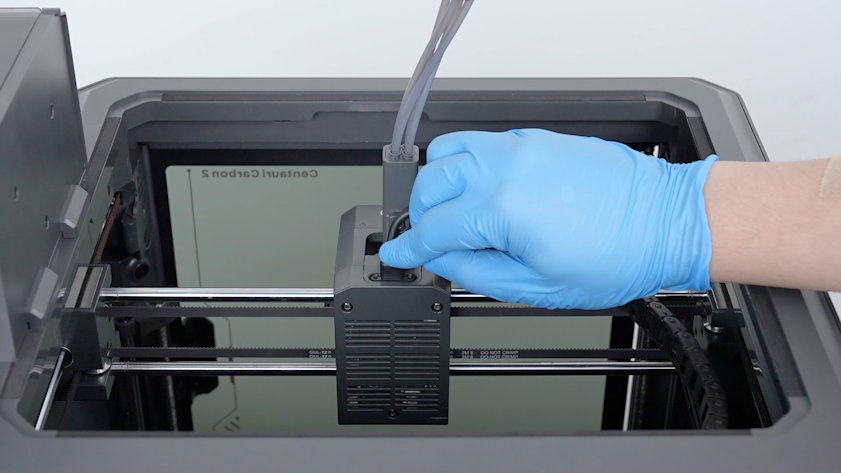
Insert the plug of the Tool head communication cable.
-
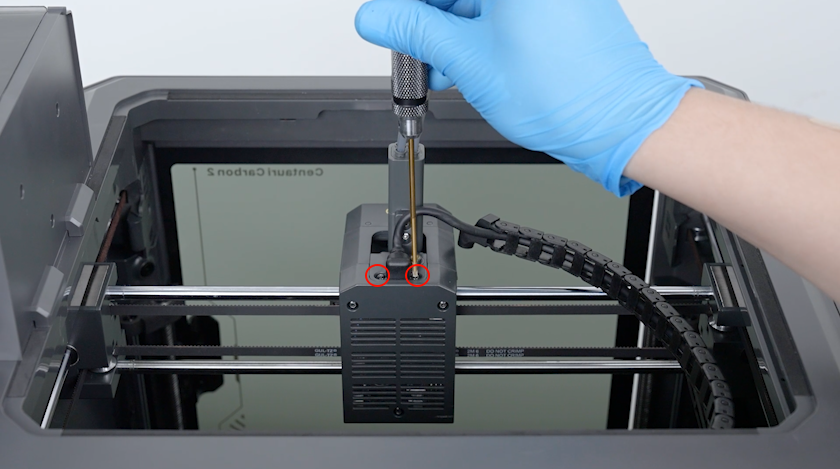
Tighten the two screws securing the plug of the Tool head communication cable.
-
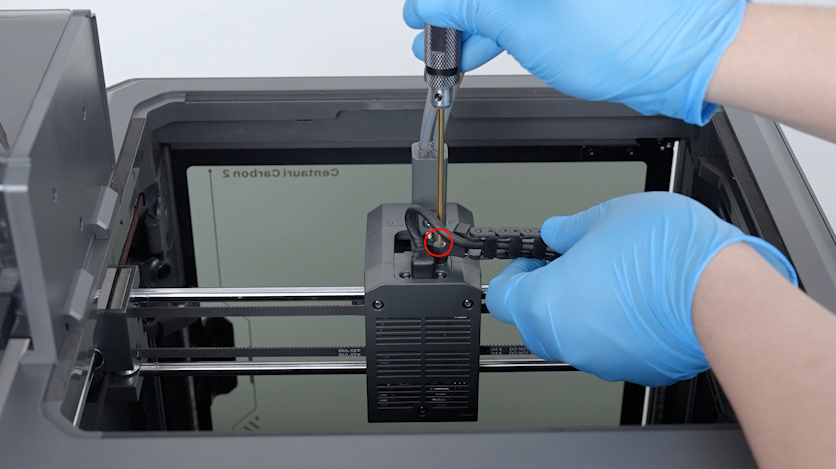
Put the tank chain in the installation position and tighten the screw securing the tank chain.
¶ Verification
-
Plug in the power supply cable and turn the power switch On (symbol "|").
-
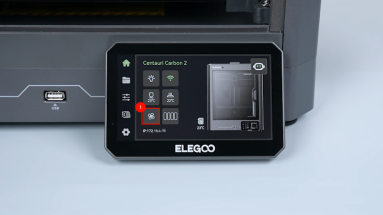
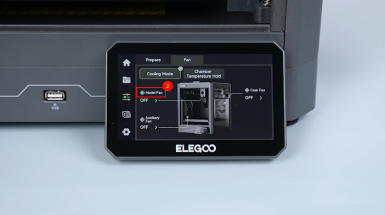
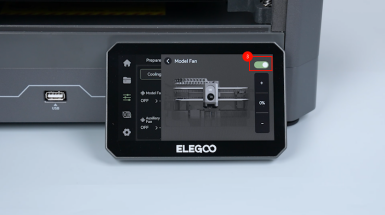
On the touch screen, select Fan - Model Fan and turn on the model fan.
-
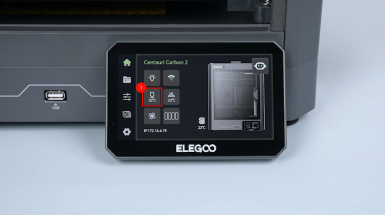
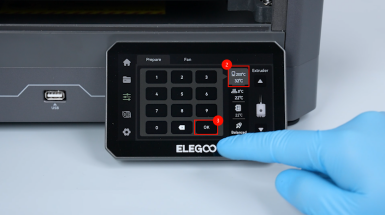
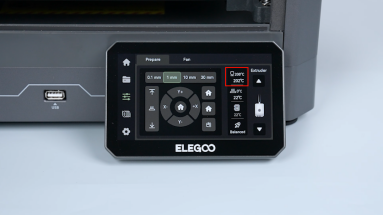
On the touch screen, select Hotend and set the temperature of the hotend to 200 ℃.
-
Confirm that the Tool head communication cable functions properly and the printer is ready for use.
¶ Help us improve
If you have any ideas about the wiki pages, please let us know via ELEGOO official feedback channel