¶ Issue Description
After CANVAS is installed, filament with RFID chips cannot be recognized.
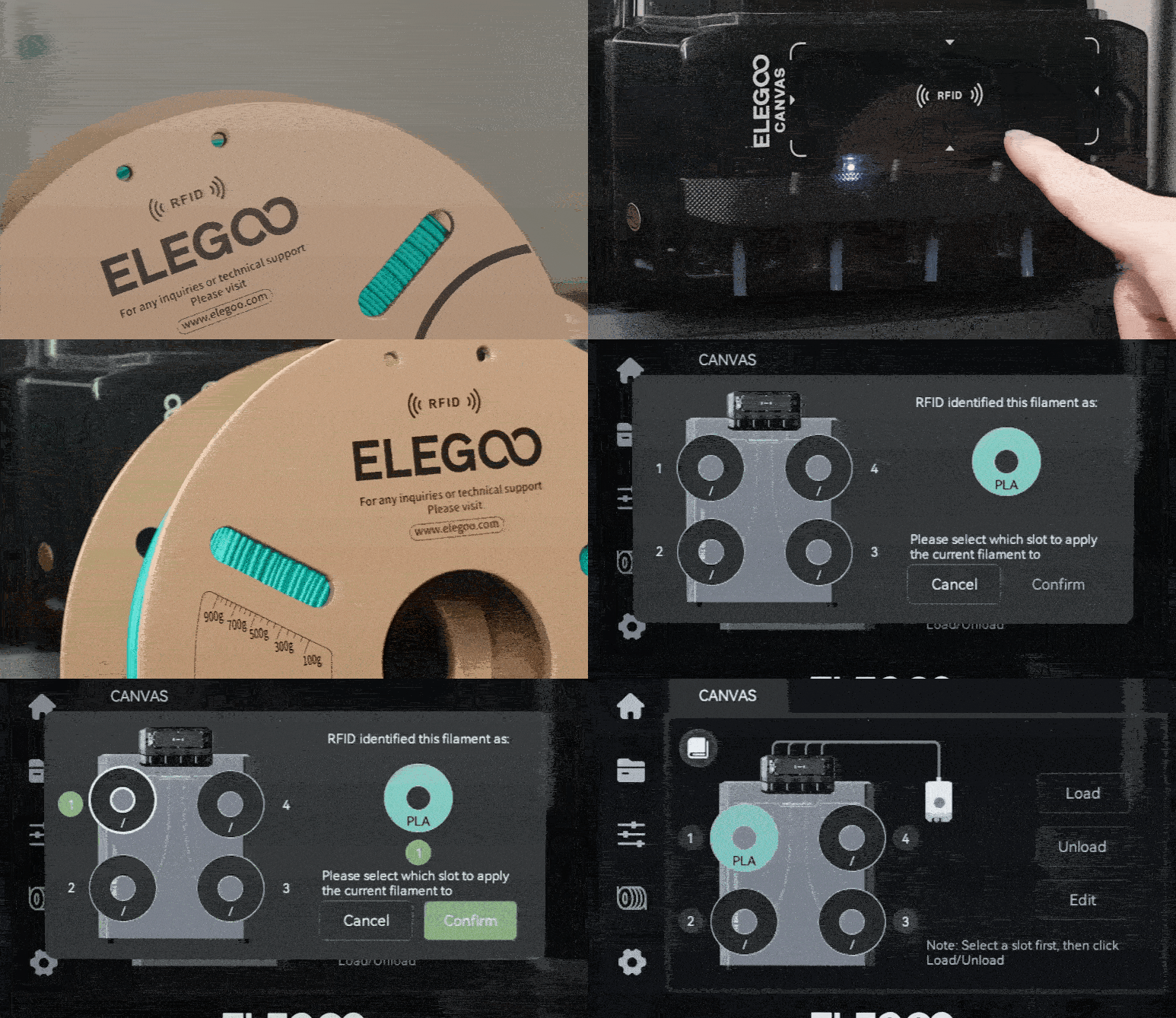
Normal operation: When using filament with an RFID chip, align the RFID tag on the filament with the RFID recognition area on CANVAS. After hearing a "beep" sound from the buzzer, select the corresponding filament slot number on the touch screen and tap Confirm. The filament information will be automatically written to the selected slot, completing the filament configuration.
¶ Possible Causes
- Poor connection of the CANVAS RFID antenna board cable.
- Faulty CANVAS RFID antenna board.
¶ Required Tools
- 2.0 mm Allen key
- Tweezers
¶ Troubleshooting Steps
¶ Remove the PTFE Tube
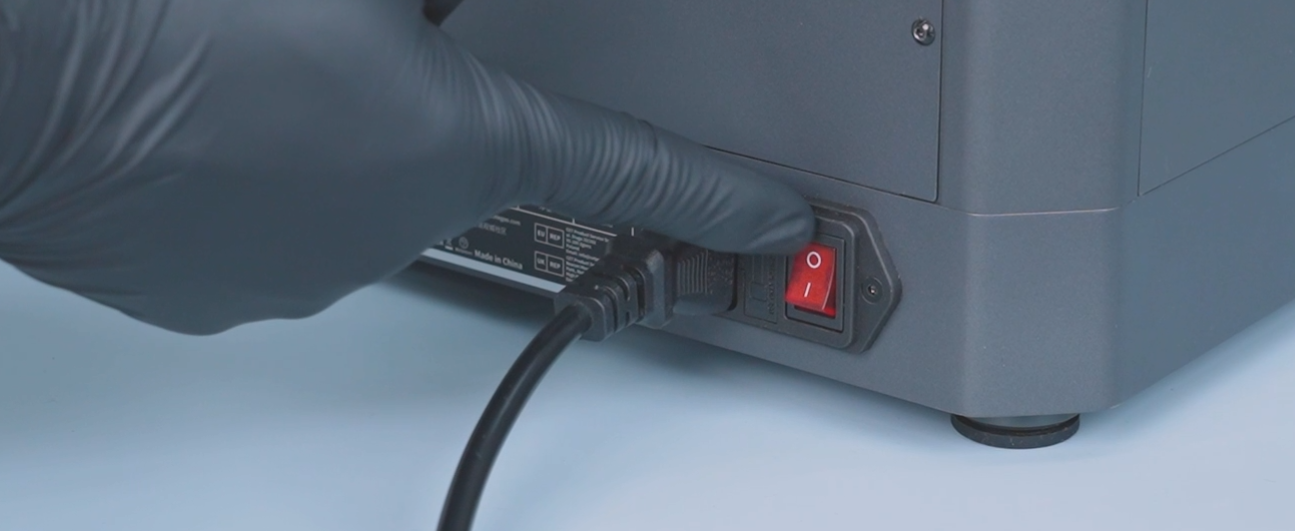
- Turn off the power switch and unplug the power cord.
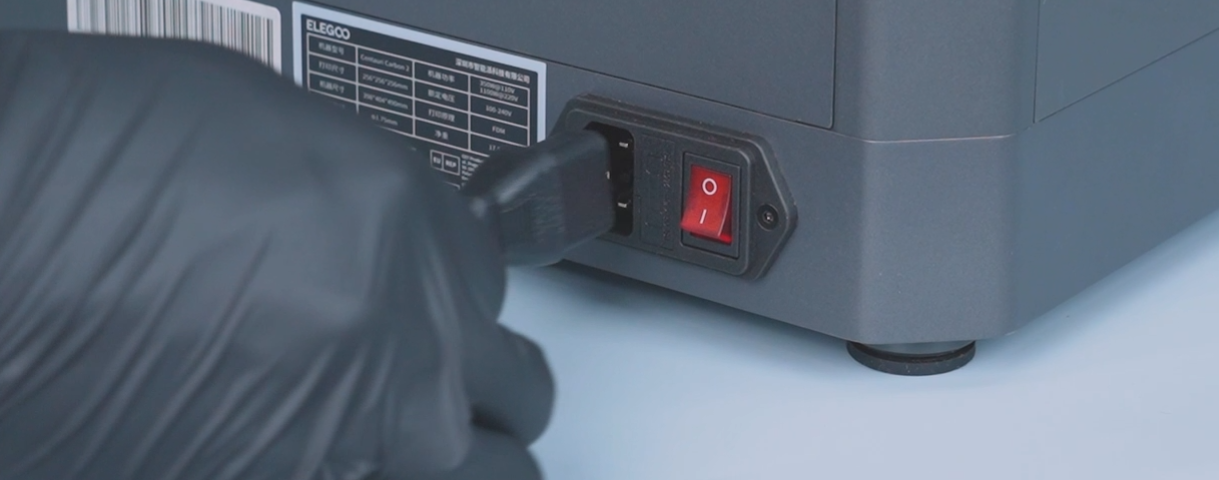
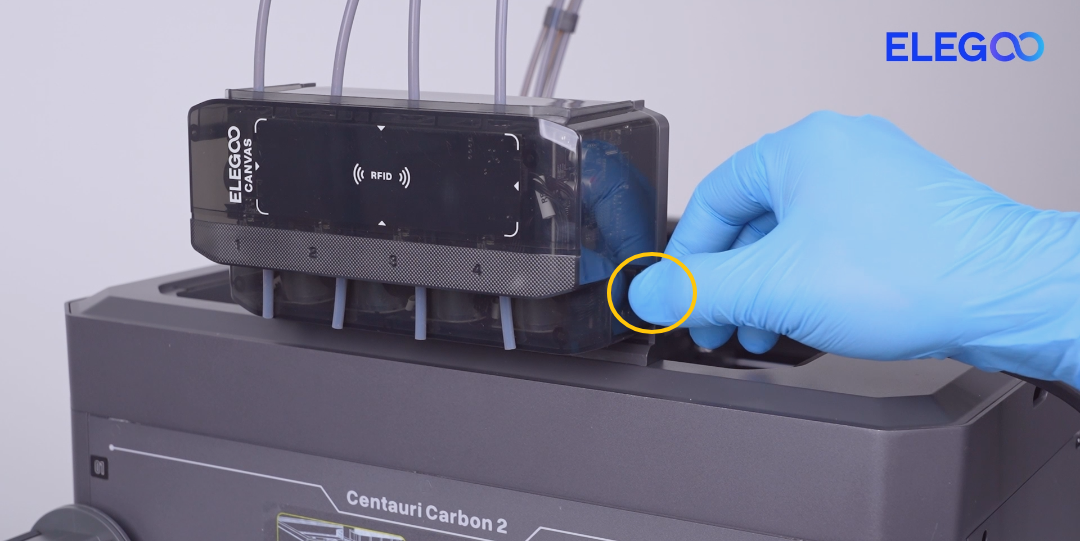
- Disconnect the CANVAS communication cable.
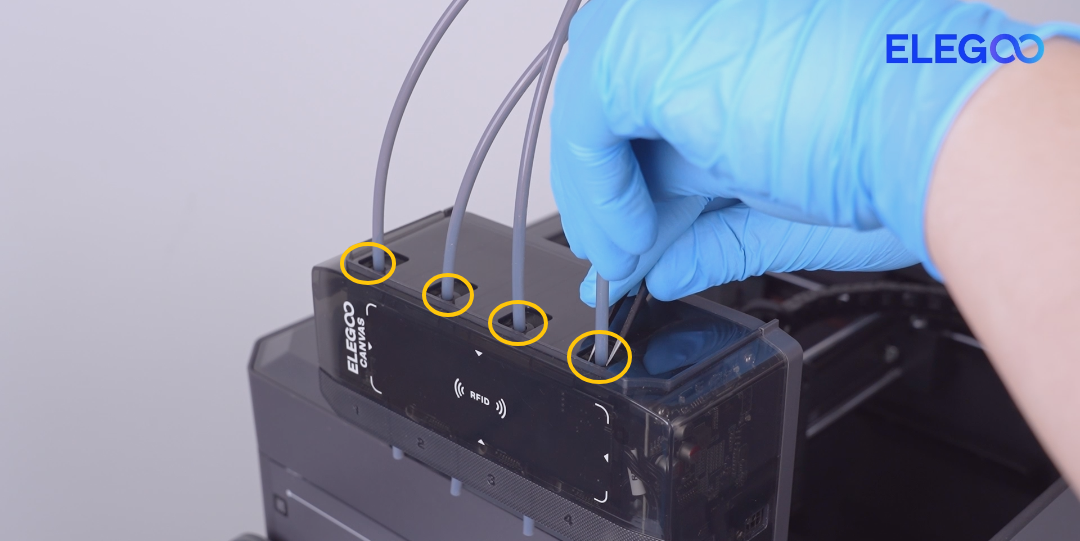
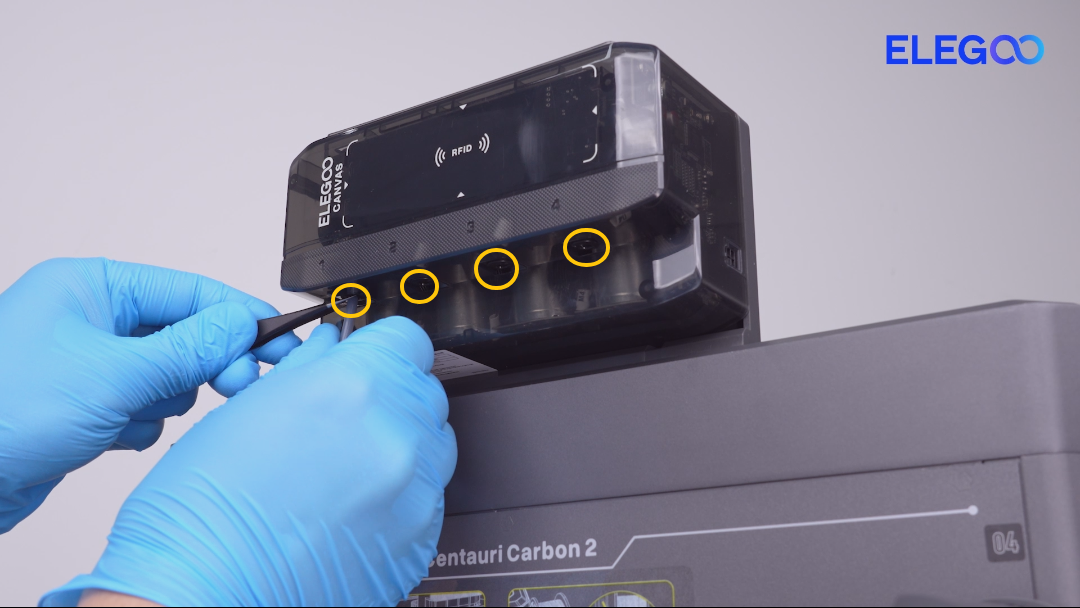
-
Disconnect the PTFE tubes on the top and bottom sides of CANVAS.
Use tweezers to gently press the PTFE tube connector. Then remove the PTFE tube.
¶ Remove the CANVAS
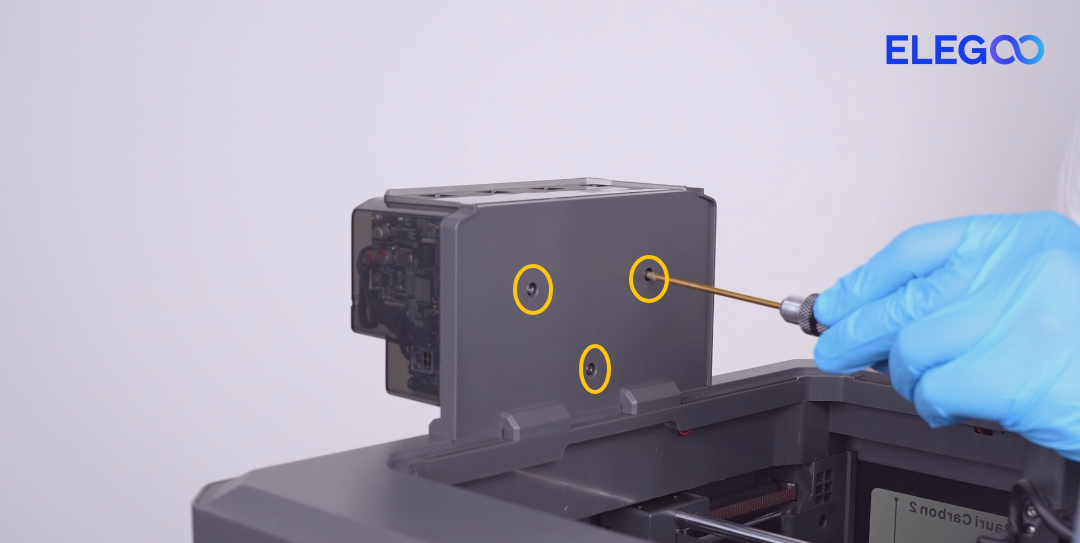
-
Remove the three screws securing the CANVAS mounting bracket.
When removing the last screw, hold the CANVAS assembly with your hand to prevent it from falling. Then remove the CANVAS assembly.
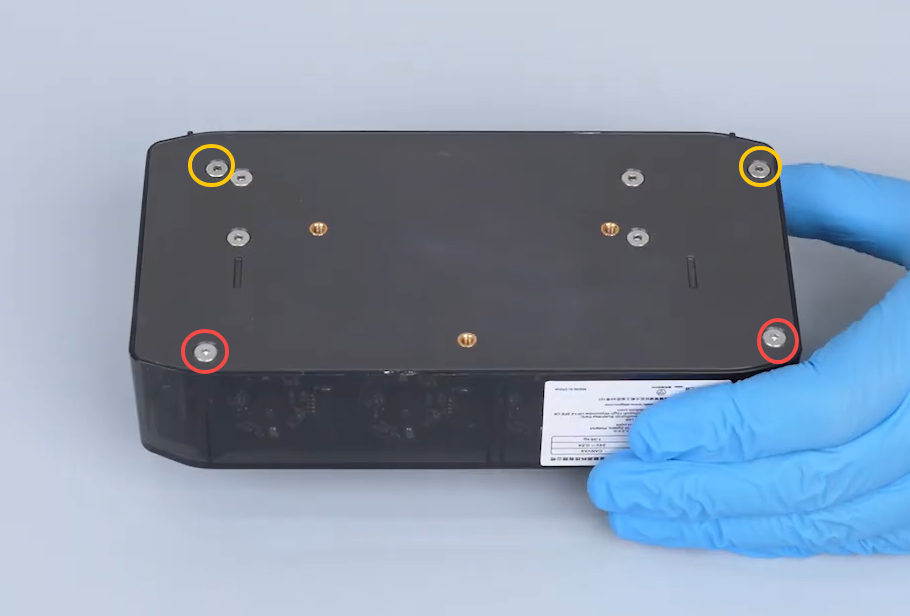
- Remove the four screws securing the CANVAS housing.
Screw specifications:
- Yellow marking: M3×45
- Red marking: M3×18
Note: Some CANVAS versions use M2 screws. Use a 1.5 mm Allen key for removal.
¶ Reconnect the CANVAS RFID Antenna Board Cable
-
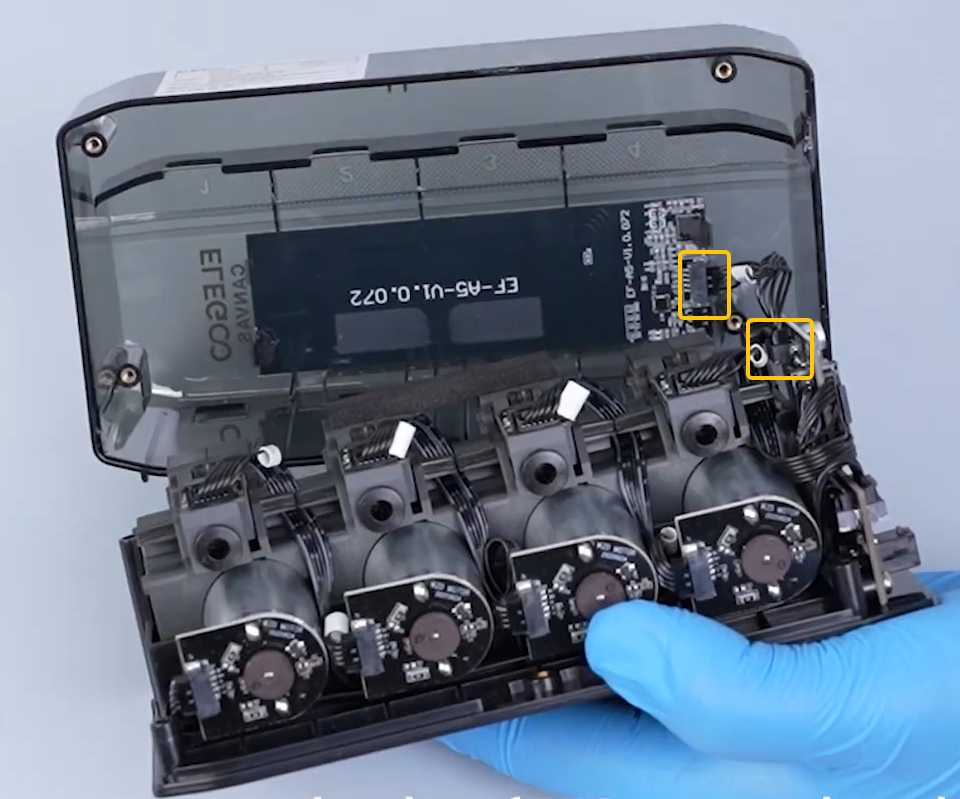
Open the CANVAS housing and locate the CANVAS RFID antenna board.
-
Reconnect the CANVAS RFID antenna board cable.
¶ Still Not Resolved
If the issue persists after completing all troubleshooting steps, please provide the following information and contact technical support.
Technical Support Email: 3dp@elegoo.com
Please provide:
- A video showing that the CANVAS RFID recognition area cannot recognize RFID-tagged filament.
- A picture showing the RFID antenna board cable connection.
¶ Help us improve
If you have any ideas about the wiki pages, please let us know via ELEGOO official feedback channel.