¶ Issue Description
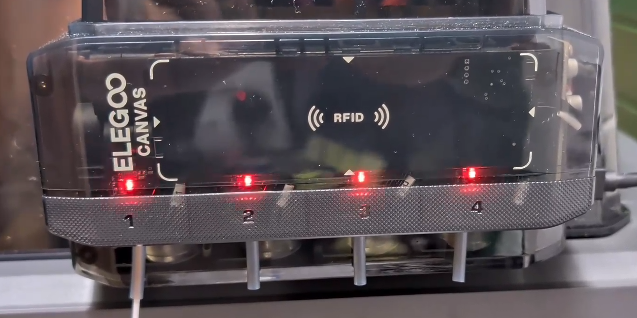
After the printer is powered on, the CANVAS indicator light continuously flashes red.
¶ Possible Causes
- Poor contact of the CANVAS communication cable or motherboard-side connector.
- Faulty CANVAS board, CANVAS extension cable, or CANVAS extension adapter cable.
¶ Required Tools
- 2.0 mm Allen key
- 1.5 mm Allen key
- 2.5 mm Allen key
¶ Troubleshooting Steps
¶ 1. Reconnect the CANVAS Communication Cable Connector
- Turn off the power switch and unplug the power cord.
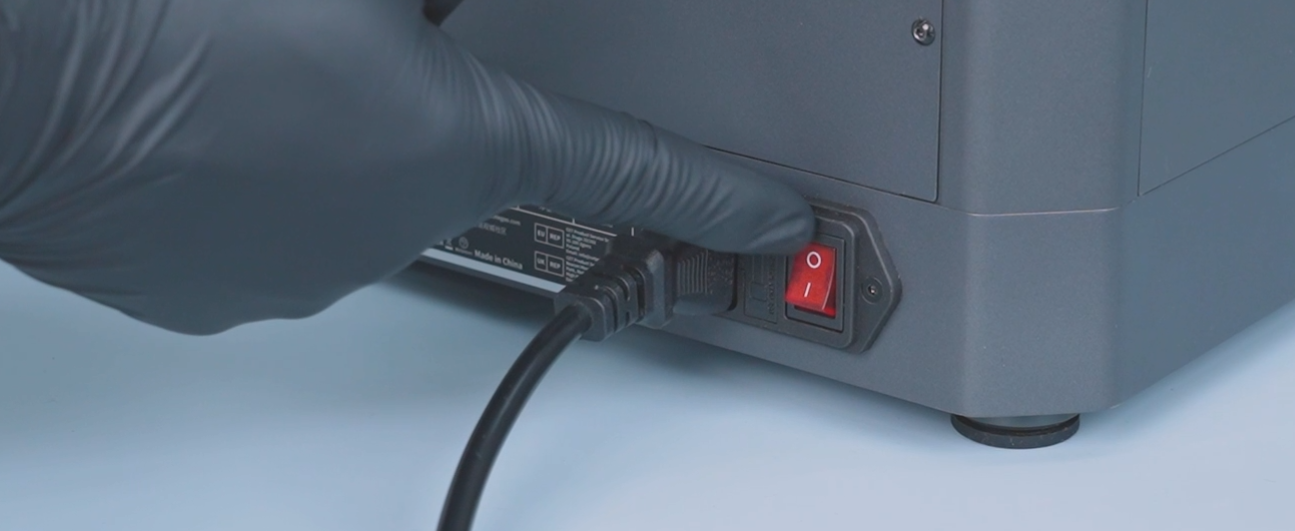
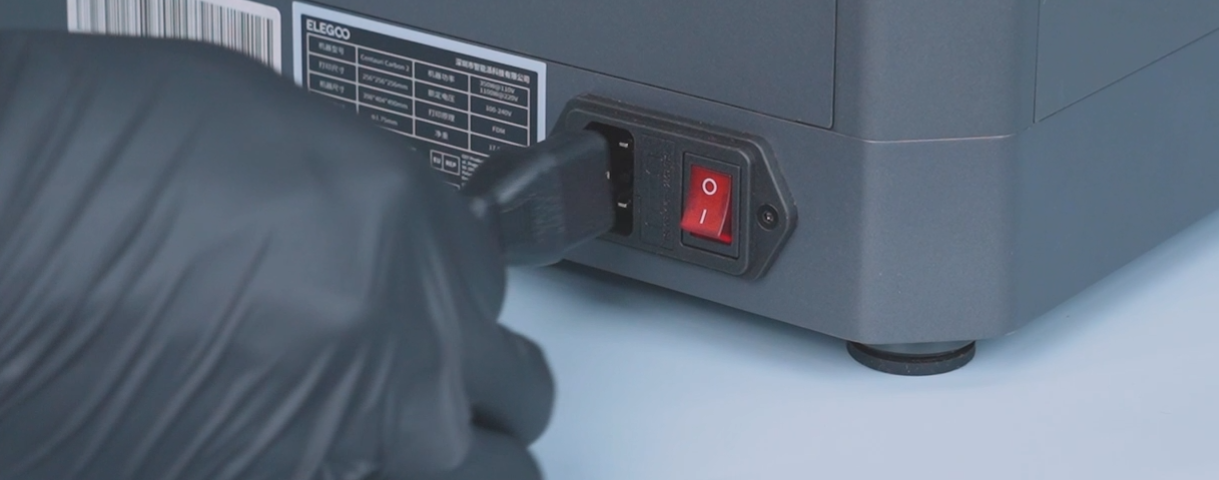
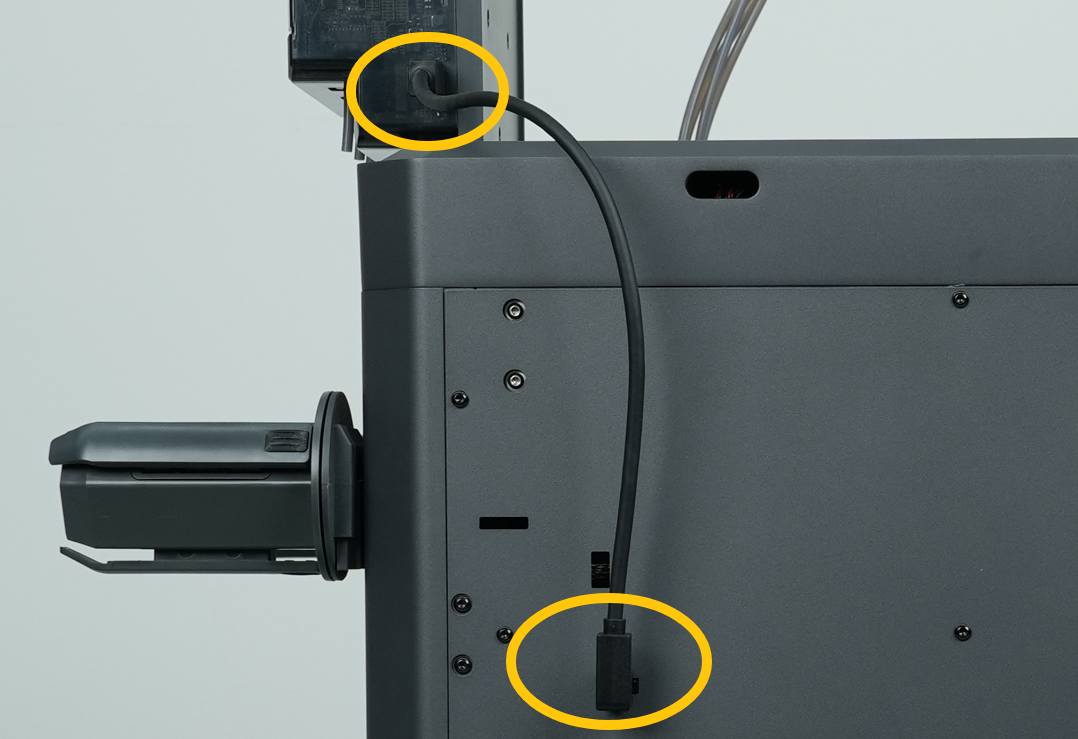
- Reconnect the CANVAS Communication Cable Connector.
Centauri Carbon: Located at the lower-left side
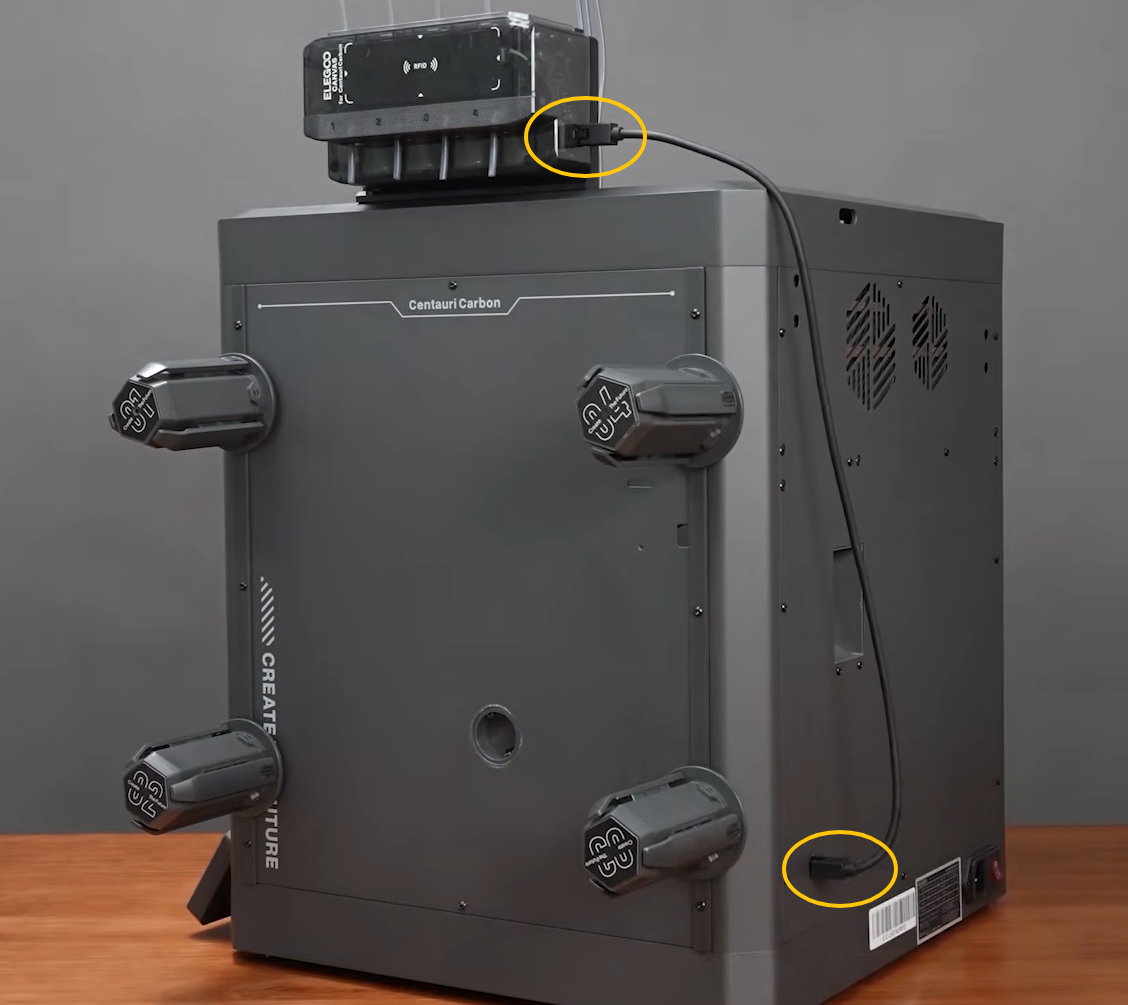
Centauri 2 Series: Located at the upper-left side
¶ 2. Reconnect the CANVAS Extension Cable / Multi-color Extension Adapter Cable
-
Turn off the printer and unplug the power cord.
-
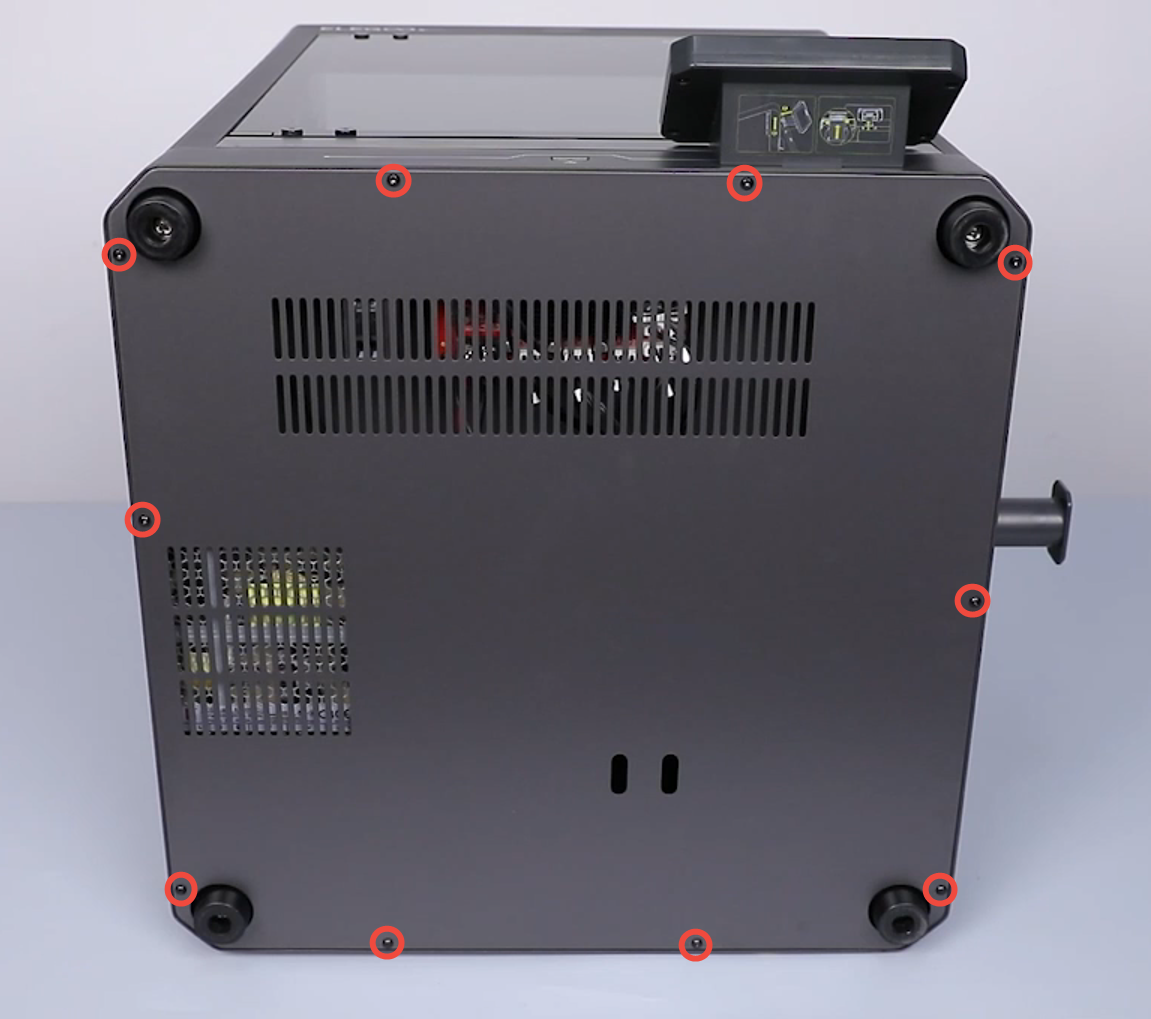
Use a 2.0 mm Allen key to loosen the 10 screws securing the bottom cover, then remove the bottom cover.
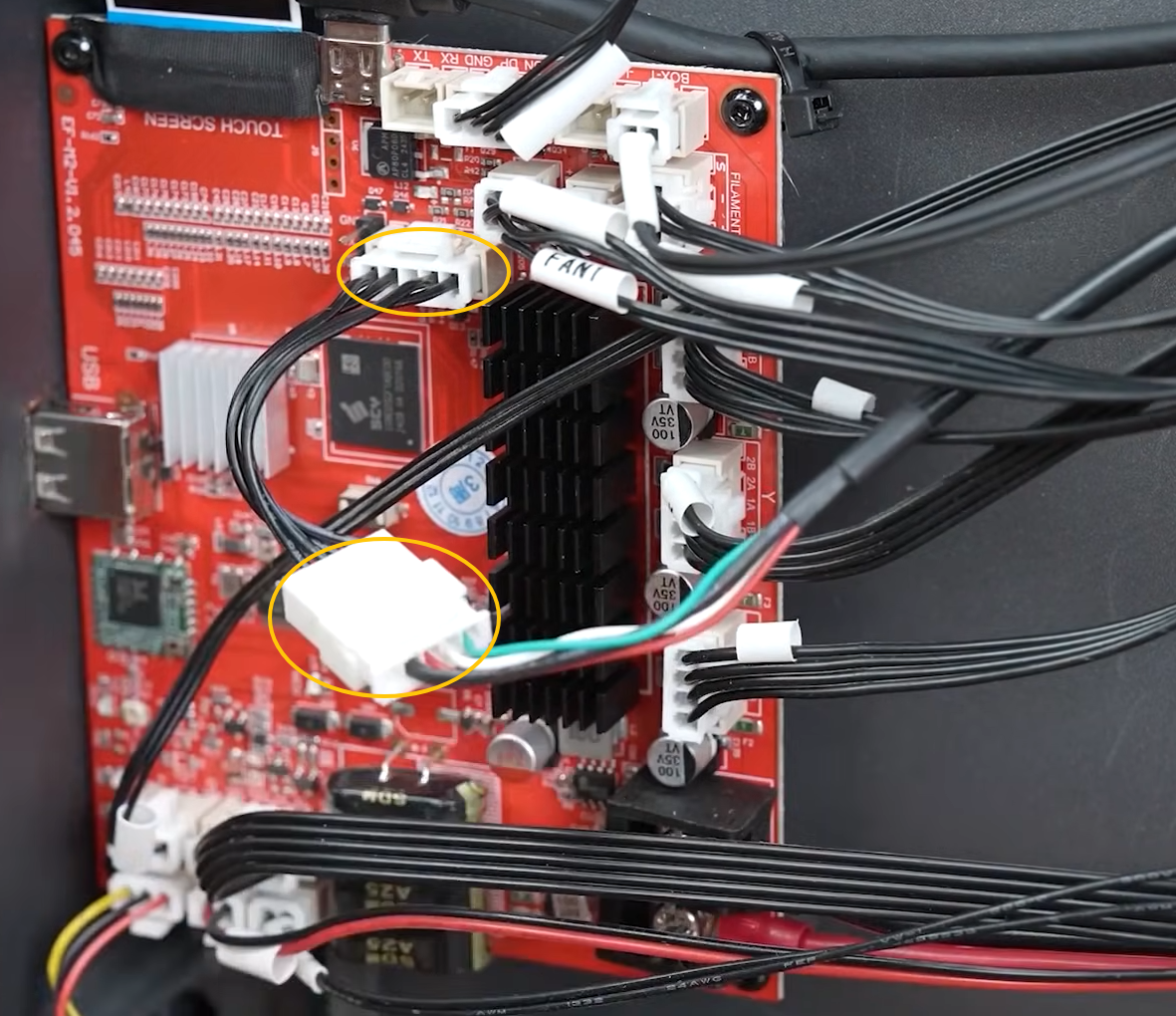
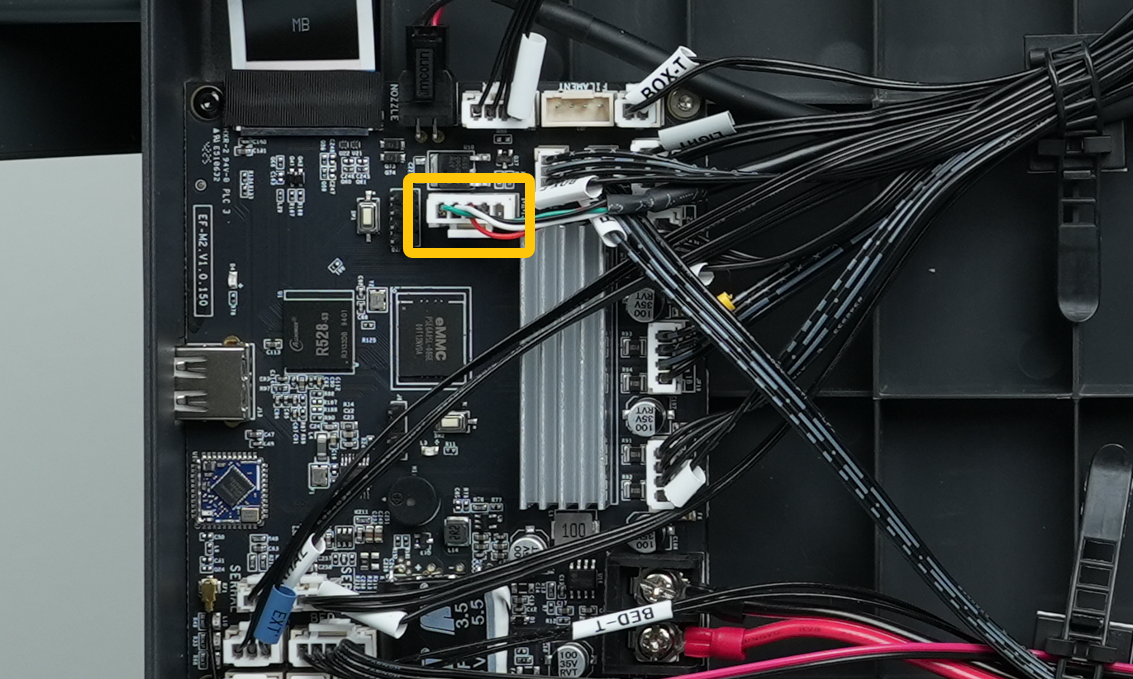
- Reconnect the CANVAS extension cable and CANVAS extension adapter cable to the motherboard side.
Note: The Centauri 2 Series does not have a CANVAS extension adapter cable. Directly reconnect the CANVAS extension cable to the motherboard side.
¶ 3. Reconnect the CANVAS Board Connectors
-
Turn off the power switch and unplug the power cord.
-
Disconnect the CANVAS communication cable.
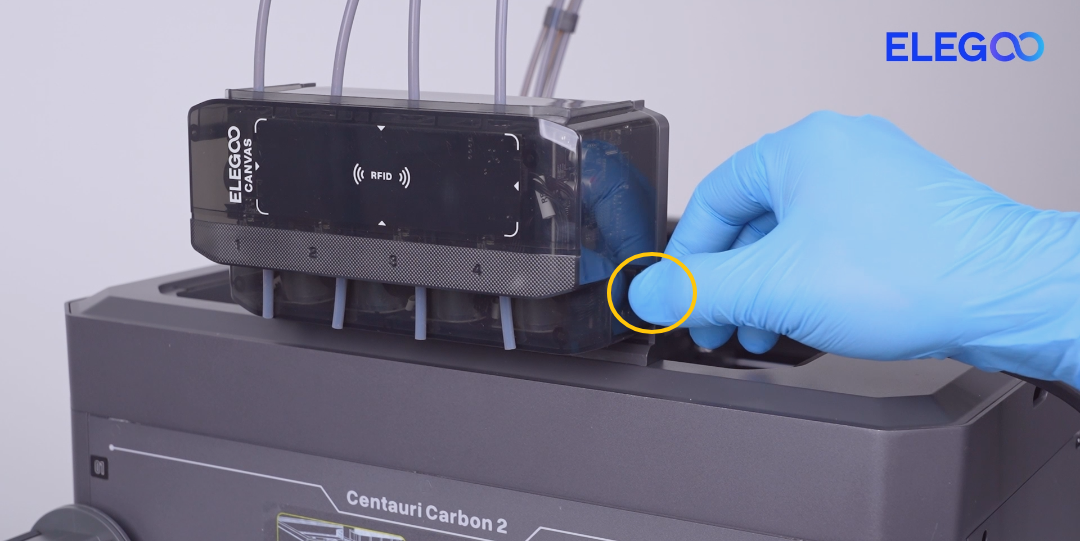
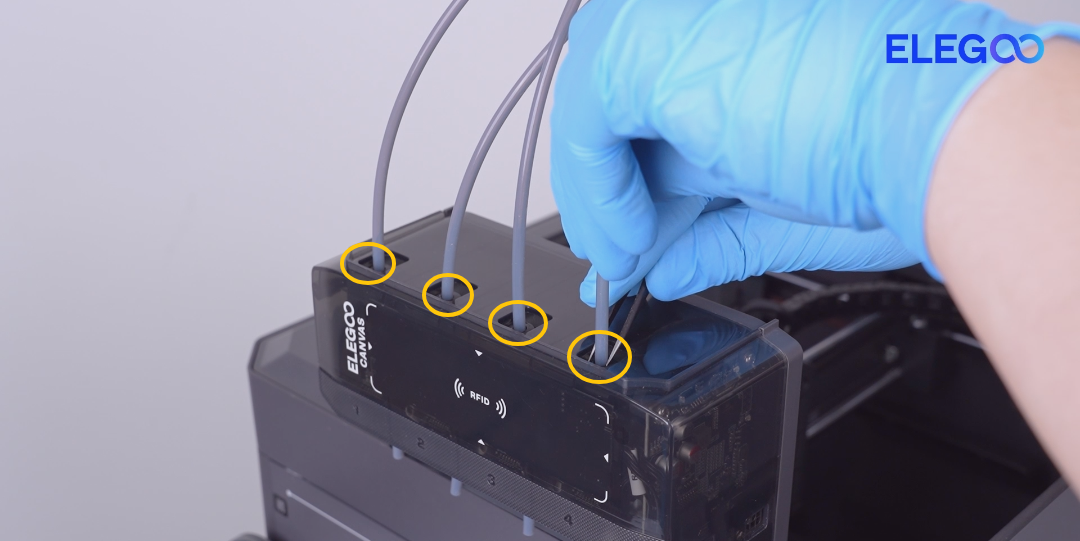
- Disconnect the PTFE tubes on both the upper and lower sides of CANVAS.
Use tweezers to gently press the PTFE tube connector to release it, then remove the PTFE tube.
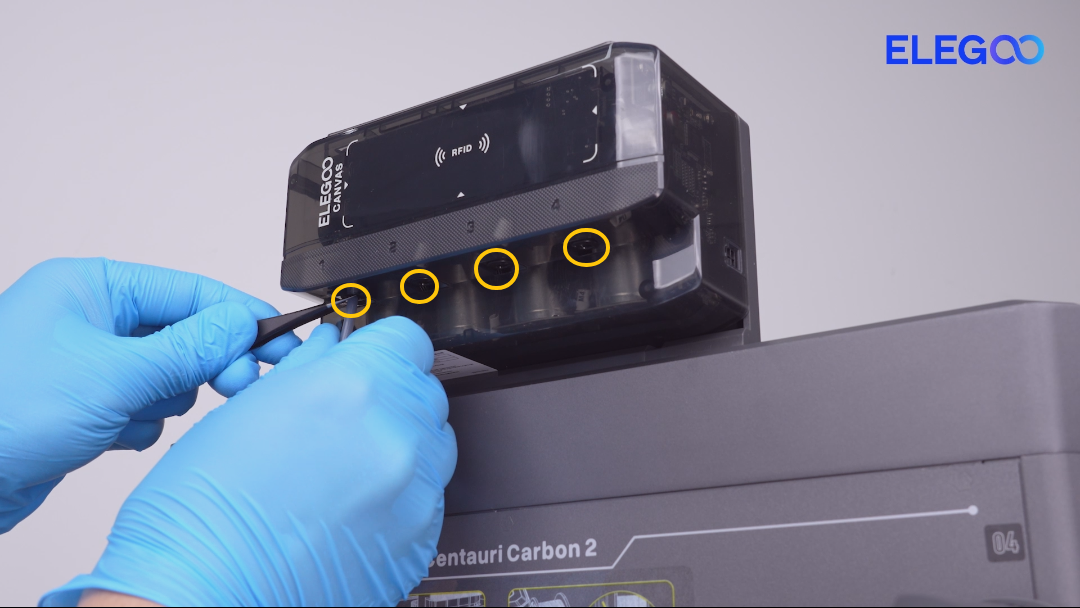
- Remove the three screws securing the CANVAS mounting bracket.
When removing the last screw, hold the CANVAS assembly with your hand to prevent it from falling. Then remove the CANVAS assembly.
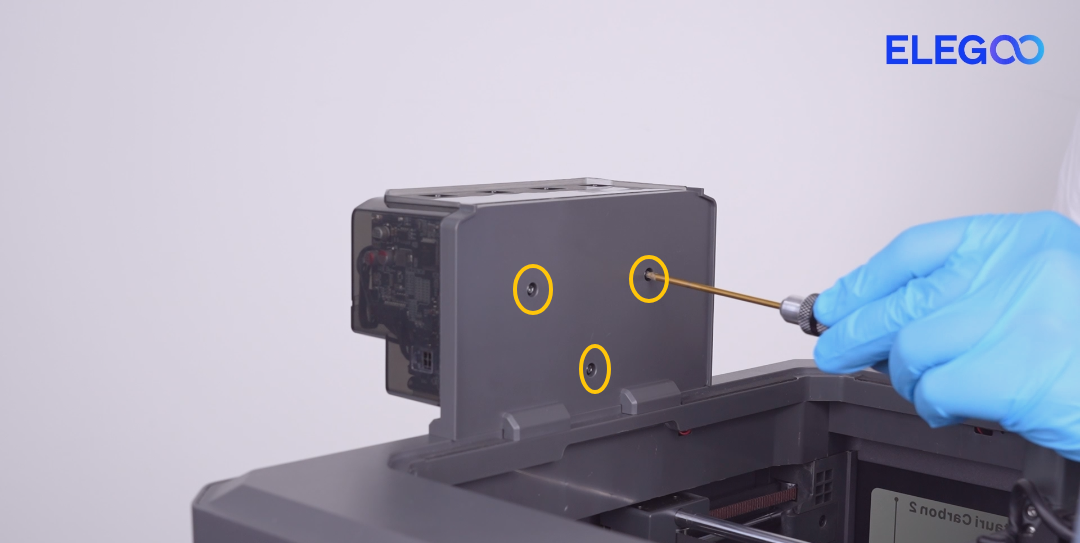
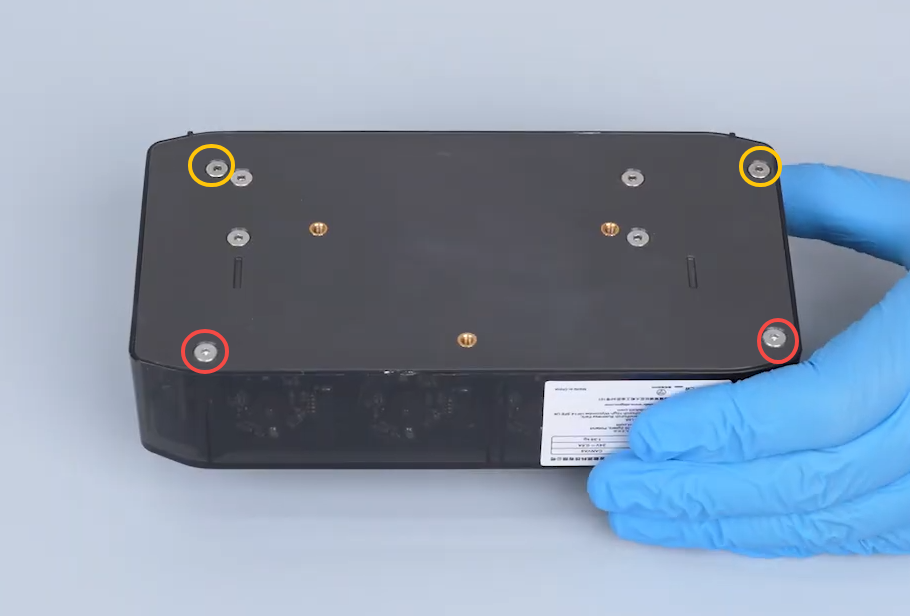
- Remove the four screws securing the CANVAS housing.
Screw Specifications:
Yellow marking: M3×45
Red marking: M3×18
Note: Some CANVAS versions require a 1.5 mm Allen key for disassembly.
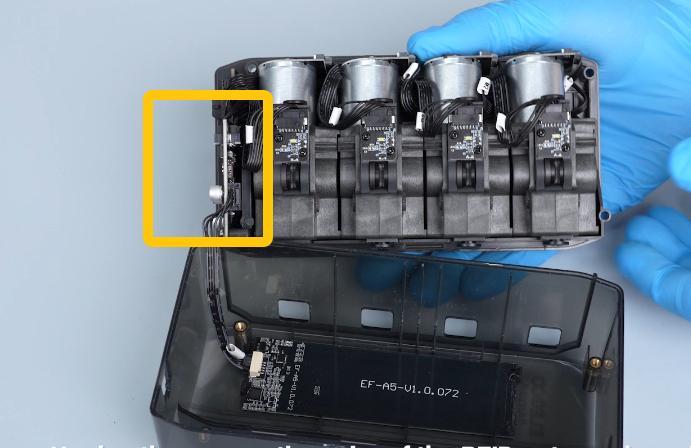
- Open the CANVAS housing and locate the CANVAS board.
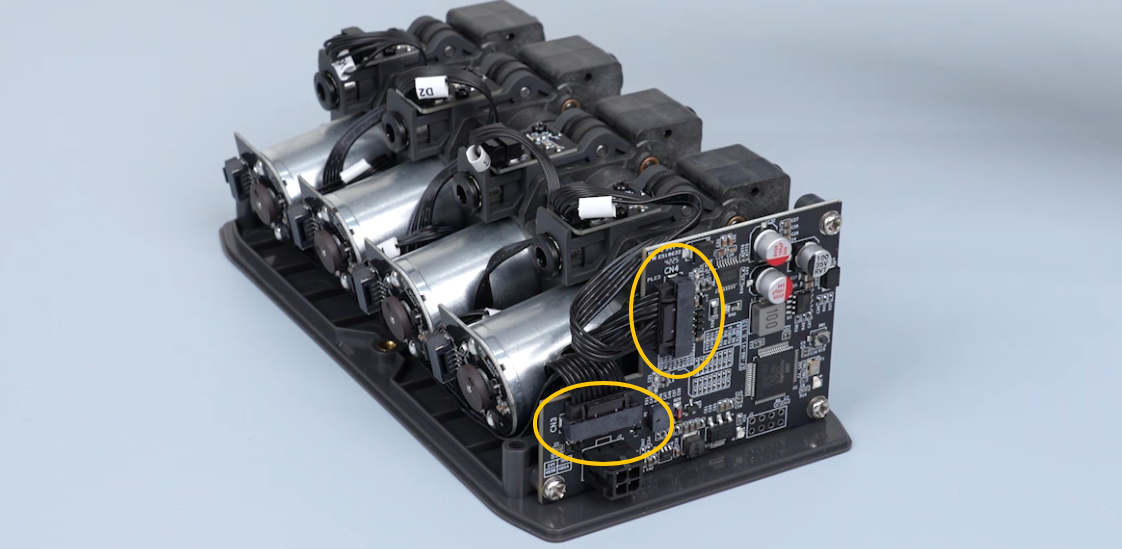
- Reconnect the two connectors on the CANVAS board.
- After completing the above steps, reinstall the CANVAS unit and all removed components.
¶ Still Not Resolved
If the issue still persists after completing all the steps above, please provide the following information and contact technical support.
Technical Support Email: 3dp@elegoo.com
Please provide:
- A picture/video showing the CANVAS indicator light continuously flashing red.
- Pictures showing the connection status of the CANVAS communication cable and whether the cable harness is damaged.
¶ Help Us Improve
If you have any ideas or suggestions regarding the wiki pages, please let us know through the ELEGOO official feedback channel.