¶ Introduction
In this lesson, we will teach you how to achieve the Follow Mode of theSmart Robot Car and make it follow the target to move forward.
The realization of Smart Robot Car' s Follow Mode is also uses theultrasonic module, but itis slightly different from the usage ofObstacles-avoidance Mode.
¶ implementation principle
Let' s take a look at the overall framework of the implementation principle of the Follow Mode using the ultrasonic module and then analyze theprogram:
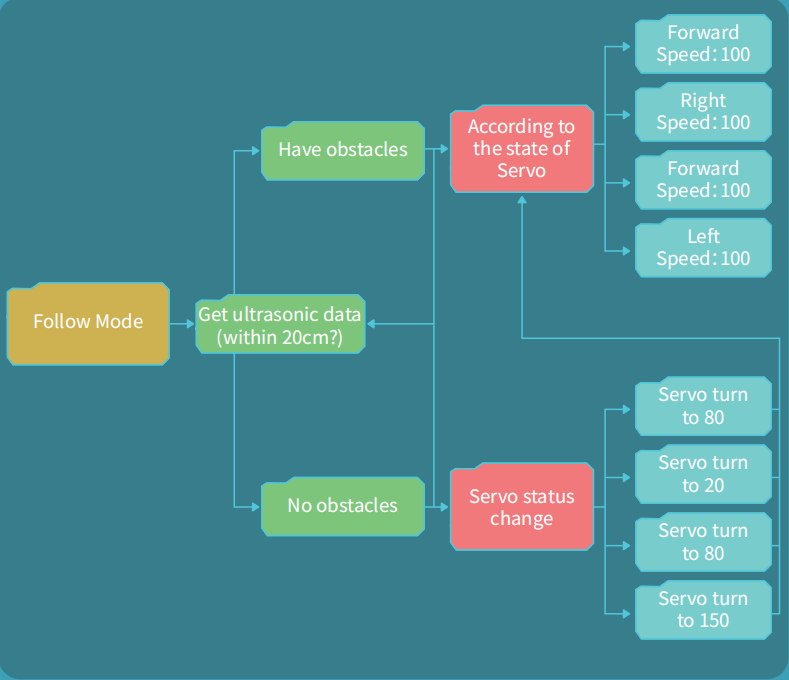
This is an ultrasonic-based smart car following system:
The car uses an ultrasonic sensor to detect whether there is a target within 20 cm in front.
-
If no target is detected, the servo will be controlled to turn to four angles in sequence: 80°, 20°, 80°, and 150° for scanning;{.is-info}
-
If a target is detected at a certain angle, the car will move according to the direction corresponding to that angle (front/left/right) to achieve automatic following.
Please open Demo1 in the TB6612 folder:
As shown in the figure below, demo1 contains two functions, each of which calls one additional functions.All these functions are declared in the ApplicationFunctionSet_xxx0.h file and defined in the ApplicationFunctionSet_xxx0.cpp file.
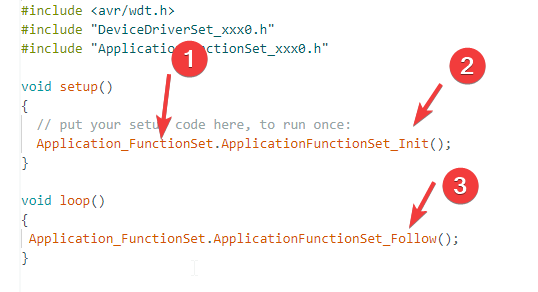
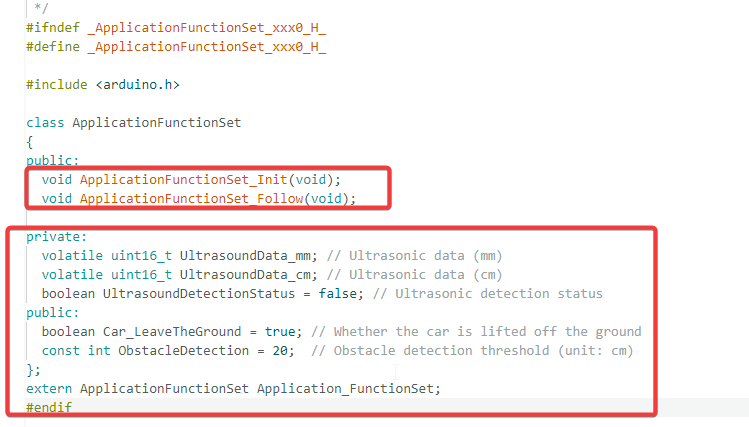
By opening this file, we can see that it declares the Init() initialization function and the Follow() following function, as well as some variables.
These variables were covered in the previous obstacle avoidance chapter, so they will not be repeated here.
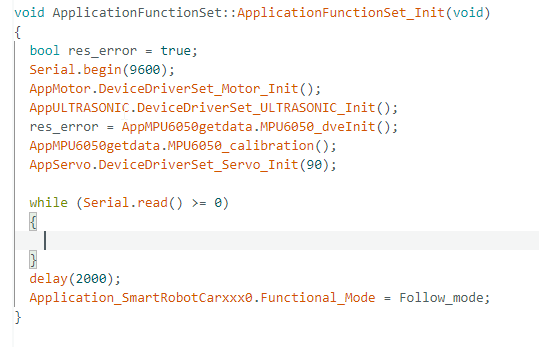
Next, let's briefly look at the Init() function, which is located in the ApplicationFunctionSet_xxx0.cpp file, approximately from line 76 to line 92.
This initialization function acts as the car's "power-on self-test":
- it initializes and activates hardware devices such as the motors, ultrasonic sensor, gyroscope, and servo in sequence, calibrates the sensors, and finally sets the system operating mode, fully preparing for the subsequent following function.
OK, next we will focus on understanding the following function Follow().This function is located in the ApplicationFunctionSet_xxx0.cpp file, approximately from line 247 to line 358, as shown in the figure below.
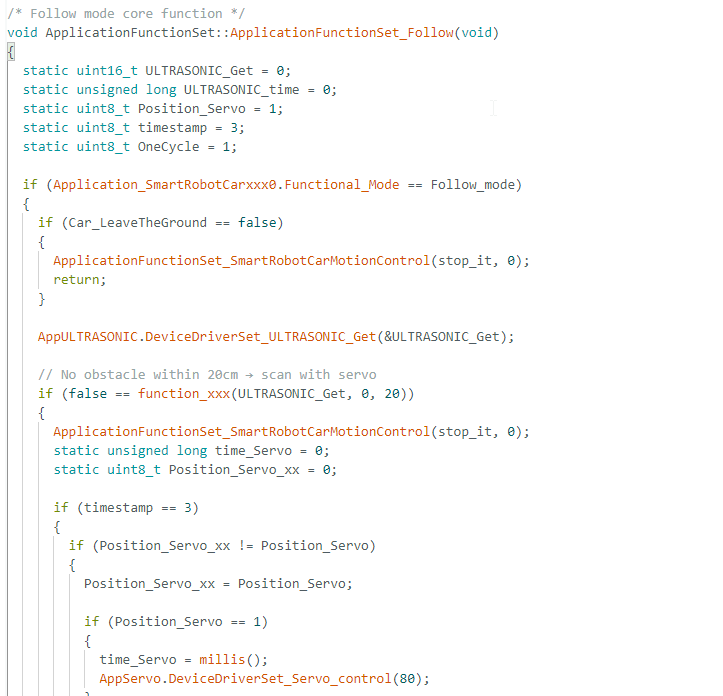
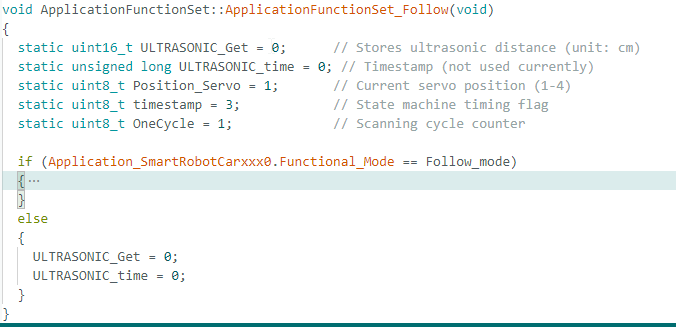
The operation is the same as for the obstacle avoidance function. You can collapse code sections to sort out the framework when encountering complex logic. The overall structure of the Follow function is similar to the obstacle avoidance function, so we will directly analyze its key parts.
First, there are some necessary variable definitions. A few of them may not be directly used in the current function, but this does not affect the overall operation of the program.

After collapsing the code, you can see it adopts a nested if…else… structure, which is similar to the framework of the obstacle avoidance function. We will then go straight into the if branch to analyze the internal logic.
The code folding method can also be used to view the structure inside the branch, and we will not mention this method again later.
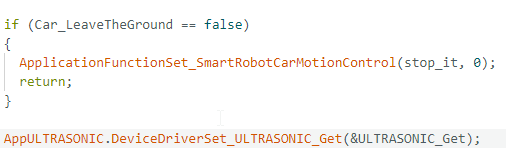
After entering the following logic, the program first checks whether the car is lifted off the ground and reads the detected distance of obstacles ahead.
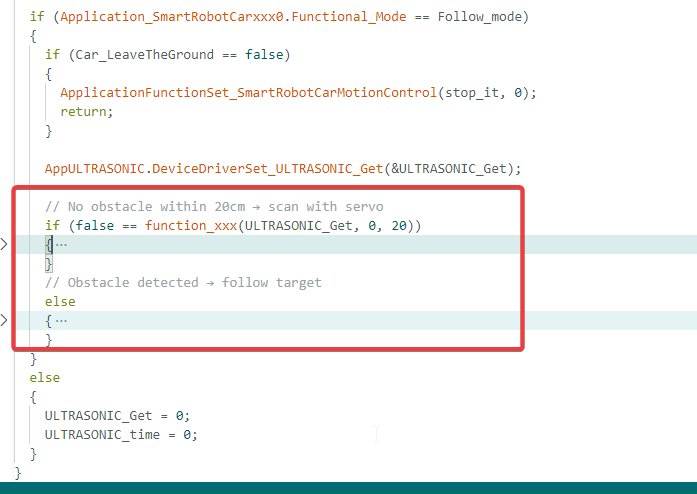
Further down is another if…else… branch structure for two working states. The car enters scan mode when no obstacle is detected ahead, and switches to follow mode once an obstacle is found.
Upload program. (Please toggle the "Upload-Cam" button to "Upload"when uploading the program.)
After successful upload, please put the SmartRobot Car on the ground steadily and then turn on the switch.
By default,when the ultrasonic module recognizes that there is a target in front, theSmart Robert Car will go straight ahead, and when there is no target infront, it will turn to find the target intelligently.