¶ How to add .ZIP Libraries in Arduino IDE
¶ Libraries
Just like most programming platforms, the Arduino environment can be extended through the use of libraries. Libraries provide extra functionality for use in sketches, e.g. working with hardware or manipulating data.
To use a library in a sketch, select itfrom Sketch > Include Library.
In our tutorial, all the library files needed for the program are included in the tutorial folder, we just need to add them to the IDE by following steps
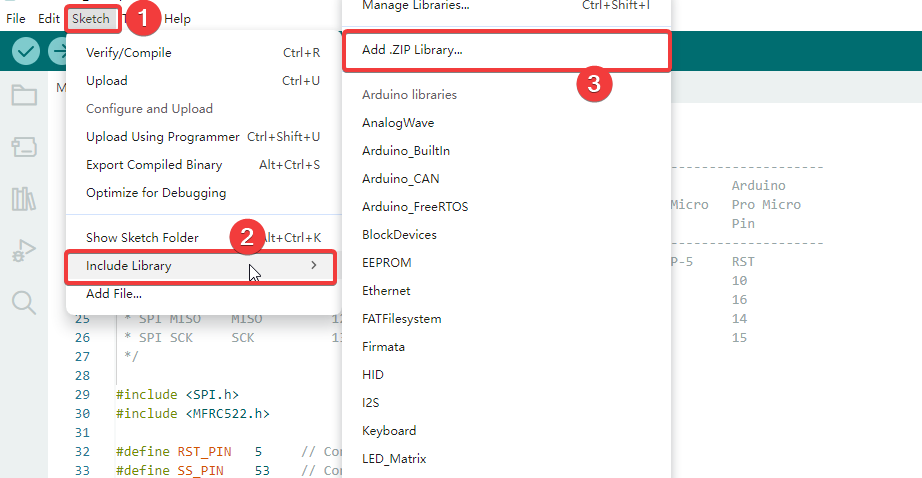
¶ select “Add .zip Library”:
Run Arduino IDE software and click Sketch > Include Library > Add .zip Library…
The Libraries folder is under the current folder path:
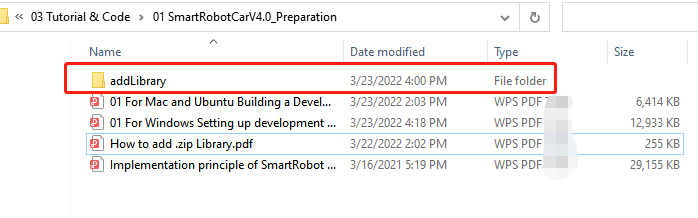
Go to the “addLibrary” folder, choose the zip library file, and click “Open”
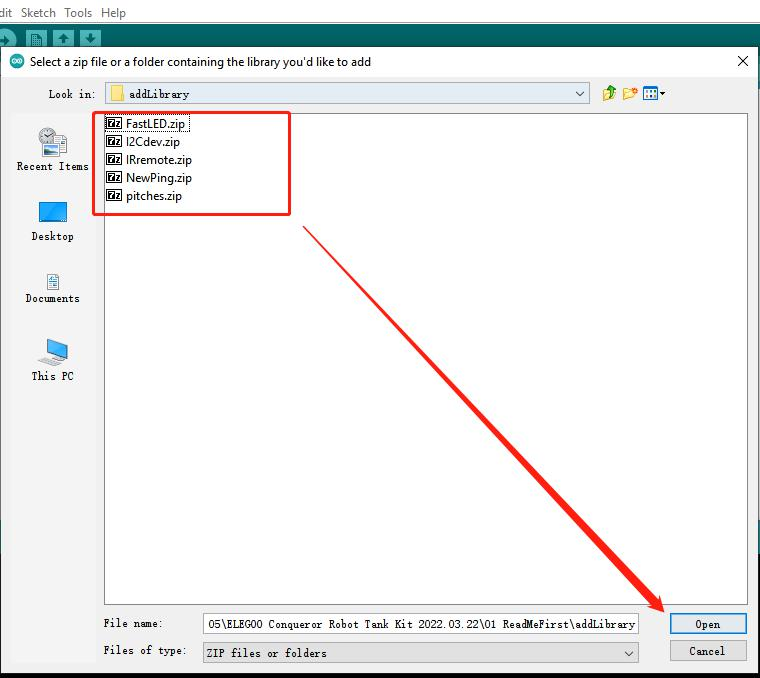
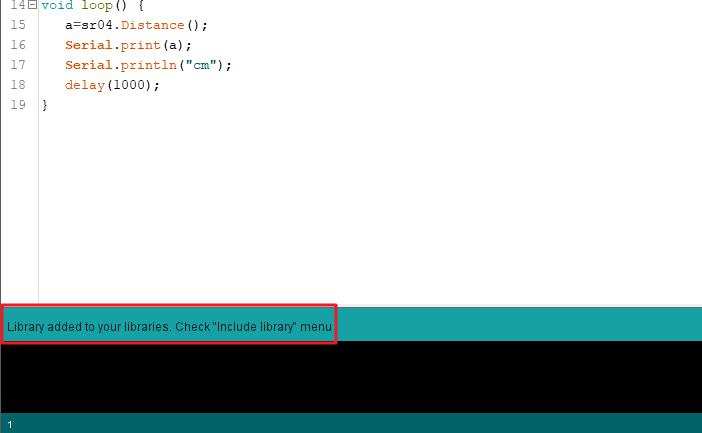
And then, the library will added to IDE successfully. Please note that Arduino IDE can only
add one library file at a time, so you need repeat this operation five times.