¶ Model Description
1.Due to the ongoing global chip shortage affect, the DRV8835 motor driver chip, MPU6050 gyro module, and the HT42B534 USB-to-Serial chip are temporarily out-of-stock, we use the TB6612 motor driver chip, the QMI8658C gyro module, and the CH340 USB-to-Serial chip to replace them.
Therefore, in the folder for the main program, you need to select the correct program according to the type of motor driver chip and the gyro module on the expansion board.

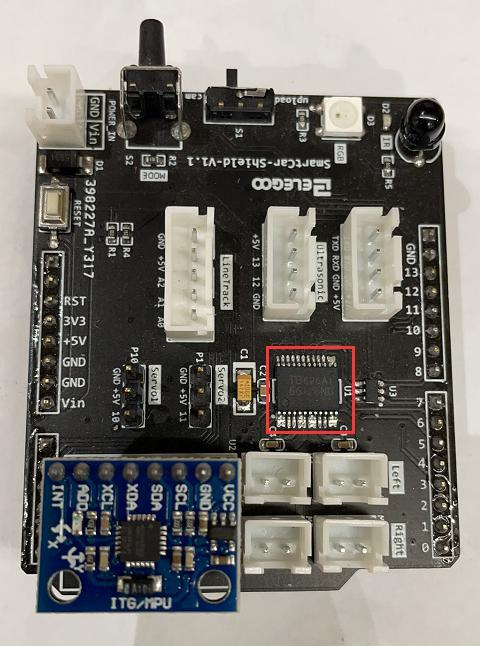
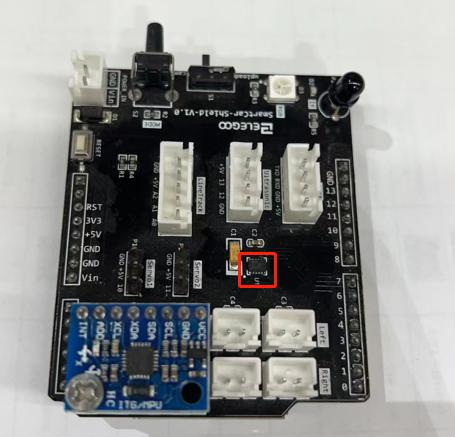
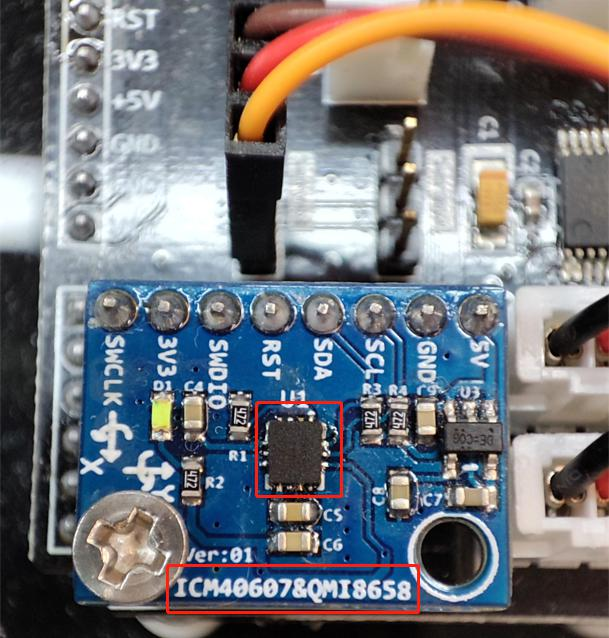
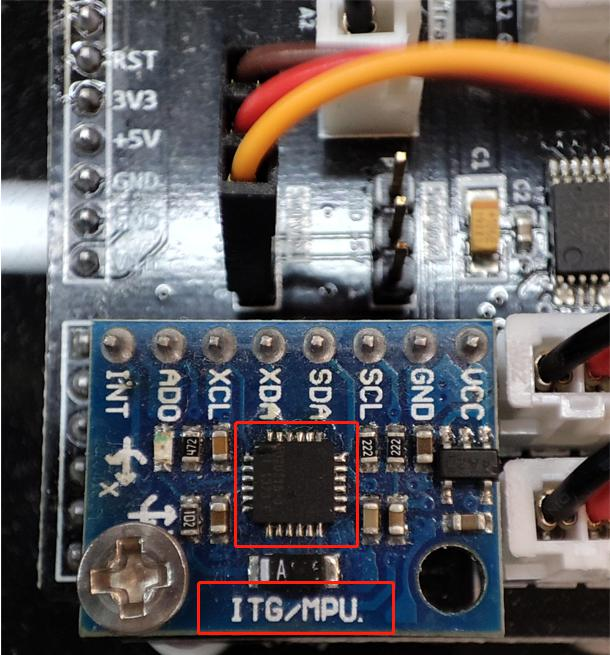
The silkscreen on the QMI8658C module and MPU6050 module is different, you can identify the chip by the silkscreen in the pictures below.
QMI8685C gyro module
MPU6050 gyro module
5.The USB-to-Serial chip allows the computer to recognize the controller board as a USB device, so we can upload code to the controller board via Arduino IDE.
The chip inside the red rectangle in the picture below is the HT42B534 USB-to-Serial chip. On the device manager, it will display as a USB Serial device (COMX).
It does not require driver software installation on Windows 10, Linux, and macOS operating systems.
If your computer OS is Windows 7, please open the “HT42B534 driver software” folder under the current folder path and install the driver software.
Please select “USB to UART Bridge” when you install the driver software.
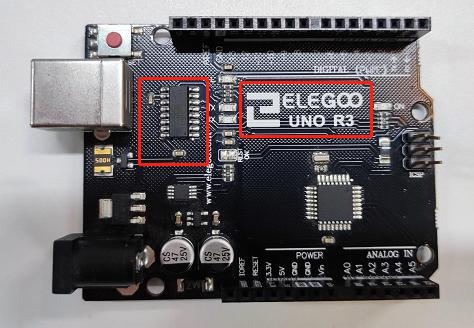
If your computer cannot recognize the controller board. Please open the “CH340 driver software” folder under the current folder path and install the driver software according to your OS.
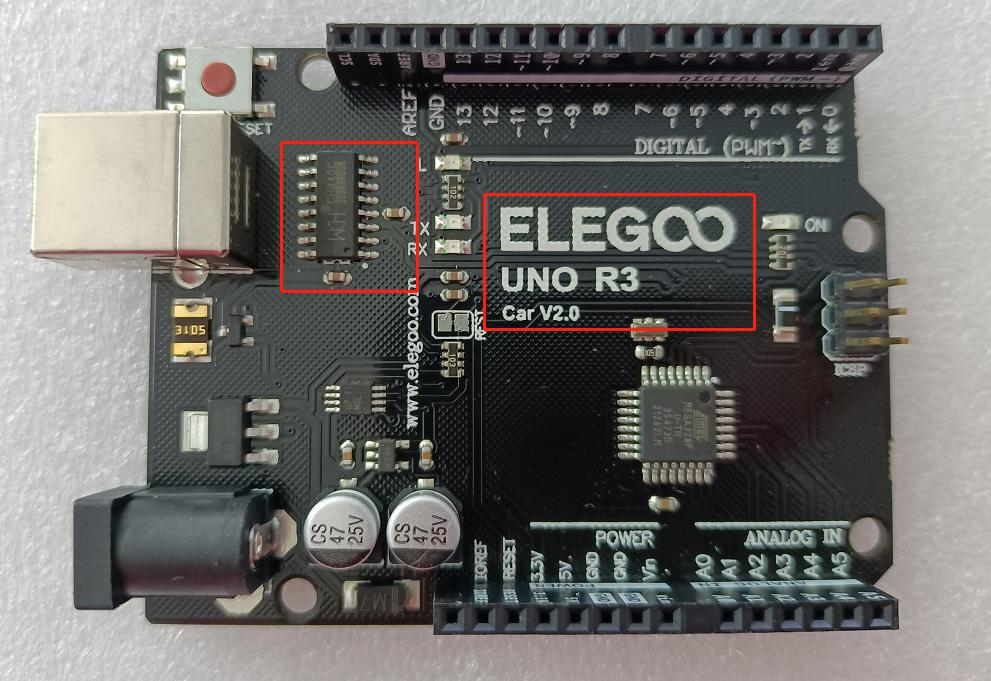
¶ Resource Package
For a smoother operating experience or if you wish to modify the code yourself, please refer to the code in the elegooofficial/ELEGOO-Smart-Robot-Car-Kit-V4.0-New repository. This program is specially optimized and is more suitable for advanced users.
https://github.com/elegooofficial/ELEGOO-Smart-Robot-Car-Kit-V4.0-New