¶ How To Make the Penguin Bot Move
In this chapter you will learn the movement principle of Penguin Bot and how to program it.
You will have a further understanding of the Penguin Bot after you finished this chapter.
¶ Movement principle of Penguin Bot
¶ Walking Forwards
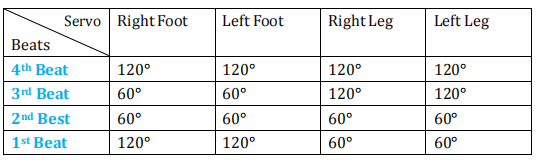
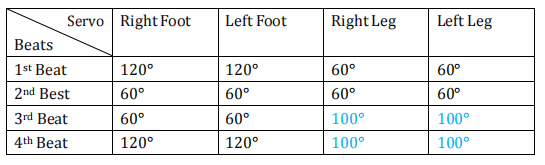
Penguin Bot will need 4 beats to make one step forward and then recycle the 4 beats again to continue walking forwards.
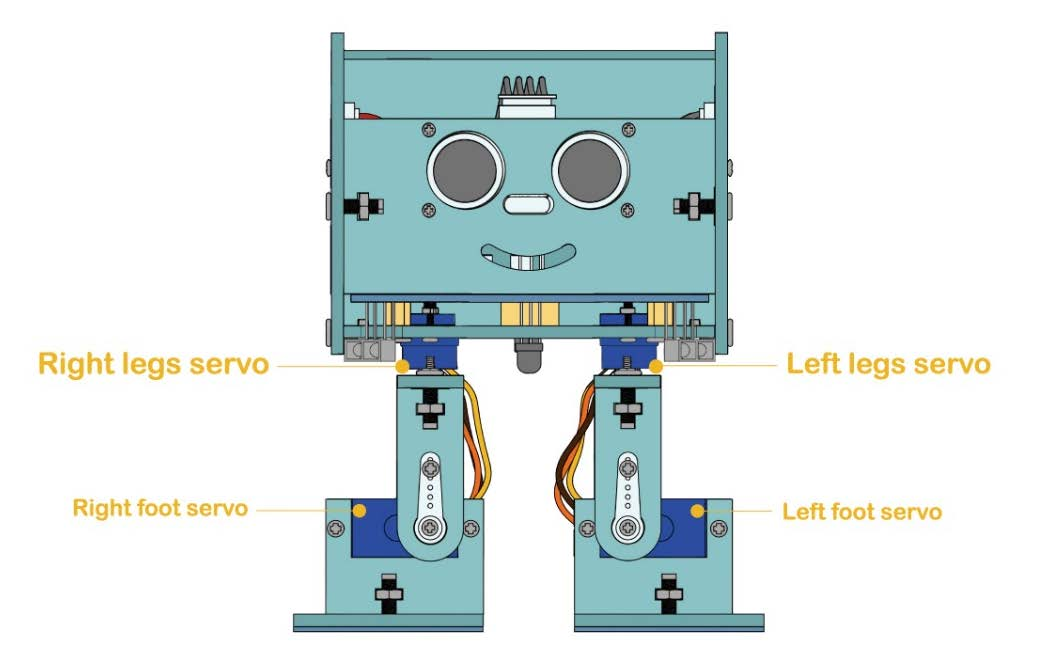
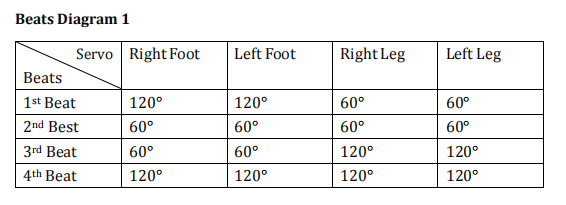
- 1st Beat: Servos of the left foot and right foot will rotate to 120° while servos of the left leg and right leg will rotate to 60°
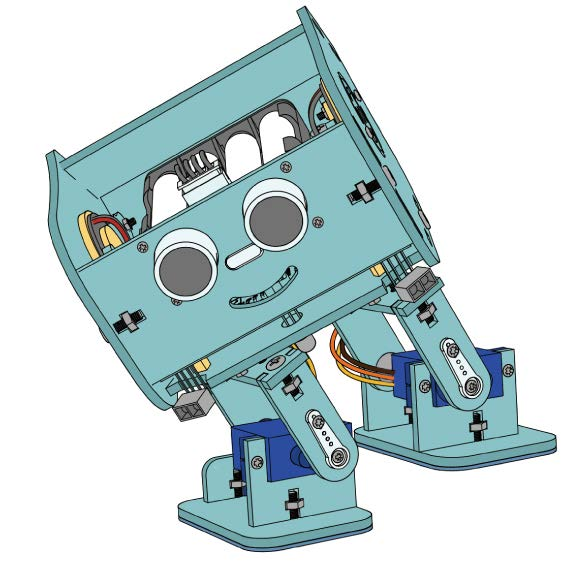
- 2nd Beat: Servos of the left foot and right foot will rotate to 60° while servos of the left leg and right leg will rotate to 60°
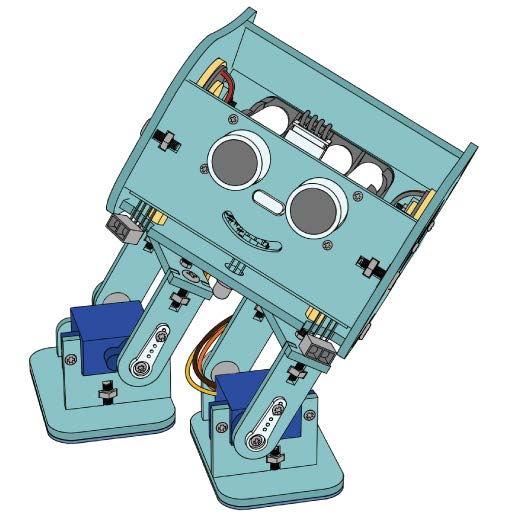
- 3rd Beat: Servos of the left foot and right foot will rotate to 60°while servos of the left leg and right leg will rotate to 120°
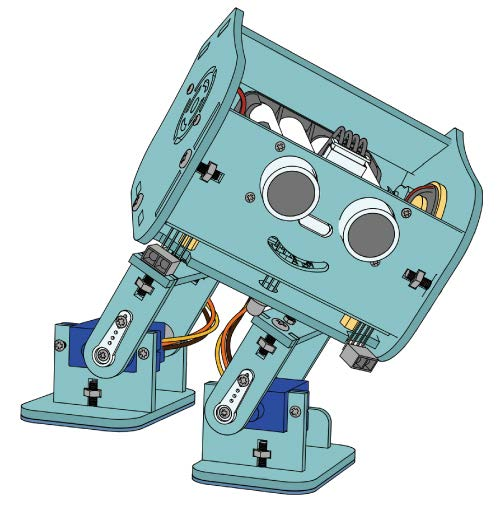
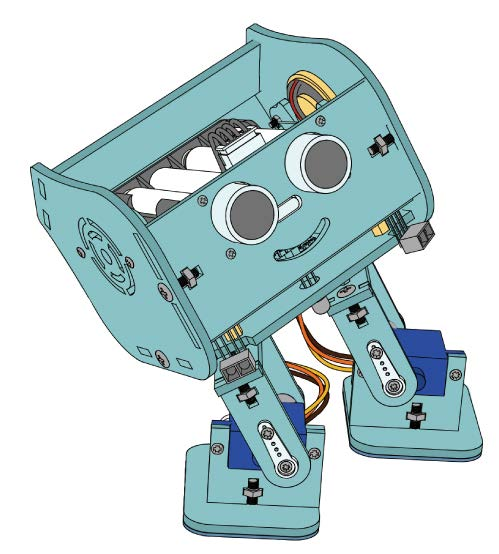
According to the Beats Diagram, servos rotates by 30° at the position of 90°, then we used Oscillator libraries to control the beats of servo, which is a very easy and effective.
¶ Walking Backwards
Execute the Beats Diagram 1 in a reversed order then you can make Penguin Bot walk backwards.
¶ Turn Left
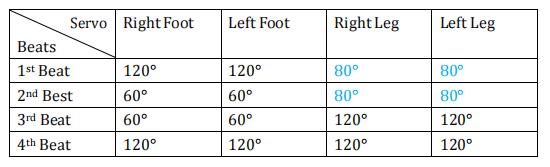
Modify the left leg and right leg from 60° to 80° in the 1st and 2nd beat from Beats Diagram 1
¶ Turn Right
Modify the left leg and right leg from 120° to 100° in the 3rd and 4th beat from Beats Diagram 1
¶ Program Penguin Bot to move forwards /backwards
Open the Forward_Back folder located in the same directory as this tutorial, then launch the Forward_Back.ino file inside it.
After opening the .ino file, focus on the setup() and loop() functions first. The setup() function handles initialization, while loop() runs repeatedly.
void setup()
{
servo[0].attach(RR_PIN);
servo[1].attach(RL_PIN);
servo[2].attach(YR_PIN);
servo[3].attach(YL_PIN);
homes(100);
}
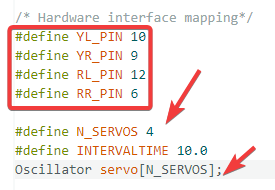
In the setup() function, you can see servo[0] to servo[3], an array for servo IDs. The attach(pin) function binds each servo to its corresponding pin. Four pins are used here, and you can check their specific definitions.
Next, check the loop() function. It contains two for loops, both calling the walk() function with different parameters. As you can see, the core functions are implemented by walk().
void loop()
{
for (int i = 0; i < 5; i++)
{
walk(1, 1500, 1);
}
for (int i = 0; i < 5; i++)
{
walk(1, 1500, 0);
}
}
Now let's look at the detailed definition of this function.
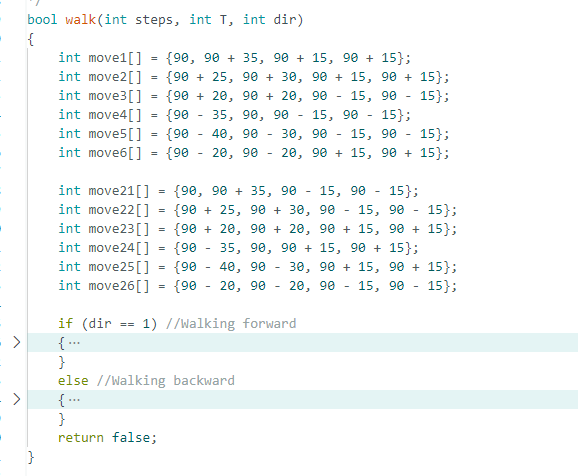
This function has three parameters:
- steps indicates the number of walking steps;
- T stands for movement duration;
- dir sets the moving direction (1 for forward, 0 for backward).
Multiple arrays inside the function define the servo action sequence: lift leg, swing leg, put down leg and switch leg. A full step is completed after looping through six sets of actions.
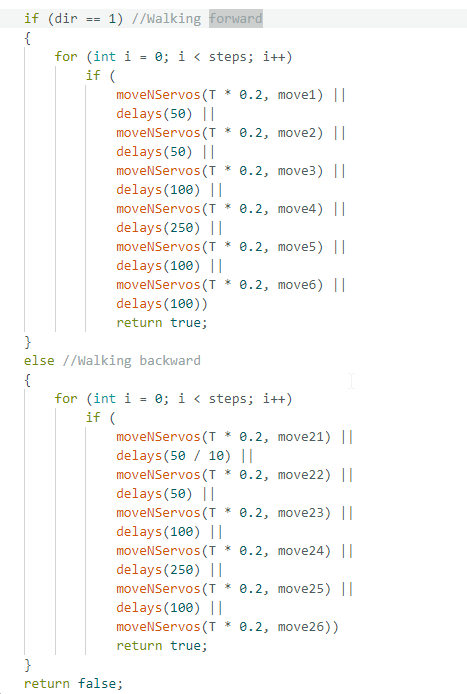
The action logic is identical for forward and backward movement.
Expand the if code structure. You will see that the program calls moveNServos to perform corresponding actions. There is a short delay after each step before moving on. The whole process repeats for the specified number of steps.
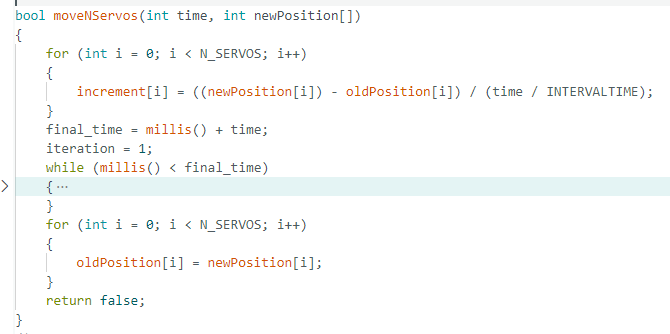
The moveNServos function consists of three main steps:
- first, calculate the movement distance for each increment;
- second, move gradually to the target position within the specified time;
- third, update the position records.
¶ Program Penguin Bot to turn left/right
Open the Right_Left folder in the current path and launch the corresponding .ino file. In terms of program logic, turning and moving forward share similar principles. The differences lie only in the number of steps and the moving distance of each leg. With this in mind, we can directly analyze the related motion functions.
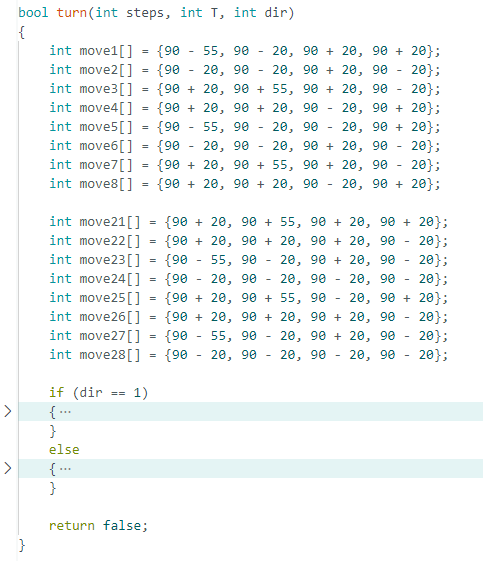
The array data defined in the turn function is different from that in the walk function for straight movement, which is the key to realizing left and right turns.