¶ When the Hotbed Continuously Impacts the Nozzle After XY Homing on "Home Z"
This issue suggests the photoelectric limit switch is not being triggered.
- Test the Photoelectric Switch Activation
-
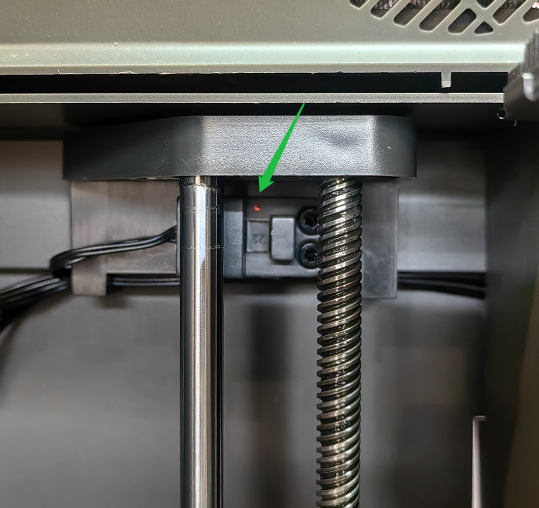
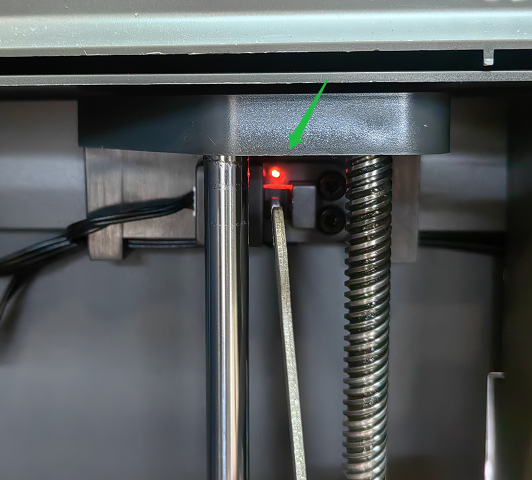
Power-On Check: With the machine powered on, use a wrench to manually trigger the switch and verify its functionality.
-
Normal Operation:
Untriggered State: The switch light is extremely dim (nearly invisible).Triggered State: The light illuminates clearly.
Refer to the two comparison images below for visual confirmation.
- Verify Wiring of the Photoelectric Limit Switch
-
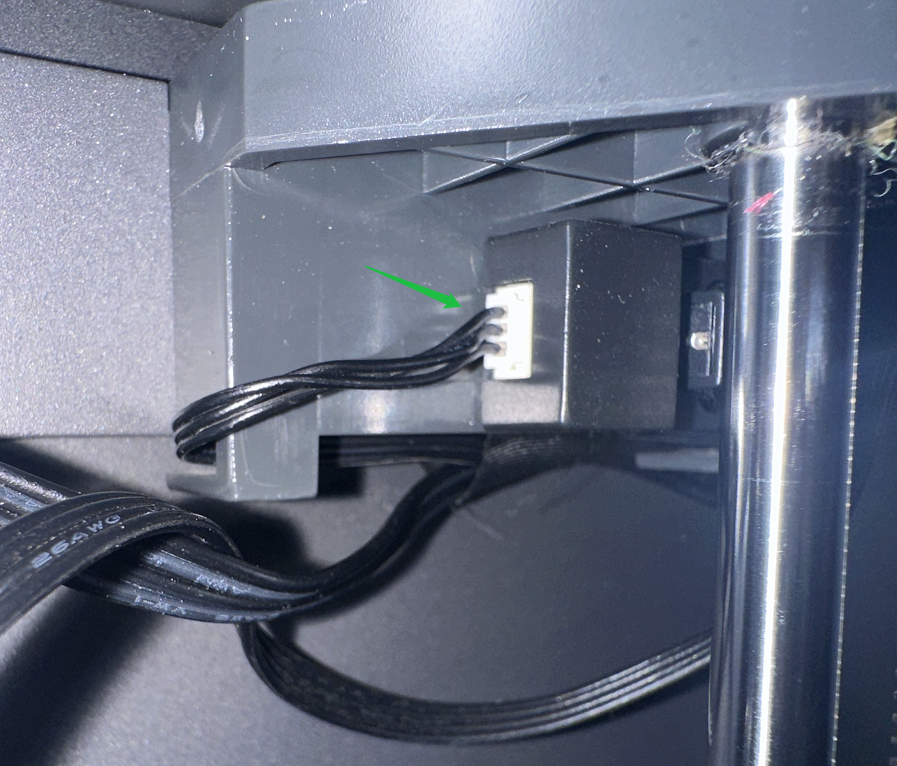
Check Connections: Ensure the switch wiring is securely plugged in. Inspect for frayed wires or loose connections.
-
Reconnect or Replace: If wiring is intact, unplug and replug the connector. If issues persist, replace the photoelectric limit switch and its wiring.
-
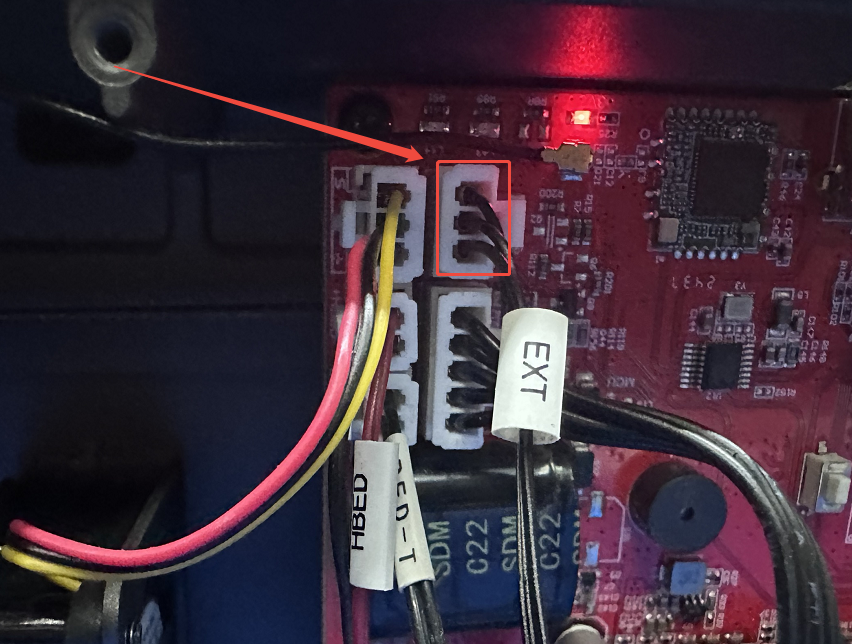
Mainboard Wiring Check
-
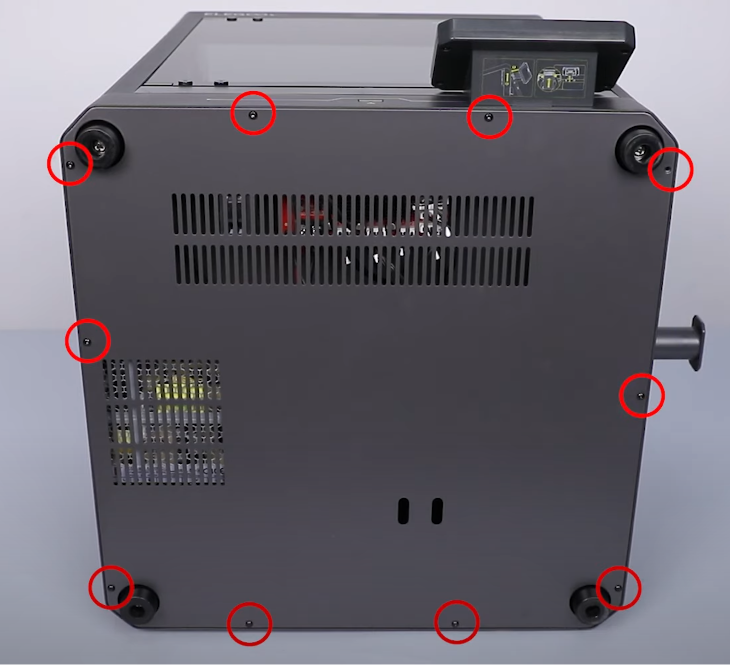
Open the machine’s cover by following the steps in this video: https://youtu.be/zC8LA6qXsZ8?si=mflg46uAwGhNVKHL
Loosen the bottom screws to remove the cover.
-
Inspect Mainboard Ports: Check that the limit switch wiring is correctly connected to the mainboard ports.
Should the issue persist, please contact the ELEGOO after-sales team, which will enable us to provide more effective assistance.