¶ Step 1 Confirm the location of the noisy fan.
Before operation, power on the printer.
-
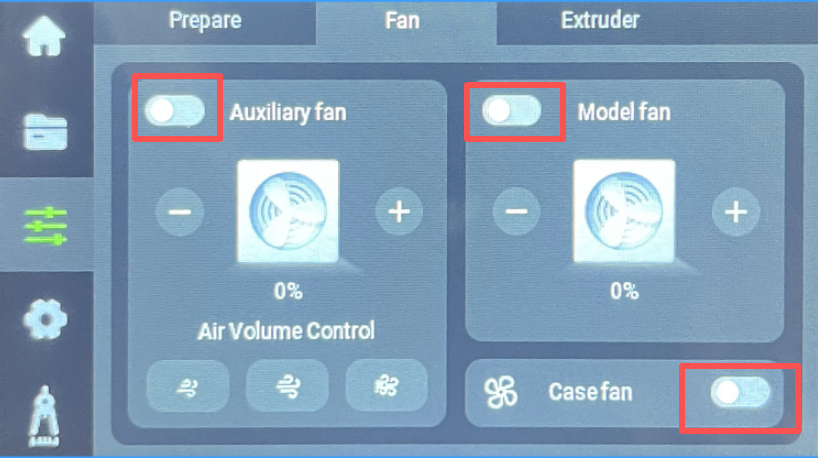
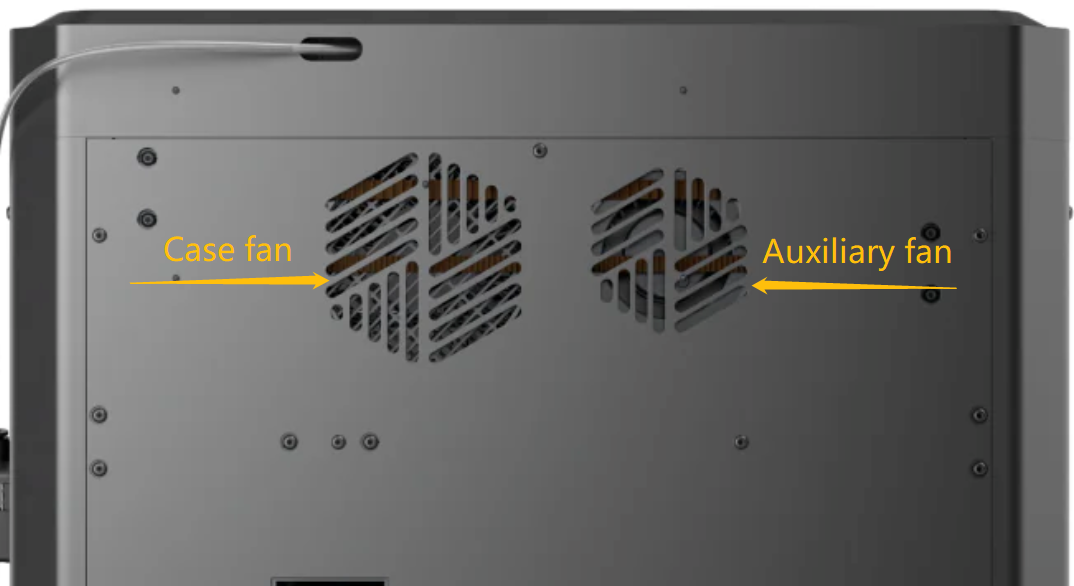
On the touchscreen, turn on the model fan, case fan, and auxiliary fan in sequence.
-
Listen intently for any sounds that deviate from its normal operational hum.
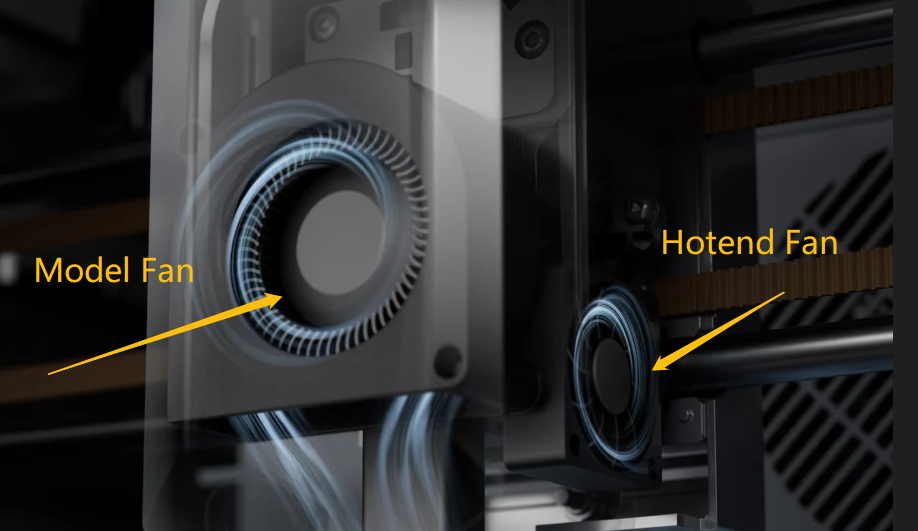
- Once the nozzle begins heating, the hotend fan starts rotating immediately.
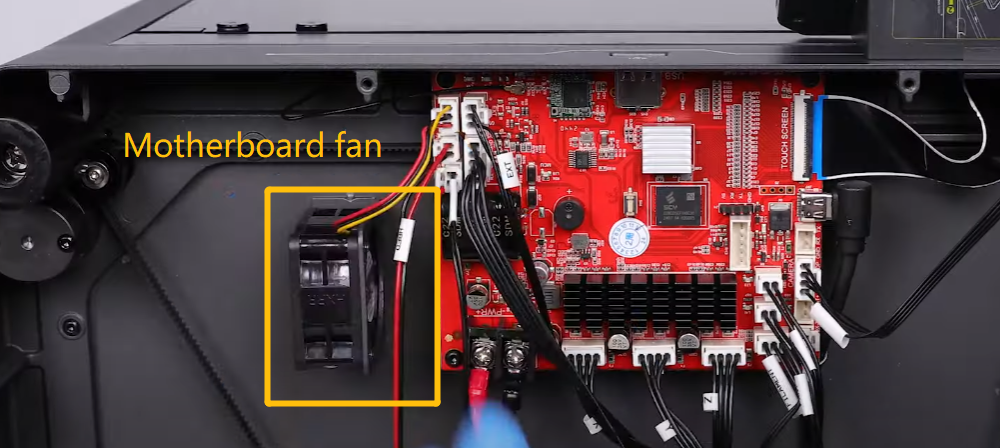
- Once the X/Y/Z axis motors move or the hotend/heated bed heats up, the motherboard fan starts rotating immediately .
¶ Step 2 Remove the fan making noise and troubleshoot it.
- Refer to the replacement guide and remove the fan.
Model cooling fan: https://youtu.be/_CF17oIDsak
Hotend cooling fan: https://youtu.be/C3d6oWahcIg
Motherboard cooling fan: https://youtu.be/zC8LA6qXsZ8
Auxiliary cooling fan:https://www.youtube.com/watch?v=NjiFGFVWTtM
Chamber cooling fan: https://www.youtube.com/watch?v=GXUhzk2TkBM
- Check whether the fan blades are obstructed by any foreign objects and whether the screws securing the fan are loose.
¶ Still have issues?
If the issue still occurs, contact the ELEGOO Official technical support team for further assistance.
When contacting us, include the results of your troubleshooting and photos of the fan.
The ELEGOO technical team will investigate based on the information you provide and suggest a solution.